⭐ EXPERT-REVIEWED  |  ✅ UPDATED 2026  |  🔒 NO SPONSORED BIAS  |  📚 EVIDENCE-BASED

Category: AI Business Tools

  • Best AI Spreadsheet Tools in 2026: Excel Copilot vs Gemini vs Rows

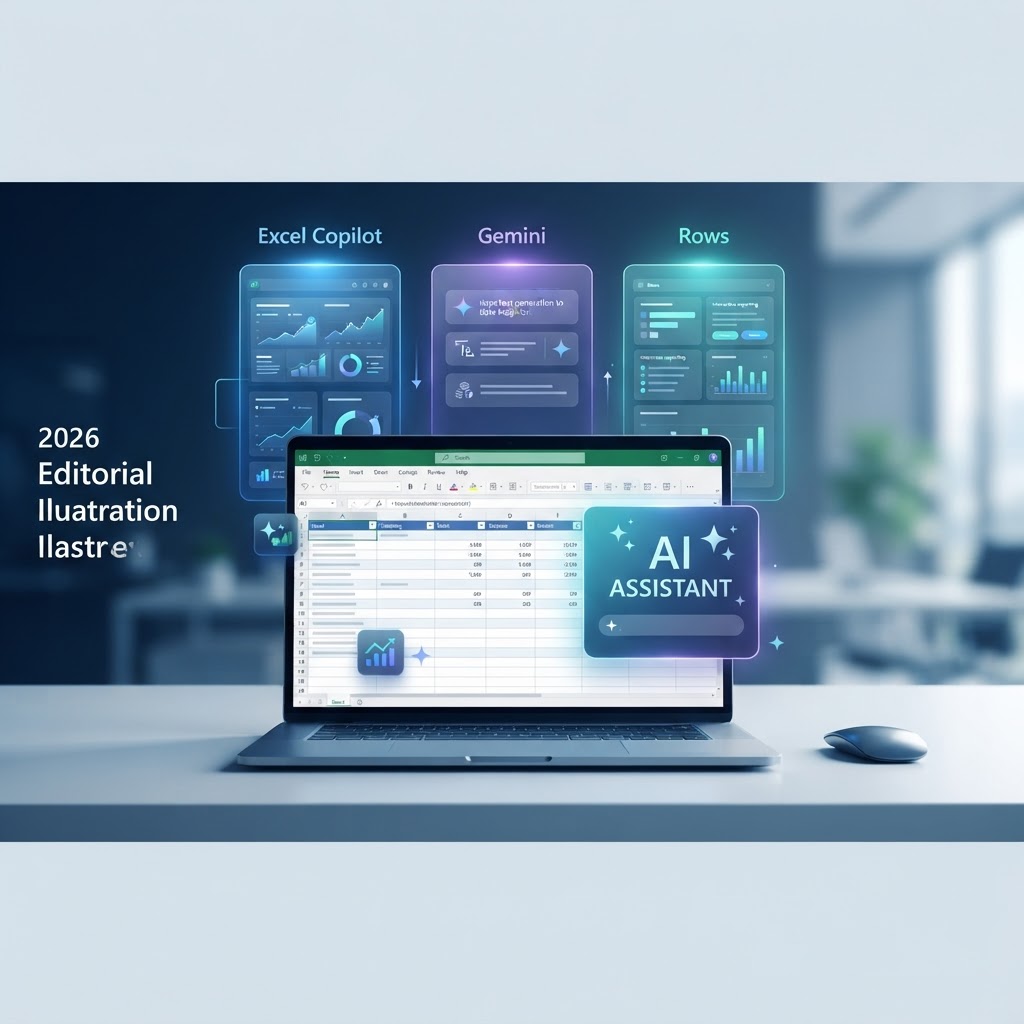
    Best AI Spreadsheet Tools in 2026: Excel Copilot vs Gemini vs Rows

    🏷️ Category: AI Business Tools

    Disclosure: This is independently researched editorial content based on public documentation and practical workflow analysis. AI features, limits, integrations, availability, and pricing change frequently. Verify current details on each provider’s official website before subscribing or connecting business data.

    Key Takeaways

    • Excel with Copilot fits Microsoft-centered teams and established workbooks.
    • Gemini in Google Sheets fits collaborative Google Workspace workflows.
    • Rows fits connected data, lightweight reporting, and operator-led workflows.
    • Generated formulas and summaries are drafts; verify them before making decisions.
    • Always verify current features, pricing, limits, and data policies on official websites.

    Why AI spreadsheet tools matter in 2026

    Spreadsheets remain the quickest way for a small team to turn a question into a working model. They handle budgets, inventories, customer lists, project plans, surveys, and forecasts without waiting for a custom application. Their flexibility is also their weakness: the same workbook can become difficult to clean, explain, and maintain. AI assistance is designed to reduce the blank-page problem by translating ordinary language into formulas, transformations, summaries, and charts.

    The realistic promise is not an autonomous analyst. It is a helper inside a familiar grid. A person still has to define the question, inspect the source range, validate the formula, and decide whether the result is reasonable. This comparison looks at three different approaches: Excel with Copilot, Gemini in Google Sheets, and Rows. Excel and Sheets are mature ecosystems with AI added to them; Rows puts connected data and AI-assisted workflow design closer to the center.

    Excel with Copilot: the Microsoft-centered option

    Excel with Copilot is the natural starting point for teams already using Microsoft 365. Its advantage is continuity: users can keep their existing tables, templates, formulas, charts, and file-sharing habits while asking for assistance with analysis or formula drafting. That matters when partners, accountants, or clients expect an Excel file.

    The depth of Excel can also make review easier for experienced analysts. They can compare an AI suggestion with known formulas, use tables and named ranges, and retain established reporting controls. The trade-off is complexity. A generated formula can be syntactically valid while using the wrong date basis, range, or definition of growth. Access and features can depend on the specific Microsoft plan, organization policy, application version, and rollout status, so verify current eligibility on Microsoft’s official website.

    Gemini in Google Sheets: the collaborative option

    Gemini in Google Sheets is strongest for teams that live in Google Workspace and prefer browser-based collaboration. Its value is less about replacing spreadsheet knowledge and more about helping a shared team move from a question to a draft. It can assist with formulas, summaries, organization, and explanations while colleagues continue to comment and edit in the same environment.

    That convenience comes with governance responsibilities. Workspace edition, region, and administrator settings can affect availability. Shared editing can also amplify mistakes: a formula or rewritten range may affect everyone who opens the file. Use version history, protected ranges, and a clear review convention. A generated summary should be traced to its source range, date window, filters, and missing values before it is used in a meeting or decision.

    Rows: the connected-workflow option

    Rows takes a more modern approach to the spreadsheet. It combines a grid with data imports, connected workflows, AI actions, and shareable outputs. That can appeal to operators who want a recurring report or lightweight dashboard without stitching together a spreadsheet, a connector, and a separate presentation tool.

    Rows is worth considering when the workflow begins with outside information and ends with a compact operational result. The key test is not whether a demo looks polished; it is whether imports, permissions, formulas, exports, and refreshes work on the process you actually run. Rows may not replace complex Excel workbooks, specialized add-ins, or every file-exchange requirement. Test with a low-risk copy before moving critical work.

    Comparison criteria

    A useful comparison needs more than an AI feature checklist. We considered formula assistance, data cleaning, classification, summaries, charts, collaboration, connected data, repeatability, security, and the time required to review results. We also considered failure modes. A tool that saves ten minutes but introduces an unnoticed error is not saving time.

    The best platform is the one that fits the data location and the team’s habits. Microsoft-centered teams may value compatibility and workbook depth. Google Workspace teams may value comments and browser access. Small operators may value a connected workflow that produces a useful output quickly. The right choice can change as the organization grows, so evaluate the process rather than choosing a permanent winner.

    Formula generation and explanation

    AI can translate a plain-language calculation into a first-draft formula. The quality improves when the prompt states the table, columns, edge cases, desired output, and assumptions. “Calculate profit” is incomplete. “Use the Orders table, return gross margin as revenue minus cost divided by revenue, return blank when revenue is zero, and explain the assumptions” is reviewable.

    Excel is compelling when the formula belongs inside a mature workbook with existing tables and names. Gemini is convenient when the shared Sheets file is already the team’s source of truth. Rows is useful when the calculation is part of a connected report. Whichever tool is used, test a normal row, a blank, a zero denominator, a negative value, and unexpected text. Compare at least one result with a hand calculation.

    Cleaning messy data

    Cleaning is a high-value use case because business data is rarely consistent. Locations may appear under several spellings; dates may be text; phone numbers may use different formats; and duplicate rows may not be obvious. AI can suggest a mapping or flag suspicious patterns, but the safe process is inspect, copy, transform, and compare.

    Preserve the original column or sheet. Ask the tool to describe the proposed rule before applying it. Review ordinary rows and edge cases, then compare row counts, totals, distinct values, and blank counts before and after. Never assume that a neat-looking result is correct. If the data feeds payroll, billing, customer service, or compliance, require a second-person check and retain a record of the rule used.

    Classification and tagging

    AI classification can help turn unstructured text into workable categories. A support team might tag themes in feedback; a marketing team might group campaign ideas; an operations team might sort requests by urgency. This is useful for triage, but labels are not automatically objective. Ambiguous examples and changing language can produce inconsistent results.

    Create a short label guide with examples and exclusions. Review a sample of every category, including borderline cases. Measure errors rather than judging quality from a handful of rows. Keep a human in the loop when the label affects a customer, employee, eligibility decision, or financial outcome. The tool should accelerate a review process, not quietly replace it.

    Analysis and summaries

    AI summaries are valuable when they help a reader find the next question. A report might highlight a change in sales, a growing backlog, or a concentration in one category. Before sharing the conclusion, trace it back to the source range. Check filters, date windows, missing values, outliers, and whether the comparison is fair.

    Ask the tool to state assumptions and list what could make the conclusion wrong. This often produces a more useful answer than asking for certainty. A chart can also mislead through an axis choice, hidden periods, or an implied causal relationship. Use clear labels, honest scales, and a note describing the time window. A polished visualization is not evidence by itself.

    Collaboration and handoff

    The best AI-assisted workflow is understandable to someone who did not create it. A colleague should know where the source data came from, what the formula means, which cells were generated, and how to refresh the result. This is especially important in shared Sheets and team workbooks where a helpful shortcut can become invisible institutional knowledge.

    Use comments or a short README sheet to document assumptions. Protect source ranges when appropriate. Keep a change history and define who reviews a result before publication. Rows can make a polished handoff attractive; Excel can make a familiar handoff practical; Sheets can make a live handoff easy. In every case, the process should survive the original author being unavailable.

    Privacy and security

    Before putting data into an AI spreadsheet feature, ask whether the data belongs there. Payroll records, health information, customer identifiers, contracts, credentials, and confidential strategy may require special handling. Review your organization’s policy and the provider’s current data terms. Use the minimum data needed, remove identifiers when possible, and separate testing data from production data.

    Never place API keys, passwords, private tokens, or recovery codes in a cell or prompt. Use supported connections and secret-management processes for integrations. Assign owners to connectors, review permissions, and revoke unused access. A familiar brand does not remove the need for least privilege. A small specialist product can be safe with good controls, and a large suite can be risky if a shared file is open to the wrong audience.

    Pricing and plan reality

    AI software pricing changes often and can vary by region, account type, seat count, and administrator policy. A plan that includes a spreadsheet may not include the AI capability shown in a demonstration. A business plan may include controls that are absent from a consumer plan. For that reason, this guide does not present third-party price figures as current facts.

    Estimate the complete cost instead: base workspace, AI access, seats, storage, connectors, automation limits, support, and review time. Confirm current pricing, included limits, availability, and data policies on the official website for Microsoft, Google, or Rows before subscribing. The cheapest plan is not necessarily the cheapest workflow if staff must spend more time correcting output.

    Best choice for Microsoft 365 teams

    Choose Excel with Copilot when your team already exchanges Excel files, relies on established workbook structures, or needs mature spreadsheet depth. It is a low-friction addition when the data and review process already live in Microsoft 365. Begin with explanations and formula drafts before trying larger transformations.

    The main risk is overconfidence. Excel can hide a wrong assumption inside a sophisticated workbook. Use named definitions for metrics, test formulas against known answers, and keep business rules visible. If a workbook has become a critical database or multi-user application, consider whether better data architecture is needed rather than adding more AI.

    Best choice for Google Workspace teams

    Choose Gemini in Google Sheets when browser collaboration, comments, sharing, and Google Workspace integration are central. It works well for shared reports, light analysis, and helping less experienced users understand a grid. The team can keep the conversation and the output close together.

    Set administrator and sharing rules before broad adoption. Use protected ranges and version history. Check what happens when a collaborator edits a generated formula or changes a source tab. Verify current account eligibility and data-handling details on Google’s official website, because product availability may differ across editions and locations.

    Best choice for operators and small teams

    Choose Rows when the task is a connected, lightweight workflow rather than a massive traditional workbook. It can be appealing for pulling information together, organizing it, and presenting a useful result without building a custom application. It may help a small team move quickly from raw data to a dashboard or recurring internal report.

    Test the full lifecycle: initial import, refresh, error handling, permissions, exports, and ownership. Check whether your team can recover when a connection changes or a provider alters an API. Rows is not automatically the right choice for complex Excel compatibility or regulated records. Its best fit is a focused process with clear boundaries and an owner.

    A 30-day evaluation plan

    Start with one real but low-risk workflow, such as a weekly campaign report or cleaned product list. Make a copy of the source and define success before opening the AI feature. In week one, document the current process, manual steps, error checks, and time required. In week two, ask each candidate to assist with the same task and save the prompts and outputs.

    In week three, ask a second person to repeat the process and check whether the result is understandable. In week four, compare time saved against review time, error rate, repeatability, and total cost. Do not scale because a demo was impressive. Scale when the process is reliable, documented, safe for the data involved, and easier for the team than the old method.

    Prompt patterns that work

    Strong prompts specify the range, desired result, edge cases, and requested explanation. For example: “Using the Orders table, calculate month-over-month revenue growth by month. Treat missing months as zero only when the month exists in the reporting calendar. Return a formula, explain it, and list assumptions.”

    For cleaning, ask: “Identify inconsistent Region values without changing them. Return a proposed mapping table and count each affected label.” For analysis, ask: “Summarize the three largest changes, cite the relevant columns, separate correlation from causation, and flag missing data.” Asking “What could make this conclusion wrong?” encourages review instead of false certainty.

    Comparison table

    Tool Best fit Strength Watch-out
    Excel with Copilot Microsoft 365 teams Depth and compatibility Complexity and plan dependencies
    Gemini in Sheets Browser collaboration Shared workspace and explanations Edition and administrator variation
    Rows Connected lightweight workflows Imports, AI actions, dashboards Compatibility and integration testing

    FAQs

    Is Excel Copilot better than Gemini in Google Sheets?

    Neither is universally better. Excel is usually the natural fit for Microsoft-centered teams with established files, while Gemini is convenient for Google Workspace collaboration. Compare the real task, data location, security controls, and verified current availability.

    Is Rows a replacement for Excel or Google Sheets?

    It can replace a traditional spreadsheet for some connected workflows, but not every complex workbook. Test formulas, imports, exports, permissions, refreshes, and handoff with a low-risk process first.

    Can these tools make financial decisions for me?

    They can organize data or draft scenarios, but should not make unsupervised financial decisions. Verify assumptions and involve an appropriately qualified professional for high-stakes or regulated decisions.

    Do AI spreadsheet tools always get formulas right?

    No. They can use the wrong range, interpretation, date basis, or error handling. Test normal and unusual cases against a known answer and ask for assumptions.

    Can I use confidential company data?

    Only when your policy and the provider’s current terms allow it. Minimize sensitive data, review permissions and retention, and never paste secrets into cells or prompts.

    How should a small business start?

    Pick one repetitive, low-risk report. Preserve the source, measure the old process, test one tool, require human review, and expand only after the workflow is repeatable.

    Conclusion

    Excel with Copilot, Gemini in Google Sheets, and Rows represent three useful directions for AI-assisted spreadsheet work. Excel is compelling when compatibility and depth matter. Gemini is compelling when a collaborative Google Workspace environment matters. Rows is compelling when connected data and lightweight operational outputs matter.

    The winning choice is the one that fits your data, habits, security requirements, and review process. Start with a bounded workflow, keep the source intact, validate the output, and document what the AI changed. Features and pricing change frequently, so verify all current details on the official website before subscribing or connecting business data.

    Implementation details that separate a useful workflow from a risky demo

    Define the metric before asking for the answer

    Every spreadsheet project should begin with a definition. Revenue may mean booked revenue, recognized revenue, or cash collected. Active customers may mean anyone with an account, anyone who logged in, or anyone who purchased recently. An AI assistant cannot resolve an ambiguous business definition reliably. Write the definition in a note or prompt, identify the source columns, and state the time zone and reporting period. This makes outputs from Excel, Sheets, or Rows easier to compare and easier to audit. It also prevents a common failure mode in which a tool generates a technically correct calculation for the wrong question.

    Use a staging area

    Keep imported or raw data separate from presentation tabs and decision outputs. A staging area gives you somewhere to inspect types, blanks, duplicates, and unexpected values before the AI transforms anything. In Excel, this may be a separate worksheet or query result. In Sheets, it may be a protected source tab. In Rows, it may be an imported table that feeds a report. The names differ, but the principle is the same: do not let a convenient generated action overwrite the only copy of the source. Preserve the ability to reproduce or reverse the transformation.

    Design for failure

    Connected data can fail because a token expires, a column is renamed, a provider changes an API, or an import returns fewer rows. An AI-generated workflow may not make the failure obvious. Add checks for row count, last refresh time, blank key fields, and expected totals. Display a visible warning when a source is stale. Test what happens when the connection is unavailable. A report that says “zero sales” when the import failed is more dangerous than a report that clearly says “data unavailable.”

    Review generated changes

    A good review is specific. Do not merely glance at a green chart and approve it. Compare the first and last row, inspect records with blanks, look at the largest and smallest values, and recalculate a few examples independently. For a classification task, review each label and a random sample of the original text. For a formula, check references and error handling. Save the prompt and the result when the output influences a recurring report. This creates a lightweight audit trail without requiring a large governance platform.

    Measure time saved honestly

    AI may make drafting faster while making review slower. Measure the whole workflow: preparation, prompt writing, correction, validation, formatting, handoff, and future maintenance. Compare the total with the existing process. Also record the error rate and the number of times a person had to restart. A workflow that saves twenty minutes each week but creates a serious error every quarter may not be an improvement. The most valuable automation is often boring, repeatable, and easy to inspect.

    Choose the right level of automation

    Not every task should be fully automated. Use suggestion mode when the data is sensitive or the rule is still changing. Use a human approval step before sending an external report. Use more automation only after the input structure, business rule, and output review are stable. Excel, Sheets, and Rows can all support different levels of assistance, but a product feature does not decide the right level for your organization. The risk comes from the process and the consequence of being wrong.

    Think about ownership

    A spreadsheet needs an owner even when AI helps create it. The owner should know where the data comes from, who can edit it, when it refreshes, and what to do when the result looks wrong. Shared ownership is often useful, but “everyone owns it” can mean nobody is responsible. Assign a primary owner and a backup. Record connector ownership and review access when staff change roles. This matters especially for Rows workflows and shared cloud spreadsheets that depend on personal accounts.

    Keep the human explanation

    A final report should explain what changed and what did not. Include the reporting period, source, assumptions, exclusions, and review date. If AI grouped records or generated a summary, say so internally and retain the underlying rows. Readers do not need a transcript of every prompt, but they do need enough context to understand the number. Clear explanation builds more trust than a glossy dashboard with no method. It also makes it easier to correct a mistake without starting over.

    Prepare for product change

    AI tools evolve quickly. A button may move, a model may change, a usage limit may be introduced, or a feature may require a different plan. Avoid building a critical process around an undocumented behavior. Prefer documented functions and supported connections. Keep a backup export and test the workflow after major product changes. Verify official release notes and pricing rather than relying on old screenshots. This is another reason to keep the logic understandable: a team can adapt a transparent process more easily than a mysterious one.

    Use AI to improve questions

    The best outcome is sometimes a better question rather than an automatic answer. Ask which data is missing, which comparison would be fair, whether the sample is large enough, and what alternative explanation fits the pattern. Ask the tool to suggest a validation check. Then decide which checks matter for the actual business decision. Used this way, AI spreadsheet assistance helps a team think more clearly while leaving judgment where it belongs. That is a more durable benefit than chasing the newest one-click feature.

    Common mistakes to avoid

    Mistaking fluency for accuracy

    AI writes confidently because confidence is part of the interface, not proof of correctness. A fluent explanation can conceal a wrong range or a missing filter. Treat wording as a convenience and evidence as a separate requirement. Ask for the calculation, inspect the source, and reproduce a small sample outside the generated answer. This habit is useful in every platform and should be part of onboarding for anyone using AI in business spreadsheets.

    Skipping the baseline

    Without a baseline, a team cannot tell whether AI improved the work. Record the old time, error checks, handoff steps, and output quality before changing the process. A baseline also reveals when the best solution is a better template, a cleaner data source, or a simple formula rather than an AI feature. The tool should earn its place by making the complete process better, not just by producing a faster first draft.

    Ignoring edge cases

    The average row is rarely where spreadsheet problems appear. Review refunds, cancellations, blank dates, international formats, negative quantities, duplicate identifiers, and unusually large values. Tell the tool which cases matter and ask how it handles them. Then test the answer. Edge-case review is particularly important for dashboards because a single bad category or date conversion can alter a headline metric while leaving the visual attractive.

    Over-sharing the output

    A shared link can travel farther than intended. Before publishing a workbook or dashboard, inspect hidden tabs, comments, formulas, file history, and connector permissions. Remove internal notes and sensitive columns. Use the smallest audience that needs the result. AI does not change the basic responsibility to share business data carefully. Confirm current provider sharing controls and organization policy before making a report public.

    Choosing a tool before choosing a workflow

    Starting with a favorite brand encourages teams to force every task into one product. Start with the workflow instead: where is the source, who reviews it, what must be exported, how often does it run, and what happens when it fails? Then test Excel, Sheets, or Rows against those requirements. A focused workflow evaluation produces a better decision than a generic feature ranking and remains useful when product features change.

    What success looks like

    A successful AI spreadsheet workflow is not the one with the most automation. It is the one where the team can explain the source, the rule, the review, and the result. People know what the tool is allowed to do and what requires approval. The process has a fallback when an import or model response fails. The output is useful enough to justify its cost, but transparent enough that a person can challenge it. That standard keeps the technology in service of the work rather than turning the work into a showcase for the technology.

    For most teams, the safest path is incremental. Begin with an explanation or formula draft, then add cleaning suggestions, then consider repeatable imports or summaries. Keep the original data, compare results, document assumptions, and review performance after a month. If the workflow remains dependable, expand it. If it does not, the experiment still taught you where the data or process needs improvement.

    Ultimately, compare tools on the questions your team asks every week, not on the most impressive launch demonstration. A reliable small improvement is more valuable than a spectacular answer nobody can verify, repeat, or safely share.

    That discipline protects accuracy, privacy, and the credibility of the people who rely on the report.


  • Best AI Code Documentation Tools 2026: Top 5 Compared

    Best AI Code Documentation Tools 2026: Top 5 Compared

    Key Takeaways

    • AI code documentation tools significantly reduce technical debt by maintaining living, up-to-date documentation alongside codebase updates.
    • The best AI documentation generator integrates directly into CI/CD pipelines to ensure documentation never drifts from source code logic.
    • Automated code documentation bridges the knowledge gap between legacy system maintenance and rapid feature development for junior developers.
    • Selecting the right documentation software for developers requires balancing integration depth, language support, and security compliance.
    • AI developer productivity tools shift the engineering focus from descriptive writing to creative architecture and problem-solving.

    In the rapid-fire ecosystem of 2026, the delta between a high-performing engineering team and one crippled by technical debt often comes down to the quality—and accessibility—of their documentation. As codebases balloon in complexity and architectural patterns shift toward micro-services and distributed event-driven systems, the manual upkeep of technical docs has become an unsustainable bottleneck. The emergence of specialized AI code documentation tools marks a fundamental pivot in how software organizations manage institutional knowledge. By leveraging large language models (LLMs) tuned specifically for syntax, semantics, and system architecture, developers are finally shedding the burden of manually drafting READMEs, docstrings, and API specifications. This guide explores the state of automated code documentation, analyzing how these intelligent systems transform raw repository data into coherent, navigable, and perpetually current engineering manuals.

    1. Why Use AI for Automated Code Documentation?

    The traditional struggle with documentation is not a lack of effort, but a lack of time. In most agile environments, developers prioritize feature velocity over descriptive prose, leading to a state of perpetual “documentation debt.” When code changes—which happens daily in a healthy repository—manual documentation quickly becomes obsolete. This drift creates a dangerous environment where onboarding new engineers takes weeks instead of days, and senior architects spend hours answering repetitive questions about legacy logic or edge-case handling.

    AI code documentation tools solve this by treating documentation as a functional byproduct of the codebase itself. Unlike manual approaches that rely on static Wikis or scattered Confluence pages, these AI-driven systems parse the Abstract Syntax Tree (AST) of the project. They understand function signatures, variable relationships, and complex control flows in ways that static analysis tools never could. When a developer submits a pull request, the AI can cross-reference the proposed logic changes against the existing documentation, identifying discrepancies before they reach production. This ensures that the documentation remains a single, reliable source of truth.

    Furthermore, these tools mitigate the “bus factor”—the risk associated with a critical developer leaving the organization without transferring their domain expertise. By generating context-aware explanations that cover the “why” rather than just the “what,” AI systems capture institutional intent. Many experts generally agree that the greatest value provided by an automated code documentation system is its ability to translate dense, obfuscated code into human-readable narratives. This is particularly vital in environments utilizing legacy languages or complex framework abstractions where deciphering the original author’s intent requires navigating convoluted logic paths. By automating this descriptive process, teams reclaim precious engineering hours that would otherwise be spent in tedious administrative tasks. The result is not just a cleaner repository, but a significantly more resilient engineering culture where knowledge is democratized across the entire organization, regardless of seniority or tenure.

    2. How AI Documentation Tools Improve Developer Workflow

    The integration of AI developer productivity tools into the daily workflow is not merely about convenience; it is about cognitive offloading. A developer’s most valuable resource is their “flow state”—the period of deep focus required to solve complex architectural challenges. Every time a developer must pause their work to write documentation or search through a disorganized wiki to understand how an external module behaves, that flow is shattered. Documentation software for developers restores this state by automating the repetitive elements of technical communication.

    One of the most profound improvements occurs during the code review process. With AI-assisted documentation, reviewers are no longer forced to guess the intent behind a specific function or class. Instead, they can view auto-generated, context-rich summaries that explain the logic alongside the changes. If the AI detects that the implementation contradicts existing docstrings or external API documentation, it can flag the inconsistency for the reviewer. This shift changes the role of the peer reviewer from a proofreader of comments to a validator of logic and system design.

    Onboarding is another area where efficiency gains are realized. New hires often face a steep learning curve when navigating large, undocumented codebases. AI-powered tools provide an interactive interface, allowing junior developers to query the repository as if they were talking to an expert lead engineer. By asking questions like, “What does this service module communicate with?” or “Where is the authentication flow handled in the data layer?”, the AI can provide pinpoint answers supported by citations from the codebase. This turns documentation into an active, dialogue-driven learning resource rather than a static reference manual.

    Lastly, code doc automation significantly reduces the friction involved in cross-team collaboration. In organizations utilizing service-oriented architectures, teams often rely on each other’s APIs. Maintaining up-to-date OpenAPI or Swagger definitions is notoriously difficult when teams move at different speeds. AI generators automatically sync the documentation with the actual implementation, ensuring that breaking changes are communicated immediately. This proactive communication prevents downstream integration failures and reduces the need for constant cross-team meetings, allowing each unit to function with greater autonomy and confidence.

    3. Key Features to Look for in Documentation Generators

    Selecting the best AI documentation generator requires a focus on functional depth and integration capabilities. Not all tools are created equal; while some specialize in simple Python docstring generation, others are robust platforms designed to handle complex, multi-language enterprise monorepos. Before committing to a solution, technical teams should evaluate specific feature sets to ensure they align with their internal workflows.

    The primary feature to evaluate is multi-language and multi-framework support. A modern enterprise often maintains a polyglot environment, mixing C++ high-performance modules with TypeScript front-ends and Python data pipelines. The tool must demonstrate an understanding of idiomatic patterns for each of these languages. It should not merely comment on function lines; it must be capable of generating high-level architectural overviews by analyzing how different files and services interact within the larger repository structure.

    Integration with existing version control systems, specifically Git, is non-negotiable. The best documentation software for developers functions as a silent observer within the CI/CD pipeline. Look for tools that can trigger automated updates upon merging a branch, ensuring that the documentation is version-controlled and immutable alongside the code. The capacity for user-defined templates is equally critical; teams should be able to influence the tone, format, and structure of the generated output to match their internal style guides.

    Security is perhaps the most significant consideration. In a sensitive development environment, sending proprietary code to an LLM—even for the purpose of documentation—can pose risks. Robust tools must offer enterprise-grade privacy controls, including the ability to run models in private cloud environments, self-hosted containers, or via zero-retention data policies. This ensures that the documentation process does not inadvertently leak trade secrets or expose security vulnerabilities in the underlying codebase.

    Finally, look for advanced querying capabilities. A “documentation tool” is only useful if developers can find the information they need without friction. Look for features like vector-database search, which enables semantic queries. This allows a developer to search for concepts—such as “how do we handle error retries?”—rather than literal keyword matches. A search interface that maps the user directly to the relevant line of code provides the highest utility, bridging the gap between abstract documentation and actionable implementation.

    4. Top 5 AI Code Documentation Tools for 2026

    As we navigate the competitive landscape of 2026, the following five tools have distinguished themselves as the industry leaders in automated documentation. These solutions represent the diverse approaches taken to bridge the gap between source code and human-readable technical assets, each catering to slightly different team sizes and architectural complexities.

    Tool Name Primary Approach Best For
    DocuAI Pro Repository-level semantic indexing Large enterprise monorepos
    SyntaxWriter Real-time IDE integration Individual contributors/Small teams
    RepoGraph Graph-based documentation mapping Microservice architectures
    DocuFlow CI/CD pipeline automation DevOps-heavy engineering teams
    SafeCode Docs On-premise LLM processing Highly regulated industries

    Each of these platforms leverages unique architectural designs. DocuAI Pro, for example, utilizes a proprietary vector search mechanism to index entire repositories, allowing users to perform natural language queries across thousands of files simultaneously. This is indispensable for organizations dealing with legacy code that lacks clear structure. SyntaxWriter, by contrast, operates closer to the metal, providing real-time suggestions within the IDE environment. It is arguably the best AI documentation generator for teams that prioritize immediate, line-by-line clarity over high-level system summaries.

    RepoGraph takes a unique approach by visualizing code interactions as nodes and edges. It effectively maps dependencies across microservices, generating visual diagrams alongside the written documentation. For architects and lead developers, this visual clarity is invaluable. DocuFlow positions itself as a pure automation engine. It treats documentation like a build artifact; when the CI pipeline runs, the documentation is automatically updated and versioned. This eliminates human error entirely. Lastly, SafeCode Docs addresses the growing concern of data privacy. By providing a containerized, self-hosted solution, it allows organizations in sectors like finance or defense to utilize state-of-the-art AI without risking data leakage.

    5. Comparing Automated Doc Tools vs Manual Documentation

    The debate between manual and automated documentation often centers on the concept of “nuance versus speed.” Proponents of manual documentation argue that only a human developer can capture the “spirit” of a feature—the specific business constraints, the reasoning behind a sub-optimal trade-off, or the historical context of a design decision. While this is true, it fails to account for the reality of modern software lifecycles. Manual documentation is inherently flawed because it is disconnected from the implementation. It is a snapshot in time that begins to decay the moment it is written.

    Automated code documentation tools flip this dynamic. While an AI might struggle to explain the “political” reasons behind a specific architectural choice, it excels at explaining the “mechanical” reality of the system. It will never fail to note a new parameter in a function signature, nor will it forget to update a README when a library dependency changes. When we compare these two approaches, we see that the most effective engineering organizations are moving toward a hybrid model where AI handles the ground-truth technical documentation, and human developers supplement this with “high-level intent” documentation.

    The cost-benefit analysis favors automation heavily. Manual documentation is labor-intensive, often costing dozens of hours per release cycle. In contrast, code doc automation is a set-and-forget investment that scales linearly with the size of the project. As the codebase grows, the cost of manual upkeep becomes exponential, whereas the AI’s cost remains relatively flat. Furthermore, the searchability of automated documentation—where the system can index and cross-reference every internal call and variable—surpasses what a human could maintain in a static document. In 2026, the expectation for documentation should be that it is a live, queryable database of the system’s state. Relying solely on manual processes, regardless of the quality of the documentation, is effectively choosing to remain in a pre-AI era of software development where knowledge siloing and technical drift are inevitable constants.

    Best AI Tools for Open Source Project Documentation

    Open-source development presents unique documentation challenges. Unlike proprietary environments where the codebase is internal and access-controlled, open-source projects rely on community contribution, rapid iteration, and transparent onboarding for external developers. Consequently, the best AI documentation generator for open source must excel at translating complex, modular codebases into accessible, public-facing knowledge bases.

    For large-scale repositories, tools that leverage Large Language Models (LLMs) to synthesize READMEs, contribution guides, and API references are essential. These tools often integrate directly with platforms like GitHub or GitLab, scanning pull requests to suggest documentation updates in real-time. This automated synchronization ensures that documentation does not fall behind the rapid pace of community-led development.

    One notable category of tools for this ecosystem includes those that generate documentation sites directly from docstrings within the code, such as those that support Markdown and Docusaurus integration. By automatically surfacing internal logic into human-readable documentation, these tools allow maintainers to focus on code quality while the AI manages the structural representation of the project’s architecture.

    Tool Name Primary Strength Best For
    Swimm Context-aware codebase mapping Large-scale open source repositories with complex architecture
    Mintlify Documentation site generation Projects requiring high-quality, polished public docs
    DocuWriter Automated comment insertion Quickly documenting legacy code or undocumented functions
    Starlight Static site integration Maintaining long-term project wikis and guides

    Maintaining Consistency in Enterprise Code Documentation

    In enterprise environments, the sheer volume of microservices and disparate tech stacks often leads to “documentation rot,” where technical manuals deviate from actual code behavior. Maintaining consistency requires more than just a generator; it requires an enforcement mechanism. AI developer productivity tools in 2026 are increasingly focusing on style guides, linting documentation against coding standards, and ensuring that tone and technical depth remain uniform across multiple engineering teams.

    Enterprise-grade AI doc generators often feature “Policy-as-Code” capabilities. These systems can be configured to reject pull requests that lack sufficient documentation coverage or that fail to meet specific internal styling mandates. By centralizing the vocabulary and technical terminology in a global configuration file, these AI tools ensure that every service across the company uses the same language to describe common patterns, such as authentication flows or database transaction management.

    Furthermore, these tools facilitate cross-team collaboration by maintaining a shared knowledge graph. When an API or internal library is updated, the AI can scan all downstream dependencies to identify where documentation needs to be updated. This proactive approach significantly reduces the time senior engineers spend answering “how-to” questions, effectively offloading institutional knowledge transfer to a persistent, AI-managed documentation layer.

    Security Considerations When Using AI for Source Code

    Integrating AI into your documentation pipeline introduces significant security risks, primarily involving the exposure of sensitive source code or intellectual property. When using automated code documentation tools, the model often needs to “read” your repository to generate meaningful content. This necessitates a clear understanding of where that data is processed.

    Enterprises should prioritize tools that offer self-hosted deployment options or dedicated VPC (Virtual Private Cloud) instances. By keeping data within your infrastructure, you mitigate the risk of proprietary algorithms leaking into public training sets. Many reputable vendors now offer “zero-retention” policies, where the provider guarantees that code snippets sent to their API are discarded immediately after the documentation is generated and are not used to improve their underlying models.

    Additionally, developers must be wary of “hallucinated” security documentation. If an AI generates a guide for an authentication flow, there is a risk it may suggest deprecated or insecure libraries if the model was trained on older, less secure datasets. Always treat AI-generated security documentation as a draft that requires mandatory review by a senior security engineer. Never rely on an AI to generate sensitive security configuration snippets without subjecting them to standard static analysis (SAST) and dynamic analysis (DAST) testing.

    Best Practices for Implementing AI Doc Generators

    Implementing an automated documentation solution is not a “set it and forget it” task. To realize the gains in developer productivity, organizations should follow a structured adoption strategy:

    1. Pilot with Non-Critical Services: Start by applying documentation tools to internal tools or secondary microservices. This allows the team to evaluate the quality of the output without jeopardizing customer-facing documentation.
    2. Iterative Human-in-the-Loop Review: Establish a policy where AI-generated documentation must be verified by the code author during the pull request process. Treat documentation as a first-class citizen of the code review.
    3. Refine the Context: Most AI generators perform best when provided with additional context. Maintain a CONTRIBUTING.md or a specific docs/style-guide folder in your repo to provide the AI with project-specific terminology and formatting preferences.
    4. Continuous Monitoring: Regularly check that the AI is not creating redundant or circular documentation. Pruning low-value documentation is just as important as generating new content.
    5. Version Control for Docs: Ensure that documentation versions match code versions. When a feature branch is merged, the associated AI-generated documentation updates should be part of that same commit.

    The Future of AI-Driven Technical Writing for Developers

    Looking ahead, the next generation of documentation software for developers is moving toward “living documentation.” In this paradigm, documentation is no longer a static artifact generated once and stored in a repository; it becomes a dynamic, conversational interface. Imagine a documentation portal where a new developer can ask complex questions about the architecture—”How does the payment gateway handle idempotent retries?”—and the AI synthesizes an answer by scanning the codebase, historical commit messages, and past Slack threads.

    We are also seeing the convergence of IDE integration and documentation generation. In the future, the code editor will not only suggest auto-completions for syntax but will actively warn the developer if a change in a function signature makes an existing, well-used piece of documentation obsolete. This level of proactive, intelligent maintenance will fundamentally transform how technical debt is managed, shifting the responsibility of keeping manuals up-to-date from the developer to the AI agent.

    Frequently Asked Questions

    Can AI documentation tools handle legacy codebases with no existing documentation?

    Yes, many modern AI code documentation tools are specifically designed for this purpose. They analyze the existing syntax, identify patterns, and infer the purpose of functions and classes. While the result may require a human sanity check, these tools are highly effective at providing a starting point for documenting complex, “spaghetti” code that has been neglected for years.

    Do AI documentation tools affect the performance of my IDE or CI/CD pipeline?

    Most documentation tools operate asynchronously. When integrated into a CI/CD pipeline, they generally function as a post-build or linting step, meaning they do not slow down your actual compilation or testing phases. IDE-based tools are typically optimized to run in the background, consuming minimal local system resources so as not to interrupt the development flow.

    Is it possible to customize the tone and style of the generated documentation?

    Absolutely. Many enterprise-level documentation generators allow you to specify a style guide or provide a reference document that the AI uses to mimic your organization’s voice. This is crucial for maintaining a professional look and feel that matches your existing technical writing standards, whether those are casual or highly formal.

    What should I do if the AI misinterprets the logic of my code?

    If the AI generates incorrect documentation, it is often because the underlying logic is overly complex or the naming conventions are ambiguous. Treat the AI’s error as a “code smell”—if the AI cannot understand what your code is doing, it is highly likely that a human developer will struggle to maintain it as well. Use the AI’s confusion as a signal to refactor your code for better clarity.

    Can these tools handle multi-language repositories?

    Most advanced AI documentation platforms are polyglot by nature. Because they are trained on vast datasets of code across various languages, they can typically parse repositories containing mixed stacks—such as a front-end in TypeScript and a back-end in Python—and provide documentation that bridges the gap between these services.

    Are my code snippets stored or shared by these AI companies?

    This depends entirely on the provider. Reputable enterprise tools offer “Enterprise Mode” or “On-Premise” options where your code never leaves your secure environment. However, free or consumer-grade tiers may use your input for model training. Always read the privacy policy and opt for enterprise-tier plans if data sovereignty is a concern for your organization.

    Conclusion

    The landscape of developer productivity is evolving rapidly, and AI-driven documentation is at the forefront of this shift. By automating the tedious, repetitive tasks associated with technical writing, these tools empower engineers to dedicate more time to innovation rather than explanation. As we move into 2026, the integration of these AI tools into the standard development lifecycle will not just be a competitive advantage—it will be a requirement for any team looking to maintain high velocity and code quality.

    Whether you are a solo maintainer of an open-source library or a lead engineer managing dozens of microservices, there is an AI tool capable of easing your documentation burden. We encourage you to start with a pilot implementation today, evaluate the tools based on your specific security and workflow requirements, and take the first step toward a more automated, better-documented future.

    Ready to transform your workflow? Start your trial with one of the top tools mentioned in this guide and see how much time your team can save this quarter.

    By aismarttoolsreview Editorial Team

  • Best AI Portfolio Builders 2026: Showcase Your Work Effortlessly

    Best AI Portfolio Builders 2026: Showcase Your Work Effortlessly

    Key Takeaways

    • Modern AI portfolio builders automate time-consuming design tasks, allowing creative professionals to focus on content rather than technical formatting.
    • Top-tier platforms now offer dynamic layout generators that adapt to various media formats, including interactive prototypes, high-resolution imagery, and embedded video.
    • Advanced AI tools utilize natural language processing to draft compelling About pages and project narratives tailored to specific industry niches.
    • Intelligent media management, such as automated tagging and color-based organization, is essential for maintaining a clean, professional visual narrative.
    • Selecting the right digital portfolio software requires balancing automated convenience with sufficient manual customization to ensure your personal brand remains unique.

    In the digital landscape of 2026, the barrier between professional creative output and a polished online presence has largely dissolved. For designers, photographers, developers, and writers, the pressure to maintain an up-to-date showcase of work often competes with the actual act of creation. As the industry shifts toward high-efficiency workflows, the emergence of the sophisticated AI portfolio builder has transformed how professionals approach personal branding. Gone are the days of labor-intensive coding or wrestling with rigid, outdated templates. Today, an AI website portfolio can analyze your raw assets, understand your personal aesthetic, and structure a high-converting digital storefront in minutes. This shift allows creative professionals to dedicate their mental energy to the work itself, while automated systems handle the intricate technical demands of responsiveness, accessibility, and search engine optimization. As we navigate this new era of digital visibility, understanding how to leverage these tools is no longer optional—it is a cornerstone of a sustainable creative career.

    Why Use AI to Build Your Professional Portfolio

    The primary motivation for adopting an AI portfolio builder is the radical optimization of time-to-market. Historically, constructing a professional portfolio website involved a significant investment of resources, either in terms of hours spent manually dragging and dropping elements or in the cost of hiring a developer. For most creative professionals, this downtime is expensive, representing missed opportunities or delayed projects. AI tools effectively eliminate this technical debt by leveraging machine learning algorithms trained on thousands of successful, high-performing website layouts. These platforms essentially function as an intelligent framework that understands the hierarchy of information, ensuring that a visitor’s eye is naturally drawn to your most impactful work first.

    Beyond simple time-saving, these platforms offer a level of design sophistication that is often difficult to achieve manually. When you utilize an AI-driven system, the software acts as an automated design consultant. It evaluates the color palette, contrast, and visual weight of the images you upload, and then suggests layout configurations that maximize visual harmony. If you upload a dark-mode-heavy photography collection, the AI will intelligently shift the interface to complement that aesthetic, rather than forcing it into a standardized, “one-size-fits-all” template. This level of adaptability ensures that your portfolio does not just look like another generic site; it feels like an extension of your specific creative identity.

    Furthermore, AI-based portfolio makers handle the technical heavy lifting that many creatives find daunting, particularly concerning search engine discoverability. An AI portfolio builder inherently includes structured data, schema markup, and metadata optimization. By analyzing your project descriptions, the system can automatically suggest keywords and meta-tags that improve your ranking in search results. For a freelancer or boutique agency, this is a massive advantage in a competitive market. You are not just building a site; you are deploying a machine-optimized marketing asset that is inherently structured to capture the attention of prospective clients and talent scouts. Ultimately, using these tools allows you to treat your portfolio as a living, breathing document that evolves alongside your career, rather than a static project that becomes obsolete the moment it is published.

    How AI Simplifies the Creative Layout Process

    The creative layout process is where most professionals struggle. Balancing whitespace, typography, and image density is a delicate science that often feels like an art form. Traditional drag-and-drop editors often leave users feeling overwhelmed by the sheer number of options. In contrast, modern AI website portfolio platforms utilize generative design systems to reduce the “blank canvas anxiety.” By taking a few initial inputs—your professional field, preferred color mood, and primary project goals—the AI generates a set of layout variations that adhere to established design principles, such as the rule of thirds and balanced information architecture.

    The simplification occurs through a process of constraint-based generation. The AI knows what makes a portfolio “readable.” It manages global styles, ensuring that headings, body text, and button components maintain consistency across the entire site without manual intervention. If you change a font size on your landing page, the AI updates the global style sheet, preventing the disjointed appearance that often plagues manual builds. This ensures that even as you scale your site to include more projects, the user experience remains coherent and professional.

    Another crucial element of this simplified process is responsive design. Traditionally, creating a site that looked perfect on mobile, tablet, and desktop required tedious CSS media query adjustments. Modern AI tools handle this fluidly. They translate your desktop-centric layout into mobile-first variations, ensuring that touch targets are appropriately sized and images are scaled correctly for mobile resolutions. As you add new content, the system re-calculates these constraints in real-time. The creative professional no longer needs to inspect every device; the intelligence built into the platform ensures that the integrity of the design is maintained across every possible viewport. This automation effectively turns the process from a “construction” task into a “curation” task, where your primary role is selecting the work, while the machine handles the logistical display requirements.

    Top Features to Look for in an AI Portfolio Tool

    When evaluating digital portfolio software, the feature set should align with your specific creative discipline. Not all tools serve every niche equally, and identifying the right one requires a look under the hood. First, look for intelligent asset import and management capabilities. A robust tool should be able to process large batches of high-resolution images or videos, automatically compressing them for web performance without sacrificing visual quality. This is vital, as page loading speeds are a key factor in visitor retention.

    Another critical feature is adaptive project templates. Look for platforms that allow for “intelligent block switching.” If a project is best showcased via a side-scrolling carousel, the AI should be able to detect the media type and suggest the optimal component. Additionally, deep integration with external platforms is essential. Whether you are a UX designer using Figma prototypes, a photographer syncing from Adobe Lightroom, or a developer with a GitHub repository, the ability for your AI portfolio builder to pull updates directly from your native workflow software is a massive productivity multiplier. You should never have to manually re-upload your latest code snippet or design mock-up.

    We have compiled a comparison of common approaches to help you decide which type of builder might best suit your workflow:

    Tool Approach Primary AI Capability Best For
    Generative Layout Generators Automated structural design and CSS generation Creative directors and agencies needing fast, bespoke aesthetics.
    Content-First AI Builders Automated copywriting and project narrative drafting Copywriters, consultants, and service-based professionals.
    Asset-Centric Platforms Intelligent image tagging, auto-scaling, and color analysis Visual artists, photographers, and UI/UX designers.
    Workflow-Integrated Builders Syncing with external APIs (Figma, GitHub, Behance) Tech-focused creatives and developers.

    Finally, consider the flexibility of the “customization layer.” While AI handles the heavy lifting, you should always have a “manual override.” Look for tools that permit you to inject custom CSS or utilize a flexible block editor. This ensures that if you eventually need a unique feature that the AI didn’t foresee, you aren’t trapped in a rigid system. The goal is a partnership: the AI builds the foundation, and you add the signature flourishes that define your brand.

    Comparing Automated Gallery and Media Organization

    The way your portfolio organizes media is the single biggest factor in how your work is perceived. A cluttered, disorganized gallery signals a lack of professional discipline, regardless of the quality of the work itself. AI-driven media organization moves beyond simple folder structures. It employs computer vision to analyze the contents of your uploads. For instance, the AI can detect the dominant color palette of a project, the subject matter, and even the “mood” of an image. It then uses this metadata to organize your galleries automatically.

    For photographers and visual artists, this is transformative. Instead of spending hours labeling and sorting files by date, the AI can group projects by “themes.” If you are a landscape photographer, the system can automatically group images containing similar lighting conditions or color temperatures, creating a cohesive visual narrative without you having to touch a metadata tag. This “smart tagging” makes it remarkably easy to create new project pages—simply select the theme, and the AI assembles the gallery.

    Furthermore, automated galleries solve the issue of media inconsistency. When you upload a mix of portrait and landscape images, a static grid often breaks or leaves awkward gaps. Advanced AI portfolio tools utilize intelligent cropping and scaling algorithms that respect the focal point of the image. It will analyze where the “interesting” part of your photo or design mock-up is located and intelligently center it within the gallery tile, preventing the frustration of seeing your work cropped improperly. This level of media awareness ensures that your portfolio always looks deliberate and curated. By treating media as dynamic data rather than static objects, these tools allow your gallery to remain visually consistent even as your project library grows in volume and complexity, effectively future-proofing your site against content bloat.

    Integrating AI Copywriting for Your About Page

    The “About” page is frequently the most neglected yet most vital component of any professional portfolio. It is the place where potential clients convert from passive observers into active inquiries. However, many creative professionals find it genuinely difficult to write about themselves objectively. AI copywriting tools have become an indispensable ally in this process, helping to translate personal experiences into persuasive, professional narratives. By providing the AI with a few bullet points about your history, your unique value proposition, and your professional goals, these tools can generate multiple drafts of an About page that vary in tone—from approachable and casual to authoritative and formal.

    The real value in AI-assisted writing lies in its ability to synthesize complex career paths. If you have pivoted between industries or roles, explaining that journey clearly can be a challenge. You can prompt the AI to focus on the “connective tissue” between these experiences, creating a coherent narrative that highlights your versatility rather than your lack of focus. For example, by inputting your history as a graphic designer moving into UX strategy, an AI can help you craft a bio that frames this move as a strategic evolution toward user-centered design, thereby increasing your marketability to high-level tech firms.

    Beyond the narrative, AI copywriting tools ensure that your About page is tuned for the audience you want to attract. You can instruct the tool to use industry-specific terminology to demonstrate your domain expertise, or to keep language accessible for non-technical stakeholders. Additionally, these tools offer real-time sentiment analysis and readability scoring. They can flag sentences that are too long, jargon that might be confusing, or areas where your call-to-action is weak. Integrating this with your portfolio builder allows you to iterate on your bio as frequently as you update your project galleries. It ensures that your personal brand voice is consistent across every touchpoint, from your mission statement to your project case studies, resulting in a cohesive experience that builds trust and authority.

    Responsive Design: How AI Adapts Portfolios for Mobile

    In the current digital landscape, the distinction between desktop and mobile browsing has blurred, yet the technical demands of a mobile-first user experience remain rigorous. For creative professionals, an AI portfolio builder no longer merely “shrinks” your desktop layout to fit a smaller screen; modern AI algorithms apply responsive architecture that dynamically reconfigures content blocks based on the viewport size of the visitor’s device.

    When you utilize an AI-driven platform, the underlying engine typically employs grid-based fluid layouts. Unlike traditional CSS media queries that rely on rigid breakpoints, AI tools often leverage machine learning to calculate the optimal padding, font scaling, and image cropping ratios in real-time. For instance, when a portfolio site detects a touch-screen interface, the AI may automatically convert horizontal scroll carousels into vertical swipeable galleries. This ensures that the interaction model aligns with the physical affordances of mobile devices.

    Furthermore, AI-powered image optimization is a critical component of responsive design. High-resolution design assets can be debilitating for mobile load times. Intelligent portfolio software automatically generates multiple responsive variants of your uploaded imagery. By serving a compressed, appropriately sized WebP format to a smartphone while delivering a higher-fidelity asset to a 4K desktop monitor, the AI ensures your site remains lightning-fast regardless of the hardware. This automated optimization is essential for maintaining the visual integrity of high-fidelity work, such as 3D renders or complex motion graphics, without sacrificing the accessibility required for mobile-first indexing.

    SEO Optimization Strategies for Your AI-Built Portfolio

    Building a stunning site with an AI website portfolio tool is only half the battle; ensuring that search engines can crawl, index, and rank your content is where the real work begins. Because many automated portfolio builders provide a streamlined infrastructure, you must leverage built-in AI SEO features to ensure your personal brand gains visibility.

    The primary advantage of AI-integrated SEO is the automated generation of metadata. Many platforms now utilize large language models (LLMs) to scan your image descriptions and project summaries, automatically drafting optimized H1/H2 tags, meta descriptions, and image alt-text. While these tools provide a strong baseline, they often require human oversight. To maximize your reach, follow these technical best practices:

    • Semantic Schema Markup: Ensure your AI builder supports “Person” or “CreativeWork” schema. This allows search engines to identify your site as a professional portfolio, often pulling your name and professional title directly into “Knowledge Graph” search results.
    • AI-Driven Content Audits: Use the internal analytics dashboard provided by your builder to identify pages with high bounce rates. If the AI suggests keyword adjustments for a specific case study, implement these changes to better align with the search intent of potential clients or employers.
    • Sitemap Automation: A robust AI portfolio maker should automatically update your XML sitemap whenever you add a new project. This is vital for search engine bots to discover new content rapidly without manual intervention.
    • Internal Linking Structures: Use the “related projects” features generated by your AI tool. These intelligent links not only keep users on your site longer but also distribute “link juice” across your domain, signaling to search engines which projects are your most significant work.

    Customization Limits vs Efficiency: Finding the Right Balance

    The core tension in choosing an AI for creative professionals is the trade-off between the speed of automated generation and the need for a unique, bespoke brand identity. When using an AI-powered portfolio website maker, the platform often constrains you to “safe” layouts that guarantee high performance and mobile compatibility. While this is a massive boon for efficiency, it can occasionally lead to a “homogenized” aesthetic where many portfolios share similar structural DNA.

    To navigate this, professional designers should adopt a hybrid workflow. Use the AI to handle the heavy lifting of global design settings—such as color palettes based on your logo, typography pairing, and whitespace management—and then dedicate your human effort to the custom “hero” elements. By manually injecting unique branding assets, such as custom-coded CSS overlays or specific high-concept imagery that defies standard grid patterns, you can differentiate your work while relying on the AI to manage the monotonous structural maintenance.

    Platform Type Efficiency Level Customization Degree Best For
    Generative AI-First Very High Moderate Freelancers needing a site in under an hour.
    Hybrid AI + Editor High High Designers seeking a mix of automation and granular control.
    AI-Augmented Templates Moderate Very High Agencies with specific brand style guides.

    How AI Analyzes Visitor Engagement on Your Portfolio

    The beauty of modern digital portfolio software is its ability to turn passive data into actionable design insights. Unlike standard analytics tools that merely report page views, AI-powered portfolio dashboards are beginning to provide behavioral heatmaps and “engagement scores.” By monitoring cursor movement and scroll depth, the AI can discern which projects are capturing the most attention and which ones are causing users to drop off.

    For example, if the AI detects that 80% of your visitors abandon a specific case study before reaching the conclusion, it might suggest that the project is too long or that the primary call-to-action button is not prominent enough. Many tools now offer a “Predictive A/B Testing” feature where the AI automatically experiments with two versions of your landing page—adjusting the layout of your project grid—to determine which configuration results in higher contact form submissions. This proactive approach to portfolio management ensures that your site is constantly evolving to serve your professional goals, rather than remaining a static, unmonitored gallery.

    Transitioning from Manual Builders to AI-Powered Platforms

    If you currently maintain a manual portfolio built on platforms like WordPress or Webflow, the transition to an AI-powered ecosystem can seem daunting. However, most modern tools provide “Content Import” features that ingest your existing project metadata, images, and text. The process generally follows a three-step cycle:

    1. Audit and Export: Clean up your existing assets. Ensure all images are high-resolution originals and that your text content is in a clean format, preferably Markdown or plain text.
    2. Asset Migration and Re-indexing: Upload your assets into the AI portfolio platform. Allow the machine learning algorithms to re-index your work. During this stage, the AI will often suggest better categorization tags and optimized file formats for your existing library.
    3. Iterative Refinement: Do not aim for a perfect site on day one. Leverage the AI’s “Auto-Sync” to test your new site alongside your old one. Once the AI-generated version matches your original in quality but exceeds it in load speed and mobile responsiveness, you can safely point your custom domain to the new platform.

    Frequently Asked Questions

    Can I keep my own domain name when using an AI portfolio builder?

    Yes, almost all professional-grade AI portfolio builders allow you to connect a custom domain. Once you upgrade to a premium plan, you can point your existing URL to the platform’s servers, ensuring your branding remains consistent and professional.

    Are AI-built portfolios unique enough for creative industries?

    While many platforms start with standardized layouts, the level of uniqueness depends on how you utilize the platform’s customization tools. By uploading your own brand assets, choosing distinct color palettes, and manually curating your project flow, you can create a site that stands out from the generic templates.

    Does using an AI portfolio tool negatively impact my SEO ranking?

    On the contrary, many AI builders provide superior SEO foundations compared to manually built sites. Because these tools automatically adhere to modern web standards, ensure fast loading times, and maintain clean code, they often rank higher in search results than poorly optimized hand-coded websites.

    What happens to my data if the AI portfolio platform shuts down?

    Most reputable platforms provide data export options, allowing you to download your project content, metadata, and site images. It is standard professional practice to keep a local backup of your high-resolution assets and core project copy regardless of the platform you choose.

    Do I need coding skills to use an AI portfolio builder?

    You do not need any coding skills. The entire purpose of AI-powered design is to democratize web development. The platform handles all the HTML, CSS, and JavaScript requirements behind the scenes, allowing you to focus strictly on the visual presentation and content of your work.

    How does AI handle large video files in a portfolio?

    High-end AI portfolio builders incorporate intelligent video transcoding and lazy-loading features. They automatically compress video files to a web-optimized format without significant loss of visual quality and ensure that the videos only begin streaming when the user reaches that section of the page, preventing slow initial load times.

    Conclusion

    The shift toward AI-powered portfolio creation represents more than just a technological convenience; it is a fundamental transformation in how creative professionals communicate their value to the world. By offloading the technical burdens of responsive design, SEO optimization, and performance tracking to intelligent software, you reclaim your most valuable resource: your creative time. Whether you are a freelance illustrator, an architectural photographer, or a UX design lead, the right tool can ensure that your work is not only seen but is also experienced exactly as you intended on every device.

    The future of digital presence is fast, fluid, and data-informed. Now is the time to audit your current online footprint and determine if it is working as hard as you are. Explore the leading platforms discussed in this guide, experiment with their automated features, and build a digital home that evolves alongside your career. Start building your AI-enhanced portfolio today and secure your spot in the professional landscape of 2026.

    By aismarttoolsreview Editorial Team

  • Best AI Supply Chain Management Tools 2026: Top 5 Compared

    Best AI Supply Chain Management Tools 2026: Top 5 Compared

    Key Takeaways

    • Modern AI supply chain management has shifted from reactive manual tracking to autonomous, predictive systems capable of self-correction.
    • Predictive inventory analysis driven by machine learning significantly reduces the capital tied up in excess safety stock.
    • Effective AI logistics software must integrate seamlessly with existing ERP and legacy warehouse management systems to provide a unified data flow.
    • Warehouse management AI is increasingly focused on human-robot collaboration, optimizing pick-paths and reducing floor-level congestion.
    • Successful implementation requires a balanced focus on data quality, cross-departmental integration, and scalable cloud architecture.

    The global supply chain ecosystem has reached a critical inflection point in 2026, where the margin for error has shrunk to near zero. As geopolitical volatility and shifting consumer expectations become the new baseline, the reliance on traditional, linear planning methods has proven inadequate. By integrating advanced machine learning models and real-time data synthesis, industry leaders are now deploying AI supply chain management strategies to transform logistical bottlenecks into competitive advantages. This comprehensive analysis evaluates the current technological landscape, exploring how AI-driven tools are reshaping demand forecasting, warehouse operations, and global route optimization, providing a roadmap for organizations looking to modernize their infrastructure in an increasingly automated world.

    The Evolution of AI in Global Supply Chain Operations

    The trajectory of supply chain operations over the last decade mirrors the broader evolution of enterprise software, moving from descriptive reporting to prescriptive intelligence. Historically, supply chain management relied heavily on retrospective data; companies looked at what they sold in the previous quarter to plan for the next. This reactive posture, while sufficient in eras of predictable demand, has been rendered obsolete by the speed of modern global commerce. Today, the evolution of AI supply chain management is defined by the transition toward “autonomous supply chains”—systems that do not merely suggest actions but can execute minor adjustments to inventory levels, shipping schedules, and procurement orders without human intervention.

    At the foundation of this evolution is the explosion of high-fidelity data. In 2026, the proliferation of Internet of Things (IoT) sensors, blockchain-enabled tracking, and real-time API integrations has created a granular view of the supply chain that was previously impossible. AI platforms are now capable of ingesting vast, unstructured datasets—ranging from weather patterns and social media sentiment to port congestion reports—and synthesizing them into actionable insights. This capability is the hallmark of modern supply chain automation. By leveraging neural networks and deep learning architectures, organizations can now identify subtle correlation patterns within these datasets that escape even the most sophisticated traditional statistical software.

    Furthermore, the democratization of cloud-native AI tools has accelerated this adoption. Previously, only the largest multinational corporations could afford to build custom AI supply chain solutions. Now, flexible, modular platforms allow mid-market firms to implement sophisticated AI logistics software tailored to their specific vertical, whether it be cold-chain food distribution or precision-engineered automotive parts. This evolution is also marked by a shift in the role of the supply chain manager. Instead of spending hours manually adjusting spreadsheets, professionals are increasingly acting as architects and supervisors of these AI systems, tuning parameters, addressing edge cases, and steering long-term strategy. The evolution is not just technological; it is organizational, shifting the focus from labor-intensive manual oversight to data-driven strategic management.

    Looking ahead, the next phase of this evolution involves “Federated Learning,” where AI systems learn from data across multiple organizations without compromising proprietary or sensitive data. This allows for a more holistic view of the global supply chain, where individual companies can benefit from the collective intelligence of the ecosystem. As these models become more adept at cross-referencing global market trends with localized distribution realities, the capacity for resilience will grow, allowing organizations to withstand disruptions with unprecedented efficacy.

    How AI Enhances Predictive Demand Forecasting

    Predictive inventory analysis has undergone a radical transformation due to the integration of generative and predictive AI. The core challenge in demand forecasting has always been the “bullwhip effect,” where small fluctuations in demand at the retail level result in progressively larger oscillations in demand upstream at the wholesale, distributor, and manufacturer levels. AI supply chain forecasting mitigates this by leveraging multi-variate modeling, which considers dozens of external factors simultaneously rather than relying solely on historical sales volume.

    By applying time-series analysis combined with gradient boosting algorithms, modern AI platforms can isolate the impact of seasonal trends, marketing campaign effectiveness, and regional economic shifts. These tools excel at recognizing non-linear relationships. For instance, an AI system might detect that a spike in local rainfall in a specific region, combined with a dip in interest rates, historically correlates with a specific increase in demand for home-improvement hardware. Traditional systems would likely miss these hidden signals, leading to either stockouts or overstocking, both of which erode profitability. AI supply chain forecasting works in real-time, meaning that if a supply delay occurs at a major regional port, the system can instantly re-calculate expected inventory arrival times and adjust the corresponding demand forecasts to prioritize or deprioritize specific fulfillment centers.

    Another crucial element of modern forecasting is the move toward “probabilistic forecasting.” Instead of providing a single number as a prediction, AI-driven tools generate a range of outcomes with assigned confidence intervals. This allows procurement teams to make risk-aware decisions. If the AI predicts an 85% probability of demand falling within a certain range but highlights a 15% risk of a significant surge, managers can decide whether to hold additional safety stock or explore alternative sourcing channels. This transition from “deterministic” to “probabilistic” planning provides a significant buffer against the volatility of the 2026 economic environment.

    Moreover, AI-powered systems are increasingly capable of integrating “sentiment analysis” into their demand models. By monitoring news outlets, social media trends, and industry reports, these tools can preemptively adjust forecasts before a shift in consumer behavior manifests in actual sales numbers. This early-warning capability is invaluable for managing lead times in complex industries like consumer electronics, where product life cycles are short and demand is notoriously fickle. The result is a much leaner, more agile inventory management strategy that reduces carrying costs while simultaneously improving customer service levels, proving that predictive intelligence is no longer a luxury but a fundamental necessity for operational success.

    Key Features to Look for in Supply Chain AI Platforms

    When evaluating AI supply chain management solutions, it is essential to look beyond the marketing terminology. The efficacy of these tools hinges on their integration depth and their underlying data architecture. Experts generally agree that a robust platform should prioritize interoperability above all else. Because most supply chains are comprised of a heterogeneous mix of legacy ERP systems, cloud-based accounting software, and specialized warehouse management modules, the AI layer must act as a seamless connective tissue. Look for platforms that offer comprehensive, well-documented APIs, allowing for bidirectional data flow between the AI engine and the existing operational stack.

    Data cleansing and normalization are arguably the most overlooked requirements. Many organizations fail to see the benefits of their AI investment simply because the underlying data is fragmented, inaccurate, or siloed. A superior platform will include built-in data orchestration features that automatically identify duplicates, correct anomalies, and harmonize units of measurement across different geographical regions. Without this, the AI is essentially analyzing “noise,” leading to faulty forecasts and suboptimal route planning. Prioritize vendors that offer automated data pipelines that can ingest structured SQL databases alongside unstructured data like emails or supplier portal updates.

    Another critical feature is the “Explainability” of the AI model. Many advanced deep learning models operate as “black boxes,” providing outputs that managers may find difficult to trust. In a high-stakes environment like global logistics, stakeholders need to know *why* a particular decision was suggested. The best platforms provide clear visualizations and audit trails that detail the factors influencing a forecast or a routing decision. This transparency is vital for both regulatory compliance and internal buy-in. When a system can justify its recommendations—such as highlighting a projected 4% surge in demand due to a combination of regional marketing spend and competitor stock issues—the human element is empowered rather than replaced.

    Platform Category Primary Focus Best For
    Cloud-Native ERP Add-ons Inventory synchronization SMBs scaling rapidly
    Predictive Analytics Suites Demand forecasting models Retail & E-commerce
    Logistics Control Towers Route and fleet management Large-scale global distribution
    Warehouse Management AI Robotic orchestration Automated fulfillment centers

    Finally, scalability and cloud-based performance are non-negotiable. As your organization grows, the volume of data points the AI must process will expand exponentially. Platforms built on modern, distributed cloud architectures (utilizing technologies like Kubernetes or serverless functions) will be better equipped to handle these spikes in computational demand without latency. Ensure that the platform you choose has a roadmap that includes ongoing updates to its machine learning models, ensuring that the software adapts as the supply chain ecosystem itself changes.

    Comparing Top AI Tools for Warehouse Automation

    Warehouse management AI has moved into a new era where robots, autonomous guided vehicles (AGVs), and human pickers operate in a synchronized, AI-governed choreography. The primary goal of these tools is to maximize throughput while minimizing the energy and time costs associated with internal logistics. In 2026, the leading tools in this space distinguish themselves through their ability to manage complex “micro-fulfillment” environments. Unlike traditional warehouse management systems (WMS) that were strictly rule-based, modern AI-driven solutions are inherently adaptive, learning the physical constraints of the warehouse floor and the performance nuances of the staff.

    For example, high-performance warehouse management AI platforms now utilize “computer vision” to track inventory movement in real-time. By installing cameras that feed data to a central AI engine, a facility can achieve near-perfect inventory accuracy without the need for periodic manual cycle counts. This data feeds into the robotic picking systems, ensuring that autonomous robots are always dispatched to the exact coordinates where the item is located, avoiding the common issue of “zombie” inventory—items that are theoretically in stock but physically missing from their assigned bin. This level of automation significantly reduces the time-to-pick metric, a key indicator for any e-commerce enterprise.

    Furthermore, these tools address the human-machine collaboration aspect of the modern warehouse. They analyze the traffic flow on the warehouse floor to identify congestion patterns before they happen. If the system detects that a specific aisle is reaching capacity, it can dynamically reroute human workers and robots to alternate zones, ensuring a smooth, continuous flow of operations. This is achieved through sophisticated “task interleaving,” where the system bundles pick-tasks based on proximity, worker speed, and robot battery life. The result is a substantial improvement in overall productivity, often resulting in double-digit percentage gains in pick-efficiency compared to non-AI-assisted environments.

    Integration with existing infrastructure is also a major focus for these warehouse tools. They are designed to act as an intelligence layer on top of legacy WMS software. This is an important distinction; you do not necessarily need to replace your entire warehouse infrastructure to implement these tools. Many of the top platforms provide middleware that translates the high-level operational commands from the AI layer into the specific protocols required by the older WMS systems. This “wraparound” approach is highly favored by organizations that require significant modernization but have massive capital investment in existing operational hardware.

    Optimizing Logistics and Route Planning with AI

    Logistics and route planning represent the most visible application of AI within the supply chain, as the variables affecting transportation—fuel prices, traffic, driver availability, and climate-related disruptions—are both highly volatile and externally controlled. AI logistics software has moved beyond simple “shortest-path” algorithms, which are effective in static maps but fail in the real-world, dynamic transport environment. Today’s sophisticated routing engines utilize “constraint-based optimization,” where the system balances hundreds of variables to determine the most cost-effective and reliable delivery strategy.

    One of the most significant advancements is the ability for these systems to conduct real-time re-routing. If a major highway is unexpectedly closed due to an accident or a weather event, the AI can simulate thousands of alternative routes in seconds, weighing factors such as fuel consumption, delivery deadlines, and driver hours-of-service compliance. These tools often integrate with telematics data, providing the AI with a live view of vehicle health and location. If a delivery vehicle begins to show signs of mechanical fatigue, the AI can proactively assign a different vehicle to the route before the breakdown occurs, thereby preventing expensive downstream delays in the distribution network.

    Additionally, AI logistics software plays a critical role in “last-mile” optimization, which remains the most expensive and complex part of the supply chain. AI models analyze delivery density, customer availability, and local infrastructure constraints (such as restricted delivery windows in urban areas) to create routes that maximize the number of successful drop-offs per vehicle trip. By predicting the most likely time-windows that customers will be at home to receive a package, these systems can significantly reduce the “failed delivery” rates, which is one of the most significant sources of lost revenue in the retail supply chain.

    Beyond individual route optimization, these tools are increasingly used for fleet-level strategy. They can perform “what-if” simulations, allowing logistics managers to model the impact of different shipping scenarios, such as shifting from air freight to sea freight, or testing the feasibility of establishing regional cross-docking hubs. This strategic use of AI allows companies to optimize their transportation spend on a macro level, ensuring that they are balancing cost, speed, and environmental sustainability. By continuously analyzing carbon output alongside logistical efficiency, these platforms help companies meet corporate environmental, social, and governance (ESG) goals without compromising their operational agility.

    Improving Supplier Relationship Management via AI

    Effective Supplier Relationship Management (SRM) has evolved from a passive procurement function into a dynamic, data-driven strategic asset. In 2026, AI supply chain management platforms utilize Natural Language Processing (NLP) and machine learning to transform how enterprises engage with their global supplier base. Rather than relying on periodic manual audits, these systems continuously monitor supplier performance, communication patterns, and external market signals to ensure long-term stability and compliance.

    One of the most significant advancements in SRM is the move toward automated performance scorecards. AI tools aggregate disparate data points—ranging from on-time delivery percentages and quality inspection reports to external financial health indicators—to generate real-time performance profiles. This allows procurement managers to identify underperforming vendors before issues manifest as line-stoppages. By leveraging AI supply chain forecasting, organizations can predict when a supplier might face capacity constraints, allowing for proactive capacity balancing or the initiation of secondary sourcing strategies well in advance of a potential crisis.

    Furthermore, AI-driven sentiment analysis of supplier communication is becoming a standard feature. By processing email chains, chat logs, and meeting transcripts, these platforms can detect nuances in tone that may signal operational distress, hidden disputes, or waning commitment. This qualitative analysis provides a human-centric layer to the data-heavy logistical workflows, fostering transparency and collaborative problem-solving. These systems often facilitate automated feedback loops, where AI tools draft performance summaries that are shared with suppliers, encouraging continuous improvement without the administrative burden typically associated with vendor reviews.

    Risk Mitigation and Anomaly Detection in Supply Chains

    In a volatile global market, the ability to anticipate and circumvent disruptions is the hallmark of a resilient supply chain. AI logistics software has transitioned from simple tracking modules to sophisticated early-warning engines capable of detecting anomalies that human analysts would inevitably overlook in high-volume environments.

    Modern anomaly detection relies on unsupervised machine learning models that establish a baseline of “normal” operations. Whether it is tracking shipping lane throughput, warehouse throughput rates, or raw material lead times, these AI models flag deviations in real-time. For example, if a shipment is diverted or delayed at a regional hub, the AI does not merely report the delay; it evaluates the impact on the entire downstream network and suggests rerouting paths. This type of predictive inventory analysis ensures that stock levels are adjusted in anticipation of regional supply interruptions.

    Risk mitigation is also significantly bolstered by multi-tier supply chain visibility. Many AI platforms are now capable of mapping supply chains down to the raw material supplier, even if they lack a direct contractual relationship with the buyer. By monitoring geopolitical events, weather patterns, and regional labor stability through news and social media feeds, the AI calculates a dynamic “Risk Index” for every node in the network. If a region becomes politically unstable, the software immediately presents procurement teams with a simulation of potential impact and a list of qualified alternative suppliers who are geographically diverse enough to mitigate the threat.

    Tool Name Primary Risk Mitigation Focus Anomaly Detection Technique Best For
    LogiSense AI Geopolitical & Environmental Predictive Pattern Matching Global Retailers
    NexusFlow Supplier Tier-2 Visibility Unsupervised ML Baselines Manufacturing/Auto
    PredictInventory Pro Lead Time Variability Causal AI Modeling E-commerce Fulfillment
    SupplyGuard 360 Financial Health Screening Sentiment & Economic Analysis Pharmaceuticals

    Scalability Considerations for Enterprise Logistics

    Scalability in supply chain automation is rarely just about increasing transaction volume; it is about maintaining precision as complexity grows. As enterprises expand their product lines, enter new territories, or adopt omni-channel distribution models, the underlying AI infrastructure must be capable of processing exponentially more data without latency. Enterprise-grade AI tools approach scalability through modular architecture and cloud-native computing, which allow specific components of the supply chain—such as warehouse management AI or last-mile route optimization—to scale independently based on demand surges.

    A critical consideration for scaling is the “Cold Start” problem. When an organization implements AI in a new facility or for a new product line, the system initially lacks historical data. Scalable tools address this by utilizing transfer learning, where the AI applies insights gained from mature sections of the network to new operations. This reduces the time-to-value, allowing enterprises to integrate new logistics assets into their centralized AI ecosystem within weeks rather than months.

    Additionally, hardware scalability—specifically regarding IoT and sensor integration—is vital. As warehouses deploy more automated guided vehicles (AGVs) and IoT-enabled storage bins, the amount of telemetry data flowing into the AI increases by orders of magnitude. The best systems employ “Edge AI,” where initial data processing occurs on the device or local server rather than sending every byte to the cloud. This reduces bandwidth requirements and ensures that operational logic remains functional even during temporary network interruptions.

    Integrating AI Tools with Existing ERP Systems

    The success of any supply chain transformation depends on its integration with the core Enterprise Resource Planning (ERP) system. Most legacy ERPs act as the “source of truth” for financial, inventory, and human resources data. Attempting to run an AI supply chain tool in a silo often leads to data fragmentation and increased manual reconciliation work. Consequently, seamless API-first integration is the gold standard for modern implementations.

    The integration process typically follows a three-stage approach: Data Extraction, Model Synchronization, and Action Execution. First, AI platforms must extract real-time data from the ERP via secure APIs, ensuring that item masters, customer records, and financial ledgers are aligned. Second, the AI model synchronizes its outputs with the ERP’s planning parameters. For instance, if the AI identifies that a specific SKU needs a higher safety stock level, it should be able to update the master planning data within the ERP automatically, subject to human approval workflows.

    Finally, the most advanced integrations allow for “write-back” capabilities. Instead of a human procurement specialist manually creating a purchase order based on an AI recommendation, the AI can trigger a draft order directly in the ERP. This creates a closed-loop system where the AI continuously learns from how its suggestions are accepted or rejected by human operators. It is crucial, however, to establish robust data governance during this phase. Without consistent data cleansing, an AI tool integrated into a “dirty” ERP database will only accelerate operational errors through automated decision-making.

    Frequently Asked Questions

    How does AI supply chain management differ from traditional software?

    Traditional software is largely reactive, relying on static rules defined by human developers. If “X” happens, the system executes “Y.” AI supply chain management, by contrast, is predictive and adaptive. It uses machine learning to identify hidden patterns, adjust to changing variables in real-time, and make autonomous decisions based on evolving data, significantly reducing the reliance on manual intervention.

    What are the primary security concerns when implementing AI in logistics?

    Security concerns typically focus on data privacy, integration vulnerabilities, and “data poisoning.” Because AI tools require access to sensitive supplier contracts, internal pricing, and logistical data, the risk of data leaks is real. Furthermore, if a malicious actor introduces biased or false data into the system, the AI may begin making harmful decisions. Enterprises must prioritize tools with enterprise-grade encryption, strict role-based access control, and robust anomaly detection to identify when the AI’s own inputs might be compromised.

    Can smaller businesses benefit from enterprise AI tools?

    While many tools are designed for large-scale operations, the landscape is shifting toward SaaS-based, scalable pricing models. Smaller companies may find success with modular tools that focus specifically on one pain point, such as inventory forecasting or route optimization, rather than a full-suite overhaul. The key for smaller businesses is to prioritize platforms that offer lower barrier-to-entry implementations without sacrificing the ability to scale as they grow.

    What level of human oversight is required for AI supply chain automation?

    Current industry standards emphasize a “Human-in-the-Loop” approach. While AI is highly efficient at handling repetitive, data-heavy tasks, human expertise is essential for handling edge cases, managing interpersonal supplier relationships, and making final strategic decisions that involve ethical or long-term considerations. The goal of AI is not to replace the human supply chain manager, but to free them from mundane tasks so they can focus on high-value strategy.

    How long does it typically take to see ROI after implementing AI?

    ROI timelines vary significantly depending on the scope of the implementation. Targeted solutions, such as an AI tool for warehouse layout optimization, can often show improvements within a quarter. Larger, company-wide integrations involving ERP sync and cross-departmental changes may take 12 to 18 months to yield substantial financial returns. Experts generally advise focusing on “quick wins”—specific areas where data is already clean—before attempting a global rollout.

    Is it necessary to clean all historical data before starting an AI project?

    While having perfect data is ideal, it is rarely the reality. Modern AI platforms are increasingly capable of handling “noisy” or incomplete data, often using algorithms to fill in gaps or weight data points by reliability. However, the quality of your AI’s outputs is inherently linked to the quality of your inputs. It is generally recommended to perform a focused data hygiene initiative on the most critical segments of your supply chain rather than attempting to clean years of legacy data across the entire organization at once.

    Conclusion

    The adoption of AI-driven supply chain technologies has moved beyond a competitive advantage to a fundamental requirement for operational viability in 2026. As businesses face increasingly complex global pressures, the ability to leverage predictive inventory analysis, automate routine logistics, and maintain deep visibility into supplier networks will define the leaders of the coming decade. By strategically integrating these tools with existing ERP architectures, organizations can achieve a level of agility that was previously impossible, transforming their supply chains from cost centers into engines of growth and stability.

    As you evaluate the tools presented in this guide, remember that the most successful implementations are those that pair powerful AI capabilities with a culture of continuous learning and human oversight. Begin by auditing your specific supply chain bottlenecks, select a tool that fits your current technical infrastructure, and scale your deployment as you refine your processes. The future of logistics is intelligent, autonomous, and resilient—the time to initiate your digital transformation is now.

    By aismarttoolsreview Editorial Team

  • Best AI Video Editors 2026: Adobe Premiere vs CapCut vs Descript

    Best AI Video Editors 2026: Adobe Premiere vs CapCut vs Descript

    Key Takeaways

    • AI video editing software is transitioning from a novelty to a fundamental productivity requirement for content creators in 2026.
    • Adobe Premiere Pro focuses on complex, multi-layered professional workflows, while CapCut dominates in rapid-turnaround social media content.
    • Descript remains the gold standard for script-based editing, significantly reducing the friction between raw footage and final cut.
    • Choosing the right tool depends on your specific production pipeline: professional broadcast, viral short-form, or narrative-heavy projects.
    • Modern AI features like automated captioning, color matching, and object removal are standardizing, making integration speed the key differentiator.

    The landscape of content creation has shifted fundamentally as we enter 2026, marking a period where automated video production is no longer a luxury but a baseline expectation. For creators, marketers, and independent filmmakers, the manual drudgery of frame-by-frame cutting, audio leveling, and color correction is increasingly being handed off to machine learning algorithms. As AI video tools for creators become more sophisticated, the debate between industry titans like Adobe Premiere Pro, the viral agility of CapCut, and the innovative text-based interface of Descript has never been more relevant. This comprehensive guide evaluates how these platforms are leveraging artificial intelligence to streamline post-production and whether they represent the best AI video editor 2026 for your unique production needs.

    How AI is Revolutionizing Modern Video Editing Workflows

    The traditional video editing workflow has historically been defined by linear, labor-intensive tasks. An editor would spend hours manually transcribing footage, scrubbing through timelines to locate b-roll, adjusting audio gain to fix uneven microphone levels, and color-matching disparate clips. The integration of AI video editing software has fundamentally dismantled these bottlenecks, allowing creators to spend less time managing files and more time focusing on narrative structure and creative intent. At the heart of this revolution is the transition from frame-based manipulation to object-aware, data-driven processing.

    Modern AI architectures now understand the semantics of video footage. They recognize faces, objects, background noise, and even the emotional cadence of speech. For instance, when an AI tool processes a timeline, it isn’t just looking at color data; it is interpreting content. This allows for features such as intelligent scene detection, which can slice an hour-long raw file into logical segments in seconds, or smart reframing, which automatically keeps the subject of interest centered when converting 16:9 widescreen footage into 9:16 vertical video for mobile platforms. This level of automation is a massive departure from the days of manual cropping and constant keyframing.

    Furthermore, AI is democratizing high-end post-production techniques. Noise reduction, which once required expensive third-party plugins and significant computing power, is now a one-click operation in most leading software suites. Similarly, generative fill and AI-powered rotoscoping—the process of isolating an object from its background—have moved from the realm of visual effects specialists to generalist editors. The time required for tasks like background removal, which used to take days of tedious masking, has been reduced to a simple automated background subtraction process.

    This shift also redefines the role of the creator. With the AI handling the heavy lifting of technical consistency—like matching exposure across two different cameras or standardizing audio levels—editors can shift their focus toward high-level creative decisions. It is about moving from “technician” to “director.” The efficiency gain is staggering; many production houses now report that AI integration reduces the initial “rough cut” time by over half. As AI video tools for creators continue to evolve, the distinction between a professional production and a hobbyist video will likely shift from who has the most technical expertise to who can best direct the AI to execute their creative vision efficiently.

    Key Features to Look for in AI Video Editing Software

    Selecting the best AI video editor 2026 requires more than just checking a list of features; it requires an understanding of how these tools integrate into your specific workflow. Not all AI is created equal, and some tools prioritize performance, while others prioritize creative output. When evaluating potential software, editors should look for a specific set of AI-driven capabilities that directly address the most time-consuming parts of the editing process.

    The first critical feature is automated transcription and speech-to-text. In 2026, any tool worth your time must be able to generate highly accurate, time-coded transcripts of your footage. This feature is the foundation for text-based editing, which allows you to cut your video by deleting words from a document. Beyond mere transcription, look for intelligent “filler word removal,” which automatically strips out “um,” “uh,” and long pauses, effectively cleaning up interviews or talking-head content without manual trimming.

    Another crucial capability is AI-driven audio enhancement. A video with poor audio is almost always unwatchable, regardless of the visual quality. The best software now includes neural-engine audio restoration, which can treat thin, echoey, or noisy recordings to make them sound like they were recorded in a professional studio. This is often paired with smart music ducking, which automatically lowers the background music levels whenever speech is detected, ensuring clear audio levels throughout the video.

    Visual intelligence is the third pillar. Features like auto-color matching, where the AI pulls the color profile from a reference clip and applies it to your current footage, are essential for maintaining a consistent “look” across a project. Additionally, object tracking and generative masking allow for sophisticated compositing. If you frequently need to hide sensitive information, blur faces, or swap out backgrounds, having an AI that can track movement frame-by-frame is indispensable. This saves creators from the tedious task of manual keyframing, which is prone to error and incredibly time-consuming.

    Software Core AI Strength Best For
    Adobe Premiere Pro Professional-grade visual automation and deep integration Studio-level production and complex post-production
    CapCut Real-time social media effects and rapid-turnaround TikTok, Reels, and fast-paced creator content
    Descript Text-based editing and collaborative workflows Podcasts, interviews, and educational content

    Finally, evaluate the platform’s ecosystem and interoperability. A standalone AI tool might be powerful, but if it doesn’t play well with your existing storage, cloud workflows, or team management tools, it can quickly become a liability. The best AI video editing software is often that which exists as an extension of a larger platform, allowing for seamless transitions from raw ingest to final export without needing to re-encode or move files across disparate software environments. Reliability, speed of rendering, and the frequency of AI model updates should also be major considerations, as the technology is moving at such a high velocity that stagnant software is quickly rendered obsolete.

    Adobe Premiere Pro AI: Professional Grade Automation

    Adobe Premiere Pro remains the industry standard for professional video editors, and its recent trajectory suggests a full embrace of AI-driven productivity. Premiere Pro AI features are designed not to replace the editor, but to augment their capability, allowing the software to handle the technical heavy lifting while the user manages the artistic direction. One of the most significant advancements within the Adobe ecosystem is the “Text-Based Editing” suite, which allows users to treat their footage as a Word document. By deleting sentences in the transcript, the AI automatically trims the corresponding video clips, which is a massive leap forward for editors handling long-form interviews or documentaries.

    Beyond text-based workflows, Adobe has invested heavily in “Sensei,” their proprietary AI engine. Sensei powers a host of features like Auto Reframe, which intelligently tracks the primary subject in your footage and adjusts the frame—shifting from 16:9 to vertical or square formats—without losing the focal point. This has been a game-changer for agencies that must repurpose single-shot footage for multiple social media platforms simultaneously. The software’s color-matching capabilities have also seen significant AI improvements, allowing users to automatically color grade clips based on a reference shot, significantly cutting down the time spent in the Lumetri Color panel.

    Perhaps most impressive is the integration of generative AI through Adobe Firefly. This allows for generative fill within the video space, letting creators expand frames, remove unwanted objects with simple selection brushes, or even create background elements that weren’t there during production. The precision of these tools is largely unmatched in a professional NLE (Non-Linear Editor) environment. Because these tools are baked directly into the timeline, the workflow remains non-destructive, meaning you can always revert to the original footage if the AI output isn’t exactly what you wanted.

    For professional teams, Premiere Pro’s integration with Frame.io and Adobe’s cloud ecosystem makes this a powerhouse for collaborative work. When an AI feature, such as audio enhancement, is applied to a clip, the change can be tracked and managed across a team, ensuring consistency in a large-scale project. While the learning curve remains steeper than more casual editors, the depth of control Premiere Pro offers makes it the primary choice for those who need to maintain broadcast-quality standards while benefiting from modern automation. It essentially transforms a manual, labor-intensive workflow into a streamlined process where AI acts as an invisible assistant, dealing with the technical noise so the professional editor can polish the narrative.

    CapCut: The Best AI-Powered Mobile and Web Editor

    While Adobe dominates the professional high-end, CapCut has rapidly positioned itself as the best AI-powered mobile and web editor for the massive creator economy. Designed for speed, ease of use, and virality, CapCut leverages AI to bridge the gap between amateur filming and professional-looking social content. The platform’s success is rooted in its accessibility; it lowers the barrier to entry for high-quality edits, allowing users to achieve effects that once required sophisticated expertise in platforms like After Effects.

    The AI integration in CapCut is uniquely aggressive, focusing on what is currently trending in social media. Features such as “Auto-Captions,” which generate and animate highly styled subtitles, have become a hallmark of short-form video content. The software doesn’t just transcribe audio; it identifies the rhythm of the speech and provides templates for text that pops, animates, and emphasizes key points. This automated video production approach is tailored specifically for the short attention spans of platforms like TikTok, Instagram Reels, and YouTube Shorts.

    CapCut’s “Magic Tools” represent a suite of AI features that include background removal, video upscaling, and portrait generation. For creators on the go, the mobile app allows for near-instant editing of footage captured directly on a smartphone. The AI automatically color-corrects, improves exposure, and can even apply complex visual styles or filters based on the aesthetic of the video. The software also includes a robust library of AI-generated music and sound effects that are algorithmically matched to the mood and pacing of the cut, ensuring that the audio and visual elements are perfectly in sync.

    Furthermore, CapCut has expanded its capabilities into the web-based space, offering teams the ability to collaborate on projects without needing high-end desktop hardware. This makes it an ideal choice for social media managers who need to produce high-volume, high-frequency content. The “CapCut AI review” consensus among creators is generally positive: while it lacks the deep, granular control of a professional NLE, it offers the highest “time-to-first-post” speed of any editor on the market. It excels by providing pre-packaged AI solutions for the most common editing problems. For creators who are less concerned with long-term storage and advanced masking and more focused on viral reach and aesthetic consistency, CapCut is currently the undisputed leader in the mobile AI editing space.

    Descript: Transforming Video Editing Through Text-Based Logic

    Descript has fundamentally changed the conversation around AI video tools for creators by treating video editing as a writing task. For those who produce interview-driven, educational, or narrative-heavy content, Descript’s core premise—editing video by editing text—is nothing short of revolutionary. When you import a video file into Descript, the AI automatically transcribes the audio, and every subsequent edit is made by rearranging, deleting, or adding text to the generated document. The corresponding video timeline mirrors these changes in real-time, effectively automating the most tedious parts of rough-cut assembly.

    The standout feature in Descript is “Overdub,” a voice-cloning technology that allows creators to fix audio mistakes or insert new lines of dialogue without re-recording the original audio. By typing new text in the script, the AI synthesizes your voice to match the existing audio profile of the recording. This capability has become essential for creators who realize they’ve misspoken a crucial piece of information after the shoot is finished. Beyond voice synthesis, Descript’s “Studio Sound” feature is often cited as the gold standard for quick audio cleanup. With one click, it uses machine learning to remove background noise, echo, and poor room acoustics, turning a subpar recording into a high-quality production.

    Descript also leans heavily into collaborative, cloud-based workflows. Since the project is essentially a text document with attached media, it is incredibly easy for teams to collaborate, leave comments, and edit scripts. This makes Descript an exceptional tool for podcasters and YouTubers who work with writers or editors. The software feels less like a traditional NLE and more like a collaboration platform, which significantly lowers the cognitive load of editing long-form conversations. When you remove a word from the script, Descript automatically pulls the video together to eliminate the awkward jump cut, applying a “smart crossfade” to keep the visual flow smooth.

    In terms of post-production efficiency, Descript has introduced “Eye Contact” and other AI-driven visual effects that can subtly adjust a speaker’s focus, making it appear as though they were looking at the camera even if they were glancing at notes. These features are targeted at the professional creator who needs to ensure high production values despite potentially difficult recording environments or lack of a teleprompter. While it may not be designed for heavy motion graphics or cinematic color grading, for the creator who prioritizes the message, the story, and the clarity of the audio, Descript offers an AI-powered experience that is significantly more intuitive than traditional timeline-based workflows.

    Top AI Features: Auto-Captions, Background Removal, and Color Grading

    The landscape of automated video production has shifted significantly, moving from novelty features to core workflow requirements. In 2026, the efficiency of AI-powered video editing software is largely judged by how these three specific pillars perform under pressure.

    Auto-Captions: The industry standard has moved beyond mere transcription. Modern AI tools now offer contextual captioning that understands slang, technical jargon, and multi-lingual accents with high accuracy. Descript remains the leader here, utilizing a text-based editing paradigm where the caption file essentially acts as the master control for the video sequence. CapCut, meanwhile, excels in aesthetic customization, offering dynamic, “karaoke-style” highlights that sync perfectly with the audio rhythm—a feature highly favored by short-form creators.

    Background Removal: What was once a tedious rotoscoping nightmare is now instantaneous. Premiere Pro’s AI-powered masking is now object-aware, meaning you can select a person or a moving vehicle, and the software will track it through frame-by-frame shifts without needing manual keyframe intervention. This is a game-changer for creators working in non-studio environments, allowing for the immediate insertion of virtual sets or clean, professional backgrounds regardless of the original filming location.

    Color Grading: AI color tools have moved toward “intent-based” grading. Instead of manually adjusting sliders for highlights, shadows, and midtones, users can now input a descriptive prompt or select a reference image, and the AI will analyze the color science to match the mood. Premiere Pro leverages its vast database of professional color profiles to ensure the output remains broadcast-quality, whereas AI-assisted tools in CapCut are tuned for high-contrast, “punchy” social media aesthetics that stop the scroll.

    Comparing Performance: Speed vs Quality in AI-Rendered Footage

    There is an inherent tension in AI-rendered footage between the speed of delivery and the final fidelity of the render. Professional workflows, like those built around Adobe Premiere Pro, prioritize deep rendering accuracy. When you apply AI-upscaling or AI-noise reduction in Premiere, the software often utilizes the local GPU to perform intensive computations, resulting in high-fidelity files that are color-accurate and artifact-free. This process is time-consuming but necessary for long-form content or cinematic projects.

    Conversely, CapCut prioritizes the “speed-to-publish” metric. Its cloud-based rendering processes are optimized to get your content ready for mobile export as quickly as possible. While the quality is perfectly acceptable for high-definition playback on mobile devices, editors should be aware that aggressive AI compression can sometimes introduce “ghosting” effects or micro-stuttering in complex motion scenes. Descript sits in the middle, offering a unique efficiency where the render is tied to the text-edit; it is exceptionally fast for rough cuts and dialogue-heavy pieces, though it may lack the granular control over pixel-level rendering found in more robust non-linear editors.

    Feature Adobe Premiere Pro CapCut Descript Best For
    Rendering Speed Moderate (Hardware heavy) Very Fast (Cloud-based) Fast (Text-based) CapCut for Social Media
    Color Accuracy Professional/Broadcast Consumer/Stylized Baseline/Standard Premiere Pro for Cinema
    Editing Workflow Timeline-centric Template/Drag-and-Drop Document/Text-centric Descript for Podcasting
    Advanced AI Controls Deep/Customizable Limited/Preset-driven Functional/Automated Premiere Pro for Experts

    Choosing the Right AI Editor for Your Specific Skill Level

    Matching the tool to your capability is essential for long-term growth. If you are a beginner, CapCut offers the lowest barrier to entry. Its AI-driven templates act as a mentor, guiding you through the pacing, music selection, and transitions that make for an engaging video. You don’t need to understand the nuances of frame rates or bitrates to produce a polished result.

    Intermediate creators—typically those who have outgrown basic mobile editing but are not yet color-grading feature films—find their home in Descript. It forces you to think about the narrative structure of your video. Because the video is edited via the transcript, you learn to spot logical gaps and pacing issues that traditional timeline editors might miss. It is ideal for YouTubers, educational content creators, and corporate communicators.

    For the professional editor, Adobe Premiere Pro is the inevitable destination. While the learning curve is steep, the sheer depth of its AI-powered features allows for a level of precision that cannot be replicated in automated tools. A pro knows that AI is a tool for removing drudgery—such as cleaning up audio or matching frame rates—not a replacement for the editor’s eye.

    How to Balance AI Efficiency with Creative Human Control

    The “AI-First” workflow is dangerous if left entirely unchecked. The secret to high-quality video production in 2026 is using AI to handle the “heavy lifting” while reserving human intuition for the “creative polish.”

    Start by delegating the mundane tasks to the software. Use AI to perform the initial “L-cut” on your audio, remove dead air (the “umm” and “ah” removal), and handle basic noise suppression. This saves hours of manual labor. Once the AI has created a clean “rough cut,” stop and manually intervene.

    Human control should focus on three areas: pacing, emotional resonance, and visual continuity. AI often edits based on audio pauses, but humans edit based on emotional impact. You might want a pause to last two seconds longer than the AI suggested to build tension. You might want to override an AI-generated color grade to make a specific scene feel colder or warmer. Treat the AI as your junior assistant; it provides a great draft, but you must oversee the final sign-off.

    Common Mistakes to Avoid When Using AI Video Automation

    Even with the best tools, creators often fall into traps that cheapen the look of their work. The most common error is “AI Over-Stylization.” Tools like CapCut offer dozens of auto-transitions and filters. When a creator uses every single one, the video feels chaotic and amateurish. Apply one style consistently across the video to maintain professionalism.

    Another pitfall is “Transcription Blindness.” While AI-generated captions and scripts are excellent, they are not infallible. Relying on an AI to sync captions without a human double-check leads to embarrassing typos, particularly with proper nouns or technical industry terms. Always proofread your automated captions.

    Lastly, avoid “Black Box Dependencies.” Do not let the AI make every creative decision for you. If you become entirely reliant on AI-generated transitions, you will lose the ability to understand *why* a transition works. If the AI tool goes offline or changes its algorithm, you will find yourself unable to replicate your own brand’s style. Always maintain a foundational understanding of editing principles so that you are the master of the machine, not the other way around.

    Frequently Asked Questions

    Is AI video editing software going to replace professional video editors?

    No. AI is designed to replace repetitive, time-consuming tasks like transcription, background noise removal, and basic color correction. Professional editors will remain essential for high-level creative direction, storytelling, and complex emotional pacing that currently remains outside the reach of automated algorithms.

    Do I need a high-end computer to run modern AI video tools?

    It depends on the platform. Tools like CapCut and Descript rely heavily on cloud processing, meaning they can run on relatively modest hardware. However, Adobe Premiere Pro and other desktop-based professional suites require significant local GPU power to render AI-intensive features smoothly and efficiently.

    Can AI-powered video editing software really handle multi-camera setups?

    Yes, most advanced editors now offer AI-powered multi-cam synchronization. These tools analyze the audio waveforms from different cameras and external microphones to align your footage automatically, drastically reducing the time required to set up a multi-camera project.

    Are AI captions accurate enough for professional broadcast use?

    AI captions have become incredibly accurate, often reaching parity with human transcriptionists for clean, spoken audio. However, for broadcast standards, they still require a human pass to ensure that names, industry-specific terminology, and nuances in tone are correctly captured and formatted according to specific regulatory requirements.

    Will using AI video tools affect the copyright of my content?

    In most jurisdictions, content created primarily by a human using AI as a tool is eligible for copyright. However, content generated entirely by AI without significant human creative input may face challenges in copyright registration. It is always recommended to ensure that you are adding enough “human-authored” creative expression to your projects.

    Which AI video editor is best for creating viral social media content?

    For social media growth, CapCut is widely considered the best choice due to its massive library of trending templates, integrated music rights, and AI-driven effects designed specifically for the short-form algorithms of platforms like TikTok, Instagram Reels, and YouTube Shorts.

    Conclusion

    The evolution of AI video editing software in 2026 has transformed the creative process from a technical battle into a narrative endeavor. Whether you are opting for the professional robustness of Adobe Premiere Pro, the accessibility and trend-focused design of CapCut, or the seamless, document-based workflow of Descript, the goal remains the same: communicating your story with maximum impact. The future of video production doesn’t belong to those who resist technology, but to those who master the art of balancing high-speed automation with high-touch human intuition. By choosing the right tool for your specific goals and maintaining control over the creative output, you can outpace your competition and reach audiences with unparalleled consistency. Start experimenting with these workflows today, refine your process, and see how much faster you can turn your ideas into reality.

    By aismarttoolsreview Editorial Team

  • Best AI Workflow Automation Tools 2026: Top 5 Platforms Compared

    Best AI Workflow Automation Tools 2026: Top 5 Platforms Compared

    Key Takeaways

    • AI workflow automation bridges the gap between fragmented software stacks, enabling seamless data flow across enterprise ecosystems.
    • Modern automation requires more than simple “if-this-then-that” logic; it demands generative AI capable of context-aware decision-making.
    • The best AI automation tools prioritize low-code/no-code accessibility to empower non-technical teams without sacrificing enterprise-grade security.
    • Cross-platform integration is the primary driver of AI business efficiency, reducing manual data entry and minimizing human error in repetitive tasks.
    • Scalability depends on intelligent task orchestration, where AI systems autonomously handle exception management and resource allocation.

    As we navigate the operational complexities of 2026, the mandate for businesses is clear: automate or stagnate. The rapid evolution of artificial intelligence has transformed workflow management software from static rule-based systems into dynamic, self-optimizing environments. Organizations are no longer merely digitizing paper trails; they are deploying intelligent digital coworkers capable of analyzing unstructured data, drafting complex communications, and executing multi-step business process automation across disparate cloud environments. For the modern enterprise, the goal is no longer just “doing things faster,” but fundamentally rethinking how value is created through the strategic synthesis of machine intelligence and human creativity. In this comprehensive guide, the aismarttoolsreview Editorial Team analyzes the leading platforms defining the future of organizational agility, focusing on how these tools harmonize fragmented tech stacks into a unified, high-performance engine.

    Understanding the Power of AI-Driven Workflow Automation

    At its core, AI workflow automation represents a fundamental shift from rigid automation to adaptive, cognitive processing. Traditional automation tools relied on binary triggers—if X occurs, perform Y. While effective for simple, high-volume tasks, these systems often broke down when presented with ambiguity or minor variations in data format. By contrast, AI-driven automation leverages machine learning models and large language models (LLMs) to understand context, extract meaning from unstructured text, and make probabilistic decisions.

    When organizations implement sophisticated AI workflow automation, they move beyond simple task completion. They begin to create a digital nervous system for the company. For example, consider the processing of incoming customer support requests. A standard automation tool might route an email to a specific department based on a keyword match. An AI-enhanced system, however, can read the entire email, assess the sentiment, identify the specific product issue, check the customer’s purchase history, draft a personalized response based on internal knowledge bases, and alert a human supervisor only if the sentiment indicates high churn risk.

    This leap in capability is what drives modern business process automation. It effectively eliminates the “automation silo” problem. In the past, companies used different tools for CRM, finance, and project management that rarely communicated effectively. Today, AI agents act as the connective tissue between these platforms. They can interpret data from an unstructured invoice in an email, input it into an ERP system, trigger a Slack notification to the finance department for approval, and update the project tracking board—all without human intervention.

    Furthermore, AI provides a feedback loop that constanty improves the process. Through continuous learning, these systems can identify bottlenecks that human managers might miss. If a specific step in a sales workflow is consistently delayed, the AI can suggest reallocating resources or modifying the workflow structure. This is the essence of AI business efficiency: the system doesn’t just execute; it evolves. By offloading the burden of routine cognitive labor, businesses empower their workforce to focus on high-leverage strategic initiatives, such as product development and deep client relationship management. Ultimately, the power of these systems lies in their ability to scale intelligence, allowing a lean team to manage the operational throughput of a much larger organization while maintaining a high standard of accuracy and speed.

    Essential Features to Look for in Automation Platforms

    Selecting the right platform from the vast array of workflow management software requires a deep dive into specific technical capabilities. Not all tools labeled as “AI-powered” are created equal, and discerning the difference between a glorified macro recorder and a true intelligent orchestrator is critical for enterprise success.

    The first feature to prioritize is robust native AI integration. Look for platforms that allow you to plug in various LLMs or proprietary machine learning models. The best AI automation tools are “model-agnostic,” meaning they let you swap out underlying intelligence engines—such as switching between specialized models for financial forecasting versus those optimized for creative content—as your needs change. This flexibility prevents vendor lock-in and ensures your workflows remain state-of-the-art as AI technology progresses.

    Secondly, evaluate the platform’s API and connector ecosystem. The effectiveness of any process automation platform is limited by its reach. Can it talk to your legacy software? Does it have pre-built integrations for the specific SaaS tools you use daily? A strong platform will offer both deep, native integrations for popular apps and flexible webhooks or custom API development kits for bespoke internal software. The ability to handle authentication securely across these connections—often via OAuth or centralized secrets management—is a non-negotiable requirement for security-conscious firms.

    Another crucial element is a low-code or no-code builder interface. While the backend logic of AI automation can be highly complex, the day-to-day management of these workflows should be accessible to business analysts and operations managers. Look for visual flow builders that use intuitive drag-and-drop mechanics but also support “code-level” customization for complex operations. This hybrid approach ensures that while the majority of the team can maintain and update existing workflows, technical engineers can step in to handle intricate data transformations or performance optimizations.

    Finally, observability and error handling are what separate hobbyist tools from enterprise-grade software. When an automated workflow fails—perhaps because an API endpoint changed or a data field was missing—the system must provide detailed, actionable logs. Advanced platforms offer “replayability,” allowing you to fix the underlying data or logic and restart the task exactly where it left off, rather than forcing you to restart the entire sequence. This feature is vital for maintaining data integrity during high-volume operations where downtime is not an option.

    Platform Name Core Strength Best For
    AdaptiveFlow Generative AI integration & reasoning Complex, language-heavy business processes
    IntegrateMaster Massive API ecosystem & reliability Enterprises with diverse, legacy tech stacks
    RapidScale High-volume data processing & throughput Operations and heavy data engineering teams
    SyncCore AI Developer-focused, high customizability Engineering-led firms building proprietary tools
    FlowWise Intuitive UI & rapid deployment SMEs looking for immediate efficiency gains

    Top 5 AI Workflow Automation Tools for Modern Businesses

    Choosing the right tool is a strategic decision that impacts the long-term agility of your organization. As of 2026, the market has matured, favoring platforms that treat AI as a first-class citizen rather than a bolted-on feature. The following five tools represent the current vanguard of enterprise automation technology.

    1. AdaptiveFlow: This platform is the leader in cognitive workflow management. Its defining characteristic is a built-in “reasoning engine” that allows workflows to branch based on the output of generative models. Unlike static systems, AdaptiveFlow can summarize long documents, extract specific data points into JSON formats, and make judgments on whether an action meets company policy before executing. It is ideal for teams dealing with high volumes of unstructured communication, such as legal or customer advocacy departments.

    2. IntegrateMaster: For companies struggling with a fragmented software stack, IntegrateMaster remains the benchmark for connectivity. Its vast library of verified connectors ensures that almost any SaaS application—from legacy CRMs to cutting-edge analytics tools—can participate in a unified workflow. It has recently introduced “AI Bridge” technology, which translates data formats between legacy systems that don’t natively share data structures, effectively acting as a universal translator for enterprise applications.

    3. RapidScale: When the priority is raw volume and high-speed data execution, RapidScale is the go-to solution. It excels in asynchronous event processing. If your business handles millions of events daily—such as IoT telemetry or high-frequency transaction processing—RapidScale’s architecture is built to handle the load without latency spikes. Its AI capabilities focus on anomaly detection, allowing it to autonomously pause workflows if the data entering the system falls outside of established statistical norms, thus preventing downstream errors.

    4. SyncCore AI: Designed primarily for technical teams who want to maintain high control, SyncCore AI is a developer-first environment. It provides a robust SDK alongside a powerful visual builder. This platform is perfect for companies that need to build custom AI models for specific business niches—such as a specialized risk-assessment tool for insurance—and deploy them as scalable micro-services within a broader workflow framework. It is highly valued for its support of modern version control integration, ensuring enterprise governance.

    5. FlowWise: FlowWise caters to organizations aiming for rapid adoption. Its strength lies in its extensive library of pre-built “workflow templates” created by community experts. A marketing manager could, for instance, deploy a full end-to-end content production, social media scheduling, and reporting pipeline in an afternoon using community-vetted workflows. While it may lack the granular deep-code customization of SyncCore, its ease of use makes it the best choice for departmental agility, allowing non-IT staff to build and maintain efficient systems independently.

    Each of these platforms offers a distinct value proposition. The key is to map your organization’s specific needs—whether they be high-volume data throughput, deep generative reasoning, or ease of team adoption—against the unique architecture of these tools. Investing in one of these platforms is rarely a permanent decision; many mature organizations eventually adopt a “best-of-breed” strategy, using specific platforms for specific operational domains while maintaining unified data governance across all systems.

    How AI Enhances Cross-Platform Integration Efficiency

    The traditional challenge of enterprise IT has been the “swivel-chair” effect: staff manually copying data from one application to another, such as moving lead information from a web form into a Salesforce instance, and then manually creating a task in a project management tool. This not only wastes countless hours but also introduces significant risk of human error. AI-enhanced integration fundamentally changes this by turning passive data transfer into active data transformation.

    Modern process automation platforms now utilize “intelligent middleware.” In the past, integration was a rigid mapping exercise where field A in System 1 was mapped directly to field B in System 2. AI integration platforms, however, understand the data they are handling. If a client submits a form with an address formatted in an unconventional way, the AI can parse, normalize, and format that address according to the requirements of the receiving system. This means integrations no longer fail just because of minor changes in source data.

    Furthermore, AI enables “semantic integration.” By leveraging LLMs, these platforms can interpret the *meaning* of the data rather than just the syntax. For example, if an invoice arrives with a label like “Total Due” and the receiving system expects a field titled “Balance,” the AI can recognize the semantic equivalence and map it correctly without human intervention. This ability to interpret intent allows businesses to link together applications that were never designed to interact with each other, creating a truly unified enterprise nervous system.

    Another profound advantage is asynchronous data orchestration. In a non-AI environment, if System A goes down, the entire workflow typically crashes, requiring manual intervention to restart. AI-driven integration layers act as a persistent buffer. They can hold incoming requests in a queue, analyze the nature of the delay, and intelligently retry the operation once connectivity is restored, or even route the data through an alternative path if one exists. This level of resilience is essential for enterprise automation tools where the uptime of the business depends on the stability of the workflow fabric.

    Beyond simple transport, AI facilitates context-aware enrichment. As data flows between platforms, the AI can pull in external information to make the workflow smarter. Imagine a sales lead arriving via an email. The automation platform can trigger an AI agent to perform a quick search of public firmographic data, summarize the lead’s company news, and append this insight to the CRM record before notifying a sales representative. This process transforms a standard, boring integration into a high-value insight generation engine, significantly increasing AI business efficiency by arming your team with context at the exact moment they need it.

    Scaling Operations with Intelligent Task Orchestration

    Scaling a business is inherently messy. As you move from ten employees to hundreds, or from thousands of transactions to millions, the human ability to manage coordination and exception handling reaches a breaking point. Intelligent task orchestration is the technological solution to this ceiling. It is the practice of using AI to manage the lifecycle of complex, cross-departmental processes from inception to completion, dynamically adjusting resources as necessary.

    The primary hurdle in scaling is exception management. In a rule-based system, an exception (such as a missing piece of documentation or an unusual order volume) usually results in a stalled workflow or a human alert. At scale, this becomes unmanageable. Intelligent task orchestration uses machine learning to identify typical patterns of success and failure. When an exception occurs, the system can autonomously assess the risk and determine the appropriate path—either automating a correction based on historical precedent, flagging it for specific expert intervention, or rerouting the task to a secondary pipeline designed for edge cases.

    This capability allows operations to remain lean even as throughput grows. Instead of increasing head-count to manage the “exceptions” as your business scales, you increase the “intelligence” of your workflows. The AI becomes a sophisticated orchestrator that understands the priority of tasks. For example, during a high-traffic sales period, the orchestrator can dynamically allocate more processing power and higher-priority queue status to customer-facing order workflows while throttling less-critical background reporting tasks, ensuring that the customer experience remains smooth despite the surge in demand.

    Additionally, intelligent task orchestration provides a layer of governance that is often lost during rapid scaling. As processes proliferate, keeping track of who is doing what and why becomes a challenge. AI orchestrators maintain a comprehensive, searchable audit trail of not just the process, but the reasoning behind every automated decision. This data is invaluable for compliance, as it allows organizations to demonstrate to auditors exactly how data was handled and why certain actions were taken, even in complex, multi-system workflows.

    Ultimately, scaling with orchestration is about moving toward a “manager-led” rather than “worker-led” model. Your human team shifts from being the operators of the workflow to being the architects of the strategy. They define the outcomes they want, the risks they are willing to accept, and the performance thresholds that must be met. The AI orchestrator handles the granular execution, resource allocation, and exception management. This transition is perhaps the most significant milestone in the journey of AI business efficiency, enabling organizations to achieve the kind of operational scale previously available only to the largest global enterprises.

    Security and Compliance in Automated Data Pipelines

    As enterprise automation tools become the central nervous system of modern business operations, the security landscape has evolved from simple perimeter defense to complex data governance. When implementing AI workflow automation, organizations are effectively granting third-party AI models access to proprietary data streams. Securing these pipelines requires a shift from traditional access control toward a robust framework of data sovereignty and observability.

    The primary concern in 2026 for IT security teams is the prevention of accidental data leakage. Automated workflows often traverse multiple SaaS environments—connecting CRM data to generative AI models and then outputting results into communication platforms like Slack or Microsoft Teams. Without rigorous oversight, sensitive PII (Personally Identifiable Information) can be inadvertently ingested by large language models, potentially leading to unauthorized model training on private corporate datasets.

    To mitigate this, organizations should prioritize workflow management software that offers “Zero-Data-Retention” policies and regional data residency options. Security-conscious platforms now provide granular permission settings at the node level, ensuring that an AI agent can read data from a specific folder without having broad access to the entire cloud storage bucket. Additionally, encryption in transit and at rest is considered a baseline requirement, but sophisticated implementations now utilize tokenization to obfuscate sensitive data before it reaches the AI processing layer.

    Compliance represents the second pillar of pipeline integrity. With global regulations such as the EU AI Act and evolving North American privacy frameworks, audit trails have become mandatory. Business process automation platforms must now include immutable logging features that record every automated decision made by an AI model. This “explainability” is not just for technical debugging; it is a legal requirement for industries like finance, healthcare, and insurance, where an AI-driven automated decision must be traceable back to its input data source and specific processing logic.

    Comparing Pricing Models for AI Automation Software

    Choosing the right automation suite requires an understanding of how vendors structure their costs. In 2026, the marketplace has largely moved away from simple “per-user” licensing toward more dynamic, consumption-based pricing models. Understanding these costs is critical for maintaining long-term business process automation efficiency without ballooning budgets.

    The most common models include execution-based pricing, token-based pricing, and feature-gated tiers. Execution-based pricing charges users for every “step” or “task” the automation completes. This is often favorable for high-volume, low-complexity tasks. Conversely, token-based pricing—frequently used by platforms that heavily integrate with LLMs—is driven by the complexity of the AI query, making it harder to predict monthly expenses. Large enterprises, however, are increasingly negotiating “capacity-based” enterprise agreements that provide a flat allowance of throughput, offering better predictability for scaled-out operations.

    Pricing Model Best For Pros Cons
    Execution-Based High-Volume, Simple Tasks Highly predictable for linear flows Costs scale rapidly with complex loops
    Token-Consumption Generative AI-Heavy Workflows Pay for exactly what the AI consumes Variable costs; difficult to forecast
    Tiered Flat Fee SMBs and Startups Budget stability and simple budgeting May pay for features not utilized
    Enterprise Capacity Global Corporations Lowest per-unit cost; dedicated support High barrier to entry; long-term contracts

    When evaluating these models, teams should perform a “stress test” on their anticipated flow volume. Many automation platforms offer a “sandbox” period; use this time to run a batch of production-level data through the workflow to calculate the cost per transaction. If the cost per execution outweighs the productivity gains of the automation, the ROI will quickly turn negative. Furthermore, look for hidden costs like connector charges, API call limits, or additional fees for high-availability technical support, which are often bundled into higher tiers.

    Common Mistakes to Avoid When Setting Up Automated Flows

    Even with the most intuitive workflow management software, the transition to AI-driven operations is fraught with preventable errors. The most common pitfall is “automating chaos.” If a manual business process is poorly defined, error-prone, or lacks standardized inputs, automating it will only serve to replicate those inefficiencies at a massive scale and higher speed. Before creating a single node in your automation, map the process manually and identify the “exceptions”—the edge cases where the process typically fails or requires human intervention.

    A second recurring error is the neglect of “human-in-the-loop” (HITL) checkpoints. Many users treat AI workflow automation as a “set-it-and-forget-it” system. However, AI models, particularly generative ones, can experience “hallucinations” or performance drift. Establishing checkpoints where a human must review, approve, or sign off on critical automated outputs is essential for quality control. Omitting these gates can lead to severe reputational damage, particularly when AI-generated messages are sent directly to clients without supervision.

    Another major oversight is the failure to monitor API health and dependencies. Modern business process automation platforms are heavily reliant on third-party APIs. When an upstream service updates its API documentation or experiences downtime, your entire chain of automated workflows can collapse. Robust error handling and retry logic should be standard in every workflow. Instead of allowing a flow to fail silently, developers should configure automated alerts that notify the responsible IT personnel the moment a disruption occurs, complete with the specific error code for faster remediation.

    Finally, avoid “feature bloat.” It is tempting to connect as many tools as possible, but over-complicating a workflow increases latency and maintenance burdens. Aim for a modular architecture where smaller, specialized flows perform a single, distinct task effectively, rather than building a single monolithic workflow that handles 20 different data points. Modular flows are easier to test, debug, and swap out when a better tool or model emerges.

    Future Trends in AI-Powered Business Process Management

    The trajectory of AI-powered business process management is pointing toward “agentic workflows.” Unlike traditional automation that follows static, linear instructions (If This Then That), future AI agents will be capable of reasoning, planning, and self-correction. In the coming years, we expect to see workflows where the automation platform autonomously determines the best tool to use to achieve a given objective, effectively acting as an intelligent orchestrator rather than a passive pipeline.

    Another emerging trend is the rise of low-code “Natural Language Configuration.” As the underlying complexity of LLMs increases, the need to build visual flowcharts may diminish. Users will soon be able to describe a business process in plain language—e.g., “Monitor incoming support emails, summarize the sentiment, and draft a response based on the knowledge base”—and the platform will automatically translate that into a functional, secure, and optimized automation pipeline. This shift will democratize enterprise automation tools, moving the power from specialized developers to domain experts in departments like Marketing, HR, and Sales.

    Self-healing workflows represent the next frontier in efficiency. Currently, if an automation flow breaks due to a data schema change, it requires manual repair. In the near future, platforms will employ diagnostic AI agents that can detect a structural mismatch, re-map the data fields automatically, and notify the administrator of the change with a request for validation. This reduction in “automation debt” will significantly lower the total cost of ownership for AI-integrated systems, enabling businesses to scale their operations faster than ever before.

    Frequently Asked Questions

    What is the difference between simple task automation and AI-driven workflow automation?

    Simple task automation uses “if-then” logic to move data between apps without variation. AI-driven workflow automation uses machine learning and generative models to interpret content, summarize unstructured data, and make context-aware decisions based on the inputs provided.

    Do I need coding experience to implement these automation tools?

    The best AI automation tools in 2026 are primarily “low-code” or “no-code” platforms. While a basic understanding of logic and data structures is highly beneficial for creating complex pipelines, most users can build functional workflows using visual drag-and-drop interfaces.

    How can I ensure my proprietary data remains private?

    To keep data secure, look for platforms that offer enterprise-grade compliance certifications (such as SOC2 or HIPAA), data encryption, and options to opt-out of model training. Always read the privacy policy to ensure the AI vendor does not retain your input data for their own learning purposes.

    What should I do if my automation tool experiences an error?

    Effective workflow management software includes built-in logging and error-handling features. You should configure notifications to alert you via email or Slack whenever a task fails. Then, use the provided error logs to identify which specific node or third-party API call caused the disruption.

    Can AI workflows replace human employees?

    AI workflow automation is designed to handle repetitive, high-volume tasks, effectively acting as a “force multiplier” for teams. By automating administrative overhead, human employees are typically freed to focus on creative, strategic, and high-value decision-making tasks that require empathy and intuition.

    How do I justify the cost of AI automation software to my stakeholders?

    You can justify the investment by calculating the “hours saved” across your team and multiplying that by their average hourly rate. Additionally, quantify the reduction in human error rates and the increased speed of throughput, which directly contributes to higher customer satisfaction and faster revenue cycles.

    Conclusion

    As we navigate the operational complexities of 2026, the adoption of AI-powered workflow automation is no longer an experimental luxury—it is a competitive necessity. By choosing the right platforms, prioritizing security and data governance, and maintaining a focus on modular, human-supervised design, businesses can unlock levels of efficiency previously thought impossible. The transition to an automated enterprise requires careful planning, but the rewards in productivity, reduced error rates, and employee satisfaction are substantial.

    The landscape will continue to evolve, with agentic workflows and natural language configuration leading the way. Now is the time to audit your current business processes, identify the bottlenecks that hinder your team, and begin the iterative process of integration. Start small, focus on solving one specific high-friction point, and scale your automation strategy as your internal expertise grows.

    Ready to transform your operations? Choose one of our recommended platforms and start building your first automated workflow today.

    By aismarttoolsreview Editorial Team

  • Best AI Graphic Design Software 2026: Top 5 Tools Compared

    Best AI Graphic Design Software 2026: Top 5 Tools Compared

    Key Takeaways

    • AI graphic design software has transitioned from experimental novelty to an essential component of professional creative pipelines.
    • Generative design tools are shifting the focus from manual pixel pushing to iterative conceptualization and prompt engineering.
    • Market leaders like Adobe Firefly and Canva offer distinct advantages depending on whether your priority is technical precision or rapid social media throughput.
    • Effective AI design platforms must offer robust integration with existing ecosystems rather than functioning as isolated, siloed tools.
    • Automation of formatting tasks allows designers to reclaim significant time, focusing creative energy on high-level strategy rather than layout mechanics.

    The landscape of visual communication underwent a seismic shift at the dawn of the mid-2020s, and as we look toward the 2026 horizon, the integration of intelligent algorithms into our creative toolkits is no longer an optional novelty—it is a functional necessity. Whether you are a solo entrepreneur scaling a digital brand or a lead designer at a high-velocity agency, the adoption of advanced AI graphic design software has become the primary differentiator between static workflows and fluid, scalable production. This guide explores the state of the art in generative design tools, examining how artificial intelligence is not merely assisting in image creation but fundamentally altering the architecture of graphic design platforms themselves. As we navigate the competition between industry titans and specialized innovators, understanding the nuances of these technologies is paramount to maintaining a competitive edge in an increasingly automated creative economy.

    1. The Evolution of AI in Graphic Design Workflows

    To understand the current state of AI graphic design platforms, one must look back at the trajectory of the creative software industry over the last decade. Historically, design tools were deterministic, meaning every outcome was the direct result of a specific user input: clicking a path, adjusting a node, or applying a filter. The rise of machine learning models has introduced a probabilistic paradigm where software acts as an active collaborator rather than a passive canvas. This evolution began with simple object recognition and background removal scripts, which saved hours of tedious masking, and has matured into generative systems capable of synthesizing complex visual compositions from natural language descriptions.

    In 2026, the workflow has moved beyond basic generative fills. Today, designers leverage AI image editors to perform “context-aware synthesis,” where the software understands the semantic hierarchy of an image. If a designer changes the lighting on a subject in a photograph, the AI automatically adjusts the reflections and shadows of the surrounding environment to maintain photorealistic integrity. This shift represents a transition from “creation by component” to “creation by intent.”

    Modern professional workflows are now characterized by a hybrid approach. Industry experts often highlight that the most efficient designers use AI to generate the “first draft” or the foundation of a visual concept, leaving the final refinement—typography, color theory application, and brand alignment—to the human operator. This symbiotic relationship mitigates the “blank page” syndrome that often stalls creative projects. Furthermore, these platforms now store and interpret design tokens, color palettes, and typographic hierarchies specific to a brand, ensuring that AI-generated assets do not deviate from established brand guidelines. By embedding AI directly into the engine of tools like Adobe Creative Cloud or open-source alternatives, the barrier between an idea and its visual manifestation has thinned significantly, forcing designers to upskill into roles that function more like creative directors than manual illustrators.

    2. How AI Generative Tools Accelerate Asset Creation

    The true power of generative design tools lies in their ability to perform rapid iteration, often referred to as “design velocity.” In a traditional workflow, creating a suite of social media assets based on a singular campaign theme could take a team an entire afternoon of manual resizing, object placement, and texture mapping. With current generative AI technology, this process is condensed into a fraction of the time through prompt-driven variance generation.

    A key aspect of this acceleration is the capacity for “in-painting” and “out-painting.” If a campaign requires a portrait to be repurposed for a square post, a vertical story, and a wide-format banner, an AI-powered editor can intelligently expand the background, generating new pixels that match the artistic style and lighting of the original source image. This removes the need for cloning and healing tools that previously required a surgeon-like level of precision. Furthermore, the introduction of “structure control”—where users can upload a sketch or a wireframe to guide the generation—ensures that the output remains within specific spatial boundaries.

    Beyond simple expansion, design automation software is increasingly capable of generating high-fidelity mockups. When a product designer finishes a 3D CAD model, AI systems can now automatically generate multiple context-rich scenes—showing the product in a high-end minimalist kitchen, a bustling urban street, or a professional office setting—without the need for traditional photography or 3D rendering specialists. This democratizes high-end advertising aesthetics for smaller firms. The integration of text-to-vector workflows also enables the rapid creation of custom icons and illustrations that maintain scalability, an area that was previously a bottleneck for AI tools which struggled with vector paths. By minimizing the time spent on low-level asset production, teams are seeing a measurable increase in the number of variations they can A/B test, leading to more data-informed creative decisions.

    Tool Category Core Strength Best For
    Professional Editors (e.g., Adobe Firefly) High-precision editing and integration Enterprise and commercial design
    Template-Based Suites (e.g., Canva) Rapid, accessible multi-platform assets Social media and marketing teams
    Generative Engines (e.g., Midjourney) High-aesthetic, creative ideation Concept art and visual brainstorming
    Automated Layout Tools Structural consistency and scale Corporate branding and publishing

    3. Adobe Firefly vs Canva Magic Studio: Which Wins for Marketing?

    When analyzing the competitive landscape of Adobe Firefly vs Canva vs Midjourney, the debate often centers on professional depth versus user accessibility. Adobe Firefly represents the integration of generative power into the professional ecosystem. Because Firefly is trained on Adobe Stock and public domain content, it is marketed with a higher level of confidence regarding commercial rights and copyright safety, which is a major concern for enterprise marketing departments. Its primary strength lies in its “context-aware” integration; because it lives inside Photoshop and Illustrator, a designer can leverage generative AI while maintaining access to non-destructive layers, adjustment masks, and complex typography tools. This is not a “magic button” solution; it is a collaborative interface that requires an understanding of how to layer AI-generated assets into existing production workflows.

    In contrast, Canva Magic Studio has redefined the entry-level creative market. Canva excels in the “marketing-in-a-box” approach, where the AI is designed to do the heavy lifting for non-designers. Its Magic Studio features—such as Magic Resize, Magic Switch, and Magic Write—are specifically optimized for the speed required by social media managers. If you have an image designed for an Instagram post, Canva’s AI can interpret the layout and automatically adapt it to a horizontal LinkedIn header, a Pinterest graphic, and an email newsletter banner, adjusting text alignment and visual hierarchy in the process. It is the undisputed winner for teams that need high-volume asset production with minimal time spent on manual adjustment.

    The choice between these two platforms often comes down to the team’s specific output requirement. For a design-heavy organization that produces custom high-resolution print media, advertisements, or complex digital assets, Adobe Firefly remains the industry standard, offering the depth required to handle professional-grade creative files. Conversely, for the marketing team tasked with maintaining daily social presence across six different platforms, Canva is an essential force multiplier. Many modern agencies actually find themselves using both: Midjourney or Firefly for initial, high-concept imagery that sets the campaign’s visual tone, and Canva for the rapid production of the tactical assets—social posts, slide decks, and marketing flyers—required to execute the campaign in the real world.

    4. Advanced Features to Look for in AI Design Platforms

    As the market for AI graphic design software matures, the feature sets have begun to converge, making the selection process more about the maturity and integration of specific functions. One of the most important advanced features to look for is “Style Consistency” or “LoRA Training.” In previous iterations of AI design, creating a series of images that looked like they belonged to the same brand was nearly impossible, as each prompt generated a unique, often wildly different artistic style. Today’s superior platforms allow users to train a small, lightweight model on their existing brand assets. Once trained, the software can generate new imagery that consistently mimics the brand’s specific color palette, line weights, and textural preferences.

    Another crucial capability is “Semantic Editing,” which goes beyond just changing colors or adding elements. High-end platforms now allow users to select an object within an image and describe a semantic change—such as “change the material of this chair from leather to velvet” or “adjust the lighting to match an overcast morning.” This is fundamentally different from a filter; it requires the AI to understand the geometry and physics of the object within the scene. This level of granular control is essential for professional use, as it avoids the “uncanny valley” effect that plagues lower-tier generative tools.

    Furthermore, look for strong “Version Control and Prompt History.” In a professional design environment, reproducing an exact visual output is critical. A platform that allows you to store your prompt parameters, model seeds, and negative prompt configurations ensures that you can iterate on a specific design over the course of several weeks. If you need to make a minor adjustment to a campaign launch image two months later, the software should be able to replicate the original generation parameters exactly. Finally, consider the integration with external APIs. The best AI graphic design platforms do not exist in a vacuum; they provide API access that allows teams to integrate design automation directly into their CRM or project management tools, enabling them to trigger asset generation automatically when a new marketing project is created or a new product is uploaded to their store.

    5. Automating Repetitive Layout and Formatting Tasks

    The final frontier of design automation software is the elimination of “layout fatigue.” For many designers, the most repetitive part of their job is not the creative ideation, but the tedious process of formatting content for different aspect ratios, screen sizes, and output formats. AI has finally reached a point where it can handle these tasks with high reliability. Intelligent layout engines now use spatial understanding to “reflow” content. When a designer creates a hero layout for a website, the AI can detect the primary subject matter and automatically adjust the margins, padding, and font sizes for a mobile display, ensuring that the visual balance is maintained across all breakpoints.

    This level of automation also extends to data-driven design. Many companies now use templates where the imagery and the text change based on dynamic user data. AI-powered platforms can take a master template and generate thousands of unique, personalized variations in seconds. For instance, a personalized advertising campaign can now automatically pull in different localized images or product recommendations while keeping the overall layout and typographic hierarchy perfectly aligned with the brand’s visual identity. The AI ensures that the text does not overflow its bounding box and that the imagery remains cropped according to professional composition rules.

    Another significant advancement is the automated generation of design variants. Rather than manually creating five different versions of a banner to see which performs best, designers can now define a “design system constraint” within an AI-powered tool. The software will then generate five distinct variations of the banner that all adhere to the constraints—such as keeping the logo in a specific corner and using a specific brand typeface—while testing different layouts and color combinations. By offloading these repetitive, rule-based formatting tasks to the software, the human designer is effectively elevated to the role of a strategist, spending their time defining the design systems and parameters that the AI then executes at scale. This shift is not just about saving time; it is about significantly increasing the quality and consistency of the final output, as the AI is incapable of the minor “drift” that often occurs when a human manually replicates a design across dozens of formats.

    AI-Enhanced Photo Editing and Retouching Capabilities

    The landscape of professional image manipulation has shifted significantly as AI graphic design software integrates sophisticated computer vision algorithms. Modern platforms no longer rely solely on manual pixel manipulation; instead, they utilize deep learning models to understand semantic layers within an image. This transition from raster-based editing to object-aware transformation is the hallmark of 2026-era design tools.

    In high-end AI image editors, the primary breakthrough lies in generative in-painting and out-painting. When a designer needs to expand the canvas of a product photo for a hero section on a website, the software intelligently analyzes the existing composition, lighting, and texture to extrapolate new pixels that appear indistinguishable from the source material. Unlike older content-aware fill methods that often resulted in blurry or repetitive textures, modern generative models maintain the grain and sharp edges of original photography.

    Retouching workflows have also undergone an automation overhaul. Tasks that once occupied hours of labor—such as frequency separation for skin softening, complex subject extraction, or lighting relighting—are now executable via simple natural language prompts or one-click toggles. These tools typically utilize neural filters to identify facial landmarks, hair strands, and skin textures, allowing designers to perform non-destructive adjustments that respect the underlying structure of the subject. The integration of depth maps ensures that when a designer alters the background blur or lighting, the foreground elements remain isolated and crisp, preserving the integrity of the professional shot.

    Scaling Brand Consistency Across Digital Channels

    For mid-sized and large organizations, maintaining visual identity across a disparate array of digital touchpoints is a recurring challenge. AI design automation software now acts as a centralized repository for brand assets, ensuring that generated content adheres to strictly defined guidelines. By utilizing fine-tuned models trained on a company’s specific color palettes, typography, and logo usage, these platforms minimize the risk of “design drift.”

    Design teams are increasingly moving toward a “modular generative” approach. By uploading a comprehensive brand kit, designers can create a custom style profile within their platform of choice. When a marketing team member requests a new social media graphic for a specific campaign, the AI platform cross-references the prompt against the company’s approved assets. If the user suggests a color gradient or font weight that violates the brand guidelines, the system can automatically suggest corrections or force adherence to the preset constraints.

    This automated compliance extends to multi-channel deployment. A single master visual can be dynamically resized and repurposed for Instagram Stories, LinkedIn banners, and email headers in seconds. The software intelligently rearranges text and elements according to the layout requirements of each platform, ensuring the logo placement is always in a high-visibility zone without obscuring critical imagery. This capability allows creative teams to shift their focus from manual resizing to strategic high-level brand storytelling.

    Platform Core Automation Strength Brand Compliance Depth Best For
    Adobe Firefly Generative Fill and Texture Synthesis Enterprise-grade Asset Governance Large Marketing Teams
    Canva Magic Studio Rapid Multi-Channel Templating High-Accessibility Brand Kits Social Media Managers
    Midjourney (Enterprise) Hyper-realistic Visual Conceptualization Style Consistency through Seeds Creative Ad Agencies
    Jasper Art Marketing Copy-Visual Synchronization Brand Tone Alignment Content Marketers

    Comparing Pricing Models for Enterprise Design Teams

    Pricing for AI graphic design software has evolved to accommodate the heavy computational costs of generative models. Enterprise teams typically choose between seat-based licensing, tokenized usage, and flat-rate site licensing. Understanding these models is essential for managing a design department’s annual budget.

    Seat-based models, common in collaborative platforms like Canva or Figma, allow for predictable monthly or annual costs. These tiers usually include advanced team permissions, unlimited cloud storage, and shared libraries. The advantage here is scalability; as a team grows, the cost grows linearly, and the software provides a clear audit trail of who is generating what content.

    Conversely, tokenized or credit-based pricing, often seen with advanced generative tools, charges per execution or per image. This model is highly advantageous for occasional users or for teams that experience heavy bursts of creative production during campaign launches. While potentially unpredictable, tokenized models ensure that organizations only pay for the exact volume of “compute” consumed by their AI models. Large enterprises frequently combine these models, securing a baseline seat license for everyday tasks while keeping a supplemental credit pool for intensive, high-resolution generative rendering.

    Balancing AI Automation With Human Creative Direction

    The integration of AI into design workflows is not intended to replace human ingenuity, but rather to amplify it. Designers who effectively leverage these tools focus on “Creative Direction” rather than “Creative Production.” The human designer remains the final arbiter of taste, emotional impact, and strategic alignment, while the AI acts as a sophisticated technician.

    A successful workflow begins with the human defining the core concept, audience sentiment, and visual goal. The AI then assists in rapidly prototyping multiple iterations of that concept. This is where the true value lies: the ability to “fail fast” and iterate through twenty variations of an ad layout in the time it would previously have taken to craft a single mockup. Once the candidate visuals are generated, the human designer steps back in to perform critical refinements—adjusting the hierarchy, ensuring the kerning is perfect, and verifying that the final visual resonates with the target demographic’s cultural context.

    Over-reliance on automation can lead to “visual homogeneity,” where designs begin to look too similar across different brands. Experts generally agree that maintaining a human touch is essential to preventing this. By using AI for the heavy lifting of composition and asset generation, designers reserve their energy for the nuances that create a lasting brand connection: the subtle narrative cues, the perfect emotional tone, and the strategic placement of visual calls-to-action.

    Future Trends in AI-Driven Visual Communications

    As we look toward the latter half of the decade, the convergence of AI with augmented reality (AR) and real-time interactive design stands out as a primary trend. We are moving toward a future where generative designs are no longer static images but living, reactive assets that can change based on user interaction or environmental data.

    Another emerging trend is the rise of hyper-personalized, dynamic visuals. AI will soon enable companies to serve unique, generative imagery to every individual visitor on a website, tailored to their past behaviors and preferences. Imagine a landing page that adapts its color palette and imagery style to match the psychological profile of the viewer in real-time. This level of personalization will represent the next frontier in marketing efficiency.

    Finally, we expect to see greater emphasis on “Explainable AI” in design. As legal and ethical standards surrounding copyright and provenance evolve, software platforms will likely incorporate embedded watermarking and cryptographic provenance logs. This will ensure that designers can verify the origin of their AI-generated assets, protecting against claims of plagiarism and ensuring that the work is verifiable for commercial use.

    Frequently Asked Questions

    Is AI-generated graphic design protected by copyright?

    Generally, current intellectual property laws in many jurisdictions state that content generated entirely by AI cannot be copyrighted by a human. However, if a human designer provides significant creative input, edits, or curation to the AI output, those modified elements may qualify for copyright protection. It is recommended that companies maintain detailed records of their creative process.

    Can AI design tools replace professional graphic designers?

    AI design tools are designed to automate repetitive, time-consuming tasks rather than replace the role of the creative director. A human professional is still required for strategic planning, brand guardianship, and ensuring that design choices are culturally appropriate and emotionally resonant. AI acts as a tool to increase efficiency, not as a replacement for human creative strategy.

    What is the difference between “generative” and “non-generative” AI in design?

    Generative AI creates new content—such as images, textures, or layouts—from text prompts or existing data patterns. Non-generative or “traditional” AI tools perform specific, rule-based operations like sharpening, background removal, or color correction without creating entirely new visual concepts from scratch.

    How can I ensure my AI-generated designs don’t look like generic templates?

    To avoid generic output, designers should move beyond simple prompts. Incorporate specific brand assets, custom style references, and unique textures into your AI workflows. The key is to use the AI as a starting point for iteration, then apply human refinement to tailor the visual to your specific brand identity.

    Are AI graphic design platforms secure for corporate use?

    Top-tier enterprise AI platforms offer secure, private environments where data and uploaded assets are not used to train the public models. Before choosing a platform, enterprises should review the company’s data privacy policy, specifically looking for terms regarding data isolation and the ability to opt-out of model training.

    Does AI design software require high-end hardware?

    Most modern AI graphic design platforms are cloud-based, meaning the heavy computational lifting happens on the provider’s servers. This allows users to access powerful generative tools via a standard web browser on almost any computer. However, a stable high-speed internet connection is typically required for a smooth user experience.

    Conclusion

    The adoption of AI-powered graphic design software in 2026 is no longer a competitive advantage—it is an operational necessity. By embracing these tools, teams can significantly compress their production timelines, scale their visual output across global channels, and free their designers to focus on high-level conceptual strategy rather than manual labor. Whether you are an independent freelancer or part of a global creative department, the key to success lies in the balance between the efficiency of generative automation and the irreplaceable discernment of the human eye.

    As the technology continues to mature, we encourage all creative professionals to experiment with these platforms, stay informed about evolving copyright regulations, and prioritize the development of their unique creative voice. The future of design is a collaboration between human intention and machine-assisted precision.

    Ready to elevate your creative workflow? Start your trial with one of our top-recommended AI platforms today and experience the future of design firsthand.

    By aismarttoolsreview Editorial Team

  • Best AI Penetration Testing Tools 2026: Secure Your Network

    Best AI Penetration Testing Tools 2026: Secure Your Network

    Key Takeaways

    • AI penetration testing significantly accelerates the discovery of complex, multi-stage vulnerabilities compared to legacy manual processes.
    • Modern AI-driven platforms excel in automating reconnaissance, allowing security teams to focus on remediation and strategic threat modeling.
    • Selecting the right tool requires balancing the depth of automated vulnerability scanning with the need for low false-positive rates.
    • AI-driven red teaming provides a continuous security posture that mimics the evolving sophistication of modern cyber adversaries.
    • Integration with existing SIEM and SOAR pipelines is critical for operationalizing AI security testing within the DevSecOps lifecycle.

    As the digital landscape grows increasingly complex, the traditional manual approach to security assessments is struggling to keep pace with the velocity of modern software deployment. For cybersecurity professionals, the arrival of 2026 marks a pivotal shift: the maturation of AI penetration testing. By leveraging machine learning models that can adapt to evolving attack surfaces in real-time, organizations are moving from sporadic, point-in-time assessments to a state of constant, automated vigilance. This evolution is not merely about speed; it is about intelligence, scale, and the ability to detect latent vulnerabilities that even the most seasoned human penetration testers might overlook during a limited engagement. In this comprehensive guide, the aismarttoolsreview Editorial Team examines the current state of AI-driven security, the features that define the elite tools in this space, and how these technologies are fundamentally rewriting the playbook for modern network defense.

    How AI is Revolutionizing Penetration Testing

    The core philosophy of penetration testing has always been to simulate a real-world adversary to find weaknesses before malicious actors can exploit them. Historically, this process was labor-intensive, relying on scripts, manual enumeration, and the specific expertise of the security tester. However, as infrastructure has shifted toward hybrid cloud environments, serverless architectures, and ephemeral containers, the sheer volume of entry points has exploded. AI penetration testing introduces a paradigm shift where security tools do not just follow a static checklist; they dynamically “think” through the environment to identify weaknesses.

    At the center of this revolution is the ability of AI to ingest massive volumes of telemetry data. Traditional vulnerability scanners often produce long lists of potential issues, many of which are false positives or low-priority “noise.” AI-based systems use contextual awareness to correlate these findings. For example, an AI agent might identify a misconfigured S3 bucket and, instead of flagging it in isolation, automatically trace its connectivity to an internal database containing sensitive PII. This ability to understand the “exploit chain” is what truly differentiates modern platforms from their legacy counterparts.

    Furthermore, AI models are now capable of mimicking sophisticated human behavior, such as lateral movement and credential harvesting, without the risk of accidentally disrupting production services. By utilizing reinforcement learning, these tools can experiment with different attack vectors in a sandboxed or shadow environment, learning which paths are most likely to yield unauthorized access. This iterative process allows the security tool to improve its own performance with every run, effectively creating a feedback loop that makes future testing cycles more efficient and accurate.

    Beyond the technical mechanics, AI is democratizing high-level security expertise. While the shortage of cybersecurity professionals remains a global concern, automated pen testing tools help bridge the gap by offloading the repetitive, time-consuming tasks of reconnaissance and initial exploitation to the machine. This allows human experts to shift their focus from the “how” of a breach to the “why” and “what next”—prioritizing strategic risk mitigation and incident response orchestration rather than spending hundreds of hours on manual port scanning. As we look at the current security landscape, the integration of generative and predictive AI into the penetration testing workflow is no longer an optional luxury; it is the baseline requirement for maintaining a defensible posture in an era of automated, AI-augmented cyber threats.

    Key Features to Look for in AI Pen Testing Software

    When evaluating AI-driven security platforms for your organization, it is essential to look beyond the marketing terminology and focus on the technical implementation of the tool. Not all AI is created equal, and some solutions are essentially legacy scanners with a wrapper of predictive analytics. To ensure you are deploying a tool that truly adds value to your cybersecurity red teaming tools stack, prioritize the following features.

    First, examine the tool’s capability for “context-aware vulnerability scanning.” This means the tool should understand the relationship between different assets within your network. A high-quality AI tool will not treat a vulnerability as a siloed event. Instead, it will identify whether that vulnerability is truly reachable from the internet, whether it is protected by compensating controls, and whether it leads to high-value data. This context significantly reduces the fatigue caused by thousands of low-severity alerts, allowing teams to focus on critical risk vectors.

    Second, look for the ability to perform safe, non-disruptive automated exploitation. One of the greatest fears of implementing automated pen testing tools is the potential to cause a denial-of-service (DoS) or crash a production database during an automated assessment. Robust AI platforms feature “safety switches” and behavior-limiting algorithms that ensure the tool acts cautiously when testing sensitive systems. They should ideally support simulated, harmless exploitation—verifying that a flaw exists without actually triggering a malicious payload or altering production data.

    Third, integration with DevSecOps pipelines is paramount. The platform should offer robust API support so that testing can be triggered automatically upon code commits or environment configuration changes. If a developer pushes a new API endpoint, the system should ideally initiate a scan of that specific endpoint within minutes, providing immediate feedback before the configuration is finalized. This “shift-left” approach is only possible if the AI tool can integrate natively with platforms like Jira, Jenkins, GitLab, or cloud-native infrastructure-as-code (IaC) repositories.

    Finally, consider the transparency of the “AI engine.” While many vendors treat their models as black boxes, the best tools provide clear evidence for their findings. When the system identifies a path for lateral movement, it should be able to provide a clear, step-by-step graphical representation of how that path was discovered. This audit trail is critical not only for remediation but for compliance reporting. If you cannot explain to a stakeholder why the system flagged a specific vulnerability, you cannot effectively prioritize its repair. Ultimately, the best software acts as an extension of your security team, providing not just alerts, but actionable intelligence that accelerates your time to patch.

    Approach/Platform Type Core Methodology Best For
    SaaS-based AI Agents Continuous, cloud-managed automated exploitation Cloud-native organizations & distributed teams
    On-Prem Orchestration Internal network scanning with local AI models High-security, air-gapped, or regulated environments
    DevSecOps-Integrated API-triggered testing within CI/CD pipelines Engineering-heavy firms & rapid release cycles
    Predictive Modeling Tools Static code analysis + threat path mapping Pre-production vulnerability discovery

    Automating Reconnaissance and Vulnerability Discovery

    Reconnaissance is arguably the most critical stage of the penetration testing lifecycle, and it is also the most time-consuming. In a manual engagement, a tester might spend days identifying subdomains, mapping open ports, fingerprinting services, and discovering shadow IT assets. When this phase is automated through AI, it becomes significantly faster and more thorough, leaving no stone unturned in the pursuit of exposure points. Vulnerability scanning AI now goes far beyond basic port mapping; it employs intelligent discovery engines that continuously monitor the perimeter for changes.

    One of the primary benefits of this automation is the discovery of “zombie” assets—servers, legacy applications, or testing environments that were spun up years ago and forgotten. These assets are often the weakest links in an organization’s network, as they lack modern patching, monitoring, and security controls. AI-driven scanners are exceptionally good at discovering these assets by correlating DNS records, IP ranges, and SSL/TLS certificate transparency logs. Once discovered, the AI automatically probes these assets for known vulnerabilities, CVEs, and misconfigurations, essentially performing a persistent health check that a human team could never sustain at scale.

    Beyond external mapping, these tools are increasingly capable of “internal reconnaissance.” Once an initial foothold is established in a simulated environment, the AI starts mapping the internal network topology. It seeks out Active Directory configurations, identifies user account permissions, and detects overly permissive network segments. By automating this lateral movement simulation, the platform can demonstrate the blast radius of a potential compromise. For example, it might show that a vulnerability in a seemingly low-risk marketing server provides the necessary escalation path to reach the organization’s customer database.

    Furthermore, automated discovery is becoming increasingly adept at handling modern protocols and authentication mechanisms. Older tools frequently struggle with multi-factor authentication (MFA) or complex OAuth workflows. Modern AI security testing tools use headless browser automation and intelligent heuristics to navigate these challenges. They can identify instances where MFA is improperly bypassed or where session tokens can be reused. By automating these interactions, AI tools reduce the burden on security teams to manually configure bypasses or test authentication logic, allowing them to verify the security of the identity stack far more effectively than was possible with legacy scripts.

    Ultimately, the objective of automating reconnaissance is to create an “always-on” inventory of risk. When a new zero-day vulnerability is announced, you do not want to wait for your next annual audit to determine if you are exposed. Automated reconnaissance systems can cross-reference the new vulnerability against your current asset inventory in near-real-time. This proactive stance transforms the security team from a defensive unit waiting for an alert, into a highly informed entity that knows exactly where the infrastructure is fragile and needs reinforcement.

    AI-Driven Red Teaming vs Traditional Security Testing

    To understand why organizations are pivoting toward AI-driven red teaming, one must distinguish it from traditional, static penetration testing. A traditional pen test is usually a snapshot in time—a temporary engagement that tells you what your security posture looked like during a specific window, typically lasting two to four weeks. It is often restricted to a pre-defined scope and relies heavily on the specific testing methodology of the consulting firm or the internal specialist performing the work. While incredibly valuable, it is inherently static and becomes obsolete as soon as the next update is pushed to production.

    AI-driven red teaming, by contrast, is a continuous, iterative, and dynamic process. Instead of conducting a one-off “attack,” an AI red teaming platform acts as a persistent participant in your security lifecycle. It does not just look for holes; it constantly probes your defenses as they change. If your infrastructure team updates a firewall rule, the AI detects the change, reassesses the attack surface, and updates its strategy accordingly. This creates an environment of “continuous red teaming” where the security team is constantly challenged to keep up with an adversary that never sleeps, never takes vacations, and never gets fatigued by repetitive tasks.

    Another major difference lies in the predictability and “human bias” of traditional tests. A human tester often has preferred methods or specific tools they feel comfortable with, which means they might unconsciously favor certain attack vectors while neglecting others. An AI, however, is not bound by such habits. It can cycle through thousands of possible exploit combinations with equal rigor, testing edge cases that a human might decide are “unlikely” to work. This makes AI an excellent tool for discovering complex, multi-stage attacks where a small vulnerability at point A is chained with another at point B to achieve remote code execution.

    Despite these advantages, it is important to acknowledge the role of the human expert. AI-driven red teaming is most effective when it serves as a force multiplier for human testers rather than a replacement. The AI handles the “heavy lifting”—the scanning, the mapping, the low-level exploit attempts—while the human red teamers focus on high-level strategy, identifying vulnerabilities that require human intuition, and assessing the organizational risk of a potential breach. For instance, an AI might demonstrate how to exfiltrate data from a server, but it takes a human to understand the business impact if that specific data were to be exposed to a competitor or the public.

    In practice, the most effective security programs combine both approaches. They use AI to maintain a persistent baseline of security, ensuring that known vulnerabilities are patched and that the attack surface is minimized. Simultaneously, they schedule targeted, manual “deep-dive” red team exercises to test for sophisticated, creative threats that require human-level innovation and social engineering capabilities. This hybrid approach ensures that the organization is protected against both the automated, high-volume threats of today and the targeted, custom exploits of tomorrow.

    Top AI Penetration Testing Platforms of 2026

    The marketplace for AI-enhanced security has matured significantly over the past two years, moving from experimental scripts to robust, enterprise-grade platforms. Choosing the right tool depends largely on your specific network environment—whether you are primarily cloud-native, on-premise, or hybrid—as well as your team’s existing skill sets. As we look at the leaders in the space, several platforms have distinguished themselves through their ability to provide accurate, context-rich, and actionable security testing.

    Leading the pack are platforms designed for continuous automated red teaming (CART). These solutions have become the standard for large-scale enterprises that require continuous visibility across complex distributed networks. Unlike older scanners, these platforms employ agents that act like a human attacker would, conducting internal reconnaissance, attempting to compromise credentials, and demonstrating how a breach could spread throughout the lateral network. The strength of these platforms lies in their ability to provide “attack path mapping,” which visually demonstrates for stakeholders exactly how a minor vulnerability can be exploited to reach critical assets. This visual evidence is often the “aha!” moment for leadership teams who struggle to understand why a low-severity CVE is actually a massive business risk.

    Another tier of tools focuses specifically on AI-driven application security. These are particularly popular in DevSecOps-heavy environments where the priority is to catch vulnerabilities in the code itself before it ever hits production. By utilizing large language models (LLMs) and advanced static analysis engines, these tools can “read” your source code and understand the business logic. They go beyond finding basic syntax errors and look for complex vulnerabilities like broken access control, insecure deserialization, or logic flaws—areas where humans are typically required to perform manual code reviews. Because they are integrated directly into the CI/CD pipeline, they provide feedback in minutes, effectively acting as an automated, AI-powered security reviewer sitting beside the developer.

    For mid-sized organizations with limited security staff, there has been a rise in “Security-as-a-Service” platforms that bundle AI-driven penetration testing with managed detection and response (MDR). These vendors provide the technology along with a dedicated team of analysts who help interpret the findings. This is an excellent middle ground for companies that lack a dedicated red team but realize that they need more than just a basic vulnerability scan. The AI does the heavy lifting of scanning and exploitation, while the managed service team ensures that the results are translated into clear, actionable, and prioritized remediation plans.

    Regardless of the specific tool you choose, the trend in 2026 is clear: the focus is on automation and continuous validation. The days of “check-the-box” annual penetration testing are coming to an end. Organizations that continue to rely on manual, infrequent testing are finding themselves increasingly vulnerable to adversaries who use AI to find and exploit weaknesses in seconds. By investing in these top-tier platforms, you are not just buying software; you are buying the ability to stay ahead of the curve, to validate your security investments, and to proactively defend your infrastructure in an increasingly hostile cyber environment.

    Integrating AI Testing into Your DevSecOps Pipeline

    The transition from periodic, manual security assessments to continuous security validation is a cornerstone of mature DevSecOps environments. Integrating AI-driven penetration testing tools into a CI/CD pipeline requires a shift in how developers and security engineers perceive vulnerability management. Unlike traditional static analysis (SAST) or dynamic analysis (DAST) tools that often trigger high volumes of false positives, AI-enhanced security testing platforms utilize contextual understanding to prioritize vulnerabilities that pose the most significant risk to the production environment.

    To successfully integrate these tools, organizations should implement a multi-stage approach. Initially, AI vulnerability scanning tools should be deployed in a non-blocking mode within the development environment. This allows the security team to calibrate the AI’s sensitivity settings and baseline the network architecture without interrupting build cycles. As the tool learns the specific API patterns, code structures, and authentication protocols of the application, it can be transitioned into a gating role. During this phase, critical vulnerabilities identified by the AI are set to automatically halt the build process, preventing insecure code from ever reaching staging or production.

    Furthermore, effective integration involves orchestrating AI testing agents as part of the containerized pipeline. By running autonomous security agents as microservices, companies can ensure that every time a commit is pushed, the AI performs a reconnaissance sweep, a specialized attack simulation, and a post-exploitation impact analysis. This tight feedback loop is essential for modern software development where deployment frequency is high. By moving security testing “left” and making it an automated, continuous process, development teams can address security flaws during the writing phase rather than the patching phase, significantly reducing the cost and complexity of remediation.

    Balancing Automated Scanning with Human Expertise

    While the efficiency of AI-driven cybersecurity tools is undeniable, the concept of a “fully autonomous” penetration test remains a professional ideal rather than a practical reality. Human intelligence remains vital, particularly when navigating complex business logic, social engineering vectors, and unconventional network architectures. Automated tools excel at identifying known patterns, common misconfigurations, and standard CVEs. However, they can struggle with context-specific exploits where an attacker must understand the nuance of a business process to gain unauthorized access.

    The optimal security posture is achieved through a “human-in-the-loop” model, often referred to as augmented penetration testing. In this framework, AI serves as the primary engine for continuous, repetitive, and time-consuming tasks—such as scanning for open ports, mapping attack surfaces, and brute-forcing authentication protocols. Once the AI identifies a potential foothold or a complex logic chain, the human red teamer steps in to validate the finding. This allows security professionals to move away from tedious manual scanning and focus their energy on creative attack paths that require deep institutional knowledge and strategic intuition.

    Tool Category AI Automation Focus Human Expertise Requirement Best for
    Autonomous Red Teaming Platforms Large-scale network scanning and exploit simulation Complex logic flaw validation Enterprise Infrastructure
    AI-Driven DAST Web application vulnerability discovery Business context and risk prioritization Web & API Security
    Predictive Threat Modeling Attack surface probability analysis Policy and compliance alignment Strategic Security Planning
    Automated Bug Bounty Platforms Triage and duplication removal Verifying unique, novel exploits External Attack Surfaces

    Compliance Benefits of AI-Enhanced Security Audits

    For organizations operating in highly regulated sectors—such as finance, healthcare, or government—maintaining rigorous compliance standards is a non-stop challenge. Traditional compliance audits are often point-in-time assessments that capture a snapshot of a network’s security posture, which can quickly become obsolete as the environment evolves. AI-enhanced security testing changes this paradigm by providing continuous compliance monitoring.

    AI tools can be configured to map discovered vulnerabilities directly to specific regulatory frameworks like GDPR, HIPAA, PCI-DSS, or SOC2. By automating the evidence collection process, these tools significantly reduce the time required for internal and external audits. Instead of manually collating logs and scan reports, security teams can generate automated reports that verify that security controls are not only in place but are actively being tested against potential AI-powered threats. This level of continuous assurance provides regulators and stakeholders with a high degree of confidence that security is a dynamic, living process rather than a static compliance checkbox.

    Moreover, AI tools can proactively identify deviations from established security baselines. If a configuration change inadvertently exposes a database or weakens encryption standards, the AI can alert administrators in real-time, allowing for remediation before a compliance violation occurs. This shift from reactive reporting to proactive enforcement is the primary driver for the widespread adoption of AI in audit workflows, ultimately helping organizations reduce the risk of fines, reputational damage, and operational disruptions.

    Common Pitfalls When Adopting AI Testing Tools

    Adopting AI for penetration testing is not without its risks. One of the most common pitfalls is “automation bias,” where security teams place excessive trust in the AI’s output without sufficient verification. This can lead to complacency, where teams assume that because the AI has given them a “green” signal, the environment is secure. It is crucial to remember that AI tools have blind spots, often related to proprietary software protocols or highly customized enterprise applications that the model has not been trained to understand.

    Another significant risk is the potential for resource exhaustion. AI-driven agents often perform aggressive network scanning and vulnerability testing that can inadvertently overwhelm fragile legacy systems. Without proper scoping and throttling, an automated pen test could result in a self-inflicted Denial of Service (DoS) attack, causing system downtime. Teams must define clear “rules of engagement” for their AI tools, ensuring that testing is performed in environments that can handle the load and that mission-critical servers are either excluded from active scanning or handled with cautious, throttled traffic.

    Finally, organizations often overlook the security of the AI testing tool itself. If an adversary gains access to the AI testing platform, they could theoretically pivot and use the tool’s advanced capabilities to attack the internal network. Implementing strict access controls, multi-factor authentication (MFA), and audit logs for the AI tool itself is just as important as the security testing the tool performs.

    Future Trends in Autonomous Cyber Security Testing

    Looking toward the near future, we can expect to see AI penetration testing tools evolve from semi-autonomous scanners into fully autonomous “offensive AI” agents. These agents will possess the capability to chain multiple exploits together, mimic the sophisticated maneuvers of advanced persistent threats (APTs), and adapt their strategy in real-time based on the defenses they encounter. This will force defenders to move beyond perimeter security and toward proactive, automated threat hunting.

    Another major trend is the integration of predictive analytics into the testing cycle. Future tools will likely utilize machine learning models trained on real-world global threat intelligence to predict where an attack is likely to occur next. Rather than just scanning existing vulnerabilities, these tools will analyze external signals—such as industry-specific campaigns or emerging exploit kits—and pre-emptively test the organization’s defenses against these predicted threats. This represents a fundamental shift in cybersecurity from “finding holes” to “anticipating and closing windows of opportunity” for attackers before the threats even manifest on the network.

    Frequently Asked Questions

    Can AI penetration testing tools replace human pentesters?

    No. While AI tools are exceptionally fast at identifying technical vulnerabilities and misconfigurations, they lack the creative intuition and business-context awareness that professional penetration testers provide. The best results occur when AI handles the heavy lifting of continuous scanning, while humans focus on complex logic flaws and sophisticated attack chains.

    Do AI security tools cause network instability?

    They have the potential to do so if not properly configured. Because AI testing tools often simulate attack traffic to identify vulnerabilities, aggressive scanning can disrupt sensitive legacy systems. It is essential to use staging environments for initial testing and to set strict traffic limits within the tool’s settings to prevent operational downtime.

    How does AI-based testing differ from traditional DAST?

    Traditional DAST tools generally follow predefined scripts and look for known signatures of vulnerabilities, which can lead to high false-positive rates. AI-based testing, by contrast, uses machine learning to understand the application’s behavior and context, allowing it to adapt to non-standard environments and prioritize vulnerabilities based on actual exploitability.

    Is it expensive to implement AI-driven vulnerability scanning?

    Initial implementation costs can be higher than simple manual tools due to licensing and infrastructure requirements. However, the long-term ROI is generally high because these tools significantly reduce the man-hours required for continuous monitoring and manual testing, and they help prevent costly security breaches that could occur between traditional, manual audit cycles.

    Are these AI tools safe to use within my internal network?

    Yes, provided that the tools are properly secured. Because these tools have high-level access and the ability to execute simulated attacks, they become high-value targets for attackers. It is critical to treat these platforms with the same level of security rigor as any other sensitive administrative software, including the use of MFA, restricted network access, and comprehensive activity logging.

    How often should I run automated AI penetration tests?

    In a mature DevSecOps environment, automated AI testing should ideally run as part of every significant code deployment or at least on a daily basis. For larger, more static enterprise infrastructures, weekly or bi-weekly automated scans are generally considered the standard for maintaining an acceptable security posture in the current threat landscape.

    Conclusion

    The landscape of cybersecurity is evolving at an unprecedented velocity. As attackers increasingly harness artificial intelligence to automate and scale their campaigns, relying on traditional, periodic security assessments is no longer sufficient. AI penetration testing tools offer a powerful, necessary, and highly efficient solution to close the gap between rapid development cycles and robust security requirements. By integrating these tools into your DevSecOps pipeline, balancing automation with human expertise, and remaining vigilant against common adoption pitfalls, you can transform your security posture from a reactive defensive stance into a proactive, resilient architecture. Secure your network today by exploring the latest AI testing platforms that align with your specific infrastructure and compliance goals.

    By aismarttoolsreview Editorial Team

  • Best AI Employee Retention Tools 2026: Reduce Turnover Rates

    Best AI Employee Retention Tools 2026: Reduce Turnover Rates

    Key Takeaways

    • Predictive analytics now enable HR teams to identify flight risks months before a resignation letter is submitted.
    • AI-driven sentiment analysis moves beyond simple surveys to detect burnout patterns through non-intrusive communication metadata.
    • Hyper-personalized career development pathways are replacing one-size-fits-all training modules to improve high-performer loyalty.
    • Automated check-ins and AI-facilitated feedback loops ensure that employees feel heard and supported on a consistent, real-time basis.
    • Modern talent retention software focuses on fostering inclusivity and belonging, which remains the strongest predictor of long-term workforce stability.

    In the landscape of modern corporate operations, the cost of losing a valued employee has never been higher, encompassing not just recruitment fees but the hidden, substantial toll of institutional knowledge loss and team destabilization. As we navigate through 2026, the reliance on reactive human resources strategies is rapidly fading, replaced by a proactive, data-centric paradigm. By leveraging advanced AI employee retention tools, organizations are transitioning from guessing why their talent leaves to mathematically modeling the conditions that compel them to stay. This article, prepared by the aismarttoolsreview Editorial Team, explores the sophisticated technological frameworks that allow forward-thinking firms to reduce staff turnover by addressing the granular, often invisible friction points in the employee experience.

    How AI Analytics Can Predict Employee Turnover Risks

    The core capability of modern AI HR software lies in its ability to synthesize massive, disparate datasets into a single cohesive narrative regarding employee tenure. Unlike legacy systems that relied on static spreadsheets or anecdotal feedback, contemporary employee churn prediction models analyze behavioral markers that an employee is disengaging long before they update their resume. These markers often include subtle shifts in internal communication patterns, a decrease in cross-departmental collaboration, or a measurable decline in participation during virtual meetings.

    Predictive engines leverage machine learning algorithms to establish a baseline of “normal” behavior for specific roles and departments. When an employee deviates from these patterns—such as a sudden decrease in the utilization of corporate messaging platforms, a significant drop in time spent on project management dashboards, or a consistent pattern of taking leave just before or after weekends—the system flags a potential churn risk. The goal is not to monitor employees in a punitive sense, but to empower management with actionable foresight. By identifying these early warning signs, HR professionals can intervene with targeted support, such as a check-in conversation or a role-alignment discussion, rather than conducting an exit interview after the decision to leave has already been finalized.

    Furthermore, AI-driven retention strategies often incorporate external market indicators into their modeling. By monitoring industry hiring trends, compensation benchmarking, and talent liquidity in specific geographic regions, these tools provide a holistic view of the external pressures influencing an employee’s decision-making process. For example, if a department is seeing high activity on job boards from competitors targeting similar skill sets, the AI platform can alert leadership to proactively review compensation packages or incentive programs for those specific teams. This dual-layered approach—monitoring internal behavioral shifts while accounting for external market fluctuations—transforms retention from a reactive burden into a calculated, strategic operation. It allows companies to move away from the “fire-fighting” culture of HR and toward a model of preventative wellness for the workforce, ensuring that high-potential individuals are supported through professional cycles of stress and stagnation.

    Identifying Burnout Patterns Through AI Sentiment Analysis

    Burnout is rarely a sudden event; it is a gradual erosion of engagement that, if left unaddressed, almost inevitably leads to turnover. Traditional methods for detecting this, such as biannual pulse surveys, often fail because they are point-in-time snapshots that fail to capture the day-to-day emotional trajectory of the staff. This is where AI-driven sentiment analysis becomes a transformative force. These talent retention software solutions ingest unstructured data—such as sentiment trends in internal chat messages, email tone, and even meeting cadence—to map the emotional pulse of the organization in real-time.

    Modern sentiment analysis tools use natural language processing (NLP) to detect linguistic patterns associated with chronic stress, such as shorter sentences, an increase in negative-valence vocabulary, or a decrease in collaborative language. However, the most effective tools go beyond simple word counting; they use context-aware analysis to understand the sentiment in relation to specific projects or management styles. If an entire department suddenly shows a sharp decline in “positive collaboration” signals during the lead-up to a product launch, management can intervene immediately to adjust timelines or provide additional resources before the burnout cycle becomes irreversible.

    It is important to note that these systems function best when they prioritize employee privacy and transparency. Ethical AI implementation ensures that data is aggregated and anonymized, focusing on trends across teams rather than isolating individual grievances. By observing these collective patterns, organizations can identify systemic stressors—such as “always-on” culture, excessive meeting loads, or unclear project ownership—that are the true drivers of burnout. This diagnostic precision allows leaders to shift their focus from telling employees to “take more breaks” to actually modifying the workload structures that necessitate those breaks in the first place. When AI accurately identifies that a team is consistently working extended hours, the organizational response can be data-informed, such as temporary hiring support or the streamlining of reporting requirements.

    Tool Category Primary Function Best For
    Predictive Analytics Suites Forecasting churn probability via behavioral metadata. Enterprises with large, distributed workforces.
    Sentiment Analysis Platforms Real-time emotional monitoring via communication text. Teams navigating high-pressure, project-based cycles.
    Development & Learning AI Personalized skill mapping and career pathing. Organizations prioritizing internal mobility and upskilling.
    Engagement & Feedback Bots Automated pulse checks and sentiment collection. Startups and hybrid firms needing frequent feedback loops.

    Personalized Career Development Paths for High Performers

    One of the most common reasons high-performing employees quit is the perceived lack of a future trajectory within their current organization. When talent feels that their development is stagnant or that their skills are not being leveraged in alignment with their personal aspirations, they naturally look for opportunities elsewhere. AI-based career development tools are designed to solve this by creating hyper-personalized growth pathways that evolve alongside the employee. Instead of generic annual development plans, these systems use skill-gap analysis to suggest specific projects, certifications, and mentorship opportunities that align with both the company’s strategic goals and the individual’s career ambitions.

    These AI employee retention tools function by creating a dynamic taxonomy of skills across the organization. By ingesting an employee’s historical project data, past performance evaluations, and even their stated career interests, the AI maps out a potential “growth journey.” If an employee expresses interest in moving into a leadership role, the AI can suggest internal projects that require cross-functional team coordination, effectively acting as an automated career coach. This creates a sense of “invested interest” from the organization, demonstrating that the company is actively curating the employee’s future rather than just utilizing their current skill set.

    Furthermore, these tools facilitate “internal gig economies.” If a department requires specialized help for a short-term initiative, the AI can match that need with employees who have expressed a desire to develop skills in that specific area. This allows talent to gain diverse experiences without needing to leave the company, effectively curbing the urge to job-hop for the sake of “learning new things.” By providing a tangible, visible roadmap for progression, companies significantly improve their employee engagement analytics and foster a culture of continuous learning. High performers are often driven by progress; when the AI tool shows them exactly how they are advancing and what steps are next in their evolution, the perceived value of staying with the current employer increases substantially.

    Automating Regular Check-Ins to Boost Employee Morale

    The traditional “performance review” is often viewed by both managers and employees as an antiquated and stressful bureaucratic hurdle. In contrast, the integration of AI-enabled check-ins creates a continuous feedback loop that is far more conducive to long-term morale. By utilizing AI HR software to automate the scheduling, prompting, and even the initial synthesis of check-in data, organizations ensure that managers remain connected to their teams without the administrative burden becoming a barrier to genuine conversation.

    These systems often prompt employees with thoughtful, open-ended questions related to their well-being, workload balance, and clarity of objectives. Because the questions are generated by AI, they can be adapted to be relevant to the individual’s specific project status or their recent feedback, making the interactions feel personalized rather than robotic. Managers receive a concise summary of these check-ins, highlighting key takeaways or flags that require their immediate attention. This allows the manager to spend their limited time during the one-on-one session discussing the “why” and “how” of the work, rather than spending time gathering basic status updates.

    Beyond the logistical convenience, this automation plays a critical role in psychological safety. Many employees feel uncomfortable bringing up concerns, such as feeling overwhelmed or undervalued, during live meetings. AI-driven platforms often provide a space for these thoughts to be expressed asynchronously, which the system can then categorize and prioritize for the manager. This ensures that no employee slips through the cracks, and that concerns are addressed while they are still manageable. By standardizing these touchpoints, the software acts as a safety net, ensuring that every member of the team, regardless of their personality type or communication style, has a reliable avenue to be seen and supported by leadership.

    Using AI to Improve Workplace Culture and Belonging

    Fostering a sense of belonging is perhaps the most complex yet essential aspect of talent retention. Culture is often described as the “invisible glue” of an organization, and while it is difficult to measure, AI tools are increasingly successful at diagnosing the health of that culture. By analyzing data related to inclusion, recognition patterns, and interpersonal connectivity, AI platforms can help leaders understand the nuances of the employee experience. For instance, these tools can identify “silos”—departments or teams that are not effectively collaborating with the rest of the company—and suggest opportunities for cross-pollination or inclusive team-building activities.

    These tools also excel at auditing communication for inclusivity. By flagging language in internal documentation or emails that might be exclusionary or biased, they help maintain a standard of professional communication that makes all employees feel welcome. Furthermore, AI-driven recognition platforms track the distribution of praise and rewards to ensure that high-quality work is being acknowledged across all demographics and departments. This prevents the “hidden worker” phenomenon, where individuals who do excellent work but lack self-promotion skills are overlooked for opportunities, leading to resentment and eventually turnover.

    At a broader level, AI-driven retention strategies use social network analysis to map the connectivity of the organization. They identify “cultural influencers”—employees who act as bridges between departments and support the social fabric of the firm. By understanding who these people are and what keeps them engaged, companies can better support the behaviors that sustain a positive culture. Moreover, when employees see that the organization is using technology to intentionally create a more equitable, inclusive environment, their level of commitment naturally rises. Belonging is built on the feeling that one’s contributions are valued, that one’s voice is heard, and that one is connected to a larger, positive mission; AI acts as the connective tissue that makes these abstract goals concrete and measurable.

    Integrating Retention Tools with Your Existing HR Systems

    The efficacy of AI-driven retention strategies is largely predicated on the seamless integration of new intelligence layers with legacy infrastructure. Many organizations currently operate within a fragmented ecosystem, utilizing distinct platforms for payroll, performance management, applicant tracking (ATS), and benefits administration. To successfully reduce staff turnover, an AI retention tool must act as a connective tissue rather than a siloed application.

    Integration typically begins with robust API connectivity. Leading AI HR software providers now offer pre-built connectors for major Human Resource Information Systems (HRIS). This allows the AI to ingest real-time data points, such as time-off patterns, tenure, department changes, and salary adjustments, without requiring manual data entry from HR staff. By creating a unified data lake, the AI can correlate seemingly disparate variables to identify the subtle precursors to employee churn.

    When selecting a platform, consider the hierarchy of your data architecture. An ideal integration strategy follows a three-tiered approach:

    1. Data Normalization: Your existing systems likely hold data in varied formats. The AI integration layer must normalize this information so that a “promotion” recorded in your performance system is weighed identically against a “title change” in your payroll system.
    2. Bi-Directional Synchronization: It is not sufficient for the AI to merely read data. To influence retention, the AI should be capable of triggering workflows in other systems—such as notifying a manager to schedule a stay interview when the AI detects a high-risk churn score.
    3. Security Protocol Mapping: HR data is sensitive. Ensure the integration layer complies with your existing Single Sign-On (SSO) and Role-Based Access Control (RBAC) policies to prevent unauthorized data exposure during the synchronization process.

    Furthermore, technical teams must prioritize low-latency API calls to ensure that the “Employee Churn Prediction” dashboards are updated in near-real-time. Delayed insights often lead to missed windows of opportunity, where an intervention—such as a mentorship opportunity or a project reassignment—could have been the deciding factor in retaining a high-performer.

    Retention Tool Primary Integration Capability Best For
    WorkforcePulse AI Full API integration with major ERP/HRIS Enterprises with complex, multi-system ecosystems
    RetentionBridge Plug-and-play middleware for cloud-native HRIS Mid-market companies with modular stacks
    PredictiveHR Suite Custom webhook-driven alerts Highly specialized, legacy-heavy environments
    TalentGuardian Direct SQL/Database layer access Technical teams needing granular data control

    Data-Driven Compensation and Benefit Benchmarking

    One of the most persistent drivers of turnover is perceived inequity in compensation. AI-driven retention strategies move beyond static, annual market surveys by utilizing dynamic, real-time benchmarking. Modern talent retention software now continuously scrapes compensation data, job demand metrics, and industry-specific hiring trends to provide a living model of your organization’s competitive standing.

    By leveraging AI, HR leaders can move from reactive “firefighting”—addressing salary grievances only after an employee submits a resignation—to proactive salary management. The AI analyzes internal pay bands against external market volatility. If the system detects that a specific role (e.g., Senior DevOps Engineer) in your geographic market has seen a 15% increase in base salary benchmarks, it can flag potential churn risks within your own engineering team before those individuals are poached.

    However, compensation benchmarking must be handled with nuance. Beyond salary, AI tools can model the “Total Rewards” package, incorporating equity, health benefits, remote-work flexibility, and professional development stipends. An employee may stay at a company for slightly less base pay if the AI-personalized benefits package is highly optimized for their lifestyle (e.g., student loan repayment options for younger staff or premium family health plans for established professionals).

    Implementation involves:

    • Continuous Benchmarking: Moving from annual market assessments to quarterly or monthly automated updates.
    • Internal Equity Audits: AI algorithms can instantly detect if two employees with similar performance metrics and tenures have drifted into significantly different pay bands, alerting HR to adjust before the disparity leads to resentment.
    • Personalized Benefit Modeling: Suggesting specific benefit “bundles” that resonate with high-risk individuals, increasing the perceived value of their compensation without necessarily increasing the total cost to the company.

    Ensuring Ethical Use of Employee Data in Retention AI

    The introduction of AI HR software brings significant ethical considerations regarding privacy and surveillance. There is a fine line between “analyzing engagement metrics” and “invasive tracking.” To maintain trust, which is the bedrock of retention, organizations must adopt a “Privacy-by-Design” philosophy.

    First, transparency is paramount. Employees should be informed about what data is being collected, the specific purpose of the AI analytics, and how the outcomes are used. If an employee feels their work patterns are being monitored with a punitive intent, the retention tool will effectively become a catalyst for turnover.

    Second, organizations must mitigate algorithmic bias. If historical promotion data is skewed (for example, favoring one demographic over another), the AI may learn and perpetuate these biases, incorrectly flagging “unlikely-to-be-promoted” candidates as high-turnover risks. Periodic audits of the AI’s output are required to ensure that the recommendations are based on merit and performance metrics rather than flawed human trends from the past.

    Key pillars for ethical implementation include:

    • Data Minimization: Only collect data that has a clear, proven correlation with employee success and satisfaction. Avoid gathering extraneous personal information that could expose the organization to legal risk or breach employee trust.
    • Anonymization at Scale: Insights regarding group churn trends should be anonymized. Managers should receive guidance on “team culture” rather than being presented with a “watch list” of individual employees, which could lead to discriminatory management practices.
    • Human-in-the-Loop Oversight: AI should provide suggestions, not binding decisions. HR professionals must vet any automated churn alerts and investigate the “why” behind the data before taking any management action.

    Measuring the ROI of AI-Powered Employee Retention Programs

    Investing in sophisticated retention tools requires proving their financial value to stakeholders. Measuring the ROI of AI-powered systems is not just about the cost of the software license versus the number of people who stayed; it requires a more comprehensive analysis of “Churn Avoidance Value.”

    Start by calculating the fully burdened cost of turnover for your organization. This includes recruitment agency fees, advertising costs, onboarding time for new hires, the productivity dip experienced while a role is vacant, and the loss of institutional knowledge. When an AI tool correctly flags a high-performing employee at risk of churn, and a successful intervention saves that employee, you are effectively “recovering” the replacement cost of that role.

    To measure effectiveness, establish a baseline for your “churn propensity score” accuracy. Over time, you should track:

    • Prediction Accuracy: How many of the individuals the system flagged as “high risk” actually did leave, and how many were successfully retained?
    • Intervention Efficacy: Compare the churn rate of a cohort of employees who received an AI-recommended intervention versus a control group.
    • Time-to-Stability: Measure if employees who were flagged and subsequently “re-engaged” show an improvement in performance metrics and longevity in their roles over the following 12 to 24 months.

    Ultimately, the most successful programs demonstrate that the AI tool provides actionable intelligence that reduces the “unconscious” churn that occurs when managers are unaware of an employee’s growing dissatisfaction. By quantifying the stabilization of team dynamics and the reduction of recruitment cycles, HR leaders can position retention AI as a strategic revenue-protecting asset rather than just an administrative overhead expense.

    Frequently Asked Questions

    How do AI-driven retention tools predict employee churn?

    These tools utilize machine learning algorithms to analyze historical data—such as performance reviews, time-off patterns, tenure, and participation in internal programs—to identify subtle behavioral changes. By comparing current data to the profiles of employees who previously left, the software identifies risk patterns and provides a “churn propensity score” for individuals or teams.

    Is it legal to use AI to track employee behavior for retention purposes?

    Legal compliance depends heavily on the jurisdiction and the transparency of the process. In many regions, companies must inform employees if their work patterns are being monitored and explain the purpose of such data collection. Ensuring the data is used for support and professional development, rather than punitive surveillance, is critical for both legal and ethical adherence.

    Will AI replace the need for HR managers in retention?

    No. AI is designed to augment, not replace, human judgment. Retention is fundamentally a human activity that requires empathy, complex negotiation, and personal connection. AI provides the data-driven insights that allow HR managers to have more effective, targeted conversations with staff, allowing them to focus their energy on the most impactful interventions.

    What if the AI makes a mistake and labels a high-performer as an “at-risk” employee?

    AI should never be the sole source of truth. If the software flags a high-performer, it serves as a trigger for a manager to engage in a stay interview or check-in. If the manager finds no underlying dissatisfaction, the feedback is fed back into the system, which helps refine the algorithm and reduce the probability of similar false positives in the future.

    How long does it take to see results from implementing an AI retention tool?

    While some tools offer immediate insights into current team health, measurable impacts on turnover rates typically materialize over 6 to 12 months. This timeframe is necessary to allow the AI to collect sufficient historical data for its prediction models and to give HR teams enough time to implement the recommended retention strategies.

    Can small businesses benefit from these AI tools, or are they only for large enterprises?

    Small businesses can benefit significantly, though they should look for scalable, “plug-and-play” SaaS platforms. For smaller companies, even retaining two or three key employees who would have otherwise left can have a massive impact on revenue and operational stability, making the investment in entry-level AI retention software a highly cost-effective strategy.

    Conclusion

    As we navigate the complexities of the 2026 workforce landscape, the reliance on intuition to manage human capital is no longer sufficient. AI-driven retention tools offer a transformative advantage, shifting the organizational paradigm from reactive damage control to proactive talent cultivation. By integrating sophisticated data analytics into your HR tech stack, benchmarking compensation in real-time, and maintaining a strict ethical framework, you can build a resilient, engaged workforce that is equipped for long-term success.

    The transition to an AI-augmented retention strategy is not merely a technical upgrade; it is a cultural commitment to valuing the human experience through better data and more meaningful engagement. We encourage you to audit your current HR workflows, identify your primary churn drivers, and begin the pilot phase of an AI retention solution today. The stability and growth of your business in the coming years will depend on your ability to retain the talent that powers your innovation.

    By aismarttoolsreview Editorial Team

  • Best AI Penetration Testing Tools 2026: Top 5 Solutions Compared

    Best AI Penetration Testing Tools 2026: Top 5 Solutions Compared

    Key Takeaways

    • AI-driven platforms significantly reduce the mean time to detect (MTTD) vulnerabilities by continuously scanning attack surfaces.
    • Modern automated pen testing tools utilize generative models to simulate complex, multi-stage adversary tactics.
    • Enterprise-grade AI security auditing bridges the gap between static code analysis and dynamic runtime testing.
    • Adopting AI in penetration testing allows security teams to focus on high-context architectural flaws rather than repetitive reconnaissance.
    • Success in AI cybersecurity testing relies on integrating automated feedback loops directly into the CI/CD pipeline.

    The cybersecurity landscape has undergone a seismic shift, moving from static perimeter defense to a dynamic, intelligence-led approach. As threat actors increasingly deploy autonomous agents to identify and exploit zero-day vulnerabilities at scale, traditional, intermittent penetration testing cycles are no longer sufficient to secure modern digital infrastructure. Enter AI penetration testing: a new paradigm where machine learning models and autonomous agents simulate sophisticated cyberattacks with a speed and depth that human testers cannot replicate in isolation. This article explores the current state of AI-driven cybersecurity, evaluating the platforms and methodologies defining the next generation of vulnerability assessment and red teaming.

    Why AI is Revolutionizing Penetration Testing

    The core challenge of traditional cybersecurity is the asymmetry between the defender’s workload and the attacker’s ease of execution. Human-led penetration testing is often hampered by temporal constraints; it occurs in snapshots—weekly, quarterly, or annually—leaving significant gaps in coverage. AI penetration testing changes this dynamic by enabling continuous, autonomous security assessments that mirror the persistent nature of modern threats. By leveraging machine learning, these tools can analyze vast datasets of network traffic, application logs, and system configurations to identify subtle anomalies that human auditors might overlook due to “alert fatigue” or cognitive bias.

    AI is fundamentally altering the reconnaissance phase of the pentest lifecycle. In manual testing, the enumeration of subdomains, identification of misconfigured cloud buckets, and mapping of internal network dependencies are time-consuming, manual tasks. AI-driven platforms automate this discovery by continuously crawling digital footprints, mapping attack surfaces, and prioritizing targets based on the potential business impact. This shift from manual to autonomous discovery ensures that when a new vulnerability—such as a critical library exploit—is discovered in the wild, the organization can immediately assess its footprint across the entire environment without waiting for the next scheduled audit.

    Furthermore, AI-driven solutions are capable of performing complex path-finding. An attacker rarely exploits a single, obvious vulnerability to achieve their objective; instead, they chain together multiple minor weaknesses—a process known as lateral movement. AI models trained on attack graph methodologies can simulate these chains, predicting how an intruder might navigate from a compromised frontend application to the sensitive data layer. This proactive capability allows security teams to harden their systems based on predicted attack paths, effectively turning the pentesting process into a continuous simulation of a persistent threat actor. As enterprises shift toward cloud-native architectures and microservices, the sheer complexity of inter-service communication makes manual testing nearly impossible to scale, further solidifying the role of AI in the modern security stack.

    Key Features to Look for in AI-Driven Pentest Tools

    When evaluating AI-driven security platforms, decision-makers must look beyond marketing jargon and focus on core architectural capabilities. A robust tool for automated pen testing should, first and foremost, demonstrate high-fidelity detection with minimal false positives. Because AI models can sometimes hallucinate or misidentify benign behaviors as threats, the platform must provide transparent logic—often referred to as explainable AI (XAI)—that allows security engineers to trace how the tool arrived at its conclusion. This auditability is critical for compliance reporting and internal security alignment.

    Another essential feature is the ability to integrate seamlessly with existing DevOps workflows. Security should not be a “gate” at the end of the development lifecycle but a continuous feedback loop. Modern AI cybersecurity testing tools must offer robust API support, enabling them to pull configurations from cloud environments like AWS, Azure, or GCP and push findings into issue trackers like Jira or ServiceNow. This “shift-left” security integration ensures that vulnerabilities are flagged during the coding or deployment stage, drastically reducing the cost and effort of remediation.

    The depth of the AI engine’s intelligence is perhaps the most significant differentiator. Look for platforms that utilize large language models (LLMs) or sophisticated probabilistic models trained on threat intelligence feeds. These tools should not just perform generic signature-based scanning but should be capable of adaptive learning—evolving their attack vectors based on the specific technologies encountered in the environment. Additionally, consider the platform’s support for “sandbox” execution. A truly effective pentest tool should be able to safely execute exploits in a staging environment to verify the criticality of a vulnerability, ensuring that the team isn’t chasing theoretical threats that cannot actually be weaponized in the current system configuration.

    Tool Category Primary Function Best For
    Autonomous Red Teaming Simulating full kill-chain attacks Large enterprises with mature security teams
    AI-Powered Vulnerability Scanners Continuous footprint mapping Mid-market organizations needing constant visibility
    Automated API Security Testing Business logic and endpoint testing SaaS companies and complex microservice architectures
    Contextual Remediation Engines Automated patch prioritization DevOps teams looking to streamline patching

    How AI Automates Vulnerability Discovery and Exploitation

    The automation of vulnerability discovery is the primary engine behind the efficiency of AI-driven cybersecurity tools. Historically, scanners relied on pre-defined rule sets—if a system responded with a specific header or software version, the scanner would flag it as a known vulnerability (CVE). This approach is effective for known threats but fails against custom applications and complex architectures. AI-based vulnerability assessment moves beyond signature matching by utilizing heuristic analysis. By training models on how applications are structured, how APIs communicate, and how authentication flows typically function, AI can infer weaknesses in logic that traditional scanners would miss entirely.

    Exploitation automation represents the next, more advanced phase of this process. Once a potential vulnerability is identified, an AI agent can attempt to “validate” the finding by simulating an exploit. This is conducted in a highly controlled manner to prevent system disruption. For instance, if an AI agent detects a potential SQL injection vulnerability in a web form, it will craft a safe payload—one that proves the existence of the vulnerability without altering, deleting, or exfiltrating data—to verify the threat. This removes the burden from the security team to manually reproduce every finding, which is often the most time-consuming part of a pen test.

    This automated discovery and validation loop is particularly transformative in the realm of identity and access management (IAM). AI can traverse complex permission structures, identifying “shadow admin” accounts or excessive privileges that could be chained together to gain unauthorized access. By correlating findings across different silos, the AI acts as a tireless researcher, connecting dots that would require days of human manual analysis to reconcile. The result is a prioritized list of actionable intelligence that ranks vulnerabilities not just by their technical severity score (like CVSS), but by their likelihood of being leveraged within the specific context of the organization’s actual architecture. This contextual intelligence is what separates advanced pentest automation software from basic, legacy-style scanners.

    Best AI Penetration Testing Platforms for Enterprise Security

    As organizations evaluate the market for pentest automation software, it is vital to distinguish between specialized tools and comprehensive platforms. Enterprise-level solutions are characterized by their ability to scale across global infrastructures and support diverse technology stacks. While some platforms excel at cloud security posture management (CSPM), others are better suited for internal network lateral movement testing or specialized application layer analysis. The current market leaders focus heavily on creating “safe-to-exploit” environments where the automation can operate without triggering alarms in the SOC or causing service downtime.

    One leading approach in this space involves the use of “Digital Twins.” Some advanced platforms create a virtual replica of the organization’s network, allowing the AI to launch aggressive, multi-stage attacks in a simulated environment. This allows for the testing of highly invasive exploits—such as ransomware simulations or credential theft scenarios—that would be too risky to perform on production systems. These platforms effectively leverage AI to generate complex attack graphs, providing a predictive view of where the network’s weakest links exist. This is invaluable for CISOs looking to demonstrate ROI on security spend to boards, as it translates technical vulnerabilities into clear, actionable business risks.

    Another class of platforms emphasizes the “human-in-the-loop” model, where the AI manages the heavy lifting of reconnaissance and enumeration, while human expert testers are alerted to verify the most critical and complex findings. This hybrid approach is currently favored by large-scale enterprises that require deep human expertise for business-critical applications but need the speed and consistency of AI for their massive, sprawling cloud environments. By integrating these platforms into the existing security operations center (SOC) and incident response workflows, enterprises are not just discovering vulnerabilities faster; they are building a more resilient culture where security testing is a continuous, rather than occasional, operational requirement.

    Comparing Automated Red Teaming vs Traditional Manual Testing

    The debate between automated red teaming and traditional manual testing is often framed as a binary choice, but in reality, they serve distinct, complementary roles. Traditional manual penetration testing, conducted by highly skilled security professionals, remains the gold standard for testing business logic, complex integrations, and social engineering vectors. Humans possess intuition, creativity, and a deep understanding of corporate culture that current AI models have yet to fully master. For a critical web portal handling billions in transactions or a proprietary cryptographic implementation, human eyes are indispensable.

    However, manual testing is fundamentally limited by its scale. A team of experts can only audit a fraction of an enterprise’s footprint in a given timeframe. Furthermore, manual testing is reactive; it happens after an application is deployed or when a major update is released. Automated red teaming, conversely, provides continuous monitoring and can scan hundreds of thousands of internal and external assets daily. When a new vulnerability is announced (e.g., a critical Log4j-style event), automated tools can provide an enterprise-wide view of exposure in minutes, whereas a manual team would be limited by the speed of their internal communication and manual research processes.

    The most effective modern security strategies view automated pen testing as the foundational “floor” of their security posture, and manual testing as the specialized “ceiling.” AI tools handle the volume—maintaining a baseline of security across the entire ecosystem and ensuring that basic hygiene, patch management, and misconfiguration monitoring are always up to date. Meanwhile, human testers utilize the data generated by the AI to focus their efforts on higher-order, complex vulnerabilities that require deep contextual awareness. This tiered approach optimizes budget and human capital, ensuring that the most talented security professionals are not spending their time on repeatable, low-level enumeration tasks, but rather on high-impact strategic improvements to the security architecture.

    Integrating AI Pentesting into Your DevSecOps Pipeline

    The transition from traditional, episodic penetration testing to continuous, AI-driven security auditing is a cornerstone of modern DevSecOps maturity. Integrating AI penetration testing into your pipeline requires more than just deploying a software agent; it necessitates a fundamental shift in how security signals are prioritized and remediated by development teams.

    To successfully embed AI pentesting, organizations should adopt a multi-layered approach. Start by automating the reconnaissance phase within the CI/CD pipeline. By integrating AI-based vulnerability scanners into the build process, you can ensure that every code commit is assessed against known exploits and emerging threat patterns. These tools function best when they are configured to run incrementally, focusing on the delta of code changes rather than performing full system re-scans every time a build is triggered. This significantly reduces latency while maintaining a high security posture.

    Furthermore, orchestrating these tools through centralized security platforms allows for the aggregation of vulnerabilities discovered by AI agents alongside findings from static and dynamic analysis (SAST/DAST). This creates a unified “source of truth” for the engineering team. When an AI pentest tool identifies a high-probability exploit vector, the information should be automatically translated into actionable developer tasks within ticketing systems like Jira or GitHub Issues, enriched with context on how to replicate the exploit and suggested remediation paths.

    Another critical integration strategy is the use of “Security-as-Code.” By defining your security requirements, compliance policies, and risk tolerance thresholds in configuration files that travel alongside your application code, AI penetration testing platforms can adjust their testing parameters dynamically. If a service is labeled as “public-facing” in your infrastructure-as-code manifests, the AI can automatically increase the intensity and frequency of its offensive scanning, whereas internal microservices might undergo lower-intensity, scheduled audits. This risk-based approach ensures that resources are allocated where they provide the highest security ROI.

    Addressing Ethical Concerns and Limitations of AI Security Audits

    While AI-driven cybersecurity testing offers unprecedented speed, it introduces significant ethical and operational considerations that organizations must navigate with diligence. The most prominent concern is the potential for “AI hallucination” or false positives leading to the disruption of production services. Unlike a human pentester, who possesses contextual awareness regarding the mission-critical nature of an application, an AI might inadvertently execute a payload that brings down a live database or triggers cascading system failures. Mitigation requires rigorous sandbox testing before AI agents are unleashed on production environments.

    Accountability remains a significant hurdle. In a traditional engagement, the lead penetration tester bears professional responsibility for their actions. With autonomous agents, determining the “who” behind a specific destructive action becomes complex. Organizations must implement a “human-in-the-loop” (HITL) protocol for sensitive operations. Critical exploits or destructive testing phases should always require manual authorization from a security lead before the AI proceeds.

    Data privacy is another major ethical dimension. To function effectively, many AI security tools require access to sensitive environment variables, authentication tokens, and API keys. The risk of this data being inadvertently ingested into a model’s training set or leaked to a third-party vendor must be addressed through strict data sovereignty agreements. Enterprises should prioritize local-first or self-hosted AI solutions to ensure that proprietary reconnaissance data remains within their internal network boundaries.

    Finally, we must consider the “Black Box” nature of some AI agents. When an AI reports a vulnerability, it often provides a probability score but not always a clear, explainable exploit path. This can lead to “alert fatigue” or, worse, developers ignoring a critical bug because they cannot reproduce it. Ethical auditing requires that the chosen toolset provides transparent logs of exactly what commands were run and what responses were observed, ensuring that security findings are verifiable and not just opaque, high-confidence guesses.

    Cost Analysis: Is AI-Enhanced Penetration Testing Worth the Investment?

    Determining the financial viability of AI penetration testing involves weighing the subscription costs of advanced platforms against the reduction in risk exposure and the optimization of human resource allocation. The traditional model of hiring external firms for bi-annual pentests is costly and leaves vast windows of vulnerability between audits. AI-enhanced tools offer a shift toward a continuous cost model, which is generally more predictable but requires different operational overhead.

    Solution Category Primary Cost Driver Infrastructure Demand Best For
    Cloud-Native AI Agents Monthly Per-Asset Subscription Low (Managed by Vendor) SaaS platforms and rapidly scaling startups
    Self-Hosted AI Scanners Compute Resources & Licensing High (Internal Hardware/Cloud VPC) Fintech, Healthcare, and Gov/Defense
    Managed Service AI-Hybrid Service Retainer + Tool Fee Medium (Co-managed) Mid-market enterprises lacking dedicated security ops
    Open-Source AI Frameworks Internal Engineering Time Variable Large scale internal security teams with R&D budget

    The return on investment (ROI) for these tools is typically realized in three areas. First, it reduces the “Mean Time to Remediate” (MTTR). By catching vulnerabilities early, engineering teams spend less time firefighting after a breach or an emergency audit. Second, it optimizes headcount. While AI cannot replace security professionals, it allows them to focus on complex, bespoke security architecture rather than routine, repetitive vulnerability scanning. Third, it often reduces insurance premiums, as many cybersecurity insurance providers now offer lower rates to organizations that can prove they have implemented continuous automated security monitoring.

    However, companies must be cautious of hidden costs, such as the need for specialized training for the staff who will manage the AI tools, the maintenance of the testing infrastructure, and the potential impact of AI-triggered system downtime. For many organizations, the “breakeven” point occurs when the cost of a single major incident, which the AI might have caught, exceeds the three-year cost of a high-end AI security platform subscription.

    Best Practices for Scaling Security Audits with AI

    Scaling AI-driven security across a large, distributed enterprise requires a disciplined approach to policy enforcement and infrastructure management. A haphazard deployment across hundreds of applications will likely lead to massive amounts of noise and configuration drift.

    The first step in scaling is establishing a centralized security dashboard. You cannot secure what you cannot see. By aggregating findings from AI agents, static scanners, and cloud configuration monitoring into a single pane of glass, security teams can identify systemic patterns—for example, discovering that a specific microservice template is consistently insecure—rather than addressing individual bugs in isolation.

    Secondly, adopt a “graduated deployment” model. Start by running your AI pentesting tools in “observation mode” on non-critical environments. Allow the AI to map the network, identify assets, and suggest potential entry points without actually executing exploit payloads. Use this phase to fine-tune the AI’s sensitivity and build a whitelist of systems that should never be subjected to automated exploitation. Once the AI has been calibrated to your specific network topography, move into active testing on staging environments before eventually moving to production.

    Thirdly, treat your AI agents like any other piece of production software. They require version control, environment-specific configurations, and performance monitoring. If an AI agent’s scan latency exceeds your threshold, it must be automatically throttled to ensure it doesn’t degrade user experience. Furthermore, regular re-training or model updates are essential. A security tool trained on 2023 vulnerability data will be blind to zero-day exploits appearing in 2026. Always ensure your platform receives regular threat intelligence updates that keep its “knowledge” current.

    Future Trends in Automated Cybersecurity Offensive Tactics

    As we look toward the late 2020s, the field of AI-driven penetration testing is moving from reactive scanning to proactive, autonomous agent ecosystems. The future of the industry lies in what experts call “Autonomous Offensive Security,” where AI agents not only identify a vulnerability but also develop and test their own exploit chains in a digital twin environment before presenting the verified report to human engineers.

    We are also seeing the emergence of “Adversarial AI Defense,” where offensive tools are trained against defensive models. This creates a feedback loop similar to Generative Adversarial Networks (GANs). In this scenario, the “attacker” AI learns to evade detection by analyzing the behavior of your “defender” AI, effectively training your security systems to recognize increasingly sophisticated evasion techniques. This represents the next evolution of red teaming, where the AI constantly updates its tactics to match the changing environment.

    Another major trend is the use of Natural Language Processing (NLP) to read and analyze massive repositories of technical documentation and legacy codebases. By parsing system architecture diagrams and requirements documents, future AI pen-testers will be able to identify “logic flaws”—vulnerabilities that exist not in the code itself, but in how different parts of a system interact. This has been a historically difficult area for traditional scanners, which focus primarily on known syntax-based bugs like SQL injection or Cross-Site Scripting.

    Finally, we expect to see greater integration with hardware-level security auditing. As firmware and IoT device security becomes more critical, AI agents will likely gain the capability to perform deep inspection of embedded systems, identifying memory-corruption issues in low-level bootloaders and kernel-mode drivers that were previously invisible to software-level auditing tools.

    Frequently Asked Questions

    Is AI penetration testing meant to replace human penetration testers?

    No. AI is designed to augment human intelligence by handling routine, repetitive, and high-volume scanning tasks. Human testers remain indispensable for creative lateral movement, complex logic assessments, social engineering simulations, and deep-dive architectural analysis that require an understanding of human intent and business context.

    How does AI pentesting handle zero-day vulnerabilities?

    While AI cannot “predict” the future, advanced AI agents utilize behavioral analysis and anomaly detection to identify patterns associated with novel exploits. By comparing current system behavior against established baselines, these tools can flag potential zero-day vectors that do not match known vulnerability signatures, allowing security teams to investigate before a formal patch is released.

    Are these tools safe to run in a production environment?

    Generally, it is discouraged to run unmonitored automated exploits in production. Most mature organizations use “read-only” scanning in production and reserve active, exploit-based testing for high-fidelity staging or sandbox environments that mirror production architecture. Always consult your platform’s documentation regarding “safe” vs. “disruptive” testing modules.

    What is the difference between vulnerability scanning and AI pentesting?

    Vulnerability scanning is a static process that checks systems against a known database of flaws. AI penetration testing is dynamic; it employs machine learning to attempt to chain those vulnerabilities together, bypass security controls, and emulate a real-world attacker’s iterative decision-making process to demonstrate actual risk.

    How do I ensure my sensitive data remains private when using AI tools?

    To ensure data privacy, prioritize vendors that offer local-only deployment, “air-gapped” functionality, or robust enterprise-grade data handling agreements that specify that your data will not be used to train the vendor’s global models. For highly sensitive environments, self-hosted or private-cloud options are the gold standard.

    What happens if an AI tool causes a system outage?

    The risk of disruption is a known trade-off in automated offensive testing. To mitigate this, organizations should implement kill-switches, throttle the AI’s speed during peak traffic hours, and maintain a rigorous change-management process that treats AI-driven “exploits” with the same caution as a manual red-team engagement, including full incident response readiness.

    Conclusion

    The integration of AI into your penetration testing strategy is no longer a luxury; it is becoming an operational necessity. As the threat landscape grows more complex and the velocity of software development increases, the static security models of the past are increasingly insufficient. By adopting the right combination of AI-driven scanning, continuous integration, and human oversight, organizations can transform their security posture from a reactive, vulnerable state into a proactive, resilient one.

    We have explored the top tools for 2026, the critical considerations for implementation, and the future trajectories of offensive security. The choice of tool is less important than the commitment to building a security-first culture that leverages these technological advancements. Start by auditing your current stack, selecting a tool that aligns with your specific infrastructure needs, and slowly integrating it into your CI/CD workflow.

    Ready to harden your infrastructure? Evaluate your current security backlog today and identify one area where automated AI auditing could provide immediate visibility. The attackers are already using AI to find your weaknesses—it is time you used it to patch them first.

    By aismarttoolsreview Editorial Team