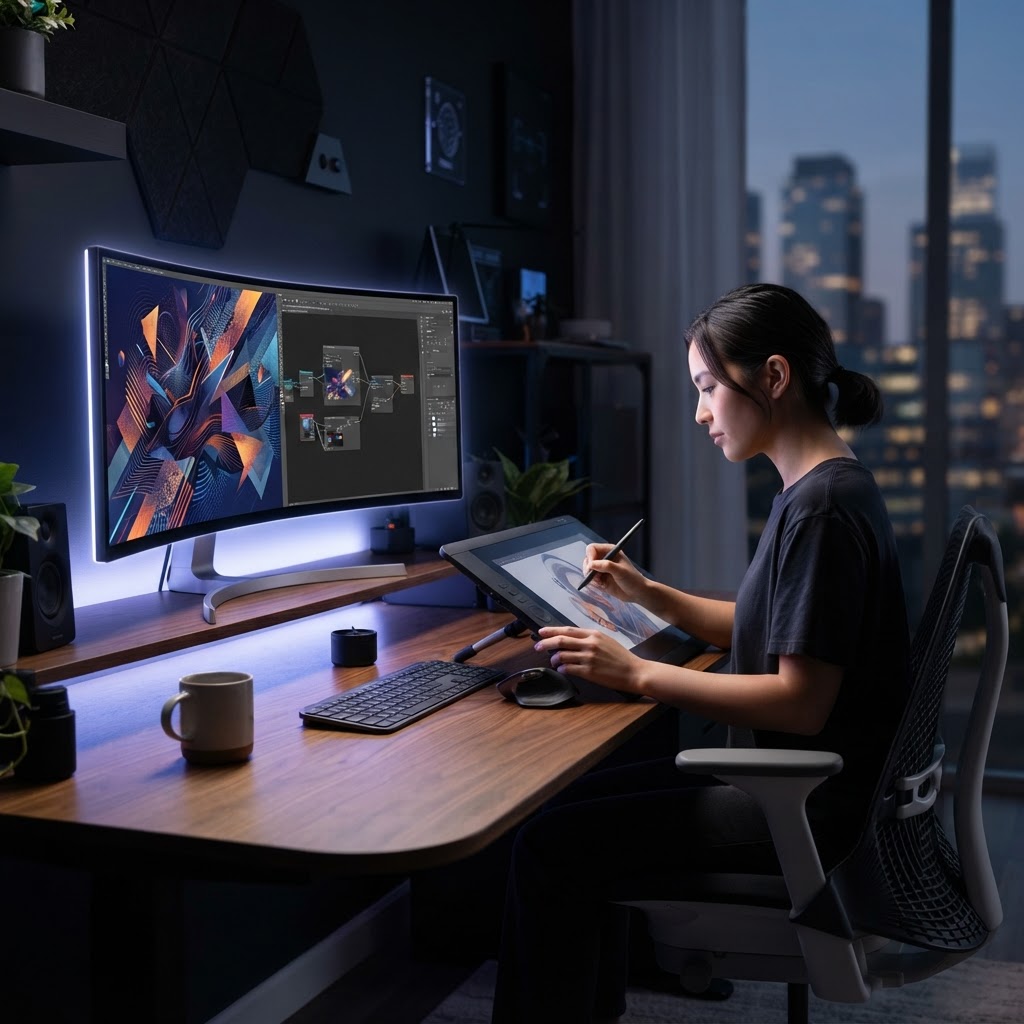
- AI graphic design software has transitioned from experimental novelty to an essential component of professional creative pipelines.
- Generative design tools are shifting the focus from manual pixel pushing to iterative conceptualization and prompt engineering.
- Market leaders like Adobe Firefly and Canva offer distinct advantages depending on whether your priority is technical precision or rapid social media throughput.
- Effective AI design platforms must offer robust integration with existing ecosystems rather than functioning as isolated, siloed tools.
- Automation of formatting tasks allows designers to reclaim significant time, focusing creative energy on high-level strategy rather than layout mechanics.
The landscape of visual communication underwent a seismic shift at the dawn of the mid-2020s, and as we look toward the 2026 horizon, the integration of intelligent algorithms into our creative toolkits is no longer an optional novelty—it is a functional necessity. Whether you are a solo entrepreneur scaling a digital brand or a lead designer at a high-velocity agency, the adoption of advanced AI graphic design software has become the primary differentiator between static workflows and fluid, scalable production. This guide explores the state of the art in generative design tools, examining how artificial intelligence is not merely assisting in image creation but fundamentally altering the architecture of graphic design platforms themselves. As we navigate the competition between industry titans and specialized innovators, understanding the nuances of these technologies is paramount to maintaining a competitive edge in an increasingly automated creative economy.
1. The Evolution of AI in Graphic Design Workflows
To understand the current state of AI graphic design platforms, one must look back at the trajectory of the creative software industry over the last decade. Historically, design tools were deterministic, meaning every outcome was the direct result of a specific user input: clicking a path, adjusting a node, or applying a filter. The rise of machine learning models has introduced a probabilistic paradigm where software acts as an active collaborator rather than a passive canvas. This evolution began with simple object recognition and background removal scripts, which saved hours of tedious masking, and has matured into generative systems capable of synthesizing complex visual compositions from natural language descriptions.
In 2026, the workflow has moved beyond basic generative fills. Today, designers leverage AI image editors to perform “context-aware synthesis,” where the software understands the semantic hierarchy of an image. If a designer changes the lighting on a subject in a photograph, the AI automatically adjusts the reflections and shadows of the surrounding environment to maintain photorealistic integrity. This shift represents a transition from “creation by component” to “creation by intent.”
Modern professional workflows are now characterized by a hybrid approach. Industry experts often highlight that the most efficient designers use AI to generate the “first draft” or the foundation of a visual concept, leaving the final refinement—typography, color theory application, and brand alignment—to the human operator. This symbiotic relationship mitigates the “blank page” syndrome that often stalls creative projects. Furthermore, these platforms now store and interpret design tokens, color palettes, and typographic hierarchies specific to a brand, ensuring that AI-generated assets do not deviate from established brand guidelines. By embedding AI directly into the engine of tools like Adobe Creative Cloud or open-source alternatives, the barrier between an idea and its visual manifestation has thinned significantly, forcing designers to upskill into roles that function more like creative directors than manual illustrators.
2. How AI Generative Tools Accelerate Asset Creation
The true power of generative design tools lies in their ability to perform rapid iteration, often referred to as “design velocity.” In a traditional workflow, creating a suite of social media assets based on a singular campaign theme could take a team an entire afternoon of manual resizing, object placement, and texture mapping. With current generative AI technology, this process is condensed into a fraction of the time through prompt-driven variance generation.
A key aspect of this acceleration is the capacity for “in-painting” and “out-painting.” If a campaign requires a portrait to be repurposed for a square post, a vertical story, and a wide-format banner, an AI-powered editor can intelligently expand the background, generating new pixels that match the artistic style and lighting of the original source image. This removes the need for cloning and healing tools that previously required a surgeon-like level of precision. Furthermore, the introduction of “structure control”—where users can upload a sketch or a wireframe to guide the generation—ensures that the output remains within specific spatial boundaries.
Beyond simple expansion, design automation software is increasingly capable of generating high-fidelity mockups. When a product designer finishes a 3D CAD model, AI systems can now automatically generate multiple context-rich scenes—showing the product in a high-end minimalist kitchen, a bustling urban street, or a professional office setting—without the need for traditional photography or 3D rendering specialists. This democratizes high-end advertising aesthetics for smaller firms. The integration of text-to-vector workflows also enables the rapid creation of custom icons and illustrations that maintain scalability, an area that was previously a bottleneck for AI tools which struggled with vector paths. By minimizing the time spent on low-level asset production, teams are seeing a measurable increase in the number of variations they can A/B test, leading to more data-informed creative decisions.
| Tool Category | Core Strength | Best For |
|---|---|---|
| Professional Editors (e.g., Adobe Firefly) | High-precision editing and integration | Enterprise and commercial design |
| Template-Based Suites (e.g., Canva) | Rapid, accessible multi-platform assets | Social media and marketing teams |
| Generative Engines (e.g., Midjourney) | High-aesthetic, creative ideation | Concept art and visual brainstorming |
| Automated Layout Tools | Structural consistency and scale | Corporate branding and publishing |
3. Adobe Firefly vs Canva Magic Studio: Which Wins for Marketing?
When analyzing the competitive landscape of Adobe Firefly vs Canva vs Midjourney, the debate often centers on professional depth versus user accessibility. Adobe Firefly represents the integration of generative power into the professional ecosystem. Because Firefly is trained on Adobe Stock and public domain content, it is marketed with a higher level of confidence regarding commercial rights and copyright safety, which is a major concern for enterprise marketing departments. Its primary strength lies in its “context-aware” integration; because it lives inside Photoshop and Illustrator, a designer can leverage generative AI while maintaining access to non-destructive layers, adjustment masks, and complex typography tools. This is not a “magic button” solution; it is a collaborative interface that requires an understanding of how to layer AI-generated assets into existing production workflows.
In contrast, Canva Magic Studio has redefined the entry-level creative market. Canva excels in the “marketing-in-a-box” approach, where the AI is designed to do the heavy lifting for non-designers. Its Magic Studio features—such as Magic Resize, Magic Switch, and Magic Write—are specifically optimized for the speed required by social media managers. If you have an image designed for an Instagram post, Canva’s AI can interpret the layout and automatically adapt it to a horizontal LinkedIn header, a Pinterest graphic, and an email newsletter banner, adjusting text alignment and visual hierarchy in the process. It is the undisputed winner for teams that need high-volume asset production with minimal time spent on manual adjustment.
The choice between these two platforms often comes down to the team’s specific output requirement. For a design-heavy organization that produces custom high-resolution print media, advertisements, or complex digital assets, Adobe Firefly remains the industry standard, offering the depth required to handle professional-grade creative files. Conversely, for the marketing team tasked with maintaining daily social presence across six different platforms, Canva is an essential force multiplier. Many modern agencies actually find themselves using both: Midjourney or Firefly for initial, high-concept imagery that sets the campaign’s visual tone, and Canva for the rapid production of the tactical assets—social posts, slide decks, and marketing flyers—required to execute the campaign in the real world.
4. Advanced Features to Look for in AI Design Platforms
As the market for AI graphic design software matures, the feature sets have begun to converge, making the selection process more about the maturity and integration of specific functions. One of the most important advanced features to look for is “Style Consistency” or “LoRA Training.” In previous iterations of AI design, creating a series of images that looked like they belonged to the same brand was nearly impossible, as each prompt generated a unique, often wildly different artistic style. Today’s superior platforms allow users to train a small, lightweight model on their existing brand assets. Once trained, the software can generate new imagery that consistently mimics the brand’s specific color palette, line weights, and textural preferences.
Another crucial capability is “Semantic Editing,” which goes beyond just changing colors or adding elements. High-end platforms now allow users to select an object within an image and describe a semantic change—such as “change the material of this chair from leather to velvet” or “adjust the lighting to match an overcast morning.” This is fundamentally different from a filter; it requires the AI to understand the geometry and physics of the object within the scene. This level of granular control is essential for professional use, as it avoids the “uncanny valley” effect that plagues lower-tier generative tools.
Furthermore, look for strong “Version Control and Prompt History.” In a professional design environment, reproducing an exact visual output is critical. A platform that allows you to store your prompt parameters, model seeds, and negative prompt configurations ensures that you can iterate on a specific design over the course of several weeks. If you need to make a minor adjustment to a campaign launch image two months later, the software should be able to replicate the original generation parameters exactly. Finally, consider the integration with external APIs. The best AI graphic design platforms do not exist in a vacuum; they provide API access that allows teams to integrate design automation directly into their CRM or project management tools, enabling them to trigger asset generation automatically when a new marketing project is created or a new product is uploaded to their store.
5. Automating Repetitive Layout and Formatting Tasks
The final frontier of design automation software is the elimination of “layout fatigue.” For many designers, the most repetitive part of their job is not the creative ideation, but the tedious process of formatting content for different aspect ratios, screen sizes, and output formats. AI has finally reached a point where it can handle these tasks with high reliability. Intelligent layout engines now use spatial understanding to “reflow” content. When a designer creates a hero layout for a website, the AI can detect the primary subject matter and automatically adjust the margins, padding, and font sizes for a mobile display, ensuring that the visual balance is maintained across all breakpoints.
This level of automation also extends to data-driven design. Many companies now use templates where the imagery and the text change based on dynamic user data. AI-powered platforms can take a master template and generate thousands of unique, personalized variations in seconds. For instance, a personalized advertising campaign can now automatically pull in different localized images or product recommendations while keeping the overall layout and typographic hierarchy perfectly aligned with the brand’s visual identity. The AI ensures that the text does not overflow its bounding box and that the imagery remains cropped according to professional composition rules.
Another significant advancement is the automated generation of design variants. Rather than manually creating five different versions of a banner to see which performs best, designers can now define a “design system constraint” within an AI-powered tool. The software will then generate five distinct variations of the banner that all adhere to the constraints—such as keeping the logo in a specific corner and using a specific brand typeface—while testing different layouts and color combinations. By offloading these repetitive, rule-based formatting tasks to the software, the human designer is effectively elevated to the role of a strategist, spending their time defining the design systems and parameters that the AI then executes at scale. This shift is not just about saving time; it is about significantly increasing the quality and consistency of the final output, as the AI is incapable of the minor “drift” that often occurs when a human manually replicates a design across dozens of formats.
AI-Enhanced Photo Editing and Retouching Capabilities
The landscape of professional image manipulation has shifted significantly as AI graphic design software integrates sophisticated computer vision algorithms. Modern platforms no longer rely solely on manual pixel manipulation; instead, they utilize deep learning models to understand semantic layers within an image. This transition from raster-based editing to object-aware transformation is the hallmark of 2026-era design tools.
In high-end AI image editors, the primary breakthrough lies in generative in-painting and out-painting. When a designer needs to expand the canvas of a product photo for a hero section on a website, the software intelligently analyzes the existing composition, lighting, and texture to extrapolate new pixels that appear indistinguishable from the source material. Unlike older content-aware fill methods that often resulted in blurry or repetitive textures, modern generative models maintain the grain and sharp edges of original photography.
Retouching workflows have also undergone an automation overhaul. Tasks that once occupied hours of labor—such as frequency separation for skin softening, complex subject extraction, or lighting relighting—are now executable via simple natural language prompts or one-click toggles. These tools typically utilize neural filters to identify facial landmarks, hair strands, and skin textures, allowing designers to perform non-destructive adjustments that respect the underlying structure of the subject. The integration of depth maps ensures that when a designer alters the background blur or lighting, the foreground elements remain isolated and crisp, preserving the integrity of the professional shot.
Scaling Brand Consistency Across Digital Channels
For mid-sized and large organizations, maintaining visual identity across a disparate array of digital touchpoints is a recurring challenge. AI design automation software now acts as a centralized repository for brand assets, ensuring that generated content adheres to strictly defined guidelines. By utilizing fine-tuned models trained on a company’s specific color palettes, typography, and logo usage, these platforms minimize the risk of “design drift.”
Design teams are increasingly moving toward a “modular generative” approach. By uploading a comprehensive brand kit, designers can create a custom style profile within their platform of choice. When a marketing team member requests a new social media graphic for a specific campaign, the AI platform cross-references the prompt against the company’s approved assets. If the user suggests a color gradient or font weight that violates the brand guidelines, the system can automatically suggest corrections or force adherence to the preset constraints.
This automated compliance extends to multi-channel deployment. A single master visual can be dynamically resized and repurposed for Instagram Stories, LinkedIn banners, and email headers in seconds. The software intelligently rearranges text and elements according to the layout requirements of each platform, ensuring the logo placement is always in a high-visibility zone without obscuring critical imagery. This capability allows creative teams to shift their focus from manual resizing to strategic high-level brand storytelling.
| Platform | Core Automation Strength | Brand Compliance Depth | Best For |
|---|---|---|---|
| Adobe Firefly | Generative Fill and Texture Synthesis | Enterprise-grade Asset Governance | Large Marketing Teams |
| Canva Magic Studio | Rapid Multi-Channel Templating | High-Accessibility Brand Kits | Social Media Managers |
| Midjourney (Enterprise) | Hyper-realistic Visual Conceptualization | Style Consistency through Seeds | Creative Ad Agencies |
| Jasper Art | Marketing Copy-Visual Synchronization | Brand Tone Alignment | Content Marketers |
Comparing Pricing Models for Enterprise Design Teams
Pricing for AI graphic design software has evolved to accommodate the heavy computational costs of generative models. Enterprise teams typically choose between seat-based licensing, tokenized usage, and flat-rate site licensing. Understanding these models is essential for managing a design department’s annual budget.
Seat-based models, common in collaborative platforms like Canva or Figma, allow for predictable monthly or annual costs. These tiers usually include advanced team permissions, unlimited cloud storage, and shared libraries. The advantage here is scalability; as a team grows, the cost grows linearly, and the software provides a clear audit trail of who is generating what content.
Conversely, tokenized or credit-based pricing, often seen with advanced generative tools, charges per execution or per image. This model is highly advantageous for occasional users or for teams that experience heavy bursts of creative production during campaign launches. While potentially unpredictable, tokenized models ensure that organizations only pay for the exact volume of “compute” consumed by their AI models. Large enterprises frequently combine these models, securing a baseline seat license for everyday tasks while keeping a supplemental credit pool for intensive, high-resolution generative rendering.
Balancing AI Automation With Human Creative Direction
The integration of AI into design workflows is not intended to replace human ingenuity, but rather to amplify it. Designers who effectively leverage these tools focus on “Creative Direction” rather than “Creative Production.” The human designer remains the final arbiter of taste, emotional impact, and strategic alignment, while the AI acts as a sophisticated technician.
A successful workflow begins with the human defining the core concept, audience sentiment, and visual goal. The AI then assists in rapidly prototyping multiple iterations of that concept. This is where the true value lies: the ability to “fail fast” and iterate through twenty variations of an ad layout in the time it would previously have taken to craft a single mockup. Once the candidate visuals are generated, the human designer steps back in to perform critical refinements—adjusting the hierarchy, ensuring the kerning is perfect, and verifying that the final visual resonates with the target demographic’s cultural context.
Over-reliance on automation can lead to “visual homogeneity,” where designs begin to look too similar across different brands. Experts generally agree that maintaining a human touch is essential to preventing this. By using AI for the heavy lifting of composition and asset generation, designers reserve their energy for the nuances that create a lasting brand connection: the subtle narrative cues, the perfect emotional tone, and the strategic placement of visual calls-to-action.
Future Trends in AI-Driven Visual Communications
As we look toward the latter half of the decade, the convergence of AI with augmented reality (AR) and real-time interactive design stands out as a primary trend. We are moving toward a future where generative designs are no longer static images but living, reactive assets that can change based on user interaction or environmental data.
Another emerging trend is the rise of hyper-personalized, dynamic visuals. AI will soon enable companies to serve unique, generative imagery to every individual visitor on a website, tailored to their past behaviors and preferences. Imagine a landing page that adapts its color palette and imagery style to match the psychological profile of the viewer in real-time. This level of personalization will represent the next frontier in marketing efficiency.
Finally, we expect to see greater emphasis on “Explainable AI” in design. As legal and ethical standards surrounding copyright and provenance evolve, software platforms will likely incorporate embedded watermarking and cryptographic provenance logs. This will ensure that designers can verify the origin of their AI-generated assets, protecting against claims of plagiarism and ensuring that the work is verifiable for commercial use.
Frequently Asked Questions
Is AI-generated graphic design protected by copyright?
Generally, current intellectual property laws in many jurisdictions state that content generated entirely by AI cannot be copyrighted by a human. However, if a human designer provides significant creative input, edits, or curation to the AI output, those modified elements may qualify for copyright protection. It is recommended that companies maintain detailed records of their creative process.
Can AI design tools replace professional graphic designers?
AI design tools are designed to automate repetitive, time-consuming tasks rather than replace the role of the creative director. A human professional is still required for strategic planning, brand guardianship, and ensuring that design choices are culturally appropriate and emotionally resonant. AI acts as a tool to increase efficiency, not as a replacement for human creative strategy.
What is the difference between “generative” and “non-generative” AI in design?
Generative AI creates new content—such as images, textures, or layouts—from text prompts or existing data patterns. Non-generative or “traditional” AI tools perform specific, rule-based operations like sharpening, background removal, or color correction without creating entirely new visual concepts from scratch.
How can I ensure my AI-generated designs don’t look like generic templates?
To avoid generic output, designers should move beyond simple prompts. Incorporate specific brand assets, custom style references, and unique textures into your AI workflows. The key is to use the AI as a starting point for iteration, then apply human refinement to tailor the visual to your specific brand identity.
Are AI graphic design platforms secure for corporate use?
Top-tier enterprise AI platforms offer secure, private environments where data and uploaded assets are not used to train the public models. Before choosing a platform, enterprises should review the company’s data privacy policy, specifically looking for terms regarding data isolation and the ability to opt-out of model training.
Does AI design software require high-end hardware?
Most modern AI graphic design platforms are cloud-based, meaning the heavy computational lifting happens on the provider’s servers. This allows users to access powerful generative tools via a standard web browser on almost any computer. However, a stable high-speed internet connection is typically required for a smooth user experience.
Conclusion
The adoption of AI-powered graphic design software in 2026 is no longer a competitive advantage—it is an operational necessity. By embracing these tools, teams can significantly compress their production timelines, scale their visual output across global channels, and free their designers to focus on high-level conceptual strategy rather than manual labor. Whether you are an independent freelancer or part of a global creative department, the key to success lies in the balance between the efficiency of generative automation and the irreplaceable discernment of the human eye.
As the technology continues to mature, we encourage all creative professionals to experiment with these platforms, stay informed about evolving copyright regulations, and prioritize the development of their unique creative voice. The future of design is a collaboration between human intention and machine-assisted precision.
Ready to elevate your creative workflow? Start your trial with one of our top-recommended AI platforms today and experience the future of design firsthand.
By aismarttoolsreview Editorial Team
Leave a Reply