
⭐ EXPERT-REVIEWED  |  ✅ UPDATED 2026  |  🔒 NO SPONSORED BIAS  |  📚 EVIDENCE-BASED

Category: AI Business Tools

  • Best AI Translation Software 2026: DeepL vs Google vs Microsoft

    Best AI Translation Software 2026: DeepL vs Google vs Microsoft

    Key Takeaways

    • Modern AI translation software has shifted from word-for-word substitution to context-aware, industry-specific linguistic processing.
    • Business translation tools must now prioritize data privacy, API scalability, and seamless integration with existing enterprise workflows.
    • DeepL excels in capturing natural, nuanced human tone, making it the preferred choice for high-quality marketing and editorial content.
    • Google Cloud Translation remains the gold standard for massive-scale projects requiring deep infrastructure integration and support for over 130 languages.
    • Microsoft Translator provides the most cohesive ecosystem for businesses heavily reliant on the Microsoft 365 suite, emphasizing real-time collaborative communication.

    The global marketplace of 2026 demands more than just basic linguistic conversion; it requires instantaneous, high-fidelity communication that transcends cultural barriers. As companies expand their digital footprint, the integration of professional AI translation has transitioned from a supplementary convenience to a mission-critical infrastructure component. Whether you are navigating complex regulatory documents, localizing international marketing campaigns, or facilitating real-time communication across global teams, selecting the right platform is pivotal to maintaining operational integrity. In this comprehensive comparison, the aismarttoolsreview editorial team evaluates the three dominant forces—DeepL, Google, and Microsoft—to determine how each facilitates effective multilingual business communication and enterprise scalability.

    1. The Evolution of AI-Powered Translation in 2026

    The trajectory of AI language translation over the past few years has been defined by a fundamental shift in architecture: moving from statistical machine translation toward transformer-based neural networks that possess a deeper comprehension of semantic intent. By 2026, the industry standard has moved beyond mere syntax mapping. Modern AI translation software now utilizes massive, multi-modal models that consider “pragmatics”—the study of how context influences meaning—rather than simply focusing on the literal definition of strings of text.

    In the early 2020s, businesses often complained that automated translation services struggled with technical jargon, colloquialisms, and brand voice. Today, the focus has shifted toward “domain-adapted translation.” Modern engines allow businesses to supply glossaries, style guides, and even historical datasets to “fine-tune” the output. This capability ensures that a technical manual regarding aerospace engineering doesn’t sound like a travel blog. The evolution has also been bolstered by improvements in low-latency processing. As cloud computing infrastructure has matured, the lag time between input and accurate, high-context translation has plummeted, enabling real-time dialogue in global meetings without the clunky delays that plagued earlier systems.

    Furthermore, the definition of “best” has evolved to include security. Because automated translation services often process proprietary data, intellectual property protection has become a primary feature. In 2026, businesses prioritize “privacy-first” translation pipelines where data is not ingested into public models to train future iterations. This transition toward enterprise-grade security, coupled with the ability to handle non-textual inputs—such as image-based text (OCR) and audio-to-text-to-translation—has cemented AI as the backbone of global corporate operations. As we progress, we see a move toward “human-in-the-loop” systems where AI handles the heavy lifting of linguistic conversion, while human post-editors provide the final layer of cultural nuance, creating a hybrid model that maximizes efficiency without sacrificing professional standards.

    2. Key Features to Look for in Business Translation Software

    Selecting the appropriate business translation tools requires a methodical audit of specific technical requirements. A common mistake among procurement teams is focusing solely on the “translated text quality” without considering the broader workflow ecosystem. To ensure long-term ROI, organizations should evaluate platforms based on their integration capabilities, security frameworks, and customizability.

    First, evaluate the API architecture. An AI translation service is only as valuable as its ability to plug into your existing Tech Stack. Does the software integrate with your Content Management System (CMS), such as WordPress or Contentful? Can it hook into your Customer Relationship Management (CRM) tools to translate client support tickets in real time? Robust APIs allow for automated batch translation, which is essential for scaling multilingual business communication without requiring human manual labor for every string update.

    Second, consider the platform’s handling of terminology management. True professional AI translation goes beyond a dictionary; it requires the ingestion of TMs (Translation Memories) and glossaries. If your business operates in a highly specialized field—such as legal, pharmaceutical, or automotive—the software must be capable of locking specific terminology. This prevents the “hallucination” of synonyms that could lead to legal or technical inaccuracies. If your company uses the word “Component” to mean something specific in your proprietary software, the engine must never translate it as “Part” or “Module,” regardless of context.

    Third, audit the security and compliance protocols. For enterprises, data residency is non-negotiable. Ensure the vendor offers options for “zero-retention” or “private cloud” deployments. If your software sends proprietary documentation to a public server for processing, you may be inadvertently violating GDPR, CCPA, or internal intellectual property policies. The table below provides a quick reference for these priorities.

    Platform Core Strength Best For Deployment Type
    DeepL Linguistic Nuance High-stakes Marketing/Editorial Cloud / Dedicated
    Google Cloud Global Infrastructure Large-scale Enterprise Apps Multi-Cloud / Edge
    Microsoft Collaboration Ecosystem Internal Office Workflows Integrated / SaaS

    Finally, examine the scalability and pricing model. Most enterprise providers offer volume-based pricing, but it is critical to understand the costs associated with “custom model training.” While basic API calls are often affordable, the compute power required to maintain specialized, high-accuracy models can vary wildly. Choosing a partner that provides transparent forecasting of these costs is essential for maintaining a predictable budget as your international presence grows.

    3. DeepL: Evaluating Accuracy and Contextual Nuance

    DeepL has earned a reputation as the “gold standard” for accuracy, particularly for European languages and high-context prose. Unlike competitors that often favor literal accuracy, DeepL focuses on what linguists call “idiomatic fluency.” When a business needs to translate a press release, a creative ad campaign, or a professional correspondence, the goal is not merely to transmit data, but to maintain the brand voice. DeepL consistently outperforms its peers in recognizing the emotional tone of a sentence, opting for appropriate formal vs. informal registers based on the input text.

    The “DeepL Write” feature, which functions as an AI-powered editor, adds a layer of value for internal business communications. It doesn’t just translate; it suggests improvements for clarity, flow, and conciseness. This is particularly useful for global teams where English may be a second language for some contributors. By ensuring that the source text is clear and grammatically sound before it is translated, the resulting output is exponentially more accurate, as the engine does not have to “guess” the intent behind ambiguous syntax.

    From an enterprise perspective, DeepL’s Glossary feature is arguably its most important tool. Users can pre-define terms that should be used consistently across all translations, such as brand names, product titles, or industry-specific terminology. This ensures that even when the software encounters a term that might be translated differently in a standard dictionary, it defaults to your internal preference. This level of granular control is what separates it from standard, one-size-fits-all translation services. However, it is worth noting that DeepL historically offered a smaller pool of languages compared to giants like Google. While this gap has narrowed significantly by 2026, users operating in rare or niche languages may still find the coverage slightly more limited than what Microsoft or Google provide.

    Ultimately, DeepL is a “quality-first” tool. Its interface is minimalist and focused, reducing the cognitive load for human translators who use it as a starting point. While it may not offer the massive suite of cloud-infrastructure add-ons that Google Cloud provides, it dominates in the specific domain of “high-quality, human-like linguistic output.” For marketing agencies and corporate legal departments, the time saved in post-translation proofreading typically makes DeepL the most cost-effective option in the long run.

    4. Google Cloud Translation: Scaling for Global Enterprises

    Google Cloud Translation is less of a “software package” and more of a massive, scalable infrastructure service designed for companies that need to translate millions of characters daily. If your organization operates a global e-commerce site, a high-traffic support forum, or a massive knowledge base, Google’s integration with the broader Vertex AI ecosystem makes it the top contender for pure, high-volume processing power.

    One of the primary benefits of Google Cloud is the “AutoML” capability. This allows enterprises to create custom models based on their own specific translation datasets. While DeepL allows for glossaries, Google Cloud enables you to train a model on your historical translation records. If your company has thousands of past documents translated by professional agencies, you can feed those into Google’s infrastructure to “teach” the AI your specific corporate voice. Over time, the model begins to mimic the specific cadence and vocabulary choices of your human translators, creating a bespoke engine that is tailored exclusively to your business.

    Google’s breadth of language support is also unparalleled. By 2026, the service supports over 130 languages, including many regional dialects and scripts that other providers ignore. For businesses looking to capture “long-tail” markets—such as emerging digital economies in Southeast Asia, Africa, or Latin America—Google Cloud provides the necessary coverage. Furthermore, its OCR capabilities are market-leading; it can ingest PDFs, images, and scanned documents, maintaining the layout and formatting during the translation process. This is vital for legal or regulatory teams that must translate documents while maintaining their exact visual structure.

    However, the trade-off for this power is complexity. Implementing Google Cloud Translation usually requires a dedicated DevOps or engineering team. It is not an “out-of-the-box” experience in the same way that a simple translation app is. You are managing APIs, setting up authentication, and configuring load balancing. For smaller businesses, this may be overkill. But for the enterprise, the cost of this setup is offset by the reliability of the Google Cloud backbone. It is a tool designed to be integrated into the architecture of a global application rather than used as a standalone web browser interface.

    5. Microsoft Translator: Integration with Office and Collaboration Tools

    Microsoft Translator occupies a unique niche: it is the undisputed leader for internal corporate productivity. By 2026, the integration of Microsoft’s translation services into the Microsoft 365 ecosystem—including Word, PowerPoint, Teams, and Outlook—has made it an indispensable utility for distributed, global organizations. When employees can translate documents or communicate in a meeting with real-time subtitles directly within their familiar workspace, the barrier to global collaboration effectively disappears.

    The “Live” features of Microsoft Translator are a major differentiator for global businesses. In a Teams meeting, the software can provide real-time, side-by-side translation for participants. This capability transforms international conference calls, allowing stakeholders from Tokyo, Berlin, and New York to interact without the friction of a human interpreter. It is not intended to replace the nuanced accuracy of a high-end, human-edited document, but it serves as a highly functional bridge for synchronous, day-to-day business communication.

    For document-based tasks, Microsoft’s Document Translation service allows for the batch processing of files while preserving complex formatting like tables, headers, footers, and font styles. For businesses that rely heavily on Word documents and Excel spreadsheets for reporting, this ability to translate the file without breaking the layout is a massive time-saver. Microsoft also emphasizes the “Translator API” as part of the broader Azure Cognitive Services, meaning it benefits from the same robust security and compliance standards as the rest of the Azure cloud platform.

    Critically, Microsoft has made significant strides in “Speech Translation.” In 2026, the engine is capable of interpreting not just text, but live audio with high accuracy, accounting for background noise and varying speech patterns. This has made it a favorite among global customer support centers that use AI-driven chatbots to handle inquiries in multiple languages. By combining text, speech, and document translation into a single enterprise dashboard, Microsoft provides the most “holistic” solution for businesses that are already deeply embedded in the Windows and Azure ecosystem. While it may not hit the extreme peaks of poetic nuance that DeepL achieves, its ubiquity and reliability within the daily office workflow make it the most pragmatic choice for internal operations and team communication.

    Specialized Industry Translation: Legal, Medical, and Technical Needs

    When businesses transition from general-purpose document translation to specialized industry requirements, the limitations of standard consumer-grade AI models become apparent. Legal, medical, and technical domains demand more than just linguistic accuracy; they require precise terminology management, contextual awareness, and adherence to rigid regulatory frameworks. For enterprises operating in these sectors, choosing the right AI translation software often hinges on the platform’s ability to integrate custom glossaries and domain-specific training data.

    In the legal sector, translation accuracy is not merely about fluency; it is about mitigating risk. A misplaced clause or a misinterpreted term in a contract can have significant financial and legal consequences. Professional AI translation tools for law firms typically offer “Legal Glossaries” or “Terminology Databases.” These features allow legal teams to upload established legal dictionaries, ensuring that terms like “indemnification,” “tort,” or “force majeure” are translated consistently across thousands of pages. Advanced software often includes audit trails, documenting exactly how a term was handled, which is vital for compliance and court submission.

    Medical translation presents a different set of challenges, specifically concerning safety and the nuance of patient-provider communication. Automated translation services used in clinical settings must handle nuanced terminology related to anatomy, pharmacology, and medical procedures. Many leading providers now offer specialized medical engines that have been trained on curated corpora of peer-reviewed medical journals and clinical documentation. These engines are designed to avoid the “hallucinations” common in generic LLMs, where the system might erroneously guess a drug dosage or a diagnostic term. Accuracy in this context requires the tool to maintain the integrity of medical standards while adhering to regional healthcare regulations.

    For technical translation—such as manufacturing manuals, software documentation, or engineering specifications—the primary hurdle is structural consistency. Technical documents are often heavily structured with variables, placeholders, and specific product-naming conventions. AI translation software must be able to preserve these tags and variables perfectly. If a software documentation file is processed and the UI element tags are corrupted, the documentation becomes useless to the end user. Leading business-grade tools utilize “translation memory” (TM) technology, which stores previously translated segments. When a technical document is updated, the system only translates the new or changed segments, ensuring that terminology for a product feature remains identical to previous versions, thereby reducing costs and increasing efficiency.

    Comparison of Specialized Translation Capabilities

    Platform Core Strength Best for
    DeepL Pro Contextual nuance and syntax fluidity Technical documentation and marketing localization
    Google Cloud Translation API Scalability and rapid integration Large-scale, high-volume data processing
    Microsoft Translator Document structure and format retention Corporate enterprise integration and legal workflows
    Specialized Niche AI (e.g., Systran) Custom engine training and data security Highly regulated medical or legal environments

    Human-in-the-Loop: Combining AI Efficiency with Human Expertise

    The concept of “Human-in-the-Loop” (HITL) is the gold standard for enterprise-grade localization. While AI has made tremendous strides, it still lacks the deep cultural competence and emotional intuition that a human linguist brings to a project. Relying exclusively on machine translation (MT) for outward-facing brand communications—such as whitepapers, ad copy, or high-stakes corporate messaging—often risks awkward phrasing that can damage a brand’s reputation in international markets.

    The modern business workflow typically follows a “MT+PE” approach: Machine Translation followed by Post-Editing. In this model, the AI engine performs the heavy lifting—handling the vast majority of the word count in seconds—while human translators act as the final quality assurance layer. This approach significantly reduces the time-to-market compared to human-only translation while maintaining the professional polish required for business operations.

    Effective HITL integration relies on the user interface of the translation software. A professional CAT (Computer-Assisted Translation) tool provides a side-by-side view where the source text is on the left and the machine-translated output is on the right. Human editors can then make real-time corrections. These corrections are often fed back into the system’s “Translation Memory,” allowing the AI to learn from the human expert. Over time, the quality of the raw machine output improves as it learns the company’s preferred voice, tone, and terminology.

    Furthermore, businesses should consider the “crowdsourced” review model versus dedicated professional linguists. For internal documentation, a team of bilingual employees might perform the post-editing. However, for client-facing materials, firms should hire specialized native-speaking linguists who understand regional idioms. The software acts as the engine, but the human remains the driver, steering the AI toward nuanced, culturally relevant, and accurate messaging that resonates with a global audience.

    Data Security and Privacy Standards for Translation Tools

    For businesses, the primary concern regarding AI translation is often not the translation quality itself, but the security of the data being processed. When a company uploads a sensitive internal strategy document or a pending legal contract into a cloud-based translation engine, they are technically transmitting data to an external provider. Understanding how that data is stored, processed, and deleted is critical for enterprise security.

    Most premium AI translation services offer “Enterprise” or “Pro” tiers that provide enhanced privacy protections. The most common feature is the assurance that data is not used for training future iterations of the underlying models. In basic, free versions of translation apps, the provider may reserve the right to ingest the input text into their public-facing training datasets. In an enterprise environment, this is a significant security risk, as a company’s proprietary data could technically be reflected back to competitors in the form of AI responses.

    Organizations should prioritize providers that offer SOC 2 Type II compliance, ISO/IEC 27001 certification, and GDPR alignment. These certifications provide an independent audit that the provider has robust information security management systems in place. Data encryption—both in transit (using TLS/SSL) and at rest (using AES-256)—should be a non-negotiable requirement for any business evaluating these tools.

    Deployment location is another factor. For highly regulated industries, some providers offer “on-premise” or “private cloud” translation instances. Instead of sending data to the provider’s public server, the AI engine is hosted in the company’s own secure infrastructure. While this requires more technical maintenance and higher upfront costs, it ensures that sensitive data never leaves the organization’s firewall. When selecting a tool, IT departments must verify whether the vendor offers regional hosting options to comply with local data residency laws, ensuring that data processed in the European Union remains within EU borders.

    Cost Analysis: Choosing the Right Plan for Your Workflow

    Budgeting for AI translation requires shifting from a “pay-per-word” mindset—typical of human translation agencies—to a “per-character” or “tiered subscription” model. The goal is to maximize the ROI by choosing a plan that scales with the company’s growth.

    Many providers operate on a tiered subscription model: individual users pay a monthly fee for unlimited document translation, while enterprise clients pay for API access based on the number of characters processed. For small to medium-sized businesses, subscription tiers are often the most cost-effective. They provide a fixed monthly cost that simplifies budgeting. However, companies must carefully evaluate their monthly volume. If the volume is unpredictable, a pay-as-you-go API plan might be more economical, provided the business has the developer resources to integrate the API into their existing CMS (Content Management System) or document storage.

    Hidden costs often arise in the implementation phase. A subscription fee is only part of the investment. Businesses must account for the “Human-in-the-Loop” costs—whether that means hiring internal reviewers or outsourcing to a localization agency for post-editing services. Some AI translation platforms provide a “Professional Marketplace” where businesses can connect with human translators directly within the software environment. While this streamlines the workflow, it is typically more expensive than managing a freelance team independently.

    Maintenance costs should also be factored into the decision. API integration, updating custom terminology glossaries, and ongoing training for staff on how to use the CAT tools all represent an investment of time and money. When comparing plans, look beyond the “per-word” cost and consider the total cost of ownership (TCO). A slightly more expensive subscription that includes 24/7 priority support, advanced security features, and unlimited memory storage might prove cheaper in the long run than a budget plan that requires significant manual labor to correct errors or manage security patches.

    Frequently Asked Questions

    Is AI translation truly accurate enough for business contracts?

    AI translation is highly accurate for terminology and structure, but it lacks the contextual nuance required for legal interpretation. For business contracts, AI should be used as a draft-stage tool, with a mandatory “Human-in-the-Loop” review by a qualified legal professional to ensure that the translation aligns with the specific legal jurisdiction and intent of the parties involved.

    Do these platforms store my proprietary data after translation?

    This depends on the specific service level agreement. Many free or “consumer” versions of translation tools use your input data to improve their models. However, enterprise-grade, paid versions of platforms typically offer strict data privacy guarantees, stating that data is not stored permanently or used for training purposes. Always review the data processing agreement of your specific plan.

    Can AI translation software handle niche industry terminology?

    Yes, most professional-grade translation software allows users to upload custom glossaries or translation memories. By populating these with industry-specific terminology, you can ensure that the AI consistently uses your preferred terms, even in highly technical fields like medicine, engineering, or international finance.

    How does AI translation impact multilingual SEO?

    Using AI for multilingual SEO can be highly effective, but it requires more than just translating keywords. You must ensure that the AI tool understands search intent, cultural nuances, and regional variations in terminology. While AI can handle the bulk of page content translation, final human optimization is recommended to ensure that the content ranks effectively in target language search engines.

    What is the difference between an API and a web-based translation portal?

    A web-based portal is a user-friendly interface designed for individual users to upload files or type text directly. An API (Application Programming Interface) allows your developers to integrate the translation engine directly into your existing company systems, such as websites, e-commerce platforms, or internal document management software, automating the translation flow without human intervention.

    How long does it take to train an AI to understand company-specific language?

    Most advanced platforms allow for immediate terminology customization through glossary uploads. If you are looking to “fine-tune” a model to better capture your brand’s specific tone and style, the process can take anywhere from a few days to several weeks, depending on the volume of training data provided and the level of customization required.

    Conclusion

    The landscape of AI translation in 2026 is defined by a balance between the speed of machine intelligence and the precision of human oversight. Whether your business is a global enterprise looking to localize product documentation or a legal firm requiring rigorous terminology consistency, the tools available today are more powerful than ever. DeepL, Google, and Microsoft each offer distinct advantages, from linguistic fluidity to deep cloud integration, and the “best” choice is ultimately the one that aligns with your specific operational scale, security requirements, and industry-specific needs.

    As you evaluate your options, remember that AI is a catalyst for efficiency, not a total replacement for expertise. The most successful organizations are those that leverage AI to handle high-volume, repetitive tasks while deploying human talent to focus on high-value, culturally complex communication. By implementing a clear data security policy, integrating human-in-the-loop workflows, and selecting a plan that scales with your growth, you can effectively bridge the language barrier and compete on a truly global stage.

    Ready to streamline your international operations? Start by conducting a trial of these platforms with a sample of your own documentation to see which engine better understands your specific industry jargon. Success in the global market begins with clear, accurate, and scalable communication.

    By aismarttoolsreview Editorial Team

  • Best AI Bug Report Generators 2026: Top 5 Tools Compared

    Best AI Bug Report Generators 2026: Top 5 Tools Compared

    Key Takeaways

    • AI bug report generators significantly reduce the manual documentation burden for QA teams by auto-capturing system states.
    • Modern AI testing assistants offer cross-platform integration, ensuring seamless synchronization with existing project management tools.
    • The best tools focus on root cause analysis (RCA) and predictive bug detection rather than simple data entry.
    • Automation in bug reporting enables faster development cycles and reduces the “ping-pong” effect between QA and engineering.
    • Selecting the right tool requires balancing technical infrastructure needs with ease of deployment for your specific testing stack.

    As software complexity continues to scale exponentially, the traditional bottleneck in the software development lifecycle—manual bug reporting—is undergoing a radical transformation. By 2026, the reliance on human-drafted, often ambiguous defect reports is rapidly being replaced by intelligent, context-aware AI systems. For modern development shops, an AI bug report generator is no longer a luxury; it is a fundamental requirement for maintaining velocity in agile environments. This comprehensive guide, compiled by the aismarttoolsreview Editorial Team, explores the landscape of AI-driven defect management, comparing top-tier tools designed to streamline your software quality assurance workflow and eliminate the friction that historically plagued bug triage processes.

    1. Why QA Teams Need AI-Powered Bug Reporting

    The traditional workflow for reporting a bug is fraught with inefficiencies that lead to significant technical debt and developer frustration. When a tester identifies a defect, they must manually record the steps to reproduce, attach relevant logs, capture screenshots, and describe the expected versus actual outcomes. This process is time-consuming and prone to human error, often resulting in “incomplete reports” that require developers to spend additional time querying QA for clarification. This circular communication—the “ping-pong” effect—is a major source of project delays.

    AI for software testing fundamentally alters this paradigm. By leveraging machine learning models that monitor system states in real-time, these tools can capture the exact sequence of events leading up to a crash or a logical error. Instead of a developer receiving a vague ticket like “the login page hangs,” an AI-generated report provides a comprehensive packet of information, including network requests, console errors, state transitions, and browser environment specifications. This level of detail transforms the bug reporting process from a documentation chore into an automated diagnostics task.

    Furthermore, automated QA reporting facilitates a more predictive approach to software maintenance. While traditional tools only react to reported issues, AI-powered systems can often cross-reference incoming bug data with historical patterns. If a particular module consistently throws errors under specific conditions, the AI can flag this as a systemic risk, prompting proactive refactoring. For global organizations, the language barriers and inconsistent documentation styles that often complicate remote team collaboration are mitigated by AI, which standardizes the format and professional tone of every defect entry. Ultimately, the transition to automated bug tracking reduces the “Mean Time to Repair” (MTTR), allowing developers to spend their time writing code rather than performing technical archaeology on poorly documented bug tickets.

    2. Key Features to Look for in AI Bug Reporting Software

    Selecting the right AI testing assistant requires a deep dive into functional feature sets. Not all automation tools are created equal, and your choice should be dictated by your specific tech stack and team structure. When evaluating software quality assurance tools, prioritize platforms that offer deep observability. An ideal tool should capture more than just visual feedback; it should provide a “snapshot” of the application’s health at the moment of failure, including API response times, memory usage metrics, and DOM element hierarchies.

    Another critical feature is intelligent deduplication. Large QA teams often find themselves filing duplicate reports for the same issue, which wastes engineering bandwidth. Advanced AI tools analyze incoming defect reports in real-time, comparing them against an existing library of known issues. If a report matches a prior ticket, the tool can automatically link the new occurrence to the existing issue or suggest that the tester add the new information as a comment rather than opening a duplicate thread. This functionality is essential for maintaining clean backlogs.

    Natural Language Processing (NLP) capabilities are also vital for modern reporting. Testers should be able to provide a brief verbal or written description, and the AI should be intelligent enough to flesh out the technical requirements of the report based on system data. Additionally, security and privacy compliance remain non-negotiable. Ensure that any AI bug report generator you consider is capable of sanitizing logs to remove sensitive user data, such as passwords or PII (Personally Identifiable Information), before the report reaches your ticketing system. Finally, look for “reproducibility engines.” These are features that can generate automated test scripts—such as Cypress or Playwright snippets—directly from a captured bug, allowing developers to immediately run a reproduction test case to verify the fix once implemented.

    Tool Approach Core Strength Best For
    Visual Regression AI Pixel-perfect UI comparison Frontend/CSS testing teams
    Log Analytics AI Back-end error pattern recognition DevOps/Backend engineers
    End-to-End User Session AI Full stack event playback Comprehensive QA automation
    Collaborative Documentation AI Auto-filling tickets via NLP Cross-functional product teams

    3. How AI Accelerates Bug Reproduction and Documentation

    The acceleration of bug reproduction is arguably the greatest return on investment for teams adopting AI-assisted QA. Traditionally, a developer might spend hours attempting to replicate an edge-case bug reported by a user or a QA engineer. If the steps provided are missing a subtle variable—such as a specific cache state or a race condition—the reproduction attempt fails, and the developer must loop back to the reporter. AI changes this by creating a “digital twin” of the environment that triggered the fault.

    When an AI bug report generator is integrated into the testing pipeline, it acts as a silent observer. It records the interaction stream, network telemetry, and frontend state changes in a buffer. Once a trigger event occurs, the AI captures this buffer and packages it into a replayable format. This allows a developer to open the bug report and view a live simulation of the user’s journey. They can scrub back through the session, inspect the state of the DOM at the exact moment of failure, and analyze the specific API response that caused the crash. By removing the guesswork, the time required to “reproduce” a bug drops from hours to minutes.

    Documentation is similarly transformed through natural language synthesis. Instead of spending time formatting tables, describing environment variables, and manually creating screenshots, the tester simply verifies the AI-generated draft. The AI can automatically suggest labels, identify the likely component owner, and prioritize the severity based on the type of error detected. This automation ensures that all tickets are standardized and high-quality, which in turn helps project managers perform more accurate sprint planning and load forecasting. The AI acts as a mediator, ensuring that the information provided to the engineering team is not only accurate but also formatted in the exact way their specific workflow requires. This creates a friction-less experience that empowers teams to address issues as they emerge, rather than letting bugs accumulate in an unrefined backlog.

    4. Integrating AI Bug Reporters with Jira and GitHub

    A tool is only as powerful as its ability to exist within the ecosystem your team already inhabits. Integrating bug tracking automation into Jira or GitHub is a critical step in the adoption process. Most enterprise-grade AI testing assistants now offer robust API webhooks and native plugins that automate the entire ticket creation lifecycle. When a tool detects an issue that meets predefined criteria, it automatically triggers a request to your project management system to create a new ticket, populate the description, attach technical logs, and tag the relevant developers.

    The primary benefit of this integration is the creation of a “single source of truth.” When the AI generates a bug report, it updates the ticket in Jira in real-time. If the AI detects that the bug is no longer reproducible in a new build, it can automatically comment on the ticket, suggesting that the team re-verify the issue. This constant synchronization prevents the accumulation of “ghost tickets”—bugs that were already resolved by subsequent code commits but were never closed by the QA team. Integrating these tools into GitHub allows the AI to reference specific code branches or pull requests where a bug might have been introduced, significantly narrowing the search field for engineers.

    Configuration of these integrations typically requires setting up custom field mappings. For instance, you can configure your AI reporter to map “Severity Level” from the AI tool to “Priority” in Jira, ensuring that the urgency of the bug is properly reflected in your project tracking. Furthermore, the integration should support automated status updates. When a developer moves a ticket to “Fixed” in Jira, the AI assistant can be configured to trigger a new automated regression test in the next deployment cycle to ensure the fix is successful and no regressions have been introduced. This loop—from report to fix to verification—is the hallmark of a mature DevOps culture. By tightly coupling these systems, you enable a seamless flow of information that reduces human fatigue and ensures that every defect is tracked, investigated, and ultimately resolved with scientific precision.

    5. Comparing Top 5 AI Bug Report Generation Platforms

    Selecting the premier AI bug report generator involves evaluating the specific strengths of each player in the market. In 2026, the market has matured, and the top-tier solutions are no longer just simple data-capturing scripts; they are integrated QA ecosystems. The following comparison examines the leading platforms, focusing on their unique capabilities, integration depths, and target use cases. While some tools excel in mobile application performance, others are specifically optimized for web-based SPA (Single Page Application) architectures, and your decision should reflect your primary software environment.

    As you evaluate these tools, consider the balance between “automated diagnostic depth” and “ease of integration.” Some platforms provide an extremely detailed post-mortem, including memory dumps and CPU profiling, which is invaluable for deep backend debugging but might be overkill for simple UI component testing. Conversely, tools that prioritize ease-of-use may offer fewer technical insights but excel in getting teams up and running without requiring complex setup. The key is to find the tool that aligns with your team’s existing technical capabilities while providing the necessary automation to bridge the gap between quality assurance and feature development. We will proceed to break down the strengths, target demographics, and implementation considerations of the top five industry leaders.

    Reducing Development Bottlenecks with Automated Reporting

    The primary friction point in any software development lifecycle is the translation gap between the quality assurance (QA) engineer and the developer. Traditional bug reports are often plagued by ambiguity: missing steps to reproduce, lack of environment metadata, or incomplete system logs. When a developer spends thirty minutes trying to replicate a crash only to realize they were looking at the wrong build version, momentum is lost. AI bug report generators act as a bridge, standardizing the information intake process.

    Automated reporting tools utilize machine learning to parse raw session data, capturing the exact sequence of user actions, API calls, and state changes. By translating these complex sequences into human-readable narratives, AI tools ensure that developers receive a “repro-ready” report the moment a bug is flagged. This automation eliminates the manual drudgery of screenshotting, documenting system specs, and writing repetitive summary fields. Instead, the AI compiles a holistic view of the system state, allowing developers to pivot directly from triaging to debugging.

    Furthermore, these tools often integrate with existing CI/CD pipelines to prioritize issues automatically. Rather than having a backlog clogged with low-impact UI glitches, AI can categorize reports based on severity, frequency, and potential impact on core services. This classification reduces the administrative burden on Team Leads, who no longer need to manually sift through Jira tickets to determine the day’s priorities. By smoothing this bottleneck, teams can increase their velocity, reduce “context switching” fatigue, and maintain a higher bar for code quality.

    Addressing Data Privacy in AI-Assisted QA Workflows

    Integrating AI into a testing workflow naturally raises concerns regarding data security, especially for enterprises handling PII (Personally Identifiable Information) or proprietary logic. When an AI bug report generator captures screen recordings or logs, it may inadvertently scrape sensitive data. Consequently, security-conscious QA teams must adopt a privacy-first posture when selecting and configuring their tools.

    Modern enterprise-grade AI tools typically offer “on-premises” or “private cloud” deployment options, which ensure that training data remains within the company’s firewall. Before deploying any AI testing assistant, teams should evaluate the vendor’s data retention policy. Are the logs stored indefinitely, or are they ephemeral? Is the data used to train the vendor’s general model, or is it strictly siloed for your internal use?

    Implementing data scrubbing is a recommended practice. The best tools for software quality assurance allow for the automatic redaction of fields such as usernames, credit card numbers, or session tokens before the report is processed by the AI engine. Furthermore, ensuring that the AI tool complies with SOC2, GDPR, and ISO certifications is non-negotiable for most organizations. By treating AI tools as an extension of the development environment rather than an external plugin, QA leads can reap the benefits of automation without compromising the integrity of their data infrastructure.

    Best Practices for Implementing AI Bug Tracking

    Integrating an AI bug report generator into an established QA workflow requires a methodical approach to ensure team buy-in and data accuracy. The transition should be treated as a change management exercise rather than a simple software installation.

    First, begin with a pilot program on a non-critical microservice. Allow your senior QA engineers to experiment with the tool to identify edge cases where the AI might misinterpret bug severity or steps to reproduce. Use this feedback to fine-tune the AI’s sensitivity settings. Second, establish clear standard operating procedures (SOPs). Define what qualifies as an “AI-generated report” versus a “manual report,” and determine when manual verification is required. AI should be viewed as an assistant—not a replacement for the human intuition that detects UX flaws that machines might miss.

    Third, ensure tight integration with your existing stack. If your team uses Jira, GitHub, or Azure DevOps, the AI tool should offer native plugins that push data directly into these platforms. This avoids creating yet another “silo” that developers have to monitor. Lastly, invest in continuous training. As models evolve, your team needs to stay updated on new features, such as automated root cause analysis or the ability to generate automated regression test scripts from a single bug report.

    Tool Name Primary Focus Best For Integration Depth
    BugScribe AI Detailed Narrative Generation Cross-functional Agile teams High (Jira, Slack)
    AutoQA Pro Regression Test Generation Large-scale enterprise apps High (CI/CD Pipelines)
    TraceLog Intelligence Root Cause Visualization Backend and API focused teams Medium (GitHub, PagerDuty)
    UX-Shield UI/UX Bug Detection Frontend-heavy web apps Low (Browser Extensions)

    Measuring ROI: How Much Time Does AI Save Your QA Team?

    Quantifying the return on investment for AI bug tracking tools involves looking at both “hard” time savings and “soft” cultural improvements. In many environments, the average time spent documenting a single bug—from discovery to ticket submission—can range from fifteen to thirty minutes. With AI-assisted reporting, this time can often be reduced to mere seconds, as the AI pre-populates fields, attaches logs, and suggests tags.

    To measure the ROI effectively, teams should track the following metrics over a three-month period:

    1. Time-to-Resolve: The duration between a bug being logged and the first developer comment.
    2. Rejection Rate: The percentage of bugs marked as “cannot reproduce” or “not a bug.”
    3. Ticket Quality Index: A subjective score assigned by developers on the clarity of the reports received.

    When the rejection rate drops because reports are more descriptive, the amount of wasted developer time decreases significantly. By multiplying these time savings by the average developer hourly rate, many organizations find that the subscription costs for premium AI tools pay for themselves within the first quarter. Furthermore, reducing the “administrative tax” on QA engineers allows them to spend more time on exploratory testing and edge-case discovery, which contributes to higher overall product stability.

    Future Trends in AI-Driven Software Testing and Reporting

    The trajectory of AI-driven testing is moving toward “self-healing” software environments. In the near future, we expect bug report generators to move beyond mere documentation and into automated resolution. We are already seeing the emergence of “repro-code,” where the AI generates a small, isolated test script that the developer can run to instantly see the failure in a local environment.

    Another emerging trend is the convergence of AI bug reporting with observability platforms. Instead of waiting for a manual report, AI agents may soon monitor real-time telemetry from production environments. When a threshold is crossed, the AI will autonomously generate a report, attach the relevant trace data, and create a Jira ticket before a user even notices a degradation in performance. This proactive approach to software quality assurance shifts the paradigm from reactive firefighting to predictive maintenance.

    As large language models become more specialized, we anticipate that AI testing assistants will gain a “deeper” understanding of specific programming languages and frameworks. An AI tool that “knows” React best practices or understands the common pitfalls of a specific cloud architecture will provide much more insightful bug reports than general-purpose tools. The future of QA lies in this deep, context-aware partnership between human engineers and intelligent, automated agents.

    Frequently Asked Questions

    How accurate are AI bug report generators compared to manual reporting?

    Generally, AI tools are more accurate than manual reporting when it comes to technical data like system state, API responses, and environment metadata, as they eliminate human error. However, human QA engineers are still superior at describing the user experience and subjective UI issues that require qualitative judgment.

    Do I need specialized hardware to run AI bug reporting tools?

    Most modern AI bug reporting tools are cloud-based SaaS solutions, meaning they run on the vendor’s servers and do not require additional hardware. If your organization requires on-premises deployment for security, the tool may require dedicated virtual machines or containerized environments.

    Will AI replace the need for QA teams?

    Experts generally agree that AI will not replace QA teams but rather transform them. By automating repetitive documentation tasks, AI allows QA professionals to transition into higher-level roles such as Test Architects, Strategy Planners, and User Experience Analysts.

    Can these tools detect security vulnerabilities?

    While many AI bug report generators are optimized for functional bugs and regressions, some advanced tools are beginning to integrate automated security scanning. They can flag anomalous data flows or potential injection points, but they should not be considered a substitute for dedicated security testing software.

    Are AI-generated reports easily understandable by non-technical stakeholders?

    Yes, one of the primary benefits of using AI for software testing is its ability to translate technical stack traces and log data into clear, natural language summaries that Product Managers and Stakeholders can easily understand.

    What happens if the AI incorrectly identifies a bug?

    AI tools should always be used as an assistive layer. Most platforms provide an interface to review, edit, or reject AI-generated reports before they are formally submitted to the development team, ensuring that any hallucinations or misinterpretations can be corrected by the QA lead.

    Conclusion

    The landscape of software quality assurance is shifting rapidly, and the adoption of AI bug report generators is no longer a luxury—it is a competitive necessity. By automating the tedious documentation cycle, reducing the friction between testers and developers, and providing clearer insights into system failures, these tools empower teams to focus on what truly matters: shipping robust, high-quality code. As we look toward 2026, the teams that integrate these technologies early will undoubtedly hold a significant advantage in development velocity and product reliability.

    If you are ready to modernize your QA pipeline, start by auditing your current reporting bottlenecks and testing out one of the top-tier tools compared in this guide. The future of bug tracking is automated, data-driven, and faster than ever before. Choose a solution that fits your team’s specific stack today and start reclaiming the hours spent on manual reporting.

    By aismarttoolsreview Editorial Team

  • Best AI Bug Tracking Tools 2026: Top 5 Platforms Compared

    Best AI Bug Tracking Tools 2026: Top 5 Platforms Compared

    Key Takeaways

    • AI-driven automation reduces the manual overhead of triage, allowing developers to focus on architectural problem-solving rather than rote categorization.
    • Modern AI bug tracking tools utilize predictive analytics to surface patterns in regression errors before they impact the end user.
    • Selecting the best bug tracker 2026 requires balancing native AI integration against the cost of migrating existing legacy workflows.
    • Automated bug reporting provides essential context—such as stack traces, environment variables, and user session replay—that significantly accelerates mean time to resolution.
    • Strategic adoption of software quality assurance AI shifts testing cycles left, identifying potential bottlenecks during the initial coding phase.

    As development cycles accelerate in the face of competitive market pressures, the complexity of codebase maintenance has reached a tipping point. By 2026, the industry standard for managing technical debt has shifted definitively toward intelligent automation. The era of manually logging, triaging, and assigning tickets is rapidly closing, replaced by sophisticated systems that utilize machine learning to manage the software development lifecycle. For engineering managers and DevOps leads, identifying the right AI bug tracking tools is no longer a luxury but a fundamental requirement for maintaining high-velocity, reliable deployment pipelines. This guide provides an in-depth look at how the latest generation of platforms transforms messy crash reports into structured, actionable insights, helping teams minimize downtime and maximize engineering output.

    1. How AI is Revolutionizing Software Bug Tracking

    Historically, bug tracking was a reactive, labor-intensive process defined by manual ticket entry, subjective severity assessment, and a constant backlog of duplicate issues. The introduction of artificial intelligence into this workflow has fundamentally altered the landscape. Today, AI bug tracking tools function as an automated layer of oversight that sits atop your existing development infrastructure, parsing thousands of events per second to identify anomalies that would escape human observation.

    The primary revolution lies in the shift from static threshold monitoring to dynamic, pattern-based recognition. Traditional systems often alerted engineers only when a metric exceeded a pre-defined limit—for example, when CPU usage peaked or error counts spiked. Modern AI models analyze the context of these events. By learning from the historical telemetry of a specific application, AI can distinguish between “background noise”—the routine, non-critical fluctuations inherent in complex distributed systems—and genuine anomalies that signal a critical regression. This reduction in alert fatigue is arguably the most significant contribution to developer well-being in the last decade.

    Furthermore, AI-driven systems now facilitate automated root cause analysis (RCA). When a new bug is detected, the software quality assurance AI can automatically cross-reference the event with recent code commits, dependency updates, and environment changes. By analyzing git logs and pull request history, the AI often highlights the specific line of code or the recent deployment likely responsible for the instability. This capability effectively shrinks the “investigation window,” allowing developers to jump straight into remediation rather than spending hours performing forensic log analysis.

    Integration is another area where AI has made massive strides. These platforms are designed to bridge the gap between error reporting and project management. When a system identifies a persistent bug, it doesn’t just log an error in a database; it can autonomously create a ticket in a project management tool, populate it with all necessary stack traces and session data, and even suggest the team member with the most relevant expertise to handle the fix. This end-to-end automation reduces the “administrative drag” that plagues many agile teams, allowing them to maintain high code quality without sacrificing development speed. By the time a developer opens their dashboard, the context for the bug has already been established, refined, and prioritized.

    2. Key Features to Look for in AI-Powered Issue Trackers

    Selecting the best bug tracker 2026 requires a rigorous evaluation of the tool’s underlying intelligence and its ability to integrate with your existing tech stack. It is easy to be dazzled by buzzwords, but practical utility depends on a few core functional areas. When evaluating software quality assurance AI, focus on the following pillars of effective issue management.

    First, evaluate the tool’s ability to perform automatic de-duplication and grouping. In a high-traffic environment, a single underlying root cause may manifest as thousands of distinct error reports. An effective platform uses clustering algorithms to consolidate these into a single “parent issue.” This prevents your team from becoming overwhelmed by redundant data and ensures that engineers are working on a singular problem rather than chasing individual symptoms. The best platforms offer enough configurability to allow teams to define how “similar” two events must be to warrant grouping, which is essential for specialized microservices architectures.

    Second, examine the quality of the automated bug reporting output. Raw stack traces are rarely sufficient for complex issues. Look for features like session replay capabilities, which allow developers to watch a recording of the user’s journey leading up to the error. Combined with environmental telemetry, such as browser version, local variables, and network latency, this data provides the “why” behind the “what.” Without this richness, even the most intelligent bug tracker is just providing half the story.

    Third, prioritize predictive capabilities. While reactive reporting is essential, the next generation of AI issue tracking software focuses on identifying potential issues before they impact production. This is often achieved through static analysis combined with machine learning that monitors for code smells or architectural anti-patterns that frequently lead to defects. A truly proactive tool should provide “health scores” for modules or repositories, alerting teams to technical debt accumulation before it manifests as a catastrophic failure.

    Finally, consider the extensibility of the platform’s API and its ability to “learn” from your team’s behavior. The most advanced systems incorporate reinforcement learning, where the AI observes which tickets developers mark as “low priority” or “won’t fix” and adjusts its future suggestions accordingly. This creates a feedback loop that makes the tool more accurate over time, tailored specifically to the unique coding style and risk appetite of your engineering organization.

    Platform Primary AI Focus Best For
    Jira (with AI plugins) Predictive task prioritization & workflow optimization Large enterprises needing deep process integration
    Linear Fast-path automation & issue summarization High-growth startups focusing on velocity
    Bugsnag Automated root cause analysis & error monitoring Production-focused teams prioritizing stability

    3. Automating Bug Detection and Classification

    The transformation from manual bug logging to automated detection and classification represents a major leap in developer productivity. In traditional software development lifecycles, bug discovery was an asynchronous process; testers would identify a flaw, log it, assign it, and then wait for an engineer to triage the report. This “ping-pong” style of communication often added days of delay between the initial bug identification and the start of a fix. Modern AI bug tracking tools remove these friction points by automating the entire classification pipeline.

    Automated bug detection begins with intelligent observability. Rather than waiting for a tester, AI-powered instrumentation acts as an omnipresent sentinel within the application code. Using lightweight agents or SDKs, these systems capture runtime exceptions, performance bottlenecks, and unexpected behavior patterns. By applying sophisticated classification logic, the AI determines the nature of the error in real-time. Is this a database connection issue or a client-side rendering bug? The system makes these determinations based on patterns, error signatures, and environmental context, drastically reducing the time required to perform initial triage.

    Once detected, the system performs classification using predefined rule sets augmented by machine learning. This involves categorizing the bug by severity, component, and potential business impact. For example, an AI system might prioritize an error occurring in the “Checkout” module over a minor CSS layout glitch in the “About Us” page. This autonomous classification ensures that high-impact issues move to the top of the sprint backlog immediately, while low-priority technical debt is appropriately surfaced for future planning sessions.

    Crucially, this automation also handles the routing of the issue. By analyzing historical commit data and developer expertise, the AI identifies the team member who is most familiar with the affected code path. It can automatically tag the developer, suggest an owner, or assign the ticket to the relevant engineering squad. This ensures that the right information reaches the right person without the need for an intermediate “ticket gatekeeper.” This democratization of issue management creates a more accountable and transparent development culture where developers feel empowered to address the root causes of bugs as they occur rather than waiting for an organized “bug bash” session.

    Finally, automated classification allows for trend analysis that was previously impossible. Because the AI is constantly tagging and organizing incoming issues, it can provide granular reporting on bug density across different releases, modules, or even individual developer performance metrics if desired. This high-level view helps stakeholders identify systematic weaknesses in the development process—such as a specific library that seems to generate disproportionate numbers of runtime exceptions. By treating bugs as structured data rather than disjointed events, engineering leadership can make informed, data-driven decisions about when to pivot from feature development to stability-focused engineering sprints.

    4. Top AI Bug Tracking Platforms for Agile Teams

    The market for AI-enhanced debugging tools is expansive, yet only a few platforms have successfully integrated AI in a way that provides genuine value rather than just “alert noise.” Agile teams, characterized by their need for speed, flexibility, and cross-functional transparency, require tools that integrate seamlessly into existing CI/CD pipelines. Choosing the best bug tracker 2026 involves looking for platforms that move beyond simple log storage into active, intelligent partnership with the developer.

    Sentry has become a industry leader in this space, leveraging AI to bridge the gap between error monitoring and issue management. By providing detailed context—including breadcrumbs of user interaction and precise code location—Sentry’s AI can group related errors and provide automated suggestions for resolution. What sets it apart for agile teams is its “Release Health” monitoring, which uses machine learning to compare the error rate of a new deployment against a baseline. If the error rate crosses a statistically significant threshold, the system can trigger automated alerts or even trigger rollback workflows, making it a powerful ally in modern deployment pipelines.

    Another platform making waves is Honeycomb, which focuses on observability-as-code. Honeycomb’s strength lies in its ability to answer arbitrary questions about your production environment. By using a query-based approach powered by AI, engineers can rapidly investigate “unknown unknowns”—the issues you didn’t know you needed to monitor. For agile teams working in complex microservices environments, this ability to explore data dynamically is invaluable. The AI helps developers find the “needle in the haystack” by suggesting common attributes shared by affected users or specific services, turning a complex investigation into a systematic query process.

    Rollbar is also a noteworthy contender, particularly for teams that prioritize automated remediation. Rollbar focuses heavily on the “Time to Resolve” metric. Its AI engine is designed to handle high volumes of error data, automatically stripping away duplicates and focusing the engineer’s attention on the most impactful regressions. Its integration with standard project management tools is remarkably mature, allowing teams to maintain a singular source of truth for all bug-related activity. The platform’s ability to “fingerprint” errors allows for highly accurate tracking across different versions and environments, which is essential for teams managing multi-stage release cycles.

    Finally, we must consider the emerging class of AI-native platforms that are being built from the ground up to support LLM-driven interaction. Tools that allow developers to “chat” with their codebase and error logs represent the next frontier. By using a natural language interface, developers can ask questions like “Why did the payment service spike in latency after the last deployment?” and receive a summarized report based on the underlying telemetry. These tools are currently in the early stages of adoption but suggest a future where the interaction between human developers and machine-reported bugs is conversational, immediate, and profoundly efficient.

    5. Jira vs. Linear vs. Bugsnag: Comparing AI Capabilities

    When choosing between industry giants and specialized bug-tracking platforms, it is important to understand the specific AI flavor each brings to the table. Jira, as the dominant force in project management, approaches AI as a way to enhance the entire development lifecycle, whereas Bugsnag focuses exclusively on technical stability. Linear sits in the middle, offering a high-performance experience with AI features tailored for developer velocity.

    Jira’s AI integration is built on the foundation of its vast repository of project data. Its recent AI additions, such as Atlassian Intelligence, focus on summarizing long threads of ticket comments, generating draft responses, and providing predictive insights into project timelines. For massive, cross-functional organizations, Jira is unmatched because its AI operates across the entire stack—from product requirements and Jira tickets to Confluence documentation. However, the AI is primarily focused on process optimization. It excels at answering questions like “What are the common blockers for this team?” rather than performing low-level technical debugging. For large enterprises, this breadth is a significant advantage, but it may lack the granular, code-level debugging depth that specialized engineering teams require.

    Linear, on the other hand, is the favorite of high-growth tech companies. Its design philosophy is rooted in speed and keyboard-first navigation. Linear’s AI capabilities are tightly focused on making the developer workflow as frictionless as possible. The platform excels at intelligent issue triage, using machine learning to suggest relevant labels, project assignments, and priority levels as tickets are created. Its integration with tools like GitHub is seamless, allowing for bi-directional synchronization that feels instantaneous. The AI in Linear is designed to “get out of the way,” surfacing the right information just as a developer needs it to start a task. It is arguably the best bug tracker 2026 for teams that want to move fast without the overhead of massive, complex toolsets.

    Bugsnag represents the “pure-play” approach. It is not a project management tool; it is a stability monitoring tool. Its AI capabilities are heavily oriented toward technical root cause analysis. When an error occurs, Bugsnag’s machine learning models analyze the stack trace and correlate it with the latest deployment, highlighting exactly which commit introduced the regression. The platform is designed to provide actionable intelligence to the developer in their IDE or terminal. Unlike Jira or Linear, which manage the *process* of fixing a bug, Bugsnag excels at identifying *what* the bug is and *where* it came from. For teams that already have a robust ticketing process but struggle with production stability, Bugsnag provides the critical diagnostic information that Jira or Linear simply cannot surface on their own.

    Ultimately, many high-performing teams do not choose just one; they orchestrate a “best-of-breed” stack. They use Bugsnag to catch and diagnose the error, which then automatically creates a ticket in Linear for tracking and status management. This synergy between tools—where each platform contributes its specific strength—is the hallmark of a mature, AI-driven development environment. When evaluating these options, do not look for the “one-size-fits-all” solution, but rather assess where your team faces the most friction and select the tool whose AI focus specifically targets that bottleneck.

    Integrating AI Trackers into Your CI/CD Pipeline

    The modern DevOps ecosystem relies heavily on continuous integration and continuous deployment (CI/CD) pipelines. Integrating AI bug tracking tools into these pipelines transforms them from passive recording systems into active, intelligent gatekeepers of software quality. By embedding AI-driven analysis directly into your deployment flow, you move beyond manual triage, enabling the system to intercept defects before they ever reach the staging or production environments.

    Successful integration typically begins at the build stage. When a developer pushes code, the AI-integrated platform scans the commit history and the codebase to identify patterns associated with previous regressions. Unlike traditional static analysis tools that rely on predefined rule sets, AI-powered systems analyze the contextual changes of the pull request. If the AI detects a high risk of failure based on historical code stability, it can trigger an automated “hold” on the build, prompting developers to review specific modules that the model flagged as potentially problematic.

    Furthermore, these platforms leverage automated bug reporting to feed diagnostic data directly back to the IDE. When a build failure occurs, the AI doesn’t just log an error message; it clusters related stack traces, links to the specific lines of code that likely caused the disruption, and suggests potential patches. This minimizes the back-and-forth between CI/CD monitoring tools and internal ticketing systems. By centralizing this data, engineering teams maintain a singular source of truth that is updated in real-time as the deployment progresses through various environments.

    For teams utilizing containerized environments like Kubernetes, AI trackers often integrate via sidecar proxies or custom plugins. These components observe runtime telemetry and cross-reference it with the CI/CD pipeline state. If a deployment causes a latency spike or memory leak—indicators of a silent bug—the AI tracker automatically creates an issue ticket, tags the engineer responsible for the last commit, and correlates the incident with the specific deployment ID. This level of traceability is essential for maintaining velocity without sacrificing stability.

    Reducing Mean Time to Resolution with Predictive Insights

    Mean Time to Resolution (MTTR) is a critical KPI for any engineering organization. Traditional software quality assurance AI implementations often focus on detection, but the true value lies in the predictive capabilities that accelerate recovery. By utilizing machine learning algorithms trained on vast datasets of historical incident logs, modern platforms can identify emerging bugs before they become widespread system outages.

    Predictive insights work by identifying subtle anomalies in logs, performance metrics, and user behavior that human observers might overlook until a system failure occurs. For instance, an AI-driven tool might notice that a specific API endpoint is experiencing a 5% increase in response latency following a deployment. While this doesn’t constitute a “bug” in the traditional sense, the AI flags it as a high-risk trend. By surfacing this insight before a hard failure occurs, the tool allows developers to rollback or patch the code during off-peak hours.

    The following table outlines how different categories of AI tools support the reduction of MTTR:

    Tool Category Mechanism for MTTR Reduction Best for
    Predictive Log Analyzers Detects anomaly patterns before system failure. SRE and Platform Engineering
    AI-Driven Root Cause Analysis Automatically clusters logs to identify the “first failure.” Backend Development Teams
    Automated Regression Predictors Identifies high-risk code paths during build. CI/CD Pipeline Optimization
    Smart Ticket Prioritization Learns from past resolution data to rank bugs by impact. QA and Support Management

    Beyond detection, these tools enhance resolution by providing “contextual bundles.” When a bug is assigned to a developer, the AI issue tracking software automatically attaches a condensed report containing: recent environment changes, relevant log snapshots, logs of previous similar issues, and direct links to documentation or previous pull requests that solved similar problems. This drastically cuts down the “investigation time,” which often accounts for the majority of the time spent on a support ticket.

    Common Challenges in Transitioning to AI Bug Management

    Transitioning from manual or legacy issue trackers to AI-augmented platforms is not without its hurdles. One of the most common challenges is “alert fatigue” exacerbated by improper AI calibration. When an AI is first deployed, it may flag too many minor code warnings as bugs, leading to a deluge of notifications that frustrate the development team. The initial weeks of adoption require careful tuning—often referred to as “training the model”—where lead engineers must mark AI suggestions as “useful” or “not useful” to refine the tool’s accuracy.

    Data privacy is another significant concern. Many debugging tools for developers require access to proprietary source code or system logs to function correctly. Organizations operating in highly regulated industries, such as fintech or healthcare, often struggle with the internal policy barriers surrounding data egress. To solve this, vendors are increasingly offering self-hosted or private-cloud versions of their AI models, ensuring that sensitive data never leaves the organization’s secure environment.

    Cultural resistance should also not be ignored. Some developers fear that AI tools might eventually replace their roles or that they will become overly reliant on automated suggestions, causing their own debugging skills to atrophy. Successful organizations frame AI as an “augmented intelligence” tool that handles the tedious grunt work—like log sorting and repetitive test creation—so that engineers can focus on complex architectural challenges. Effective change management programs emphasize that the AI is an assistant, not a replacement for human judgment.

    Finally, there is the challenge of “black-box” decisions. In complex debugging scenarios, it is imperative to understand why an AI flagged a specific piece of code. If a tool suggests a fix without providing reasoning, developers may be hesitant to implement it. Leading platforms are addressing this by implementing “Explainable AI” (XAI) features, which provide a breakdown of the logic the model used to reach its conclusion, such as highlighting the specific code dependencies that influenced the assessment.

    Scaling Quality Assurance with AI-Driven Automation

    As startups scale, the volume of code generated and the number of integrations to manage grow exponentially, making traditional manual QA unsustainable. Scaling quality assurance using AI-driven automation requires a shift toward “self-healing” test suites. These are test scripts that use AI to identify changes in the UI or backend logic and automatically update the test parameters without needing manual human intervention.

    When a developer changes a CSS selector or modifies an API endpoint, a traditional test would fail, requiring a developer to update the test script. AI-driven software quality assurance AI platforms recognize that the core functionality remains the same despite the layout change. They automatically adapt the script to account for the update. This effectively eliminates the “flaky test” problem, where tests fail due to trivial environmental or UI changes rather than actual code defects.

    Furthermore, AI-driven automation enables “intelligent test selection.” Running a complete regression suite for every minor code change is time-consuming and expensive. Modern AI bug trackers analyze the impact of the changes in the latest commit and run only the subset of tests most likely to be affected. This provides developers with instant feedback while optimizing the usage of cloud resources and reducing the compute costs associated with large-scale test suites.

    By shifting to an AI-first QA model, organizations can achieve a higher ratio of deployments per developer without an increase in post-release bugs. The goal is to create a closed-loop system where the product is constantly tested, bugs are predicted and caught in development, and the QA suite itself evolves as the software changes. This transition requires investment in infrastructure, but the long-term payoff in development speed and system reliability is immense.

    Frequently Asked Questions

    Can AI bug tracking tools completely replace manual QA testers?

    While AI tools are exceptionally effective at identifying patterns, running regression tests, and prioritizing issues, they are not intended to replace human QA testers. They augment the human role by handling repetitive, data-heavy tasks, allowing testers to focus on exploratory testing, user experience evaluation, and creative edge-case scenarios that AI models may not yet be trained to identify.

    Do AI bug tracking tools require significant developer training?

    The learning curve varies by platform, but generally, modern AI trackers are designed with intuitive interfaces that integrate directly into existing workflows like Jira, GitHub, or GitLab. Most teams can begin seeing value within a few weeks, though the accuracy of the system often improves over time as it learns the specific nuances of your codebase and team’s coding style.

    How secure is it to give AI access to my organization’s private source code?

    Reputable AI vendors offer robust security protocols, including SOC2 compliance, data encryption at rest and in transit, and granular access controls. Many enterprise-level solutions also provide on-premises deployment options or VPC-isolated environments, ensuring that your source code never leaves your secure infrastructure for external model training.

    What is the difference between static analysis and AI-driven bug tracking?

    Static analysis tools typically use predefined, hard-coded rules to scan code for errors. AI-driven trackers, however, use machine learning models trained on historical data. This allows them to identify context-specific issues, predict potential bugs based on past behavior, and learn over time, making them far more adaptive to the specific coding habits and environment of a development team.

    How do I justify the cost of an AI bug tracker to management?

    The ROI is typically demonstrated by measuring the reduction in Mean Time to Resolution (MTTR), the decrease in the number of production incidents, and the overall increase in developer velocity. By calculating the cost-savings of reduced downtime and the hours of engineering time saved by automating manual triage and debugging, teams can build a compelling financial argument for adoption.

    Will AI bug trackers cause me to miss unique, “first-of-its-kind” bugs?

    It is true that AI is optimized to detect known patterns and anomalies. However, most professional-grade tools also integrate with standard automated testing frameworks that catch baseline functionality. They do not prevent you from manual debugging; rather, they serve as a primary layer of defense that catches the majority of preventable errors, allowing your team more time to investigate the rare or truly unique bugs.

    Conclusion

    The landscape of software development is undergoing a paradigm shift, and the adoption of AI-driven bug tracking is no longer a luxury for industry giants—it is becoming a necessity for any team looking to remain competitive in 2026. By automating the identification, triaging, and predictive analysis of software defects, these tools empower development teams to focus on innovation rather than fire-fighting. Whether you are aiming to reduce MTTR, streamline your CI/CD pipelines, or scale your QA efforts effectively, the right AI platform acts as a force multiplier for your engineering talent.

    As you evaluate the platforms discussed in this review, prioritize those that offer deep integration with your current stack and a proven commitment to data security. Start by identifying the most persistent bottlenecks in your current bug management lifecycle and conduct a pilot program with a target feature set. The transition to AI-augmented development is a journey of continuous improvement, and the sooner you integrate these intelligent assistants, the faster your team will reach new levels of performance and reliability.

    Ready to upgrade your workflow? Start by auditing your current defect resolution metrics and schedule a demo with one of our top-rated AI bug tracking providers today.

    By aismarttoolsreview Editorial Team

  • Best AI Accounting Software 2026: Automate Your Business Finance

    Best AI Accounting Software 2026: Automate Your Business Finance

    Key Takeaways

    • AI accounting software is shifting from manual data entry toward autonomous financial operations through machine learning.
    • Essential features include OCR receipt processing, predictive cash flow modeling, and automated bank reconciliation.
    • Automating accounts payable reduces human error in invoice processing and optimizes vendor payment timelines.
    • AI-driven expense management provides real-time visibility into spending patterns, preventing fraud and budget overruns.
    • Integrated tax automation tools help small businesses maintain compliance by staying updated with evolving local and federal tax codes.

    The landscape of small business finance is undergoing a seismic shift as AI accounting software transitions from a luxury for enterprise corporations to an accessible standard for small and medium-sized enterprises. By leveraging advanced machine learning algorithms and natural language processing, modern financial platforms are no longer just static digital ledgers; they are becoming proactive business partners. As we approach 2026, the mandate for business owners is clear: move beyond traditional, retrospective bookkeeping and embrace systems that anticipate financial friction, automate repetitive tasks, and provide actionable intelligence. In this guide, the aismarttoolsreview Editorial Team examines how these technologies are redefining efficiency, accuracy, and strategic growth for small businesses operating in an increasingly automated economy.

    1. Why AI is Revolutionizing Modern Bookkeeping

    The historical burden of bookkeeping for small businesses has centered on the manual transcription of financial data—a process prone to human error and notoriously time-consuming. Traditionally, business owners or hired bookkeepers spent hours reconciling bank statements, typing out invoice details, and categorizing expenses. AI accounting software fundamentally dismantles this workflow. By utilizing optical character recognition (OCR) and sophisticated data extraction models, AI platforms can ingest raw data from invoices, receipts, and bank feeds, translating them into categorized ledger entries in seconds. This transformation is not merely about speed; it is about the fundamental integrity of financial data.

    When bookkeeping is automated through AI, the risk of transposition errors—common in manual data entry—is significantly mitigated. AI models are trained on vast datasets to recognize patterns in business transactions. For example, if a specific vendor consistently appears in your bank feed, an AI system learns to auto-categorize that expense based on past behavior, suggesting the correct tax category without human intervention. This consistency is vital for tax compliance and financial health. Furthermore, AI accounting software allows for the continuous monitoring of financial states, moving the business from a monthly closing cycle to a real-time pulse of fiscal performance.

    Beyond data entry, AI brings a level of scalability that human teams struggle to match without significant overhead. As a small business grows, the complexity of its transactions increases exponentially. AI platforms are designed to adapt to this growth, maintaining accuracy even as transaction volumes spike. This technology essentially democratizes enterprise-grade financial control. Smaller firms can now access high-level analytics, fraud detection, and multi-currency management tools that were previously reserved for companies with large accounting departments. The integration of AI also means that internal controls are inherently built into the software. Automated audit trails record every modification and transaction, ensuring that business owners remain compliant with regulatory requirements while reducing the likelihood of internal financial mismanagement. Ultimately, the revolution lies in shifting the role of the business owner from a data processor to a strategic analyst, using AI-generated insights to make informed, data-driven decisions that foster long-term growth.

    2. Key Features to Look for in AI Accounting Platforms

    Selecting the right small business accounting AI requires a discerning look at the specific capabilities that drive operational efficiency. While market-wide features like double-entry bookkeeping are standard, the differentiating factors in modern platforms involve how well the AI interacts with the ecosystem of business tools. First and foremost, look for robust automated bank reconciliation. The best software should do more than just import transactions; it should intelligently match transactions to open invoices or purchase orders, flagging discrepancies that require human review while auto-settling routine items. This feature is the backbone of automated bookkeeping tools, saving dozens of hours per month.

    Second, consider the platform’s capacity for tax automation software integrations. The ability to automatically calculate and apply sales tax based on jurisdiction is non-negotiable for e-commerce or multi-state operations. A premier AI platform will maintain a database of tax rules that updates automatically, ensuring that the business remains compliant without the owner needing to track legislative changes. Equally critical is the presence of predictive forecasting tools. While standard reports show where you have been, AI-driven accounting tools provide a glimpse into the future by identifying cash flow bottlenecks or seasonal revenue trends based on historical performance. This predictive capability allows business owners to adjust spending before a cash crunch occurs.

    Third, assess the integration depth with your existing software stack, such as payroll systems, CRM platforms, and e-commerce storefronts. A siloed accounting system is a bottleneck. The ideal platform acts as a central nervous system for business finance, pulling data from various sources to create a unified view of the company’s health. Look for platforms that support API-first connectivity, ensuring that your financial data flows seamlessly between departments. Finally, prioritize security features. Because AI processes sensitive financial information, ensure the software offers enterprise-grade encryption, multi-factor authentication (MFA), and detailed permission structures. This ensures that while AI automates the “how,” the business owner maintains strict control over the “who” and “what” of financial access.

    Approach/Platform Type Primary AI Focus Best For
    Cloud-Native AI Suites End-to-end automation and API ecosystem Growing small businesses needing integration
    Specialized Reconciliation Tools Pattern recognition and bank matching High-volume transaction environments
    Predictive Forecasting Platforms Cash flow modeling and variance analysis Businesses focusing on scaling and strategy
    Tax-Centric AI Engines Jurisdiction-aware compliance and reporting Retailers and multi-state service providers

    3. Automating Accounts Payable and Receivable

    The traditional management of Accounts Payable (AP) and Accounts Receivable (AR) is often plagued by delays, bottlenecks, and communication gaps. AI-powered accounting software resolves these by digitizing and automating the entire lifecycle of a transaction. On the AP side, modern platforms utilize intelligent document processing (IDP) to scan incoming invoices—whether they arrive via email, portal, or physical mail. The AI parses the vendor name, invoice date, due date, line items, and tax amounts, instantly populating a draft bill within the system. Once extracted, the AI cross-references the invoice against purchase orders or contracts to ensure the billed amount is accurate, flagging any deviations for management review. This process dramatically reduces the “manual touch” required for bill processing, while also facilitating a more streamlined approval workflow through automated notifications sent to the appropriate stakeholders.

    Accounts Receivable automation is equally transformative. AI tools can proactively manage the AR cycle by scheduling personalized, automated follow-up communications with customers regarding upcoming or overdue payments. By analyzing client payment history, these systems can even offer insights into which clients are at high risk of late payment, allowing the business to adjust credit terms or initiate early communication before the debt becomes problematic. Furthermore, the integration of AI with payment gateways enables “smart collections.” The software can suggest the most effective payment methods for specific clients, facilitate automated reminders, and instantly reconcile incoming payments against outstanding invoices as soon as the funds hit the bank account.

    The true power of automating these functions lies in the improvement of the company’s cash conversion cycle. By reducing the time spent on manual input and follow-up, businesses can collect revenue faster and manage outgoing expenses more precisely. Moreover, these automated systems provide an audit trail for every interaction, which is invaluable during tax season or if an audit occurs. When businesses implement these automated tools, they reduce the risk of missed payment deadlines, which often carry late fees or damage vendor relationships. Simultaneously, they optimize the timing of outflows to preserve cash flow. For a small business, this level of control over the flow of funds is often the deciding factor in maintaining liquidity during lean periods, allowing management to prioritize strategic investments over operational maintenance.

    4. Smart Expense Reconciliation and Receipt Scanning

    Expense management is frequently cited as the most tedious aspect of small business financial operations. In a traditional setup, employees manually submit receipts, which are then checked, categorized, and entered by an accountant—a process that is slow, prone to loss, and ripe for unintentional mistakes. AI expense reconciliation turns this process on its head. Modern automated bookkeeping tools leverage high-fidelity mobile apps that allow employees to scan receipts on the go. As soon as a photo is taken, the AI extracts the relevant data—merchant, amount, currency, and date—and matches it against pending credit card transactions in real-time. If the receipt matches the card swipe, the transaction is marked as reconciled and ready for posting to the general ledger.

    This automated flow removes the need for monthly “expense dumps,” where employees scramble to reconcile weeks of spending. By shifting to a real-time reconciliation model, businesses gain immediate visibility into their spending. Advanced AI tools can also detect anomalies in expense reports. For example, if an employee submits an expense that deviates significantly from the company’s defined policy or their typical spending patterns, the AI flags the transaction for manager review. This serves as a sophisticated, automated internal control mechanism, reducing the likelihood of fraudulent claims or non-compliant spending without requiring the business owner to personally audit every single transaction line item.

    Beyond individual expense verification, the aggregation of this data allows for high-level spend analysis. Because the AI standardizes the categorization of expenses, business owners can view their spending trends across departments, vendors, or categories in real-time. This provides the insights necessary to renegotiate vendor contracts, eliminate redundant subscriptions, or shift budget allocations to more productive areas. In addition, for businesses with complex tax situations, these tools are indispensable for capturing deductible expenses that might otherwise be missed. By ensuring that every valid business expense is captured, digitized, and categorized according to tax requirements, these platforms help businesses maximize their bottom line while ensuring they are perfectly prepared for tax filings. The shift from reactive manual tracking to proactive AI-driven reconciliation is arguably the most effective way for a small business to ensure fiscal discipline and maintain a clean, organized set of books throughout the fiscal year.

    5. Real-Time Financial Reporting and Forecasting

    For most small business owners, the standard financial reports—the Profit & Loss statement, Balance Sheet, and Cash Flow statement—are viewed as historical documents produced by an accountant weeks or months after the period has closed. AI accounting software changes the temporal nature of these reports, transforming them into real-time tools for management. Because AI automates the ingestion and categorization of data as it occurs, the financial reports are continuously updated. A business owner can log into their dashboard at any time and see an accurate reflection of their current financial position, rather than waiting for an end-of-month reconciliation. This immediacy is critical for making agile decisions in a fast-paced market.

    Forecasting is where AI truly distinguishes itself from legacy accounting methods. Traditional forecasting is typically manual, involving complex spreadsheets that are often outdated the moment they are finalized. AI financial management platforms utilize historical data to build predictive models that forecast future cash flow, revenue, and expenses. These models factor in seasonality, customer payment latency, and recurring operational costs. The software can simulate various business scenarios—such as hiring a new team member, increasing marketing spend, or handling a major supply chain disruption—and provide a view of how each scenario would impact the company’s cash runway. This empowers business owners to stress-test their assumptions before committing to significant financial expenditures.

    Furthermore, AI platforms often employ natural language generation to provide written summaries of financial performance, explaining *why* certain trends are occurring. Instead of staring at a complex spreadsheet of numbers, a business owner might see an automated report stating, “Revenue increased by 15% this month, primarily driven by a rise in recurring subscriptions, while expenses remained flat.” This interpretation layer helps owners with less financial expertise understand the health of their business, allowing them to focus on the key drivers of growth rather than the technical minutiae of accounting. By leveraging these predictive capabilities, small businesses can move from a state of reacting to financial outcomes to one of proactively shaping them. The ability to forecast with precision using AI allows for more confident capital allocation, helping companies navigate the uncertainties of growth while ensuring they always maintain sufficient liquidity to survive and thrive.

    Integrating AI Accounting with Banking and Payroll

    The true power of modern AI accounting software lies in its ability to function as the central nervous system of your business. When isolated, even the most sophisticated AI financial management tool is merely a ledger. However, when integrated with banking APIs and payroll systems, it transforms into an automated engine that drastically reduces manual data entry and human error. Achieving a seamless workflow requires a sophisticated approach to data synchronization and API configuration.

    Financial institutions now utilize Open Banking standards, which allow AI-powered automated bookkeeping tools to pull real-time transaction data securely. By establishing a direct feed between your business bank account and your accounting platform, you eliminate the need to manually export CSVs or upload bank statements. The AI continuously monitors these feeds, categorizing incoming and outgoing funds based on machine learning patterns established during your initial setup. If an AI system recognizes a recurring monthly subscription payment, it can automatically code that transaction to the correct “Software Expenses” category, apply the appropriate sales tax, and mark the invoice as paid without human intervention.

    Integration with payroll is equally transformative. Traditionally, payroll and bookkeeping existed in silos, requiring manual journal entries at the end of each month to account for salary costs, employer contributions, and tax withholdings. By linking your AI accounting software to a payroll provider, these entries are generated automatically as soon as the payroll run is finalized. The AI ensures that payroll expenses are mapped to specific departments or projects, providing a granular view of your labor costs. This integration also assists in cash flow forecasting; the system knows exactly when payroll obligations will hit your bank account, allowing it to alert you if your current liquidity might be insufficient to cover the upcoming cycle.

    Consider the following comparison of integration capabilities across leading platforms:

    Platform Banking Connectivity Payroll Sync Best For
    QuickBooks Online High (Direct API) Native/Full-Service Scalable Small Businesses
    Xero High (Open Banking) App Marketplace Service-Based Businesses
    FreshBooks Medium Third-Party Add-ons Freelancers/Consultants
    Zoho Books Medium-High Zoho Payroll/Third-Party Ecosystem-Dependent Firms

    Security Standards for Financial AI Tools

    When you grant an AI platform access to your financial lifeblood, security cannot be an afterthought. Financial AI tools are high-value targets, and reputable providers utilize multi-layered defense strategies to protect sensitive business data. Before subscribing to any service, you must verify their adherence to international security protocols. Most enterprise-grade AI accounting software maintains SOC 2 (Service Organization Control) Type II compliance, which audits the effectiveness of their security, availability, processing integrity, and privacy controls over a sustained period.

    Data encryption is the baseline requirement. You should confirm that the software employs AES-256 encryption for data at rest and TLS 1.2 or higher for data in transit. However, security extends beyond simple encryption. Many advanced tools now implement role-based access control (RBAC), allowing you to define exactly what data different employees can view or modify. For example, a department head might be granted access to view project-specific budgets, while the payroll manager has access to sensitive salary data, all without compromising the integrity of the master ledger.

    Furthermore, look for AI platforms that support multi-factor authentication (MFA) and single sign-on (SSO) integration. These features are critical in preventing unauthorized access through credential theft. It is also important to understand the “Human-in-the-Loop” security protocols. While the AI is automated, the best systems maintain an audit trail—a immutable record of every change made by the AI, who authorized it, and when. This ensures that in the event of an anomaly, your accounting team can trace the decision back to the specific automated trigger, ensuring accountability even in a machine-driven environment.

    How to Choose the Right AI Accounting Stack

    Choosing an AI accounting stack is not simply about picking the software with the most features; it is about finding the tool that solves your specific operational bottlenecks. Small businesses often fall into the trap of over-purchasing, acquiring complex enterprise systems that require dedicated administrators, when a leaner, more intuitive tool would suffice.

    First, evaluate your current transaction volume and complexity. If your business primarily processes straightforward recurring service invoices, a tool with high-end inventory management features is an unnecessary expense. Instead, focus on tools that excel in automated expense reconciliation and receipt scanning. If you operate in e-commerce, prioritize platforms that offer robust, native integrations with platforms like Shopify, Amazon, or Stripe, as these sectors generate high volumes of micro-transactions that require specialized AI handling.

    Second, assess the “learning curve” of the AI’s categorization engine. Some tools require significant manual training—you have to categorize items manually for the first few months until the AI understands your specific taxonomy. Others come pre-trained on millions of business datasets and work accurately from day one. You should also consider the ecosystem; if your business relies on Google Workspace or Microsoft 365, look for accounting software that offers deep, bi-directional integrations with these suites to ensure your workflows remain uninterrupted.

    Finally, perform a “scalability check.” Does the software allow for multi-currency reporting? Does it handle cross-border tax compliance? Even if you are local today, if your five-year plan includes international expansion, switching accounting platforms is a costly and disruptive process. Invest in a stack that can grow with your complexity without requiring a complete overhaul of your financial data architecture.

    Avoiding Common Mistakes in Automated Bookkeeping

    Automation is a powerful force multiplier, but it can also accelerate mistakes if not supervised correctly. One of the most common errors small businesses make is “set-it-and-forget-it” syndrome. AI-powered bookkeeping tools require regular maintenance. You must conduct monthly “sanity checks” on the AI’s reconciliation reports. If the AI suggests a rule for categorizing recurring travel expenses, ensure it isn’t accidentally capturing other unrelated transactions because of a similar vendor name or keyword match.

    Another pitfall is failing to reconcile accounts properly. Just because the AI tool pulls data from your bank, that does not mean the bank balance and the software balance are accurate representations of reality. You must still perform periodic bank reconciliations to ensure that pending payments, refunds, and bank fees are accounted for correctly. The AI is a tool, not a certified accountant; it will faithfully mirror the inputs it receives, even if those inputs represent bad data.

    Additionally, businesses often fail to clean their vendor and customer lists. AI algorithms rely on metadata. If you have “Amazon,” “Amazon.com,” and “Amazon Web Services” listed as three separate vendors, the AI will struggle to aggregate your total expenditure accurately. Spend time during the onboarding phase to sanitize your data. A clean input leads to a clean output, and a fragmented, disorganized database will inevitably lead to inaccurate AI forecasting and reporting.

    The Future of AI-Driven Financial Compliance

    The regulatory landscape for small businesses is becoming increasingly complex, with new digital reporting requirements appearing in jurisdictions worldwide. AI-driven financial compliance is shifting from a reactive model—where businesses report their tax status after the fact—to a proactive, continuous compliance model. This is often referred to as “Real-Time Tax.”

    In the near future, we anticipate that tax authorities will increasingly integrate directly with accounting platforms. Rather than filing quarterly or annual reports, AI systems will transmit transaction-level data to the relevant tax agencies in real-time. This eliminates the “filing season” rush and significantly reduces the risk of audit flags, as the data provided is synchronized precisely with your ledger in real time.

    Furthermore, AI is beginning to play a critical role in proactive tax planning. By analyzing your revenue, expense patterns, and industry-specific regulations, future accounting AI will be able to calculate your estimated tax liability on a daily basis. It will suggest optimal tax-advantaged actions, such as when to accelerate equipment purchases for depreciation or when to defer income to remain within a specific tax bracket. This moves the accountant from the role of a data recorder to a strategic financial advisor, supported by an AI system that understands the complexities of tax law better than any manual spreadsheet ever could.

    Frequently Asked Questions

    Is AI accounting software safe for sensitive financial data?

    Yes, provided you choose reputable platforms that utilize high-level encryption standards (such as AES-256) and maintain SOC 2 compliance. These systems are designed specifically for secure financial data handling and typically offer more rigorous security protections than traditional spreadsheet-based bookkeeping, which is vulnerable to manual error and accidental data exposure.

    Can AI replace my human accountant or bookkeeper?

    AI is designed to act as a partner, not a replacement. While AI automates repetitive tasks like data entry, categorization, and basic reconciliation, human accountants provide critical strategic insight, professional judgment, and tax planning expertise. Most successful businesses use AI to handle the manual labor, allowing their accountants to focus on higher-level financial consulting and growth strategies.

    How long does it take to set up an AI accounting system?

    The duration depends on your business’s complexity. A simple, new business can be set up in a matter of hours by linking bank accounts and confirming default categorization rules. A more mature business with historical data may require several days to clean existing records, migrate data, and train the AI on specific historical vendor patterns before it reaches optimal efficiency.

    Will AI accounting tools work for my specific industry?

    Most modern AI accounting tools are built to be industry-agnostic, using machine learning to adapt to your unique ledger requirements. However, some specialized tools exist for specific niches like e-commerce, construction, or SaaS, which offer pre-built industry-specific reporting and integration features. It is generally recommended to search for a tool that supports your specific tax and reporting requirements first, then evaluate the AI’s learning capabilities.

    What should I do if the AI miscategorizes a transaction?

    You can simply override the category in the software. Most AI accounting tools are built with a feedback loop; when you manually change a category, the software records that correction and updates its internal logic to prevent repeating that specific error for similar transactions in the future. Consistent manual intervention in the first few weeks is part of the “training” phase for any new AI system.

    Does AI accounting software handle global or multi-currency businesses?

    Many, though not all, AI-powered tools offer multi-currency support. They automatically pull live exchange rates to value transactions at the time of purchase and calculate realized and unrealized currency gains or losses. If your business operates internationally, ensure that the software explicitly lists multi-currency accounting and cross-border tax features as core capabilities before committing to a platform.

    Conclusion

    Automating your small business finance with AI is no longer a luxury; it is a necessity for staying competitive in a fast-paced digital economy. By leveraging AI to handle the grueling work of data entry, receipt reconciliation, and continuous tax compliance, you reclaim your most valuable asset: time. The ability to transition from reactive bookkeeping to proactive, AI-driven financial strategy can be the difference between stagnant growth and scaling effectively.

    As you evaluate the tools presented in this guide, remember that the most effective AI stack is the one that fits your specific workflow and integrates seamlessly with your existing infrastructure. Start by auditing your current financial bottlenecks, select a platform that prioritizes security and integration, and commit to the ongoing maintenance of your data. The transition to automated accounting is an investment in your company’s long-term transparency and health.

    Ready to transform your business finances? Take the first step today by reviewing your current accounting processes and scheduling a demo with one of the top-rated AI tools mentioned in this guide. Your automated future starts now.

    By aismarttoolsreview Editorial Team

  • Best AI Subscription Management Tools 2026: Optimize SaaS Spend

    Best AI Subscription Management Tools 2026: Optimize SaaS Spend

    Key Takeaways

    • Modern organizations often struggle with “SaaS sprawl,” leading to significant financial leakage through duplicate and unused subscriptions.
    • AI subscription management platforms leverage API integrations to provide real-time visibility into your entire digital stack.
    • Automated renewal alerts and centralized dashboards are critical for preventing “zombie” subscriptions from draining operational budgets.
    • When selecting an SaaS audit tool, prioritize platforms that offer granular role-based access control and robust security compliance.
    • AI-driven expense optimization moves beyond simple tracking, offering actionable insights to consolidate tool stacks and negotiate better vendor pricing.

    The landscape of corporate digital infrastructure has shifted dramatically, moving away from monolithic, locally installed software suites toward a fragmented ecosystem of specialized SaaS applications. While this agility empowers individual departments to innovate, it creates a massive administrative burden for finance and IT operations teams. By 2026, the complexity of managing these subscriptions has reached a tipping point, where manual tracking through spreadsheets is no longer viable. Implementing an AI subscription management solution is no longer a luxury; it is a fundamental requirement for maintaining operational efficiency and financial health. This guide explores the mechanisms, strategies, and technological requirements necessary to gain total control over your organizational SaaS spend.

    Why Businesses Need AI Subscription Management

    The proliferation of SaaS tools has led to a phenomenon widely known as SaaS sprawl. In many mid-sized to enterprise-level organizations, department heads and individual employees often procure software independently, circumventing traditional IT procurement processes. This shadow IT reality creates an environment where visibility into enterprise-wide spending is obfuscated, leading to uncontrolled SaaS spend management challenges. Without a centralized system, finance teams are often left relying on incomplete credit card statements or fragmented invoice reports to understand the company’s software footprint.

    AI-driven management platforms act as the connective tissue between disparate software applications and financial oversight systems. By utilizing advanced integrations, these tools can automatically scan financial data, SSO logs, and cloud infrastructure usage to identify every recurring payment across the organization. This is not merely about identifying what is being paid for; it is about understanding how these tools align with business goals. When a company lacks a unified software subscription tracker, the likelihood of “zombie” licenses—seats that are paid for but never activated—increases exponentially. These ghost licenses are not just a line-item expense; they represent a security risk, as each unmanaged account is a potential ingress point for unauthorized access.

    Furthermore, the scale of enterprise operations in 2026 demands that AI expense optimization be dynamic. Traditional manual auditing is backward-looking, providing a snapshot of spend only after the money has left the bank account. Conversely, AI platforms look forward, analyzing patterns in usage to predict future billing cycles and budget requirements. By leveraging machine learning models, these systems can categorize software spend by department, function, and utility, allowing CFOs to see, for example, whether the marketing department is duplicating the functionality of a tool already paid for by the product team. This holistic view is essential for negotiating enterprise-level agreements. When you possess clean, automated data on exactly how many seats are utilized versus deployed, your leverage during contract renewal negotiations shifts significantly in your favor, often resulting in substantial cost reductions that would otherwise remain invisible.

    Ultimately, businesses adopt these tools to bridge the gap between technical operations and financial reporting. By automating the discovery of every software purchase, companies can ensure compliance with internal security policies while simultaneously trimming unnecessary costs. This is the difference between reactive cost-cutting—which can disrupt operations—and proactive financial stewardship, which optimizes the stack to enhance performance and employee productivity.

    How AI Detects Unused and Duplicate Software Licenses

    At the core of an effective SaaS audit tool is its ability to ingest and synthesize vast amounts of heterogeneous data. Detection starts at the network and identity layers. AI models integrate directly with Single Sign-On (SSO) providers like Okta or Azure AD, monitoring real-time login activity against the roster of provisioned licenses provided by individual SaaS dashboards. If a user is provisioned for a premium tier of a project management tool but has not authenticated into that platform for thirty, sixty, or ninety days, the AI marks the license as potentially unused.

    Beyond simple inactivity, AI excels at identifying functional redundancy—a key driver of wasteful SaaS spend management. Modern systems utilize natural language processing (NLP) and vector categorization to group software based on its primary function rather than just the vendor name. For instance, if an organization is paying for four different platforms that all claim to provide “AI-powered customer support ticketing,” the system recognizes the functional overlap. It can then present this data to IT managers, highlighting that the entire company could likely be consolidated onto a single platform, or at least that some licenses could be downgraded to cheaper versions.

    The detection process involves several automated layers:

    • Identity Integration: Tracking logins to ensure active utilization.
    • API Harvesting: Pulling license rosters directly from SaaS vendors to compare against actual seat usage.
    • Financial Reconciliation: Correlating actual billing dates from credit cards and bank APIs with license management records to detect discrepancies.
    • Pattern Recognition: Using historical usage data to predict if a license is truly dormant or if it is a seasonal tool required for quarterly reporting.

    This automated analysis removes the human bias that often plagues manual software audits. Employees and department managers are naturally incentivized to hoard licenses “just in case,” leading to bloated seat counts. An AI system, by contrast, operates on cold data. When a platform identifies a duplicate, it does not just send a notification; it often provides a workflow to suggest de-provisioning, prompting the user or manager to verify the necessity of the tool before the next billing cycle. By treating software licenses as dynamic, perishable assets rather than fixed overhead, organizations can significantly reduce software costs. The AI effectively acts as a persistent auditor, working 24/7 to ensure that the organization’s actual software footprint mirrors its strategic business needs, identifying overlaps that might have otherwise persisted for years.

    Approach Core Methodology Best For
    SSO-Centric Auditing Analyzes identity provider logs to track user authentication metrics. Enterprises using centralized Identity & Access Management (IAM).
    Financial API Ingestion Connects to banking/ERP systems to map recurring charge patterns. Finance-led teams focused on immediate cash-flow visibility.
    Network Traffic Analysis Monitors egress traffic to identify unauthorized or “shadow” SaaS tools. Security-conscious firms needing to mitigate data leakage risks.
    Vendor API Aggregation Integrates with direct vendor APIs to extract granular seat usage stats. Ops teams needing deep, per-license utility metrics.

    Key Features to Look for in Subscription Management Software

    When evaluating tools to track business subscriptions, the feature set must go beyond simple ledger management. A robust platform is defined by its ability to integrate with the existing enterprise architecture while providing actionable insights that are easily consumable by stakeholders across various levels of technical expertise. First and foremost, look for comprehensive integration breadth. A subscription management tool is only as effective as the data it can access. Ideally, the platform should support direct API connections to the most popular SaaS vendors (e.g., Salesforce, Slack, Adobe, AWS) to provide depth, while also integrating with your ERP system (like NetSuite or QuickBooks) to provide breadth.

    Security and compliance are non-negotiable in 2026. Because these tools require read-only access to sensitive identity providers and financial accounts, the platform must demonstrate SOC 2 Type II compliance or equivalent security standards. You should prioritize platforms that allow for granular Role-Based Access Control (RBAC). This ensures that a department manager can view and approve subscriptions for their team, but cannot manipulate global financial settings or access sensitive enterprise-wide security logs. Additionally, look for “Audit Trail” features that track every change made to your subscription roster, providing a history of who canceled what, when, and for what reason.

    Another critical feature is intelligent categorization. The platform should automatically classify spend by department, cost center, and even software category. If an AI system cannot tell the difference between a core infrastructure cost (like cloud storage) and a peripheral SaaS tool (like a design plugin), it will fail to provide the context needed for high-level SaaS spend management decisions. Sophisticated platforms offer “peer benchmarking,” allowing you to see how your subscription spend compares to other companies of similar size and industry. This benchmarking is crucial during contract negotiations, as it provides hard data points that can be used to push back against vendor price increases.

    Finally, focus on the user experience regarding reporting and visualization. An SaaS audit tool is only valuable if the data is actionable. Look for platforms that allow for custom reporting dashboards that can be scheduled for delivery to department heads. When managers receive a weekly automated report showing which of their team members have not used their licenses, it creates a culture of accountability. The ability to export data seamlessly into BI tools (like Tableau or PowerBI) is also an advantage for larger organizations that wish to incorporate SaaS spend data into a broader enterprise data warehouse. By selecting a tool with this combination of security, depth of integration, and actionable reporting, you set the foundation for a sustainable model of AI expense optimization that scales alongside your company.

    Automating Renewal Alerts and Cancellation Workflows

    One of the most persistent drains on corporate budgets is the “auto-renewal trap.” Many SaaS vendors structure their contracts to automatically roll over at the end of a term unless a cancellation request is filed well in advance. In the manual world, this requires an administrative assistant to maintain an exhaustive calendar, a process that is highly susceptible to human error. AI-driven subscription management eliminates this risk by centralizing all contract data and automating the renewal lifecycle.

    The automation begins with the ingest of contract terms, either through manual input or automated scanning of PDF invoices. Once in the system, the AI continuously monitors the countdown to the renewal date. Crucially, these alerts are not just binary warnings. A sophisticated system will trigger a tiered alert process: 90 days out, it prompts the procurement team to begin an internal review of the tool’s performance; 60 days out, it initiates a benchmarking report to see if there are cheaper alternatives or better pricing tiers available; 30 days out, it generates a cancellation notice template, ready for review. This workflow ensures that no contract is ever renewed purely by default.

    Cancellation workflows represent a vital part of SaaS spend management. Beyond just sending an email to the vendor, a true management platform manages the offboarding process. When a decision is made to cancel a subscription, the platform should be capable of programmatically de-provisioning users across your SSO and identity providers. This is a vital security step that is often overlooked in traditional processes, where a subscription might be canceled from a financial standpoint, but the users still retain access, increasing the firm’s attack surface.

    Furthermore, these platforms often provide negotiation intelligence. When you reach that 60-day threshold before renewal, the platform can provide a summary of the value your team has actually derived from the tool. If the platform shows that only 20% of your seats were used over the last contract term, you enter the renewal conversation from a position of strength. You can request a “right-sized” contract that reflects actual usage rather than the vendor’s standard, often inflated, pricing tiers. By automating these alerts and structuring the cancellation and negotiation workflows, organizations stop operating in a reactive state. Instead of being blindsided by surprise renewals, your team shifts to a proactive posture where every software expenditure is periodically justified against ROI and actual business utility, which is the cornerstone of modern AI expense optimization.

    Comparing Pricing Models for Subscription Audit Platforms

    The market for AI subscription management has matured, and with that maturity has come a variety of pricing models tailored to different organizational needs. Understanding these models is essential, as the return on investment for these tools hinges on the cost of the platform relative to the cost of the savings it generates. Most vendors currently employ a “per-seat” or “percentage-of-spend” pricing structure, though some offer tiered flat-rate models for smaller startups.

    The most common model, “percentage-of-spend,” aligns the vendor’s incentives with your own. In this model, you pay a small percentage of the total software spend that the platform manages. This is popular among enterprise clients because it inherently limits the cost of the tool if your total SaaS spend is low, while providing a scalable pricing architecture as you grow. The logic here is that the platform should, at a minimum, pay for itself by identifying enough redundant licenses to cover its own cost. If an SaaS audit tool captures 10% in savings and costs 1% of your total spend to operate, the business case is straightforward and justifiable to any CFO.

    Conversely, some platforms offer a “per-employee” or “per-user” license fee. This model is often preferred by companies with a large headcount but a relatively lean SaaS stack. It offers predictability in budgeting, as you know exactly what your operational overhead for the management tool will be each month. This model works well for organizations that are not looking for complex expense optimization but rather a robust, automated way to track business subscriptions and maintain compliance. However, you must be careful that the pricing does not become prohibitive as your headcount scales, especially if the tool is only being used for a small subset of your total software portfolio.

    There is also an emerging “tiered-feature” model. Here, the price is determined by the level of functionality you require, such as access to automated negotiation workflows, advanced API integrations, or custom reporting modules. For smaller firms, the base tier might only provide visibility and renewal alerts, while higher tiers add the AI expense optimization engines that automatically suggest stack consolidation. When comparing these models, you must conduct a thorough internal assessment of your pain points. If your primary issue is shadow IT and security, the initial visibility offered by basic tiers may suffice. If your primary goal is to reduce software costs through rigorous contract management and consolidation, you will likely find that the mid-to-high tiers—while more expensive—provide a significantly higher ROI by identifying more complex, hidden waste within your organization.

    Ultimately, you should view the cost of these platforms as a strategic investment in financial governance. When evaluating pricing, ignore the sticker price in isolation. Instead, perform a “savings potential” analysis. Audit your current SaaS stack for one month using manual spreadsheets; identify the obvious waste. If the platform’s annual cost is less than the waste you identified in just one month, the pricing model is likely highly favorable for your firm’s current scale. Always negotiate for a pilot program if the vendor is unwilling to provide a transparent ROI estimate based on your specific industry and software profile.

    Top AI Tools for Enterprise SaaS Spend Optimization

    For large-scale enterprises, manual spreadsheet tracking for software licenses is no longer a viable strategy. As organizations scale, they often encounter “Shadow IT”—unauthorized software purchases made by individual departments—which balloons SaaS spend and complicates compliance. The following platforms leverage advanced AI and machine learning to provide visibility, identify redundant tools, and automate procurement workflows.

    Vendr has emerged as a leader in the enterprise procurement space. By utilizing a massive dataset of real-world purchase transactions, Vendr provides AI-driven benchmarking to tell you exactly how much your peers are paying for specific software. This level of negotiation intelligence allows enterprises to enter renewal conversations with high-leverage data, often resulting in significant cost savings that automated tracking alone cannot achieve.

    Zylo focuses heavily on the discovery phase of SaaS management. It integrates with your ERP and SSO providers to identify every active subscription in the organization. The AI engine then classifies these applications by category, identifying duplicates—for example, if Marketing and Sales are both paying for separate project management tools—and flagging underutilized seats. It provides a centralized “source of truth” that helps finance leaders forecast future spend with greater precision.

    Torii excels in the automation of software lifecycles. Beyond just tracking, Torii provides a robust workflow builder that can automatically deprovision users who have left the company or haven’t logged in for a set period. Its AI engine continuously monitors usage patterns, proactively alerting IT teams when a SaaS contract is approaching renewal, thus preventing automatic renewals that often catch companies off-guard.

    Tool Name Primary AI Function Integration Depth Best For
    Vendr Price Benchmarking & Negotiation Procurement & ERP High-value Enterprise Contracts
    Zylo Usage Discovery & Categorization SSO, ERP, & Financials Large-Scale SaaS Visibility
    Torii Workflow Automation & De-provisioning SSO, HRIS, & App API IT Efficiency & User Management
    Intello Security Risk Assessment Browser Extensions & Cloud SaaS Security Compliance

    Managing Distributed Team Software Access Effectively

    In a remote-first or hybrid work environment, the challenge of managing software access is amplified. Distributed teams often operate in different time zones and regional markets, which complicates centralized software governance. Effectively managing these assets requires a transition from individual seat management to identity-based access control.

    AI subscription management tools assist here by integrating with Identity Providers (IdPs) like Okta or OneLogin. By creating a unified access layer, admins can ensure that software licenses are provisioned only when necessary and reclaimed immediately upon employee offboarding. This “just-in-time” access model minimizes license hoarding—where users hold licenses they rarely use—and ensures that your SaaS footprint remains lean regardless of where your employees are located.

    Furthermore, these tools often support automated approval workflows. When a remote employee requests a new tool, the request is routed through a management chain integrated with the subscription tracker. The system checks if a license is already available in the organization’s current pool before allowing a new purchase. This prevents “one-off” purchasing behaviors that are common in distributed settings and encourages the reuse of existing licenses across geographic boundaries.

    Integrating Subscription Data with Accounting Software

    The bridge between IT operations and the finance department is often broken. SaaS spend management tools bridge this gap by syncing directly with accounting software like NetSuite, QuickBooks, or Xero. This integration transforms raw subscription data into actionable financial intelligence.

    By mapping subscriptions to specific General Ledger (GL) codes, these integrations allow for real-time visibility into “SaaS-as-a-percentage-of-OPEX.” Instead of waiting for monthly expense reports to process, financial controllers can see projected software costs for the remainder of the fiscal year. This allows for more aggressive budget reallocation when market conditions change.

    Effective integration also facilitates automated reconciliation. When a SaaS vendor charges a credit card, the AI tool can automatically match the transaction to a contract stored in the system. If the invoice matches the expected contract terms, the system flags it for auto-approval. If it deviates—perhaps due to an unexplained price hike—the system generates a discrepancy report, allowing the finance team to audit the charge before it impacts the bottom line.

    Best Practices for Reducing SaaS Bloat in 2026

    As we move deeper into 2026, the complexity of SaaS ecosystems continues to grow. Reducing “SaaS bloat”—the accumulation of unnecessary, redundant, or underused software—requires a disciplined approach to governance and culture.

    • Conduct Quarterly SaaS Audits: Move beyond annual reviews. Quarterly audits allow you to identify and prune unused licenses before they auto-renew. Use AI-driven reporting to highlight licenses with zero logins for over 30 days.
    • Standardize the Tech Stack: Empower your procurement team to establish a list of “preferred vendors.” If an employee wants to use a non-standard tool, they should be required to provide a business case justification, which discourages the impulse purchase of niche applications.
    • Centralize Procurement: Eliminate the practice of allowing employees to expense individual software subscriptions on corporate cards. Move all SaaS purchasing to a central procurement system where usage can be monitored from day one.
    • Automate Renewal Alerts: Set up automated alerts at 90, 60, and 30 days prior to contract expiration. This provides enough runway to either renegotiate terms, downgrade tiers, or cancel the service entirely without incurring penalties.
    • Foster Transparency: Share SaaS usage data with department heads. When managers see the actual cost of the tools their teams use, they are often more inclined to help prune redundant licenses to stay within their departmental budgets.

    Security Considerations for Subscription Management APIs

    Integrating your financial and identity systems with third-party SaaS management tools introduces a new attack vector that must be managed with care. Because these tools require access to sensitive information—such as user lists, financial transactions, and login patterns—security is paramount.

    First, always adhere to the principle of least privilege. When connecting your subscription tool to your IdP or ERP, use service accounts with granular permissions. Do not grant “Super Admin” access if the tool only needs “Read-Only” access to verify user activity.

    Second, ensure that all data in transit is encrypted using modern protocols, and confirm that the vendor provides SOC 2 Type II or ISO 27001 certification. These frameworks provide external verification that the vendor has implemented adequate internal controls to protect your data.

    Lastly, implement continuous monitoring of the integrations themselves. Periodically review which applications have API access to your core systems. If a specific tool is no longer being used to manage subscriptions, revoke its API tokens immediately to reduce the overall attack surface of your organization.

    Frequently Asked Questions

    What is the primary benefit of using AI for SaaS spend management?

    The primary benefit is visibility. AI-driven platforms automatically discover all software subscriptions within an organization, even those purchased by individual departments without IT oversight. By centralizing this data, organizations can eliminate redundant tools, reclaim unused licenses, and negotiate better rates based on actual usage patterns rather than guesswork.

    Can these AI tools automatically cancel my subscriptions?

    Most AI subscription management tools provide the data and workflows required to manage renewals, but they rarely trigger a legal cancellation on their own. Instead, they typically provide automated alerts and draft cancellation templates that simplify the process, ensuring your team has the information and timeframe needed to take action before a renewal occurs.

    How does AI identify redundant software in my stack?

    AI tools analyze the “functionality” of software applications by cross-referencing your catalog against their own internal taxonomies. If your company is paying for three different tools that all provide video conferencing capabilities, the AI flags this as a redundancy, allowing you to consolidate your spend onto a single, high-performing platform.

    Is it safe to connect my financial software to these tools?

    It is generally considered safe if the vendor follows industry-standard security practices, such as SOC 2 compliance and encrypted API connections. Most modern tools use read-only permissions for financial integrations, meaning the tool can analyze your expenses without having the authority to execute payments or modify your accounting ledger.

    Does an AI subscription manager work for small businesses?

    While often marketed toward enterprises, many AI subscription managers offer scaled-down versions for small to medium-sized businesses. Even with a smaller tech stack, the ability to prevent “forgotten” subscriptions and optimize seat counts can result in significant cost savings that easily justify the subscription cost of the management tool itself.

    How do these tools handle “Shadow IT”?

    These tools identify Shadow IT by scanning browser logs, analyzing expense reports, and integrating with SSO systems to detect applications that have not been vetted by the central IT department. Once discovered, the AI alerts admins to the presence of unauthorized software, providing the opportunity to either bring that software under management or block it if it poses a security risk.

    Conclusion

    In 2026, the maturity of your software stack is directly proportional to the effectiveness of your subscription management strategy. As businesses continue to integrate more AI-driven applications into their daily workflows, the risk of “SaaS sprawl” grows exponentially. By adopting a proactive, AI-assisted approach to tracking and optimizing your spend, you turn your SaaS ecosystem from a hidden cost center into a transparent, efficient asset.

    The journey to SaaS optimization is not a one-time project, but a continuous cycle of discovery, audit, and negotiation. Start by choosing a tool that aligns with your specific organizational structure—whether that means deep procurement integration for enterprises or simple usage tracking for mid-sized teams. Take control of your subscription lifecycle today to ensure your resources are fueling innovation rather than funding waste.

    By aismarttoolsreview Editorial Team

  • Best AI Employee Background Check Tools 2026: Top 5 Compared

    Best AI Employee Background Check Tools 2026: Top 5 Compared

    Key Takeaways

    • AI background check software is drastically shortening recruitment cycles by automating identity and credential verification.
    • Modern screening tools now integrate predictive analytics to assess candidate integrity and professional history consistency.
    • Compliance with FCRA and GDPR remains the primary operational hurdle for AI implementation in human resources.
    • The top tools in 2026 balance technical speed with human-in-the-loop oversight to mitigate algorithmic bias.
    • Strategic adoption of automated background verification is becoming a competitive necessity for high-volume enterprise hiring.

    The landscape of recruitment technology in 2026 has shifted from manual, document-heavy workflows to streamlined, data-driven ecosystems. As organizations struggle to manage an increasing volume of global applicants, the necessity for efficient, transparent, and legally compliant verification processes has never been higher. AI background check software has emerged as the definitive solution for scaling human resources operations, enabling teams to move beyond static database queries toward dynamic, multifaceted vetting. By leveraging machine learning to synthesize disparate data points—ranging from educational credentials to professional history—these platforms offer a sophisticated approach to risk management that was simply not possible even a few years ago. In this comprehensive review, the aismarttoolsreview Editorial Team examines the current state of AI hiring tools, helping you navigate the complex world of modern employee vetting software.

    How AI is Revolutionizing Employee Background Checks

    The traditional model of employee background checks was often characterized by significant bottlenecks: physical document requests, slow communication between jurisdictional databases, and manual data entry that was highly susceptible to human error. AI background check software has fundamentally disrupted this model by replacing linear verification with parallelized, real-time data processing. By employing Natural Language Processing (NLP) and Optical Character Recognition (OCR), modern platforms can ingest, parse, and verify resumes and certificates against primary source databases within seconds rather than days.

    Beyond simple data ingestion, AI-driven systems are now capable of pattern recognition that flags inconsistencies in a candidate’s work history that might have previously gone unnoticed. For example, if an applicant lists specific project milestones that do not align with the operational timelines of their former employer, an intelligent screening layer can trigger a discrepancy alert for human review. This capability for automated background verification shifts the burden of proof from the recruiter to the system, allowing HR professionals to focus on high-value interactions like culture fit and strategic alignment.

    Furthermore, AI pre-employment screening tools utilize predictive modeling to streamline the vetting process. Instead of treating every applicant with the same verification intensity, adaptive algorithms can prioritize high-risk profiles or sensitive roles, allocating computational resources where they are most needed. This risk-based approach ensures that the background check process is not a “one-size-fits-all” expenditure but rather a precision instrument that optimizes the allocation of HR budgets. The integration of AI into these workflows also facilitates continuous background monitoring, an emerging best practice where employment statuses are verified on an ongoing basis rather than just at the point of hire, providing companies with long-term protection against credential fraud or sudden changes in a candidate’s professional standing.

    Security and infrastructure have also evolved. With blockchain-backed verification services often integrated into AI suites, the veracity of documents like diplomas or professional licenses can be checked against tamper-proof digital ledgers. This convergence of AI and decentralized security protocols ensures that the data being ingested is not only parsed quickly but is also highly reliable. As we look further into 2026, the transition toward “self-sovereign identity” and verifiable credentials means that AI platforms will eventually move away from “searching for data” to “validating digital signatures,” representing the next quantum leap in recruitment technology.

    Key Features to Look for in AI Screening Software

    Selecting the right AI hiring tools requires a deep understanding of what sits beneath the user interface. An effective platform must move beyond mere automation and offer robust analytical capabilities that provide genuine value to the talent acquisition team. When evaluating software providers, stakeholders should look for several non-negotiable features that define a modern, enterprise-grade vetting solution.

    First and foremost, cross-platform interoperability via flexible APIs is essential. A background check tool that operates in a silo is a significant liability; it must integrate seamlessly with your existing Applicant Tracking System (ATS) or Human Resource Information System (HRIS). This allows for a continuous data stream where, upon a candidate’s status change in the ATS, the screening process initiates automatically. The best tools offer pre-built connectors for major platforms while providing custom hooks for legacy systems, ensuring that your HR stack remains cohesive as you scale.

    Secondly, the platform’s approach to bias mitigation is critical. Because AI models are only as good as the datasets they are trained on, it is vital that the vendor provides transparency regarding their audit processes. Leading tools now feature “explainability modules” that allow human HR managers to understand why a specific candidate was flagged or why a discrepancy was triggered. This visibility is not just a feature; it is a legal requirement in many jurisdictions. You should explicitly look for platforms that undergo regular independent bias audits and maintain documentation of their compliance posture against frameworks like the EEOC guidelines or the EU AI Act.

    Thirdly, the breadth and quality of primary data sources are paramount. An AI platform is essentially an interface for data access. Does the software connect directly to professional credential databases, educational registrars, and criminal record APIs, or does it rely on older, third-party aggregators that may have outdated information? The best platforms maintain a global network of direct-source integrations. This ensures that the information received is accurate and current, reducing the “false positive” rate that frequently plagues less sophisticated tools.

    Finally, consider the user experience for the candidate. Recruitment is a two-way street, and a cumbersome, invasive, or slow background check experience can lead to candidate drop-off at the final hurdle. Look for tools that offer mobile-friendly interfaces, digital document signing capabilities, and clear communication prompts that keep the applicant informed throughout the vetting journey. The software should effectively balance the company’s need for rigorous screening with the necessity of maintaining a professional and engaging candidate experience.

    Top 5 AI Background Check Platforms for Modern Hiring

    The market for AI-powered recruitment technology has matured, with several industry leaders setting the standard for efficiency, accuracy, and legal compliance. In 2026, the following platforms represent the best-in-class solutions for organizations looking to modernize their vetting workflows.

    Platform Name Primary AI Focus Best For
    VerifyGuard AI Predictive risk assessment Enterprise-level risk management
    CredentialStream Real-time educational validation Academic and research institutions
    HireSync Pro Cross-platform integration High-volume, mid-market hiring
    GlobalCheck Automate International regulatory compliance Multinational corporations
    TalentFlow IQ Candidate experience optimization Tech startups and agile teams

    VerifyGuard AI distinguishes itself through its sophisticated use of predictive analytics. Rather than performing a linear search, the tool creates a risk profile based on a vast array of global datasets, helping companies identify patterns that might indicate potential future performance or behavioral issues. This is particularly useful for organizations handling highly sensitive data where the cost of a bad hire is exceptionally high.

    CredentialStream, conversely, focuses on the “truth” behind the resume. By utilizing advanced OCR and NLP, it excels at verifying complex international academic records and certifications that are often difficult for human recruiters to authenticate. If your organization relies heavily on specialized, highly skilled workers—such as engineers or healthcare professionals—this platform’s ability to interface directly with global university registrars is unmatched.

    HireSync Pro represents the pinnacle of workflow efficiency. Its primary strength lies in its ecosystem; it offers robust, low-code integration modules that connect with virtually every major ATS on the market today. For HR departments that are already invested in a complex software stack, HireSync Pro acts as the “glue” that binds disparate systems into a unified hiring interface, significantly reducing the administrative overhead associated with manual data entry.

    GlobalCheck Automate is the go-to solution for companies operating across multiple borders. The landscape of labor law and privacy regulations changes drastically from one country to another; GlobalCheck uses AI to navigate these legal frameworks, ensuring that every background check performed is in strict compliance with local statutes like GDPR, CCPA, or regional labor codes. It automates the complex consent and documentation requirements for each territory, allowing global teams to maintain a consistent screening standard.

    Finally, TalentFlow IQ focuses on the intersection of candidate experience and speed. By prioritizing a clean, user-friendly interface and rapid turnaround times, it ensures that your company remains an “employer of choice.” It uses AI to minimize friction in the vetting process, providing candidates with clear, real-time status updates, which significantly reduces the anxiety and potential abandonment often associated with pre-employment screenings.

    Accuracy and Compliance in AI-Driven Vetting

    In the domain of AI pre-employment screening, the tension between speed and accuracy is a constant concern for HR leadership. While automation offers the promise of instantaneous verification, the reality is that raw data is often messy, outdated, or incomplete. Therefore, the hallmark of a premier background check platform is not just how fast it can scrape data, but how effectively it can sanitize and interpret that data through a compliant lens. Achieving high accuracy requires a sophisticated blend of AI-based inference and rigorous data validation protocols.

    Many modern AI tools now employ “probabilistic matching” to address the inherent challenges of name variations, regional spelling differences, and incomplete address histories. For instance, an applicant’s name may appear differently across various international databases due to translation conventions. AI models trained on linguistics are superior to traditional deterministic systems, which often fail to connect these “fuzzy” data points. By assigning confidence scores to every match, the system can determine whether an automatic “pass” is appropriate or whether the file should be escalated to a human analyst for manual verification.

    Compliance serves as the ultimate safeguard against the risks of automation. With the regulatory environment becoming increasingly strict, especially regarding the use of AI in automated decision-making, companies must ensure their background check processes remain transparent. Many experts generally agree that “Black Box” algorithms—where the criteria for rejection are opaque—are a significant liability. Thus, the industry is trending toward “Explainable AI” (XAI) models. When a tool flags a candidate, it must be capable of providing a documented audit trail detailing the specific data point that triggered the alert. This evidence-based approach is crucial for defending hiring decisions in the event of legal challenges or internal audits.

    Furthermore, data privacy is a central pillar of compliance. As AI hiring tools become more prevalent, the potential for data misuse grows. Top-tier providers in 2026 implement “privacy-by-design” frameworks, where personal data is compartmentalized, encrypted at rest and in transit, and scrubbed automatically according to regional retention laws. For example, if a candidate is not selected, the AI should be configured to purge specific sensitive records within a timeframe that complies with data protection regulations. This automated lifecycle management is essential for mitigating the risks associated with storing large volumes of sensitive candidate information, transforming compliance from a manual burden into an automated, inherent feature of the recruitment process.

    Reducing Time-to-Hire with Automated Verification

    The business case for integrating AI into the employee vetting workflow is most compelling when looking at the reduction of “time-to-hire”—a key performance indicator that directly impacts an organization’s competitive agility. In a talent-scarce market, the duration between the offer letter and the start date is when a candidate is most vulnerable to poaching. Manual background checks, which can drag on for weeks due to jurisdictional delays or administrative bottlenecks, represent a failure point in the recruitment funnel. Automated background verification fundamentally transforms this period from a waiting game into an efficient, transparent process.

    By shifting from manual oversight to automated workflows, companies can reduce turnaround times by significant margins. In practice, this means moving away from a synchronous model, where the recruiter waits for a background check vendor to respond, to an asynchronous, trigger-based model. For example, when a candidate signs an offer letter, the automated verification system immediately initiates checks across social, educational, and criminal databases simultaneously. If the candidate has provided all necessary consent in the initial application, the system can proceed through several verification layers without a single human intervention.

    Beyond speed, the consistency afforded by automation is a major advantage. Human-led screening is inherently subjective and variable; a recruiter might be more thorough on a Tuesday morning than a Friday afternoon. AI software, conversely, applies the same logic and verification depth to every candidate. This reliability is vital for ensuring that your screening process is fair, defensible, and standardized across different departments and global offices. This uniformity reduces the internal confusion that often arises when different teams have different standards for vetting potential hires, thereby streamlining the entire HR operational structure.

    Furthermore, automated verification allows for a “fast-track” methodology. Based on the role’s seniority or risk level, the AI can apply different verification tiers. For an entry-level intern, the system might perform an instant identity and criminal check, while for an executive role, it triggers a more comprehensive, deep-dive report that includes international media monitoring and professional reference validation. By tailoring the depth of the check to the specific needs of the role, companies avoid wasting time on overkill screenings for low-risk positions, while ensuring high-stakes roles receive the necessary scrutiny. This precision-based approach is exactly what allows modern, tech-forward organizations to scale their headcount with confidence, ensuring that the background check process acts as a growth enabler rather than an organizational bottleneck.

    Ensuring Data Privacy and Security Standards

    The integration of AI background check software into human resources requires a rigorous approach to data privacy. Because these platforms process sensitive personally identifiable information (PII)—including social security numbers, criminal records, and financial histories—they must adhere to stringent global security standards. In 2026, compliance is no longer an optional feature; it is the foundation of any reputable recruitment technology.

    Organizations must prioritize tools that employ end-to-end encryption both at rest and in transit. This ensures that even if a data packet is intercepted during a background verification process, it remains unintelligible to unauthorized parties. Furthermore, reputable AI pre-employment screening providers now typically offer SOC 2 Type II certification, which validates that the vendor has maintained effective security controls over a sustained period.

    Beyond technical safeguards, the issue of “algorithmic bias” represents a critical privacy and ethical frontier. Automated background verification systems must be transparent about their training data. If an AI is trained on historical hiring data that reflects systemic biases, it may inadvertently flag candidates unfairly, leading to discriminatory hiring practices. Organizations should mandate that their vendors provide regular “bias audits.” These audits, performed by third-party experts, assess whether the AI’s decision-making algorithms consistently treat candidates equitably regardless of demographic factors.

    Data minimization is another pillar of modern employee vetting software. The best platforms in 2026 operate on a “need-to-know” architecture, where the AI only accesses and displays the specific data points required for a given role’s clearance. For example, a retail associate position does not necessitate the deep financial screening required for a chief financial officer role. By limiting data exposure, companies minimize the “blast radius” in the event of a security breach and better comply with regional regulations like the GDPR or the CCPA.

    AI vs Traditional Background Check Services

    For decades, traditional background checks relied on manual human labor—paralegals or third-party agencies physically calling references, scouring court dockets, and validating employment history via telephone. While thorough, this model is inherently slow and prone to human fatigue. AI hiring tools represent a paradigm shift in speed, depth, and scalability.

    The primary distinction lies in the velocity of data ingestion. AI systems can correlate disparate databases—such as professional certifications, licensing boards, and global watchlists—in seconds, whereas human researchers might take days to synthesize the same information. Furthermore, AI excels at identifying patterns that a human eye might miss. For instance, an AI can detect inconsistencies in employment timelines across multiple social media platforms and professional profiles, flagging potential resume padding that might go unnoticed by an exhausted human recruiter.

    However, traditional services still maintain a “human-in-the-loop” advantage in interpreting nuance. AI can tell you that a candidate was fired from a previous role, but it cannot always determine the context or the mitigating circumstances. Therefore, the industry is trending toward a hybrid model. AI performs the heavy lifting of data aggregation, while human HR professionals focus on the final qualitative assessment. This synergy reduces the administrative burden on hiring teams while maintaining the empathetic judgment that is necessary for complex recruitment decisions.

    Feature Traditional Background Checks AI-Powered Background Screening Best For
    Processing Time 3-7 Business Days Minutes to Hours High-volume recruitment
    Data Integration Manual database queries Real-time API synchronization Enterprise scaling
    Bias Mitigation Subject to human prejudice Subject to algorithmic bias audits Companies prioritizing D&I
    Accuracy High (contextual) High (data-driven) Precision-focused roles

    How to Choose the Right Tool for Your Organization

    Selecting the optimal employee vetting software in 2026 requires an assessment of your organization’s specific risk profile. Start by auditing your current hiring volume. If your firm conducts thousands of screenings per month, prioritize platforms that offer robust API integration with your existing Applicant Tracking System (ATS). Seamless data flow prevents bottlenecks where candidate information sits idle in a portal while awaiting manual entry.

    Consider the regulatory environment of your industry. Organizations in finance, healthcare, or government contracting face unique compliance burdens. You must verify that your AI provider offers automated workflows that remain compliant with industry-specific laws, such as the Fair Credit Reporting Act (FCRA) in the United States. A tool that fails to provide built-in legal disclosure forms or clear adverse action notification processes is a liability rather than an asset.

    Scalability is also a critical consideration. As your company grows, will the tool maintain its performance? Look for vendors that offer modular services. Some platforms allow you to start with basic identity verification and criminal checks, then scale up to include social media sentiment analysis, credit checks, and psychometric assessment integration as the role requires. Beware of “black box” solutions that offer no transparency into their methodology. If a vendor cannot explain how their AI arrives at a “pass” or “fail” recommendation, they should be disqualified immediately.

    Finally, evaluate the vendor’s commitment to continuous improvement. AI models are not static; they require constant updates to account for new security threats and evolving labor laws. Ask vendors about their release cycles and how they handle “false positives.” A good partner will have a clear, documented process for candidates to appeal incorrect findings, which is a vital component of a fair hiring workflow.

    Best Practices for Implementing AI in Your Hiring Workflow

    Implementing AI background check tools is not a “set-and-forget” endeavor. Success depends on the cultural integration of the tool into your broader recruitment strategy. The first step is clear communication with stakeholders and candidates. Transparency is essential to maintain trust; inform candidates that an automated system is being used for background verification and clearly outline what data is being reviewed.

    Develop a structured review process. AI should act as a decision-support tool, not the sole decision-maker. Establish a policy where AI-flagged issues are automatically escalated to a qualified human reviewer. This reviewer should have the final authority to determine whether a finding is disqualifying based on the company’s internal guidelines. This prevents an algorithm from inadvertently creating a culture of rigid, cold rejection.

    Continuously train your HR staff on the limitations of the software. Recruiters should understand the difference between a “data match” and a “confirmed issue.” For example, an AI might find a candidate with the same name as someone on a restricted persons list. A recruiter must be trained to verify middle names, birth dates, or location data before acting. By treating the AI as an intelligent research assistant rather than an oracle, you ensure that technology enhances your hiring process without replacing the human judgment that is core to talent acquisition.

    Finally, conduct periodic performance reviews of the software itself. Every six months, analyze the efficiency gains and the quality of hires. If you find that the AI is consistently flagging information that recruiters then routinely ignore, the parameters of the filter may need adjustment. Optimization is the secret to getting a return on investment for your recruitment technology.

    Frequently Asked Questions

    Can AI background check tools identify fake resumes?

    Yes, modern AI tools are highly effective at detecting resume inconsistencies. By cross-referencing information against professional networks, public employment records, and educational databases, these tools can flag mismatched dates, fake certifications, or suspicious employment gaps that might be overlooked during a manual review.

    Are AI background checks compliant with the Fair Credit Reporting Act (FCRA)?

    Reputable AI background check providers are designed with FCRA compliance in mind. They typically include the necessary features to provide legal disclosures, obtain candidate consent, and trigger proper adverse action workflows. However, it remains the employer’s responsibility to ensure that the specific settings and workflows within the tool meet their local and federal regulatory requirements.

    How does AI handle “false positives” in criminal records?

    AI platforms use sophisticated matching algorithms—such as fuzzy logic and name normalization—to minimize false positives. When a potential match occurs, most systems assign a “confidence score.” If the score falls below a certain threshold, the system flags it for a human researcher to conduct a manual verification before a final report is issued.

    Do I still need a human recruiter if I use AI for background checks?

    Absolutely. While AI significantly increases speed and efficiency, human oversight is vital for interpreting the nuances of a background check. A human recruiter can assess the context of an issue, manage candidate experience, and ensure that hiring decisions align with the company’s culture and values, which an algorithm cannot fully replicate.

    Can candidates dispute findings generated by AI?

    Yes, and they should be encouraged to do so. A professional AI background check platform must provide a clear mechanism for candidates to contest inaccurate information. Under regulations like the FCRA, companies are legally obligated to provide a dispute process if a candidate’s background check contains errors that impact their hiring eligibility.

    Is AI background screening considered invasive?

    When used ethically, AI background screening is no more invasive than traditional methods. The primary difference is the efficiency of data collection. To prevent it from feeling invasive, employers should follow the principle of data minimization—only screening for information directly relevant to the specific role being filled—and maintain total transparency with candidates throughout the process.

    Conclusion

    The landscape of recruitment is rapidly evolving, and by 2026, AI-driven background checks have transitioned from a luxury to a necessity for competitive organizations. By leveraging the speed, accuracy, and data-integrative power of AI, companies can drastically reduce their time-to-hire while maintaining a rigorous standard for candidate vetting. However, the true value of these tools is unlocked only when they are paired with ethical oversight, human judgment, and a commitment to data privacy.

    As you move forward, prioritize tools that offer transparent methodologies, robust security compliance, and seamless integration with your existing tech stack. By implementing these advanced solutions today, you are not just optimizing your current hiring workflow—you are building a more resilient, efficient, and secure organization for the future of work.

    Ready to modernize your recruitment process? Explore the demo versions of our top-rated tools today and take the first step toward a faster, data-backed hiring strategy.

    By aismarttoolsreview Editorial Team

  • Best AI Competitor Intelligence Tools 2026: Top 5 Compared

    Best AI Competitor Intelligence Tools 2026: Top 5 Compared

    Key Takeaways

    • AI competitor intelligence tools replace manual data collection with real-time, automated monitoring of market shifts.
    • Modern market research AI leverages natural language processing to extract sentiment and strategic intent from public data.
    • Effective competitor tracking software must integrate multi-channel signals, including social media, pricing updates, and web traffic changes.
    • Business intelligence AI shifts the focus from simple data aggregation to actionable strategic recommendations.
    • Choosing the right platform requires balancing depth of insight with ease of integration into existing internal dashboards.

    In the high-velocity landscape of 2026, the traditional cadence of quarterly market research has become a relic of the past. Companies that wait for manual reports to assess their rivals are consistently finding themselves one step behind, reacting to market pivots that occurred weeks prior. The emergence of sophisticated AI competitor intelligence tools has fundamentally altered this dynamic, shifting the objective from mere observation to predictive analysis. Today, the most resilient enterprises leverage autonomous agents and machine learning models to synthesize fragmented digital signals into a coherent, real-time map of the competitive terrain. As artificial intelligence continues to mature, the gap between organizations that utilize AI-driven insights and those that rely on legacy methodologies is widening, making the adoption of these platforms an existential requirement rather than a competitive advantage.

    Why AI is Essential for Modern Competitor Intelligence

    The sheer volume of digital noise generated by modern markets is beyond the capacity of any human-led research team to process accurately. Every day, competitors release software updates, adjust pricing tiers, shift advertising spend, and alter their brand messaging across a dozen social channels. Attempting to track these micro-changes manually leads to “data fatigue,” where analysts focus on high-visibility changes while missing subtle, systematic shifts that eventually lead to market displacement. AI competitor intelligence tools serve as an always-on digital nervous system, continuously consuming and indexing vast quantities of unstructured data.

    By utilizing advanced machine learning, these systems move beyond basic keyword alerts. They can distinguish between a competitor’s standard promotional cycle and a fundamental shift in product roadmap or target audience. For instance, while a standard scraper might notify a team that a competitor changed a landing page title, a mature AI model identifies the sentiment, the shift in value proposition, and how that change correlates with broader industry trends. This transition from raw data collection to contextualized intelligence is what defines current market research AI.

    Furthermore, AI enables longitudinal analysis at a scale previously impossible. It can cross-reference multiple data points—such as changes in a competitor’s open job postings, patent filings, and GitHub commit logs—to predict a new product launch before the marketing campaign even begins. This predictive capability is the core promise of modern business intelligence AI: the ability to foresee a competitor’s move before it reaches the customer. By automating the data ingestion process, human strategists are liberated from the drudgery of reporting and can instead focus on high-level decision-making. The role of the human analyst in 2026 is no longer to find the data, but to interpret the machine-generated synthesis, test strategic hypotheses, and operationalize the findings across the organization. In an environment where the cost of being wrong is increasing, AI acts as the primary tool for de-risking organizational strategy.

    How Automated Tracking Tools Revolutionize Market Research

    Automated tracking tools are transforming market research from a point-in-time snapshot into a continuous stream of actionable intelligence. Historically, market research was episodic; it relied on surveys, focus groups, and manual industry report updates. These methods are inherently reactive and often biased by the limitations of the data sources. In contrast, AI-driven competitor tracking software operates as a persistent monitor, capturing data from thousands of sources simultaneously, from niche industry forums and regulatory disclosures to real-time search engine result page (SERP) fluctuations and global supply chain indicators.

    The revolution occurs in the processing layer. Once the raw data is collected, natural language processing (NLP) models categorize it based on semantic intent. For example, if a competitor publishes a blog post, the system does not just index the text; it analyzes the content for changes in product positioning, target persona language, or competitive claims. This automated classification allows stakeholders to filter through thousands of updates per day to find only the signals that impact their specific business objectives.

    Moreover, modern platforms are increasingly incorporating “connect-the-dots” capabilities. By observing that a competitor has updated their technical documentation, increased their API call limits, and simultaneously hired three new specialized engineers in a specific region, the software can trigger an automated alert identifying a potential expansion into a new technical segment. This holistic view of the competitive landscape ensures that no single data point is analyzed in isolation. By integrating these tools into internal workflows—such as Slack or Microsoft Teams channels—organizations ensure that intelligence is democratized. Instead of keeping market insights locked within a research department, current competitor analysis tools push relevant information directly to the product managers, sales teams, or marketing leads who need it to refine their daily tactics. This immediacy, powered by sophisticated automation, ensures that organizational response times are measured in minutes rather than weeks.

    Key Features to Look for in AI Competitive Intelligence Software

    When evaluating the vast landscape of competitor analysis tools, it is crucial to move past the marketing hype and focus on the technical capabilities that actually drive ROI. The most effective software on the market today shares a common architectural DNA, centered on integration, interpretability, and noise reduction.

    First, consider the breadth and depth of data sources. A tool is only as good as the raw information it consumes. Look for platforms that offer proprietary integrations with specialized industry databases, public records, and dark-web scraping for threat intelligence. A robust platform should allow for custom source integration, enabling your team to ingest private reports or specific industry news feeds that are unique to your niche.

    Second, the platform must prioritize noise reduction through advanced filtering logic. An overwhelming volume of alerts is worse than no alerts at all. The best tools utilize configurable AI filters that understand your company’s “signal-to-noise” threshold. You should be able to create custom categories that ignore routine updates (like minor corporate press releases) while amplifying critical signals (like leadership changes or technical patent approvals).

    Third, evaluate the reporting and visualization suite. While AI-driven summaries are helpful, the platform must allow for deep-dive exploratory analysis. Look for built-in trend mapping, sentiment analysis dashboards, and the ability to export data into existing business intelligence suites like Tableau or Power BI.

    Tool Category Key Focus Area Best For
    Strategic Intelligence Platforms Market positioning and long-term trends Executive decision-makers
    Sales Enablement AI Battle cards and objection handling Enterprise sales teams
    Digital Presence Monitors SEO shifts and content velocity Marketing and SEO teams
    Pricing Intelligence Engines Dynamic cost and tier fluctuations Product and pricing managers

    Finally, pay attention to the “human-in-the-loop” functionality. The most sophisticated AI competitor intelligence tools allow users to rate the relevance of specific insights, which then feeds back into the platform’s machine learning model to improve future results. This iterative refinement is what separates generic data scrapers from truly intelligent business platforms.

    How to Analyze Competitor Pricing Strategies with AI

    Pricing is perhaps the most sensitive lever in any competitive strategy, and the ability to monitor it in real-time has become a critical business intelligence AI application. In many sectors, especially SaaS and e-commerce, competitors now employ dynamic, algorithmic pricing that adjusts based on demand, inventory levels, and customer segmentation. Manual tracking of these changes is fundamentally impossible; a human researcher cannot be on ten different checkout pages simultaneously, nor can they simulate the thousands of variations in pricing that a visitor might see based on geolocation or referral source.

    AI-driven pricing intelligence tools address this by employing sophisticated agents that simulate real user sessions. These agents navigate the digital experience as if they were potential customers, interacting with pricing calculators, entering different regions, and triggering promotional logic to reveal the underlying pricing architecture. The AI then maps these fluctuations against historical data to identify the competitor’s “pricing intent.” Is the competitor experimenting with a new tiering structure? Are they aggressively discounting in a specific region to gain market share?

    Beyond simple price scraping, these AI tools perform comparative value analysis. They correlate price changes with product feature updates. If a competitor lowers their price, the AI assesses whether it is a response to reduced feature parity or a predatory pricing move to undercut the market. By monitoring the frequency and magnitude of these adjustments, the system can predict the competitor’s broader financial strategy. Are they prioritizing growth through aggressive discounting, or are they pivoting to a high-margin, feature-locked premium model?

    For businesses that rely on B2B contracts, this AI analysis is even more complex. While public prices may stay stable, these tools can track “proxy signals” of pricing pressure, such as changes in enterprise service-level agreements (SLAs), variations in bundled service offerings, or modifications to “contact us for a quote” landing pages. This level of granularity gives your pricing team the insight needed to counter-position your products effectively. Whether you choose to match a price cut, highlight your unique value proposition, or pivot your messaging to focus on long-term reliability, AI-derived pricing insights provide the necessary context to make those choices with a high degree of confidence.

    Monitoring Competitor Content and Digital Presence Automatically

    Content remains the primary battlefield for customer acquisition and brand perception, making the monitoring of competitor content a cornerstone of modern market research AI. In 2026, a competitor’s “content” is no longer just blog posts and whitepapers; it includes webinars, video marketing, technical documentation updates, developer forum participation, and even the tone of their community management on social platforms.

    Automated tracking software now uses advanced computer vision and natural language processing to monitor this vast array of media. For video content, AI models can transcribe webinars to identify new product claims or shifts in messaging without requiring a human to watch hours of footage. For technical documentation, the software creates a “diff” report—a visual comparison showing exactly which API endpoints or features were added, removed, or modified. This provides immediate, low-latency insight into what a competitor is prioritizing in their product development cycle.

    Furthermore, AI-driven digital presence monitoring goes deep into the SEO and social sentiment layers. By tracking shifts in organic search rankings and keyword ownership, these tools reveal which topics a competitor is trying to dominate. When a competitor suddenly starts publishing high-frequency content around a specific theme, the AI can flag this as a strategic pivot. It identifies the target persona shift by analyzing the linguistic complexity and jargon used in the copy. Is the competitor trying to move up-market to target enterprise buyers, or are they attempting to simplify their messaging to appeal to a broader, SMB audience?

    This intelligence is invaluable for refining your own content and SEO strategy. Instead of relying on gut feelings, you can use these tools to identify “content gaps”—areas where competitors are under-investing but where search intent is growing. By leveraging business intelligence AI to observe the performance of their content (such as engagement rates and social velocity), you can predict which of their initiatives will succeed, allowing you to either preempt their messaging or identify a counter-positioning angle that addresses their oversights. The goal of this automated monitoring is to turn your competitor’s marketing department into a research lab for your own team, constantly providing you with empirical evidence of what resonates with your shared audience.

    Leveraging Predictive Analytics for Future Market Moves

    The transition from descriptive to predictive analytics represents the most significant leap in the evolution of AI competitor intelligence tools. While traditional software focused on what competitors did yesterday—tracking price changes, social media mentions, or website updates—the next generation of platforms utilizes machine learning models to forecast future trajectories. By synthesizing historical data, macroeconomic indicators, and industry-specific sentiment, these tools allow business leaders to anticipate shifts rather than merely reacting to them.

    Predictive modeling in competitive intelligence works by identifying patterns that precede market disruptions. For instance, if an AI-driven platform observes a competitor suddenly increasing hiring in a specific engineering niche, ramping up patent filings for a particular technology, and shifting advertising spend, it can generate a probability score for an upcoming product launch. This form of “signal detection” moves companies away from gut-feeling strategy toward evidence-based anticipation.

    Furthermore, these tools often employ scenario planning modules. Instead of offering a single prediction, advanced market research AI platforms run thousands of simulations based on variables like regulatory changes, supply chain fluctuations, or entry of new incumbents. By analyzing these “what-if” scenarios, decision-makers can prepare contingency plans, effectively building an “insurance policy” against market volatility. In practice, this means your strategy team isn’t just looking at a mirror; they are looking through a windshield that highlights potential obstacles before they materialize on the horizon.

    Security and Data Privacy in Competitive Intelligence Tools

    Integrating powerful business intelligence AI into your corporate infrastructure introduces legitimate concerns regarding data security and regulatory compliance. Competitive intelligence relies heavily on the aggregation of external data, but it also necessitates the internal processing of proprietary strategic data. If your intelligence platform lacks robust security protocols, you risk not only data leaks but also potentially violating regional privacy regulations such as GDPR or CCPA during the data-scraping and processing phases.

    Top-tier competitor tracking software providers address these concerns through several layers of security. Most enterprise-grade solutions offer SOC 2 Type II compliance, encryption at rest and in transit, and granular role-based access control (RBAC). The latter is particularly vital for internal security, ensuring that sensitive strategic insights generated by the AI are only accessible to team members with the appropriate clearance levels.

    Additionally, the issue of “data provenance” has become critical. Users must ensure that their AI tools do not scrape data in a way that violates website terms of service or intellectual property laws. Ethical AI providers prioritize “clean” data acquisition, often relying on official APIs, authorized web-crawling protocols, and legally obtained datasets. When evaluating a tool, your IT and legal departments should scrutinize the vendor’s data sourcing policy. Transparency in how the AI “learns” is not just a technical requirement; it is a fundamental aspect of risk management in the modern digital enterprise.

    Integrating AI Insights into Your Strategic Planning Workflow

    The true value of competitor analysis tools is realized only when the outputs are woven into the fabric of daily and quarterly operational workflows. Many organizations fall into the trap of treating AI insights as a separate “silo” of data, often relegated to a stagnant PDF report. To maximize ROI, these insights must be operationalized.

    One highly effective method is the integration of AI-driven dashboards directly into collaborative workspaces like Slack, Microsoft Teams, or custom CRM portals. By setting up automated alerts, relevant stakeholders receive “push” notifications when the AI detects a significant anomaly—such as a competitor changing their entire pricing structure or a sudden surge in positive customer reviews for a rival product. This triggers an immediate, cross-functional response rather than waiting for a monthly review meeting.

    Furthermore, your strategic planning workflow should incorporate an “AI-human feedback loop.” AI models are excellent at identifying correlations, but they may lack the contextual nuance of a domain expert. After the software identifies a trend, key personnel should validate the findings, tagging them as “high impact,” “medium impact,” or “noise.” This human input serves as a training mechanism for the AI, refining its future accuracy. By treating the intelligence platform as a collaborative partner rather than a replacement for strategic thinkers, organizations create a virtuous cycle of improvement that keeps them perpetually ahead of the curve.

    Platform Category Core Functionality Primary Intelligence Target Best For
    Predictive Market Analysts Forecasting and Scenario Modeling Emerging market trends and risks Enterprise long-term strategy teams
    Automated Scraping Engines Data extraction and monitoring Pricing, inventory, and site changes E-commerce and retail leaders
    Consumer Sentiment Engines NLP and feedback analysis Customer perception and PR Brand management and marketing
    All-in-One Strategic Suites Integrated competitive monitoring Holistic competitor footprint Mid-to-Large sized businesses

    How to Choose the Right Intelligence Platform for Your Industry

    Selecting the optimal competitor intelligence tool is less about choosing the “market leader” and more about finding a platform that aligns with your specific industry constraints and strategic objectives. A tool that excels in retail pricing optimization may be entirely ineffective for a B2B SaaS company tracking software development cycles and patent filings.

    Begin by mapping your “Competitive Intelligence Gap.” Are you struggling to track global supply chain moves, or is your core challenge understanding why customers are churning to a specific rival? Once the gap is identified, prioritize platforms based on the following three criteria:

    1. Data Granularity: Does the tool monitor the channels that matter to your industry? If you are in pharma, you need deep, specialized database integration, not just social media monitoring.
    2. Speed of Insight: Does the platform provide real-time alerts or batch reports? For fast-moving markets like cryptocurrency or stock trading, millisecond latency can mean the difference between capitalizing on a trend and missing it entirely.
    3. User Interface and Customization: Can your team build custom reports without needing to know SQL or Python? The best tools democratize data, allowing product managers, marketers, and executive leadership to generate insights independently.

    Finally, always pilot the solution before committing to a multi-year enterprise license. Use a real-world scenario from the previous quarter—run the AI tool against a known move by a competitor—and assess how quickly and accurately it flags the event. If the system provides clear, actionable context rather than raw data, you have found a platform that can genuinely scale with your business.

    Frequently Asked Questions

    What exactly is meant by AI competitor intelligence?

    AI competitor intelligence refers to the use of artificial intelligence and machine learning algorithms to systematically gather, process, and analyze vast amounts of data regarding competitors and market environments. Unlike manual research, these tools process high-velocity data such as web-traffic shifts, social sentiment, patent filings, and pricing changes to provide actionable strategic insights.

    Is using AI tools for competitive analysis legal?

    Yes, using these tools is legal provided that the intelligence is gathered from publicly available data or legally accessible sources. Ethical and reputable competitive intelligence platforms strictly adhere to website terms of service and avoid hacking, industrial espionage, or the unauthorized use of private intellectual property. Always review a vendor’s data acquisition policies to ensure compliance.

    How does AI-driven intelligence differ from traditional market research?

    Traditional market research often relies on periodic surveys, industry reports, and manual data collection, which are often delayed and static. In contrast, AI-driven intelligence is continuous and dynamic. It provides real-time updates and predictive analysis, allowing companies to detect market shifts as they happen rather than months after the fact.

    Can these tools work for small businesses or just large enterprises?

    While early competitive intelligence software was exclusive to large, well-funded enterprises, the market has expanded significantly. Today, there are many scalable AI-powered tools designed specifically for small and medium-sized businesses that offer modular features, allowing smaller teams to access high-level intelligence without needing a full-time data science department.

    How can I ensure the data my AI tool provides is accurate?

    Accuracy depends on data quality and the sophistication of the tool’s underlying algorithms. To ensure reliability, look for platforms that offer transparency regarding their data sources and allow for a “human-in-the-loop” validation process. Regularly auditing the intelligence output against known market events is also a recommended best practice for verifying tool performance.

    What is the most important feature to look for in a competitive intelligence platform?

    The most critical feature is the ability to derive “actionable insights” rather than just providing raw data. A tool that provides a dashboard of millions of data points is useless if it does not synthesize that information into a clear, strategic recommendation or highlight a specific trend that requires immediate attention from your team.

    Conclusion

    As we move deeper into 2026, the competitive landscape is shifting from who has the most data to who can most quickly synthesize and act upon it. AI competitor intelligence tools have evolved into essential assets for any organization looking to maintain a durable market advantage. By leveraging predictive analytics, ensuring robust data security, and integrating these insights into your daily workflow, you can move away from reactive positioning and into a proactive, dominant market stance.

    The choice of platform will define your visibility in the coming years. Whether you are a lean startup or an established enterprise, the tools discussed in this guide offer the necessary capabilities to decode market complexities and outmaneuver rivals. Now is the time to audit your existing intelligence tech stack, identify the gaps in your market research strategy, and implement a solution that turns information into a competitive weapon.

    Ready to elevate your strategy? Select a tool from our top 5 list to begin your pilot program today and gain the visibility you deserve.

    By aismarttoolsreview Editorial Team

  • Best AI Vendor Management Software 2026: Top 5 Compared

    Best AI Vendor Management Software 2026: Top 5 Compared

    Key Takeaways

    • AI-driven platforms are transforming procurement by shifting focus from manual data entry to strategic supplier relationship management.
    • Automated vendor onboarding reduces cycle times by identifying bottlenecks and enforcing compliance standards in real-time.
    • Machine learning algorithms excel at predictive vendor risk assessment, alerting procurement teams to financial or operational instability before it disrupts the supply chain.
    • Selecting the right software requires balancing specialized AI functionality against existing ERP and CRM integration capabilities.
    • By 2026, high-performing procurement teams will treat AI supply chain tools as essential infrastructure for scaling global operations.

    As the global supply chain becomes increasingly volatile, the traditional, manual approach to procurement is proving insufficient for the modern enterprise. By 2026, the competitive edge in business operations will belong to organizations that effectively leverage intelligent automation to streamline their procurement lifecycle. Managing a vast network of suppliers is no longer just about tracking invoices and contracts; it is about maintaining a real-time, data-driven view of risk, compliance, and performance. AI vendor management has emerged as the definitive solution for teams struggling to keep pace with complex vendor ecosystems. In this comprehensive guide, the aismarttoolsreview Editorial Team analyzes the evolution of vendor management software and provides an objective look at how the latest AI-integrated tools can transform your procurement function from a cost center into a strategic engine of growth.
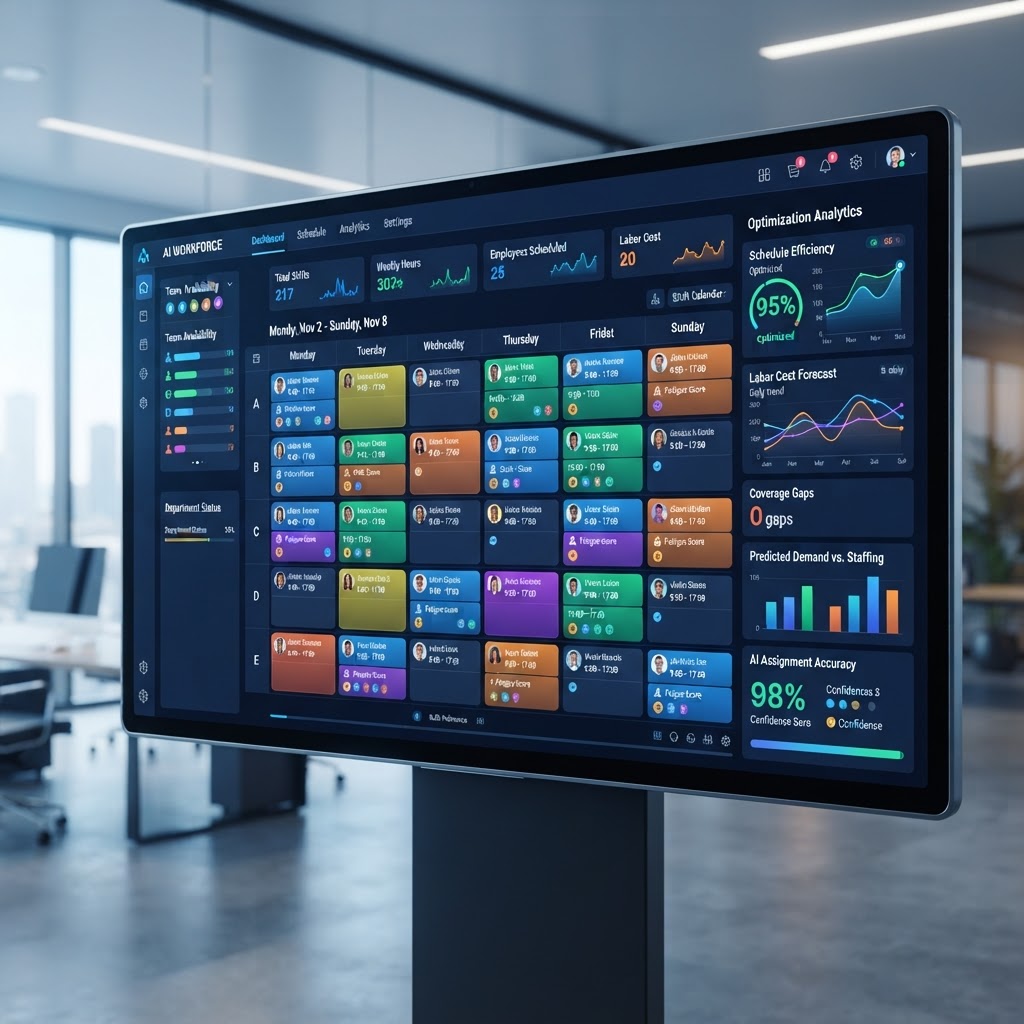
    Why Businesses Need AI in Vendor Management

    The complexity of modern supply chains has outpaced the capability of legacy procurement systems. Traditionally, vendor management relied on disconnected spreadsheets, manual email threads, and disparate software modules that rarely communicated effectively. In an era of rapid global digital transformation, this manual overhead often leads to fragmented data, missed compliance deadlines, and a lack of visibility into actual supplier performance. Businesses are increasingly turning to AI vendor management to bridge these gaps, shifting their internal resources from administrative firefighting to high-value strategic decision-making.

    AI introduces a layer of cognitive processing to procurement that standard automation cannot match. While traditional software is excellent at executing pre-defined rules, AI-enhanced systems can ingest massive quantities of unstructured data—such as market trends, geopolitical shifts, news reports, and financial filings—to provide actionable insights. For example, when a global logistics disruption occurs, an AI-powered system doesn’t just notify a manager that a shipment is late; it analyzes the ripple effect across the entire supply chain, suggests alternative suppliers from a pre-vetted database, and simulates the cost impact of switching. This predictive capability is essential for businesses operating in 2026, where the speed of adaptation defines market survival.

    Furthermore, AI tools help eliminate the “silo effect” that plagues large organizations. Often, the legal department, the procurement team, and the finance office operate on different systems, leading to redundant vendor assessments and conflicting vendor status updates. AI-driven platforms act as a single source of truth, synthesizing information across departmental lines. This transparency ensures that every stakeholder is looking at the same vendor risk scores and compliance certifications. When an AI tool flags a vendor for a potential regulatory issue, it can automatically trigger alerts for the appropriate departments, ensuring that legal reviews and financial audits are synchronized. By centralizing this data, organizations reduce the administrative burden of cross-functional communication, minimize the risk of human error, and create a scalable architecture that grows alongside the business. Ultimately, the transition to AI in vendor management is less about replacing human judgement and more about augmenting it with the speed, precision, and broad-spectrum analytical power required to navigate the complexities of the mid-2020s landscape.

    Key Features to Look for in Vendor Software

    Selecting the right platform requires a deep understanding of what technical capabilities drive real value. While “AI-powered” is a common marketing claim, the actual utility of these tools depends on their architectural design and integration ecosystem. When evaluating vendor management software for 2026, procurement leads should prioritize systems that offer specific functionalities capable of turning raw data into strategic advantage.

    A core feature to prioritize is advanced natural language processing (NLP) for document processing. Vendors interact with your organization via a mountain of paperwork: invoices, certificates of insurance, ESG reports, and master service agreements. An effective AI tool should be able to scan, extract, and categorize data from these documents automatically, cross-referencing them against your compliance requirements without manual intervention. Beyond basic OCR (Optical Character Recognition), look for “context-aware” extraction that understands legal clauses, payment terms, and vendor diversity status.

    Integration capability is perhaps the most important technical hurdle. An AI tool that exists in a vacuum is virtually useless. Ensure the software offers robust APIs or native connectors for your existing ERP (Enterprise Resource Planning), CRM, and accounting systems. Data silos are the primary enemy of efficient procurement, and the software you choose must be able to pull and push data seamlessly to avoid dual-entry workflows. Below is a comparison of different approaches to modern procurement software architectures:

    Approach Primary Benefit Best For
    All-in-One Suites Unified interface and data model Enterprises seeking end-to-end integration
    AI-Layer Add-ons Specialized predictive analytics Teams with stable legacy ERP systems
    Modular SaaS Platforms High flexibility and rapid deployment Agile, growth-stage organizations
    Custom AI Frameworks Tailored alignment with niche workflows Highly regulated industries with complex needs

    Finally, look for proactive AI-driven benchmarking. The best tools don’t just track your vendors; they compare them against market averages. Does this vendor’s pricing align with current market trends? Is their delivery time slower than industry peers? Benchmarking features leverage aggregated, anonymized data to give your procurement team an objective basis for contract negotiations. When combined with predictive risk modeling, these features transform the software from a simple filing cabinet into an active advisor that guides your sourcing strategy toward higher margins and lower risks.

    How AI Enhances Vendor Onboarding Efficiency

    The onboarding process is often the most significant bottleneck in the procurement lifecycle. Collecting tax forms, verifying identity, checking compliance certifications, and setting up payment systems typically involves a back-and-forth exchange that can take weeks, if not months. AI vendor management systems revolutionize this experience by shifting the burden from manual administrative oversight to intelligent automation, creating a self-service, friction-less path for new partners.

    Automate vendor onboarding is not merely about digitizing a PDF form; it is about creating a “smart pipeline” that adapts to the vendor’s profile. An AI-enhanced system will analyze the initial vendor data entered by the potential supplier and automatically adjust the subsequent requirements. For instance, if a supplier is based in a high-risk jurisdiction, the AI will immediately initiate a specific set of extra due diligence questions and regulatory checks that are irrelevant for a local, low-risk office supply vendor. This conditional logic saves significant time by ensuring that neither the procurement team nor the supplier is bogged down by unnecessary paperwork.

    Furthermore, AI provides real-time validation. As vendors upload required documentation, machine learning models verify the files instantly—checking for expiration dates, correct formatting, and valid identification numbers. If a document is incomplete or contains a potential error, the system provides immediate, automated feedback to the supplier, eliminating the wait time that usually occurs when a human reviewer discovers a mistake days later. This cycle continues until the profile reaches a state of “ready-for-review,” allowing procurement officers to focus solely on high-level approval rather than document collection.

    Beyond speed, AI improves the quality of onboarding data. Manual input is prone to errors, such as typos in banking details or missed entries in compliance fields. AI tools standardize data entry by pulling information directly from external business registries and verified financial databases, ensuring that the vendor record is accurate from the very first interaction. This accuracy reduces the downstream risk of payment failures or compliance breaches later in the relationship. By implementing these automated onboarding workflows, organizations can reduce the time-to-value for new vendor partnerships by a significant margin, enabling the business to react quickly to new market opportunities or temporary gaps in the supply chain. In essence, the goal of AI in onboarding is to make the administrative process invisible, allowing procurement teams to focus on the human side of building robust supplier partnerships.

    Automating Vendor Risk Assessment and Compliance

    In the modern global economy, a supplier’s stability is your own stability. Vendor risk assessment has moved far beyond simple financial audits; it now encompasses cybersecurity posture, environmental, social, and governance (ESG) compliance, and geopolitical resilience. Doing this manually for dozens or hundreds of vendors is practically impossible. AI-powered procurement automation allows for continuous, real-time monitoring of every vendor in your ecosystem, transforming a periodic “check-the-box” activity into a proactive risk mitigation strategy.

    The strength of AI in this context lies in its ability to scan and analyze vast datasets that are invisible to human auditors. AI supply chain tools can monitor news outlets, government databases, social media, and dark web activity to detect signs of trouble—such as a pending lawsuit, a significant leadership change, or a potential cyber-breach—long before it impacts your organization. By assigning dynamic risk scores to every vendor, the software allows procurement teams to prioritize their attention. You don’t need to manually check every vendor every week; the AI notifies you only when a risk threshold is breached, highlighting exactly why the score changed and recommending specific mitigation actions.

    Compliance monitoring is similarly enhanced through AI. Many industries operate under strict regulatory frameworks that require constant verification of supplier credentials. AI systems automate this by establishing an “always-on” connection to international and local regulatory databases. If a vendor’s certification lapses or if they are added to a restricted party list, the system can trigger an immediate alert and, if configured, automatically pause any pending payments or order processing for that specific vendor. This creates a fail-safe environment that protects the organization from reputational damage and legal liability.

    Perhaps the most critical advancement in 2026 is the use of predictive modeling for supply chain resilience. AI can simulate various “what-if” scenarios based on historical performance and market conditions. For example, if a region where a major supplier operates experiences a predicted climatic event or political unrest, the system can calculate the potential probability of a disruption and suggest proactive inventory stockpiling or the initiation of a secondary, pre-vetted vendor. This shift from reactive to predictive risk management is the hallmark of sophisticated procurement. By automating the assessment process, businesses gain the agility to manage risk dynamically, ensuring that the vendor portfolio remains a source of stability rather than a liability in an unpredictable world.

    Integrating AI into Supplier Relationship Management

    Supplier Relationship Management (SRM) is fundamentally about communication, collaboration, and trust. While AI is often associated with the cold logic of data analysis, its impact on SRM is perhaps its most human-centric application. Integrating AI into your relationship management strategy allows procurement teams to move past tactical transactional management and toward true strategic partnerships, fostering long-term value creation.

    One of the primary ways AI elevates SRM is through personalized and timely engagement. By analyzing communication patterns, delivery performance, and past feedback, AI can help procurement managers draft better communication strategies. For example, if a supplier is consistently meeting early delivery targets and maintaining high quality, the system can prompt the procurement manager to reach out with a performance-based incentive or a request for a collaborative product innovation project. Conversely, if a supplier’s performance is slipping, the AI can summarize the specific instances of failure, enabling a factual, data-driven conversation rather than one based on vague perceptions. This level of granular visibility shifts the relationship from one of suspicion to one of clarity and shared goals.

    Furthermore, AI tools help identify opportunities for “value-add” in the supply chain. By analyzing spending data and production cycles, AI can identify potential collaborative cost-saving initiatives. Perhaps a supplier is paying a premium for raw materials due to small-batch ordering; the AI can identify this and suggest a collaborative inventory management strategy where you increase your order volume to reduce the supplier’s procurement costs, subsequently lowering your own contract price. This is the essence of win-win relationship management, which is significantly easier to facilitate when both parties have access to shared, AI-synthesized insights.

    The integration of AI also facilitates continuous improvement loops. Modern SRM software includes sentiment analysis features that process feedback from various internal stakeholders—project managers, warehouse staff, and quality control teams—regarding their experience working with specific vendors. The AI aggregates this qualitative feedback with quantitative KPIs, providing a comprehensive, 360-degree view of the supplier’s health. This allows procurement leaders to host more effective business reviews, ensuring that discussions are focused on the areas that truly matter for the business. By leveraging AI to synthesize the myriad data points of a supplier relationship, teams can foster deeper, more resilient bonds. In 2026, those organizations that use AI to support, rather than replace, their human relationship management efforts will secure the most reliable and innovative suppliers in their respective markets, solidifying their supply chain as a significant competitive differentiator.

    Reducing Procurement Costs with Predictive Analytics

    In the evolving landscape of procurement, the transition from reactive purchasing to proactive strategic sourcing is fueled primarily by predictive analytics. AI vendor management tools now leverage machine learning models to analyze historical transaction data, market volatility indicators, and global supply chain disruptions. By processing these disparate data streams, organizations can move beyond mere ledger tracking and into the realm of foresight-driven procurement.

    Predictive analytics functions as a digital crystal ball for procurement teams, specifically regarding price fluctuation modeling. By identifying patterns in commodity pricing and vendor behavior, AI tools can suggest the optimal window for bulk procurement or contract renegotiation. For example, if historical trends indicate that a specific raw material or cloud service provider experiences predictable seasonal price spikes, the software can trigger automated procurement workflows to lock in pricing before the market climbs. This foresight is critical for maintaining healthy profit margins in industries where small fluctuations in supply costs aggregate into significant quarterly losses.

    Furthermore, predictive modeling assists in demand forecasting, which directly impacts the “Bullwhip Effect” in supply chains. When procurement teams have an AI-driven estimate of future vendor capacity requirements, they can negotiate longer-term, tiered pricing agreements rather than resorting to last-minute, high-premium spot purchases. By aligning procurement volumes with anticipated demand, companies often find they can reduce the overhead associated with inventory carrying costs and urgent shipping fees.

    Beyond material costs, predictive analytics optimizes vendor rationalization. By assessing performance trends against internal KPIs, AI models can predict which vendors are likely to underperform or fail to meet service level agreements (SLAs) in the coming quarters. This allows procurement managers to initiate transition plans, diversify the supplier base, or renegotiate terms long before a service failure causes a downstream operational bottleneck. This level of sophistication transforms the procurement department from a cost center into a strategic engine that contributes directly to the bottom line.

    Comparing Top AI-Powered Vendor Platforms

    Selecting the right platform requires an understanding of how each tool prioritizes specific segments of the vendor management lifecycle, such as risk assessment, onboarding speed, or long-term relationship nurturing.

    Platform Name Primary Focus Key AI Capability Best For
    VendorFlow AI Procurement Automation Predictive spend analysis Large enterprises with global supply chains
    RiskShield Procurement Vendor Risk Assessment Real-time compliance monitoring Highly regulated industries (Finance, Health)
    SupplyMatch Pro Strategic Sourcing AI-driven vendor discovery Mid-sized firms looking for supplier diversity
    CloudContractor AI Vendor Relationship Management Automated SLA tracking Tech firms managing diverse digital vendors
    OmniSource Intelligence Supply Chain Resilience Predictive disruption modeling Manufacturing and logistics sectors

    When comparing these platforms, look for the depth of integration with existing ERP (Enterprise Resource Planning) and CRM systems. A tool that operates in a silo often creates more work than it saves. Ideally, the chosen platform should act as a central nervous system, pulling data from invoices, contracts, and external market watchlists to provide a unified dashboard of vendor health.

    Data Security Considerations for Vendor Management

    Implementing AI-driven vendor management involves centralizing sensitive documentation, including legal contracts, proprietary performance data, and internal financial benchmarks. Consequently, data security cannot be an afterthought; it must be the foundation of the platform architecture. Organizations must prioritize platforms that offer robust end-to-end encryption for both data in transit and data at rest. Since many of these tools rely on machine learning models that require access to historical datasets, it is imperative to investigate how vendor data is anonymized or partitioned to prevent cross-contamination between different client environments.

    Data residency is another critical consideration, particularly for companies operating under GDPR, CCPA, or other regional data protection mandates. Before purchasing an AI vendor management solution, procurement officers must confirm where the platform’s cloud infrastructure is located and how it handles jurisdictional data sovereignty. Does the vendor offer the ability to store data within a specific geographic region? Can the organization retain full control over data deletion and auditing, as required by compliance frameworks?

    Access control is equally vital. Modern AI tools should support Multi-Factor Authentication (MFA) and Single Sign-On (SSO) integration, allowing teams to manage platform access through existing enterprise identity providers. Furthermore, look for granular Role-Based Access Control (RBAC) features. These ensure that procurement analysts only see the financial data they need for their specific projects, while only legal counsel or senior leadership can view sensitive contract termination clauses or high-level risk assessments. Auditing logs—which provide a permanent, immutable record of every user action taken within the platform—are also non-negotiable features for maintaining compliance during internal and external audits.

    Common Pitfalls to Avoid During Implementation

    The most frequent failure in AI implementation is the “garbage in, garbage out” phenomenon. If an organization attempts to automate a vendor management process without first cleaning its legacy data—such as fixing duplicate vendor records, reconciling inconsistent naming conventions, or digitizing physical contracts—the AI will simply accelerate the accumulation of errors. Before deploying software, procurement teams should dedicate significant time to data hygiene, ensuring that the foundational information is accurate and standardized.

    Another common mistake is neglecting the human element of change management. Procurement teams are often entrenched in manual processes, such as Excel-based tracking or email-driven communication. If employees feel that an AI-driven tool is intended to replace them rather than augment their capabilities, resistance can be significant. Successful implementations often include a comprehensive training phase where staff learn how to interpret AI insights rather than blindly following software suggestions. Encouraging team members to treat the AI as a junior assistant rather than a final decision-maker helps foster a culture of shared responsibility and informed oversight.

    Furthermore, many organizations fall into the trap of “scope creep.” They attempt to integrate the platform with every conceivable system simultaneously, resulting in a complex, fragile deployment that takes months to stabilize. It is generally recommended to start with a “pilot” category of vendors or a specific region to validate the ROI and workflow before rolling the solution out across the entire enterprise. Starting with a manageable subset allows teams to refine their automation triggers and error-handling procedures in a low-risk environment.

    Measuring ROI from Vendor Management Automation

    Quantifying the return on investment for vendor management automation requires tracking both tangible cost savings and intangible operational improvements. The most direct metric is the reduction in “cost-per-procurement-cycle.” By measuring the time spent by procurement professionals on manual tasks like invoice validation, vendor onboarding, and risk verification, organizations can track the hours returned to high-value strategic tasks. When staff spend less time on data entry, they have more time to focus on strategic sourcing, which is where the true value-add lies.

    Another key indicator is the reduction in “maverick spend”—the practice of purchasing goods or services outside of established contracts. AI-powered platforms often highlight these instances in real-time, allowing procurement teams to enforce compliance and capture volume-based discounts that would otherwise be missed. By monitoring the volume of unauthorized purchases pre- and post-implementation, organizations can derive a clear monetary figure representing the reclaimed spend.

    Additionally, risk-related savings should be factored into the ROI calculation. While it is difficult to put a price tag on a catastrophe that did *not* happen, organizations can use “near-miss” reporting as a metric. If the system detects a supplier’s credit downgrade or an impending bankruptcy notice before the organization places a significant order, the averted loss (in terms of supply chain disruption costs) serves as a potent indicator of the platform’s value. Over time, tracking these metrics helps procurement leaders justify the platform’s subscription costs and demonstrates the department’s evolving value proposition to the broader executive team.

    Frequently Asked Questions

    How does AI improve vendor onboarding speed?

    AI automates the document verification process by using Optical Character Recognition (OCR) and Natural Language Processing (NLP) to scan and validate business certifications, tax forms, and insurance certificates in real-time. This eliminates the back-and-forth manual review cycles, allowing the system to approve or flag inconsistencies within minutes rather than weeks.

    Is my vendor data safe when using cloud-based AI tools?

    Reputable AI vendor management platforms utilize industry-standard encryption, such as AES-256 for data at rest and TLS for data in transit. Furthermore, they are typically SOC 2 Type II compliant and offer advanced identity management, such as SSO and MFA, to ensure that only authorized personnel have access to sensitive supplier information.

    Can AI truly replace a human procurement manager?

    No, AI is designed to be an augmentation tool, not a replacement. While AI can process thousands of data points to identify risks or savings opportunities, human procurement managers are required to interpret these insights in the context of the company’s unique culture, brand reputation, and long-term strategic goals.

    What is the biggest risk when automating vendor management?

    The most significant risk is over-reliance on automated decisions without human oversight. If an AI model is fed low-quality data, it may inadvertently suggest suboptimal vendors or terminate beneficial contracts based on erroneous patterns. Always maintain a “human-in-the-loop” approach for final approval on critical procurement decisions.

    How do I integrate AI tools with my existing ERP system?

    Most modern AI procurement tools offer robust REST APIs and pre-built connectors for major ERP platforms like SAP, Oracle, and Microsoft Dynamics. The integration process usually involves mapping the fields between systems so that the AI can pull vendor transaction histories and push performance insights back into the core financial environment.

    What is vendor rationalization and how does AI help?

    Vendor rationalization is the process of trimming a supplier base to improve operational efficiency and reduce costs. AI facilitates this by analyzing the performance, cost-efficiency, and strategic value of each supplier, identifying redundant vendors who can be consolidated, or underperformers who should be replaced, based on objective data rather than institutional bias.

    Conclusion

    The landscape of procurement is undergoing a fundamental shift. By leveraging AI vendor management software, organizations move beyond the manual drudgery of legacy processes and into a future defined by precision, predictive power, and proactive risk mitigation. While the transition requires careful data management and a commitment to cultural change, the potential to optimize spending, secure the supply chain, and gain a competitive edge in the global marketplace is undeniable. By treating AI as a strategic partner, procurement leaders can ensure their organizations remain resilient and efficient throughout 2026 and well beyond. Now is the time to audit your current vendor processes and investigate which AI-powered solutions best align with your enterprise needs.

    By aismarttoolsreview Editorial Team

  • Best AI Expense Management Software 2026: Top 5 Compared

    Best AI Expense Management Software 2026: Top 5 Compared

    Key Takeaways

    • AI expense management leverages machine learning to reduce manual data entry and human error in corporate accounting.
    • Real-time automated expense reporting allows finance teams to gain visibility into cash flow the moment a transaction occurs.
    • Leading AI corporate card software integrates directly with ERP systems to streamline reconciliation processes.
    • Fraud detection algorithms analyze spending patterns in real-time to flag policy violations before approval.
    • Modern spend management platforms provide actionable insights, shifting finance teams from reactive bookkeeping to proactive strategic planning.

    The landscape of corporate finance is undergoing a radical shift as manual spreadsheets and retrospective accounting methods become obsolete. By 2026, the integration of intelligent algorithms into fiscal workflows is no longer a luxury but a fundamental necessity for organizations aiming to scale efficiently. As finance leaders grapple with global distributed teams, fluctuating vendor costs, and complex regulatory compliance, the adoption of AI expense management has emerged as the primary catalyst for operational agility. In this comprehensive review by the aismarttoolsreview Editorial Team, we evaluate how state-of-the-art automation tools are redefining spend visibility, security, and employee experience, helping businesses navigate the complexities of modern fiscal oversight.

    Why Businesses Need AI-Powered Expense Management

    In the traditional corporate environment, expense management was often characterized by the “shoebox method”—a process involving physical receipt storage, manual spreadsheet entry, and month-end bottlenecks that frequently led to reconciliation delays. For a mid-to-large enterprise, this manual approach represents a significant drain on human capital and a breeding ground for clerical errors. AI-powered expense management fundamentally alters this trajectory by replacing human intervention with intelligent automation. At its core, these tools utilize neural networks and optical character recognition (OCR) to process financial data at a scale and speed that manual systems cannot replicate.

    The primary driver for this transition is the pursuit of real-time fiscal intelligence. When an employee utilizes AI corporate card software, the transaction data is digitized instantly. This provides leadership with a bird’s-eye view of corporate spending, rather than waiting until the end of a fiscal quarter to analyze a ledger. By automating the reporting lifecycle, finance teams can pivot their focus from data entry to strategic analysis. Instead of auditing thousands of rows of individual line items, finance professionals can use these platforms to identify high-level spending trends, negotiate better rates with preferred vendors, and enforce budgetary discipline across departments.

    Furthermore, businesses operating in a global economy face the challenges of currency conversion, international tax compliance, and multi-entity consolidation. Modern expense management tools for business handle these complexities with ease. AI models can automatically apply the correct tax rules, currency exchange rates, and internal policy constraints to a transaction the moment it is swiped. This level of precision significantly reduces the risk of non-compliance, which can lead to expensive audits or regulatory fines. For scaling companies, the ability to maintain a clean, audit-ready paper trail without increasing the headcount of the accounting department is perhaps the most compelling argument for making the switch.

    Ultimately, the move toward AI-driven systems is about culture as much as it is about accounting. When employees spend less time on tedious reporting and manual categorization, their productivity increases, and morale improves. Frictionless expense reporting—where a receipt is snapped, processed, and categorized in seconds—transforms a typically reviled administrative chore into a background task. By adopting AI accounting software, organizations empower their workforce to spend responsibly while providing the financial department with the tools to govern that spending without being a bottleneck. This balance between empowerment and control is the hallmark of a high-functioning, tech-enabled enterprise.

    How AI Automates Receipt Capture and Categorization

    The transition from manual expense entry to fully automated ingestion is made possible by sophisticated computer vision and Natural Language Processing (NLP). When a user captures an image of a receipt, the AI system does not merely “read” the text; it performs semantic analysis to understand the context of the document. Traditional OCR technology often struggled with blurred images, non-standard layouts, or low-quality digital photos. In contrast, modern AI models trained on millions of financial documents can identify the merchant name, date, currency, total amount, and line-item details even in challenging visual conditions.

    Once the document is digitized, the AI engine performs automated categorization. This involves mapping the transaction to the appropriate general ledger (GL) code based on historical data and user behavior. For example, if an employee consistently buys office supplies from a specific vendor, the system “learns” to label that transaction as “Office Expenses” automatically. If a transaction is ambiguous, the system can leverage a probabilistic model to suggest the most likely category, requesting a quick confirmation from the user rather than leaving it blank. This reduces the cognitive load on the employee and ensures that the finance team receives standardized data entries.

    Data enrichment is a significant leap forward in this space. Beyond simple extraction, AI platforms integrate with external databases to provide context. If a user uploads a receipt for a hotel stay, the AI may correlate this with calendar data to confirm the travel location or with corporate travel policy documents to ensure the room rate is within acceptable limits. This contextual awareness ensures that the data is not only accurate but also actionable. The system effectively acts as a tireless auditor, verifying that the vendor is valid, the tax amount is calculated correctly, and the purchase falls within the scope of the employee’s project code.

    The final step in this automated process is the integration with accounting ERPs. Because the AI has already mapped the transaction to the correct category and confirmed its validity, the data can flow directly into the corporate books without manual review in many cases. This creates a “continuous accounting” workflow. Instead of a monthly “close” process that takes days of high-pressure work, the books remain perpetually closed. Every expense is reconciled in near-real-time. This level of automation is transformative for startups and SMEs, where the finance function might be handled by a small team or even a single individual who needs to focus on growth rather than transactional bookkeeping.

    Key Features to Look for in Expense Automation Tools

    Selecting the right platform requires a deep understanding of your business’s unique requirements. While the market for expense management tools for business is crowded, the top-tier solutions typically share a common set of foundational features. First and foremost, look for mobile-first accessibility. Since most expenses occur while an employee is on the road, the mobile application must be intuitive, fast, and stable. The ability to process receipts offline and sync them when connectivity is restored is also an essential feature for a global workforce.

    Integration capability is another critical pillar. An AI-powered tool is only as effective as its ability to talk to your existing ecosystem. Ensure that the platform offers robust APIs and pre-built integrations with popular accounting software like NetSuite, QuickBooks, Xero, or Sage. If your business relies on specific CRM or Project Management tools, verify that the expense platform can tie expenses to specific client codes or project IDs. This level of granular tracking is essential for calculating accurate project margins and profitability.

    Policy enforcement settings represent the “governance” aspect of the software. Look for a system that allows for a hierarchical approval workflow and configurable policy rules. Can the software handle complex scenarios, such as per-diem limits based on city, or tiered approval requirements based on the seniority of the spender? The best tools allow administrators to write custom “if-this-then-that” rules that act automatically. For instance, if an expense exceeds a certain dollar amount or violates a specific policy, the system can automatically flag it for senior manager review or block the transaction entirely.

    Reporting and analytics dashboards are equally vital. It is not enough to simply log expenses; you need to visualize them. The ideal platform offers customizable dashboards that allow you to track spending by department, team member, vendor, or category. Predictive analytics features are increasingly common, enabling finance teams to forecast future spending patterns based on historical data. This foresight allows for better cash flow management and more accurate budgeting. Finally, consider the security certifications of the provider. Since you are dealing with sensitive financial and corporate data, look for platforms that offer SOC 2 compliance, robust encryption, and granular access controls for your internal teams.

    Platform Type Primary Focus Best For
    AI-Native Corporate Card Unified issuance, management, and tracking. Startups and high-growth SMEs.
    Integrated ERP Expense Module Deep accounting and tax compliance. Large enterprises with complex ERPs.
    Specialized Expense SaaS User experience and workflow efficiency. Mid-market companies with remote teams.
    Automated AP & Spend Platform Total spend visibility and procurement. Businesses with high procurement needs.

    Top 5 AI Expense Management Platforms Compared

    The market for AI-driven spend management has matured significantly by 2026, with several dominant players offering distinct approaches to the problem. While these platforms often overlap, their core DNA differs based on whether they prioritize physical card issuance, deep accounting integration, or employee experience. Choosing the right tool depends heavily on the size of your organization and the existing financial stack you have in place. In this section, we analyze the current leaders based on their AI capabilities, user-friendliness, and integration ecosystem.

    The first major category is the “all-in-one” AI corporate card software. These platforms generally provide a corporate card connected to a proprietary software suite. Because the card is the mechanism of purchase, the software captures the transaction data natively, bypassing the need for manual receipt scanning in most cases. This “closed-loop” approach is highly efficient because it eliminates the lag between the transaction and the ledger. Companies like Ramp and Brex have popularized this model by emphasizing speed and real-time visibility, making them favorites among venture-backed startups and agile technology firms.

    The second category consists of established spend management platforms that function as a layer on top of existing banking systems. These tools are often preferred by more traditional enterprises that have existing relationships with major commercial banks. Platforms such as Expensify or SAP Concur occupy this space, providing highly robust configuration engines that can accommodate complex international compliance requirements, multi-currency needs, and legacy workflows. Their AI tools are often focused on the “backend” of the process—analyzing huge datasets of receipts and invoices to detect anomalies or identify patterns in multi-national operations.

    The third category includes newer, agile SaaS solutions that focus on “Expense-as-a-Service.” These platforms excel at the mobile experience. They recognize that for a field sales team, the software must be as easy to use as a social media app. These tools often feature the most advanced AI for receipt OCR and document classification. They are designed to integrate seamlessly into a “best-of-breed” stack, where the company might use Salesforce for CRM, Slack for communication, and a cloud-based ERP for core accounting. The AI in these platforms is highly optimized for ease of adoption and minimizing friction for the end user.

    When comparing these tools, one should also consider the “AI-depth.” Some platforms use AI as a wrapper—a helpful assistant to fix typos in reports—whereas others use AI as the engine, proactively suggesting budget reallocations or identifying duplicate invoices before they reach the payment cycle. Your decision should be based on how much “automation-first” logic you want to inject into your organization. If your goal is to move to a culture of complete autonomy for employees, the card-integrated platforms are superior. If your goal is to tighten the grip on compliance and audit trails, the more robust enterprise-grade spend management platforms will likely be a better fit.

    How AI Detects Fraud and Policy Violations in Real-Time

    Fraud detection in traditional expense management was a reactive process, often occurring weeks or months after the funds were spent. In modern AI-enabled systems, fraud detection is a proactive, millisecond-level event. AI algorithms are trained to identify behavioral signatures that deviate from established norms. Because these systems have access to the entire company’s historical transaction data, they develop a baseline of “normal” behavior. Anything that deviates significantly from this baseline—a purchase from a high-risk location, a duplicate receipt, or a transaction at an odd hour—triggers an immediate flag.

    Duplicate detection is one of the most common applications of AI in this space. It is surprisingly common for employees to accidentally (or intentionally) submit the same receipt twice. Older systems might catch this during a quarterly audit, but AI models use fingerprinting techniques to analyze receipt metadata and visual features to identify duplicates even when the submitted scan is of a different angle or lighting condition. This prevents double payments, which is a significant source of “leakage” in many large organizations.

    Beyond simple duplicates, AI excels at identifying “policy drift.” Policy violations are often subtle—such as a series of small, individual purchases that collectively exceed a per-diem limit or a trend of spending at unauthorized vendors that are technically within a single expense category. By using machine learning to look at aggregate data rather than just individual transactions, AI can spot a pattern of non-compliant behavior across an entire department. This allows managers to have coaching conversations with employees before a small trend becomes a major financial risk.

    Advanced platforms also incorporate external threat intelligence. By cross-referencing merchant information with publicly available databases, AI can flag transactions at high-risk vendors or businesses that have been associated with fraudulent activity. Furthermore, when combined with AI corporate card software, the system can dynamically adjust the card’s spend limits. If a transaction is highly anomalous, the system can automatically freeze the card or require multi-factor authentication (MFA) on the employee’s phone before the transaction is authorized. This real-time gating creates a “protective perimeter” around company funds, ensuring that the organization is not left to chase funds after they have already left the bank account. The result is a more resilient and secure financial structure that allows the company to operate at speed without the looming anxiety of internal and external financial threats.

    Integrating AI Expense Tools with Accounting Software

    The true power of AI expense management is not realized in isolation but through seamless synchronization with your core accounting infrastructure. Modern expense management tools for business function as an intelligent layer that sits between the point of purchase and your general ledger. When an employee makes a purchase, the AI doesn’t just record the transaction; it categorizes the expense, identifies the appropriate tax code, and reconciles the digital receipt against the transaction data before pushing it directly into systems like NetSuite, QuickBooks Online, Xero, or Sage Intacct.

    Integration typically occurs via robust API connections that facilitate two-way synchronization. Unlike legacy systems that rely on periodic manual CSV exports, these platforms utilize webhooks to trigger data transfers in real-time. This ensures that the financial data within your accounting software is always a precise reflection of actual spend. For instance, if a duplicate transaction is detected by the AI or a policy violation is flagged, the information is pushed to the accounting platform with a specific tag, preventing erroneous entries from polluting the ledger.

    Successful integration requires a mapping exercise where your Chart of Accounts (COA) is synchronized with the expense tool’s categorization engine. AI models are increasingly adept at learning these mappings over time. If a specific vendor is consistently categorized under “Software Subscriptions” in your accounting software, the AI will observe this pattern and automatically suggest or apply the correct GL code for future transactions. This drastically reduces the burden on accounting staff who would otherwise spend hours manual-mapping expenses at month-end close. Furthermore, these integrations often support multi-entity synchronization, allowing businesses with complex corporate structures to push expenses to specific subsidiaries or legal entities automatically.

    Benefits of Real-Time Spend Visibility for CFOs

    For modern CFOs, the “month-end surprise”—where budget overruns are discovered long after the spend has occurred—is an artifact of the past. Real-time spend visibility, provided by advanced spend management platforms, shifts the financial paradigm from reactive reporting to proactive strategy. By tracking every transaction as it happens, CFOs gain a panoramic view of their organization’s financial health, down to the granular level of individual department budgets.

    This visibility is achieved through the integration of AI corporate card software, which captures data at the moment of authorization. Because these cards are managed programmatically, CFOs can implement “hard” budget blocks that prevent unauthorized spending before the card is even swiped. This level of control allows leadership to adjust spending limits dynamically based on current cash flow or fluctuating market conditions without needing to reissue physical payment methods. Data dashboards provide visual representations of burn rates and spending trends, allowing for rapid course correction.

    Moreover, the data captured by these AI systems is standardized. When every expense report is digitized and categorized by AI, the resulting dataset is clean and reliable. CFOs can perform “what-if” analyses, run variance reports, and forecast future liquidity with a high degree of confidence. By removing the friction of manual data entry and reconciliation, leadership teams can refocus their efforts on strategic financial planning and capital allocation rather than chasing missing receipts or verifying expense report accuracy.

    Platform Feature Traditional Reporting AI-Driven Spend Management Best for
    Data Reconciliation Manual/Monthly Automated/Real-time High-growth startups
    Policy Compliance Post-hoc auditing Proactive blocking Large enterprises
    Forecasting Ability Static spreadsheets Predictive modeling Strategic finance teams
    Receipt Matching Manual scanning OCR & AI matching Mid-sized businesses

    AI Expense Management for Remote and Hybrid Teams

    The decentralization of the modern workforce presents unique challenges for expense management. Without a centralized office environment to monitor supplies and travel, businesses often struggle with fragmented spending and non-compliant purchases. AI expense management tools bridge this gap by digitizing the entire workflow, making geography irrelevant to the submission and approval process.

    For remote and hybrid employees, these tools offer mobile-first applications that allow for instant receipt capture. Employees simply photograph a receipt with their smartphone, and the AI extracts the merchant name, date, currency, and total amount. Because these tools are cloud-based, the approval workflow can be routed to the appropriate manager regardless of their physical location. Notifications are pushed to managers instantly, enabling rapid approval or rejection of expenses, which keeps the workflow moving and ensures that employees are reimbursed promptly.

    Furthermore, AI tools help enforce corporate policy in a remote setting where direct oversight is limited. Rules can be defined based on user roles—for example, a remote sales representative might have a different travel and accommodation budget than a developer working from home. If an employee attempts to book an international flight that exceeds their allocated budget, the AI can trigger a real-time policy alert or require an extra level of manager approval. This creates a standardized “digital office” culture where expenses are handled consistently, regardless of where in the world the employee is performing their duties.

    Scalability: Choosing Tools That Grow With Your Business

    Scalability in expense management is often overlooked until a company hits a bottleneck, such as a surge in headcount or an expansion into new international markets. A tool that works for a 20-person startup may become an operational liability for a 200-person organization if it lacks robust user permission settings, multi-currency support, or advanced reporting features. Choosing the right AI expense management solution requires evaluating its ability to handle complexity.

    Scalable tools feature granular permission structures. As your business grows, you will need to delegate approval authority to department heads or regional managers. A good platform should allow for flexible workflows, where approval hierarchies can be updated in seconds as organizational charts shift. Additionally, for companies looking to go global, multi-currency support is essential. The AI should not only process expenses in foreign currencies but also handle VAT/GST reclamation automatically, which is a significant tax efficiency advantage for scaling companies.

    Integration versatility is another key aspect of scalability. An ideal platform should offer a robust API that allows your IT or engineering team to build custom workflows. As your business scales, you may want to connect your expense tool to your HRIS (Human Resources Information System) to automate the onboarding and offboarding of card users, or link it to a project management tool to track spend by specific client initiatives. By selecting a platform that acts as a flexible, open ecosystem rather than a closed, rigid application, you ensure that your expense management strategy can evolve alongside your business model.

    Cost Analysis: Is Investing in AI Expense Tools Worth It?

    Determining the ROI of AI expense management involves weighing the subscription costs against the significant reduction in operational friction. While there is a recurring cost for the software, the “cost” of the manual status quo is often much higher—albeit hidden. This includes the salary hours spent on manual data entry, the time lost to chasing missing receipts, the overhead of back-and-forth email chains for approvals, and the financial losses resulting from undetected fraud or non-compliant spending.

    Many businesses find that the automation of receipt matching alone returns several hours of labor per week per employee. For a company with hundreds of employees, this equates to significant cost avoidance. Furthermore, AI-powered systems are highly effective at detecting duplicate submissions and flagging abnormal spending patterns that might have gone unnoticed in a manual audit. Over time, these small “leakages” of cash accumulate into substantial sums.

    Beyond internal efficiencies, consider the cost of tax and compliance risks. Manual processes are prone to errors that, when compounded, can lead to audit failures or missed opportunities for tax deductions. AI tools maintain a pristine, digital audit trail for every transaction, ensuring that your organization is always “audit-ready.” When you factor in the reduced reliance on external accounting consultants for reconciliations and the potential for better cash management through real-time visibility, the investment typically pays for itself within the first year of implementation for most mid-sized and large businesses.

    Frequently Asked Questions

    What is the primary difference between traditional expense software and AI-based solutions?

    Traditional expense software typically serves as a digital filing cabinet, requiring manual entry of data fields by the employee. AI-based solutions go further by using OCR and machine learning to “read” receipts, extract data automatically, categorize expenses, and flag policy violations in real-time without human intervention.

    Can AI expense management software detect fraudulent transactions?

    Yes, most AI platforms include sophisticated fraud detection modules. By analyzing spending patterns, comparing transactions against company policy, and flagging duplicates or suspicious merchant categories, the AI can highlight potentially fraudulent behavior much faster than a manual human review would.

    How does AI handle different international currencies and tax laws?

    AI expense tools typically provide automated currency conversion based on daily market rates. For tax compliance, these platforms utilize AI engines that recognize international VAT/GST requirements and suggest the appropriate tax treatment for expenses incurred in various jurisdictions, helping businesses streamline international reporting.

    Does using AI software require my employees to have special training?

    Generally, no. These platforms are designed for high usability. Because the AI handles the heavy lifting—such as receipt scanning and categorization—the user interface is typically very intuitive. Most employees find that they spend significantly less time on expense reporting compared to traditional legacy software.

    Will this software replace my human accounting team?

    No, it is intended to augment them. AI removes the “drudge work” of data entry and reconciliation, which frees up your accounting staff to focus on higher-level financial analysis, strategy, and oversight rather than administrative data processing.

    Is my financial data safe when using cloud-based AI platforms?

    Reputable AI expense management providers adhere to strict security standards, including SOC 2 compliance, end-to-end encryption, and robust data isolation protocols. They invest heavily in cybersecurity to ensure that sensitive financial data is protected to a degree often superior to localized or manual systems.

    Conclusion

    In 2026, the adoption of AI-powered expense management is no longer a luxury reserved for tech giants; it is a fundamental requirement for any business aiming to maintain agility and financial precision. By automating the arduous process of manual expense tracking, leveraging real-time data for strategic decision-making, and enforcing policy compliance through intelligent software, companies can transform their finance departments from record-keepers into value-creators.

    As you evaluate the platforms discussed in this guide, consider your company’s unique trajectory. Look for tools that not only solve today’s operational bottlenecks but also provide the scalability and integration capabilities required for your future growth. Whether you are a small startup looking to control burn or an established firm seeking to optimize global workflows, the right AI expense management partner will provide the visibility and efficiency necessary to stay competitive in an increasingly automated landscape.

    If you are ready to modernize your financial operations, start by scheduling a demo with your top two choices from our list. Most providers offer free trials or sandbox environments where you can test the AI’s receipt extraction capabilities against your specific invoice formats. Take the step today to reclaim your team’s time and gain the financial clarity your business deserves.

    By aismarttoolsreview Editorial Team

  • Best AI Employee Scheduling Software 2026: Top 5 Compared

    Best AI Employee Scheduling Software 2026: Top 5 Compared

    Key Takeaways

    • AI-powered scheduling eliminates manual administrative overhead by predicting labor needs based on historical data.
    • Advanced workforce scheduling AI integrates real-time demand forecasting to ensure optimal staffing levels during peak periods.
    • Modern automated shift scheduling tools prioritize employee preferences and work-life balance to reduce burnout.
    • Top-tier rostering platforms offer cross-platform mobile access, allowing for immediate shift swaps and communication.
    • Scalable employee management software must balance complex regulatory compliance with the flexibility required for agile teams.

    As we navigate the operational landscape of 2026, the reliance on static, spreadsheet-based rostering has become a significant bottleneck for growing organizations. The modern workplace requires agility, precision, and an intuitive understanding of both business demand and human needs. AI employee scheduling software has evolved from a luxury feature into a core operational necessity, serving as the connective tissue between complex labor requirements and streamlined management. By leveraging predictive analytics and machine learning, these platforms are redefining how businesses approach human capital. In this guide, the aismarttoolsreview Editorial Team analyzes the top technologies shaping the future of workforce management, providing you with the insights needed to select the right tool for your specific operational scale.

    1. Why Businesses Are Switching to AI-Powered Scheduling

    The transition toward AI-powered scheduling represents a fundamental shift in how leadership teams conceptualize workforce management. Historically, managers dedicated substantial blocks of their work week to manual data entry, balancing shift rotations against a complex web of labor laws, employee availability, and budgetary constraints. This process was not only time-consuming but highly prone to human error, often resulting in understaffing during critical windows or overstaffing during quiet periods, both of which erode profitability.

    Businesses are switching to AI employee scheduling software primarily to regain control over their operational efficiency. Unlike legacy systems, which rely on rigid, rule-based logic, modern AI platforms analyze historical operational data to predict future needs. By correlating external factors—such as seasonal sales trends, local events, or even weather patterns—these tools provide managers with a data-backed blueprint for rostering that anticipates demand before it occurs. This proactive approach minimizes the need for last-minute scramble-hiring or emergency shift calls, which are costly and damaging to team morale.

    Furthermore, the competitive talent market of 2026 demands a higher standard of employee experience. Staff scheduling automation removes the friction associated with shift planning. When employees have transparency, input into their schedules, and the ability to manage swaps autonomously via mobile interfaces, engagement typically increases. The automated nature of these platforms also ensures that compliance with local labor regulations, such as mandatory rest periods and maximum hours, is embedded into the scheduling engine itself. By automating these compliance guardrails, businesses protect themselves from the significant legal and financial risks associated with labor violations.

    Finally, the scalability of AI solutions allows organizations to maintain consistency across multiple locations or departments. As a business grows, the complexity of managing shifts manually grows exponentially. AI rostering tools provide a unified dashboard that normalizes communication and scheduling standards, ensuring that corporate strategy is reflected in local floor management. This consistency is essential for maintaining brand quality and operational standards, particularly in high-churn environments like retail, healthcare, and hospitality. By adopting these systems, managers move away from the role of “administrative clerk” and reclaim their time to focus on team mentorship, customer experience, and high-level strategic development.

    2. How AI Automates Complex Shift Patterns and Rosters

    The complexity of modern rostering often involves managing dozens of variables simultaneously. Consider a hospital or a large-scale retail operation: you have staff with varying skill sets, distinct certifications, specific hourly limits, and complex shift preferences, all balanced against budget constraints and fluctuating customer demand. AI automates this by utilizing advanced heuristic algorithms and constraint-based optimization models. Unlike a human who might use “trial and error” or “last week’s schedule” as a template, AI evaluates thousands of potential combinations in seconds to arrive at the most efficient solution.

    At the core of these tools is the concept of demand-driven scheduling. The software begins by ingesting historical labor data alongside performance metrics. It identifies recurring patterns—perhaps your busiest times are Friday evenings or during specific promotional windows. The system then populates the roster by aligning these predicted spikes with the right mix of staff skill levels. If a specific task requires a certified supervisor on-site, the software will automatically prioritize the assignment of that individual while filling the surrounding “helper” roles with eligible, lower-cost staff.

    Constraint satisfaction is another area where AI excels. In a manual setting, accounting for every employee’s time-off request while simultaneously fulfilling labor law requirements is a cognitive burden. AI platforms treat these requirements as “hard” and “soft” constraints. Hard constraints are immutable rules—legal maximums, mandatory safety certifications, or non-negotiable availability. Soft constraints involve preferences—perhaps an employee prefers morning shifts or needs to avoid weekends due to educational commitments. The AI balances these soft constraints to maximize individual happiness while ensuring that all hard constraints are perfectly satisfied.

    Machine learning also allows these systems to become more precise over time. Every time a manager overrides a suggested schedule or an employee requests a trade, the system “learns” from the interaction. If the AI suggests a roster that results in a low occupancy rate, it registers this as a failure and adjusts its parameters for future cycles. This feedback loop ensures that the software is not just an automated calendar, but a dynamic intelligence that improves in lockstep with the specific needs of your business. As the workforce composition changes—such as onboarding new seasonal hires—the AI quickly adapts to these new variables, ensuring that onboarding and integration do not result in scheduling gaps or operational inefficiencies that would otherwise require intensive manual management.

    3. Key Features to Look for in AI Scheduling Platforms

    When evaluating the marketplace, it is essential to distinguish between simple digital calendars and true AI-driven workforce management systems. Not all platforms are built with the same level of intelligence. To maximize your return on investment, your chosen software must incorporate a specific set of features that address the demands of a modern, agile workforce.

    The most critical feature is real-time demand forecasting. A robust platform should offer an integration layer that pulls data from your Point of Sale (POS) or CRM systems. This allows the AI to adjust schedules based on live updates, such as a sudden influx of customers or an unexpected dip in foot traffic. The ability to pivot automatically without manual intervention distinguishes enterprise-grade tools from basic rostering apps.

    Communication transparency is equally important. An AI platform must facilitate seamless mobile interactions for the end-user. Staff should be able to view their schedules, request time off, and—most importantly—propose shift swaps that the AI validates against compliance rules. For example, if Employee A wants to trade a shift with Employee B, the system should instantly check if Employee B has already reached their maximum weekly hours or if they possess the required certifications for that shift. This “intelligent swap” feature drastically reduces the administrative time managers spend acting as middlemen in schedule changes.

    Another essential element is compliance-first architecture. Because labor laws vary significantly by region, the best AI employee scheduling software includes localized, pre-configured compliance templates. These templates should automatically block shifts that would lead to overtime pay or violate break-period statutes. This capability acts as a fail-safe for business owners, shifting the burden of legal compliance from the human scheduler to the software’s architecture.

    Finally, look for reporting and analytics depth. You need more than just a schedule; you need insights into your labor cost percentage, overtime trends, and the correlation between staffing levels and revenue. The dashboard should allow for easy extraction of these metrics, enabling data-driven conversations about hiring needs. A platform that provides “what-if” scenario modeling—allowing you to simulate how a shift change might affect your budget before you publish the roster—provides a level of foresight that is invaluable for financial planning and long-term organizational health.

    Software Type Core AI Capability Best For
    Predictive Rostering Demand forecasting based on historical trends Retail & Hospitality
    Compliance-Focused AI Automated legal rule enforcement and labor laws Healthcare & Manufacturing
    Employee-Centric Apps Automated shift swapping & preference matching Gig Economy & Large Service Teams
    Enterprise ERP Integration Multi-departmental labor optimization Global Corporations

    4. How AI Reduces Staff Turnover and Increases Satisfaction

    In the contemporary workforce, retention is often linked directly to the quality of life an employer facilitates. High staff turnover is a common plague in shift-based industries, frequently triggered by inconsistent scheduling, last-minute roster changes, and a lack of transparency. AI employee scheduling software addresses these pain points by shifting the paradigm from “management-dictated” to “collaborative” scheduling, which fundamentally improves employee satisfaction.

    One of the most significant stressors for staff is the unpredictability of their future earnings and personal time. When schedules are published late or changed without consultation, employees struggle to maintain personal commitments. AI platforms typically solve this by allowing for “advanced publishing”—where the system predicts and populates schedules weeks in advance with a high degree of accuracy. By providing employees with a stable, reliable look into their future, the software helps staff plan their personal lives, which is a key driver of long-term loyalty and job satisfaction.

    Furthermore, AI-driven rostering platforms often feature preference-based scheduling. Instead of a one-size-fits-all approach, employees can input their availability patterns, desired working hours, and “no-go” dates into the system. The AI considers these personal needs alongside operational requirements. When employees feel that their personal constraints are valued and respected by the scheduling algorithm, their perception of the workplace culture improves. This sense of being “seen” and supported contributes to a healthier psychological contract between the employee and the employer.

    The “intelligent swap” functionality is another retention booster. In legacy setups, an employee who needs to cover a shift for a personal emergency must navigate a web of phone calls and manager approvals. With AI-integrated tools, the employee can offer a shift to eligible colleagues within their peer group via a mobile app. The AI ensures that only workers who are qualified, rested, and within legal hours can accept the shift. This decentralization of the swap process gives staff autonomy and reduces the stress associated with balancing work and life. When the administrative burden of being a “good employee” is removed, the staff is more likely to remain in the role, reducing the significant costs associated with recruitment, onboarding, and training of new hires.

    Ultimately, by minimizing burnout through better-optimized rosters—where staff aren’t overworked or consistently scheduled for “clopening” (the shift cycle of closing and then immediately opening the following morning)—AI supports a sustainable working environment. When the workload is distributed equitably and effectively by an unbiased algorithm, favoritism concerns—often a silent killer of morale—are significantly mitigated. The transparency provided by the software ensures that everyone is subject to the same rules and expectations, fostering a culture of fairness and professional trust.

    5. Comparing Top 5 AI Scheduling Tools for Small and Large Teams

    Selecting the right platform requires an understanding of your specific operational scope. Small teams often prioritize ease of use and cost-effectiveness, whereas large, multi-site enterprises require deep data integration and complex hierarchy management. The following comparison highlights the current market leaders that have demonstrated superior performance in the 2026 scheduling landscape, focusing on their unique AI strengths.

    1. ShiftForce AI: Ideally suited for small to mid-sized teams, ShiftForce focuses on simplicity. Its AI engine is built for “predictive pattern recognition,” making it excellent for businesses with consistent but volatile foot traffic. It excels at auto-filling shifts based on past sales peaks, helping store owners keep labor costs aligned with revenue. The mobile app is highly regarded for its intuitive UI, which allows even the most tech-hesitant employees to pick up shifts easily.

    2. WorkFlow Optimize (WFO): WFO is a heavyweight solution designed for large-scale enterprise environments. Its primary strength lies in its “constraint engine,” which can handle thousands of concurrent rules across multiple locations. Whether you are dealing with union mandates, complex federal labor laws, or cross-departmental certifications, WFO’s AI ensures 100% compliance. It is the gold standard for hospital networks or manufacturing plants where the cost of a scheduling error is legally and operationally significant.

    3. Rostrify Pro: Positioned as a “people-first” tool, Rostrify Pro uses machine learning to prioritize employee satisfaction. Its algorithm is specifically tuned to maximize shift fairness, ensuring that prime shifts are distributed equitably among qualified staff. This tool is frequently chosen by organizations that want to use their scheduling software as a retention strategy rather than just an operational one. Its analytics suite provides deep dives into employee preference fulfillment scores.

    4. DemandCast Global: As the name implies, DemandCast excels in global operations where external data—such as international holidays, local weather, and travel patterns—impact staffing demand. Its AI model is highly sophisticated, pulling data from diverse global APIs to forecast labor needs on a per-location basis. This is the top choice for retailers or service chains that operate across different regional markets and require high-level strategic planning.

    5. SwiftRoster AI: SwiftRoster bridges the gap between small and large teams with a “modular AI” approach. It offers a lightweight interface for basic scheduling but allows for plug-in extensions as the company grows. Its standout feature is its real-time adaptation capability, which allows the software to react to no-shows or sudden business changes in seconds. For startups or rapidly scaling businesses, SwiftRoster provides the flexibility to evolve from a simple digital planner to a comprehensive, AI-driven workforce scheduling powerhouse without requiring a total system migration.

    Integrating AI Schedulers with Your Existing HR Tech Stack

    The true power of AI employee scheduling software is not found in its ability to operate in a silo, but in its capacity to function as a central nervous system for your workforce management ecosystem. When you integrate AI-driven tools with your existing HR technology stack—such as payroll systems, time-and-attendance trackers, and applicant tracking systems (ATS)—you create a feedback loop that eliminates data redundancy and minimizes human error.

    Most modern enterprise-grade AI rostering tools offer robust Application Programming Interfaces (APIs) and pre-built connectors for popular platforms like Workday, BambooHR, or ADP. The integration process generally follows a standard data flow: your payroll software provides updated wage and labor cost data, the time-tracking module provides historical attendance metrics, and the AI scheduler uses this information to generate optimized shifts. Once the schedule is finalized, it is pushed back to the employee mobile app or the time-clock system.

    Successful integration requires a focus on data synchronization frequency. While some basic platforms rely on daily batch uploads, high-end AI scheduling software utilizes real-time API webhooks. This ensures that if a manager updates a shift due to an unexpected absence, the payroll system is notified of the shift change instantly, preventing calculation errors during end-of-month processing. Furthermore, seamless integration allows for “intelligent compliance.” If your HR stack flags an employee as having reached their maximum overtime threshold, the AI scheduler can automatically block that individual from being assigned to any additional shifts during that pay period, effectively automating regulatory compliance.

    Consider the following table to understand how different integrations impact your workflow:

    Integration Category Data Exchanged Best for
    Payroll Systems Hourly rates, tax codes, overtime rules Reducing payroll calculation errors
    Time & Attendance Clock-in/out logs, break times, absences Refining accuracy of future forecasts
    Applicant Tracking (ATS) Onboarding status, skills certifications Ensuring only qualified staff are assigned
    ERP/Operations Sales volume, foot traffic, production goals Demand-based labor allocation

    Overcoming Challenges When Implementing AI Rostering

    Transitioning from manual or spreadsheet-based scheduling to automated shift scheduling is rarely a seamless process. The primary challenge is often “algorithmic resistance”—the skepticism employees may feel when they perceive their work-life balance is being determined by a “black box” rather than a familiar manager. To mitigate this, organizations should adopt a “human-in-the-loop” strategy where AI-generated schedules serve as a draft that managers review rather than a final decree.

    Data quality represents another significant hurdle. If your historical attendance records are incomplete, or if your employee profile data is outdated—such as missing certification expiry dates—the AI will produce sub-optimal results. Implementing AI rostering requires a pre-implementation data audit. Before deploying the software, IT and HR teams should clean existing datasets, standardizing job roles and ensuring that employee availability preferences are accurately mapped into the system. If the AI is fed “dirty data,” the resulting schedules will be inefficient, leading to frustrated employees and management overhead.

    Another challenge is the balance between strict automation and operational flexibility. Business leaders often want to automate 100% of the scheduling process; however, real-world events—such as unexpected illness, sudden spikes in customer demand, or local events—require human intervention. Implementing a “threshold-based intervention” model is an effective solution. In this setup, the AI handles 90% of the routine rostering, while the remaining 10% is flagged for human review if certain parameters (like staff seniority or specific skill shortages) are met. This hybrid approach ensures the business remains agile while gaining the efficiency of automation.

    The Impact of AI Scheduling on Labor Cost Optimization

    Labor is typically the largest operating expense for service, retail, and manufacturing sectors. Traditionally, managers would create schedules based on intuition or historical snapshots, which frequently led to either overstaffing during quiet periods or understaffing during peak demand. Workforce scheduling AI fundamentally changes this dynamic by shifting the focus from “filling shifts” to “optimizing labor spend.”

    AI-driven labor cost optimization operates by mapping staffing levels directly against business demand signals. For instance, in a restaurant, the AI can ingest Point of Sale (POS) data to predict exactly how many cooks and servers are needed for a Tuesday night versus a Saturday night, down to the 15-minute interval. By ensuring that staffing levels are calibrated to customer traffic, organizations can significantly reduce unnecessary “idle time” or costly overtime hours.

    Beyond simple scheduling, these tools often include “smart bidding” or “on-demand shift” features. When a gap appears in the schedule, rather than defaulting to an employee who triggers overtime pay, the AI can cross-reference the hourly rates of all available, qualified, and non-overtime employees. It then prioritizes the shift offer to those who cost the least to employ, effectively minimizing marginal labor expenses. Over the course of a fiscal year, these micro-decisions compound into significant savings on the bottom line, allowing companies to reallocate budget toward growth initiatives or employee development programs.

    Predictive Analytics: Forecasting Staffing Needs with AI

    Predictive analytics represent the evolution of workforce scheduling AI. Traditional systems were reactive, looking only at the past to decide the future. Modern predictive models, however, are multi-variate, meaning they consider a vast array of external and internal data points to generate highly accurate staffing forecasts.

    These systems analyze seasonal trends, local weather patterns, marketing promotion schedules, and economic indices to predict demand volatility. For example, a retail AI scheduler might recognize that a scheduled local music festival will cause a 20% spike in foot traffic, automatically adjusting the roster to increase staff counts on the corresponding weekend. This is far beyond the capability of manual forecasting, which often relies on a manager’s “best guess.”

    The accuracy of these predictions improves over time through machine learning feedback loops. Every shift that is completed provides the model with new data points. If the AI predicted that ten staff members were needed but only eight were actually utilized effectively, the model updates its weightings for that specific business context. This iterative learning process means that the system becomes more precise the longer it is deployed. Furthermore, predictive models can perform “what-if” scenario planning. Managers can simulate the labor budget impact of various demand scenarios—such as a 10% increase in sales or a supply chain disruption—allowing them to develop contingency schedules that can be deployed instantly if conditions change.

    Best Practices for Managing AI-Generated Schedules

    While the goal is automation, management oversight remains essential. To ensure the transition to AI scheduling is successful, leadership should prioritize transparency and communication. Employees are more likely to embrace AI-driven changes if they understand how the software works and, more importantly, how it empowers them. Use the platform to give staff more control over their own schedules—many modern tools offer self-service portals where employees can swap shifts or update their availability in real-time, subject to AI-verified approval.

    Establish a regular review cadence. Once a week, managers should audit the “AI Variance Report,” which highlights where the system’s schedule differed from the actual outcome. Was the AI under-staffing on a specific night because of a data glitch, or because it correctly identified a temporary lull? Use these findings to fine-tune the system’s constraints. Avoid the “set it and forget it” mentality; even the most advanced AI benefits from periodic human calibration regarding company culture, morale, and long-term retention goals.

    Lastly, ensure that equity is baked into the AI’s decision-making logic. It is easy for algorithms to prioritize speed and cost-efficiency at the expense of fairness. Configure your software to rotate weekend shifts fairly among staff and to ensure that all employees get adequate rest periods. By explicitly setting these “fairness constraints” within the software’s settings, you prevent the algorithm from inadvertently overworking your best staff, which is a major driver of employee burnout.

    Frequently Asked Questions

    Can AI scheduling software really handle complex labor laws and union contracts?

    Yes, enterprise-level AI scheduling software is specifically designed to incorporate “compliance constraints.” These systems allow administrators to input federal, state, and local labor laws, as well as specific collective bargaining agreement terms. The AI then treats these rules as non-negotiable parameters that it cannot violate when building the schedule, ensuring the business stays compliant while maximizing coverage.

    How does AI scheduling impact employee morale?

    When implemented correctly, AI scheduling can significantly boost morale by providing employees with more predictable, stable, and transparent work schedules. Features such as self-service shift swapping and mobile access reduce friction for workers. However, it is crucial to balance efficiency with empathy; if employees feel like cogs in a machine, morale may suffer. Transparency and human oversight are key to maintaining a positive workplace culture.

    Is AI scheduling software only suitable for large enterprises?

    Not at all. While large enterprises benefit from the massive scale of AI optimization, small-to-mid-sized businesses often see the most immediate impact in terms of time saved by managers. Many vendors now offer tiered pricing models that make these sophisticated tools accessible to restaurants, retail stores, and medical clinics with smaller teams.

    What happens if the AI makes a mistake on the schedule?

    AI is an assistant, not a replacement for management. If the AI makes an error—such as miscalculating a shift or failing to account for a unique holiday event—managers always retain the ability to manually override the schedule. Leading software providers include notification features that alert managers to potential issues, allowing for quick human correction before the schedule is published to the team.

    Does AI scheduling software require a long training period for staff?

    Typically, no. Most modern platforms feature intuitive, consumer-grade interfaces for the end-user (the employee), requiring little more than a quick app download. For the managers, the implementation phase usually involves a structured onboarding process provided by the software vendor, which includes data migration, constraint configuration, and a “trial run” period to ensure everyone is comfortable with the system.

    Can AI scheduling integrate with my existing accounting software?

    Most modern AI scheduling solutions are built with an “open ecosystem” philosophy. They frequently offer native integrations or simple API bridges to major accounting and ERP platforms. By connecting your scheduling tool to your accounting system, you ensure that labor costs are accurately mapped to budgets and that payroll processing remains streamlined and error-free.

    Conclusion

    The shift toward AI-powered workforce management is no longer a futuristic concept—it is a competitive necessity for businesses aiming to thrive in 2026. By automating the complexities of rostering, companies can move away from the time-consuming drudgery of spreadsheets and toward a model of precision labor allocation. Whether your goal is to minimize overtime costs, improve compliance, or provide your team with more predictable schedules, AI scheduling software offers the tools to make those goals a reality.

    As you evaluate your options, remember that the most successful implementations are those that view technology as a partner to human intelligence rather than a total replacement. By carefully integrating your HR tech stack, auditing your data, and maintaining human oversight, you can build a workforce that is more productive, more satisfied, and better aligned with your operational demands. The transition to AI rostering requires careful planning, but the long-term gains in efficiency and cost control make it one of the most impactful investments a business can make today. Take the first step by auditing your current manual processes and reaching out to one of the leading providers to request a personalized demo.

    By aismarttoolsreview Editorial Team