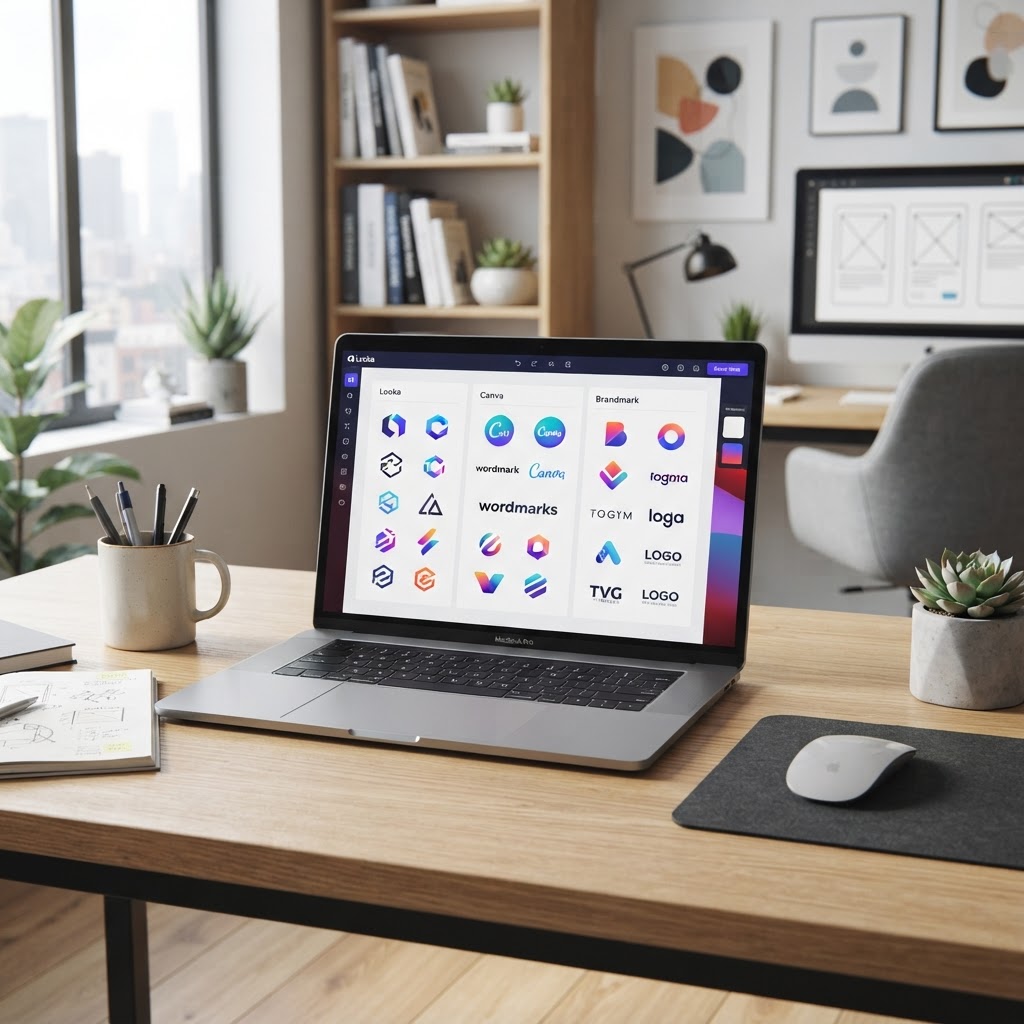
- AI logo generators have evolved from simple templates to sophisticated, generative design engines that prioritize brand identity.
- Choosing between Looka, Canva, and Brandmark depends on whether your priority is brand-specific automation, versatile design freedom, or minimalist efficiency.
- Effective AI design tools must offer high-resolution exports and vector file formats to remain viable for professional business use.
- Automated logo design platforms significantly lower the barrier to entry for small businesses by providing instant visual assets at a fraction of agency costs.
- The current landscape emphasizes customization through iterative AI prompts rather than just choosing from pre-set libraries.
In the rapidly evolving landscape of 2026, the intersection of machine learning and graphic design has transformed how businesses approach their visual identity. Where once a startup might have spent weeks coordinating with human designers and navigating tedious feedback loops, the modern entrepreneur now has access to powerful, instantaneous tools that synthesize aesthetic theory with data-driven design principles. As we examine the current marketplace, the debate between Looka vs Canva and the rise of dedicated AI logo design tools represent a broader shift toward democratized professional-grade branding. Whether you are a solopreneur launching a side venture or an established business seeking a brand refresh, understanding the capabilities and limitations of these automated systems is essential for achieving a polished, memorable market presence.
Why Use AI for Logo Design in 2026
The decision to leverage the best AI logo maker platforms in 2026 is no longer just a matter of convenience; it is a strategic move toward operational efficiency. Historically, professional branding required a significant capital investment and a substantial time commitment. AI-powered platforms have disrupted this model by offering tools that interpret intent, industry norms, and psychological color theory to produce visual assets in seconds. For small business owners, the primary advantage is the ability to iterate rapidly. If you are testing a brand concept or launching a landing page for a new service, you do not always have the luxury of a four-week design sprint. Automated systems provide a foundation that can be launched immediately, ensuring your presence is professional from day one.
Beyond speed, the rise of sophisticated AI logo design tools has introduced a new level of consistency across digital assets. Many of these platforms now function as comprehensive brand hubs, generating color palettes, typography pairings, and social media mockups alongside the primary logo. This holistic approach ensures that your brand identity remains cohesive, which is a common challenge for startups struggling to manage multiple design elements. By relying on algorithms trained on vast databases of successful branding, users can bypass common design pitfalls, such as poor font readability or color clashing, which are often the result of amateur design efforts.
Furthermore, these tools are becoming increasingly adept at personalization. Unlike early generations of automated logo generators that relied on rigid, repetitive templates, contemporary AI models utilize generative adversarial networks to create unique configurations. When you input your business name and industry, the system is not just searching for an existing image; it is synthesizing new shapes and relationships based on thousands of design precedents. This makes the resulting output feel intentional rather than generic. As we move further into 2026, the integration of these AI tools with other web-building software means that your logo can be generated, scaled, and deployed onto your website or marketing materials with almost zero friction. The cost-effectiveness of this approach allows small businesses to reallocate their limited budget toward other growth-critical areas, such as product development or customer acquisition, without compromising their public image.
How AI Logo Generators Work
At their core, automated logo design generators function through a multi-stage computational process that mimics the workflow of a human graphic designer. The journey usually begins with a discovery phase, where the user provides inputs such as the brand name, industry, preferred visual style, and target audience. These inputs serve as the data points that trigger the engine’s inference layer. Behind the scenes, the AI uses natural language processing to map the input industry to relevant industry-standard design motifs, such as specific iconography (e.g., a gear for manufacturing or a leaf for sustainability) and psychological color associations.
The generative stage is where the actual synthesis occurs. Modern tools often employ a combination of rule-based logic and generative AI models. The rule-based component ensures that foundational elements like contrast, balance, and negative space adhere to basic design principles. Simultaneously, the generative model experiments with different permutations of icons, fonts, and layouts. The system ranks these iterations based on “aesthetic scoring” metrics that have been learned from massive datasets of high-performing brands. This is why the best AI logo maker options feel increasingly tailored; they are essentially simulating thousands of design iterations and surfacing the top candidates that match your specific query parameters.
Optimization is the final, crucial step. Once a logo is chosen, the system often offers a “customization dashboard” where the user can fine-tune specific attributes. The AI interprets these manual changes as feedback to refine the remaining design elements. If you adjust the font weight to be bolder, the platform may suggest a different icon pairing that offers better visual harmony. It is a closed-loop system where the machine learns from user behavior to improve the quality of future outputs. This level of technical sophistication is why even a small business can achieve a result that looks like it came from a design boutique. The underlying algorithms are constantly being updated, meaning the tools we use in mid-2026 are significantly more capable of handling complex design requirements than their counterparts from even two years ago, effectively bridging the gap between automated output and human-crafted artistry.
| Tool | Core Methodology | Best For |
|---|---|---|
| Looka | AI-driven branding focused on brand kits | Startups needing a full brand identity |
| Canva | Template-based AI assisted design | Versatile design & social assets |
| Brandmark | Minimalist, logo-first algorithm | Tech-forward, minimalist logos |
Key Features to Look for in an AI Design Tool
Not all professional AI logo generator tools are created equal, and discerning the wheat from the chaff is vital when evaluating your options in 2026. The first feature you must prioritize is the quality and variety of file exports. A logo is not just a digital image; it is a versatile asset that needs to appear crisp on a business card, a massive storefront sign, and a tiny browser favicon. You should exclusively target platforms that offer SVG or vector-based file formats. Unlike raster formats (like PNG or JPEG), which lose resolution when scaled, vector files use mathematical equations to define lines and shapes, ensuring your logo remains sharp at any size. Any tool that restricts you to low-resolution JPEGs is essentially limiting the professional viability of your brand.
Another critical feature is the breadth of the customization engine. While the initial automated output is important, the “design journey” is rarely complete after one click. You need a platform that allows for granular control over elements like kerning, color hex codes, and icon orientation. If a tool forces you into a “take it or leave it” scenario, it is likely more of a template-swap engine than a true AI design suite. Look for platforms that allow you to “lock” certain elements while asking the AI to regenerate others—this iterative process is the hallmark of a high-quality small business branding tool.
Furthermore, consider the scalability of the brand identity package. A professional logo is merely the centerpiece of your visual strategy. The best platforms provide a comprehensive “brand kit” that includes secondary logos, favicon versions, color palette variations, and typography recommendations that pair well with your primary logo. Having access to these auxiliary assets saves an immense amount of time during the website development phase. Lastly, evaluate the license and copyright terms provided by the service. In the context of AI generation, clarity on ownership is essential. Ensure that the platform guarantees that the final design you download is yours to use for commercial purposes without legal ambiguity. A tool that provides clear intellectual property guidelines allows you to invest in your logo with the confidence that you are the sole owner of that asset for your business operations.
Looka: Is the Market Leader Worth It?
Looka has established itself as a frontrunner in the automated logo design space, specifically targeting users who want a professional brand identity without the complexity of traditional design software. Its primary value proposition lies in its focus on “Brand Kits.” Unlike many competitors that provide only the logo file, Looka is built to help a business build out its entire digital identity. After the initial generation phase, the platform allows you to see how your chosen logo looks on business cards, apparel, and email signatures. This visualization is a powerful differentiator because it helps users understand the context of their branding choices before they finalize the design.
The core algorithm behind Looka is tuned toward high-level aesthetic trends that align with current business standards. When you input your industry, Looka tends to favor clean, modern lines and industry-appropriate color palettes that are popular in the current market. This makes it a very safe, high-quality choice for businesses that want a polished, contemporary look without having to experiment too far outside the box. The interface is intuitive, leading the user through a guided quiz that refines the AI’s suggestions based on specific stylistic preferences, such as “fun vs professional” or “modern vs classic.”
However, the value of Looka is best measured against its subscription-heavy approach. While it is certainly efficient, it is geared toward users who are willing to pay a premium for the convenience of an all-in-one branding ecosystem. If you are a user who prefers deep, manual control, you might find that Looka’s constraints are a bit rigid. The AI handles most of the design heavy lifting, which means you have less direct control over manipulating individual vector nodes compared to a tool like Adobe Illustrator. That said, for 90% of small businesses, this trade-off is well worth it. You are paying for the time saved in formatting and the assurance that your branding will look consistent across multiple platforms. Looka essentially serves as an automated branding consultant that operates 24/7, making it a highly reliable asset for teams that lack an internal design department but require a high level of aesthetic output.
Canva Magic Design: Branding for Everyone
Canva has transcended its reputation as a simple drag-and-drop editor to become a massive ecosystem of AI logo design tools, with “Magic Design” serving as its current flagship for automated creation. Unlike Looka, which is highly specialized for logo and brand creation, Canva is a generalist platform that excels at versatility. If your business needs a logo, but you also need to generate Instagram carousels, marketing flyers, and presentation decks all within the same afternoon, Canva is virtually unmatched. The Magic Design feature uses AI to analyze your prompt and generate a set of branded templates that include your logo alongside cohesive design elements that are immediately ready for use across various social media channels.
The advantage of Canva is the sheer depth of its library. When you use the platform for logo creation, you are not just getting an AI-generated icon; you are getting access to one of the largest design libraries on the planet. You can drag and drop icons, experiment with millions of fonts, and use their AI tools to remove backgrounds or adjust the color saturation of your assets. It provides a more “hands-on” experience compared to Looka or Brandmark. For the user who wants to be involved in the creative process rather than just choosing a result generated by a black-box algorithm, Canva feels much more collaborative.
However, the breadth of Canva’s capabilities can sometimes be a double-edged sword. Because it is designed to do everything, it can occasionally feel less focused than a tool dedicated solely to logo generation. Some power users argue that because Canva relies so heavily on existing templates, their AI-generated logos can feel slightly more generic if the user doesn’t put in the extra effort to customize them. Nevertheless, for the average small business owner, the integration of small business branding tools into a single, cohesive workflow is an incredibly powerful productivity multiplier. Being able to export a logo and immediately place it into a branded marketing template is a seamless workflow that most other AI tools cannot replicate. It is the best choice for the “do-it-all” entrepreneur who prioritizes brand scalability and multi-platform utility over the unique, specialized branding experience offered by boutique logo-first generators.
Brandmark: Best for Rapid Brand Identity Kits
When discussing the best AI logo maker ecosystem, Brandmark often stands out for users who require more than just a standalone icon. Unlike platforms that focus strictly on the visual mark, Brandmark excels at generating a cohesive brand identity kit in a matter of seconds. Its algorithmic approach is heavily focused on color theory, font pairings, and layout consistency, which are the cornerstones of professional design.
One of the primary advantages of utilizing Brandmark is the “Identity Preview” feature. Once the AI processes your business name and industry keywords, it provides a comprehensive look at how your logo will appear across various media—from business cards and social media profile pictures to letterheads and email signatures. This is particularly valuable for small business owners who lack the design vocabulary to manually scale their assets across different marketing channels.
The logic behind Brandmark’s design engine is rooted in high-end design principles. It typically suggests typeface combinations that are legible and industry-appropriate, avoiding the “clutter” that often plagues amateur AI-generated logos. For instance, if you are building a brand in the legal or financial sector, the tool leans toward serif fonts and muted, professional color palettes. Conversely, a creative agency or tech startup might trigger a recommendation for bold, geometric sans-serif fonts and vibrant, high-contrast colors.
Another core benefit is the ease of iterative design. If the initial output does not align with your vision, the platform allows for granular adjustments to the base elements. You can swap specific icons, modify the kerning of the text, or toggle between different icon styles without starting the entire prompt-generation process from scratch. This balance of automation and user control makes it a highly efficient AI logo design tool for busy entrepreneurs who need professional results on a tight deadline.
Wix Logo Maker: Integration With Web Design
For many small businesses, a logo is merely the starting point of a larger digital transformation. This is where Wix Logo Maker shines. Unlike standalone generators, Wix integrates the logo design process directly into its broader website building ecosystem. This is a crucial consideration if you intend to maintain a unified digital presence without hiring a separate web developer or graphic designer.
The workflow in Wix is highly structured. It begins with a series of questions regarding your design aesthetic—ranging from “classic” to “modern” and “playful” to “formal.” By training its AI on your preferences early in the process, the software generates a series of options that are already optimized for digital display. One of the standout features of this integration is the seamless handover; once you finalize your logo, you can immediately import it into your Wix website editor, where it is automatically resized to fit headers, favicons, and footer areas.
Furthermore, Wix provides extensive customization features that allow for “vector-like” precision. While the base logo is AI-generated, users can manipulate the layers of the graphic, adjust transparencies, and rearrange elements to create a look that feels unique. Because Wix also owns a massive repository of design assets, the logo generator pulls from the same high-quality library used by professional web designers, ensuring that your logo doesn’t look like a generic clip-art creation.
This integration is particularly useful for small businesses that plan to scale. When your website needs a rebrand, updating the logo in the dashboard often cascades those changes across your associated marketing materials within the platform. For those who prioritize efficiency and a frictionless workflow, this is arguably the best AI logo maker option for immediate website deployment.
DesignEvo vs Tailor Brands: Entry-Level Options
When you are just starting, the complexity of a tool can be a double-edged sword. DesignEvo and Tailor Brands represent the entry-level segment of the market, each serving a different philosophy of user experience.
DesignEvo functions more like a massive, curated library of templates that utilize AI for search and recommendation. Rather than generating a logo from pure code, it invites users to choose from thousands of high-quality icons and adjust them manually. This is an excellent choice for users who want to be “in the driver’s seat” but don’t want to start from a blank canvas. The learning curve is shallow, making it ideal for those who have a specific vision but lack the technical skills to render it in Adobe Illustrator or Inkscape.
Tailor Brands, on the other hand, operates as a full-service AI-automated platform. Its focus is on “branding” rather than just “logo design.” When you enter your business details, the platform builds an entire brand identity, including social media posts, merchandise mockups, and even basic website templates. It is significantly more automated than DesignEvo, and it is built for users who want to “set it and forget it” regarding their initial branding launch.
| Feature | DesignEvo | Tailor Brands | Best For |
|---|---|---|---|
| Customization Level | High (Manual) | Moderate (AI-Guided) | DesignEvo for creative control; Tailor for automation. |
| Setup Time | Medium | Fast | Tailor Brands for rapid deployment. |
| Asset Variety | Icon-focused | Full Brand Kit | Tailor Brands for comprehensive branding. |
Ultimately, if you are someone who enjoys tweaking shapes and colors, DesignEvo will feel more rewarding. If you are a business owner who needs a cohesive brand package to launch a shop by the end of the weekend, Tailor Brands is likely the more pragmatic choice.
Common Mistakes When Using AI Logo Generators
While AI is a powerful assistant, it is not a replacement for human brand strategy. Many users fall into traps that can lead to a brand identity that feels hollow or unmemorable. Understanding these pitfalls is vital to leveraging AI logo design tools effectively.
Over-reliance on Trends: AI models are often trained on current design trends. While your logo may look modern today, it might feel dated within six months. Avoid picking a logo simply because it uses the latest “gradient style” or “minimalist font” if it doesn’t align with your business’s long-term identity.
Ignoring Scalability: A frequent mistake is failing to test how the logo performs at small sizes. An AI-generated logo might look stunning on a 27-inch monitor but become an illegible smudge when shrunk to 32 pixels for a browser favicon. Always verify that your logo design remains recognizable regardless of the size.
Failing to Check Trademark Availability: Just because an AI generated a unique design doesn’t mean it’s legally yours. AI tools often use stock icons or common shapes. If two businesses use the same icon, you may run into trademark issues later. Ensure your final logo can be registered or, at the very least, represents a distinct enough visual identity that you don’t confuse your customers with competitors.
Ignoring Color Psychology: Many users pick colors they personally like rather than colors that trigger the right psychological response in their target market. For example, using aggressive, bright red for a spa business might clash with the brand promise of relaxation. Take time to research how your color choices impact consumer perception.
Choosing the Right Tool for Your Brand Identity Needs
Deciding which tool to use depends heavily on your specific goals. If your priority is a polished, professional look with minimal effort, automated logo design tools like Looka or Brandmark are superior due to their sophisticated brand-kit generation. If you prefer high-touch customization and want to have total control over every vector point, a library-based tool like DesignEvo is preferable.
Consider your technical proficiency as well. If you are uncomfortable with design software, avoid tools that demand too much manual manipulation. Instead, gravitate toward platforms like Wix or Tailor Brands, which keep the “heavy lifting” behind the scenes. Finally, consider your budget. Some tools offer excellent free previews but require significant investment for high-resolution vector files. Always factor in the long-term cost of ownership, including file formats, as you will need vector files (SVG or EPS) for any future print materials or professional signage.
Frequently Asked Questions
Are AI-generated logos unique enough for trademarking?
While AI tools generate thousands of unique iterations, they often rely on pre-existing libraries of icons and fonts. This means two users could potentially generate similar symbols. While you can usually copyright the creative work, obtaining a trademark for a generic AI logo can be challenging. It is best to use AI for inspiration and then work with a professional designer to customize it into something truly proprietary.
Do I own the rights to the logo I create with an AI tool?
Ownership terms vary significantly by platform. Typically, you own the commercial rights to the specific logo file you purchase from a paid subscription or one-time license. However, you rarely own the underlying AI model or the individual components (like icons or stock fonts) used to build it. Always read the terms of service for the specific best AI logo maker you choose.
Can I export my AI logo in high-resolution for printing?
Most professional AI logo makers allow you to export in high-resolution formats like PNG or JPG. For professional printing on banners or apparel, you specifically need vector formats like SVG, EPS, or PDF. Ensure the platform you choose explicitly supports vector exports before finalizing your payment.
How much does a professional AI logo generator usually cost?
Pricing models generally fall into two categories: a one-time purchase fee for a single logo download or a monthly subscription that provides access to a “brand kit.” A one-time purchase might cost anywhere from moderate prices for basic files to higher tiers for full-vector suites. Subscriptions are often better if you are in the early stages of a startup and need consistent branding across social media and website assets.
Is AI logo design better than hiring a human designer?
AI is better for speed, cost-efficiency, and rapid iteration. It is perfect for startups, solopreneurs, and side-hustles. Hiring a human designer is better for long-term brand strategy, cultural nuance, and creating a truly custom visual identity that carries a specific artistic narrative. AI cannot replace the creative intuition of a human, but it can significantly reduce the time needed to get from “idea” to “prototype.”
Will an AI logo look unprofessional to my customers?
Modern AI logo design tools have become exceptionally sophisticated. When used correctly—by avoiding generic icons and choosing classic typography—an AI-generated logo is often indistinguishable from a budget-friendly professional design. As long as the logo is legible, scalable, and relevant to your industry, customers will perceive it as a professional asset.
Conclusion
The landscape of professional AI logo generator technology is evolving at a breakneck speed, democratizing access to high-quality branding for businesses of all sizes. Whether you choose the comprehensive brand-kit automation of Brandmark, the web-centric ecosystem of Wix, or the design-heavy flexibility of DesignEvo, the key to success lies in your ability to marry machine-generated efficiency with your own unique business goals. Remember that a logo is just one piece of your brand’s puzzle; it should serve as a consistent, reliable anchor for all your future marketing efforts. By avoiding common pitfalls like over-trending and scaling issues, you can create a visual identity that stands the test of time. Now is the perfect time to experiment with these tools—log in to one of the recommended platforms today and start building the brand identity your business deserves.
By aismarttoolsreview Editorial Team
Leave a Reply