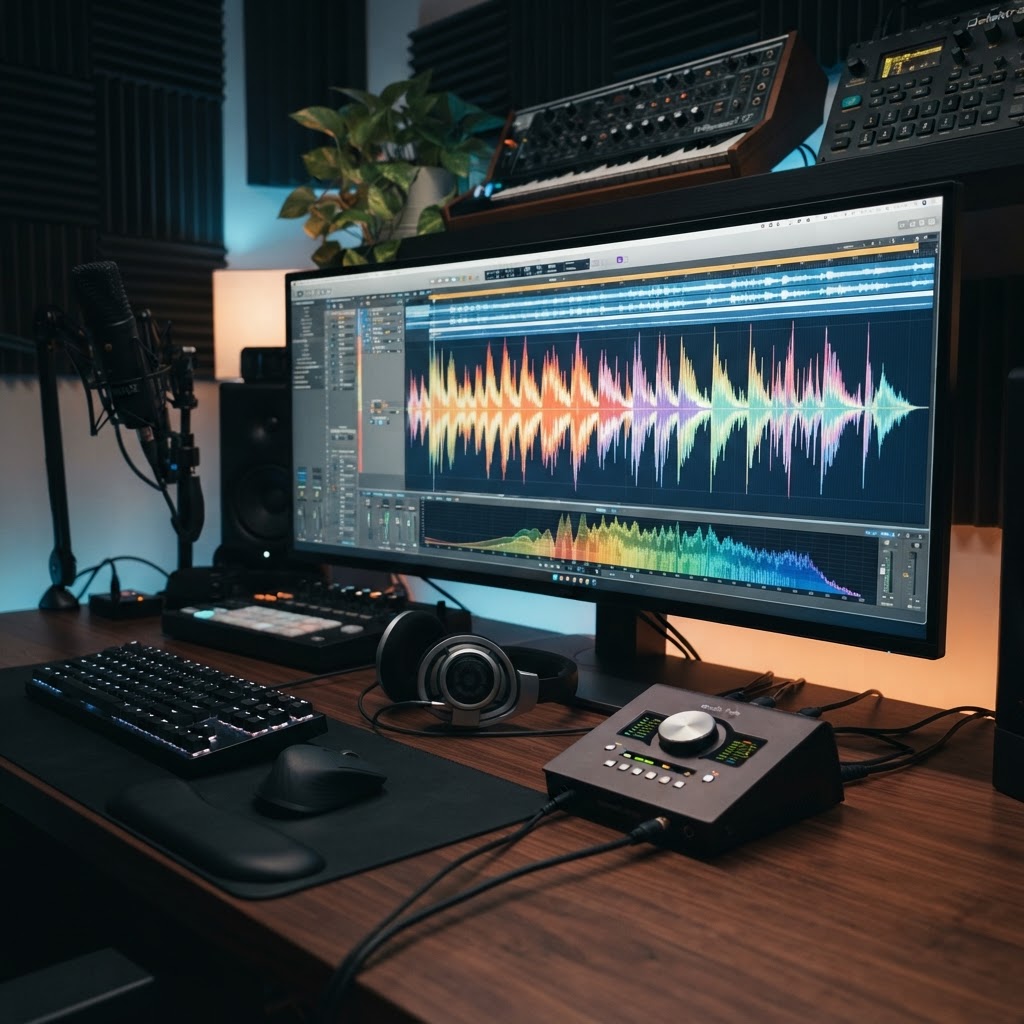
- The AI music generator landscape has shifted from experimental novelty to professional-grade creative assistance as of 2026.
- Suno excels in structural songwriting and lyrical cohesion, while Udio focuses on high-fidelity, studio-quality soundscapes.
- Stable Audio provides unique utility for sound designers and producers needing precise control over structural prompts and sound-to-audio transitions.
- Selecting the best AI music tool 2026 requires balancing desired vocal realism against the need for complex, layered production capabilities.
- Hybrid workflows—integrating AI-generated stems into traditional DAWs—are currently the industry standard for modern music production software users.
The dawn of 2026 finds the music industry at a transformative precipice, where the barrier between a fleeting auditory idea and a fully realized production has been effectively dissolved by advancements in generative models. As we evaluate the current state of AI songwriting, it becomes clear that we have moved past the era of glitchy, unrecognizable loops into a sophisticated epoch of nuance, dynamic range, and emotional depth. Whether you are an independent creator seeking to iterate on melodic concepts or a producer looking to integrate machine learning into your composition workflow, understanding the specialized strengths of the leading platforms is essential. In this deep dive, the aismarttoolsreview Editorial Team analyzes the current frontrunners—Suno, Udio, and Stable Audio—to help you navigate the complex ecosystem of AI music production software.
The Evolution of AI-Assisted Music Production
The trajectory of music creation has always been defined by its relationship with technology, from the invention of the magnetic tape recorder to the advent of the digital audio workstation (DAW). However, the rise of AI music production software represents a fundamental shift: a move from “tool as an instrument” to “tool as a collaborator.” Early attempts at generative music were largely algorithmic, relying on MIDI patterns and rigid rulesets that often lacked the organic breath of human performance. By contrast, the current generation of models utilizes deep learning on vast datasets of human-composed and performed audio, allowing them to grasp the ephemeral qualities of genre, pacing, and timbre that define high-quality music.
We are currently witnessing a transition from simple prompt-based synthesis to structural command-based workflows. In years past, a user might prompt a generic “lo-fi beat,” often resulting in a repetitive, uninspired loop. Today, the focus has shifted toward granular control. Modern creators can define specific song structures—verse, chorus, bridge, outro—and request specific harmonic progressions or rhythmic inflections. This evolution has democratized music creation, enabling individuals without formal music theory training to manifest complex compositions. Yet, it has also sparked a debate within the professional community regarding the nature of authenticity and intellectual property.
As these tools have matured, the industry has begun to see a standardization of terminology and expectation. The “AI music generator” is no longer just a toy; it is an integrated component of the production stack. Many professionals now view AI as an iteration engine, using it to overcome writer’s block, generate chord progressions for testing, or create background atmospheric textures that would be time-prohibitive to synthesize from scratch. The focus for 2026 has transitioned toward latency, control, and, most importantly, the ability to iterate on specific stems rather than merely outputting a finished, uneditable audio file. This shift signifies that we are entering a phase where the AI acts as a sophisticated digital session musician, capable of mimicking specific aesthetic choices while leaving the final arrangement decisions to the human operator.
Suno AI: Capabilities and Creative Limitations
Suno has carved out a significant portion of the market by prioritizing what many users call “the song experience.” Unlike models that treat music as a static soundscape, Suno is architected around the concept of songcraft. It excels at lyrical interpretation and structural coherence, making it perhaps the most accessible AI songwriting platform for those primarily concerned with writing pop, folk, or rock compositions where the vocal delivery and storytelling arc are paramount.
The platform’s strength lies in its ability to synthesize vocal performances that feel genuinely “sung” rather than synthesized. When a user provides a lyrical prompt, Suno typically applies a contextually relevant cadence and emotional inflection, aligning the rhythmic timing of the lyrics with the instrumentation. This is a critical distinction in the market; while other tools might focus on high-fidelity textures, Suno focuses on the “human” element of the song. Its model appears to have been trained on a diverse array of songwriting traditions, allowing it to move seamlessly between verse-chorus-verse structures while maintaining a consistent stylistic identity across the duration of the track.
However, these strengths bring inherent limitations. Because Suno aims to produce a cohesive “finished” product, it often prioritizes the output of a stereo mix rather than individual instrument stems. This makes it difficult for professional producers to re-mix or master the output within a standard DAW environment. If you are unsatisfied with the way the percussion sits in the mix, there is limited recourse to isolate it without external post-processing tools. Furthermore, while Suno is excellent at creative ideation, it can occasionally struggle with complex non-standard time signatures or micro-tonal variations that characterize avant-garde compositions. For the majority of users, this is not a hindrance, but for those seeking granular control over every frequency band or instrumental layer, Suno’s “black box” approach to mixing can feel restrictive. It is best viewed as a powerhouse for songwriting and demo generation, acting as the ultimate digital sketchpad for composers who need to hear their vision articulated clearly and immediately.
| Tool | Core Philosophy | Best For |
|---|---|---|
| Suno | Songcraft & Narrative | Songwriters & Vocal-centric Pop |
| Udio | High-Fidelity Realism | Studio-Grade Electronic & Jazz |
| Stable Audio | Sound Design & Texture | Cinematic SFX & Soundscapes |
Udio AI: High-Fidelity Audio Generation Deep Dive
If Suno is the digital songwriter, Udio acts as the high-end recording studio. The differentiator for Udio in the current AI music landscape is its unrelenting focus on fidelity and sonic depth. Many users have noted that Udio outputs often carry a “production-ready” sheen that minimizes the need for heavy post-processing. This is largely attributed to its underlying model architecture, which seems to prioritize the frequency response and dynamic range of the individual instruments, creating a wider and more immersive soundstage than many of its competitors.
Udio excels in genres that rely on intricate production techniques—think modern electronic, complex jazz, or multi-layered neo-soul. Where other models might conflate multiple instruments into a muddy mid-range, Udio typically does a better job of separating transients and maintaining clarity in the high-frequency spectrum. This makes it a preferred choice for producers who want to integrate AI-generated loops directly into a professional track without needing to spend hours EQing or compressing the source material to make it “sit” well in the mix. The platform’s ability to handle texture is also remarkable; it can generate synthetic pads, granular textures, and complex rhythmic pulses that feel like they were pulled from an expensive hardware synth.
One of the more sophisticated aspects of Udio is its prompting interface, which encourages the user to define not just the style, but the sonic environment. You can prompt for specific microphone placements or room characteristics, and the model often responds with surprising sensitivity to these inputs. This level of granular request is highly valued by experienced audio engineers who are used to specifying their own signal chains. By treating the AI as an extension of the studio environment, Udio allows for a more “hands-on” experience in the generation phase. That said, the learning curve is steeper. Beginners might find themselves overwhelmed by the sheer range of parameters they can influence. Unlike Suno, which simplifies the process of creating a song, Udio demands a more technical vocabulary from its users. You are not just asking for a “sad song”; you are asking for a “melancholic composition with reverb-heavy piano, soft atmospheric strings, and low-passed percussion.” This is precisely why it remains the tool of choice for users seeking professional-grade audio fidelity.
Stable Audio: Transforming Prompts into Sonic Landscapes
Stable Audio approaches the challenge of music creation from the perspective of sound engineering rather than pure songwriting. Developed by Stability AI, the platform is unique in its focus on how sounds are generated, manipulated, and layered. While it can certainly generate full-length songs, its true power lies in its ability to create complex sonic landscapes, unique foley, and evolving audio textures. It is arguably the best AI music tool 2026 for those working in media, film, or game design, where the requirement is often a specific “feel” or an evocative atmosphere rather than a traditional verse-chorus structure.
What sets Stable Audio apart is its transparency in temporal control. Users can often specify the exact duration and structure of their output with a high degree of precision. This is essential for producers who need to match an audio clip to a specific visual beat or a game-world trigger. The architecture is designed to handle a wide gamut of inputs, including non-musical sounds, meaning that a user can prompt for “the sound of a bustling street in the rain, transitioning into a jazz saxophone solo,” and the model is generally capable of executing that transition with surprising fluidity. This makes it an incredibly powerful tool for sound design.
In practice, the workflow with Stable Audio is often exploratory. It is less about “writing a hit” and more about “finding the right texture.” By using specific prompts that describe technical characteristics—like sample rate, room size, filter resonance, or rhythmic density—the user can navigate the latent space of the AI to find sounds that would be impossible to create with standard sample libraries. For instance, a producer might use Stable Audio to generate a series of unique, evolving risers or textural transitions for an EDM track, effectively creating custom samples that avoid the repetitive nature of stock library sounds. The limitation here, as with other models, is that the output is essentially a captured moment in time. If you want to change the melody mid-stream, you often have to re-prompt and hope for the best, as the model does not yet allow for direct, non-destructive editing of its own generated parameters in the same way that a modular synth might. However, for sheer sonic versatility and the ability to craft soundscapes from thin air, Stable Audio remains unmatched in the current market.
Feature Comparison: Audio Quality and Vocal Realism
When measuring audio quality and vocal realism across these platforms, we have to distinguish between “perceived quality” and “technical accuracy.” Perceived quality is what we hear when we listen through a pair of high-end studio monitors; it involves the balance of the mix, the clarity of the vocals, and the absence of digital artifacts. Technical accuracy, in the context of an AI music generator, refers to the model’s ability to interpret complex lyrical phrasing and maintain musicality over time. Experts generally agree that the field is currently split between those that focus on the “sheen” of the production and those that focus on the “soul” of the composition.
Vocal realism has seen the most dramatic improvement in the last 12 months. In 2026, we are finally seeing models that move beyond the “uncanny valley” of robotic, flat-toned singing. Suno currently holds the lead in vocal phrasing. It manages to capture the idiosyncratic breathing patterns, micro-adjustments in pitch, and stylistic flourishes that make a vocal line feel truly human. If your track hinges on a powerful, emotional lead vocal, Suno’s underlying architecture is likely to produce the most convincing result. It treats the voice as an instrument that expresses the lyrics, rather than just another audio track.
Udio, conversely, takes a more balanced approach. It is exceptionally good at integrating the vocal into the mix. Where Suno’s vocals might sometimes sit slightly on top of the instrumentation, Udio tends to “bake” the vocals into the track, using EQ and compression techniques that mirror traditional studio practices. The result is a sound that feels cohesive and polished, even if the individual vocal performance might occasionally lack the raw, emotive highs of a specialized songwriting model. For a dance track or a jazz fusion piece, where the vocal is one of many layers, this integration is far superior.
Stable Audio presents a different case entirely. Its vocal generation is often used as a textural element rather than a lead performance. Because its primary strength is in the creation of soundscapes, its vocals often come across as more ethereal, breathy, or processed. This is not a failure of the model, but rather a focus on different use cases. If you are looking to generate a backing vocal layer or a dreamy, ambient pop vocal, Stable Audio’s ability to manipulate the sonic environment makes it a strong contender. However, for a direct “pop hit” simulation, it generally requires more manual labor than Suno or Udio. As we look at the comparison of these three, it becomes clear that “quality” is entirely subjective to the intended final format of the music. For the producer, the choice comes down to whether they need an all-in-one song generation solution or a specialized engine for specific musical textures.
Copyright and Ethical Considerations for AI Music
The legal landscape surrounding AI music generation in 2026 remains complex and highly debated. As AI models like Suno, Udio, and Stable Audio continue to evolve, the primary concern for professional musicians and hobbyists alike is the ownership of the output. Currently, the United States Copyright Office and similar global bodies have generally maintained that content created solely by artificial intelligence lacks the necessary human authorship required for traditional copyright protection. However, the nuances of “human-assisted” creation—where a user provides extensive prompts, curates variations, and arranges AI-generated clips within a Digital Audio Workstation (DAW)—are currently navigating the courts.
Ethical considerations extend beyond legal ownership into the realm of data ingestion. Many creators express concern regarding the datasets used to train these large models, specifically whether the underlying musical training data was licensed appropriately. As the industry moves toward 2026, there is an increasing demand for “ethical AI” labels, where developers provide transparency about whether their models were trained exclusively on public domain audio or licensed catalogs. When using these tools commercially, it is vital to review the terms of service for each platform; most paid tiers offer expanded commercial rights, whereas free tiers often stipulate that the platform retains rights or that the content remains non-commercial.
Creators must also be wary of “musical fingerprints.” While AI generators are designed to synthesize new compositions, there remains a non-zero risk of models inadvertently regurgitating patterns that mirror specific copyrighted works. Using AI-generated audio as a foundational element rather than a final product—and subjecting it to significant human transformation—is currently the most effective way to protect your intellectual property and ensure your work remains unique and ethically sound.
Integrating AI Tracks into Professional DAWs
The true power of AI music generation is unlocked when these tools serve as a springboard for professional production. Simply generating a 3-minute track in Suno or Udio is often only the beginning. To reach professional-grade fidelity, the audio must be imported into a DAW like Ableton Live, Logic Pro, or FL Studio.
The first step in integration is file management. Most top-tier AI tools allow you to export high-quality WAV files. Upon importing these into your DAW, the priority should be frequency management. AI-generated tracks often occupy the full frequency spectrum, which can lead to “muddy” mixes. You should apply high-pass filters to remove sub-bass rumble from non-bass elements and utilize mid-side equalization to clear space for vocals or lead synths.
Stem separation is another critical integration technique. If you are using a tool that provides integrated tracks, you may want to run those files through a secondary AI stem separation tool to isolate drums, bass, and melodic lines. This allows you to retain the “AI vibe” while replacing the drums with your own high-fidelity samples or adding human-performed instrumentation over the synthetic base. By layering MIDI-driven virtual instruments over AI-generated textures, you achieve a hybrid sound that retains the efficiency of automation while ensuring the production quality meets professional standards.
How to Craft Effective Prompts for Musical Genres
Prompt engineering for music is distinct from text-to-image prompting. While visual prompts focus on lighting and composition, music prompts must focus on temporal structure, instrumentation, and rhythmic feel. To get the best results from Suno, Udio, or Stable Audio, structure your prompts with a clear hierarchy: [Mood/Vibe] + [Genre/Sub-genre] + [Instrumentation] + [Tempo/BPM] + [Technical Descriptors].
For instance, instead of merely typing “sad song,” try: “Melancholic modern folk, fingerstyle acoustic guitar, close-mic vocal texture, slow tempo, 75 BPM, intimate room reverb, indie-folk aesthetic.” The inclusion of specific technical descriptors, such as “side-chain compression,” “analog tape saturation,” or “glitch-hop percussion,” helps the model constrain its output to specific sonic textures that sound more produced and less generic.
Advanced users should also experiment with structural markers. If the tool supports it, use bracketed tags like [Verse], [Chorus], [Bridge], and [Outro] to help the model understand the song’s arc. When seeking specific cultural sounds, mention the geography or specific musical scales, such as “Phrygian dominant scale” or “West African polyrhythms.” This technical specificity forces the model to move beyond the average “top 40” training data and explore more nuanced musical territories.
Pricing Models: Free Tiers vs Subscription Benefits
The ecosystem of AI music tools typically operates on a “freemium” model. Understanding these structures is essential for scaling your production workflow. Generally, free tiers offer a limited number of credits that replenish daily or monthly. These tiers are perfect for experimentation but often come with restrictions on commercial usage and lower audio bitrates.
Subscription tiers, conversely, often unlock higher resolution audio (e.g., 48kHz WAV files), faster generation speeds, and, most importantly, clear commercial usage rights. As you move toward professional production, these benefits become non-negotiable. Subscription plans often grant “private mode” access, meaning the prompts you use and the tracks you generate remain hidden from the community feed—a crucial feature for producers working on proprietary or unreleased projects.
| Tool | Best For | Key Advantage |
|---|---|---|
| Suno AI | Full Song Composition | Excellent vocal synthesis and lyrical adherence. |
| Udio | Complex Musical Textures | Superior depth in instrumentation and high-fidelity output. |
| Stable Audio | Sound Design/FX | Unmatched control over short-form audio and ambient soundscapes. |
Choosing the Right AI Tool for Your Production Workflow
Selecting the “best” tool depends entirely on your role in the creative process. If you are a songwriter who lacks musical training, Suno is likely your strongest ally due to its emphasis on vocal melody and lyrical structure. If you are a sound designer or an electronic music producer looking for “glitchy” textures, sound effects, or unique background loops, Stable Audio offers the precision and granular control necessary to integrate those clips seamlessly into a soundscape.
Udio serves as the bridge between these two. It provides a more balanced approach, offering high-fidelity musicality that can handle both instrumental complexity and vocal expression. When choosing your primary tool, consider the “export-to-DAW” workflow. If you primarily work in Ableton, ensure your chosen AI tool supports clear, isolated exports. If you prefer to compose on the go, choose the tool with the most robust mobile integration. Ultimately, the best workflow often involves a multi-tool approach: generating melodic ideas in one, atmospheric textures in another, and finalizing the composition in your DAW of choice.
Frequently Asked Questions
Is AI-generated music royalty-free?
Not necessarily. While many platforms offer “commercial use” for subscribers, this generally means you are licensed to use the music in your own media projects (like YouTube videos or social media). It does not mean the music is automatically “royalty-free” in the traditional sense, as copyright ownership of AI content remains legally murky and varies by platform policy.
Can I copyright a song I made with AI?
Currently, the U.S. Copyright Office generally refuses to register claims for works created entirely by AI. However, if you provide substantial human creative input—such as arranging, editing, mixing, and layering—the human-authored portions of the track may be eligible for copyright, though the AI-generated components often remain in a legal gray area.
Which AI tool is best for lyrics?
Suno is widely regarded as the leader in lyrical synthesis. It excels at matching rhythmic phrasing to complex lyrics, allowing for natural-sounding verses, choruses, and bridges that feel human-authored. Its ability to handle different languages and varying lyrical styles is currently ahead of most competitors.
Do I need to know music theory to use these tools?
While you do not need to know music theory to generate a track, possessing a basic understanding of tempo, structure, and arrangement will make you significantly more effective. Knowing terms like “BPM,” “key signature,” and “time signature” allows you to guide the AI more accurately, resulting in a more polished, professional sound.
Can I replace a real singer with AI?
You can certainly use AI to generate vocals, and the technology has become remarkably convincing. However, professional producers often use AI vocals as a “placeholder” or a “demo guide” before replacing them with human performances. For high-stakes commercial production, the emotional nuance and interpretative capability of a human vocalist usually remain superior.
How much does it cost to use these tools commercially?
Costs vary by platform, but most professional subscription plans for top-tier AI music tools range from $10 to $50 per month. These plans typically increase your credit allowance and provide the commercial license necessary to use the generated audio in your professional projects or to monetize them on streaming platforms.
Conclusion
The evolution of AI music generators in 2026 marks a paradigm shift in how we approach composition and sound design. While tools like Suno, Udio, and Stable Audio have lowered the barrier to entry, they have simultaneously raised the ceiling for what is possible within a professional production environment. Whether you are using these tools to overcome writer’s block, generate unique sound textures, or build the foundation for your next hit, the key to success remains human intent. AI is not a replacement for the artist; it is an incredibly powerful instrument that, when played with skill and specific direction, can elevate your work to new heights.
We encourage you to experiment with these tools, push the boundaries of their prompt capabilities, and always look for ways to integrate their output into your own unique creative signature. The future of music is a collaboration between human creativity and machine intelligence—start building your hybrid workflow today.
By aismarttoolsreview Editorial Team
Leave a Reply