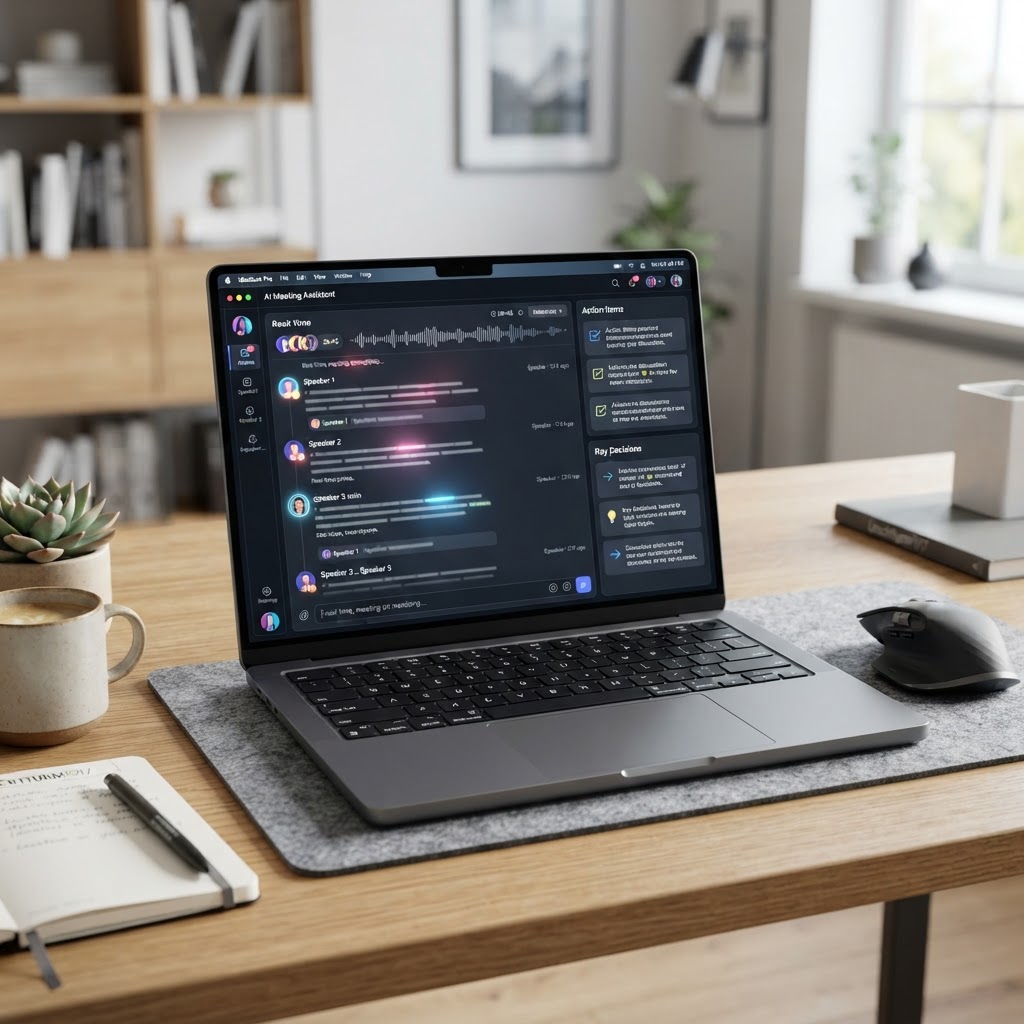
- Modern AI meeting assistants have evolved from simple recorders to comprehensive knowledge management platforms that automate post-meeting workflows.
- Selecting the right tool depends heavily on your existing tech stack, specifically how well the platform integrates with your CRM and project management tools.
- Data privacy remains the most critical factor, with enterprise-grade solutions now offering SOC 2 compliance and local processing options.
- The landscape of AI meeting summary tools is shifting toward proactive, actionable intelligence rather than passive text generation.
- When evaluating Fireflies vs Fathom, the decision often comes down to a preference between granular searchability versus seamless, one-click meeting management.
The modern workplace has undergone a radical transformation, shifting from physical conference rooms to a fragmented ecosystem of Zoom, Microsoft Teams, and Google Meet sessions. As the volume of virtual collaboration grows, the cognitive load of managing meeting follow-ups, capturing granular action items, and ensuring alignment across distributed teams has become a significant bottleneck. Enter the era of the AI meeting assistant—a sophisticated software layer designed to act as your digital scribe, analyst, and project coordinator. As we look toward the landscape of 2026, these tools have moved beyond simple transcription; they are now the central repository of institutional knowledge, capable of extracting sentiment, identifying blockers, and triggering cross-platform workflows. Whether you are a project manager struggling with sync-heavy days or a sales lead needing precise CRM updates, understanding the current market leaders is essential for maintaining a competitive edge.
How AI Meeting Assistants Transform Workplace Productivity
The core value proposition of an AI meeting assistant lies in the recapture of deep-work time. For decades, professionals have been forced into the role of passive recorders, manually typing notes while simultaneously trying to engage in high-level strategic discussion. This multi-tasking is fundamentally flawed, often leading to incomplete summaries and a lack of authentic engagement. By offloading the burden of documentation to an automated meeting notes system, team members are freed to focus entirely on the conversation at hand, secure in the knowledge that every utterance is being captured with high accuracy.
Beyond simple record-keeping, these platforms leverage Large Language Models (LLMs) to synthesize hours of conversation into high-level summaries. This transition from raw data—such as a sixty-minute video file—into actionable insights represents a paradigm shift in project management. Instead of scouring through a 5,000-word transcript to find a specific deadline or a shift in project requirements, users can now query their meeting archive. An employee might ask their AI assistant, “What were the primary concerns raised regarding the Q3 product roadmap?” and receive a concise, bulleted list with timestamps, effectively turning a meeting backlog into a searchable database.
Furthermore, these tools are increasingly becoming the backbone of cross-functional alignment. In large organizations, “meeting drift”—where different teams develop slightly different understandings of a project’s trajectory—is a common source of inefficiency. When an AI meeting transcriber captures the full context of a cross-departmental sync, it creates a “single source of truth.” This objective record is invaluable for onboarding new hires or bringing stakeholders up to speed after a vacation. By providing context-rich summaries that include speakers, action items, and clear sentiment analysis, the tool ensures that the outcome of a meeting is not confined to the memories of those present, but is preserved as a permanent, accessible asset.
Productivity is further amplified through automated integrations. Modern AI meeting summary tools do not live in a vacuum; they hook directly into platforms like Slack, Trello, Jira, and Salesforce. Once a meeting concludes, the AI can automatically parse the transcript to identify task assignments and push those directly into the relevant project management board. This seamless transition from verbal agreement to tracked task minimizes the “manual administrative tax” that typically follows every meeting. By automating these rote tasks, organizations ensure that momentum is maintained long after the “Leave Meeting” button is clicked. Ultimately, these assistants allow teams to focus on the “why” and “how” of their work, leaving the “what” and “when” to the intelligent systems managing the conversation history.
Key Features to Look for in Automated Transcription Tools
When selecting the best meeting recorder 2026 has to offer, it is easy to become distracted by flashy marketing claims about “GPT-4 integration” or “real-time sentiment analysis.” However, the durability and utility of these platforms come down to a few fundamental technical pillars. The first, and arguably most important, is transcription accuracy under real-world conditions. A high-quality AI meeting transcriber must be resilient against the challenges of low-bandwidth video calls, overlapping speech, and industry-specific jargon or technical acronyms. Users should prioritize platforms that support custom vocabulary libraries, allowing the AI to learn proprietary terms, client names, or niche technical acronyms that generic models might otherwise misinterpret.
Speaker identification, or diarization, is the second critical feature. In a meeting with five or more participants, a transcript is essentially useless if the system cannot reliably distinguish between speakers. A top-tier tool must map audio signatures to specific participants consistently throughout the duration of the call. Beyond simple identification, integration with organizational calendars—like Google Calendar or Microsoft Outlook—is non-negotiable. The best tools automatically join the meeting based on the invite link, handle guest permissions, and ensure the session is recorded without requiring manual initiation. The “set it and forget it” user experience is a major determinant of tool adoption across a team.
Data accessibility and searchability represent the third pillar. As an archive grows, the platform’s interface must behave like a professional search engine. You should be able to filter meetings by date, participant, keyword, or even sentiment. This is where advanced AI meeting summary tools distinguish themselves; they don’t just store the text, they index it. Look for platforms that offer “keyword tracking,” which notifies you immediately if a specific competitor, project, or concern is mentioned in any meeting across your organization. This turns a library of past meetings into an active monitoring system.
Finally, consider the flexibility of the post-meeting workflow. The transcription is merely the starting point. The platform should offer robust options for exporting content: can you generate meeting minutes in a specific template? Can you clip a specific, three-minute segment of a video to share with an executive who doesn’t have time to watch the full hour? Can the summary be pushed directly to a Notion page or a CRM lead record? The best AI meeting assistant acts as an orchestrator, moving information where it needs to go without human intervention. Security-conscious organizations should also prioritize platforms that offer clear options regarding data retention, encryption standards, and whether the AI training model has access to proprietary data, as these factors determine the viability of the tool in an enterprise environment.
| Tool | Primary Strength | Best For |
|---|---|---|
| Otter.ai | Robust real-time transcription and note-taking. | Individuals and smaller teams needing reliable daily logging. |
| Fireflies.ai | Extensive CRM and workflow integrations. | Sales teams and managers focusing on task automation. |
| Fathom | Zero-setup video recording and CRM syncing. | High-volume users who prioritize a frictionless UI. |
| tl;dv | High-quality video clipping and easy sharing. | User researchers and teams who need short, actionable clips. |
Otter.ai vs Fireflies.ai: Which Platform Wins for Remote Teams?
The rivalry between Otter.ai and Fireflies.ai is perhaps the most debated topic in the productivity space. Both platforms have matured significantly, but they cater to slightly different organizational philosophies. Otter.ai has long been the market incumbent, known for its clean, accessible interface and high-quality transcription engine. For many users, Otter feels like an extension of their calendar—it’s unobtrusive, remarkably accurate in standard professional settings, and features a “Meeting Gems” function that helps highlight key insights with minimal effort. Its strength lies in its accessibility; it is a tool that requires very little training, making it an ideal choice for teams that want to get up and running in minutes rather than hours.
However, when evaluating Fireflies vs Fathom or Fireflies vs Otter, the argument for Fireflies often centers on its superior ecosystem depth. Fireflies.ai was built with the assumption that a meeting transcript is not an end product, but a data feed. Its integration library is arguably the most expansive in the sector, connecting natively with dozens of CRMs, project management tools, and communication platforms. If your workflow relies on automatically updating Salesforce after a discovery call, or pushing tasks into Asana as soon as a commitment is made, Fireflies provides the plumbing to make that happen. Its “AskFred” feature, which allows users to perform complex, multi-meeting queries, is particularly powerful for analysts who need to synthesize information across dozens of separate interactions.
For remote teams, the choice often hinges on the specific nature of the collaboration. Remote-first organizations that lean heavily on asynchronous updates often find that Otter’s “Meeting Summary” approach—which provides a standardized, easy-to-read overview—works better for keeping the whole company informed. The platform’s ability to generate an automated snapshot of a meeting is highly effective for internal comms. Conversely, sales-heavy remote organizations often find Fireflies to be the clear winner. The platform’s ability to track conversation metrics, such as talk-to-listen ratios and sentiment shifts over time, provides sales managers with the quantitative data they need to coach distributed SDRs and AEs effectively.
Cost and scaling models also differ. Otter.ai is frequently praised for its straightforward tiering, which feels intuitive for small-to-mid-sized teams that need a consistent tool without deep technical configuration. Fireflies requires a bit more upfront investment in configuration—mapping fields, setting up custom triggers, and managing integrations—but the payoff is a much higher degree of automation. If your team is struggling with the manual labor of data entry after a sync, the upfront effort of Fireflies will likely yield a higher ROI in the long run. In short, choose Otter if your primary goal is clean, searchable notes and general team alignment; choose Fireflies if your goal is to integrate meeting data directly into your operational stack.
Fathom vs tl;dv: Evaluating CRM Integration and Ease of Use
While Otter and Fireflies dominate the conversation for broad corporate use, Fathom and tl;dv represent a newer generation of tools that focus on the user experience of the meeting participant. Fathom has carved out a massive following by focusing on one key value proposition: it is effectively free for individuals and provides a near-perfect CRM integration experience. The core differentiator of Fathom is its simplicity. It lives as a desktop application that, once authorized, records and transcribes meetings with virtually no friction. It is particularly adept at the “one-click” workflow—as you speak, you can highlight key moments during the meeting, and those moments are instantly converted into CRM fields or summary notes.
Fathom’s deep integration with Salesforce and HubSpot is often cited by users as its strongest point. It doesn’t just push a raw transcript; it maps the conversation context to the lead or contact record. For a sales professional, this means that post-meeting admin is essentially automated. You don’t have to manually paste notes; the system handles the heavy lifting, ensuring that the CRM is always current. This focus on “zero-touch” documentation has made Fathom the preferred tool for high-volume sales teams who view documentation as a distraction from their primary objective: closing deals.
On the other side of the spectrum, tl;dv has optimized itself for the “video culture” of modern remote teams. While Fathom leans toward CRM automation, tl;dv leans toward team collaboration and knowledge sharing. Its interface is designed to make video clips of meetings as shareable as a Slack message or a YouTube video. If you work in a team where “meeting snippets” are the primary way of sharing information—such as user research teams, design feedback loops, or marketing syncs—tl;dv is significantly more capable. It allows users to quickly chop up a sixty-minute recording into a thirty-second highlight reel that captures exactly what the stakeholders need to see.
The distinction between the two is clear: Fathom is for the “data-driven closer,” and tl;dv is for the “collaborative storyteller.” If your metrics are based on CRM activity logs, lead conversion, and task completion, Fathom will feel like a much more natural fit. If your metrics are based on team alignment, knowledge transfer, and cross-functional visibility, tl;dv offers features that are purpose-built for those needs. Furthermore, ease of use varies slightly; Fathom feels like a highly polished, utilitarian tool that stays out of your way, while tl;dv feels like a social-media-influenced layer on top of your video calls, making it slightly more approachable for less technical team members. When choosing between them, consider not just your current output, but your future usage patterns: will you need to search thousands of historical transcripts (favoring the Fathom approach), or will you need to curate a library of video highlights (favoring the tl;dv approach)?
Ensuring Security and Privacy During Automated Meeting Recording
In the world of AI-driven productivity, privacy is the elephant in the room. As these AI meeting assistants become more powerful, they also become higher-value targets for data breaches. It is important to remember that when you allow an AI bot to record, transcribe, and store a meeting, you are granting a third party access to sensitive organizational conversations. Before deploying any tool, it is essential for the IT and security teams to verify the provider’s security posture. Start by looking for SOC 2 Type II compliance, which is the industry standard for ensuring that a company has the appropriate internal controls in place to manage data security over time.
Beyond basic compliance, examine the platform’s data processing policies. A critical question to ask is whether the provider uses your customer data to train their underlying large language models. The best enterprise-grade tools provide a clear “opt-out” mechanism or, better yet, a guarantee that your data is never used to improve their public models. For organizations in regulated industries such as healthcare or finance, some providers now offer “Data Residency” options, ensuring that your data stays within specific geographic regions or is stored in a private cloud environment, limiting exposure to unauthorized access.
User-level privacy is equally important. Many AI meeting tools allow participants to toggle recording off, provide automated alerts to participants when a bot joins, and offer granular controls over who can access specific recordings. A culture of “transparency by default” is the best defense against privacy issues. Teams should establish clear policies regarding when an AI assistant is permitted to record. For instance, sensitive HR meetings or board-level discussions may require a manual “recording off” policy, while standard project syncs are set to “record by default.”
Ultimately, the security of your meeting data is a shared responsibility. Ensure that your team accounts are protected by multi-factor authentication (MFA) and that access is strictly controlled through role-based permissions. It is a best practice to regularly audit your integrations—if you have authorized a meeting tool to write to your CRM, make sure you understand the scope of those permissions. Does the bot have read-only access, or can it modify and delete records? By taking a proactive approach to security—treating your meeting transcriptions with the same level of care you would apply to your financial spreadsheets—you can capture the massive productivity benefits of AI without exposing your organization to unnecessary risks. The tools of 2026 are increasingly sophisticated in their security controls, but no amount of software can replace a well-defined internal governance policy.
How to Choose the Right AI Notetaker for Your Workflow
Selecting the optimal AI meeting assistant in 2026 requires moving beyond brand names and evaluating how specific software architectures integrate with your existing operational stack. The decision-making process should be grounded in three primary pillars: integration depth, data security protocols, and the specific nature of your communication cadence.
First, evaluate your meeting density. If your team relies primarily on rapid-fire, high-frequency stand-ups, you need an AI meeting transcriber that prioritizes low-latency processing and immediate output availability. Conversely, if your meetings are deep-dive strategic sessions lasting over ninety minutes, prioritize tools with high-fidelity diarization, which ensures that complex technical discussions are accurately attributed to the correct speaker.
Second, consider the “source of truth” for your organization. If your company operates entirely within a specific ecosystem—such as the Microsoft 365 or Google Workspace environments—choose an AI notetaker that offers deep, bi-directional API integrations. This allows the tool to not only store notes in the cloud but to automatically push action items directly into your project management software, such as Jira, Asana, or Monday.com.
Third, assess the capability of the AI models powering the transcription. In 2026, the best meeting recorder tools utilize specialized Large Language Models (LLMs) that have been fine-tuned for business jargon, industry-specific terminology, and multi-lingual processing. If your team frequently uses proprietary acronyms or technical vocabulary, test the tool’s ability to create custom dictionaries or “knowledge bases” to reduce word error rates (WER).
Finally, examine the user experience for non-technical stakeholders. An AI meeting assistant is only as valuable as the adoption rate of your team. If the software requires complex manual setup, invitation links, or confusing bot-join protocols, your team is unlikely to use it consistently. Look for tools that offer “silent” integration or persistent bot presence that requires zero user intervention once the meeting commences.
Leveraging AI Summaries for Action Items and Project Management
Automated meeting notes are merely data points unless they are synthesized into actionable intelligence. The true power of an AI meeting summary tool lies in its ability to bridge the “post-meeting gap”—that period where momentum often fades between the conclusion of a call and the execution of the next step.
To maximize this utility, implement a workflow where the AI tool is configured to map specific phrases to structured outputs. For example, instruct your assistant to listen for command-level syntax such as “action item,” “follow-up,” or “owner.” When the system identifies these markers, it should automatically extract the task, assign a due date based on the discussion, and tag the appropriate team member.
This integration facilitates a “Closed-Loop Project Management” cycle:
- Auto-Extraction: The tool identifies commitments during the call.
- Verification: The AI prompts the organizer for a quick “sanity check” of the generated list before publishing.
- Synchronization: The verified tasks are pushed via API to your project management tool of choice.
- Tracking: The original transcription remains linked to the task, providing the necessary context for the assignee to complete the work without needing to re-watch the video recording.
Furthermore, many AI meeting assistants now provide “sentiment and intent” analysis. By observing the flow of the conversation, these tools can flag discussions where there was significant disagreement or uncertainty. Project managers can use these summaries as a dashboard to proactively identify bottlenecks before they derail a project timeline. Instead of chasing team members for status updates, you can use the AI’s summary to determine exactly where the conversation stalled.
Best AI Assistants for Video Conferencing Platforms Like Zoom and Teams
The interoperability between AI software and video conferencing platforms is a critical differentiator. While most modern tools support all major platforms via “bot-in-call” architecture, the depth of functionality can vary significantly based on how the tool hooks into the host environment.
| Tool | Primary Platform Integration | Best For | Offline Capabilities |
|---|---|---|---|
| Fireflies.ai | Zoom, Teams, Google Meet | High-volume sales and CRM integration | Partial (limited history) |
| Fathom | Zoom, Teams, Google Meet | User-friendly, free-tier power users | Minimal |
| Otter.ai | Zoom, Teams, Google Meet | Enterprise-grade transcription/collaboration | Cloud-dependent |
| Tactiq | Browser-based (Chrome/Edge) | Real-time captioning and capture | High |
For organizations deeply entrenched in Microsoft Teams, look for tools that offer native plugins rather than just “participant bots.” Native plugins typically provide a more stable connection and don’t trigger the “Bot is recording” notification as awkwardly as third-party joiners might. They also tend to have faster access to local audio streams, resulting in lower-latency transcription.
Zoom users have the widest range of options, as most AI transcription software is built with the Zoom marketplace in mind. If you are a Zoom heavy user, prioritize tools that leverage Zoom’s “Cloud Recording” API. This allows for high-quality audio files to be processed in the background, minimizing the impact on your local bandwidth during the live call.
Cost Analysis: Are Premium AI Meeting Tools Worth the Investment?
Determining the Return on Investment (ROI) for AI meeting software requires calculating the “time-cost of administration.” To perform this analysis, estimate the average time your team spends manual-notetaking, summarizing, and email-following up per week. If a manager spends five hours a week on these administrative tasks, and the tool costs a nominal monthly fee, the break-even point is often reached within the first month.
The premium features in most AI meeting assistants justify their cost through three main value-adds:
- Advanced LLM Access: Premium tiers often provide access to more powerful AI models (such as GPT-4o or specialized enterprise models), which significantly improve the accuracy of complex technical transcripts.
- Enhanced Security and Compliance: Enterprise-tier plans typically include SOC 2 Type II compliance, data residency options (keeping data within specific geographic regions), and advanced permission controls—essential for legal, healthcare, or financial sectors.
- CRM and Advanced API Access: The ability to automate CRM updates (e.g., automatically logging a meeting summary in Salesforce or HubSpot) saves hours of manual data entry per employee, which is where the most significant ROI is realized.
However, beware of “feature creep.” If your team only needs a simple transcript, the free or basic tiers of reputable tools are often sufficient. Avoid upgrading to an “Enterprise” plan unless your organization requires specific security certifications or custom API development.
Common Mistakes to Avoid When Deploying AI Meeting Software
The most frequent error in deploying AI meeting software is “bot-fatigue.” If every meeting participant sees a dozen different bots trying to join, it creates an unprofessional environment and confuses stakeholders. Establish a clear “AI Policy” within your organization: nominate one person per meeting to be the “AI Host,” ensuring that only one bot joins to record, while the rest of the team focuses on the conversation.
A second common mistake is failing to audit the privacy settings. Many AI meeting tools default to “learning” from your data to improve their public models. For companies handling intellectual property (IP), this is a significant risk. Always ensure that “Training on my data” is disabled in the settings. Check that your AI tool has a clear “Delete my data” policy, especially for sensitive internal discussions.
Finally, do not rely on the AI output without human verification. Even the most advanced AI meeting transcriber can misinterpret industry-specific jargon or complex financial metrics. Designate a “Summary Reviewer” for high-stakes meetings to ensure that the machine-generated notes are accurate before they are shared with external clients or executive leadership.
Frequently Asked Questions
Can AI meeting tools record phone calls or only video conferences?
Most AI meeting assistants are designed for virtual video conferencing software. However, some tools offer dial-in numbers where you can “call in” an AI bot to a conference line or use mobile app integrations that utilize local device audio to record phone calls. Always verify the specific platform compatibility before relying on a tool for mobile telephony.
Is the data captured by AI meeting assistants secure?
In 2026, reputable AI companies prioritize security, with many achieving SOC 2 Type II compliance and offering end-to-end encryption. However, security is a shared responsibility. Ensure your team utilizes enterprise-grade settings, opts out of AI model training on your data, and understands the vendor’s data retention policies before using the software for sensitive or proprietary discussions.
Do these AI tools support non-English languages?
Yes, most leading AI meeting assistants now support multiple languages. While the accuracy varies by the specific engine used (and often depends on the dialect and acoustic environment), many services offer multi-language support that can detect, transcribe, and even translate conversations in real-time, making them invaluable for global remote teams.
What happens if the meeting goes overtime?
Most AI meeting bots are designed to stay in the meeting until the host leaves, provided the license tier supports longer meeting durations. Be aware that some “free” tiers have hard caps on recording length (e.g., 40 or 60 minutes). Always ensure your team’s subscription level exceeds the maximum anticipated duration of your longest regular meeting.
Can I edit the transcripts after the meeting ends?
Absolutely. The best AI meeting assistants provide a robust editor that allows you to correct transcription errors, re-assign speakers, and highlight important sections. These edits are typically saved to the permanent record and often help the AI’s “learning” algorithm improve its accuracy for future interactions with those specific speakers or terminology.
Will using an AI meeting assistant improve meeting culture?
Paradoxically, yes. By delegating the rote task of documentation to an AI, participants are often more engaged, as they are not distracted by manual note-taking. Furthermore, since everyone has access to a consistent, accurate, and searchable record of the discussion, the need for long, repetitive status-update meetings often decreases, leading to a more efficient and productive corporate culture.
Conclusion
The landscape of AI meeting assistance in 2026 has matured from simple, experimental transcription tools into highly sophisticated operational hubs. Whether you choose Otter, Fireflies, Fathom, or another emerging player, the value proposition remains clear: by offloading the cognitive load of documentation, you free your team to focus on innovation, strategy, and meaningful connection. The key to success is not in the tool itself, but in the deliberate integration of these systems into your project management workflow and the establishment of robust internal security policies.
Don’t let your team’s best insights be lost in the ether of past meetings. Audit your current communication stack, identify the tools that align with your specific platform needs, and begin the transition toward a more automated, efficient, and data-driven meeting culture today.
By aismarttoolsreview Editorial Team
Leave a Reply