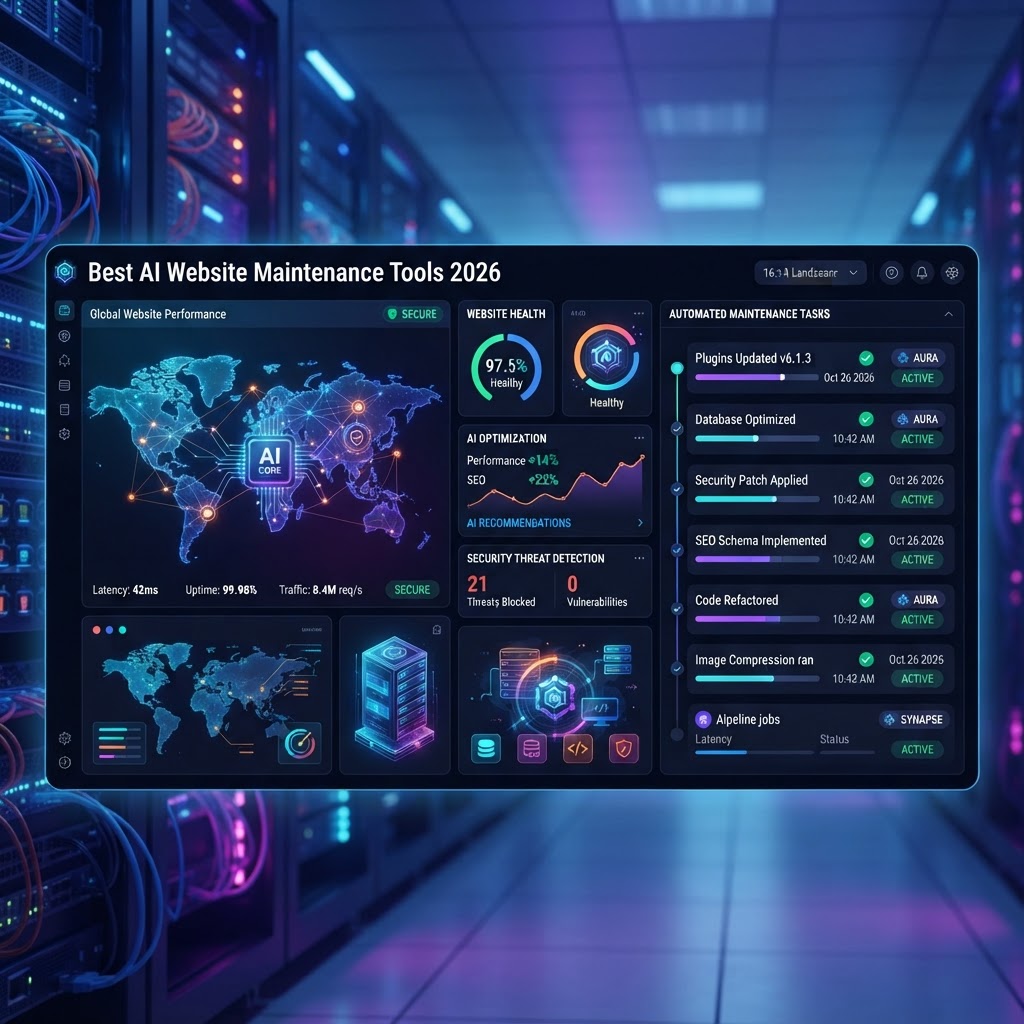
- AI-driven automation reduces technical debt by handling routine patches and security updates without human intervention.
- Proactive AI site health software identifies vulnerabilities and broken links before they impact search engine rankings or user experience.
- Modern website automation tools integrate machine learning to predict potential downtime and trigger automated rollbacks if an update fails.
- AI maintenance plugins enable seamless WordPress management by identifying compatibility conflicts prior to deployment.
- Strategic implementation of website management automation frees technical teams to focus on development and growth rather than maintenance overhead.
The landscape of web development has shifted dramatically as the complexity of maintaining digital infrastructure continues to outpace manual management capabilities. By 2026, the reliance on reactive, human-led maintenance has become a significant bottleneck for growing online businesses. Today, AI website maintenance tools offer a shift toward proactive, autonomous systems capable of ensuring high availability, peak performance, and ironclad security. Whether you are managing a single high-traffic portal or a multi-site network, leveraging the right set of automated tools is no longer a luxury but a fundamental necessity for operational success. This comprehensive guide explores the current generation of AI-driven solutions that turn routine chores into invisible, self-healing background processes.
Why Automate Your Website Maintenance with AI
The primary motivation for adopting AI website maintenance tools lies in the mitigation of human error and the elimination of repetitive operational friction. Historically, website maintenance was a series of scheduled, manual tasks: checking for outdated plugins, verifying database integrity, monitoring uptime, and ensuring that security patches were applied across all environments. When performed manually, these tasks are inherently prone to neglect, scheduling conflicts, and occasional oversights that can lead to catastrophic site outages or security breaches. AI-based automation removes the human element from the equation, ensuring that these critical operations occur with surgical precision and consistent timing.
Beyond the reduction of errors, automated website maintenance provides a massive boost in resource allocation efficiency. By shifting the burden of mundane upkeep to intelligent software, technical teams are no longer tethered to constant monitoring. This allows developers to focus their efforts on high-value initiatives, such as feature expansion, UI/UX optimization, and performance scaling. Many organizations find that after implementing AI site health software, the “maintenance tax”—the percentage of time spent on simple bug fixes and software updates—drops significantly, allowing for a more agile deployment pipeline.
Furthermore, AI-powered systems excel at pattern recognition. While traditional scripts function on simple “if-then” logic, AI agents can analyze the historical behavior of your stack. For instance, if an AI agent detects that a specific version of a database driver has consistently led to increased latency in your specific environment, it can flag or prevent the update from deploying, even if that update is theoretically “stable.” This level of contextual awareness is the hallmark of modern website automation tools. They do not just execute commands; they monitor the environment for signs of instability and act as a guardrail against unforeseen compatibility issues.
Consider the impact on SEO and user trust. Search engine crawlers are increasingly sensitive to site stability and security. A site that periodically goes offline for manual updates, or one that lingers with known vulnerabilities because an administrator forgot to update a core component, will eventually suffer in search rankings. AI maintenance tools ensure that the site remains consistently available and up-to-date, signaling to search algorithms that the platform is healthy and trustworthy. As we look deeper into the year 2026, the competitive advantage will lie with those who have successfully transitioned to an autonomous maintenance model, transforming the way they approach long-term site stability.
How AI Simplifies Plugin and Core Updates
Managing the plugin ecosystem for platforms like WordPress is notoriously difficult due to the sheer volume of third-party code involved. One conflicting update can effectively take down an entire e-commerce storefront in seconds. AI-driven WordPress automation tools have revolutionized this space by introducing the concept of “sandboxed testing” as a standard part of the update cycle. Instead of pushing an update directly to production, the AI takes a snapshot of the live environment, creates a temporary staging area, applies the updates, and runs a series of automated visual and functional regression tests.
These systems evaluate the impact of a plugin update on the site’s frontend rendering and backend database structure. If the AI detects a conflict—perhaps a JavaScript error or a layout shift—it automatically halts the update process and notifies the administrator with a detailed diagnostic report. This allows developers to address the specific conflict without the chaos of a live-site failure. This level of granular control is effectively impossible to achieve through basic scheduled updates or manual interaction alone.
Many advanced website management automation platforms now use machine learning models that track the “reputation” of plugin developers. If a newly released update for a popular plugin is showing signs of instability across thousands of other sites monitored by the AI provider, your system will be flagged to delay the update automatically. This creates a collective intelligence network; the tool learns from the failure of others to protect your site from potential disruptions. This proactive approach to dependency management is the most significant leap forward in the last decade of site administration.
| Category | AI Approach | Best For |
|---|---|---|
| Dependency Management | Automated staging and regression testing | Complex enterprise sites |
| Update Scheduling | Predictive timing based on low-traffic windows | High-traffic e-commerce |
| Plugin Vetting | Cross-site telemetry analysis | General agency management |
| Rollback Automation | Self-healing snapshots upon error detection | Mission-critical applications |
Ultimately, the objective is to reach a “zero-touch” update state where the system manages the entire lifecycle of your plugins and core files. When combined with automated rollback features, which can revert a site to its previous stable state in milliseconds if a failure is detected post-deployment, site administrators gain an unprecedented level of peace of mind. By leveraging AI to parse the changelogs of thousands of plugins and matching them against your active installation, you ensure that only verified, compatible code ever touches your live environment, keeping your site lean, modern, and perfectly functional.
Automating Regular Website Backups and Restores
The paradox of manual backups is that they are often forgotten until the moment they are most urgently needed. AI-powered website maintenance tools have transformed backups from a stagnant, scheduled script into a dynamic, intelligent process. Modern systems now implement “smart-incremental” backups, which utilize AI to identify only the critical changes made since the last snapshot. This drastically reduces the storage overhead and minimizes the performance hit on the server during the backup process, which is a major concern for resource-constrained environments.
What sets these AI-driven systems apart is their ability to verify the integrity of the backup in real-time. A backup file is essentially worthless if it is corrupted or incomplete, a discovery often made only during a critical recovery event. Current AI site health software automatically triggers “restore tests” in a sandboxed environment to ensure that the backup is actually functional. It verifies that the database connects, the theme assets are intact, and the core site functionality remains performant. This automated validation process provides a level of insurance that traditional static backups simply cannot offer.
Beyond standard data safety, AI is now being used to predict storage requirements and optimize retention policies. If your site experience a surge in media uploads or database activity, an AI-managed system can dynamically adjust the frequency and duration of backups to ensure that no critical data is lost during peak periods. Conversely, it can manage the pruning of old backups, ensuring that your storage quota remains efficient without requiring a developer to purge legacy files manually. This intelligent lifecycle management is essential for maintaining both compliance and site speed.
When a recovery event does occur, AI tools can dramatically lower the Mean Time to Recovery (MTTR). In a disaster recovery scenario, the AI can orchestrate the redeployment of the entire site, including the database, files, and server configuration, to a clean environment. By automating the recovery mapping, these tools can get a site back online in a fraction of the time it would take to manually pull logs, configure database parameters, and sync static assets. In the context of 2026, where even an hour of downtime can result in significant revenue and reputation loss, these automated backup and restore capabilities are the backbone of a resilient business continuity strategy.
Real-Time AI Detection of Broken Links and Errors
Broken links are the silent killers of user experience and SEO performance. In the past, identifying these required periodic manual crawls, which were often incomplete or quickly became outdated. Today, AI-powered website automation tools perform continuous, persistent monitoring of site health. Unlike legacy link checkers that look for static status codes (like 404s), modern AI agents simulate user behavior to identify “soft errors”—such as pages that load but fail to display content, broken CSS assets, or non-responsive interactive components—that traditional scripts overlook.
These AI agents traverse your site in a manner that mirrors real-world traffic, discovering issues that only emerge under specific conditions. For example, the tool might detect that a specific call-to-action button ceases to function only when a particular third-party analytics script fails to load. Because the AI understands the causal relationship between these elements, it can alert the administrator with precise instructions on the fix. This reduces the time spent on “error investigation” and moves the team directly into remediation. Proactive detection ensures that you catch errors before your visitors—or the search engine crawlers—do.
Furthermore, this technology is vital for maintaining internal link equity. AI tools map the entire site structure and can automatically identify orphaned pages or deep links that no longer point to relevant, high-performing content. By consistently pruning or updating these links, you maintain a healthy site architecture, which is a significant factor in how search engines index and rank your pages. Over time, this constant refinement of the site’s logical layout contributes to a more efficient crawling experience for search engines, leading to better overall visibility.
Beyond structural link integrity, these systems act as a real-time monitor for JavaScript-related runtime errors. In the modern web, where user interfaces are heavily reliant on client-side code, a single runtime error can break the entire navigation menu or shopping cart flow. AI agents observe these browser-level events and consolidate them into a centralized dashboard. If a sudden spike in client-side errors occurs, the system can trigger an immediate alert or, in some cases, automatically disable the problematic feature flag until a fix is deployed. This level of automated health monitoring is essential for high-converting sites, as it prevents technical errors from causing friction in the user journey.
Improving Website Security Through Proactive AI Monitoring
Security in the digital age requires a shift from reactive patching to proactive threat hunting. Conventional security plugins rely heavily on static signature databases; they wait for a known threat to be identified by the community, then update your list to block it. While this is necessary, it is inherently reactive and leaves a window of vulnerability for “zero-day” exploits. AI-driven website maintenance tools, by contrast, focus on anomaly detection. They establish a baseline of “normal” behavior for your site—including typical user traffic patterns, standard API request volumes, and expected file system modifications.
When the AI detects deviations from this baseline, it flags them for immediate investigation. For instance, if an authorized administrative account suddenly attempts to access a backend directory that is usually only modified by a deployment script, or if there is an unusual spike in unauthorized POST requests to a specific form, the system can automatically implement temporary rate limiting or IP blocking. This behavioral-based approach is far more effective at catching sophisticated, multi-stage attacks that do not match existing threat signatures. By observing the “how” rather than just the “what,” AI security tools act as a sophisticated watchdog that never sleeps.
These tools also automate the hardening process. AI security software can perform “vulnerability scanning” by cross-referencing your active software versions with global databases of known exploits. More importantly, it can recommend, or in some configurations, execute security hardening tasks such as disabling directory browsing, restricting access to sensitive system files, or enforcing multi-factor authentication protocols. This effectively reduces your attack surface to the bare minimum required for operation, making it significantly more difficult for malicious actors to gain an initial foothold.
Finally, the integration of AI in security allows for automated incident response. If the system detects a breach or a persistent attack attempt, it can isolate the compromised sections of the site, revoke API tokens, and notify the security team with a forensic summary of the incident. This allows for a swift containment that minimizes data exposure and limits the scope of the potential damage. By moving the security baseline to the intelligent, automated layer, you protect your digital assets against the evolving threat landscape of 2026, turning your website from an easy target into a resilient, self-defending entity.
Managing Database Optimization with AI Algorithms
A website’s database is its central nervous system, yet it is often the most neglected component of routine maintenance. Over time, databases accumulate “digital debris”—transient options, orphaned metadata, expired cache fragments, and excessive revision history—that can bloat query execution times. Traditional manual database optimization, such as running SQL commands via phpMyAdmin, is error-prone and labor-intensive. AI-driven database maintenance tools have transformed this process by employing predictive algorithms to identify and prune unnecessary data without risking structural integrity.
Modern AI maintenance plugins now utilize heuristic analysis to differentiate between critical operational data and transient junk. Unlike static scripts that simply delete data based on age, these tools analyze table bloat patterns. For example, an AI engine might detect that a specific plugin creates thousands of temporary rows during peak traffic hours. Instead of a blanket deletion, the AI can be configured to perform granular cleanup during low-traffic intervals, effectively optimizing input/output (I/O) performance in real-time. By monitoring slow query logs, these platforms provide actionable insights, suggesting index optimizations that database administrators might overlook.
Furthermore, AI-integrated database management tools assist in proactive fragmentation reduction. InnoDB and MyISAM tables often suffer from fragmentation after high-frequency insert and delete operations. AI algorithms analyze the fragmentation ratio and schedule defragmentation tasks automatically, ensuring that the database remains lean. This approach significantly reduces server load, allowing web hosts to process requests more efficiently. The transition from reactive cleaning to proactive, automated optimization is a hallmark of the 2026 AI-driven web infrastructure landscape, providing a measurable performance edge for high-traffic dynamic websites.
Best AI Tools for Cross-Browser Compatibility Testing
Achieving a consistent user experience across the fragmented landscape of browsers and devices remains a primary challenge for developers. With the rapid evolution of rendering engines like Chromium, WebKit, and Gecko, ensuring that CSS grids, JavaScript animations, and interactive elements render perfectly is a moving target. AI-powered testing suites have moved beyond simple screenshot comparisons to sophisticated visual regression and functional analysis.
The core advantage of AI in cross-browser testing is its ability to identify “perceptual” differences rather than just pixel-perfect changes. Traditional tools often flagged a layout as broken if one pixel shifted; AI models, however, are trained to recognize when a button has simply moved due to a layout reflow versus when it is truly obscured or non-functional. These tools simulate real-world user behavior across thousands of browser-device combinations, reporting bugs with automated video replays and console log snapshots.
| Tool Name | Core Capability | Best For |
|---|---|---|
| Applitools Eyes | AI-powered Visual AI for UI validation | Enterprises requiring high-fidelity UI consistency |
| LambdaTest | Automated real-browser cloud testing | Developers needing broad device coverage |
| Percy (by BrowserStack) | Automated screenshot comparison & regression | Teams focusing on CI/CD design integration |
| Mabl | Low-code, self-healing test automation | Teams prioritizing rapid test maintenance |
These platforms utilize self-healing AI, which is arguably the most significant advancement for maintenance teams. When an element identifier (such as a CSS class or ID) changes due to an update, traditional test scripts fail and require manual rewriting. AI-powered tools recognize the structural context of the element—its position, sibling hierarchy, and function—and automatically update the test script. This capability drastically reduces the time spent on maintaining test suites, allowing developers to focus on building new features rather than repairing broken testing infrastructure.
Balancing Manual Oversight with Automated AI Tasks
While website automation tools offer unprecedented efficiency, relying solely on autonomous systems introduces a unique set of risks. The “black box” nature of some AI algorithms means that automated decisions might occasionally deviate from business logic or design standards. A successful maintenance strategy requires a hybrid approach: the “Human-in-the-Loop” (HITL) model. In this framework, AI serves as an extension of the human administrator rather than a complete replacement.
For critical tasks such as security updates and core plugin modifications, setting a threshold for automated execution is essential. Experts generally recommend a “Staging-First” protocol. In this setup, AI tools automatically clone the live site to a staging environment, apply updates, and run regression tests. Only when the AI confirms that no functional regressions occurred should the changes be promoted to the live environment. This buffer ensures that even if an AI algorithm misinterprets a theme file, the impact on the production site is mitigated.
Human oversight is also critical for strategic decision-making. While an AI can optimize database tables or identify broken links, it cannot determine the intent behind a specific design change or the long-term impact of a plugin dependency. Web managers should reserve manual intervention for high-level tasks like UX audits, content strategy adjustments, and architectural changes. By automating the “grunt work” of maintenance—backups, cache clearing, and compatibility checks—the IT team regains the bandwidth required for high-value innovation, creating a balanced ecosystem where technology handles the routine and humans handle the vision.
Choosing the Right Maintenance Tool for Your Tech Stack
Selecting an AI maintenance suite depends heavily on the underlying architecture of your website. A WordPress-based e-commerce site has fundamentally different maintenance requirements than a custom React or Next.js application hosted on a headless server. When evaluating potential tools, assess them against your specific technical constraints to ensure long-term compatibility and scalability.
For WordPress users, look for tools that offer deep integration with the WordPress REST API and native dashboard access. Many specialized WordPress automation tools provide AI-driven vulnerability patching that specifically targets WordPress-centric security threats, such as SQL injection in popular plugins. These tools often integrate with existing backup solutions, allowing for seamless rollbacks if a patch causes an issue. If your site relies on complex page builders, ensure the AI tool understands the specific DOM structure generated by those builders, as generic tools may struggle to parse custom layouts.
For JAMstack or custom-coded frameworks, prioritize tools that operate within your CI/CD pipeline. Integration with platforms like GitHub, GitLab, or Jenkins is crucial. Your chosen AI tool should be able to trigger tests via API calls during the deployment process. If your site is heavily reliant on server-side rendering (SSR), ensure the maintenance tool monitors performance metrics like Core Web Vitals at the server level, as these metrics are directly impacted by rendering efficiency. Ultimately, the right tool is one that minimizes “tool fatigue”—the frustration of managing multiple, disjointed platforms—by consolidating monitoring, reporting, and execution into a single, cohesive dashboard that mirrors your existing development workflow.
Frequently Asked Questions
Can AI website maintenance tools completely replace a human web developer?
No, AI maintenance tools are designed to automate repetitive, routine tasks such as backups, cache clearing, and link checking. They excel at monitoring and fixing known issues but lack the creative and strategic oversight of a human developer who understands business goals, complex site architecture, and user experience nuances.
Do AI maintenance plugins slow down my website performance?
Most reputable AI maintenance tools operate asynchronously or on external servers. By offloading tasks like database optimization, performance auditing, and visual regression testing to their own infrastructure, they prevent the strain that would occur if you were running these heavy processes directly on your web server.
Are AI-driven updates secure enough for enterprise websites?
AI tools can enhance security through rapid vulnerability detection and automated patching. However, enterprise environments typically use a “Human-in-the-Loop” approach, where AI identifies threats and proposes fixes that are reviewed and approved by security professionals before being pushed to a production environment.
How do I know if an AI tool is compatible with my specific tech stack?
Compatibility usually depends on whether the tool is “platform-agnostic” or tailored for specific CMS frameworks. Review the tool’s documentation for API support, native integrations with your host or platform, and its capability to handle the programming languages and databases utilized by your specific website build.
What is the most common mistake made when implementing website automation tools?
The most frequent error is “over-automation” without a staging environment. Applying automated updates directly to a live production site without verifying the changes in a safe, sandboxed environment can lead to unexpected downtime, layout breakage, or database conflicts.
How do AI tools help with SEO maintenance?
AI tools assist SEO by automatically identifying broken links (404 errors), monitoring redirects, and alerting administrators to changes in site speed or Core Web Vitals. Because search engines prioritize user experience and site health, these automated fixes help maintain and improve search rankings over time.
Conclusion
The evolution of AI in web management has turned what was once a laborious, reactive chore into a streamlined, proactive operational strategy. As we navigate through 2026, the reliance on manual maintenance is rapidly becoming an inefficiency that competitive businesses can no longer afford. By integrating the right AI website maintenance tools, you empower your team to transition from “firefighting”—constantly resolving site crashes and security alerts—to “architecting,” where your efforts are directed toward growth, user engagement, and feature innovation.
Choosing the correct suite of automation tools requires a careful assessment of your technical needs, a commitment to staging environments, and a healthy balance of automation and human oversight. The goal is to create a self-healing, self-optimizing digital presence that evolves alongside your user base and the ever-changing web landscape. Start by auditing your current maintenance bottlenecks and deploying targeted AI solutions that address your most frequent pain points. The future of a healthy, high-performing website is not found in the hours of manual labor you put in, but in the intelligent systems you deploy to handle the heavy lifting.
Ready to transform your site maintenance? Begin by testing one of the AI-integrated monitoring tools discussed in this guide and experience the difference that automated, real-time performance optimization can make for your bottom line.
By aismarttoolsreview Editorial Team
Leave a Reply