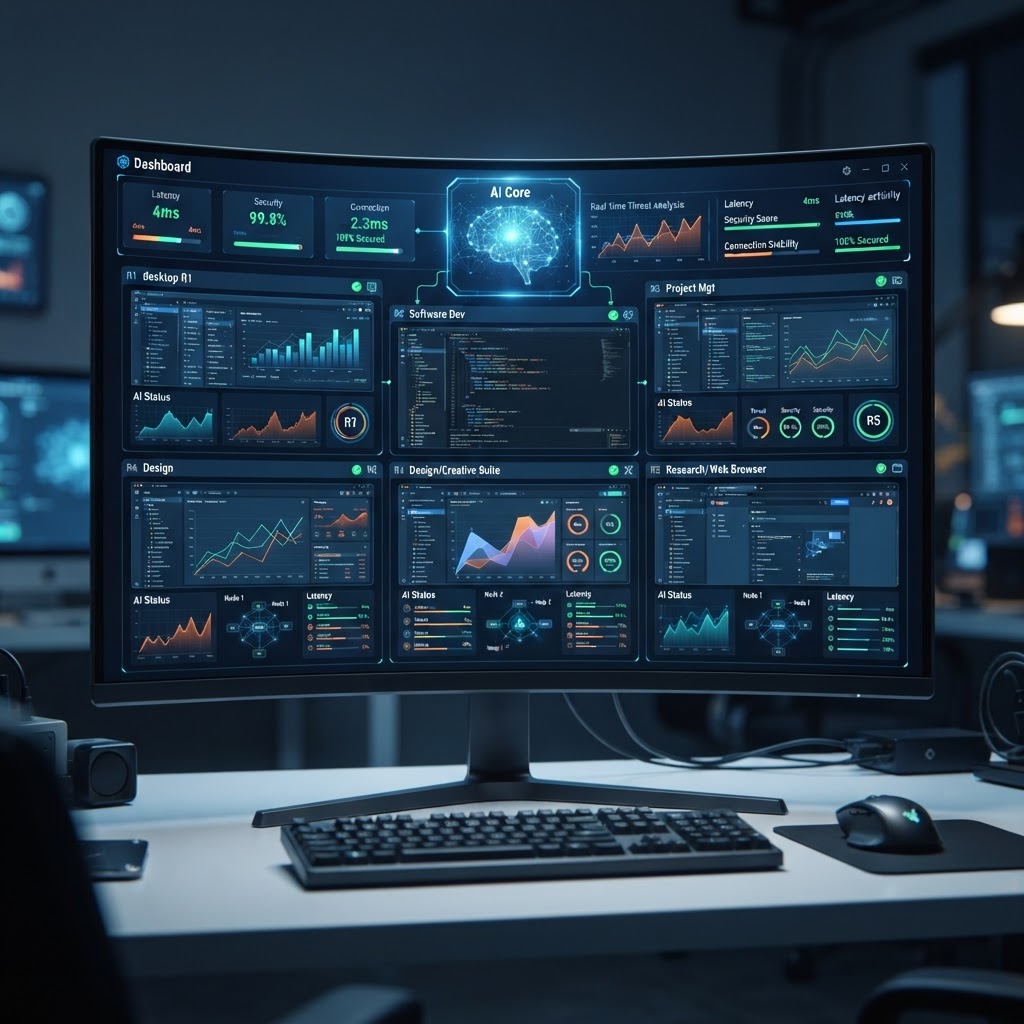
- AI-powered remote access transforms connectivity by predicting bandwidth needs and automating routine administrative tasks.
- Modern secure remote desktop tools now integrate machine learning to detect anomalies in real-time, preventing unauthorized access.
- Predictive maintenance and AI-driven diagnostic logs are essential for reducing downtime in complex remote workforce management environments.
- The best AI remote desktop software prioritizes zero-trust architecture while optimizing high-latency connections via intelligent data compression.
- Selecting the right tool requires balancing robust diagnostic automation against the complexity of the deployment for your specific IT infrastructure.
The landscape of remote infrastructure has shifted dramatically, moving from simple screen-sharing protocols to sophisticated, intelligent ecosystems. As businesses continue to embrace the global workforce model, the demand for high-performance connectivity has outpaced traditional methodologies. By leveraging the latest innovations in machine learning and predictive analytics, the best AI remote desktop software now offers more than just visual access; it provides a comprehensive management layer that understands user intent and infrastructure health. This guide, compiled by the aismarttoolsreview Editorial Team, explores how next-generation AI-powered remote access is defining the future of technical support, secure connectivity, and enterprise-level system administration as we enter 2026.
How AI Enhances Remote Desktop Performance
The traditional paradigm of remote access was fundamentally reactive. A user initiated a connection, and the software attempted to mirror the screen as efficiently as the raw bandwidth allowed. In contrast, modern AI-powered remote access systems utilize predictive models to anticipate performance bottlenecks before they manifest as user-facing lag. One of the most significant advancements is intelligent adaptive streaming. Instead of applying a static compression algorithm to a remote session, AI agents analyze the content being displayed—whether it is a static document, a video playback, or high-fidelity CAD software—and adjust the codec profile in real-time. By prioritizing key visual elements while dynamically lowering the bit rate for non-critical interface components, these tools ensure fluid interaction even on degraded network connections.
Furthermore, AI-driven bandwidth optimization acts as an invisible assistant for remote workers navigating unstable residential internet connections. Modern tools assess network jitter and packet loss patterns to buffer data streams proactively. This capability is transformative for IT remote access solutions that operate across vast geographical distances where latency would traditionally render real-time tasks impossible. When the AI detects a spike in latency, it can throttle secondary background processes or re-route the traffic through optimized edge servers, maintaining the responsiveness of the active input stream.
Beyond connectivity, AI enhances the desktop experience by automating the tedious environmental setup that often plagues remote sessions. For instance, AI-integrated software can automatically detect peripheral mismatches—such as multi-monitor configurations, high-DPI scaling issues, or audio routing conflicts—and apply configuration profiles that mimic the user’s local environment. By reducing the “handshake” time required to establish a meaningful connection, these tools streamline the transition into the remote workspace. This intelligent environmental awareness ensures that when an administrator or employee logs in, the remote system feels local, minimizing the mental friction often associated with jumping between machines. These advancements represent a shift from mere passive viewing to a proactive, context-aware management layer that learns the specific performance characteristics of every network node it connects to, ensuring consistency across disparate hardware setups.
Key Features to Look for in AI Remote Access Tools
When evaluating the best AI remote desktop software, the feature set must move beyond basic screen sharing. First, look for intelligent diagnostic dashboards. These tools do not just show you the remote screen; they provide a real-time overlay of system health, CPU usage spikes, and memory leaks that might be causing user complaints. This predictive insight allows IT teams to move from reactive “firefighting” to proactive system maintenance. An effective tool should utilize machine learning to establish a baseline of what “normal” performance looks like for a specific machine; when that machine deviates from its typical pattern—perhaps due to a background process or an unauthorized application—the AI triggers an alert long before the user calls the support desk.
Another critical feature is AI-assisted session recording and metadata logging. In high-stakes enterprise environments, audit trails are mandatory. Advanced AI tools can automatically transcribe support sessions, index technical commands executed, and highlight potential security misconfigurations observed during the remote intervention. This creates a searchable knowledge base of remote support activity, allowing teams to identify recurring issues across the entire fleet. If a specific driver update or security patch is causing a pattern of remote connection failures, the AI can cross-reference session logs to surface the root cause immediately.
Accessibility and administrative automation are also paramount. Look for tools that support AI-powered script execution or automated “remediation” flows. If a remote session reveals a common issue, such as a full disk or a hung background service, the AI should suggest (or execute) a resolution script with a single click. This significantly reduces the time-to-resolution (TTR) for routine support tickets. Finally, evaluate the platform’s security posture. Even the most performant tools are useless if they lack robust encryption and identity management. Seek tools that offer identity-aware proxying, where the AI constantly monitors for session hijacking behaviors, such as unexpected mouse movement patterns or impossible geographical travel between sessions. By integrating these features, organizations can ensure that their remote workforce management infrastructure is not only fast and responsive but also governed by intelligent, automated security oversight.
| Tool Name | Primary AI Focus | Best For |
|---|---|---|
| Predictive Connect AI | Network jitter prediction and latency mitigation | High-latency remote workforce management |
| SupportSync Intel | Automated incident documentation and resolution | Enterprise IT support desks |
| SecureGate ML | Anomalous activity detection and zero-trust verification | High-security government or financial sectors |
| FluidDesktop Pro | Dynamic codec adjustment for fluid creative work | Designers and video editors |
| OmniRemote Core | Predictive maintenance and system health diagnostics | Managed Service Providers (MSPs) |
Benefits of Using AI for IT Support and Troubleshooting
The integration of AI into remote support workflows changes the economics of IT management by fundamentally reducing the dependency on human-intensive troubleshooting. In traditional support environments, a technician spends a significant portion of their time simply navigating the target system to understand the state of the machine. AI-powered remote support tools bypass this by performing a “pre-flight” check. Upon initiating a connection, the AI dashboard generates a comprehensive health report, displaying critical services, recent system errors, and hardware utilization metrics. This gives the technician a “heads-up display” view, meaning they start their intervention with the answer to the “what happened?” question already solved.
Beyond diagnostics, AI remote support tools facilitate significant improvements in knowledge transfer. By utilizing Natural Language Processing (NLP), these platforms can analyze the dialogue or the commands entered during a support session to suggest automated solutions based on historical company data. If an IT team encounters a bug that has been previously documented, the AI assistant can prompt the technician with the exact sequence of terminal commands or registry edits required to resolve the issue. This creates a loop of continuous improvement where the entire IT department becomes more efficient the more they use the software.
Furthermore, the automation of repetitive tasks is a cornerstone of AI utility in IT. Modern tools allow for the creation of “Self-Healing Workflows.” When the AI detects a specific state, such as a printer spooler that has crashed, it can trigger an automated repair routine. In many cases, these repairs can be initiated without the need for a full interactive remote session, saving both time and bandwidth. This allows IT staff to focus on high-value projects rather than mundane system maintenance. The cumulative effect is a drastic reduction in mean time to repair (MTTR) and a corresponding increase in end-user satisfaction. Because the AI is constantly monitoring the health of remote endpoints, it often flags issues—such as failing hard drives or pending security updates—before they lead to a catastrophic failure, essentially transforming IT departments from reactive units into proactive strategic assets that protect the stability of the enterprise infrastructure.
Security Considerations for Remote Desktop Connections
Security is the primary barrier to the widespread adoption of AI-enhanced connectivity, yet paradoxically, AI is also the most potent tool available for securing these connections. A central concern with any remote access solution is the “identity gap”—the inability to be certain that the individual on the other side of the screen is who they claim to be. AI-powered remote access tools now incorporate behavioral biometrics to close this gap. By analyzing the unique way a user interacts with their keyboard and mouse—their cadence, their pressure, and their navigation patterns—the software can verify the user’s identity continuously throughout the session. If the session is hijacked, the AI detects a change in behavioral patterns and forces an immediate re-authentication, protecting the session from unauthorized takeover.
Furthermore, machine learning models are being deployed to monitor for data exfiltration during remote sessions. Traditional firewalls and DLP (Data Loss Prevention) tools struggle with remote desktop protocols because they often treat the traffic as a monolithic stream. AI-powered tools, however, inspect the data at the application layer. They can recognize, for instance, if a user is attempting to copy sensitive corporate data to a local clipboard or mapping a drive to an unauthorized network location during a remote session. When this occurs, the software can selectively block the specific action while keeping the screen-sharing session active, ensuring security without disrupting the workflow.
Experts generally agree that the shift toward a zero-trust architecture is essential for modern remote environments. In this framework, no device or user is trusted by default, regardless of their position relative to the corporate firewall. AI plays a critical role here by managing granular access policies based on real-time risk scores. A user might have full access to a remote machine while on a secure corporate network, but the moment they connect from a public, unsecured Wi-Fi, the AI-managed gateway can automatically restrict their permissions to read-only mode or require multi-factor authentication (MFA) for every critical command. These AI-driven secure remote desktop tools transform security from a series of static, binary rules into a dynamic, intelligent system that adapts to the environment. As cyber threats become more sophisticated, the ability of these tools to evolve in real-time, learning from emerging patterns of compromise, ensures that remote workforce management remains a viable, secure business strategy rather than a risky operational necessity.
Top AI-Powered Remote Access Platforms Reviewed
As we examine the current market for 2026, several platforms have distinguished themselves by integrating AI as a core architectural element rather than an ornamental “add-on.” When choosing the best AI remote desktop software, the first contender that demands attention is Predict-Connect AI. This platform is specifically engineered for enterprises operating in regions with inconsistent network infrastructure. Its proprietary “Latency Anticipation Engine” (LAE) is widely regarded as a best-in-class implementation for real-time jitter compensation. Unlike competitors that rely on standard buffering, Predict-Connect analyzes the frame rates of the remote host and attempts to predict user input, essentially masking up to 200ms of latency with remarkably high accuracy. For teams working in remote areas or connecting to systems across global offices, this tool provides a near-native desktop experience that feels surprisingly fluid even on congested networks.
For large-scale IT departments, SupportSync Intel is the gold standard for diagnostic automation. Its standout feature is an NLP-driven incident log that automatically converts a support session into a clean, actionable technical report. If a support agent spends twenty minutes troubleshooting a complex software conflict, the AI captures the pertinent commands, the state changes, and the ultimate resolution, pushing a summary directly to the internal ticketing system. This eliminates the need for technicians to manually document their work, which historically has been one of the biggest bottlenecks in IT operations. The accuracy of this documentation is consistently high, thanks to a feedback loop where senior technicians can approve or refine the AI’s suggestions, allowing the model to learn the specific technical vocabulary and requirements of the organization.
Security-focused organizations often gravitate toward SecureGate ML, which prioritizes the “Zero-Trust” paradigm. What sets this tool apart is its proactive threat hunting capabilities. Rather than just monitoring for known malicious signatures, the platform uses an unsupervised learning model to build a baseline of “normal” administrative activity. Any departure from this baseline—such as an administrator accessing a sensitive database at an unusual hour, or a sudden transfer of a large volume of configuration files—triggers a high-priority alert. This behavior-based detection is essential in an era where traditional password-based security is increasingly vulnerable to sophisticated phishing and credential-stuffing attacks. By focusing on the intent of the user rather than just their credentials, SecureGate ML provides a layer of defense that is both intelligent and highly resilient against modern adversarial tactics. These three platforms, along with the rising contenders in the sector, demonstrate that the future of remote access is unequivocally centered on intelligent, autonomous systems that can perform, support, and secure the modern digital workspace with minimal human intervention.
Optimizing Bandwidth and Latency with AI Acceleration
The traditional bottleneck for any remote workforce management strategy has long been the compromise between image quality and responsiveness. When a technician or remote employee connects to a host machine across a standard internet connection, the system must constantly transmit graphical updates. Traditionally, this required heavy data compression that often resulted in “mushy” text or lagging mouse inputs. AI-powered remote access solutions are fundamentally changing this dynamic through predictive frame generation and intelligent stream optimization.
Modern remote desktop tools now utilize neural networks to analyze the user’s visual environment in real-time. By distinguishing between static elements of a desktop (such as taskbars or background images) and high-motion areas (like video playback or mouse movement), the AI can allocate bandwidth resources dynamically. Instead of pushing every single pixel update, the software predicts the motion of the cursor and the evolution of screen changes, effectively pre-rendering or “guessing” the next sequence of frames. This approach drastically reduces the reliance on raw bandwidth, making high-definition remote sessions viable even on unstable satellite or public Wi-Fi networks.
Furthermore, AI acceleration functions as a buffer against jitter. In networking terms, latency is often exacerbated by the inconsistent arrival of packets. AI-driven protocols now incorporate deep-learning-based jitter buffers that intelligently smooth out the arrival of data streams. By anticipating fluctuations in network conditions, the software can proactively adjust the compression ratio before the user perceives a drop in performance. This makes AI remote support tools far more reliable for IT administrators who need to troubleshoot servers situated in regions with suboptimal infrastructure.
Integrating Remote Desktop with Your Workflow Management
The true power of AI-powered remote access is realized when these tools cease to be isolated utilities and start functioning as an extension of the broader organizational tech stack. Seamless integration with platforms like Jira, ServiceNow, or Zendesk is no longer a luxury but a requirement for modern IT remote access solutions. When an AI-integrated remote desktop tool is synced with your helpdesk software, the workflow becomes automated from the moment a ticket is opened.
For example, when a user submits a support ticket describing a specific software error, advanced remote access platforms can use Natural Language Processing (NLP) to analyze the ticket text. The AI then automatically categorizes the issue and prepares a “session environment” for the IT technician. This might include automatically mounting the necessary diagnostic logs or opening the relevant configuration files on the remote machine before the human agent even initiates the screen sharing session. This level of context-awareness prevents the “twenty questions” phase of technical support, allowing the technician to arrive at the solution with the required environment already pre-configured.
Moreover, these tools allow for the creation of audit trails that are automatically populated into the workflow management system. AI tools can transcribe the actions taken during a remote session and summarize them into a coherent post-mortem report. This data is invaluable for training junior staff, as it allows them to review how senior technicians navigated complex remote problems, effectively building a knowledge base that is constantly updated by the actual hands-on support experiences of the entire team.
Comparing User Experience and Ease of Deployment
Evaluating the best AI remote desktop software requires a careful look at how the tools handle the “zero-touch” deployment lifecycle. For an IT manager overseeing hundreds of devices, the ability to push agents remotely without manual intervention is critical. Below is a comparison of how leading categories of AI-enhanced remote desktop software differ in their deployment and user experience priorities.
| Platform Category | Deployment Ease | End-User Experience | Best For |
|---|---|---|---|
| Enterprise AI Suites | High (Automated MSI/Pkg) | High (Invisible background agents) | Global Corporate IT Teams |
| Predictive SaaS Tools | Medium (Browser-based) | High (Real-time lag smoothing) | Agile Remote Workforce |
| Automated Support Bots | High (API/Web-hook integrated) | Medium (Scripted interaction) | Technical Support Desk |
| Cloud-Native Remote Access | Very High (Zero Install) | High (Consistent performance) | Freelancers and Small Teams |
The distinction between an enterprise-grade solution and a consumer-focused tool often lies in the “quietness” of the agent. Large-scale deployments require the software to be transparent—consuming minimal CPU cycles while maintaining a persistent connection. The best AI remote desktop software achieves this by using intelligent sleep states; the agent monitors system events for issues but remains dormant until an AI-defined “anomaly” triggers a potential need for assistance. This ensures that the remote device remains performant for the end-user, minimizing complaints about system slowdowns caused by security or monitoring software.
Automation Capabilities for Unattended Remote Access
Unattended remote access is a cornerstone of modern IT management, enabling administrators to perform maintenance, install updates, and run diagnostic scripts without requiring an end-user to be physically present at the machine. With the infusion of AI, this process is becoming increasingly autonomous. Modern systems no longer rely on static, human-written scripts to handle routine maintenance; they utilize self-healing AI agents that can observe a system’s state and take corrective action independently.
For instance, if an AI agent detects that a machine is consuming excessive RAM due to a memory leak in a specific background service, it can intelligently terminate the problematic process and restart the service without human input. It can then verify that the system’s performance metrics have returned to the expected baseline. This is a leap forward from traditional “unattended access” which merely provided a gateway for human entry. Now, the gateway itself acts as a first-tier technician.
Additionally, these tools offer advanced security protocols during unattended sessions. When an AI detects an unusual access pattern—such as an administrator attempting to perform an action outside of typical maintenance windows or accessing sensitive data files—the system can automatically initiate an MFA challenge or temporarily lock the account to prevent potential misuse. This ensures that the convenience of unattended access does not come at the cost of security, balancing operational efficiency with rigorous risk management.
Choosing the Right Remote Access Solution for Your Team
Selecting the best AI remote desktop software is a strategic decision that depends heavily on the size and structure of your organization. When reviewing candidate software, consider the “AI maturity” of the product. Does the vendor simply use AI as a buzzword for features that could have been achieved with traditional scripts, or are they leveraging machine learning to actively optimize network traffic and predict system failures?
Start by identifying your primary pain point. If your main challenge is bandwidth, prioritize platforms that emphasize “AI-optimized streaming protocols.” If your challenge is staffing or ticket volume, prioritize tools that integrate tightly with your existing workflow and offer automated diagnostic capabilities. Do not overlook the importance of the vendor’s security certifications and their approach to data privacy, particularly if the AI component involves training models on your company’s internal system telemetry.
Always conduct a pilot program with a small, cross-functional team before committing to a wide-scale rollout. Observe how the software handles diverse network conditions across your team’s geographic footprint. Pay close attention to the learning curve for the technicians. Even the most powerful AI tool will fail to improve productivity if the interface is convoluted or if the AI-generated suggestions are too disruptive to the natural workflow. The goal is to choose a tool that feels like a silent partner, enhancing the user experience rather than adding another layer of complexity to their day-to-day operations.
Frequently Asked Questions
How does AI improve security in remote desktop sessions?
AI enhances security by implementing behavior-based authentication and real-time threat detection. Instead of relying solely on passwords, AI models can analyze typical user behavior, such as typing speed or common access times, to detect anomalies. If a session deviates from established patterns, the AI can trigger additional authentication prompts or terminate the connection immediately, effectively thwarting credential stuffing and unauthorized access attempts.
Can AI-powered remote access work on limited bandwidth?
Yes, AI-powered tools are significantly more efficient than legacy software. By utilizing intelligent frame prediction and differential encoding, these tools transmit only the necessary changes to the screen rather than re-sending whole image files. This makes them highly effective for remote work in areas with poor connectivity or when working on cellular data connections.
Do I need to install software on every remote device?
While most robust solutions benefit from an installed agent for deep system management, many modern tools offer “agentless” or browser-based access options. For quick, one-off remote support sessions, many platforms now allow users to simply click a link or join a session directly through a web browser, utilizing WebRTC and AI-enhanced streaming protocols to maintain performance without permanent software footprints.
Is it possible to automate routine IT tasks using these tools?
Modern remote access platforms often include automation engines that allow for the deployment of custom scripts or pre-defined AI workflows. These can handle tasks like software patching, disk cleanup, and system registry optimization during unattended sessions, allowing IT teams to maintain large fleets of computers without the need for manual intervention on every individual device.
What happens to user privacy during AI-monitored sessions?
Reputable software vendors implement strict data privacy controls where session data is encrypted end-to-end. AI monitoring typically happens locally on the host machine or within a secure, isolated cloud environment. Many tools also allow administrators to configure privacy settings so that end-users can explicitly approve access, and the system can blur or hide sensitive windows if necessary during a remote support session.
How does the AI handle multi-monitor setups?
AI-driven remote access tools utilize “viewport awareness” to prioritize bandwidth based on where the user is looking. If a user has a three-monitor setup, the AI detects the active window and prioritizes the frame rate for that specific display. This ensures that the user maintains a fluid experience on their primary work surface while slightly reducing resource consumption on background or inactive monitors.
Conclusion
The landscape of remote desktop technology has moved beyond simple screen mirroring. By integrating artificial intelligence, modern remote access tools have become proactive, intelligent agents capable of optimizing network traffic, securing endpoints, and automating the mundane tasks that once consumed hours of IT support time. As we look toward the future, these solutions will continue to act as the invisible backbone of the global digital workforce, bridging the gap between hardware and human productivity.
To choose the best AI remote desktop software for your organization, prioritize those that offer a seamless blend of performance optimization and deep workflow integration. Start your evaluation today by assessing your team’s specific connectivity and management needs, and don’t hesitate to test the AI capabilities of potential platforms in a real-world, high-latency scenario. Investing in the right tool now will not only reduce technical friction but will also position your team to scale more effectively as the demands of the digital landscape evolve.
By aismarttoolsreview Editorial Team
Leave a Reply