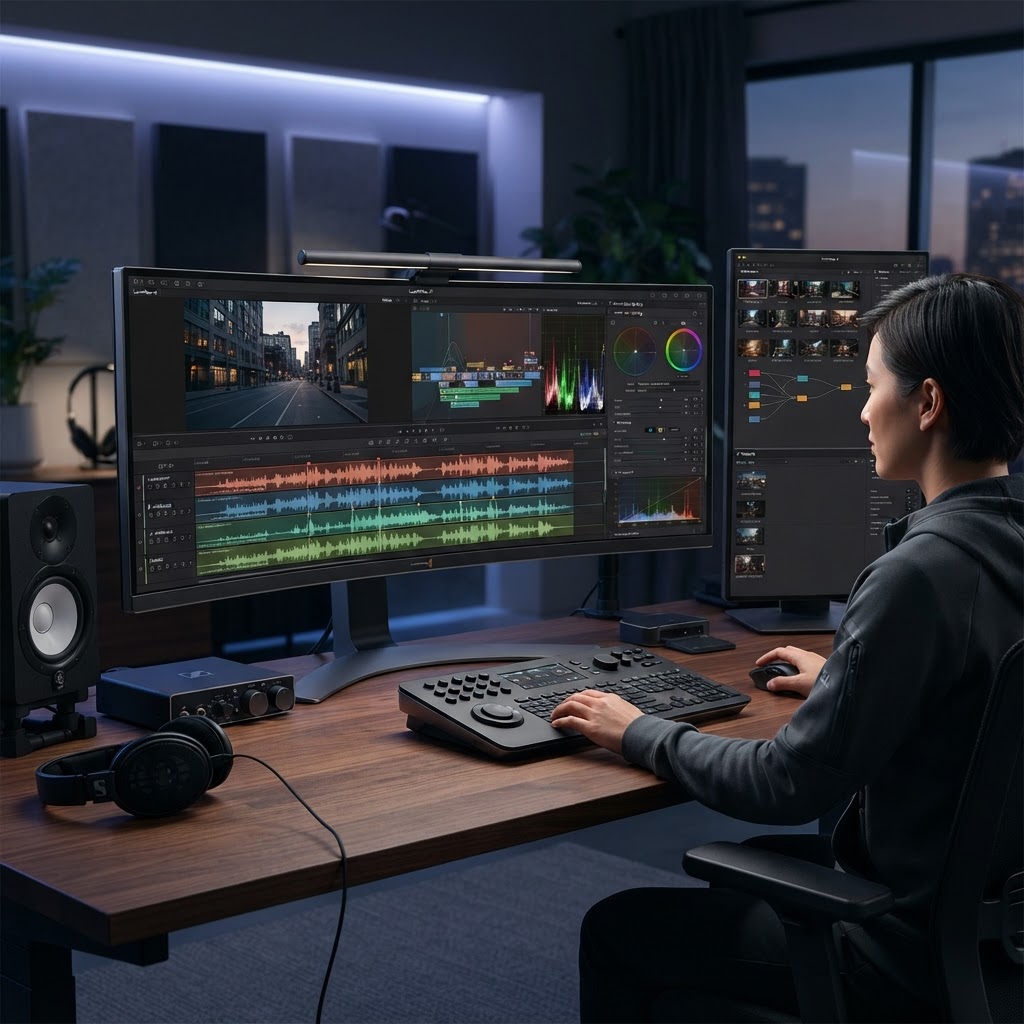
- AI video editing software is fundamentally shifting post-production from labor-intensive manual tasks to AI-assisted workflows.
- Top features for 2026 include generative AI scene expansion, real-time voice synthesis, and multi-track automated audio mastering.
- Automated color grading tools now utilize machine learning to match color science across diverse camera profiles instantly.
- Cloud video editing AI enables collaborative production pipelines, allowing teams to sync edits across devices in real-time.
- Choosing between tools like Descript and CapCut requires prioritizing your specific workflow needs, such as transcription-based editing versus mobile-first templates.
The landscape of content creation is currently undergoing its most significant shift since the transition from tape-based editing to non-linear digital systems. By 2026, the term AI video editing software has evolved from a niche marketing buzzword into an essential suite of tools that handle the heavy lifting of professional post-production. As creators face increasing pressure to produce high-fidelity content at faster turnarounds, these platforms act as a force multiplier, reducing the hours spent on tedious manual synchronization, color matching, and audio correction. Whether you are a solo creator or part of a global production house, understanding how to integrate these intelligent systems is no longer optional—it is the baseline for competitive output.
How AI is Revolutionizing Video Post-Production
The integration of artificial intelligence into video post-production represents a paradigm shift in how we approach the “assembly” phase of filmmaking. Historically, editors were tasked with technical execution—synching audio, trimming silence, and managing proxy files—before they could even begin the creative work of storytelling. Today, AI video production workflows effectively invert this hierarchy. By leveraging neural networks and deep learning models, software can now analyze raw footage at the ingest level, creating a metadata-rich library that makes the edit more intuitive than ever before.
In 2026, the best AI video editor is characterized by its ability to act as a co-pilot rather than a simple toolset. The revolution begins with ingest. Modern platforms utilize computer vision to index every frame of footage, tagging objects, lighting conditions, and even emotional states in the subject’s expression. This means that instead of scrubbing through hours of raw b-roll, an editor can simply query their project: “Show me shots of the subject smiling in low light.” This semantic search capability, powered by advanced cloud video editing AI, is drastically reducing time-to-first-cut.
Furthermore, the creative application of AI extends into generative video. Tools are now capable of filling in gaps in footage, extending shot durations, or even performing “generative re-framing” to change the aspect ratio of a shot without losing the subject’s focus. This is particularly transformative for cross-platform delivery, where a single landscape shot may need to be adapted for vertical mobile feeds. Automated video editing tools analyze the composition of the frame and mathematically calculate the most important visual elements, cropping and panning in real-time to ensure the subject remains the focal point.
The impact on team workflows is equally profound. Traditional professional suites, including Adobe Premiere Pro AI integration, have moved toward collaborative cloud-based ecosystems. Editors no longer need to wait for render exports to share a preview. Instead, AI-driven proxy generation allows for immediate, high-resolution collaborative review sessions, where comments are timestamped and linked directly to the timeline’s underlying data. This connectivity ensures that all stakeholders, from producers to stakeholders, remain synchronized. We are seeing a shift where technical constraints are falling away, allowing creators to focus entirely on pacing, narrative flow, and emotional resonance. As these systems learn individual editing styles through behavioral analysis, we expect them to offer predictive recommendations on jump-cuts and pacing, further shortening the path from raw capture to finalized product.
Key Features to Look for in AI Video Editors
Navigating the saturated market of 2026 requires a discerning eye. Not all automated video editing tools are built for the same audience. When evaluating software, the primary consideration should be the depth of the AI’s integration within the timeline. If an AI tool is merely a plugin or an export filter, it is fundamentally different from a platform designed around AI-native workflows. The following table highlights core approaches taken by leading industry solutions, emphasizing their utility across different project scopes.
| Tool Category | Core Functionality | Best For |
|---|---|---|
| Transcription-First Editors | Editing video by modifying the generated text script. | Podcasts, interviews, and corporate content. |
| Template/Social-First Tools | Automated template application and trend syncing. | Influencers and short-form social video. |
| Pro-Studio Ecosystems | Comprehensive AI-augmented NLE functionality. | High-budget films, TV, and complex projects. |
| Generative Synthesis Tools | Voice cloning, lip-sync, and frame generation. | Localized content and CGI-heavy productions. |
When comparing platforms like Descript vs CapCut, users often encounter the friction between professional granularity and accessible speed. A robust AI editor should offer advanced multi-track support, allowing for complex audio-visual layering. Look for software that provides “non-destructive AI edits.” This feature ensures that even when the software applies an automated enhancement—such as light color adjustment or audio cleanup—you retain the ability to step back into the original raw data without permanent loss of quality. In 2026, the gold standard for software is the ability to maintain “source-link integrity” during AI processing.
Versatility in export and compatibility is another critical differentiator. The best tools are those that integrate with your existing tech stack. For instance, if you rely on professional plugins for motion graphics or specialized color grading, the AI software must support third-party extensibility. Many modern editors are moving toward API-based architectures where custom AI agents can be injected to handle specific repetitive tasks—like auto-tagging assets for stock licensing or applying specific studio branding protocols. Ultimately, the ideal tool should feel invisible; it should solve technical hurdles so effectively that the creator is left with a blank canvas of clean, ready-to-cut assets, allowing the creative vision to take precedence over the technical configuration.
Automated Color Grading and Visual Enhancements
Color grading has long been the “secret sauce” of cinematography, requiring deep knowledge of color science, scopes, and gamma curves. Today, automated color grading tools have democratized this process, transforming raw, flat LOG footage into professionally balanced material in a fraction of the time. These AI systems function by analyzing the lighting metadata and white balance of an incoming clip, then cross-referencing it against a massive database of professionally color-graded aesthetics and real-world lighting profiles.
The core advantage of AI-driven enhancement is the elimination of “color drift” across multi-camera shoots. In traditional production, matching a static interview camera with a dynamic, moving b-roll camera required intensive manual labor and meticulous color-matching skills. With current AI video enhancement features, the editor simply selects a “reference frame”—the visual aesthetic they desire—and the software applies that same mathematical transformation to the entire project. The AI intelligently accounts for differences in sensor noise, lens characteristics, and exposure values, ensuring a uniform look that feels cohesive and high-end.
Beyond simple matching, these tools are now handling sophisticated visual tasks such as skin tone optimization and sky replacement. By identifying human faces within the frame, the AI applies localized adjustments that enhance skin texture and saturation without affecting the background elements. Similarly, for outdoor footage where the sky might be overexposed, AI systems can segment the frame and recover detail, effectively turning an unusable shot into a cinematic-quality asset. These enhancements happen at the pixel level, utilizing neural rendering techniques to maintain sharpness and prevent the artifacts that often plague traditional automated filters.
For those utilizing Adobe Premiere Pro AI features, the evolution of color grading is heavily linked to “Neural Filters” that extend into the video domain. This allows for rapid prototyping of different “looks” or moods. An editor can prompt the software to “make this scene feel colder and more dystopian,” and the software will adjust the color balance, contrast, and saturation accordingly. This level of semantic control allows creators to iterate through creative choices rapidly. The key for the editor remains the ability to control the “intensity” of the AI. High-end tools provide a layered approach where you can accept the AI’s suggestion as a baseline but manually override specific parameters, ensuring that the final output retains a human, intentional touch.
AI-Powered Audio Cleanup and Noise Reduction
Audio is frequently cited as the most important element in video production, yet it is often the most neglected. Poor lighting can be forgiven, but poor audio will cause a viewer to click away in seconds. AI-powered audio cleanup and noise reduction tools have become the most effective “save” for amateur-shot productions, allowing creators to achieve studio-quality vocal clarity from recordings made in suboptimal environments, such as busy streets or echoey rooms.
Modern AI editors approach audio as a data-separation problem. Using models trained on millions of hours of human speech and background noise, the software can differentiate between the target speaker and extraneous sounds like traffic, HVAC hums, or wind interference. Once separated, the software reconstructs the vocal track, filling in lost frequencies through generative modeling. This isn’t merely “noise cancellation”—which often leaves behind a robotic, metallic sound—but rather a “re-generation” of the audio signal that retains the natural timbre of the speaker’s voice.
The convenience of this process cannot be overstated. With the click of a button, an entire interview recorded in a noisy cafe can be processed to sound like it was recorded in a soundproof booth. Furthermore, these AI tools often include “Automated Leveling,” which normalizes audio tracks to industry standards (such as those required for broadcast or streaming platforms like YouTube and Netflix). By managing the dynamic range, the AI ensures that the audio remains consistent throughout the project, preventing the frustration of sudden volume spikes or muffled dialogue.
Beyond simple cleanup, AI is also being used for automated transcription and captioning, which is a vital part of accessible AI video production. By creating an accurate transcript, the editor can then use text-based editing to jump to specific points in the conversation. Some platforms take this a step further with “filler word removal,” where the AI automatically detects and removes “ums,” “uhs,” and long pauses, shortening the audio tracks and automatically adjusting the video to match the new duration without creating noticeable jump-cuts. This capability is essentially the foundation for efficient podcast and documentary editing, allowing for a polished final product that emphasizes clarity and pacing without requiring hours of manual frame-by-frame cutting.
Smart Scene Detection and Automated Trimming
Smart scene detection represents one of the most efficient applications of machine learning in the post-production pipeline. In traditional editing, an editor might spend hours reviewing raw footage to identify where one take ends and another begins. Automated scene detection tools scan raw files for cuts in the visual timeline, splitting long, continuous files into individual, manageable clips. This metadata is then used by the software to create “smart bins,” making it incredibly easy to organize footage based on location, character, or the subject’s actions.
Automated trimming takes this a step further by evaluating the “intent” of the footage. Through computer vision, the AI analyzes each segment to identify “the good take.” By measuring factors like eye contact, lack of movement, and facial expressions, the AI assigns a score to each clip. When an editor begins their project, they are presented with a “highlight reel” of their own raw footage, drastically reducing the time spent on the “paper edit” phase. This is particularly useful for long-form interviews or live events where there is a massive amount of redundant footage to sort through.
The accuracy of these systems has reached a point where they can detect subtle shifts in composition. For example, if a camera operator is using a tripod but needs to re-adjust, the AI can recognize this pause as a “reset” and tag it appropriately. These tags act as markers in the timeline, allowing the editor to jump between meaningful moments instantly. Furthermore, for those creating content for multiple social media platforms, smart scene detection is essential for “content repurposing.” The AI can identify the key moments within a 30-minute podcast and automatically trim them into 60-second vertical snippets, complete with optimized aspect ratios, while ensuring that the central speaker is always centered in the frame.
These features transform the timeline from a static collection of clips into a dynamic, queryable database. By combining scene detection with intelligent metadata, editors can easily track the evolution of a scene as they edit. If they decide a particular take isn’t working, they can quickly swap it with a similar take from the same scene with a single click, as the software already understands the relationship between those clips. This fluidity encourages a more experimental approach to editing, where the editor is free to try different pacing strategies because the technical cost of re-aligning and re-trimming is virtually zero.
Cloud-Based AI Collaboration for Remote Teams
The transition toward decentralized production environments has made cloud-based AI video editing software a cornerstone of modern media workflows. Unlike legacy non-linear editors (NLEs) that relied on local high-performance hardware and physical hard drive exchanges, cloud-integrated tools allow teams to synchronize media assets, metadata, and AI-generated transcripts instantly across global time zones. When leveraging these platforms, the computational burden of rendering and AI processing shifts from the individual user’s machine to distributed server clusters, ensuring that editors can work on sophisticated projects from lightweight laptops.
Effective collaboration in the cloud is not merely about storage; it is about metadata synchronization. Advanced cloud platforms now utilize AI-powered indexing, which automatically tags video frames with descriptive keywords, facial recognition, and sentiment analysis. When an assistant editor in one country uploads raw footage, the AI engine processes the ingest immediately, enabling a director in another country to search for specific scenes—such as “person walking in rain” or “close-up of expressive reaction”—without manually scrubbing through hours of unorganized footage. This structural efficiency is critical for meeting rapid turnaround times in social media and broadcast production.
Security and version control are equally vital components of these ecosystems. Leading AI-enhanced cloud platforms provide granular permission controls, allowing stakeholders to review rough cuts through secure, watermarked links without downloading files. Furthermore, because the AI edits—such as noise reduction or color matching—are often stored as non-destructive layers in the cloud, multiple editors can iterate on the same project file simultaneously. This capability minimizes version conflicts and ensures that the most recent AI-optimized iteration of a project is always accessible to the entire production team.
Comparing Performance: Adobe Premiere Pro vs. CapCut vs. Descript
Selecting the right AI video editor depends heavily on the specific demands of the project, ranging from professional cinematic production to high-volume short-form content. The following table breaks down how these three industry giants compare in terms of their core AI strengths and ideal use cases.
| Platform | Core AI Strength | Primary Rendering Logic | Best For |
|---|---|---|---|
| Adobe Premiere Pro | Neural Filters & Context-Aware Fill | Hybrid (Local + Cloud Sync) | Professional Cinematic & TV Post-Production |
| CapCut | Automated Captioning & AI-Asset Templating | Cloud-Dominant | High-Frequency Social Media Creators |
| Descript | Text-Based Editing & Synthetic Voice | Cloud-Based | Content Marketers & Podcasters |
Adobe Premiere Pro remains the gold standard for high-fidelity production, integrating AI tools like Sensei to handle complex tasks like color matching, remixing audio to fit specific durations, and removing unwanted objects from frames through content-aware fill. Its architecture is built for professionals who require deep control over every pixel and audio frequency, though the learning curve is substantially steeper compared to consumer-focused alternatives.
In contrast, CapCut prioritizes speed and social media integration. Its strength lies in its ability to automatically generate captions, apply trending stylistic filters, and suggest background music based on the rhythm of the video clips. It is the premier choice for creators who must output multiple pieces of content daily, though it sacrifices the granular, frame-by-frame color grading capabilities found in Premiere.
Descript has revolutionized the industry with its text-based editing workflow. By treating video editing like a word processor, it allows users to delete dialogue by striking through text, automatically removing “ums” and “ahs” via an integrated filler-word removal tool. This is indispensable for documentary-style projects and interviews. While its AI capabilities in video manipulation are growing, its primary utility remains in audio-visual storytelling where the script is the priority.
Integrating AI Video Tools into Your Creative Workflow
The integration of AI video production tools should be viewed as an evolution of existing workflows rather than a total replacement. The most efficient pipelines utilize a “layered” approach: beginning with AI for the heavy lifting of organization and rough assembly, and finishing with human artistry for final creative polish.
Step one is the automated ingest phase. By using AI-driven transcription and scene detection tools, editors can reduce the time spent organizing footage by significant margins. Instead of manually marking “in” and “out” points for hundreds of clips, users can feed raw footage into AI tools that categorize files based on visual content or spoken dialogue. This effectively creates a searchable database before the first edit is ever made.
Step two involves the rough assembly. Automated video editing tools can now analyze the emotional beats of a sequence and propose a jump-cut structure. While this version may not be the final masterpiece, it provides a functional starting point that saves hours of rudimentary cutting. Editors can then focus their energy on pacing, color grading, and adding emotional nuance—tasks that current AI still struggles to perform with artistic intent.
Step three is enhancement and cleanup. Once the edit is locked, AI video enhancement tools are applied to normalize audio levels, remove background hums, and stabilize shaky handheld shots. By automating these technical hurdles, creators free themselves to focus on the narrative core of their content. The goal is to move the human editor from a “technical operator” role to a “creative director” role.
Overcoming Common Challenges with AI Editing Automation
While AI brings immense power to video editing, it is not without its pitfalls. One of the most common challenges is the “homogenization” of content. Because many AI tools are trained on popular datasets, there is a risk that projects will begin to look and sound identical—utilizing the same trending filters, music styles, and pacing logic. To overcome this, creators must ensure they use AI as a tool for assistance rather than as a generator of the entire final product. Human oversight is required to inject unique visual signatures that algorithms cannot replicate.
Another hurdle is the reliance on internet connectivity for cloud video editing AI. In areas with poor latency, the experience can become sluggish, as real-time updates require constant data exchange. Proactive creators mitigate this by maintaining local cache versions of their projects and ensuring that intensive AI processing is scheduled for times when they have a stable, high-bandwidth connection.
Finally, there is the challenge of “hallucinations” in automated features. For example, AI-driven content-aware fill can sometimes leave visible artifacts or distortions if the background motion is complex. Professional editors must learn to perform “quality assurance sweeps,” viewing their exports frame-by-frame to ensure that the AI hasn’t introduced artifacts that might degrade the professional quality of the project.
Future Trends in Generative Video Editing Technology
The trajectory of generative AI in video production is moving toward complete creative autonomy. We are currently seeing the emergence of “text-to-video-editing” commands, where an editor might simply type, “make this scene feel more cinematic and increase the contrast,” and the software executes those changes across the entire timeline simultaneously. This shift toward semantic editing, where the software understands the intent behind an instruction rather than just executing a button press, is the next frontier.
Furthermore, real-time generative background replacement and lighting adjustment are becoming more robust. Future AI tools will likely be able to re-light a scene in post-production, changing the direction of the sunlight or the color temperature of artificial light sources based on simple prompt inputs. This will drastically reduce the need for expensive on-set lighting setups, potentially lowering the barrier to entry for high-end cinematography.
Finally, predictive editing is on the horizon. Future iterations of best AI video editors will likely analyze your past editing style to learn your specific creative voice. They will offer suggestions not just based on generic trends, but based on the unique, stylized cuts you have preferred in previous projects. This “personal AI” will essentially become a junior editor that understands your artistic preferences, learning to mirror your pace, your humor, and your specific aesthetic choices.
Frequently Asked Questions
Can AI video editing software completely replace a professional editor?
No. While AI tools excel at automating repetitive, technical, and labor-intensive tasks—such as color correction, captioning, and audio cleanup—they lack the human capacity for narrative intent, nuanced emotional storytelling, and artistic choice. AI functions as a force multiplier for a professional, handling the manual labor so the editor can focus on the creative direction of the project.
What is the most significant benefit of using cloud video editing AI?
The primary benefit is accessibility and collaborative efficiency. Cloud-based tools allow multiple team members to access, review, and edit the same project files from anywhere in the world without needing to move large media files back and forth. It centralizes the production workflow and ensures that the most updated project version is always available to all stakeholders.
Do I need expensive hardware to run the best AI video editors?
Generally, no. One of the primary advantages of modern AI video editing software is the offloading of heavy processing to the cloud. Since the heavy rendering and AI-inference tasks often occur on the software provider’s servers, users can effectively perform high-end editing on standard business-class laptops, significantly lowering the barrier to entry for high-quality production.
How can I ensure my AI-edited video doesn’t look generic?
The best way to avoid a generic look is to limit AI usage to technical tasks rather than stylistic ones. Use AI for denoising, color matching, and transcription, but handle the core creative choices—such as shot selection, pacing, and color grading style—manually. By using AI to do the “chores” but keeping the “creative” elements in human hands, you maintain your unique artistic identity.
Is text-based editing actually efficient for long-form video?
Yes, text-based editing is highly efficient for long-form content, particularly interviews, documentaries, and educational videos. By treating the script as the primary interface, editors can quickly navigate through thousands of words to find the exact moment a speaker says a specific phrase. It removes the need to watch hours of raw footage linearly, dramatically accelerating the initial rough cut process.
Are there privacy concerns with uploading raw footage to AI platforms?
Privacy is a legitimate consideration when using cloud-based services. Before choosing a platform, you should review the vendor’s data privacy policies. Most professional-grade tools offer secure, encrypted environments where your uploaded media is not used to train their public AI models, ensuring that your proprietary footage remains confidential and under your ownership.
Conclusion
The landscape of video production in 2026 is defined by the symbiotic relationship between human vision and machine efficiency. As we have explored, the best AI video editing software offers a robust solution for nearly every pain point in the production pipeline, from the tedium of logging footage to the technical challenges of advanced audio engineering. By adopting these tools, creators and production teams can move away from the repetitive, manual labor that has traditionally bogged down the creative process and instead dedicate more time to the heart of the craft: storytelling.
Whether you are a solo content creator looking for a streamlined workflow with tools like CapCut or a professional production house integrating the power of Adobe Premiere Pro, the time to embrace these advancements is now. Start by identifying one specific area of your workflow—perhaps captioning or audio cleanup—where AI can save you time, and gradually build out your toolset from there. The future of video is not about choosing between human or machine; it is about leveraging AI to unlock a higher level of creative potential. Start experimenting with these platforms today to ensure your production standards remain at the cutting edge of the industry.
By aismarttoolsreview Editorial Team
Leave a Reply