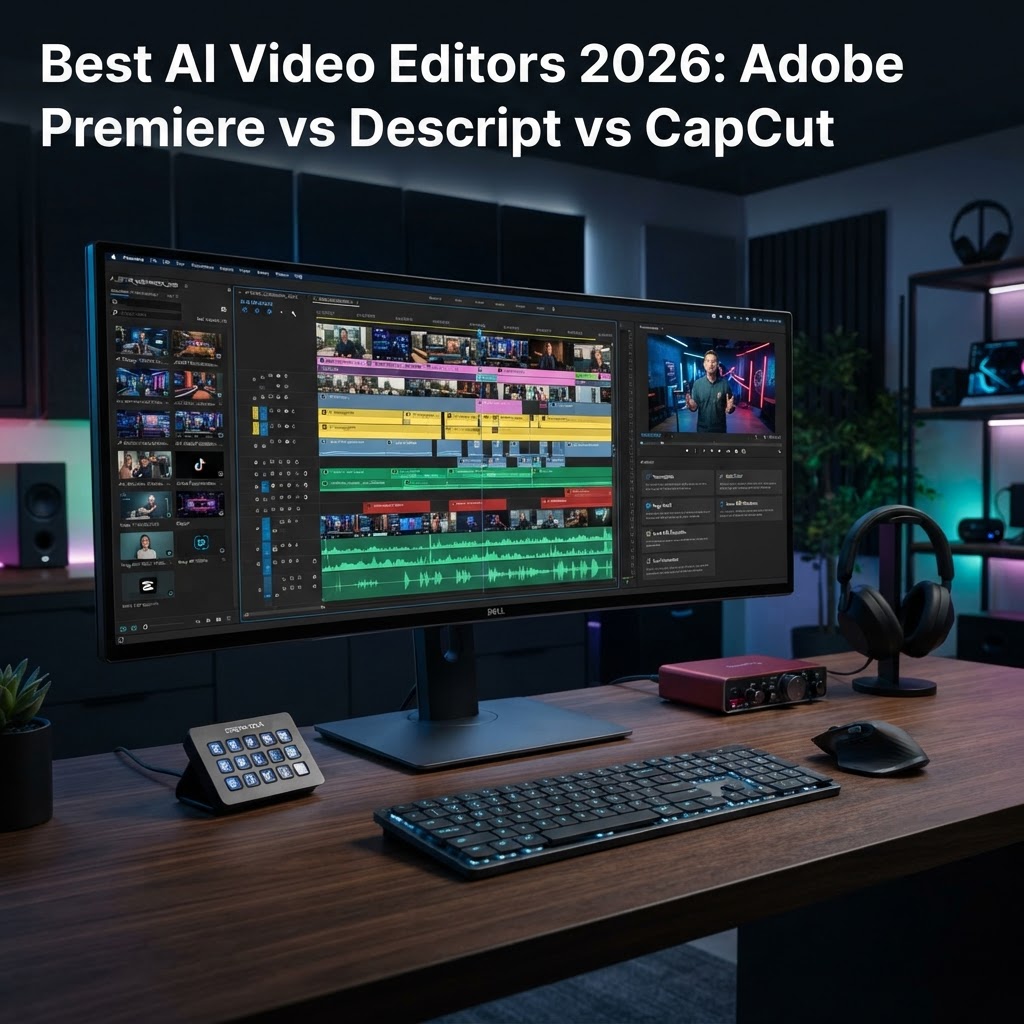
- AI video editing software has transitioned from experimental filters to core production workflows in 2026.
- Adobe Premiere Pro focuses on high-end professional precision, whereas Descript dominates the text-based editing landscape.
- CapCut remains the undisputed leader for rapid, viral-ready content creation through integrated AI presets.
- Selecting the right tool depends on whether your priority is technical control, narrative structure, or social media velocity.
- The current landscape emphasizes automated video production, shifting the creator’s role from manual technician to creative director.
The landscape of digital content creation has undergone a tectonic shift as we enter 2026, marking a period where AI video editing software is no longer a luxury, but a fundamental necessity for any serious creator. Gone are the days when hours of painstaking frame-by-frame cutting were required to achieve a professional finish; today’s workflows are defined by algorithmic precision and machine-learning intuition. As automated video production becomes the industry standard, the friction between capturing raw footage and delivering a polished, high-engagement final cut has effectively vanished. In this comprehensive review, the aismarttoolsreview editorial team evaluates the three heavyweights of the industry—Adobe Premiere Pro, Descript, and CapCut—to determine which platform claims the title of the best AI video editor 2026. Whether you are a solo creator managing a high-frequency social media channel or a professional editor handling complex broadcast narratives, understanding how these tools leverage AI is critical to maintaining a competitive edge in a saturated market.
1. The Evolution of AI-Powered Video Editing
The history of video editing is a progression from physical film splicing to linear tape decks, and eventually to the Non-Linear Editing (NLE) systems we know today. However, the current shift toward AI-powered video editing represents the most profound change since the digitisation of the medium. In previous years, AI was relegated to simple “smart” tasks, such as automated color correction or basic background noise removal. As we stand in 2026, those tasks have been superseded by generative AI, intelligent scene detection, and predictive narrative assembly. AI video tools for creators now operate as virtual assistants that understand the intent behind the footage rather than merely manipulating pixel data.
Early iterations of video editing automation were often rigid, producing results that felt artificial or lacked a cohesive rhythm. Today, the technology has reached a level of sophistication where professional video editing AI can analyze hours of raw footage, extract key narrative beats, and suggest structural edits that adhere to standard storytelling conventions. This evolution is driven by Large Multimodal Models (LMMs) that process audio, video, and textual metadata simultaneously. When an editor imports a project into a modern AI-integrated system, the software creates a virtual index of the content, allowing the user to search, categorize, and organize assets through natural language queries rather than manual tagging.
Furthermore, the democratization of hardware has meant that high-end AI capabilities are no longer confined to massive server farms. On-device processing—a hallmark of 2026 software architecture—allows editors to utilize generative fill, object removal, and frame interpolation in real-time. This efficiency shift allows creators to focus on the creative direction of their projects rather than getting bogged down in the technical minutiae of rendering and processing. The industry has effectively moved from manual labor to “curated automation,” where the AI suggests dozens of viable cuts, and the creator acts as a final arbiter of quality. As we move through this guide, it is essential to remember that these tools are not intended to replace human ingenuity, but to augment it by removing the repetitive friction that often hinders the creative process.
2. Key AI Features to Look for in 2026 Video Software
When searching for the best AI video editor 2026, it is easy to become overwhelmed by the sheer volume of marketing buzzwords. To make an informed choice, creators must focus on specific functional capabilities that genuinely impact workflow velocity and project quality. The foremost feature is context-aware AI clip generation, which enables software to intelligently crop horizontal 16:9 footage into vertical 9:16 formats while keeping the subject perfectly centered through automated motion tracking. This feature alone has become the backbone of modern multi-platform content distribution.
Another crucial capability is AI-driven audio restoration and speech enhancement. In an era where field recording conditions vary wildly, software that can isolate voice from complex background noise, remove transient echoes, and normalize audio levels using machine learning is invaluable. Beyond audio, text-based editing has become a non-negotiable standard. This technology allows editors to treat a video like a word document; deleting a sentence in the transcript automatically executes the corresponding cut in the timeline. This is perhaps the most significant time-saving feature in modern video editing automation.
Generative AI overlays and visual enhancement tools are also moving into the mainstream. Look for software that provides intelligent color grading, which can match the aesthetic of a reference video to your raw clip, or AI-powered object masking that allows you to replace backgrounds or remove distracting elements with high pixel accuracy. The integration of automated captioning and language translation is another key metric for quality, especially for creators aiming for a global audience. Finally, evaluate the software’s ability to offer “smart suggestions” for b-roll or transition placements. These tools analyze the pacing and content of your primary track to recommend supplementary footage that enhances the viewer’s experience. The following table provides a clear comparison of how different approaches prioritize these high-value AI features.
| Tool | Primary Focus | Best For |
|---|---|---|
| Adobe Premiere Pro | Professional NLE Precision | Feature-length, narrative, and broadcast editing |
| Descript | Text-Based Narrative Control | Podcasters, educational content, and fast turnaround |
| CapCut | Viral Social Media Velocity | Short-form social media and rapid trend jumping |
3. Adobe Premiere Pro: AI Capabilities for Professionals
Adobe Premiere Pro remains the industry standard for professional video editing, and in 2026, it has fully integrated AI into its deep ecosystem under the “Adobe Sensei” framework. Unlike consumer-oriented tools that provide one-click solutions, Premiere Pro’s AI features are designed for fine-grained control and scalability within large-scale production environments. For the professional editor, AI in Premiere acts as a force multiplier for complex tasks that previously required third-party plugins or manual frame-by-frame rendering.
One of the standout professional features is the AI-enhanced “Speech to Text” functionality. While basic transcription is available elsewhere, Premiere’s implementation is deeply woven into the timeline, allowing for sophisticated search and replace workflows. Editors can search for specific phrases across hundreds of hours of raw footage, instantly generating a text-based “paper edit” that can be imported directly into the timeline. This capability has redefined how documentary filmmakers and corporate video producers handle interviews, enabling them to construct narratives from massive amounts of data in a fraction of the time.
Beyond transcription, Premiere Pro’s generative AI tools for color and image cleanup are significant. The “AI Color Match” feature is particularly adept at maintaining consistency across multi-camera shoots where lighting conditions may have shifted unexpectedly. It analyzes the tonal range, white balance, and contrast of a reference clip and automatically applies those parameters to subsequent shots, drastically reducing the time spent in the color grading suite. Furthermore, the integration of generative AI within the effects panel allows for “Generative Fill” in video frames, enabling editors to remove lens flares, fix continuity errors, or extend backgrounds in a way that remains perceptually identical to the source footage.
Performance optimization in 2026 has also reached new heights. Premiere Pro uses machine learning to predict which assets need rendering, backgrounding the process so the playback never stutters during complex edits. While it remains a high-learning-curve tool, the payoff for professionals is unmatched precision. It caters to those who need to maintain full control over color spaces, frame rates, and export settings while leveraging AI to handle the tedious aspects of the craft. It is the definitive choice for those who view video editing not just as a job, but as a technical pursuit of perfection.
4. Descript: Text-Based Editing and AI Voice Cloning
Descript fundamentally changed the paradigm of video editing by introducing the concept of “Word-Based Editing,” a philosophy that remains at the heart of their 2026 product update. By treating audio and video as a script, Descript allows users to edit a video by simply editing a document. If a creator decides that a paragraph of dialogue is unnecessary, they delete the text, and the corresponding video clip is instantly removed from the project. This innovative approach has made Descript a favorite among podcasters, YouTubers, and corporate trainers who value narrative flow over frame-perfect color manipulation.
The most compelling component of the Descript ecosystem is its industry-leading AI voice cloning, marketed as “Overdub.” This technology allows users to type new text and have it read back in their own voice, or the voice of a professional voiceover artist. In 2026, the quality of this synthesis has reached a point where it is virtually indistinguishable from human speech, complete with natural prosody and emotional variance. For creators who realize after recording that they mispronounced a word or forgot a key sentence, the ability to “fix it in post” without re-recording is a transformative workflow improvement.
Descript also excels at automated cleanup. Features like “Studio Sound” utilize deep learning to analyze voice recordings and remove background noise, room reverb, and inconsistent microphone levels. The result is a broadcast-quality audio mix that would typically require hours of work in a dedicated digital audio workstation (DAW). Coupled with its “filler word removal” AI—which automatically identifies and deletes “um,” “uh,” and other hesitation noises—Descript is perhaps the most efficient tool for those producing long-form spoken-word content.
While some professional editors may find its lack of advanced color grading or keyframe-intensive animation tools limiting, Descript is not designed for cinematic visual storytelling. It is designed for clarity, efficiency, and communication. By simplifying the editing process to a level accessible to non-experts, it empowers creators to focus entirely on the strength of their message. In 2026, for anyone whose primary output is voice-driven content, Descript stands out as the most pragmatic and effective AI-driven solution on the market.
5. CapCut: AI Tools for Social Media and Rapid Content Creation
CapCut has rapidly evolved from a mobile-first app into a comprehensive, multi-platform video editing powerhouse, specifically tailored for the fast-paced world of social media content. As the best AI video editor 2026 for social creators, CapCut focuses on “velocity”—the ability to turn a raw concept into a trending video in minutes rather than hours. Its AI integration is less about deep technical control and more about creative inspiration, providing users with a suite of templates, effects, and automated adjustments that are pre-optimized for platforms like TikTok, Instagram Reels, and YouTube Shorts.
The standout feature in the CapCut ecosystem is its intelligent “Auto-Cut” functionality. Users upload a collection of photos and video clips, and the AI suggests a series of edits synced perfectly to trending music beats. This is supported by an massive library of AI-generated assets, including dynamic transitions, motion graphics, and text animations that are automatically updated based on current platform trends. For the social media creator, staying ahead of trends is the primary metric for success, and CapCut’s AI ensures that the technical barriers to entry are minimized.
Furthermore, CapCut’s AI-powered accessibility tools are among the best in the industry. Its “Auto-Caption” feature can transcribe video in dozens of languages with high accuracy, automatically applying dynamic, animated styles that keep the viewer’s attention. The software also includes intuitive background removal and greenscreen-style effects that do not require a physical greenscreen, allowing creators to drop themselves into virtually any environment with just a few clicks. These features allow for highly professional-looking content with minimal technical expertise.
The platform’s “AI Script-to-Video” feature is another notable advancement. By providing a prompt or a topic, the software can generate a script, select stock footage, and assemble a preliminary edit that the creator can then refine. While it won’t replace a high-end editorial team, it serves as an excellent starting point for those experiencing “blank page syndrome.” CapCut is effectively lowering the floor for what constitutes “high-quality” content, allowing more people to participate in the digital economy. While it lacks the deep NLE capabilities of Adobe Premiere or the narrative focus of Descript, it is unrivaled for anyone whose primary goal is high-frequency, high-impact content generation in the social media era.
Comparing Workflow Efficiency: Automation vs Manual Control
The modern paradigm of video production is defined by a constant tension between the desire for rapid output and the need for artistic precision. As we look at the landscape of AI video editing software in 2026, the divergence between automated workflows and manual control has become a defining characteristic for creators choosing their toolset.
Automated workflows, championed by tools like Descript and CapCut, prioritize speed and scalability. These platforms leverage natural language processing (NLP) to turn text-based transcripts into functional timelines. By treating video as a document, these editors allow users to trim, rearrange, and delete footage by manipulating text rather than scrubbing a complex timeline. This approach is transformative for podcasters, educators, and social media creators who produce high volumes of content where information density is the primary goal.
Conversely, professional-grade AI implementations, such as those found in Adobe Premiere Pro, prioritize the “human-in-the-loop” philosophy. In these environments, AI functions as a high-speed assistant rather than a primary editor. Automation handles the tedious, repetitive “grunt work”—such as noise reduction, color matching between different camera sensors, and scene detection—while leaving the creative decision-making, pacing, and narrative structure in the hands of the human editor. This distinction is crucial for filmmakers who require frame-accurate control over transitions, keyframe animations, and complex multi-layer compositing.
For many creators, the efficiency of AI is measured by the reduction of “friction points.” Friction points are the mundane technical tasks that slow down the creative flow. For instance, a manual color grade for a long-form video might consume hours of an editor’s day. An automated tool can now analyze the footage, apply a LUT (Look-Up Table) based on the chosen visual style, and ensure skin tones remain consistent across various lighting setups. However, the limitation of this automation is the lack of “creative intuition.” A professional editor may choose to break the rules of color theory to evoke a specific emotional response; an automated system, by design, follows the statistical norm of what “correct” footage should look like.
| Tool | Automation Strategy | Control Level | Best For |
|---|---|---|---|
| Adobe Premiere Pro | Auxiliary Assistance | High (Total) | High-end broadcast and film |
| Descript | Text-Based Synthesis | Moderate | Podcasters and educational content |
| CapCut | Template/AI Feature Driven | Low to Moderate | Social media and viral trends |
| Davinci Resolve (AI Suite) | Neural Engine Processing | High | Color grading and visual effects |
How AI Impacts Video Quality and Visual Effects
The integration of AI into video post-production has significantly raised the floor for acceptable visual quality. In previous years, high-end effects like object removal, rotoscoping, and upscaling were the exclusive domain of specialists with expensive software and weeks of training. Today, these tasks are being democratized through sophisticated neural networks.
One of the most profound impacts on visual quality is the advancement of AI-driven upscaling and artifact reduction. Many AI video tools can now intelligently interpret low-resolution footage—such as mobile phone captures or legacy archive media—and upscale it to 4K resolution by analyzing surrounding frames and filling in missing pixel data. This process, known as super-resolution, often produces results that are indistinguishable from native high-definition content, provided the source material is not excessively degraded.
Rotoscoping, the process of isolating a subject from the background to apply unique effects, has been revolutionized by semantic segmentation. Rather than painstakingly drawing masks frame-by-frame, modern AI video editors can identify humans, objects, and backgrounds with granular precision. This allows for near-instant background replacement or the ability to apply filters to a subject without affecting their surroundings. This level of automation allows creators to produce “cinematic” looking content in environments that are far from studio-grade.
However, AI-driven visual effects are not without risks. The “uncanny valley” remains a persistent challenge in generative video enhancements. Automated systems that attempt to smooth out skin tones or replace backgrounds can sometimes introduce unnatural artifacts, such as “jitter” around edges or a plastic, over-processed texture on human subjects. Professional editors often find that they must perform a secondary pass on AI-generated effects to correct these anomalies. While the software creates a strong foundation, the human eye remains the ultimate arbiter of whether an effect is truly seamless or merely a digital approximation of quality.
Choosing the Right AI Editor for Your Skill Level
The variety of AI video editing software available in 2026 makes the selection process daunting. To choose effectively, one must assess their technical proficiency against their long-term content goals. A common pitfall is overestimating one’s need for complexity; many creators purchase professional-grade software only to find the feature set too overwhelming, which ultimately hinders the consistency of their output.
For the beginner or casual social media creator, the priority should be ease of use and template integration. Tools like CapCut or mobile-first AI editors offer a vast library of pre-set effects, auto-captioning tools, and quick-cut transitions. These platforms essentially handle the “best practices” of video editing on your behalf. If your goal is to push out daily, trending content that relies on fast-paced cuts and viral visual styles, these tools are ideal. They require minimal training and allow for rapid iteration.
Intermediate users—such as small business owners, corporate content creators, or YouTubers—typically benefit from the text-based editing paradigm. Descript remains a top choice here because it flattens the learning curve. If you can edit a document in a word processor, you can edit a video. These creators usually have a story to tell and need a tool that doesn’t distract them with technical jargon like “keyframes” or “bezier curves” unless absolutely necessary.
Advanced editors and those working in professional media production require the extensibility of a non-linear editor (NLE) that supports third-party plugins. While Adobe Premiere Pro and Davinci Resolve have robust built-in AI, their true strength lies in how they integrate with high-end, AI-powered plugins that handle specialized tasks like professional-grade audio restoration, advanced motion tracking, or sophisticated particle simulations. At this level, the software acts as an ecosystem rather than a self-contained unit. The user must be comfortable managing hardware resources, understanding codec workflows, and troubleshooting integration issues, as the complexity of the project is often much higher.
The Future of Generative Video and Automated Post-Production
As we move toward the latter half of the decade, the line between “editing” and “generating” video is blurring. We are currently transitioning from an era where AI helps us arrange existing footage to an era where AI can synthesize missing pieces of our narrative. In the near future, generative video models will likely allow editors to extend a shot, change the weather in a scene, or even modify the lighting conditions of a recorded interview, all via simple text prompts.
We are also witnessing the rise of “agentic” editing workflows. In these systems, you will provide the editor with your raw footage and a script, and the AI will act as a junior editor. It will perform a first pass of the rough cut, balance the audio, color match the shots, and add subtitles, presenting the human editor with a “director’s cut” that is 80% finished. This shifts the role of the human editor from a “laborer” who spends hours on the timeline to a “curator” who reviews, tweaks, and refines the AI’s creative suggestions.
The integration of deep, semantic understanding of content will also change the way we search for footage. Instead of browsing folders and file names, editors will soon be able to issue queries like, “Find the clips where the subject smiles while holding the product,” and the AI will pull these moments from terabytes of raw footage instantly. This will drastically reduce the time spent in the “logging and organization” phase of production, which is currently one of the most time-consuming aspects of professional video work.
Ultimately, the future of AI video tools lies in personalization. Systems will learn an individual creator’s specific style, pacing, and color preferences. After working with a specific AI editor for several months, the software will understand exactly how the creator likes their jump cuts to feel and how much grain they prefer in their color grades. This “personalized AI” will turn video editing software into a creative partner that understands the creator’s vision as well as they do themselves.
Frequently Asked Questions
Can AI video editors completely replace a professional human video editor?
No, not at this time. While AI excels at the technical, repetitive tasks of editing—such as color correction, transcript-based trimming, and noise reduction—it lacks the subjective creative judgment required to craft a cohesive narrative, manage pacing, and elicit emotional responses. AI is currently best viewed as a powerful tool to augment a human editor’s capabilities, rather than a replacement.
Are AI video editing tools expensive for the average creator?
The cost varies significantly. Many entry-level AI-driven tools offer free tiers or low-cost monthly subscriptions. Professional-grade software like Adobe Premiere Pro is part of a larger suite and requires a subscription, while other advanced editors may be available for a one-time purchase. Generally, there is a tier of AI video editing software available for every budget, from hobbyists to enterprise studios.
Does using AI software affect the ownership or copyright of my video content?
In most jurisdictions, copyright law is still evolving regarding AI-generated content. Typically, if you are the one inputting the creative instructions and directing the AI-assisted process, you retain ownership of the finished output. However, it is essential to check the Terms of Service of each specific AI platform, as some providers may have clauses regarding how they utilize data processed through their systems.
Do I need a powerful computer to run modern AI video editing software?
It depends on whether the software is cloud-based or locally hosted. Cloud-based editors like Descript and many web-based tools offload the heavy computational processing to remote servers, meaning you can run them on standard laptops. Conversely, if you are running AI features locally within professional software like Premiere or Davinci Resolve, you will need a system with a modern dedicated GPU and sufficient RAM to handle the heavy AI model processing without significant lag.
Will AI-assisted video editing make my content look generic or artificial?
This is a valid concern. If a creator relies solely on automated templates and “one-click” AI fixes, there is a risk that the content will lack a unique aesthetic or look like hundreds of other videos online. To avoid this, successful creators typically use AI to handle the “heavy lifting” but apply their own manual adjustments to color, pacing, and stylistic choices, ensuring their personal brand voice remains intact.
How does AI help with audio production in video?
AI is arguably even more advanced in audio than in video. It can perform professional-grade noise suppression, removing background hums or echoes from recordings made in poor acoustic environments. It can also match dialogue levels across disparate clips, isolate voices from music, and even generate synthetic voiceovers that match the tone of the original speaker for minor script corrections.
Conclusion
The leap toward AI-integrated video production is arguably the most significant shift in the industry since the transition from tape to digital non-linear editing. For creators in 2026, the question is no longer whether to use AI, but how to integrate it in a way that amplifies, rather than stifles, their creative vision. Whether you are leaning into the rapid, text-based workflows of Descript, the social-media-ready features of CapCut, or the robust, precise controls of Adobe Premiere Pro, the goal remains the same: reducing the technical distance between the initial idea and the final frame.
By automating the mundane, you reclaim the most valuable resource in production—time. We encourage you to experiment with these tools, push the boundaries of their automation features, and identify which blend of manual control and AI assistance fits your specific workflow. The future of video belongs to the creator who masters the synergy between human intuition and machine-driven speed.
Ready to transform your production process? Download a trial of one of these industry-leading tools today and start streamlining your workflow from the very first edit.
By aismarttoolsreview Editorial Team
Leave a Reply