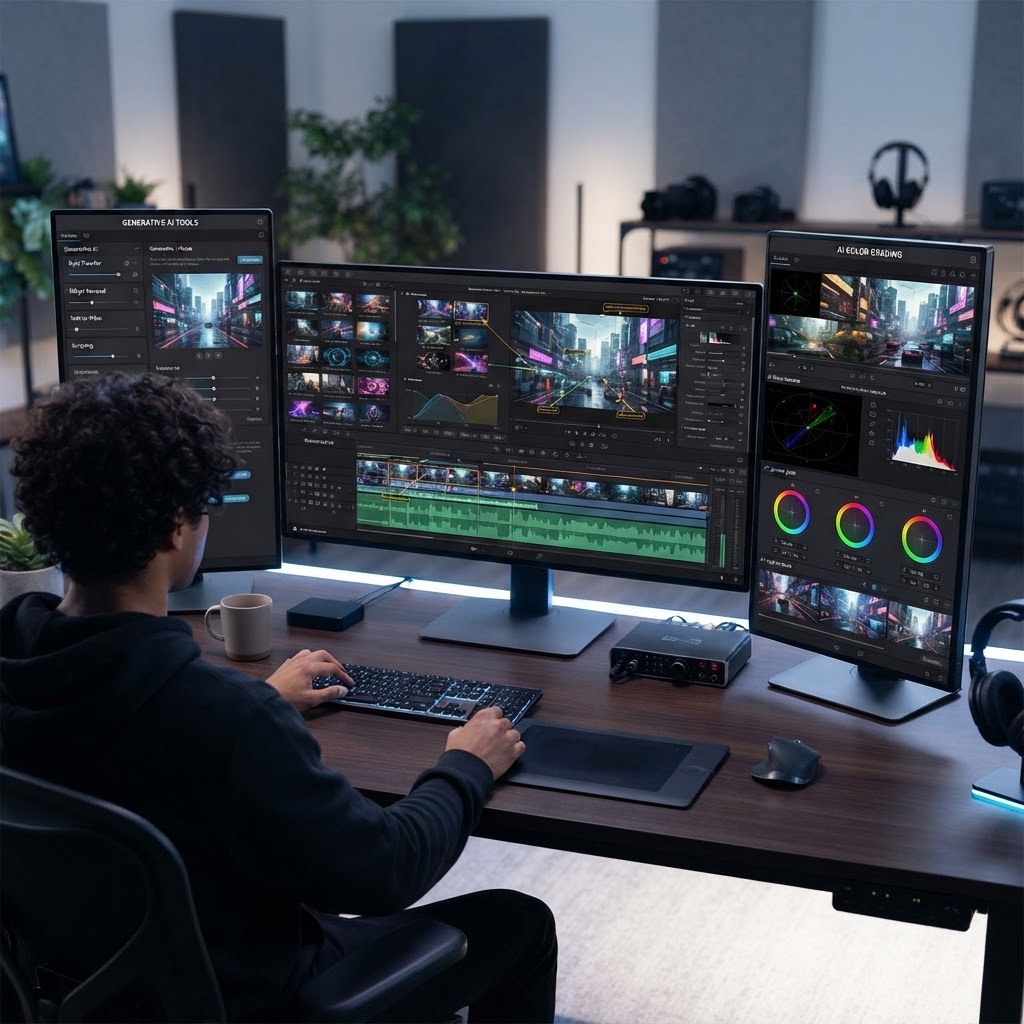
- AI video generation tools have shifted from experimental prototypes to essential, professional-grade production components in 2026.
- InVideo remains the top choice for rapid, script-to-video content, while HeyGen dominates the realistic digital avatar niche.
- The competition between Runway and Adobe Premiere illustrates the widening gap between generative AI creativity and traditional non-linear editing.
- Choosing the best AI video editor now depends on whether your priority is automated scalability or granular, frame-by-frame creative control.
- Modern automated video production workflows now frequently integrate multiple AI tools rather than relying on a single all-in-one software suite.
The landscape of content creation has undergone a seismic shift, with the latest generation of AI video editing software 2026 moving beyond novelty effects into the realm of enterprise-grade production. As artificial intelligence models mature, the barrier to high-quality cinematography, motion graphics, and voice synthesis has effectively collapsed. Today, producers no longer need massive budgets or dedicated post-production teams to execute complex visual narratives; they need the right AI architecture. Whether you are a solo creator looking to automate social media outputs or a production house seeking to accelerate iteration cycles, navigating the current ecosystem requires a deep understanding of what these tools actually achieve behind the user interface.
Understanding the Evolution of AI Video Editing in 2026
By the time we reached 2026, the transition from basic AI-assisted tools to true generative production environments became finalized. In previous years, AI was relegated to small tasks like background noise removal or simple color correction. Today, the best AI video editor functions more like an orchestrator of multiple generative models, managing everything from script analysis and asset sourcing to lighting adjustments and character consistency. This evolution has redefined the role of the editor, moving from a role defined by manual labor to one of creative direction and prompt engineering.
The technical core of this evolution lies in the integration of multimodal large models. Modern systems no longer treat video as a static sequence of frames but as a data-rich environment where every object, light source, and sound wave is interpreted contextually. When you edit in 2026, the software understands the intent behind your cuts. If you ask the tool to “make this scene feel more cinematic,” the engine doesn’t just apply a filter; it dynamically re-renders textures, adjusts depth-of-field, and shifts the color science to match established aesthetic paradigms for film noir or high-fashion commercials.
Another major leap has been the improvement in temporal consistency. Older generative models struggled with “flickering” or objects changing shape mid-shot. Current software mitigates this through sophisticated diffusion techniques that track spatial data across frames. This stability is what finally allowed AI to cross the threshold into broadcast and professional marketing. The ability to maintain character identity throughout a multi-scene sequence is the hallmark of the current era. Furthermore, we are seeing the rise of real-time rendering. What used to take hours of cloud processing—waiting for a generative model to synthesize a high-definition clip—now happens with near-instantaneous feedback loops, allowing for a collaborative, tactile editing experience that rivals traditional software like Final Cut or Premiere.
The democratization of these features means that technical skill in software proficiency—like mastering complex masking tools or complex keyframing—has taken a backseat to narrative intuition. Professionals are now spending more time perfecting their “creative prompts” and curating high-quality training sets, ensuring that the AI understands the specific brand voice and stylistic constraints of a project. As these tools become more intuitive, they have moved away from being purely technical instruments and toward being cognitive extensions of the editor. This maturity represents a fundamental shift: the tool no longer just implements a vision; it actively participates in the refinement of the concept itself, suggesting lighting choices, pacing adjustments, and B-roll alignment that the editor might not have initially considered.
How AI Tools Are Transforming Video Production Workflows
The traditional video production workflow was linear: pre-production, production, and long-form post-production. In 2026, this structure has become fluid, often collapsing entirely into a “generate-on-demand” cycle. Automated video production has reached a point where the distinction between filming and rendering is becoming increasingly blurred. Many creators are now starting with a text-based concept, and through a chain of AI tools, building a fully polished video without ever picking up a physical camera. This transformation is driven by the interoperability of various AI plugins and cloud-based platforms.
Consider the typical modern workflow. A project begins with a generative script assistant that analyzes trending topics to optimize for audience engagement. Once the script is locked, the editor uses voice synthesis to generate a natural, expressive voiceover, avoiding the need for recording studios. Following this, the visual assets are assembled. For some, this means utilizing a database of stock footage transformed by AI; for others, it means generating entirely new video segments via models that can render photorealistic environments from a few lines of text. The efficiency gains are measurable, particularly for marketing teams that need to A/B test variations of an advertisement at scale.
Collaboration has also been fundamentally rewritten. Cloud-native AI editors allow team members across the globe to contribute to a live-editing session where AI acts as the mediator. For instance, if one team member modifies a scene in a collaborative workspace, the AI can automatically ensure that the color grade and sound levels match the rest of the project, maintaining aesthetic continuity. This eliminates the “version control nightmare” that historically plagued large production houses. Furthermore, the capacity for automated localization—where AI automatically translates voiceovers, retimes the lip-syncing of a speaker, and even adjusts the background signage in a video to match the target language—has made global distribution an effortless task for local creators.
These workflows aren’t just faster; they are more adaptive. If a brand needs to update an advertisement to reflect a new seasonal promotion, they don’t need to reshoot. They simply provide the new promotional copy to the AI, and the editor can swap out the relevant text overlays, generate a new voiceover segment, and subtly adjust the visual flow to integrate the change seamlessly. This degree of agility is redefining what it means to be a “creator” in the digital age. By delegating the repetitive, time-consuming “busy work” of editing—such as cut-to-music synchronization, asset tagging, and metadata generation—to automated agents, human creators are freed to focus on the higher-level architecture of storytelling: pacing, emotional resonance, and the strategic arrangement of the viewer’s journey.
| Tool/Approach | Primary Strength | Best For |
|---|---|---|
| InVideo AI | Automated Script-to-Video Workflow | Social media creators and marketers needing speed. |
| HeyGen | Hyper-Realistic Avatar Synthesis | Corporate trainers and personalized sales outreach. |
| Runway | Generative Visual Effects & Synthesis | Filmmakers and creative directors needing high control. |
| Adobe Premiere | Non-Linear Precision & Workflow Integration | Professional post-production studios. |
InVideo vs HeyGen: Automated Content Creation vs AI Avatars
When comparing InVideo AI and HeyGen, it is important to understand that while both fall under the broad umbrella of AI video generation, they serve fundamentally different ends of the production spectrum. An InVideo AI review reveals a tool designed to solve the “blank page” problem. It is an end-to-end automated machine that thrives on turning text prompts into structured, multi-scene video projects. You provide a script or even a vague concept, and the tool synthesizes the imagery, adds stock clips, builds voiceovers, and synchronizes the timing. It is essentially a production studio-in-a-box, prioritizing throughput and ease of use above all else.
InVideo is best perceived as a content multiplier. It is the go-to solution for creators who need to maintain a consistent output frequency on platforms like TikTok or YouTube Shorts. Its strength lies in its library of assets and its ability to quickly assemble a cohesive video from disparate, AI-generated components. The editing experience is minimalist; you edit the script and the AI follows your instructions, rather than moving individual clips on a timeline. This makes it incredibly efficient for businesses that have clear messaging and need to translate that messaging into visual formats rapidly without needing to manage complex assets or render cycles.
Conversely, HeyGen operates with a laser focus on the human element. Rather than relying on a broad library of stock imagery, HeyGen is built around the power of digital avatars—highly realistic, synthetic humans that can deliver a script with natural expression, lip-syncing accuracy, and body language. When you choose HeyGen, you are choosing to anchor your video around a persona. This makes it an incredibly powerful tool for B2B communication, internal corporate training, and educational content where a human presence—even a synthetic one—significantly improves engagement and information retention.
The difference in output is stark. If InVideo is a documentary filmmaker using stock footage to tell a story, HeyGen is a television anchor delivering a lecture. The choice between them comes down to the necessity of the “face.” If your video benefits from a presenter—someone for the viewer to connect with, build trust with, or follow as a guide—HeyGen is the undisputed leader. If your video needs to capture attention through visual variety, quick cuts, and data-driven storytelling, InVideo provides the broader toolset. Many professional shops are finding that they don’t have to choose; they use HeyGen to create the presenter segments and InVideo to assemble the supporting B-roll, motion graphics, and background transitions, effectively blending the two approaches into a unified, high-production-value result.
Runway vs Adobe Premiere: Creative Control vs Generative Power
The rivalry between Runway and Adobe Premiere represents the most significant ideological battle in the editing world. On one side, we have the generative power of Runway, which has pioneered the ability to manipulate pixels at a conceptual level. Runway does not just edit video; it alters the fundamental nature of what is on the screen. With features like motion brushes and text-to-video synthesis, a user can change the weather in a shot, add or remove people from a crowd, or even stylize a live-action clip to resemble an oil painting, all within the browser. It is the ultimate playground for artists who want to move beyond the constraints of what was captured on the day of production.
Adobe Premiere, meanwhile, represents the stronghold of non-linear editing (NLE) excellence. For decades, Premiere has been the industry standard for assembling complex projects. In 2026, Adobe has successfully integrated its own suite of generative AI tools directly into the classic NLE environment. This means that while Runway allows you to generate a dreamlike sequence from scratch, Premiere allows you to take that generated content and weave it into a high-complexity timeline with professional-grade color grading, multicam support, and refined audio mixing. The power of Premiere is in its structure; it understands the needs of the professional editor who needs to manage hundreds of hours of raw footage, frame-accurate cuts, and complex collaborative workflows.
When you contrast the two, you are really weighing the value of generative exploration against the value of organizational precision. Runway is often the choice for the “visionary”—the creator who is experimenting with new visual aesthetics, utilizing AI to create impossible shots, and prioritizing the beauty of the individual frame. It is built for a new era of video where the “camera” is only the beginning of the process. Premiere is the choice for the “architect”—the editor who needs to build a long-form narrative, ensure perfect flow across a 30-minute piece, and manage the technical delivery requirements of broadcast or streaming platforms.
However, the lines are blurring. Runway is increasingly offering more timeline-based features, and Adobe is pushing its generative AI features (like Generative Fill and AI-powered audio restoration) deeper into the software. The key differentiator remains the underlying workflow philosophy. If you find yourself frequently saying, “I wish I could just change the lighting in this background” or “I wish this clip lasted two seconds longer,” Runway’s generative AI is your primary tool. If your struggle is “How do I organize this multi-angle interview” or “How do I ensure the audio levels are consistent across these fifty clips,” then Premiere’s deep, industry-tested feature set remains superior. Most top-tier editors in 2026 are using a hybrid approach: generating unique, artistic assets in Runway before importing them into Premiere for final assembly and polished distribution.
Key Features to Look for in an AI Video Editor
Selecting the right AI video editor in 2026 requires looking beyond marketing buzzwords to evaluate specific technical capabilities that will impact your day-to-day operations. The first feature to prioritize is “Temporal Consistency.” This is the ability of an AI model to keep elements—such as a person’s face, clothing, or a specific prop—looking the same from one frame to the next. Without robust consistency models, your video will suffer from the “morphing effect,” where the character looks slightly different every time they move, which destroys viewer immersion and undermines professional credibility. Always test a tool by generating a long-duration clip; if the character loses their identity, the software is likely using an outdated generation engine.
The second feature is “Multimodal Script Integration.” As the line between writing and editing disappears, you need a tool that treats text as a primary command interface. A superior AI video editor should allow you to change the entire flow of a video simply by reordering your bulleted script. When you move a sentence in the interface, the video, the audio, and the background music should automatically reorganize themselves to reflect that change. This “script-driven editing” is the biggest time-saver currently available, as it prevents you from having to manually move layers on a timeline every time the client asks for a slightly different narrative structure.
Thirdly, investigate the “Asset Versatility and Licensing.” Automated video production is only useful if the assets you are generating are usable in your specific context. Many AI tools rely on closed-source models that may generate imagery with potential copyright friction. You need to ensure the platform provides a clear, documented path for commercial use. Furthermore, look for “Dynamic Asset Synthesis,” where the tool doesn’t just pull from a static database of stock footage but can synthesize elements on the fly—such as generating a specific background for your avatar based on a custom image upload. This level of customization is what separates a professional-grade tool from a consumer-level novelty.
Finally, evaluate the “Collaborative Ecosystem and Integration.” An AI editor should not exist in a vacuum. Check for plugins that connect your AI editor to your storage solutions (like Dropbox or Google Drive) or your social media scheduling tools. Can it export directly to the formats required for high-end distribution? Does it support proxy workflows, allowing you to edit in a high-speed, lightweight environment before the final high-resolution render? The best AI tools are those that play well with others, acting as a force multiplier within your existing stack rather than demanding you move your entire operation into a proprietary, closed-off environment. As the technology continues to evolve, these integrative features will determine which tools remain essential and which become obsolete.
How to Choose the Right AI Video Tool for Your Skill Level
Selecting the optimal AI video editing software depends less on the marketing hype and more on your specific technical requirements and project goals. As we navigate the landscape of 2026, the market has bifurcated into platforms designed for non-technical creators and those built for seasoned professional editors. Determining your skill level is the first step in avoiding overspending on features you may never leverage.
For beginners or social media managers who need rapid turnarounds, tools that prioritize generative text-to-video workflows—such as InVideo AI—are generally superior. These platforms function primarily as an abstraction layer; you provide a prompt, and the AI handles the asset retrieval, transcript synchronization, and basic transitions. If your primary goal is to minimize time-to-publish without requiring granular control over frame-by-frame color grading or audio mastering, these platforms provide the highest utility.
Intermediate users who understand the mechanics of video editing but lack extensive time for manual labor should look toward systems that offer a “co-pilot” approach. Adobe Premiere’s integrated AI features serve as a prime example of this workflow. Here, you maintain the industry-standard timeline environment while utilizing AI for time-consuming tasks like automatic re-framing (Auto Reframe), transcription-based editing, and noise removal. This allows you to maintain the tactile control necessary for high-quality storytelling while delegating the technical grunt work to the underlying neural networks.
Advanced cinematographers and VFX artists will find their needs met by more experimental, power-user-focused tools like Runway. In 2026, Runway has shifted focus toward artistic expression and high-fidelity video synthesis. These tools often feature lower-level control, such as motion brushes, custom training of diffusion models, and complex temporal consistency settings. Choosing a tool for this level requires an appreciation for the iterative nature of generative media, where the “edit” is as much about prompt engineering and parameter tuning as it is about traditional narrative pacing.
Ultimately, evaluate your skill level by the bottleneck in your current workflow. If your bottleneck is idea generation, focus on generative AI platforms. If your bottleneck is raw editing time, prioritize AI-enhanced professional non-linear editors (NLEs). If your bottleneck is high-quality digital actor creation, prioritize solutions like HeyGen. Aligning the tool with your primary bottleneck ensures that you are solving a genuine business problem rather than just adding another subscription to your monthly overhead.
Managing Cost and Subscription Models for Video AI
The pricing structures for AI video editing software have become increasingly sophisticated by 2026. Most vendors now operate under a credit-based subscription model. Unlike traditional SaaS tools where you pay for features, AI video tools typically require you to purchase compute-heavy credits. Understanding how to manage these costs is vital for maintaining a profitable content operation.
Most platforms offer tiered subscriptions that bundle a certain number of credits per month. It is critical to analyze your output volume before committing. For instance, if you are producing daily short-form content, a subscription that provides a high volume of “low-resolution” generation credits is often more economical than a premium tier that focuses on high-fidelity, long-form generation. Always calculate the “cost-per-video” rather than the “monthly sticker price.”
Many professional users find that a “hub-and-spoke” subscription strategy works best. By maintaining one robust, professional-grade subscription (like Adobe Premiere) for final delivery and complex assembly, you can supplement that with smaller, single-task subscriptions (such as HeyGen for avatars or a lower-tier InVideo plan for ideation) as needed. This modular approach allows you to scale your costs in lockstep with your revenue rather than paying for idle enterprise seats.
Beware of “hidden” costs associated with AI generation. Some platforms charge extra for rendering 4K resolution, removing watermarks, or accessing advanced generative engines. Always audit your usage logs mid-month to ensure you aren’t paying for unused credit rollovers or, conversely, hitting unexpected overage charges that can often be significantly more expensive than upgrading to the next tier.
| Tool | Pricing Model | Scaling Strategy | Best For |
|---|---|---|---|
| InVideo AI | Tiered Subscription | Focus on output volume | Social Media Marketing |
| HeyGen | Credit-based/Per seat | Usage-based planning | Corporate/Training |
| Runway | Compute-hour tiers | Project-based usage | Cinematic/VFX |
| Adobe Premiere | Fixed Monthly | Workflow integration | Professional Production |
Common Mistakes to Avoid When Using AI Video Editors
The rapid adoption of AI video tools has led to a set of recurring errors that can significantly degrade production quality. The most common pitfall is the “Over-Reliance on Generative Hallucinations.” AI tools are optimized for visual coherence, not necessarily factual accuracy. When using text-to-video generators for news, education, or business updates, users often fail to perform thorough quality assurance. You must verify every frame of text and every generated asset to ensure the AI hasn’t introduced nonsensical imagery or garbled text elements.
Another significant mistake is ignoring audio-visual synchronization. While AI tools are excellent at creating visuals, they can sometimes struggle with the nuance of human emotion in audio. Relying entirely on AI-generated voiceovers can lead to a “flat” performance that feels disconnected from the visuals. The most effective creators in 2026 treat AI-generated audio as a draft and augment it with manual adjustments to pitch, cadence, and emphasis to ensure the final product retains a human-like quality.
Furthermore, many creators neglect the “Style Consistency” trap. If you are producing a series, relying on a generic prompt across different sessions will result in a visual aesthetic that shifts from video to video. Professional-grade workflows require you to define a “system prompt” or a style seed. Consistency is the primary indicator of quality in the eyes of an audience; if your background, color palette, or subject matter fluctuates wildly, your viewers will perceive the content as unprofessional.
Finally, avoid the temptation to “generate everything.” The most compelling AI-assisted videos in 2026 are hybrid projects. They utilize AI for the heavy lifting—such as background removal, motion tracking, or asset generation—but retain human-edited cuts and pacing. By using AI as a collaborator rather than a complete replacement for human judgment, you can produce content that feels both efficient and deeply intentional.
Integrating AI Video Tools Into Your Social Media Strategy
In 2026, the shelf-life of social media content is shorter than ever. AI video tools are no longer optional luxuries; they are essential for maintaining the cadence required by algorithmic distribution systems. A successful strategy begins with the repurposing of “pillar content.”
Start by identifying your long-form content, such as a podcast episode or a webinar. Use an AI-based editing tool to automatically identify the “high-engagement” clips. These tools can now intelligently detect emotional peaks or significant information density and export them into vertical aspect ratios suitable for platforms like TikTok, Instagram Reels, or YouTube Shorts. This automated segmentation ensures you are getting the maximum possible reach from every hour of production.
Next, focus on personalization at scale. Using platforms like HeyGen or similar avatar-based AI tools, you can create localized or personalized versions of your social media announcements. By generating different variations of an intro for different audiences or geographic regions, you increase your click-through rates significantly. This is a level of personalization that was functionally impossible before the integration of AI into the video pipeline.
Finally, leverage AI for “A/B Testing” on thumbnails and opening hooks. Because AI tools allow for the rapid creation of multiple variations of a hook, you can generate five different versions of a video introduction and test them against small segments of your audience. Use the data from these tests to inform your full edit. By the time you commit to a final render, you aren’t guessing what works; you are producing a version that has been statistically validated.
The Future of AI Video Generation and Editing Efficiency
Looking ahead, the next phase of AI video evolution will move away from “generative” and toward “intent-based” editing. Currently, we use tools by giving them prompts or specific instructions. By the late 2020s, we anticipate systems that understand the narrative goal of the creator and automatically suggest adjustments to pacing, music, and transitions based on the desired emotional response of the target audience.
We are also seeing the emergence of “Real-time Generative Environments.” Instead of rendering a video file as a finished, static entity, future video may be generated dynamically as the viewer consumes it. For example, a marketing video might adjust its product imagery or call-to-action based on the demographic data or interests of the person viewing it. This turns video from a static medium into a dynamic, personalized application.
Furthermore, the friction between 2D video and 3D space will continue to collapse. AI tools are already becoming capable of generating depth maps from standard 2D footage, allowing for a level of 3D parallax and environmental interaction that was once the exclusive domain of high-budget production houses. As these tools become more accessible, the distinction between a video editor and a game engine designer will continue to blur.
Ultimately, the efficiency of AI will not replace the editor. Instead, it will move the editor “up-stream.” Rather than spending hours cutting footage, the editor of the future will spend their time building the foundational systems, training the custom models, and defining the stylistic boundaries within which the AI operates. The craft of editing is transitioning from the mechanics of the razor blade to the orchestration of the neural engine.
Frequently Asked Questions
Can AI video editors completely replace a professional human editor?
No, they cannot. While AI tools excel at automating repetitive, time-consuming tasks—such as trimming, masking, and object removal—they lack the subjective judgment required for high-level narrative storytelling, emotional resonance, and cultural nuance. Human editors remain essential for final quality control and creative direction.
Are AI-generated videos susceptible to copyright claims?
Copyright law regarding AI-generated content is complex and varies by jurisdiction. Generally, content that is entirely generated by AI without significant human creative input may not be eligible for copyright protection. It is recommended to combine AI elements with original human-produced assets to strengthen your legal position.
Do I need a high-end computer to run AI video software?
Most 2026 AI video editors are cloud-based, meaning the heavy computational lifting happens on the vendor’s servers rather than your local machine. This allows you to use these tools on standard laptops or even tablets, provided you have a stable and high-speed internet connection.
How can I ensure my AI videos do not look “fake”?
To avoid the “uncanny valley” effect, focus on high-quality source materials. Avoid low-resolution footage and ensure your prompts are specific. Furthermore, manual touch-ups to lighting, color grading, and timing are often necessary to blend AI elements seamlessly with live-action footage.
Can AI tools help with editing long-form YouTube videos?
Yes, many modern tools now offer features specifically for long-form content, such as automatic silence removal, multi-camera synchronization, and chaptering. These features can reduce the production time of a 20-minute video by several hours.
What is the most important skill to learn for AI video editing?
Prompt engineering and an understanding of foundational editing principles are the most critical skills. You must be able to describe your vision accurately to the AI and understand the “why” behind cuts and pacing to guide the technology toward a professional final result.
Conclusion
The transition toward AI-augmented video production represents the most significant shift in media creation since the advent of non-linear digital editing. Whether you are using the expansive, prompt-based capabilities of InVideo, the high-fidelity synthesis of Runway, the avatar-driven workflows of HeyGen, or the refined, integrated power of Adobe Premiere, the key to success in 2026 lies in your ability to maintain human creative intent while leveraging machine efficiency. By selecting the right tools for your specific skill set, managing your subscription costs with discipline, and avoiding the common pitfalls of over-automation, you can position yourself at the forefront of this creative revolution. The technology is no longer the bottleneck; your imagination is. Embrace these tools not as replacements for your craft, but as an expansion of your creative capacity. Start experimenting with these AI workflows today to elevate your production value and reclaim the time once lost to manual technical hurdles.
By aismarttoolsreview Editorial Team
Leave a Reply