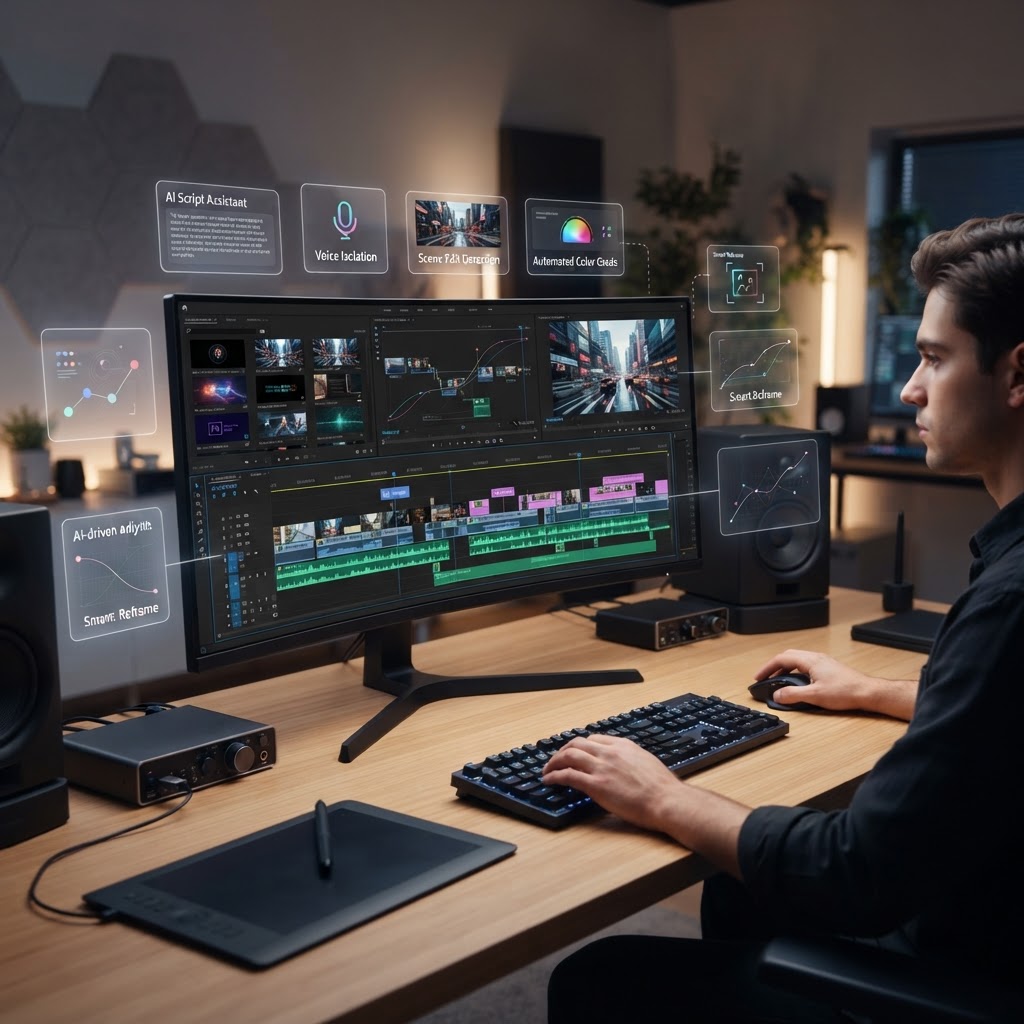
- AI-driven tools have shifted from novelty add-ons to essential components of professional video production workflows.
- Text-based editing is fundamentally changing how creators manage long-form content, moving the focus from timeline manipulation to script management.
- Professional software like Premiere Pro now integrates AI to automate manual tasks like color matching and transcript generation, reducing repetitive labor.
- Mobile-first platforms like CapCut have democratized complex AI effects, making high-end production accessible to social media-focused creators.
- Generative video tools like Runway represent the frontier of creation, allowing for the synthesis of entirely new visual assets rather than just editing existing footage.
The landscape of video production underwent a seismic shift as we crossed the threshold into 2026. What was once a slow, frame-by-frame manual grind is now being transformed by a sophisticated layer of intelligence that understands intent, context, and visual composition. For the modern creator and post-production professional, selecting the right platform has become less about technical skill and more about identifying which ecosystem offers the most efficient AI-integrated pipeline. As we evaluate the best AI video editor 2026 options, the goal is not just to automate the menial but to amplify creative potential. Whether you are navigating the robust professional suite of Adobe Premiere Pro, leveraging the efficiency of text-based video editing in Descript, or leaning into the generative capabilities of Runway, the software you choose now dictates the ceiling of your output speed and creative scope.
1. Understanding the Rise of AI in Video Production
The evolution of AI video editing tools has reached a stage of maturity where software no longer merely reacts to user inputs but actively predicts the desired outcome. Historically, editors spent a disproportionate amount of time on “offline” tasks—transcribing audio, syncing multicam clips, performing basic color balance, and rotoscoping subjects. By 2026, the rise of specialized neural networks has turned these bottlenecks into background tasks that happen in milliseconds. This transition marks the move from “manual assembly” to “curatorial production.”
At the core of this rise is the integration of multimodal large language models and computer vision. These systems allow software to “watch” footage, identify key moments, flag visual inconsistencies, and even suggest structural cuts based on the pacing of the narrative. The industry has seen a massive move toward video editing workflow automation, where the machine serves as an assistant that pre-processes raw ingest files. This capability allows the editor to skip the tedium of logging footage and move directly to the creative assembly phase.
Furthermore, the democratization of hardware-accelerated machine learning means that even mid-range workstations can handle tasks that previously required dedicated render farms. Modern AI-enhanced platforms now utilize local neural processing units (NPUs) to perform real-time video enhancement, background noise removal, and frame interpolation without taxing the main CPU. This shift has enabled a paradigm where smaller teams can produce content that matches the visual polish of large-scale studios. Professionals are no longer simply “editors”; they are becoming “directors of automation,” managing the parameters of the AI agents that assemble their vision. As we look at the software landscape, it is clear that the best tools are those that blend seamless automation with granular human control, ensuring that the editor’s aesthetic signature remains intact while the AI handles the heavy lifting.
2. How AI Enhances Video Editing Speed and Precision
To understand why video editing workflow automation has become the gold standard, one must examine the specific pain points AI addresses. Precision in editing is often a victim of fatigue. Human editors, no matter how talented, tend to lose accuracy after hours of staring at the same timeline. AI, conversely, is perfectly consistent. When performing tasks like smart-cutting, where the software identifies “dead air” or repetitive filler words, it does so with a precision that scans every millisecond of audio-visual correlation. This produces a tight, rhythmically sound cut that acts as a perfect “first pass” for the editor to refine.
Beyond simple cutting, the advancement of AI video enhancement software has changed how we treat archival and low-quality footage. Intelligent upscaling, which reconstructs details from low-resolution sources using generative training, is now a standard feature in high-end suites. Furthermore, color management—an area that traditionally requires years of color theory study—is now assisted by AI that can match the color profile of a primary shot to subsequent clips with one click. This level of automation ensures that a video maintains a consistent “look and feel,” which is essential for professional-grade storytelling.
Precision also extends to masking and rotoscoping. The old-fashioned way of tracking a subject’s movement frame-by-frame is largely a relic. Today, AI-powered object tracking allows an editor to highlight a subject in one frame, and the algorithm extrapolates that mask through the entire clip, adjusting for complex movements, occlusions, and depth of field changes. This level of precision is not just a time-saver; it allows for creative possibilities that were previously prohibitively expensive for most creators. By offloading these technical burdens to the AI, editors can focus on the macro-level issues: narrative flow, emotional impact, and thematic consistency. This is where the true value lies: turning a labor-intensive technical process into a high-level creative one.
| Tool | Primary Workflow | Best For |
|---|---|---|
| Adobe Premiere Pro | Timeline-based / Integrated AI | Long-form, broadcast, and feature film editing |
| Descript | Text-based / Script manipulation | Podcasts, interviews, and corporate content |
| CapCut | Mobile-first / Social media templates | Short-form content and quick social edits |
| Runway | Generative video / AI effects | Visual effects and motion graphics design |
3. Adobe Premiere Pro vs Descript: Professional vs Text-Based Workflows
The debate between Premiere Pro AI vs Descript represents the most significant divergence in post-production philosophy today. Adobe Premiere Pro, the industry standard, has integrated artificial intelligence as a supportive layer. It does not replace the timeline; rather, it optimizes it. Features like “Text-Based Editing” in Premiere are powerful, but they operate within the context of a robust non-linear editor (NLE). Adobe’s approach is designed for the user who needs absolute control over every pixel, audio track, and color grade. When using Premiere, the AI handles the “smart” lifting—automating the transcription, identifying silence, and balancing audio levels—while the editor maintains a traditional workspace that allows for deep, surgical adjustments.
Descript, on the other hand, flips the model on its head. In Descript, the text is the video. The software transcribes the media upon import, and editing the transcript automatically edits the video. For creators whose work is driven by dialogue—think YouTubers, podcasters, or corporate communicators—this is transformative. It allows an editor to “read” their way to a finished video. If a speaker uses a filler word or makes a mistake, the user simply deletes the word in the text, and the corresponding video frame is cut. It is an incredibly fast, efficient methodology that removes the abstraction of the waveform.
The contrast between these two is stark. Premiere Pro remains the best choice for complex projects where multiple video layers, intricate effects, and high-bitrate footage are standard. It is the tool for those who need to scale their production to the level of cinema or high-end television. Descript excels in speed and agility. It is the ideal tool for content that relies on speech, where the narrative is king and visual flair is a secondary, albeit important, concern. Choosing between them comes down to the nature of your output: if your workflow is built on visual design, Premiere Pro’s expansive ecosystem is essential. If your workflow is built on narrative velocity and efficient storytelling, the text-based paradigm of Descript is often the faster, more intuitive path.
4. CapCut: Is the Best Free Mobile-First AI Editor?
CapCut has arguably been the most disruptive force in the market. By prioritizing a mobile-first interface and leveraging heavy AI implementation, it has brought professional-level effects to the masses. Many experts acknowledge that for short-form video creators, CapCut is essentially the best AI video editor 2026 for social media platforms. Its ability to generate auto-captions, remove backgrounds, and match beats to music automatically has lowered the barrier to entry for millions of users who never touched a traditional editing suite.
What makes CapCut unique is how it integrates generative AI into the social editing cycle. It uses trend-aware algorithms to suggest transitions, music, and visual styles that are currently high-performing on platforms like TikTok and Instagram. This “algorithmic awareness” means that the software helps the creator not just edit, but optimize for the specific platform’s audience. When you open CapCut, the focus is on ease of use. You don’t need to learn track management or color grading curves; the software provides “Magic” buttons that handle the complexity behind the scenes.
While skeptics might argue that CapCut lacks the depth of a tool like Premiere Pro, it is crucial to recognize that the platform serves a different segment of the market. For a creator producing daily content for a mobile audience, the sheer efficiency of CapCut’s AI suite is unmatched. It includes sophisticated features like text-to-video generation, where the user types a prompt and the tool constructs a video clip, and advanced speech-to-captioning that understands context and slang. These features, combined with its seamless mobile interface, create a closed-loop workflow that is optimized for speed. While it may not be the primary choice for long-form narrative cinema, it is unequivocally the powerhouse for modern, high-velocity digital content creation, proving that power does not always require complexity.
5. Runway vs Pika: Leading AI Tools for Generative Video Effects
If we look toward the horizon of video production, the conversation shifts from editing existing footage to creating new footage entirely. Runway and Pika have emerged as the leaders in this generative space. Unlike the previous tools discussed, which are largely focused on manipulation, these tools are built on diffusion models that can manifest visual content from text or image prompts. This is where the concept of the “best AI video editor 2026” begins to blur with the idea of “AI cinematography.”
Runway has long been a favorite for its “Gen” series models, which allow for high-fidelity video generation and advanced image-to-video transformations. It offers a level of control that appeals to VFX artists, such as “Motion Brushes,” which allow a user to paint specific areas of an image and dictate how they should move. This allows for nuanced control over generative video, making it a viable tool for adding visual elements that would otherwise be impossible to film. It functions less as a traditional editor and more as a digital studio where you can expand your canvas.
Pika, meanwhile, has taken a more user-friendly, prompt-centric approach, excelling in the rapid generation of stylized clips. It is incredibly effective at capturing specific visual textures and aesthetic moods that might take hours to produce using traditional animation techniques. Together, these tools are fundamentally changing the workflow. We are now seeing a hybrid model where professional editors use Adobe Premiere Pro for the assembly but round-trip their clips to Runway for generative enhancement, such as adding atmospheric elements, replacing backgrounds with hyper-realistic AI environments, or extending shots that were too short. The ability to integrate these generative tools into a standard NLE workflow is becoming a mandatory skill for the modern post-production team. While they are not direct replacements for standard editing software yet, their utility in creating supplementary assets and high-end visual effects makes them essential components of the modern video production stack.
Automating Color Grading and Sound Design with AI
The paradigm shift in post-production is no longer limited to cutting and sequencing clips; it has migrated deep into the aesthetic layers of the image and the nuanced delivery of sound. Automating color grading and sound design is perhaps the most significant time-saver for modern editors, allowing creators to focus on narrative arc rather than technical minutiae.
In 2026, AI-driven color grading tools have moved beyond simple presets. Modern software utilizes neural networks to perform context-aware color matching. If you are shooting an interview across multiple days with fluctuating natural light, AI editors can now analyze the color space of a reference clip and perform pixel-level adjustments to ensure visual consistency across the entire sequence. This process, once known as “shot matching,” historically required manual scopes and tedious adjustments. Today, algorithms identify skin tones, light temperatures, and exposure levels to normalize footage in seconds.
Beyond basic matching, advanced AI engines offer “mood-based” grading. By interpreting natural language prompts—such as “give this a moody, cinematic noir aesthetic” or “make this look like a warm, high-exposure beach day”—the software applies sophisticated Look-Up Tables (LUTs) and color masks. These systems understand spatial awareness; they can brighten a subject’s face while simultaneously cooling the background, a technique that previously required rotoscoping or complex masking.
Sound design is undergoing a parallel transformation. Automated dialogue enhancement is now a baseline feature in most professional suites. AI models trained on millions of hours of audio can identify and isolate background noise, hums, and echoes, effectively “cleaning” messy location audio to sound as if it were recorded in a professional studio. Furthermore, AI-powered music recommendation engines analyze the emotional cadence of a video to suggest or even generate adaptive soundtracks. These scores automatically sync to cuts and beats, shifting tempo or intensity in response to the visual pacing of the edit. This level of automated sound design ensures that the emotional impact of the video is never lost, even for creators who lack formal training in audio engineering.
Key Features to Look for in AI Video Editing Software
When selecting the best AI video editor for your workflow in 2026, the marketing noise can be overwhelming. To cut through the hype, focus on the following core technological competencies that define a robust professional tool:
- Multi-modal Analysis: Look for software that understands video not just as a sequence of frames, but as data. The best tools can “watch” your footage and automatically tag objects, faces, and actions, making the search for specific B-roll instant rather than manual.
- Platform Portability: A high-quality AI editor should handle project portability. Can you start a rough cut on a cloud-based editor like Descript and finish it with high-end color grading in Premiere Pro? Workflow integration is the hallmark of a professional-grade tool.
- Adaptive Export Capabilities: The software should automatically reframe horizontal content for vertical formats (9:16) using smart-cropping technology that keeps the subject in the frame, rather than simply zooming into the center.
- Real-time Generative Fill: Whether for removing unwanted objects (like light stands or microphones) or extending the borders of a frame, generative AI should be integrated directly into the timeline for non-destructive editing.
- Transparency and Privacy: Especially for corporate or commercial work, ensure the software offers local processing options if security is a concern.
| Feature | Premiere Pro (AI Integrated) | Descript | Runway | Best For |
|---|---|---|---|---|
| Workflow Focus | Professional NLE | Text-based Editing | Generative Art/FX | High-End Production |
| Color Grading | Advanced/Manual | Basic/Automated | Generative/Stylistic | Creative Styling |
| Text-to-Video | Experimental | Limited | Industry Leading | Generative B-roll |
| Learning Curve | High | Low | Medium | Beginner/Fast Paced |
Common Mistakes to Avoid When Using AI in Video Projects
The adoption of AI in video editing is not without its pitfalls. As these tools become more powerful, the risk of “automated mediocrity” increases. Many editors fall into the trap of over-relying on algorithmic suggestions, which can result in a homogenous look and feel across their content.
One common mistake is neglecting the human element of “pacing.” AI tools are excellent at identifying sound bites or visual hooks, but they often struggle to understand the “breath” of a story. A machine might cut a clip exactly when a subject stops speaking, whereas a human editor might allow a two-second pause to let the emotional weight of a statement land. When using automated tools, always review the final cut manually to ensure the rhythm feels intentional rather than mechanical.
Another frequent error is the misuse of AI-driven upscaling and enhancement. While AI can improve low-resolution footage, “hallucinated” textures can occur if the software pushes too far. This often manifests as strange, plastic-like artifacts on human skin or shaky, shimmering edges on complex backgrounds. Always check enhanced footage at full resolution on a high-quality monitor, and avoid over-processing archival or low-bitrate source material.
Finally, avoid skipping manual metadata tagging. While AI can scan and categorize your footage, it lacks the specific context of your project’s goals. Relying entirely on auto-tagging without adding your own descriptors for “client-specific” or “narrative-specific” moments can make long-term asset management difficult. Treat AI as your assistant, not your lead editor.
How to Choose the Right AI Editor for Your Skill Level
Selecting the right software is a matter of matching your technical requirements with your intended output. If your goal is high-volume social media creation, the priority should be velocity and accessibility.
For the Absolute Beginner: If your experience level is limited to basic mobile editing, platforms that prioritize text-based editing or “template-plus” systems are ideal. These tools allow you to change the video by editing a transcript. You aren’t managing timelines or frame rates; you are manipulating the story. Look for platforms that offer cloud collaboration, as they reduce the need for powerful local hardware.
For the Content Creator and Influencer: You likely need a balance of speed and high-quality aesthetics. You want tools that offer AI-powered captioning, smart-reframing for vertical social feeds, and automated background noise removal. CapCut and Descript are the industry leaders here, as they drastically reduce the time from “raw footage” to “published post” without requiring a background in color science or sound engineering.
For the Professional Cinematographer and Post-House: Your workflow is likely centered around high-bitrate RAW footage and collaborative pipelines. In this case, choose tools that integrate AI into established, professional software like Premiere Pro or DaVinci Resolve. You don’t want an editor that replaces your workflow; you want one that accelerates specific, time-consuming tasks within that workflow, such as color matching, audio cleanup, or rotoscoping.
The Future of AI-Driven Cinematography and Editing
As we look toward the later half of the decade, the boundary between “filming” and “generating” will continue to blur. We are moving toward a future where “Cinematography-as-a-Service” becomes a reality. Imagine shooting a scene in a simple, controlled environment and using AI to swap the background for a hyper-realistic, reactive environment that changes lighting and perspective based on camera movement.
Editors will transition into “Creative Directors of Artificial Systems.” Instead of dragging and dropping clips, they will curate visual outputs generated by prompts and refined by human touch. We expect to see more integration of neural radiance fields (NeRFs) into standard editing software, allowing editors to change the camera angle of a captured shot long after the camera has stopped rolling. This will revolutionize low-budget filmmaking, as it allows creators to “fix” framing mistakes that were historically impossible to rectify.
The goal of AI in video editing is not to remove the editor, but to remove the barrier between the idea and the screen. By automating the technical layer of the edit, we are witnessing the democratization of high-end storytelling. The software of 2026 is merely the foundation; the future belongs to those who understand how to harmonize the precision of AI with the irreplaceable intuition of human emotion.
Frequently Asked Questions
Can AI video editing tools really replace a professional video editor?
While AI can handle repetitive tasks like trimming, noise reduction, and basic color correction, it currently lacks the subjective creative intuition required for high-level storytelling. Professional editors provide the narrative pacing, emotional nuance, and stylistic decisions that elevate a project from “content” to “film.” AI is best utilized as a tool that handles the technical overhead, allowing the editor to focus on the story.
Are AI-edited videos considered original content for copyright purposes?
The legal landscape regarding AI and copyright is rapidly evolving. Generally, content that is significantly modified by a human—using AI as a tool rather than a generator—is considered original. However, purely AI-generated video may have different protections depending on your jurisdiction. Always check local laws and the terms of service of your specific video editing software before relying on AI for commercial intellectual property.
Do I need a high-end computer to run AI-powered video editing software?
It depends on the software. Cloud-based editors like Descript require only a stable internet connection and a browser, as the processing happens on remote servers. However, if you are using AI features within professional desktop software like Premiere Pro, you will typically need a dedicated GPU and a robust processor to handle the computational load of real-time AI effects. Always check the system requirements on the manufacturer’s website.
Will AI editing software make my footage look “fake” or overly processed?
If misused, yes. Over-applying features like AI upscaling, aggressive skin smoothing, or generative background fills can lead to the “uncanny valley” effect, where textures look plastic or artificial. To avoid this, apply AI enhancements in moderation and always compare your processed results against your raw source footage to ensure the final look remains authentic to the original capture.
Which AI video editor is best for a team collaborative workflow?
For collaborative workflows, cloud-native platforms currently hold the advantage. Descript, for example, is built from the ground up for teams, allowing multiple users to comment, edit transcripts, and sync project assets in real-time. Premiere Pro also offers strong collaborative features via Team Projects, which allows professional teams to sync high-resolution media and local AI-generated project data across multiple workstations.
Is it worth paying for a premium AI video editor subscription?
If you are a professional creator or a business, the answer is typically yes. Premium subscriptions often provide higher-quality generative models, faster rendering speeds, increased cloud storage, and priority access to new AI features. For hobbyists, many of these tools offer tiered pricing or “freemium” models that allow you to access basic AI functions without a monthly commitment. Evaluate how much time you save per project compared to the cost of the subscription to determine the value for your specific use case.
Conclusion
The evolution of AI video editing tools in 2026 marks the beginning of a new era in digital media. By offloading technical burdens to sophisticated algorithms, creators have been granted unprecedented freedom to prioritize narrative, pacing, and visual storytelling. Whether you are a professional editor mastering the AI integrations in Premiere Pro or a content creator utilizing the speed of CapCut and Descript, the software you choose is the engine that drives your creative vision.
The key to success in this fast-moving landscape is not to resist the technology, but to master it. Use AI to handle the heavy lifting, refine the output with your human touch, and stay focused on the story that only you can tell. Explore the tools mentioned in this guide, test their capabilities within your specific workflow, and discover how much faster you can bring your next vision to life.
Ready to elevate your editing game? Start your free trial of a professional AI-integrated editor today and see how much time you can reclaim for your next project.
By aismarttoolsreview Editorial Team
Leave a Reply