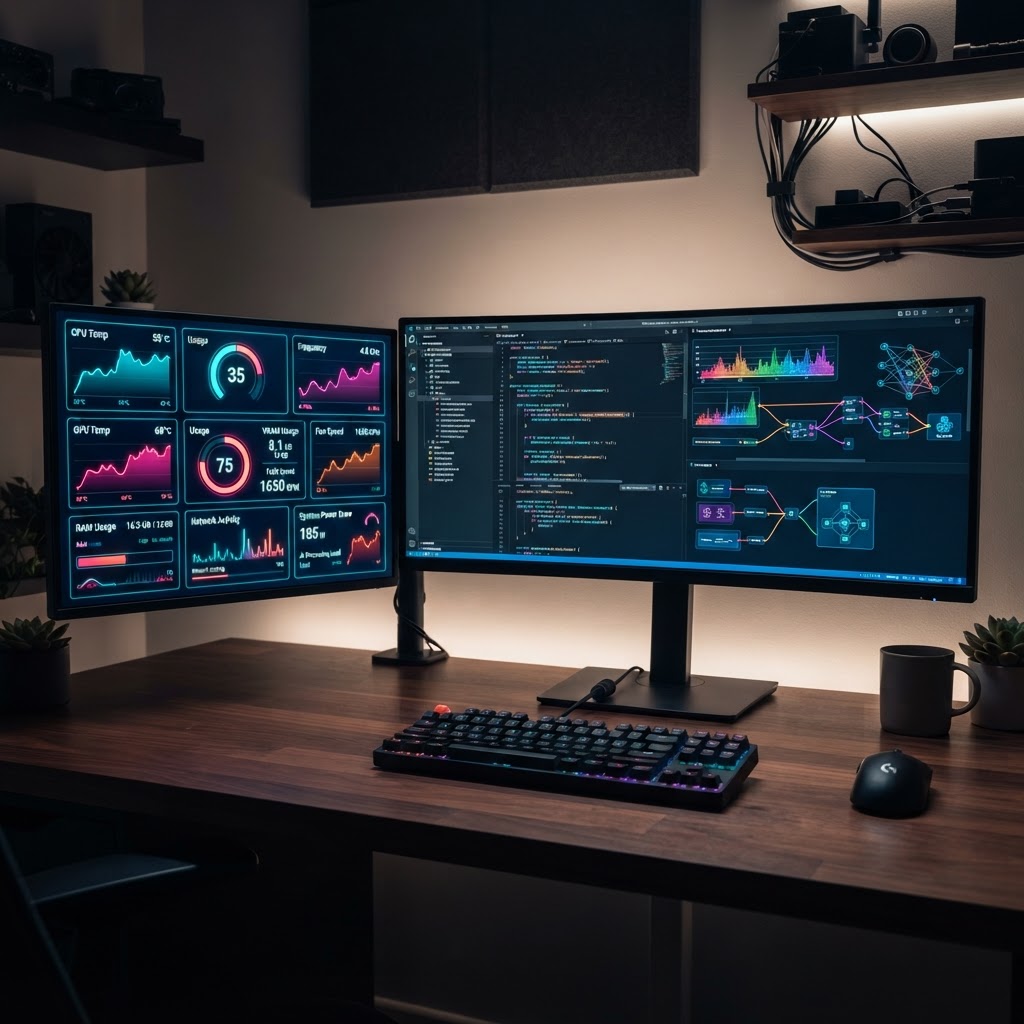
- AI-driven monitoring shifts hardware management from reactive maintenance to proactive, predictive system health.
- Real-time telemetry analysis allows AI to adjust clock speeds and fan curves before thermal throttling occurs.
- Modern AI PC monitoring tools extend the lifespan of high-end GPUs by optimizing voltage delivery under varying workloads.
- Predictive maintenance algorithms analyze microscopic performance dips to identify failing components long before a system crash.
- Integrating intelligent software is essential for professional-grade machines running local LLMs and intensive generative AI workflows.
As we navigate through 2026, the intersection of high-performance computing and artificial intelligence has fundamentally altered how we maintain our desktop and workstation hardware. Gone are the days of manual fan adjustments and static overclocking profiles. Today, your system acts as a living organism, and the latest generation of AI PC monitoring tools serves as its central nervous system. By leveraging machine learning models that analyze telemetry data in real-time, these sophisticated software suites ensure that your components operate at peak efficiency, protecting your investments against the rigors of modern computing demands. Whether you are running local Large Language Models (LLMs), rendering complex 3D scenes, or pushing hardware to its thermal limits, adopting a smart management strategy is no longer a luxury—it is a necessity for long-term reliability and peak performance.
Why AI-Driven Hardware Monitoring Matters in 2026
The transition toward AI-driven hardware monitoring is a direct response to the increasing complexity of modern computing components. In previous years, hardware health monitoring relied on basic threshold alerts; if a component reached a set temperature, an alarm would sound or the system would shut down to prevent damage. In 2026, the paradigm has shifted significantly. Current AI PC monitoring tools utilize pattern recognition to understand the baseline behavior of your specific hardware configuration. By observing millions of data points per second, these systems differentiate between a benign, temporary spike in usage and an actual impending hardware fault.
Consider the thermal profile of a modern, high-TDP (Thermal Design Power) processor. These chips often utilize complex power-gating architectures that vary voltage across different cores depending on the current thread load. Traditional monitoring software often struggles to provide actionable insights because it cannot contextually weigh the data. AI-driven solutions, however, correlate system load with voltage, current, and temperature, allowing the software to distinguish between a healthy “boost” state and an inefficient power leak. This level of granularity is essential for users who demand consistent performance without unnecessary degradation.
Furthermore, the ubiquity of local AI processing—ranging from generative art tools to local coding assistants—places a constant, unpredictable load on the system. When you execute an inference task, the hardware demand is often bursty and high-intensity. Without intelligent software, your cooling system might react too slowly to these spikes, leading to micro-throttling that disrupts the creative flow. Modern AI optimization software anticipates these bursts, adjusting fan curves and power limits milliseconds before the load hits the silicon. This preemptive behavior minimizes performance jitter, ensuring that the machine remains responsive during intensive operations. By continuously learning from your specific usage patterns, these tools effectively turn your custom PC into a self-optimizing workstation, maximizing the longevity of expensive components while delivering consistent compute power.
How Intelligent Diagnostics Prevent Hardware Failure
Intelligent diagnostics represent the frontier of PC diagnostic tools 2026, moving beyond simple error code reporting into the realm of behavioral forensics. Rather than waiting for a sensor to return a critical “trip” value, AI systems monitor the noise within the data. For instance, if the voltage regulation modules (VRMs) on your motherboard begin showing subtle, erratic deviations in ripple current, an AI-powered diagnostic tool can flag this as a potential failure of a capacitor or power stage. Humans would rarely notice these minute fluctuations, but machine learning algorithms are uniquely suited to detect the degradation of electrical signals over time.
This proactive approach is particularly beneficial for the longevity of GPU performance trackers and other specialized hardware. Many failures, such as memory corruption in VRAM or the gradual degradation of thermal paste effectiveness, occur as a “slow burn” rather than an abrupt event. AI diagnostics observe the delta between thermal output and clock speed consistency. If a GPU requires significantly more voltage to maintain the same clock speed than it did six months prior, the AI recognizes this as a sign of silicon degradation or thermal interface material fatigue. It then provides a diagnostic report that suggests specific maintenance, such as reseating the cooler or adjusting the power limit to account for the aging component.
Implementing these intelligent diagnostics also involves a holistic view of the system. The software integrates data from various sensors—ambient room temperature, case airflow, SSD health status (S.M.A.R.T. data), and RAM error correction logs—to build a unified model of your PC’s health. By analyzing this convergence of telemetry, the AI can pinpoint the root cause of systemic instability. Instead of a vague “system error,” the user receives a precise, actionable recommendation, such as “inconsistent VRAM response detected under sustained AI model training; potential thermal fatigue in module 3.” This shifts the user experience from technical troubleshooting to informed decision-making, significantly reducing the downtime associated with mysterious system crashes or silent data corruption.
Comparing Automated Thermal Management Solutions
When selecting the right software for your setup, it is crucial to understand that thermal management software has evolved into a strategic balancing act. The goal is to maximize heat dissipation while maintaining a noise profile that is acceptable for your workspace. Below is a comparison of different approaches to AI-driven thermal optimization.
| Optimization Approach | Key Mechanism | Best For |
|---|---|---|
| Predictive Fan Curves | Pre-loads fan speed before heat spikes occur. | Quiet, sustained high-load workloads. |
| Dynamic Power Throttling | Adjusts wattage limits based on thermal headroom. | Small form-factor builds and laptops. |
| AI-Adaptive Airflow | Controls case fans based on component-specific heat. | Multi-GPU or extreme overclocking setups. |
| Hybrid Thermal Balancing | Balances CPU/GPU load to prevent hotspot overlap. | General pro-creative workstations. |
Choosing the correct tool depends largely on the “thermal density” of your build. For users in small form factor (SFF) cases, dynamic power throttling is often the most effective approach. In these constrained environments, the AI must ensure that the CPU and GPU are not fighting for thermal headroom. By dynamically reallocating power based on which component is currently handling the primary task, the software prevents the entire system from reaching the thermal ceiling prematurely. For those with massive, water-cooled enthusiast builds, AI-adaptive airflow management is more relevant. These systems track the temperature of specific hotspots on the motherboard, such as the VRMs or M.2 SSD slots, and adjust individual case fans to ensure that localized heat pockets are dissipated before they can affect overall system performance.
The market for thermal management software in 2026 is increasingly polarized between proprietary OEM solutions and hardware-agnostic AI platforms. While OEM software is generally well-tuned for specific pre-built machines, cross-platform tools are gaining traction for custom-built workstations. These third-party tools are often better at identifying the nuance of various fan controllers and motherboard sensors, providing a unified control interface. When evaluating these options, look for software that offers a “learning mode.” This feature allows the software to observe your specific cooling solution’s effectiveness over several days, mapping how the case pressure and fan speeds correlate to temperature drops. Over time, this results in a highly optimized thermal profile that is specific to your hardware, room environment, and typical daily workflow, far exceeding the capabilities of static, pre-configured fan curves.
Real-Time GPU Optimization for Heavy Workloads
For modern power users, the GPU is the most critical component in the system, often acting as the engine for compute-heavy tasks beyond gaming. A dedicated GPU performance tracker equipped with AI capabilities is essential for maintaining the stability of these units. Unlike traditional monitoring utilities that simply display clock speeds and usage percentages, AI-driven trackers analyze the “frame time” consistency and “compute latency” of the GPU. This is particularly important for tasks like generative AI, where consistent throughput is more critical than raw, peak frame rates or clock speeds.
When executing complex inference tasks or rendering large batches, GPUs often face thermal and power delivery challenges. The AI-driven tracker monitors the power delivery system, ensuring that transient load spikes do not cause voltage drops that lead to instability. Many of these tools allow for intelligent undervolting—an AI-automated process where the software finds the lowest stable voltage for a given clock frequency. By reducing unnecessary voltage, the GPU operates at a lower temperature, which in turn allows the hardware to maintain higher boost clocks for longer periods. This is a classic example of AI optimization software providing a “win-win” scenario: you get cooler, more efficient operation and improved performance, all without manually tinkering with complex overclocking parameters.
Moreover, modern GPU tracking tools now provide insight into memory bandwidth and VRAM utilization in the context of specific applications. If an AI model is attempting to load a larger dataset than the available memory can comfortably manage, the tracker provides a warning and suggests specific optimization settings to prevent system swaps to the slower system RAM. This prevents the “bottlenecking” that often occurs in AI workflows. By providing a clear visualization of how software demand meets hardware capacity, these trackers empower users to tune their applications. When you combine this with the capability to log performance data over time, you can effectively audit your software efficiency. If a new update to an AI library causes a significant dip in GPU throughput, the monitoring tool will highlight exactly where the overhead has increased, allowing you to make informed decisions about whether to roll back versions or adjust your workload distribution. This level of insight transforms the GPU from a “black box” into a transparent component that can be fully optimized for your specific professional requirements.
Predictive Maintenance: How AI Foresees System Crashes
Predictive maintenance is arguably the most significant advancement in PC health management. By moving from a reactive model—where a user discovers a fault after a blue screen or a hardware failure—to a predictive one, users can prevent data loss and professional disruption. The fundamental principle is based on the analysis of subtle performance anomalies that act as leading indicators for hardware failure. For example, modern AI diagnostic tools monitor the communication logs between the storage controller and the SSD. If the latency in command processing begins to show slight, non-linear increases over several weeks, this can indicate that specific NAND blocks are reaching their write-limit or are beginning to fail. Instead of waiting for a total drive failure, the AI software triggers a proactive alert, suggesting that the user initiate a backup and consider a hardware replacement.
Similar logic applies to memory (RAM) stability. AI-driven PC monitoring tools track the frequency of corrected error codes (ECC or internal soft-error management). A sudden increase in corrected errors in a specific memory rank is often a precursor to a complete DIMM failure or a sign of memory controller instability. By alerting the user to these “early warning signs,” the software allows for the rescheduling of critical work, providing peace of mind in high-stakes environments like financial modeling, deep learning training, or high-end post-production, where a sudden crash could result in the loss of hours or even days of computational progress.
The beauty of these predictive models lies in their ability to contextualize noise. Not every system stutter is a hardware failure; sometimes it is a software driver interaction or a resource contention issue. AI tools are trained on vast datasets of hardware behaviors to distinguish between “software friction” and “hardware degradation.” When an anomaly is detected, the diagnostic engine performs a series of non-intrusive tests—stressing specific memory addresses or querying the power supply’s diagnostic bus—to confirm the source of the issue. This dramatically reduces false positives, ensuring that users only focus their attention on genuine maintenance needs. As we look at the trajectory of these tools, we see a future where “system uptime” is no longer something we hope for, but something that is actively managed and guaranteed by intelligent software layers. This creates a more robust computing environment where hardware is treated as an asset that requires continuous, data-informed stewardship rather than a static piece of equipment that is simply replaced upon total failure.
Integration With Gaming and Professional Creative Software
Modern AI-driven PC monitoring tools are no longer isolated background processes; they have evolved into ecosystem-aware platforms that interface directly with professional creative suites and gaming engines. By leveraging APIs provided by major software developers, these tools can now predict hardware bottlenecks before they manifest as frame drops or render crashes. For professional video editors and 3D animators, this integration is transformative. When an AI tool detects that a specific timeline operation—such as real-time color grading in DaVinci Resolve or ray-traced rendering in Blender—is taxing the VRAM, it can dynamically trigger “Priority Mode.” This shifts resources away from background tasks, reallocating cache and processing power to the active application. This is fundamentally different from traditional manual overclocking, which was rigid and application-agnostic.
In the gaming sector, the integration works through telemetry synchronization. High-end monitoring suites now hook into common game engines like Unreal Engine 5 or Unity to correlate thermal data with game-state changes. If an AI monitor detects that a particular environment is causing excessive draw calls or shader compilation spikes, it can instruct the GPU driver to pre-allocate memory or adjust fan curves proactively. This minimizes the “stutter” often associated with complex geometry streaming in open-world titles. Furthermore, for users engaged in live streaming, these tools monitor the encoding overhead on the GPU, balancing the bit-rate demands of the stream against the internal rendering load of the game, ensuring that the broadcast remains stable without compromising local performance.
For professional creative workflows, the ability to log historical performance data per-project is a significant advantage. AI-driven diagnostic tools allow users to tag specific project files. If a workstation experiences a crash or a performance dip while working on a specific high-resolution project, the software can provide a granular breakdown of the thermal state and power delivery status at that exact moment. This capability effectively bridges the gap between basic hardware health monitoring and diagnostic forensics, allowing professionals to identify faulty hardware components or driver conflicts that only surface under specific, high-load creative scenarios.
Balancing High Performance With Energy Efficiency
As the demand for high-compute performance grows, the tension between raw power and energy efficiency has become a critical focus for AI PC monitoring tools in 2026. Maintaining peak clock speeds for extended periods often results in thermal throttling and increased power consumption, which can prematurely degrade hardware. Intelligent optimization software now utilizes predictive modeling to find the “efficiency sweet spot.” Rather than simply forcing a GPU to its maximum voltage, these tools use machine learning to analyze the power-to-performance curve of the specific silicon in the user’s system—recognizing that no two GPUs are identical even within the same product line.
By implementing “Smart Power Profiles,” these tools can perform dynamic undervolting. By lowering the voltage of the GPU or CPU during tasks that do not require maximum compute density, the system maintains the same frame rates or render speeds while significantly reducing the heat signature and power draw. This approach extends the lifespan of internal capacitors and power delivery modules (VRMs). For the environmentally conscious user, many of these tools now include “Eco-Metrics,” which translate power savings into concrete carbon footprint reductions, encouraging a more sustainable computing practice without sacrificing the high-performance capabilities of the PC.
Furthermore, these tools are increasingly integrated with smart power supplies (PSUs) that report real-time efficiency data. The AI monitors analyze this data to suggest adjustments, such as capping frame rates to a monitor’s refresh rate if the GPU is rendering far in excess of what the display can show. By preventing the GPU from working “for nothing,” the system saves energy and keeps the chassis cooler. This level of optimization is essential for high-performance builds, where the bottleneck is often thermal saturation rather than raw processing capability.
| Tool Name | Key Efficiency Feature | Monitoring Depth | Best For |
|---|---|---|---|
| NeuroOptimize Pro | Predictive Undervolting | Deep Kernel-Level | Professional Workstations |
| ThermalSync AI | Adaptive Fan Curves | Motherboard Sensor Focused | Custom Gaming Rigs |
| PowerPulse Monitor | Carbon Footprint Tracking | Comprehensive System Power | Eco-Conscious Creators |
| CoreLogic Expert | Dynamic Frequency Scaling | CPU/Memory Latency | High-Frequency Traders/Finance |
Security Risks of AI Monitoring Software Explained
While AI PC monitoring tools provide substantial benefits for performance optimization, they also introduce unique security considerations that users must navigate. Because these tools require deep access to the operating system’s kernel to monitor hardware sensors, voltage levels, and bus traffic, they are granted high-level privileges. If a monitoring tool is not developed with robust security protocols, it could theoretically serve as a vector for privilege escalation. Users should prioritize software that utilizes authenticated drivers and has undergone third-party security audits. The primary risk is not necessarily malicious intent by the developer, but rather the vulnerability of the software to third-party exploitation if it lacks encrypted data pipelines.
Data privacy is another concern. Many of these tools upload telemetry data to cloud servers to leverage machine learning models for comparative performance analysis. Users should carefully review the privacy policies of any AI-driven software. Is the hardware data anonymized? Are there options to perform all analysis locally on the PC? Top-tier tools in 2026 typically emphasize “Edge AI” processing, meaning that the neural network analysis occurs entirely on the user’s machine, keeping sensitive hardware IDs and usage patterns offline. If a tool requires constant cloud connectivity for basic diagnostic functions, it should be treated with more caution.
Lastly, users should be wary of software that bundles unnecessary telemetry modules or third-party “optimization” services that may not be transparent. Some less reputable tools mask data-harvesting practices behind the guise of “improving performance suggestions.” Always opt for tools that provide a clear list of the specific data points being monitored, whether it be GPU clock speed, RAM timings, or total power draw. Maintaining a balance between functionality and a “least-privilege” access policy is the best way to secure a system while using advanced optimization tools.
Choosing the Right Performance Tracker for Your PC Setup
Selecting the ideal performance tracker depends heavily on the primary use case of the PC. A user with a custom liquid-cooled rig aiming for extreme overclocking requires different software than a corporate user managing a fleet of professional workstations. For gaming enthusiasts, the priority should be on tools that offer low-latency overlays and seamless integration with game engines. These users should look for software that provides “one-click” optimization presets that have been community-tested for stability. The ability to customize hotkeys for shifting between “silent” and “performance” modes is also a high-value feature for gamers who switch between intense competitive gaming and lighter desktop tasks.
For creative professionals, the focus must shift toward stability monitoring and historical logging. These users benefit from tools that provide visual graphs of hardware behavior over long-duration renders or complex compilations. A tracker that can export logs into standard data formats, such as CSV or JSON, allows professionals to perform their own forensic analysis if stability issues arise. Additionally, compatibility with professional hardware monitoring APIs—such as those used by workstation-grade motherboards and enterprise GPUs—is non-negotiable for this demographic.
Finally, consider the user interface (UI) and resource footprint of the monitoring tool itself. An optimization tool that consumes 5% of CPU usage just to monitor the system is counter-productive. Modern, well-optimized software should exist as a “lightweight” layer that stays dormant until called upon, or operates with extremely low background overhead. Users should prioritize software that allows for granular control over which sensors are polled and how often, as frequent polling can occasionally cause micro-stutters in extremely time-sensitive applications. By evaluating tools based on these criteria—resource consumption, data security, and specialized feature sets—users can effectively integrate AI-driven intelligence into their hardware management routines.
Frequently Asked Questions
Does AI-driven monitoring software actually improve hardware lifespan?
Yes, many experts suggest that by preventing thermal runaway and aggressive power fluctuations through predictive load balancing, AI monitoring software can help maintain hardware within its safe operating envelope. By reducing the number of high-temperature cycles, the software can theoretically mitigate the degradation of sensitive electronic components, such as MOSFETs and capacitors, over the long term.
Can AI optimization tools cause system instability?
While designed to enhance stability, any tool that interacts with hardware at the kernel level carries the risk of conflict. This is particularly true if the user attempts to apply extreme overclocking presets provided by the software without adequate cooling or if the tool conflicts with existing motherboard-specific control software. It is always recommended to test settings in small increments and maintain a system restore point.
Do I need an internet connection to use AI-based PC monitors?
It depends on the architecture of the specific tool. Many modern tools utilize “Edge AI,” meaning the necessary neural models are stored locally on your PC, allowing for offline optimization. However, some tools use cloud-based AI to compare your hardware performance against a massive database of similar systems. You should check if the software offers an “Offline Mode” if you have privacy concerns regarding your hardware telemetry.
Will these tools slow down my computer during heavy tasks?
A well-engineered AI monitoring tool should be designed to prioritize system performance above all else. Modern software typically uses highly optimized C++ or Rust backends to minimize overhead. If you notice that your monitoring tool is consuming significant CPU resources while you are working, it may be misconfigured or lacking proper resource scheduling, and you should consider adjusting the polling frequency in the settings.
How do these tools differ from basic Task Manager monitoring?
Basic system monitors provide a snapshot of current usage, which is reactive in nature. AI-driven monitoring tools are proactive; they use historical data and pattern recognition to anticipate load spikes. For example, rather than just showing that your GPU hit 100% usage, an AI tool can analyze the preceding data to suggest that your specific driver or background background service triggered that spike, providing actionable insights for optimization.
Are these tools compatible with all GPU and CPU brands?
Most major monitoring platforms strive for universal compatibility, supporting current-generation hardware from all primary semiconductor manufacturers. However, some features—such as deep integration with specific vendor-exclusive APIs for power management or advanced thermal telemetry—may be restricted to certain brands. Always check the official compatibility list of the software before installation, especially if you are using specialized hardware like workstation-grade GPUs or enthusiast-tier motherboards.
Conclusion
The landscape of PC management has shifted significantly, moving from passive observation to active, intelligent hardware optimization. AI PC monitoring tools have become essential components for any user looking to extract maximum performance, longevity, and efficiency from their machine. By utilizing predictive analysis, dynamic power management, and detailed system forensics, these tools empower users to understand their hardware on a level that was previously reserved for system architects. Whether you are a professional creative pushing a workstation to its limits, or a competitive gamer seeking a stable frame rate, the integration of AI-driven diagnostics is a game-changer. As you explore these tools, remember to prioritize software transparency, security, and resource efficiency. The goal is to make your PC work harder for you, not the other way around. To get started, evaluate your current hardware bottlenecks, choose a tool that aligns with your specific performance goals, and take control of your system’s intelligence today.
By aismarttoolsreview Editorial Team
Leave a Reply