🏷️ Category: AI Productivity
Disclosure: This independently researched article is written for informational purposes. We are not sponsored by, paid by, or endorsed by any company discussed here. Features, availability, limits, integrations, and pricing can change, so verify every current detail on each provider’s official website before subscribing or relying on a feature.
Key Takeaways
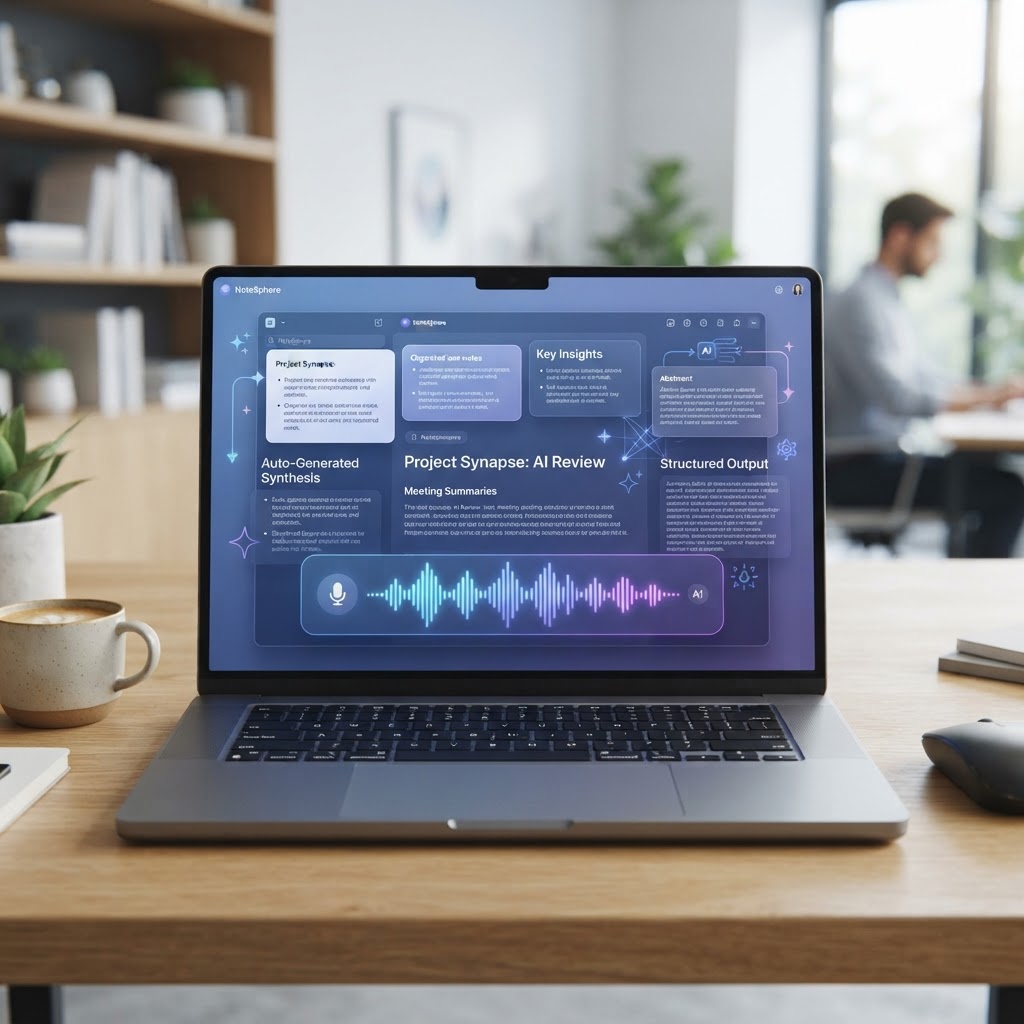
AI note-taking apps are no longer just digital notebooks. The strongest products can capture meetings, turn conversations into searchable records, summarize long material, connect notes to projects, and retrieve relevant context when you need it. The best choice depends less on which app has the most AI buttons and more on where your information lives, how sensitive it is, and how much structure you want.
- Choose an automatic meeting recorder when your main problem is forgetting decisions, action items, or important details from calls.
- Choose a flexible workspace when you want notes, project documents, tasks, and a team knowledge base in one place.
- Choose a privacy-first or local-storage approach when confidential material is more important than maximum convenience.
- Test transcription quality with your real accents, terminology, and meeting conditions before committing.
- Treat AI summaries as drafts: check names, numbers, dates, decisions, and action owners against the source recording or notes.
- Free plans and paid features change frequently. Verify current pricing, storage limits, model access, retention policies, and export options on the official website.
What Counts as an AI Note-Taking App?
The category covers several different products that are often compared as if they were interchangeable. A meeting assistant listens to a call, creates a transcript, and extracts a recap. A workspace app uses AI inside pages, documents, databases, and tasks. A personal knowledge tool tries to connect ideas across a growing archive. A study tool may focus on asking questions about imported sources. All can be called AI note-taking apps, but they solve different problems.
That distinction matters because a beautifully summarized meeting is not automatically a good knowledge system. If the summary cannot be found later, cannot be corrected, or does not connect to the project where work happens, the app has only moved the problem. Conversely, a powerful workspace may be a poor choice for someone who simply wants accurate transcripts without learning a complex system.
For this review, we assess products by capture, organization, retrieval, collaboration, integrations, privacy controls, reliability, and total workflow friction. We focus on common use cases rather than declaring one universal winner. Product names are used for comparison only; there is no implied endorsement or affiliation.
Quick Comparison: Notion, Mem, and Capacities
| App | Best fit | AI strength | Main trade-off |
|---|---|---|---|
| Notion | Teams wanting an all-purpose workspace | Drafting, summarizing, rewriting, and workspace search | Broad feature set can require setup and governance |
| Mem | Individuals who want flexible, low-friction personal knowledge capture | Finding related context and turning unstructured notes into useful material | Workflow and plan details should be checked for your exact use case |
| Capacities | People organizing ideas around objects such as books, people, and projects | Contextual organization and structured personal knowledge | May feel less natural if you only need simple meeting transcripts |
These are category-level observations, not permanent specifications. Providers change models, limits, integrations, and pricing. Verify current information on the official websites before making a purchase.
How We Evaluated the Tools
A fair comparison needs more than a quick demo. We looked at the complete path from capturing an idea to using it later. That includes how quickly a note can be created, whether the app preserves source context, how search behaves when you remember only part of an idea, and whether the resulting information can be exported or moved.
Capture and input
We considered typed notes, pasted material, voice input, files, and meeting capture. A product should make the first step easy without forcing every note into the same template. Automatic capture is convenient, but it should be visible and controllable so users know what is being recorded.
Transcription and summary quality
A transcript can look impressive while still mishearing names, product terms, or negations. We therefore treat readability as only one part of quality. Useful systems preserve the original source, identify uncertainty, separate speakers when possible, and make it easy to compare a summary with the underlying text.
Organization and retrieval
Folders alone are not enough for a large archive. We looked for tags, backlinks, databases, object types, filters, full-text search, semantic retrieval, and the ability to find notes by meaning rather than exact wording.
AI assistance
We assessed whether AI can summarize, extract tasks, rewrite, brainstorm, answer questions from the user’s own material, and cite or point back to source context. The strongest workflow is not simply “ask a chatbot anything”; it is “ask a question and see why the app produced that answer.”
Collaboration and governance
Teams need permissions, shared conventions, ownership, retention choices, and a way to prevent an AI-generated draft from becoming an official decision accidentally. Personal tools can optimize for speed, while team tools need more control.
Portability and trust
Export formats, account recovery, privacy documentation, data retention, deletion controls, and third-party access matter. A note archive becomes more valuable over time, so users should understand how to leave and how their content is handled.
Notion: Best for an AI-Powered Team Workspace
Notion is strongest when notes are part of a broader operating system for work. A team can keep meeting pages, project briefs, task databases, editorial calendars, product documentation, and decisions in one connected environment. Its value comes from the surrounding structure: a note can live beside the project, owner, deadline, and related reference material instead of disappearing in a personal archive.
The AI layer is useful for common editorial and knowledge tasks: summarizing a page, extracting action items, changing tone, drafting from existing material, and finding information across a workspace when the relevant content is available to the system. This can shorten the distance between a raw meeting note and a usable project update.
The trade-off is that flexibility creates responsibility. Teams can build a clean system or a maze of inconsistent pages. Before rolling it out, decide where decisions live, how projects are named, which databases are authoritative, who can edit shared templates, and when an AI-generated draft must be reviewed. Without those rules, more pages can mean more noise.
Who should choose Notion?
Choose it if you want one collaborative workspace and are willing to establish conventions. It is especially attractive for small teams that currently split notes, project plans, internal documentation, and content calendars across several tools. It is less compelling if you only need automatic call transcripts or if your organization cannot invest time in permissions and information architecture.
Mem: Best for Low-Friction Personal Knowledge Capture
Mem takes a different approach: capture first, organize later. That is appealing for people who have many ideas but do not want to decide on a folder or taxonomy before writing. The app’s promise is that search and AI can help surface relationships after the fact, allowing a user to collect notes quickly and retrieve them through natural language.
This style works well for research snippets, personal reflections, contact context, brainstorming, and loose project notes. A user might record several observations over a week and later ask for themes or related material. That is more forgiving than a system that requires the perfect page location at the moment of capture.
The risk is that “organize later” can become “never organize.” AI retrieval is not a substitute for clear source material, consistent naming, or periodic cleanup. If the archive contains many duplicates and unverified drafts, a fluent answer can still be incomplete. Use links, short titles, dates, and explicit source labels to keep the archive understandable.
Who should choose Mem?
Mem is a good candidate for an individual researcher, writer, founder, or consultant who wants fast capture and flexible recall. It may be a weaker fit for a large team that requires strict hierarchical documentation, complex permissions, or highly standardized project records. Check current collaboration and export details before adopting it for a company-wide system.
Capacities: Best for Object-Based Personal Knowledge
Capacities organizes information around objects rather than treating every item as an interchangeable page. A book, person, project, place, or meeting can have its own context and related notes. This can feel natural for people whose work involves research and recurring entities, because the same person or source can connect to many separate observations.
The object approach helps answer questions such as “What have I learned about this client?” or “Which notes relate to this book and the ideas it influenced?” It encourages a richer mental model than a long list of documents. For personal knowledge work, that can make an archive more useful over time.
The trade-off is conceptual overhead. Users who want a plain inbox and a simple search box may find object types and relationships unnecessary. The best setup is the smallest structure that improves retrieval. Do not create ten object types when three would cover your real work.
Who should choose Capacities?
Consider it if you collect research around recurring people, sources, projects, or ideas and want those relationships to remain visible. It may not be the first choice for teams that need a conventional work-management system or users who primarily need live meeting transcription.
Meeting Transcription Versus Knowledge Management
One of the most important buying decisions is whether you need capture or a durable knowledge system. Meeting assistants specialize in the moment of conversation. They can be excellent at producing a transcript, a recap, and action items shortly after a call. But the result still needs an owner, a destination, and a follow-up process.
Knowledge-management apps specialize in what happens afterward. They help connect the meeting to a project, customer, decision log, or research archive. Some offer recording and transcription, while others expect you to import or paste the material. If your main pain is missed details during meetings, start with capture. If your pain is repeatedly rediscovering the same information, prioritize retrieval and structure.
| Need | Prioritize | Questions to ask |
|---|---|---|
| Accurate call record | Transcription and speaker handling | Does it work with your meeting platform and accents? |
| Team memory | Permissions, search, links, and ownership | Can people find the source and the final decision? |
| Research archive | Object or topic relationships | Can you connect notes to sources and projects? |
| Fast personal capture | Low friction and natural-language retrieval | Can you capture without interrupting your thinking? |
| Sensitive discussions | Privacy, retention, deletion, and consent controls | Where is data processed and who can access it? |
Important Features to Test Before Paying
1. Real-world transcription
Use a normal call, not a perfect demo. Include overlapping speech, names, acronyms, background noise, and a mix of speakers. Check whether the transcript keeps important negations and whether action items are assigned to the correct person.
2. Source visibility
Ask the AI to summarize a note and then locate the exact supporting passage. If the app cannot show its source context, treat confident answers cautiously, especially for business decisions.
3. Search with imperfect memory
Search for an idea using a phrase you remember incorrectly. Try a person, a project, a date, and a concept. Good retrieval should tolerate natural language without making the archive feel magical but opaque.
4. Export and portability
Test an export before storing your most important knowledge. Look at whether attachments, links, tables, metadata, and relationships survive. A convenient app is less risky when you can leave without losing the substance of your work.
5. Mobile and offline behavior
Capture often happens away from a desk. Check whether the mobile experience is fast enough, whether offline notes sync safely, and how conflicts are handled.
6. Privacy and retention
Read the provider’s current privacy and security documentation. Look for model-training controls, deletion behavior, retention periods, subprocessors, workspace permissions, and recording consent guidance. Do not paste regulated or confidential data until you understand the controls.
7. Limits and total cost
Look beyond the headline plan. Transcription hours, file storage, history, AI queries, guests, exports, and advanced permissions may have separate limits. Verify current prices and limits on the official website because they can change.
Privacy, Consent, and Safe AI Note-Taking
A note-taking app can contain more sensitive information than an email inbox. Meeting recordings may include customer information, employee feedback, product plans, health details, financial information, or confidential negotiations. The convenience of automatic capture does not remove the responsibility to tell participants when recording or transcription is taking place and to follow the rules that apply to your organization and location.
Use the least sensitive data necessary for a workflow. Separate public brainstorming from confidential client material. Review who can access shared pages. Set a retention period for recordings when the transcript is enough. If a provider offers workspace controls, configure them before inviting a team rather than trying to repair an uncontrolled archive later.
AI summaries also create a subtle governance risk: a polished sentence can make an uncertain statement look final. Mark summaries as drafts, preserve the source, and assign a human owner to confirm decisions. A note should not become a contract, a medical record, a financial recommendation, or an HR conclusion merely because an AI formatted it neatly.
How to Build a Reliable AI Note Workflow
1. Start with a single capture inbox
Choose one default place for quick notes so information does not scatter across five apps. The inbox can be messy; the important part is that every item has a reliable landing point.
2. Add lightweight metadata
Use a date, project or topic label, and source. For meetings, include participants and a short purpose. This small amount of context dramatically improves later retrieval.
3. Separate raw material from interpretation
Keep the transcript, pasted source, or original thought distinct from the AI summary and your final conclusion. This makes review and correction easier.
4. Turn summaries into actions
Ask the AI to identify decisions, open questions, risks, and owners. Then move confirmed actions into the task system where they will actually be tracked.
5. Schedule review time
A weekly review can merge duplicates, correct errors, link related notes, and archive stale material. AI can suggest connections, but a human should decide what becomes durable knowledge.
6. Measure retrieval, not note volume
The goal is not to create the most notes. Track whether you can find the right context before a meeting, answer a recurring question, or recover a decision without asking the same person again.
Common Mistakes to Avoid
- Buying based on the demo transcript instead of testing your own audio, vocabulary, and workflow.
- Assuming a summary is accurate because it sounds confident and grammatical.
- Letting AI-generated action items enter a team tracker without a human confirming the owner and deadline.
- Creating an elaborate taxonomy before you know what you actually search for.
- Ignoring export, deletion, access, and retention questions until after the archive becomes valuable.
- Using a consumer tool for sensitive business information without reviewing its current privacy controls and terms.
- Comparing prices from an old review without verifying the provider’s current official plan page.
- Allowing every team member to create a separate source of truth for the same project.
Frequently Asked Questions
What is the best AI note-taking app overall?
There is no universal winner. Notion is a strong candidate for a connected team workspace, Mem suits flexible personal capture, and Capacities is appealing for object-based personal knowledge. If your priority is meeting transcription, compare dedicated meeting assistants separately and test them with your real calls.
Are AI note-taking apps worth paying for?
They can be worth paying for when they save recurring time, improve follow-through, or make important information easier to retrieve. Calculate the value of recovered meeting time and fewer repeated questions, then compare it with the full subscription cost and any usage limits. Verify current pricing on the official website.
Can AI notes replace human meeting notes?
They can reduce manual typing, but they should not replace judgment. Humans still need to confirm decisions, owners, deadlines, sensitive statements, and context that the conversation implied rather than explicitly said.
Which app is best for students?
The right choice depends on whether the student needs lecture transcription, source-based study questions, flashcards, or a general research archive. Test citation and source-grounding behavior before relying on generated study material, and follow school rules about recording and AI use.
Are AI transcripts accurate?
Accuracy varies with microphones, accents, overlapping speech, background noise, language, and technical vocabulary. Treat transcripts as helpful drafts. Review important names, numbers, dates, and decisions against the audio or original material.
Can I use these tools for confidential meetings?
Only after reviewing the provider’s current privacy, security, retention, access, and model-training documentation and confirming that recording is permitted. Obtain appropriate consent and avoid sharing sensitive data with a service you have not approved.
What happens if an AI app shuts down?
Your risk is lower if you maintain regular exports, keep important source files, use open formats where possible, and avoid making one proprietary workspace the only copy of critical business knowledge.
Do AI note-taking apps train models on my notes?
Policies and controls differ by provider and plan. Do not assume one answer applies to every service. Read the current official privacy and security documentation, inspect workspace settings, and verify the terms before uploading confidential information.
How often should I clean my AI notes?
A short weekly review is usually more sustainable than a large monthly cleanup. Correct high-value notes first, connect decisions to projects, archive duplicates, and leave low-value captures alone until they prove useful.
What should I check before subscribing?
Check current price, billing interval, AI and transcription limits, integrations, storage, export formats, privacy controls, retention, user permissions, support, cancellation, and whether the features you need are available in your country or plan.
Practical Setups for Different Types of Users
The same application can feel completely different depending on the job it supports. A solo consultant may need a quick record of client conversations and a way to retrieve commitments before the next call. A product team may need decisions linked to requirements and experiment results. A student may need source-aware study notes rather than a permanent transcript of every lecture. Start with the workflow, then select the tool that removes the most friction from that workflow.
For freelancers and consultants
Create one record for each client or engagement and use a consistent meeting format: purpose, context, decisions, open questions, and next actions. Let AI produce the first draft, but review the action list before sending a follow-up. Keep client material separated by workspace or permission boundary where possible. A consultant who serves several industries should also label source and confidentiality level so that a later search does not mix unrelated accounts.
The highest-value benefit is often preparation rather than transcription. Before a call, retrieve the last commitments, unresolved questions, and relevant research. After the call, compare the generated recap with your own understanding and send only the confirmed version. This creates a repeatable loop: prepare, capture, verify, act, and retrieve.
For small businesses
Choose a clear home for official decisions. A meeting page can contain the raw transcript and AI summary, but the final decision should be copied or linked into the project record. This prevents a conversational suggestion from being mistaken for an approved plan. Give each decision an owner and review date, particularly when it affects pricing, staffing, security, or customer commitments.
Small businesses should be especially careful with access. A shared workspace grows quickly, and broad access can expose customer details or internal discussions. Review guest permissions, remove former users promptly, and document who may connect external AI services. Convenience is valuable, but a simple permission policy protects the archive from becoming an accidental data dump.
For writers and researchers
Keep a distinction between a source, your notes about the source, and text generated during drafting. Record the source title, author, publication date, URL, and the specific claim you are preserving. When AI suggests a connection, follow it back to the underlying material. This habit reduces the risk of repeating an attractive but unsupported statement.
A useful research workflow is to capture quotations and paraphrases separately, write a short interpretation in your own words, and ask AI to compare themes only after the source notes are complete. This makes it easier to spot when a summary has compressed an important qualification. For published work, independently verify every statistic, quote, product capability, and current claim before publication.
For students
Students should check course rules before recording lectures or submitting AI-assisted work. Use note tools to organize concepts, generate practice questions, and identify gaps in understanding rather than to avoid learning the material. A strong study prompt asks the system to explain an idea using the supplied notes, then points out which parts are uncertain or absent from the source.
Do not rely on a generated answer without checking the textbook, lecture, or instructor-approved source. Keep a study log showing which material you reviewed and which questions remain. This turns AI into a tutor-like aid while preserving the student’s responsibility for comprehension and honest attribution.
For remote teams
Remote teams benefit when every meeting produces the same small set of outputs: decisions, actions, risks, and links to supporting material. Avoid writing an enormous recap that nobody reads. A concise verified summary with clear owners is more useful than a perfect transcript buried in a folder.
Agree on what should not be recorded. Some one-to-one conversations, performance discussions, customer complaints, and sensitive negotiations may require a different process or no automated capture at all. Make consent visible, explain retention, and give participants a way to correct a transcript or summary that materially changes meaning.
A Simple 14-Day Evaluation Plan
Day one should define success in observable terms. For example, you might want to find a past decision in under two minutes, reduce manual meeting notes by half, or produce a verified client recap within fifteen minutes. Without a target, it is easy to confuse a visually impressive demo with a useful long-term system.
During days two through four, capture ordinary material: a real meeting, a voice memo, a research article, and a project note. Do not use only ideal examples. Test the product with the messy inputs that make up your day. Record errors, missing context, awkward formatting, and places where the app makes you repeat work.
During days five through seven, test retrieval. Search using a person, a project, a date, an approximate phrase, and a concept. Ask the AI a question that requires combining two notes, then inspect whether the answer points to the right sources. Test a question whose answer is not present and see whether the product acknowledges the gap instead of improvising.
During days eight through ten, invite one trusted collaborator if the tool is intended for a team. Test sharing, comments, editing, guest access, notifications, and the difference between a draft and an official page. Remove the collaborator and confirm that access changes work as expected.
During days eleven through twelve, test portability and administration. Export representative notes, attachments, tables, and links. Review billing, cancellation, storage, AI usage, and recording controls. Read the current privacy documentation rather than relying on an old review or a sales page.
Use the final two days to decide whether the app improved the original workflow. Score it on accuracy, retrieval, speed, privacy confidence, collaboration, portability, and total cost. A tool that wins on one flashy feature but loses on source visibility or export may be the wrong foundation for important knowledge.
Bottom Line on Value
The financial value of an AI note-taking app is not simply the number of minutes saved typing. It also includes fewer missed commitments, faster preparation, easier onboarding, less repeated explanation, and the ability to recover why a decision was made. Those benefits are real only when the information is accurate, accessible, and connected to action.
For that reason, avoid paying for a large plan before testing your actual usage. Estimate how many meetings, recordings, collaborators, and AI requests you will have in a normal month. Compare that estimate with the current plan limits and include the cost of any neighboring tools you may be able to retire. Verify all figures on the official website because plan structures and prices change.
Conclusion: Choose the Workflow, Not the Hype
The best AI note-taking app is the one that reliably turns information into something you can find, verify, and use. Notion is compelling when notes belong inside a collaborative operating system. Mem is attractive when fast, flexible capture matters more than preplanned structure. Capacities stands out for people who think in connected objects and want a richer personal knowledge archive. None is automatically best for every person or team.
Start with your most expensive information problem: missed actions, scattered research, forgotten decisions, or slow project onboarding. Test two or three tools with the same real material, measure retrieval and follow-through, and keep the workflow simple enough that people will actually use it. Before paying or uploading sensitive material, verify current features, pricing, privacy controls, and limitations on each provider’s official website.
Final recommendation: begin with a small pilot, preserve your source material, review AI outputs, and export a backup before the archive becomes mission-critical. The point of AI note-taking is not to accumulate more text; it is to make important context available at the moment it can help.
Leave a Reply