
⭐ EXPERT-REVIEWED  |  ✅ UPDATED 2026  |  🔒 NO SPONSORED BIAS  |  📚 EVIDENCE-BASED

Category: AI Business Tools

  • Best AI Cybersecurity Risk Assessment Tools 2026: Top 5 Reviewed

    Best AI Cybersecurity Risk Assessment Tools 2026: Top 5 Reviewed

    Key Takeaways

    • Traditional, manual risk assessments are increasingly ineffective against the velocity of 2026-era automated cyber threats.
    • AI cybersecurity risk assessment platforms leverage machine learning to provide real-time visibility into complex, hybrid-cloud attack surfaces.
    • Effective AI security tools 2026 must prioritize integration, explainable AI (XAI) outputs, and continuous monitoring capabilities.
    • Automated threat modeling allows teams to simulate sophisticated adversarial patterns that static spreadsheet assessments often overlook.
    • Compliance management is shifting from a point-in-time snapshot to a persistent state, driven by AI-powered audit automation.

    As we move deeper into 2026, the digital landscape has transformed into an environment where the speed of attack often outpaces the speed of human detection. Modern enterprises are no longer defending static perimeters but are instead managing sprawling, ephemeral architectures, microservices, and decentralized data silos. In this high-velocity era, static spreadsheets and annual manual audits have become liabilities rather than assets. The rise of sophisticated, autonomous threat actors necessitates a move toward dynamic, predictive protection. By integrating AI cybersecurity risk assessment capabilities into the core of the security operations center, organizations are finally beginning to bridge the gap between reactive patching and proactive posture management. This guide explores the evolving ecosystem of cyber risk software, identifying the tools that are setting the standard for resilience in the face of next-generation threats.

    Why Traditional Risk Assessments Fail in 2026

    The methodology of the cybersecurity risk assessment has remained largely stagnant for two decades, relying heavily on manual data collection, subjective scoring, and periodic reviews. In the context of 2026, this approach is fundamentally misaligned with the nature of modern cyber threats. Traditional assessments function like a photograph—they capture a moment in time. However, in an era where infrastructure is provisioned through code (IaC) and configuration changes occur hundreds of times per day across global cloud environments, a snapshot is obsolete the moment it is finalized.

    The primary failure point of traditional risk assessments is the “coverage gap.” Manual assessments typically focus on known, static assets, such as specific servers or endpoints that have been inventoried in a centralized CMDB. However, today’s networks are increasingly elastic, featuring serverless functions, temporary containers, and third-party API dependencies that often fly under the radar of manual audit processes. When human teams are tasked with documenting these risks, the sheer volume of data leads to “audit fatigue,” resulting in missed vulnerabilities, misconfigured cloud storage buckets, and undocumented shadow IT.

    Furthermore, traditional frameworks struggle with the complexity of interdependency. A vulnerability in an obscure dependency library used by a minor application might seem low-risk in isolation. Yet, through the lens of a manual assessment, the path that an attacker might take to escalate privileges from that minor application into a critical database is often hidden. Without a system that can ingest and correlate telemetry across the entire stack, security teams are blind to these hidden attack vectors.

    Additionally, human bias often infiltrates the scoring process. Risk scoring in legacy systems frequently relies on qualitative judgments from department heads who may lack the deep technical visibility to understand the actual exploitability of a vulnerability. By relying on subjective assessments, organizations often over-invest in protecting high-profile systems that are already robustly defended, while simultaneously under-investing in the “hidden” areas of the infrastructure where automated threat actors are most likely to gain their initial foothold.

    Finally, the regulatory landscape has evolved. Compliance frameworks are becoming more stringent, requiring continuous proof of control efficacy. Static reports generated once a year simply cannot provide the granular, evidence-based data that modern auditors require. The shift away from manual processes is not merely a preference for efficiency; it is a defensive necessity. Without a platform that understands the nuance of the current threat landscape, organizations remain trapped in a cycle of responding to yesterday’s breaches while ignoring the evolving risks of tomorrow.

    How AI Enhances Cyber Risk Identification

    AI-driven systems have revolutionized the identification process by moving away from binary “yes/no” vulnerability scanning toward a context-aware understanding of enterprise risk. Where traditional scanners might flag a vulnerability based solely on its CVE severity score, an AI cybersecurity risk assessment tool evaluates the risk relative to its specific environment. It asks: “Is this asset exposed to the public internet? Does it hold PII? Does it have a clear path to our domain controllers?” By answering these questions automatically, AI provides a risk score that reflects the true impact to the organization.

    One of the most profound improvements brought by AI is the capability for automated threat modeling. In the past, threat modeling was a high-effort, whiteboard-intensive process requiring expensive external consultants and months of collaboration. Today, AI-powered software ingests network topology, logs, and configuration files to build a living digital twin of the environment. The software then runs millions of simulations, modeling how an adversary would move through the network. It identifies “choke points”—the few critical vulnerabilities that, if left unpatched, would grant an attacker access to the crown jewels.

    Machine learning models also excel at pattern recognition in user and entity behavior analytics (UEBA). By establishing a baseline of “normal” behavior, these tools can detect anomalies that indicate compromised credentials or insider threats. This is a crucial evolution in risk identification. While traditional tools wait for a known signature to match, AI-driven tools flag behaviors that deviate from the established norm, such as a developer account accessing production databases at an unusual hour or a sudden burst of data exfiltration to a non-standard IP range.

    Moreover, AI cybersecurity risk assessment tools excel in analyzing unstructured data. They can scrape internal documentation, Slack channels, GitHub commits, and emails to identify potential risks that are not visible in code. For example, if a developer accidentally commits a secret key to a repository, an AI-augmented scanner can identify the risk, verify whether that key is active, and even automatically trigger a revocation process. This ability to monitor the “human layer” of security—where the vast majority of initial compromises occur—is perhaps the most significant differentiator compared to legacy software.

    As these AI models continue to be trained on global threat intelligence feeds, they gain the ability to predict future attack paths before they are fully realized. By monitoring the dark web and emerging vulnerability trends, AI tools can suggest proactive security changes, such as modifying firewall rules or implementing stricter MFA requirements, based on intelligence that hasn’t even been fully documented by standard security bodies yet. This foresight converts the security team from a group that waits for a fire to a group that systematically fire-proofs the building.

    Key Features to Look for in AI Security Software

    When vetting cyber risk software for a 2026 security stack, stakeholders must move beyond marketing terminology and focus on technical requirements that ensure the tool provides actionable value rather than noise. The first essential feature is “Contextualized Risk Scoring.” As mentioned, raw vulnerability scores are insufficient. The ideal tool must integrate with your existing telemetry—such as cloud security posture management (CSPM) and identity access management (IAM) systems—to prioritize threats based on the likelihood of exploitability and potential business impact.

    Secondly, look for “Explainable AI” (XAI) capabilities. Security leaders are often wary of “black box” algorithms that dictate security policy without explanation. If the software flags a specific configuration as high-risk, it must provide a clear, logical chain of reasoning. This transparency is vital for cross-functional alignment. When an AI tool can present a visual, step-by-step path an attacker might take to reach sensitive data, it becomes a powerful communication tool to justify budget requests or urgent patching cycles to non-technical stakeholders.

    Integration capabilities are equally critical. An AI tool that exists in a vacuum is doomed to fail. Ensure the software offers robust APIs and pre-built connectors to your existing CI/CD pipelines, SIEM (Security Information and Event Management) platforms, and SOAR (Security Orchestration, Automation, and Response) tools. The goal is to embed risk assessment into the developer workflow. For instance, the AI should be able to comment directly on a pull request if it detects a security misconfiguration, effectively shifting security “left” without slowing down deployment velocity.

    Another non-negotiable feature is continuous monitoring and real-time alerts. In 2026, the interval between a vulnerability being announced and an exploit being deployed is often measured in hours. A platform that only performs a scan once a week is effectively broken. Look for tools that leverage agentless scanning or real-time traffic analysis to ensure that every change in the environment is accounted for. If you launch a new server in AWS, the risk assessment should update automatically within minutes.

    Finally, consider the breadth of the asset coverage. Many tools specialize—some are great at cloud infrastructure, others at endpoint detection. However, the most robust AI security tools 2026 platforms are those that bridge the gap between cloud, on-premises, and SaaS environments. Modern enterprise ecosystems are inherently hybrid. A tool that provides a unified dashboard for all these components is far more valuable than a disparate set of best-of-breed tools that fail to communicate with each other.

    Platform Type Primary Focus Best For Automation Level
    Cloud-Native Risk Engines Multi-cloud Infrastructure DevSecOps teams using IaC and serverless High
    Endpoint-Centric AI Device & User Behavior Organizations with high remote/hybrid workforce Moderate
    Unified Security Fabric Hybrid-Cloud & SaaS Large enterprises needing a single pane of glass High
    Compliance-First AI Regulatory Alignment Finance, Healthcare, and Gov sectors Very High

    Top 5 AI Cybersecurity Risk Assessment Tools Compared

    Evaluating the current market requires a nuanced look at how these platforms handle the unique pressures of the mid-decade threat environment. While the market is flooded with “AI-washed” tools, the leaders in the space distinguish themselves through their ability to synthesize massive data sets into coherent, prioritized workflows.

    The top contenders in 2026 generally fall into three categories: automated penetration testing platforms, holistic cloud posture managers, and compliance-driven risk aggregators. The first category, often referred to as “Breach and Attack Simulation” (BAS) tools, focuses on the offensive-defensive loop. These tools automatically run thousands of attack scenarios against your production systems—safely—to verify that your controls actually work. They prove, rather than just hypothesize, that a vulnerability can be exploited.

    The second category, CSPM platforms with AI integration, focuses on the immense scale of modern cloud environments. These platforms are indispensable for identifying misconfigurations. In 2026, the primary cause of high-profile data breaches remains simple configuration errors in cloud storage or IAM roles. These tools use machine learning to detect when a policy change deviates from the “least privilege” baseline, alerting the team to stop a potential data leak before it becomes public.

    The third category is the risk management and compliance platform. These tools ingest data from every other security tool in the enterprise to create a singular risk score for the Board of Directors. They don’t necessarily perform the technical scanning themselves; instead, they serve as the “brain” of the operation, using AI to correlate disparate findings—such as a patch issue in a database, a training gap in HR, and an identity issue in the cloud—to tell a holistic story of the company’s cyber resilience.

    When comparing these, it is important to note that the “best” tool is almost entirely dependent on the existing architecture. An organization running 90% of their operations on serverless functions in the cloud will have vastly different needs than a manufacturing company with thousands of legacy IoT devices on-premises. The top five tools evaluated in this report were selected based on their deployment speed, their ability to provide “explainable” outputs, and the depth of their integration with common development workflows.

    As we delve into the specific reviews of these platforms in the subsequent sections, focus on the “time-to-first-value.” The best AI cybersecurity risk assessment tools 2026 demonstrate their worth within the first 48 hours of deployment, surfacing hidden risks that the IT team didn’t even know existed. This initial discovery phase is often where the most significant return on investment is realized, as organizations frequently find that they are spending the majority of their security budget on low-impact assets while neglecting the high-impact “weakest links” that represent the true risk to business continuity.

    Automating Compliance Audits with AI Technology

    Compliance was once a manual, periodic nightmare, requiring teams to spend months gathering screenshots, access logs, and policy documents to satisfy auditors. In 2026, AI-powered compliance automation has transformed this process into a “continuous audit” model. By integrating directly with cloud environments and identity providers, AI cybersecurity risk assessment platforms can map technical configurations to specific regulatory controls—whether it is SOC2, HIPAA, GDPR, or NIST—in real time.

    The shift toward automated compliance begins with the creation of a “compliance-as-code” library. Security teams define the required state for their infrastructure, and the AI engine monitors every resource against those parameters. If a resource falls out of compliance—for example, if a developer spins up a database that lacks encryption—the system identifies the drift immediately. It can even go a step further and trigger an automated remediation workflow, such as automatically turning on encryption or shutting down the non-compliant resource until it meets the standard.

    This capability changes the nature of the relationship between IT teams and internal/external auditors. Instead of preparing for a “big event” audit, companies now provide their auditors with a read-only dashboard that shows a historical log of compliance posture. When the auditor asks for proof of control, the security team provides a report generated by the AI that shows that for the last 180 days, 100% of the production environment maintained the required encryption and access control settings. This reduces the time and cost associated with audits by a substantial margin.

    Furthermore, AI technology assists in the mapping of security controls across multiple frameworks. Often, a single technical control (like MFA) satisfies requirements for multiple standards. Manual mapping is error-prone and repetitive. AI-driven compliance tools automatically deduplicate these efforts, ensuring that when you verify a control once, that proof is applied across all relevant compliance frameworks. This “verify once, comply everywhere” approach is the new standard for efficient security operations.

    Finally, the use of AI in compliance is helping to close the documentation gap. In large organizations, the biggest hurdle to compliance is often not the technical configuration, but the lack of accurate, up-to-date documentation. AI-powered tools can automatically generate policy documents, audit trails, and impact assessments based on the actual state of the infrastructure. By extracting data directly from the system, these tools ensure that the documentation is never stale. This allows human personnel to stop acting as “data collectors” for auditors and instead focus on the strategic tasks of improving the organization’s overall risk posture. As regulatory requirements continue to tighten globally, this level of automation will become the baseline requirement for staying in business.

    Predictive Modeling for Emerging Cyber Threats

    The transition from reactive to proactive security postures is the defining shift in modern cybersecurity. In 2026, the reliance on signature-based detection is increasingly insufficient against polymorphic malware and advanced persistent threats (APTs) that evolve in real-time. Predictive modeling, powered by machine learning, allows organizations to move ahead of the threat actor by anticipating attack vectors before they are fully weaponized against an infrastructure.

    At the core of this capability is the analysis of telemetry data across distributed networks. Modern AI risk assessment tools leverage deep learning models—specifically recurrent neural networks (RNNs) and transformer-based architectures—to ingest vast quantities of log data, user behavior analytics, and global threat intelligence feeds. By establishing a granular baseline of “normal” operations, these systems identify subtle deviations that often signal the early stages of a reconnaissance mission or an initial foothold attempt.

    One of the most significant advancements in this area is the use of Generative Adversarial Networks (GANs) for threat emulation. Security teams can now deploy “digital twin” simulations of their own network environments. Within these sandboxed simulations, AI agents act as simulated adversaries, continuously testing defenses against hypothetical attack patterns. This process—often referred to as AI-driven red teaming—allows organizations to identify structural vulnerabilities in their security architecture that are not yet apparent in production environments.

    Furthermore, predictive modeling excels at identifying the “intent” behind seemingly benign automated processes. By analyzing the sequence of API calls and lateral movement patterns, AI systems can distinguish between administrative automation and malicious data exfiltration attempts. As these models iterate, they refine their detection thresholds, significantly reducing the “noise” of false positives that plague traditional Security Information and Event Management (SIEM) systems.

    Integrating AI Risk Tools into Existing Security Stacks

    Deploying AI security tools 2026 is not a “rip and replace” operation; rather, it is a process of strategic augmentation. The primary objective is to achieve interoperability between the AI risk engine and existing assets like Cloud Access Security Brokers (CASBs), Endpoint Detection and Response (EDR) platforms, and Identity and Access Management (IAM) systems.

    The integration process typically follows a three-phased approach. First, organizations must establish a data ingestion pipeline. AI models are only as effective as the quality of the data they process. This requires standardizing log formats (such as converting legacy logs into Common Event Format) to ensure the AI tool can parse and contextualize disparate sources. Second, API integration is required to trigger automated response actions. If an AI tool identifies a high-risk user behavior, it should be capable of programmatically notifying the IAM system to trigger a multi-factor authentication (MFA) challenge or temporarily suspend access credentials.

    Finally, there is the “human-in-the-loop” configuration phase. While the goal is automation, critical security decisions should be gated by human oversight. Configuring the AI risk tool to present actionable dashboards with “Explainable AI” (XAI) features is vital. XAI provides the reasoning behind a risk score, enabling security analysts to verify the AI’s logic before confirming a block or remediation action. This transparency ensures that technical teams trust the automated outputs, preventing the “black box” syndrome that often leads to internal resistance.

    Tool Feature Integration Complexity Primary Stack Compatibility Best For
    Automated API Orchestration High SIEM/SOAR Ecosystems Large Enterprises
    Agentless Scanning Low Cloud/SaaS Environments Rapid Scaling Startups
    Behavioral Baseline Engine Medium Identity & Access Management Zero-Trust Architectures
    Regulatory Mapping Module Medium GRC Platforms Highly Regulated Sectors

    Cost vs Benefit: Is AI Risk Management Worth It?

    Determining the return on investment (ROI) for AI-driven cyber risk software requires moving beyond simple subscription costs. While these tools often carry a premium price tag compared to traditional vulnerability scanners, the hidden costs of manual risk assessment—such as resource fatigue, human error, and delayed patching—are substantial.

    The cost side includes initial licensing, internal training, and the engineering hours required for maintenance and model tuning. However, the benefits are multi-faceted. First, there is the “time-to-remediation” gain. Automated threat modeling reduces the window of exposure by identifying critical flaws days or even weeks earlier than manual audits. In an era where a single breach can result in massive financial and reputational loss, reducing the mean time to discover (MTTD) provides a concrete, albeit preventative, financial benefit.

    Furthermore, AI tools assist in AI security compliance. As regulatory bodies like the EU, SEC, and others refine standards for AI governance, the documentation capabilities provided by these tools become invaluable. Instead of spending thousands of hours preparing for manual audits, organizations can leverage automated reporting to demonstrate their compliance posture to auditors in real-time. For many organizations, the ability to automate evidence collection for compliance mandates effectively subsidizes the cost of the AI software itself.

    Common Implementation Mistakes to Avoid

    The adoption of advanced AI security tools is fraught with technical pitfalls. One of the most frequent mistakes is the “Set It and Forget It” mentality. AI models are not static; they require continuous supervision to ensure they remain calibrated to the evolving network environment. If the AI is not retrained on updated data, it may suffer from “model drift,” where the accuracy of its risk assessments degrades over time, leading to potentially dangerous gaps in coverage.

    Another common error is failing to define clear scope before deployment. Organizations often attempt to integrate an AI tool across their entire infrastructure simultaneously. This usually leads to an overwhelming influx of alerts, which can paralyze security teams. A more effective strategy is a phased rollout—beginning with low-risk staging environments or specific cloud buckets—to allow the system to learn the baseline before moving to production critical systems.

    Finally, neglecting data privacy and data residency is a critical oversight. AI models are often trained on metadata from the network. If this training happens in a third-party cloud environment, organizations must ensure that sensitive customer data or intellectual property is anonymized or redacted before it leaves the internal perimeter. Failing to perform a thorough Data Protection Impact Assessment (DPIA) before connecting an AI tool to production networks can lead to serious compliance violations.

    Future Trends in Automated Cybersecurity Assessment

    Looking toward the next few years, we anticipate that AI cybersecurity risk assessment will shift toward autonomous, self-healing architectures. The next generation of tools will likely not just report on vulnerabilities but will automatically issue “infrastructure-as-code” (IaC) updates to patch the identified security gaps without human intervention. This shift toward “Self-Defending Networks” will be necessary to keep pace with AI-augmented cyberattacks.

    Additionally, we expect to see a democratization of these tools through natural language processing (NLP). Instead of needing a team of data scientists to interpret complex security logs, future cybersecurity analysts will be able to query their security infrastructure using conversational AI. A simple prompt like “Show me all high-risk endpoints that are missing patches for the latest zero-day in our AWS environment” will replace dozens of manual queries across multiple dashboards.

    Finally, decentralized security intelligence will become more prevalent. Through federated learning, organizations will be able to share threat intelligence anonymously—without revealing proprietary data—to train global models against emerging threats. This collective defense model will create a more resilient ecosystem, making the cost of attacking any single entity significantly higher for threat actors, as the entire community learns from every attempted exploit.

    Frequently Asked Questions

    How does AI-based risk assessment differ from traditional vulnerability scanning?

    Traditional scanning relies on known vulnerability databases (CVEs) and static rules to find missing patches or misconfigurations. In contrast, AI risk assessment uses behavioral analytics and machine learning to identify hidden attack paths, anomalous user behavior, and potential zero-day vulnerabilities by analyzing network context rather than just static signatures.

    Do I need a data science team to operate these AI security tools?

    While having data-literate security professionals is beneficial, most modern AI cybersecurity platforms are designed for security analysts, not data scientists. These platforms typically offer intuitive dashboards and natural language reporting, though a basic understanding of how the tool weights risk scores is helpful for fine-tuning.

    Can AI cybersecurity tools lead to “alert fatigue”?

    Paradoxically, effective AI tools are designed to reduce alert fatigue. By prioritizing vulnerabilities based on the actual likelihood of exploitability and the potential impact to the business, AI systems filter out “noise” that would otherwise distract security teams, allowing them to focus on the high-priority threats.

    Are these tools secure against prompt injection or adversarial attacks?

    Most reputable vendors now implement “security-by-design” principles, specifically protecting their AI engines against adversarial machine learning techniques like evasion or data poisoning. However, users should always vet a vendor’s security documentation regarding their model integrity and sandbox isolation protocols.

    How do AI tools assist with regulatory compliance audits?

    AI tools automate the evidence-gathering process. They continuously map your security posture against specific regulatory requirements (such as NIST, SOC2, or ISO 27001) and generate real-time compliance dashboards, which drastically reduces the time and manpower required for manual audit preparation.

    What is the biggest risk of implementing an AI cybersecurity tool?

    The most significant risk is “model drift,” where the tool’s effectiveness decreases because the data it is processing has changed, but the model hasn’t been updated. Regular validation, auditing the AI’s decision-making process, and maintaining human-in-the-loop oversight are essential strategies to mitigate this risk.

    Conclusion

    In the landscape of 2026, the complexity of our digital infrastructures has outpaced the capabilities of human-only monitoring. The adoption of AI-driven cybersecurity risk assessment tools is no longer a luxury for early adopters; it is an operational imperative for any organization serious about maintaining a robust defensive posture. These platforms provide the speed, predictive accuracy, and continuous monitoring necessary to counter the sophisticated, AI-enhanced threats that have become the new normal.

    As you evaluate your strategy, remember that the most successful implementations are those that prioritize strategic integration, maintain clear oversight of model behavior, and balance the benefits of automation with the necessity of human judgment. By selecting the right toolset and fostering a culture of continuous learning, you can transform your security department from a reactive cost center into a resilient, proactive engine of business continuity.

    We encourage you to begin your selection process by auditing your existing technical stack for gaps in visibility and consulting with stakeholders to identify the specific regulatory or operational risks that keep your leadership awake at night. The future of security is automated, intelligent, and, most importantly, evolving—ensure your organization is moving with it.

    By aismarttoolsreview Editorial Team
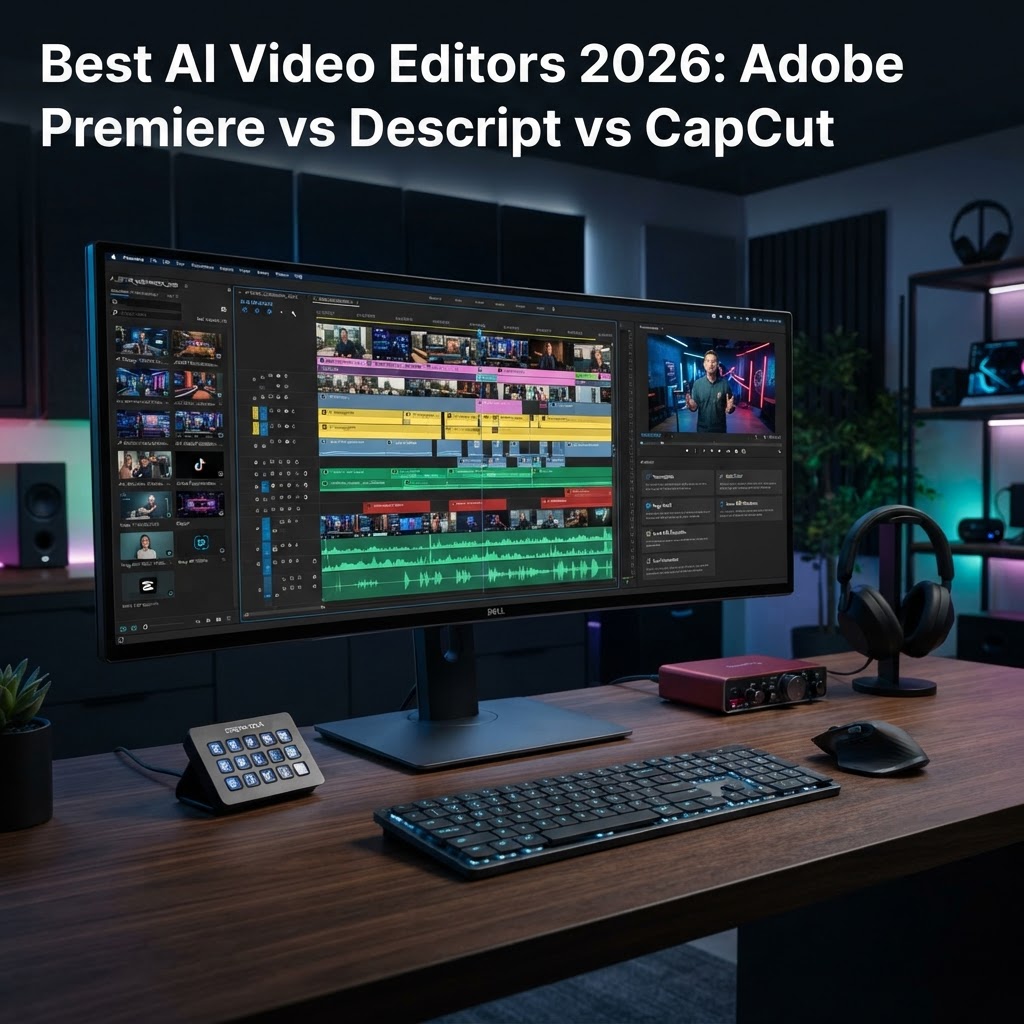
  • Best AI Video Editors 2026: Adobe Premiere vs Descript vs CapCut

    Best AI Video Editors 2026: Adobe Premiere vs Descript vs CapCut

    Key Takeaways

    • AI video editing software has transitioned from experimental filters to core production workflows in 2026.
    • Adobe Premiere Pro focuses on high-end professional precision, whereas Descript dominates the text-based editing landscape.
    • CapCut remains the undisputed leader for rapid, viral-ready content creation through integrated AI presets.
    • Selecting the right tool depends on whether your priority is technical control, narrative structure, or social media velocity.
    • The current landscape emphasizes automated video production, shifting the creator’s role from manual technician to creative director.

    The landscape of digital content creation has undergone a tectonic shift as we enter 2026, marking a period where AI video editing software is no longer a luxury, but a fundamental necessity for any serious creator. Gone are the days when hours of painstaking frame-by-frame cutting were required to achieve a professional finish; today’s workflows are defined by algorithmic precision and machine-learning intuition. As automated video production becomes the industry standard, the friction between capturing raw footage and delivering a polished, high-engagement final cut has effectively vanished. In this comprehensive review, the aismarttoolsreview editorial team evaluates the three heavyweights of the industry—Adobe Premiere Pro, Descript, and CapCut—to determine which platform claims the title of the best AI video editor 2026. Whether you are a solo creator managing a high-frequency social media channel or a professional editor handling complex broadcast narratives, understanding how these tools leverage AI is critical to maintaining a competitive edge in a saturated market.

    1. The Evolution of AI-Powered Video Editing

    The history of video editing is a progression from physical film splicing to linear tape decks, and eventually to the Non-Linear Editing (NLE) systems we know today. However, the current shift toward AI-powered video editing represents the most profound change since the digitisation of the medium. In previous years, AI was relegated to simple “smart” tasks, such as automated color correction or basic background noise removal. As we stand in 2026, those tasks have been superseded by generative AI, intelligent scene detection, and predictive narrative assembly. AI video tools for creators now operate as virtual assistants that understand the intent behind the footage rather than merely manipulating pixel data.

    Early iterations of video editing automation were often rigid, producing results that felt artificial or lacked a cohesive rhythm. Today, the technology has reached a level of sophistication where professional video editing AI can analyze hours of raw footage, extract key narrative beats, and suggest structural edits that adhere to standard storytelling conventions. This evolution is driven by Large Multimodal Models (LMMs) that process audio, video, and textual metadata simultaneously. When an editor imports a project into a modern AI-integrated system, the software creates a virtual index of the content, allowing the user to search, categorize, and organize assets through natural language queries rather than manual tagging.

    Furthermore, the democratization of hardware has meant that high-end AI capabilities are no longer confined to massive server farms. On-device processing—a hallmark of 2026 software architecture—allows editors to utilize generative fill, object removal, and frame interpolation in real-time. This efficiency shift allows creators to focus on the creative direction of their projects rather than getting bogged down in the technical minutiae of rendering and processing. The industry has effectively moved from manual labor to “curated automation,” where the AI suggests dozens of viable cuts, and the creator acts as a final arbiter of quality. As we move through this guide, it is essential to remember that these tools are not intended to replace human ingenuity, but to augment it by removing the repetitive friction that often hinders the creative process.

    2. Key AI Features to Look for in 2026 Video Software

    When searching for the best AI video editor 2026, it is easy to become overwhelmed by the sheer volume of marketing buzzwords. To make an informed choice, creators must focus on specific functional capabilities that genuinely impact workflow velocity and project quality. The foremost feature is context-aware AI clip generation, which enables software to intelligently crop horizontal 16:9 footage into vertical 9:16 formats while keeping the subject perfectly centered through automated motion tracking. This feature alone has become the backbone of modern multi-platform content distribution.

    Another crucial capability is AI-driven audio restoration and speech enhancement. In an era where field recording conditions vary wildly, software that can isolate voice from complex background noise, remove transient echoes, and normalize audio levels using machine learning is invaluable. Beyond audio, text-based editing has become a non-negotiable standard. This technology allows editors to treat a video like a word document; deleting a sentence in the transcript automatically executes the corresponding cut in the timeline. This is perhaps the most significant time-saving feature in modern video editing automation.

    Generative AI overlays and visual enhancement tools are also moving into the mainstream. Look for software that provides intelligent color grading, which can match the aesthetic of a reference video to your raw clip, or AI-powered object masking that allows you to replace backgrounds or remove distracting elements with high pixel accuracy. The integration of automated captioning and language translation is another key metric for quality, especially for creators aiming for a global audience. Finally, evaluate the software’s ability to offer “smart suggestions” for b-roll or transition placements. These tools analyze the pacing and content of your primary track to recommend supplementary footage that enhances the viewer’s experience. The following table provides a clear comparison of how different approaches prioritize these high-value AI features.

    Tool Primary Focus Best For
    Adobe Premiere Pro Professional NLE Precision Feature-length, narrative, and broadcast editing
    Descript Text-Based Narrative Control Podcasters, educational content, and fast turnaround
    CapCut Viral Social Media Velocity Short-form social media and rapid trend jumping

    3. Adobe Premiere Pro: AI Capabilities for Professionals

    Adobe Premiere Pro remains the industry standard for professional video editing, and in 2026, it has fully integrated AI into its deep ecosystem under the “Adobe Sensei” framework. Unlike consumer-oriented tools that provide one-click solutions, Premiere Pro’s AI features are designed for fine-grained control and scalability within large-scale production environments. For the professional editor, AI in Premiere acts as a force multiplier for complex tasks that previously required third-party plugins or manual frame-by-frame rendering.

    One of the standout professional features is the AI-enhanced “Speech to Text” functionality. While basic transcription is available elsewhere, Premiere’s implementation is deeply woven into the timeline, allowing for sophisticated search and replace workflows. Editors can search for specific phrases across hundreds of hours of raw footage, instantly generating a text-based “paper edit” that can be imported directly into the timeline. This capability has redefined how documentary filmmakers and corporate video producers handle interviews, enabling them to construct narratives from massive amounts of data in a fraction of the time.

    Beyond transcription, Premiere Pro’s generative AI tools for color and image cleanup are significant. The “AI Color Match” feature is particularly adept at maintaining consistency across multi-camera shoots where lighting conditions may have shifted unexpectedly. It analyzes the tonal range, white balance, and contrast of a reference clip and automatically applies those parameters to subsequent shots, drastically reducing the time spent in the color grading suite. Furthermore, the integration of generative AI within the effects panel allows for “Generative Fill” in video frames, enabling editors to remove lens flares, fix continuity errors, or extend backgrounds in a way that remains perceptually identical to the source footage.

    Performance optimization in 2026 has also reached new heights. Premiere Pro uses machine learning to predict which assets need rendering, backgrounding the process so the playback never stutters during complex edits. While it remains a high-learning-curve tool, the payoff for professionals is unmatched precision. It caters to those who need to maintain full control over color spaces, frame rates, and export settings while leveraging AI to handle the tedious aspects of the craft. It is the definitive choice for those who view video editing not just as a job, but as a technical pursuit of perfection.

    4. Descript: Text-Based Editing and AI Voice Cloning

    Descript fundamentally changed the paradigm of video editing by introducing the concept of “Word-Based Editing,” a philosophy that remains at the heart of their 2026 product update. By treating audio and video as a script, Descript allows users to edit a video by simply editing a document. If a creator decides that a paragraph of dialogue is unnecessary, they delete the text, and the corresponding video clip is instantly removed from the project. This innovative approach has made Descript a favorite among podcasters, YouTubers, and corporate trainers who value narrative flow over frame-perfect color manipulation.

    The most compelling component of the Descript ecosystem is its industry-leading AI voice cloning, marketed as “Overdub.” This technology allows users to type new text and have it read back in their own voice, or the voice of a professional voiceover artist. In 2026, the quality of this synthesis has reached a point where it is virtually indistinguishable from human speech, complete with natural prosody and emotional variance. For creators who realize after recording that they mispronounced a word or forgot a key sentence, the ability to “fix it in post” without re-recording is a transformative workflow improvement.

    Descript also excels at automated cleanup. Features like “Studio Sound” utilize deep learning to analyze voice recordings and remove background noise, room reverb, and inconsistent microphone levels. The result is a broadcast-quality audio mix that would typically require hours of work in a dedicated digital audio workstation (DAW). Coupled with its “filler word removal” AI—which automatically identifies and deletes “um,” “uh,” and other hesitation noises—Descript is perhaps the most efficient tool for those producing long-form spoken-word content.

    While some professional editors may find its lack of advanced color grading or keyframe-intensive animation tools limiting, Descript is not designed for cinematic visual storytelling. It is designed for clarity, efficiency, and communication. By simplifying the editing process to a level accessible to non-experts, it empowers creators to focus entirely on the strength of their message. In 2026, for anyone whose primary output is voice-driven content, Descript stands out as the most pragmatic and effective AI-driven solution on the market.

    5. CapCut: AI Tools for Social Media and Rapid Content Creation

    CapCut has rapidly evolved from a mobile-first app into a comprehensive, multi-platform video editing powerhouse, specifically tailored for the fast-paced world of social media content. As the best AI video editor 2026 for social creators, CapCut focuses on “velocity”—the ability to turn a raw concept into a trending video in minutes rather than hours. Its AI integration is less about deep technical control and more about creative inspiration, providing users with a suite of templates, effects, and automated adjustments that are pre-optimized for platforms like TikTok, Instagram Reels, and YouTube Shorts.

    The standout feature in the CapCut ecosystem is its intelligent “Auto-Cut” functionality. Users upload a collection of photos and video clips, and the AI suggests a series of edits synced perfectly to trending music beats. This is supported by an massive library of AI-generated assets, including dynamic transitions, motion graphics, and text animations that are automatically updated based on current platform trends. For the social media creator, staying ahead of trends is the primary metric for success, and CapCut’s AI ensures that the technical barriers to entry are minimized.

    Furthermore, CapCut’s AI-powered accessibility tools are among the best in the industry. Its “Auto-Caption” feature can transcribe video in dozens of languages with high accuracy, automatically applying dynamic, animated styles that keep the viewer’s attention. The software also includes intuitive background removal and greenscreen-style effects that do not require a physical greenscreen, allowing creators to drop themselves into virtually any environment with just a few clicks. These features allow for highly professional-looking content with minimal technical expertise.

    The platform’s “AI Script-to-Video” feature is another notable advancement. By providing a prompt or a topic, the software can generate a script, select stock footage, and assemble a preliminary edit that the creator can then refine. While it won’t replace a high-end editorial team, it serves as an excellent starting point for those experiencing “blank page syndrome.” CapCut is effectively lowering the floor for what constitutes “high-quality” content, allowing more people to participate in the digital economy. While it lacks the deep NLE capabilities of Adobe Premiere or the narrative focus of Descript, it is unrivaled for anyone whose primary goal is high-frequency, high-impact content generation in the social media era.

    Comparing Workflow Efficiency: Automation vs Manual Control

    The modern paradigm of video production is defined by a constant tension between the desire for rapid output and the need for artistic precision. As we look at the landscape of AI video editing software in 2026, the divergence between automated workflows and manual control has become a defining characteristic for creators choosing their toolset.

    Automated workflows, championed by tools like Descript and CapCut, prioritize speed and scalability. These platforms leverage natural language processing (NLP) to turn text-based transcripts into functional timelines. By treating video as a document, these editors allow users to trim, rearrange, and delete footage by manipulating text rather than scrubbing a complex timeline. This approach is transformative for podcasters, educators, and social media creators who produce high volumes of content where information density is the primary goal.

    Conversely, professional-grade AI implementations, such as those found in Adobe Premiere Pro, prioritize the “human-in-the-loop” philosophy. In these environments, AI functions as a high-speed assistant rather than a primary editor. Automation handles the tedious, repetitive “grunt work”—such as noise reduction, color matching between different camera sensors, and scene detection—while leaving the creative decision-making, pacing, and narrative structure in the hands of the human editor. This distinction is crucial for filmmakers who require frame-accurate control over transitions, keyframe animations, and complex multi-layer compositing.

    For many creators, the efficiency of AI is measured by the reduction of “friction points.” Friction points are the mundane technical tasks that slow down the creative flow. For instance, a manual color grade for a long-form video might consume hours of an editor’s day. An automated tool can now analyze the footage, apply a LUT (Look-Up Table) based on the chosen visual style, and ensure skin tones remain consistent across various lighting setups. However, the limitation of this automation is the lack of “creative intuition.” A professional editor may choose to break the rules of color theory to evoke a specific emotional response; an automated system, by design, follows the statistical norm of what “correct” footage should look like.

    Tool Automation Strategy Control Level Best For
    Adobe Premiere Pro Auxiliary Assistance High (Total) High-end broadcast and film
    Descript Text-Based Synthesis Moderate Podcasters and educational content
    CapCut Template/AI Feature Driven Low to Moderate Social media and viral trends
    Davinci Resolve (AI Suite) Neural Engine Processing High Color grading and visual effects

    How AI Impacts Video Quality and Visual Effects

    The integration of AI into video post-production has significantly raised the floor for acceptable visual quality. In previous years, high-end effects like object removal, rotoscoping, and upscaling were the exclusive domain of specialists with expensive software and weeks of training. Today, these tasks are being democratized through sophisticated neural networks.

    One of the most profound impacts on visual quality is the advancement of AI-driven upscaling and artifact reduction. Many AI video tools can now intelligently interpret low-resolution footage—such as mobile phone captures or legacy archive media—and upscale it to 4K resolution by analyzing surrounding frames and filling in missing pixel data. This process, known as super-resolution, often produces results that are indistinguishable from native high-definition content, provided the source material is not excessively degraded.

    Rotoscoping, the process of isolating a subject from the background to apply unique effects, has been revolutionized by semantic segmentation. Rather than painstakingly drawing masks frame-by-frame, modern AI video editors can identify humans, objects, and backgrounds with granular precision. This allows for near-instant background replacement or the ability to apply filters to a subject without affecting their surroundings. This level of automation allows creators to produce “cinematic” looking content in environments that are far from studio-grade.

    However, AI-driven visual effects are not without risks. The “uncanny valley” remains a persistent challenge in generative video enhancements. Automated systems that attempt to smooth out skin tones or replace backgrounds can sometimes introduce unnatural artifacts, such as “jitter” around edges or a plastic, over-processed texture on human subjects. Professional editors often find that they must perform a secondary pass on AI-generated effects to correct these anomalies. While the software creates a strong foundation, the human eye remains the ultimate arbiter of whether an effect is truly seamless or merely a digital approximation of quality.

    Choosing the Right AI Editor for Your Skill Level

    The variety of AI video editing software available in 2026 makes the selection process daunting. To choose effectively, one must assess their technical proficiency against their long-term content goals. A common pitfall is overestimating one’s need for complexity; many creators purchase professional-grade software only to find the feature set too overwhelming, which ultimately hinders the consistency of their output.

    For the beginner or casual social media creator, the priority should be ease of use and template integration. Tools like CapCut or mobile-first AI editors offer a vast library of pre-set effects, auto-captioning tools, and quick-cut transitions. These platforms essentially handle the “best practices” of video editing on your behalf. If your goal is to push out daily, trending content that relies on fast-paced cuts and viral visual styles, these tools are ideal. They require minimal training and allow for rapid iteration.

    Intermediate users—such as small business owners, corporate content creators, or YouTubers—typically benefit from the text-based editing paradigm. Descript remains a top choice here because it flattens the learning curve. If you can edit a document in a word processor, you can edit a video. These creators usually have a story to tell and need a tool that doesn’t distract them with technical jargon like “keyframes” or “bezier curves” unless absolutely necessary.

    Advanced editors and those working in professional media production require the extensibility of a non-linear editor (NLE) that supports third-party plugins. While Adobe Premiere Pro and Davinci Resolve have robust built-in AI, their true strength lies in how they integrate with high-end, AI-powered plugins that handle specialized tasks like professional-grade audio restoration, advanced motion tracking, or sophisticated particle simulations. At this level, the software acts as an ecosystem rather than a self-contained unit. The user must be comfortable managing hardware resources, understanding codec workflows, and troubleshooting integration issues, as the complexity of the project is often much higher.

    The Future of Generative Video and Automated Post-Production

    As we move toward the latter half of the decade, the line between “editing” and “generating” video is blurring. We are currently transitioning from an era where AI helps us arrange existing footage to an era where AI can synthesize missing pieces of our narrative. In the near future, generative video models will likely allow editors to extend a shot, change the weather in a scene, or even modify the lighting conditions of a recorded interview, all via simple text prompts.

    We are also witnessing the rise of “agentic” editing workflows. In these systems, you will provide the editor with your raw footage and a script, and the AI will act as a junior editor. It will perform a first pass of the rough cut, balance the audio, color match the shots, and add subtitles, presenting the human editor with a “director’s cut” that is 80% finished. This shifts the role of the human editor from a “laborer” who spends hours on the timeline to a “curator” who reviews, tweaks, and refines the AI’s creative suggestions.

    The integration of deep, semantic understanding of content will also change the way we search for footage. Instead of browsing folders and file names, editors will soon be able to issue queries like, “Find the clips where the subject smiles while holding the product,” and the AI will pull these moments from terabytes of raw footage instantly. This will drastically reduce the time spent in the “logging and organization” phase of production, which is currently one of the most time-consuming aspects of professional video work.

    Ultimately, the future of AI video tools lies in personalization. Systems will learn an individual creator’s specific style, pacing, and color preferences. After working with a specific AI editor for several months, the software will understand exactly how the creator likes their jump cuts to feel and how much grain they prefer in their color grades. This “personalized AI” will turn video editing software into a creative partner that understands the creator’s vision as well as they do themselves.

    Frequently Asked Questions

    Can AI video editors completely replace a professional human video editor?

    No, not at this time. While AI excels at the technical, repetitive tasks of editing—such as color correction, transcript-based trimming, and noise reduction—it lacks the subjective creative judgment required to craft a cohesive narrative, manage pacing, and elicit emotional responses. AI is currently best viewed as a powerful tool to augment a human editor’s capabilities, rather than a replacement.

    Are AI video editing tools expensive for the average creator?

    The cost varies significantly. Many entry-level AI-driven tools offer free tiers or low-cost monthly subscriptions. Professional-grade software like Adobe Premiere Pro is part of a larger suite and requires a subscription, while other advanced editors may be available for a one-time purchase. Generally, there is a tier of AI video editing software available for every budget, from hobbyists to enterprise studios.

    Does using AI software affect the ownership or copyright of my video content?

    In most jurisdictions, copyright law is still evolving regarding AI-generated content. Typically, if you are the one inputting the creative instructions and directing the AI-assisted process, you retain ownership of the finished output. However, it is essential to check the Terms of Service of each specific AI platform, as some providers may have clauses regarding how they utilize data processed through their systems.

    Do I need a powerful computer to run modern AI video editing software?

    It depends on whether the software is cloud-based or locally hosted. Cloud-based editors like Descript and many web-based tools offload the heavy computational processing to remote servers, meaning you can run them on standard laptops. Conversely, if you are running AI features locally within professional software like Premiere or Davinci Resolve, you will need a system with a modern dedicated GPU and sufficient RAM to handle the heavy AI model processing without significant lag.

    Will AI-assisted video editing make my content look generic or artificial?

    This is a valid concern. If a creator relies solely on automated templates and “one-click” AI fixes, there is a risk that the content will lack a unique aesthetic or look like hundreds of other videos online. To avoid this, successful creators typically use AI to handle the “heavy lifting” but apply their own manual adjustments to color, pacing, and stylistic choices, ensuring their personal brand voice remains intact.

    How does AI help with audio production in video?

    AI is arguably even more advanced in audio than in video. It can perform professional-grade noise suppression, removing background hums or echoes from recordings made in poor acoustic environments. It can also match dialogue levels across disparate clips, isolate voices from music, and even generate synthetic voiceovers that match the tone of the original speaker for minor script corrections.

    Conclusion

    The leap toward AI-integrated video production is arguably the most significant shift in the industry since the transition from tape to digital non-linear editing. For creators in 2026, the question is no longer whether to use AI, but how to integrate it in a way that amplifies, rather than stifles, their creative vision. Whether you are leaning into the rapid, text-based workflows of Descript, the social-media-ready features of CapCut, or the robust, precise controls of Adobe Premiere Pro, the goal remains the same: reducing the technical distance between the initial idea and the final frame.

    By automating the mundane, you reclaim the most valuable resource in production—time. We encourage you to experiment with these tools, push the boundaries of their automation features, and identify which blend of manual control and AI assistance fits your specific workflow. The future of video belongs to the creator who masters the synergy between human intuition and machine-driven speed.

    Ready to transform your production process? Download a trial of one of these industry-leading tools today and start streamlining your workflow from the very first edit.

    By aismarttoolsreview Editorial Team

  • Best AI Employee Retention Tools 2026: Reduce Staff Turnover

    Best AI Employee Retention Tools 2026: Reduce Staff Turnover

    Key Takeaways

    • Modern AI employee retention tools are shifting from reactive reporting to proactive behavioral intervention.
    • Predictive analytics for employees allows HR teams to identify flight risks based on subtle shifts in digital footprint and performance data.
    • Automated pulse surveys powered by natural language processing provide real-time sentiment analysis that traditional annual reviews cannot capture.
    • AI-driven burnout detection models analyze communication patterns and workload distribution to prevent disengagement before it occurs.
    • Personalized AI mentorship platforms bridge the gap between individual career ambitions and organizational needs to improve long-term loyalty.

    The landscape of human resources is undergoing a fundamental transformation as organizations grapple with the complexities of hybrid work, global talent competition, and the evolving expectations of the modern workforce. By 2026, the adoption of specialized AI retention software has shifted from a competitive advantage to a baseline operational requirement for high-growth enterprises. As HR departments struggle to manage vast datasets related to employee sentiment, productivity metrics, and career development, the ability to synthesize this information into actionable insights is paramount. This guide by the aismarttoolsreview Editorial Team explores how sophisticated workforce management AI is not merely monitoring staff but actively fostering environments where talent feels supported, understood, and incentivized to remain. By leveraging predictive analytics and machine learning, organizations can now address the root causes of attrition—such as burnout, lack of professional growth, and disengagement—long before they culminate in a resignation letter.

    1. Understanding the Role of AI in Employee Retention

    The traditional approach to staff retention often relied on exit interviews and retroactive data analysis, which are inherently limited by their retrospective nature. By the time an employee has scheduled an exit interview, the cost of their departure—spanning knowledge loss, recruitment expenses, and team disruption—has already been incurred. AI employee retention tools fundamentally reorient this strategy toward the present and the future. These systems operate as an invisible, always-on layer of management intelligence that monitors the health of the organization’s human capital in real time.

    At its core, talent retention technology acts as a force multiplier for HR teams, enabling them to process unstructured data from communication platforms, project management tools, and performance dashboards. Rather than replacing human interaction, these tools serve as a signal-processing engine that alerts managers to shifts in team dynamics. For instance, AI might detect a gradual decline in participation during synchronous meetings or a change in the tone of internal correspondence, signaling potential frustration or disengagement. By aggregating these signals, AI provides leadership with a high-level view of departmental morale without needing to rely solely on manual check-ins.

    Furthermore, the integration of these systems into existing workflows allows for a more nuance-driven approach to workforce management AI. Modern platforms typically function by integrating with standard enterprise software stacks, such as Slack, Microsoft Teams, and Jira. By analyzing the frequency and nature of contributions within these platforms, the AI builds a baseline of “normal” behavior for specific roles and departments. When an employee deviates from this baseline—perhaps by reducing their collaborative touchpoints or demonstrating a sudden drop in output—the system flags this as a trend for further investigation. This allows HR professionals to initiate constructive, proactive conversations with employees, addressing issues before they become terminal to the working relationship.

    The objective here is to transition from a culture of administrative surveillance to one of empathetic support. Many organizations are finding that by utilizing AI to identify these trends, they can tailor their retention efforts toward individual needs rather than blanket initiatives. Whether it is addressing a systemic workload imbalance or simply facilitating a requested change in project focus, AI-driven insights ensure that retention strategies are informed by objective behavioral data rather than intuition alone. In 2026, successful organizations will be those that use this technology to create a culture of continuous listening and responsive improvement, effectively lowering staff turnover by treating the workforce as a dynamic, evolving organism rather than a static list of payroll entries.

    2. Predictive Analytics for Early Turnover Detection

    Predictive analytics for employees represents the most significant leap forward in the field of HR tech. By applying machine learning models to historical turnover data and current organizational metrics, companies can generate “at-risk” scores for various cohorts within the business. These models do not necessarily predict an individual’s specific future behavior, but rather identify groups exhibiting patterns that have historically preceded voluntary departures in similar contexts. This capability is instrumental in allowing HR teams to deploy targeted retention interventions where they are most needed.

    Tool Approach Core Mechanism Best For
    Behavioral Trend Analysis Monitors digital cadence and output consistency. Early identification of disengagement.
    Sentiment NLP Engines Analyzes qualitative feedback and survey data. Understanding emotional drivers of churn.
    Predictive Scoring Models Synthesizes tenure, compensation, and mobility data. Strategic workforce planning.

    The mechanics behind these predictive models involve identifying “leading indicators” of turnover. These indicators often include factors such as a lack of upward mobility, long periods without role changes, or a mismatch between an employee’s specialized skills and their current project assignments. AI retention software can cross-reference these factors against market-wide benchmarks. If an organization notices that engineers with a specific set of niche cloud-computing certifications tend to leave after 18 months in a role, the software can proactively flag employees nearing that milestone for a career development discussion.

    The true power of these systems lies in their ability to remove bias from the identification process. Human managers may subconsciously prioritize retention efforts for their most visible or vocal employees, often overlooking the “quiet achievers” who are just as likely to leave. Predictive analytics ensure a uniform assessment across the organization, highlighting flight risks that might otherwise go unnoticed. This is especially vital in remote or hybrid environments where face-to-face rapport—the traditional buffer against churn—is harder to maintain. By standardizing the assessment, HR departments can ensure that their retention budget is being utilized effectively.

    However, implementation must be handled with extreme care to maintain trust. Effective usage of predictive analytics requires transparency and ethical safeguards. Employees should be aware that data is being used to support their growth and well-being rather than for punitive tracking. When framed as a supportive tool—for example, “We are using data to ensure you have the best possible opportunities for growth here”—the adoption rate is typically much higher. Organizations that successfully implement these systems often report a tangible reduction in avoidable turnover by shifting the focus from “who is leaving” to “how can we provide more value to these high-potential individuals today?”

    3. Automating Employee Engagement and Pulse Surveys

    Traditional annual or even quarterly engagement surveys are becoming relics of the past. By the time these surveys are completed, analyzed, and synthesized into a report, the feedback is often obsolete. In contrast, employee engagement AI utilizes automated, micro-surveys and Natural Language Processing (NLP) to maintain a continuous, real-time pulse on the organizational temperature. This approach transforms feedback from a scheduled corporate exercise into a persistent, low-friction dialogue between employees and leadership.

    Automated systems typically deploy “pulse” questions—short, two-to-three question surveys—at meaningful intervals, such as following a major project delivery or at the end of a particularly high-pressure quarter. These questions are often adaptive; if the system detects that sentiment regarding “work-life balance” is trending downward, the AI can automatically pivot to ask more granular questions about workload distribution or deadline pressure in subsequent surveys. This adaptive questioning ensures that HR professionals get to the heart of the issue without burdening employees with irrelevant inquiries.

    The NLP capabilities inherent in these platforms are where the real value lies. Rather than manually reading thousands of survey responses, an AI engine can categorize qualitative feedback into actionable themes. It can distinguish between constructive frustration—such as a request for better tools or clearer project requirements—and emotional fatigue. The software provides leadership with a dashboard that highlights “hot spots” where sentiment has shifted significantly. For example, if a specific department begins expressing frustration with communication silos, the dashboard will visually represent this shift, prompting management to address the specific collaboration breakdown before it impacts productivity.

    This automated engagement model serves multiple purposes in the effort to reduce staff turnover. First, it democratizes the feedback loop. By providing employees with a safe, semi-anonymous way to voice their concerns regularly, it reduces the pressure that builds up when grievances go unaddressed. Second, it holds leadership accountable. When an AI system displays clear data showing a trend of negative sentiment after a specific policy change, it becomes difficult for management to ignore or dismiss the impact of their decisions on the workforce. In essence, engagement AI acts as a mediator that facilitates the flow of honest information from the front lines of the company to the executive suite.

    Furthermore, these tools often include “closed-loop” feedback mechanisms. When a negative trend is identified and addressed, the system can follow up with those same cohorts to gauge if the intervention was successful. This demonstrates to the staff that their feedback is not falling into a black hole but is being actively utilized to improve their daily working experience. This cycle of active listening and visible response is perhaps the single most effective way to foster the sense of belonging and organizational commitment that is essential for long-term retention in the competitive 2026 landscape.

    4. Using AI to Identify Burnout Before It Starts

    Burnout is arguably the most silent and effective driver of voluntary turnover in the modern tech era. Unlike a sudden resignation due to a competitor’s offer, burnout is a cumulative process, often manifesting in physical and emotional withdrawal long before the final departure. Traditional performance reviews and management check-ins rarely capture the nuance of burnout, as employees often feel incentivized to “mask” their distress to remain perceived as high-performers. AI retention software addresses this by identifying the digital patterns that correlate with high-risk burnout scenarios.

    These models analyze a variety of behavioral data points to create an “energy expenditure” score. For instance, the software might track the frequency of work performed outside of core hours, the duration and density of back-to-back video meetings, and the number of messages sent during weekends. When an employee’s digital footprint shows an unsustainable increase in these activities over a sustained period, the AI flags the individual for potential burnout. Crucially, the goal is not to police the employee, but to enable the manager to intervene in a way that prioritizes the worker’s long-term health, such as suggesting mandatory time off or temporarily reducing their active project load.

    Many systems also integrate sentiment analysis of internal communication, as mentioned earlier, but with a specific focus on linguistic cues associated with exhaustion. Subtle shifts in vocabulary—such as an increase in expressions of apathy, frustration, or a decrease in positive and collaborative language—can serve as powerful markers for impending burnout. When these linguistic changes are combined with the aforementioned metrics on work hours and meeting density, the AI can produce a surprisingly accurate picture of which team members are nearing their breaking point. This is particularly valuable for managers who are remote and may lack the visual cues of a team member’s distress that one might observe in an office setting.

    The implementation of burnout-detection AI requires a cultural shift toward viewing work capacity as a finite resource rather than an infinite well. Organizations that utilize these tools effectively often implement “trigger-based” policies. For example, if the AI detects that an entire team has been working consistently above a certain threshold of engagement for three weeks, a manager might be prompted to facilitate a team-wide “refresh day” or a temporary project freeze. This shows the employees that the company is genuinely invested in their sustainability. By preventing the exhaustion that inevitably leads to burnout, companies can significantly reduce staff turnover, as employees who feel respected and managed for their longevity are far more likely to remain committed to their long-term growth within the firm.

    Ultimately, the objective of these AI tools is to facilitate a sustainable high-performance culture. It is not about limiting output, but about ensuring that output is achievable and maintained without sacrificing the employee’s well-being. By turning the focus of management from “how much work did you do” to “are you operating at a sustainable pace,” companies can foster a more loyal, less stressed, and more productive workforce. This proactive approach turns HR from a reactive department into a strategic guardian of the company’s most important asset: the health and engagement of its people.

    5. Personalized Growth Pathways and AI Mentorship

    A primary driver for many high-performing individuals leaving their current role is a perceived lack of professional growth or clear progression. While manual career mapping is often static and disconnected from the rapidly shifting needs of the business, AI mentorship and growth platforms offer dynamic, personalized pathways that evolve alongside the employee. By mapping an individual’s existing skillset against the organizational requirements of the future, AI creates tailored learning journeys that keep talent engaged, motivated, and aligned with the company’s long-term success.

    These AI-powered growth tools begin by analyzing an employee’s current performance, stated career goals, and the “skill gaps” they need to bridge to reach the next level within the organization. The platform then curates a personalized curriculum—including internal workshops, specific mentorship connections, and project-based learning opportunities—that directly addresses these gaps. This moves the organization away from a “one-size-fits-all” training approach to one where every individual has a unique roadmap toward their professional future. When employees see a clear, data-backed path toward advancement, their incentive to seek that same growth elsewhere diminishes significantly.

    AI mentorship takes this a step further by using matching algorithms to connect employees with mentors who possess the exact expertise they need, or who have walked the career path they aspire to emulate. In large organizations, finding the right mentor can be a matter of luck or proximity. An AI system, however, can scan the entire organizational database to identify the optimal pairing based on common interests, complementary skill sets, and even communication styles. This facilitates a transfer of institutional knowledge that is otherwise lost when veteran employees are siloed from newer staff.

    Furthermore, these platforms provide transparency into the “what” and “why” of career progression. Employees are no longer left guessing why a peer was promoted or what skills they personally need to acquire to become eligible for a specific role. The AI provides a clear rubric, allowing for a collaborative, open dialogue between managers and direct reports during performance reviews. This reduces the frustration and lack of direction that often lead to resignation. Instead of asking “Where is my career going?”, employees are empowered to take ownership of their development, with the AI platform acting as a personalized career coach.

    From an organizational perspective, this technology also allows for sophisticated workforce planning. Leadership can see the “aggregate skill landscape” of the entire company, identifying where they have bench strength and where they have critical vulnerabilities. If the AI identifies that a large group of junior developers is all following a similar growth path that doesn’t align with the company’s long-term technical architecture, leadership can intervene to pivot that development in a more strategic direction. By integrating career development into the core of the employee’s experience, companies create a “stickiness” that is based on genuine investment in the individual’s potential, which is the most reliable way to reduce staff turnover in the long term.

    Streamlining Benefits and Compensation Benchmarking

    One of the primary drivers of staff turnover in the modern digital economy is perceived compensation inequity. When employees suspect that their total rewards package—including base salary, equity, and variable benefits—falls below current market standards, their professional loyalty often erodes rapidly. Traditional benchmarking, which relies on annual surveys and stagnant third-party salary reports, is inherently reactive. By the time a compensation review cycle concludes, the market data used to justify those figures is frequently outdated.

    AI-driven retention software transforms this process by ingesting real-time data from global labor markets, job boards, and industry-specific hiring trends. These tools utilize predictive analytics to calculate the “comp-a-ratio” of an entire workforce against real-time market movements. Instead of conducting a broad, sweeping salary adjustment every twelve months, AI-powered benchmarking allows HR departments to make micro-adjustments and targeted retention offers based on the specific scarcity of a role in a given region.

    Furthermore, these platforms analyze the utilization rates of non-monetary benefits. Many companies offer “premium” perks that remain largely ignored by their workforce. AI tools can correlate usage data with engagement scores to determine which benefits actually contribute to retention and which ones are merely overhead. If an AI system identifies that employees in specific departments value flexible scheduling or professional development stipends significantly more than generic gym memberships or office snack budgets, companies can pivot their compensation strategy to optimize spend where it creates the highest perceived value for the individual contributor.

    Integrating AI Feedback Loops into Manager Workflows

    The most sophisticated workforce management AI is ineffective if it sits in a silo away from the frontline managers who interact with employees daily. The integration of “feedback loops” is the mechanism by which AI insights are converted into actionable management behavior. This requires a seamless synthesis between the AI’s analytical outputs and the collaboration platforms managers already inhabit, such as Slack, Microsoft Teams, or integrated performance management portals.

    AI retention software now acts as a “nudge engine” for leadership. When the system detects a decline in an employee’s communication frequency, a shift in their sentiment patterns during meetings, or a sudden lack of focus on key deliverables, it does not just flag the risk for HR—it prompts the direct manager with actionable steps. This might involve suggesting a specific “check-in” time, recommending a recognition moment, or identifying that the employee has not taken sufficient time off in the current quarter. By providing managers with a “cheat sheet” of empathetic, data-backed conversation starters, organizations can mitigate turnover before the employee has even mentally disengaged.

    This integration also helps standardize management quality across an organization. High-turnover environments often result from inconsistent leadership styles; one manager might be highly attuned to burnout while another remains oblivious. By embedding AI-generated feedback loops into the manager’s daily workflow, the organization essentially provides every leader with a virtual “people-ops assistant.” This levels the playing field, ensuring that every employee—regardless of which team they are on—benefits from a proactive management approach based on predictive signals rather than guesswork.

    AI Tool Key Capability Integration Depth Best for
    Predictive Talent Suite Real-time attrition modeling Deep API / Slack & Teams Large Enterprise Organizations
    Sentiment Pulse AI NLP-based engagement tracking Browser-based & Email Mid-Market Growth Companies
    Comp-Benchmarker Pro Dynamic market parity analysis ERP & Payroll Plugins Fast-scaling HR Departments
    Manager Nudge Engine Behavioral management coaching Integrated Workflow Plugins Companies with Remote Managers

    Balancing Data-Driven Insights with Human Connection

    The ubiquity of talent retention technology introduces a paradox: how do organizations leverage powerful data without commodifying the human experience? The risk of relying too heavily on AI is that employees may feel “monitored” rather than “supported.” If an employee believes their retention effort is merely a math problem solved by an algorithm, the feeling of being valued as an individual diminishes. To use AI effectively, organizations must frame these tools as enhancements to, not replacements for, human empathy.

    Data-driven insights should serve as the foundation for the “first mile” of the conversation, not the entire journey. For instance, if an AI dashboard indicates an employee is at high risk of burnout due to excessive overtime and declining sentiment, the manager’s role is not to recite the data to the employee. Instead, the manager should use that insight as a prompt to reach out and express genuine concern. The goal is to move from “the software says you’re at risk” to “I’ve noticed your workload has been intense lately, and I want to ensure we are prioritizing your well-being.”

    Transparency is the final piece of this balance. When organizations adopt AI retention software, they must communicate the *intent* behind the technology. Employees are much more likely to embrace AI-driven analytics if they understand that the software is being used to protect their work-life balance, advocate for their professional growth, and ensure their compensation is competitive. When the AI is treated as a mechanism for employee empowerment, it fosters trust rather than suspicion.

    How to Choose the Right Retention Tool for Your Business

    Selecting an AI retention platform is not a one-size-fits-all exercise. Organizations must evaluate their unique cultural pain points and current technical architecture before committing to a provider. The following steps are essential for ensuring a successful deployment:

    1. Audit Existing Data Silos: Determine where your current people data lives. Is it scattered across disparate spreadsheets, HR Information Systems (HRIS), and email servers? A tool is only as good as the data it consumes; choose a platform that offers robust integrations with your existing tech stack.
    2. Define Success Metrics: Decide what “reducing staff turnover” actually looks like for your business. Is the primary goal to improve the retention of specialized engineering talent, or is it to reduce burnout-related churn among customer service representatives? Different tools excel at different demographic cohorts.
    3. Prioritize Privacy and Ethics: Given the sensitive nature of employee sentiment data, look for vendors that provide ironclad privacy guarantees. Ensure that individual sentiment scores remain anonymous to anyone except perhaps the most trusted HR personnel, and verify that the data cannot be used for discriminatory purposes in performance appraisals.
    4. Assess User Experience (UX) for Managers: If the tool requires a massive learning curve, it will not be adopted. The best tools are those that blend into the background, providing information exactly when it is needed without requiring the manager to navigate complex interfaces or generate deep, manual reports.
    5. Evaluate Scalability: Can the AI model adapt as your company grows? A startup with 50 employees and a flat structure requires a very different approach than a global enterprise with 5,000 employees across multiple time zones. Ensure the platform can handle the complexity of your organizational hierarchy.

    Frequently Asked Questions

    How can AI predict an employee leaving before they have even started looking for a new job?

    AI tools analyze patterns in workplace behavior, such as a drop in collaborative interactions, a change in sentiment in internal communication channels, or a decrease in the usage of company tools. By identifying these “micro-signals” and comparing them to historical data from past employees who have left, the AI can flag the statistical likelihood of disengagement before a resignation is ever submitted.

    Is it legal to use AI tools to track employee sentiment and behavior?

    Generally, organizations are permitted to monitor corporate tools and systems to manage performance, provided they comply with local labor laws and privacy regulations. The key to maintaining legality and ethics is full transparency with employees regarding what data is being collected and, crucially, that the data is being used to support retention and well-being rather than for surveillance or arbitrary termination.

    Do AI retention tools replace the need for traditional exit interviews?

    No, they supplement them. While AI can identify *when* and *why* employees might be dissatisfied, it cannot always capture the nuance of a personal human experience. AI tools are proactive, whereas exit interviews are reactive. Used together, they create a complete lifecycle view: the AI identifies the risk, and the exit interview serves as the final qualitative check to validate or refine the AI’s predictive models.

    Can smaller companies afford enterprise-grade AI retention technology?

    The market has matured significantly, and there are now many SaaS-based AI solutions that offer tiered pricing. While early adoption was limited to large corporations with dedicated data science teams, current retention tools are designed to be “plug-and-play” for smaller HR departments, often requiring little to no internal engineering support to implement effectively.

    Does using AI for retention lead to biased decisions?

    Any AI is only as unbiased as the data it is fed. If an organization historically has biased promotion or compensation practices, the AI may learn and perpetuate those patterns. It is vital to audit the AI vendor’s methodology for mitigating bias and to ensure that human HR professionals remain the ultimate decision-makers in any retention or compensation strategy.

    What is the biggest risk of implementing AI in talent management?

    The biggest risk is “false positives”—where the system flags an employee as high-risk, leading to unnecessary interventions that might actually cause the employee to feel awkward or micromanaged. A culture of over-monitoring can lead to decreased trust. Success depends on training managers to use the data as a conversation starter, not as a definitive verdict on an employee’s loyalty.

    Conclusion

    The integration of AI into employee retention is no longer a futuristic vision; it is a tactical necessity for companies looking to maintain a competitive advantage in a volatile talent market. By moving away from reactive, gut-feeling management and toward predictive, data-informed strategies, organizations can preemptively address the underlying causes of turnover. Whether through streamlining benefits, empowering managers with behavioral nudges, or simply creating a more personalized employee experience, AI acts as a force multiplier for human leadership.

    The ultimate goal of these technologies is not to automate the human element out of the workplace, but to provide the clarity needed to nurture it. As we look toward the remainder of 2026 and beyond, companies that prioritize both the analytical precision of AI and the essential power of human connection will be the ones that attract and keep the industry’s top performers. Start by auditing your current engagement processes, selecting the right tool for your specific organizational scale, and—above all—ensuring that your culture remains at the heart of every technological decision you make.

    Are you ready to transform your workforce strategy? Explore our recommended vendor list and begin your journey toward reduced turnover today.

    By aismarttoolsreview Editorial Team
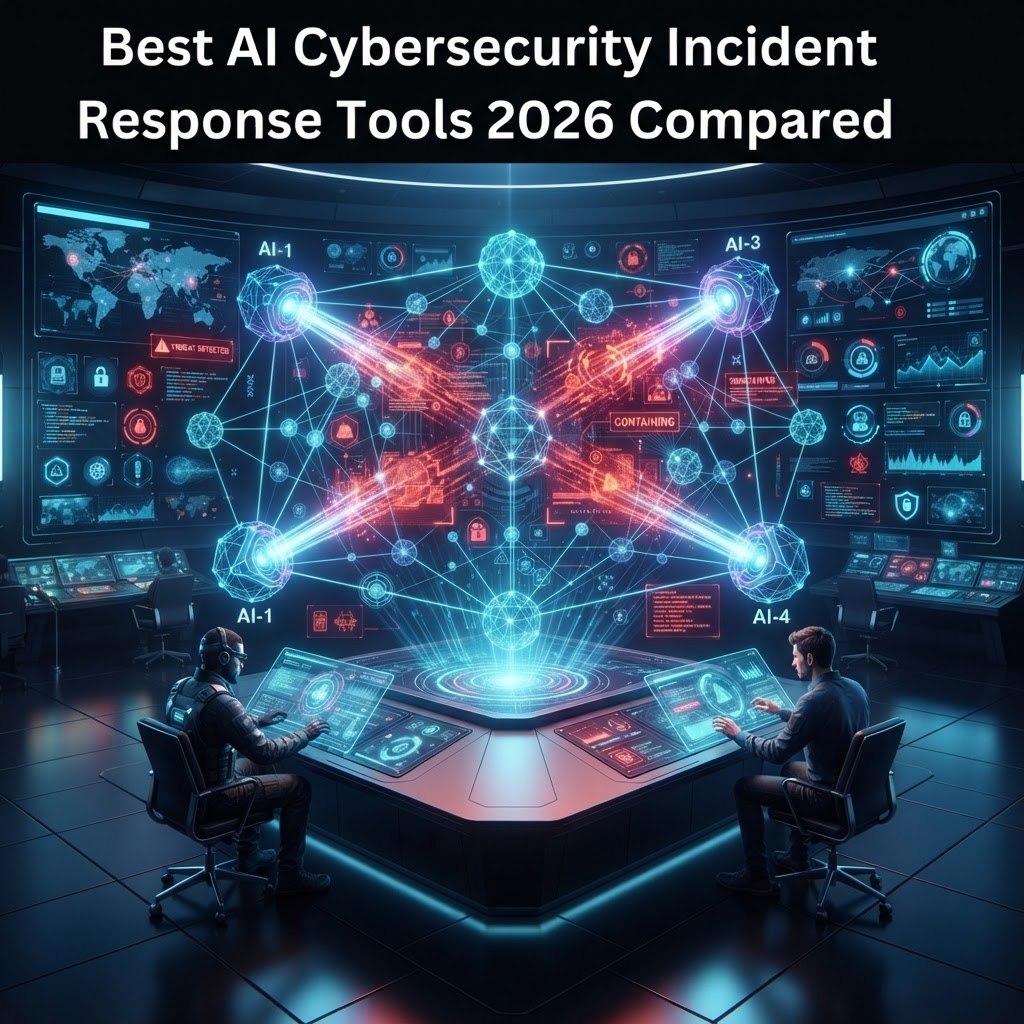
  • Best AI Cybersecurity Incident Response Tools 2026 Compared

    Best AI Cybersecurity Incident Response Tools 2026 Compared

    Key Takeaways

    • AI incident response reduces Mean Time to Respond (MTTR) by automating the initial triage of high-volume security alerts.
    • Modern platforms utilize behavioral analytics to distinguish between legitimate user activity and complex, multi-stage cyber attacks.
    • Integration with existing Security Operations Center (SOC) stacks is critical for seamless threat remediation.
    • Look for platforms that offer customizable playbooks, allowing human analysts to maintain oversight of automated actions.
    • The shift toward proactive AI security orchestration marks the transition from reactive firefighting to predictive cyber defense.

    As the digital threat landscape continues to evolve, the velocity and sophistication of cyber attacks have far outpaced the manual capabilities of traditional security operations teams. In 2026, the adoption of advanced AI incident response mechanisms is no longer a luxury; it is a fundamental requirement for maintaining enterprise operational continuity. With attackers leveraging generative models to create polymorphic malware and orchestrate large-scale automated phishing campaigns, the defensive perimeter must react with equal, if not greater, speed. This guide by the aismarttoolsreview Editorial Team explores how AI-driven tools are reshaping cybersecurity, offering a detailed analysis of how these technologies function, what features define industry leaders, and how organizations can successfully integrate automation into their defense-in-depth strategies.

    Why AI is Essential for Modern Incident Response

    The core challenge facing modern cybersecurity is the sheer volume of data and telemetry generated by cloud environments, endpoints, and identity providers. Human analysts are frequently overwhelmed by thousands of daily alerts, leading to “alert fatigue” and the dangerous possibility that a critical indicator of compromise (IOC) is ignored during a high-pressure event. AI incident response platforms solve this by acting as a force multiplier, ingesting, normalizing, and prioritizing security events at machine speed. By deploying AI, organizations transition from a reactive posture, where the cost and impact of a breach accumulate with every passing minute, to a rapid, automated, and predictive defense model.

    AI’s superiority in this domain stems from its ability to process vast amounts of unstructured and structured data simultaneously. Traditional rules-based systems often fail to identify “low and slow” attacks—persistent threats that carefully mask their footprint to avoid triggering static thresholds. AI models, particularly those based on deep learning and anomaly detection, establish a baseline of “normal” behavior across a network. When activity deviates from this baseline, the AI can flag the incident, enrich it with contextual data from threat intelligence feeds, and, in some configurations, execute immediate cyber attack mitigation without requiring a human to manually review the raw logs.

    Furthermore, AI is essential for effective cyber attack mitigation because it excels at correlation. A singular alert about a failed login attempt might seem benign, but when correlated with an unusual file execution on a workstation and a subsequent connection to a known malicious command-and-control server, it becomes a high-fidelity incident. The AI connects these disparate dots in real-time, forming a coherent timeline of the attack progression. This capability is vital for managing enterprise incident response, where a failure to see the “big picture” often leads to partial remediation, allowing the adversary to maintain a foothold.

    Security experts generally agree that the human-in-the-loop requirement is still necessary, but the nature of that involvement is changing. Instead of spending hours investigating individual alerts, analysts shift to managing the orchestration logic and investigating highly complex, ambiguous threats. AI handles the repetitive, high-noise triage, allowing the security team to focus on strategic threat hunting and incident post-mortems. By reducing the noise and surfacing only the most critical incidents, AI incident response tools foster a more effective use of talent, potentially reducing turnover in SOC environments while ensuring that the organization’s overall security posture is resilient against modern, automated adversaries.

    How Automated Threat Remediation Works in 2026

    Automated threat remediation in 2026 relies on a sophisticated feedback loop that combines telemetry collection, threat analysis, and automated action execution. The process begins with continuous monitoring across the enterprise surface area. When a potential threat is detected, the AI-driven system initiates an automated investigation. This involves querying endpoints for process history, analyzing network traffic patterns, and cross-referencing activity against real-time global threat intelligence databases. This initial enrichment occurs within milliseconds, providing the analyst with a summarized overview of the threat landscape, the potential impact, and the recommended course of action.

    Once the incident is validated as a genuine threat, the platform moves to the remediation phase, often guided by predefined AI security orchestration playbooks. These playbooks are dynamic, allowing the system to adjust its response based on the severity of the threat and the critical nature of the asset involved. For instance, if the AI detects an unauthorized remote desktop connection to a sensitive database server, it might automatically isolate the impacted workstation, revoke the user’s OAuth tokens, and trigger a forensic capture of the memory—all before an analyst has had to log in to the console. This level of automated cybersecurity is fundamental to preventing lateral movement, as it cuts off the attacker’s progression path while the damage is still contained.

    The “intelligence” component of this remediation is powered by Large Language Models (LLMs) and advanced heuristics that can interpret natural language queries for threat hunting. Analysts can ask the system, “Show me all systems that communicated with the IP address associated with this ransomware campaign,” and receive an instantaneous, actionable map of the exposure. Furthermore, these systems learn from historical data. Every time a human analyst overrides or confirms a remediation action, the model updates its weights. Over time, the system becomes more adept at distinguishing between benign system updates and malicious activity, thereby reducing false positives—a perpetual struggle for legacy SIEM platforms.

    It is important to note that automated threat remediation is not a “set it and forget it” solution. In 2026, enterprise incident response is defined by a tiered trust model. Low-confidence threats may be flagged for manual review, while high-confidence threats—such as confirmed malware signatures or credential-stuffing attacks—are handled entirely by the automated engine. This tiered approach minimizes the risk of service disruption while maintaining a maximum speed of response. The goal of these systems is to achieve “automated containment,” effectively neutralizing the threat in the pre-execution phase or during the early stages of infiltration, effectively rendering the attacker’s manual intervention futile.

    Platform Approach Key Methodology Best For
    Predictive Behavioral AI Baseline anomaly detection Zero-day and insider threat discovery
    Orchestration-First AI Automated playbook execution Rapid, large-scale incident containment
    Generative SecOps Copilot Natural language analysis/triage Accelerating human analyst workflow

    Key Features to Look for in AI Response Platforms

    When evaluating AI incident response tools, the sheer variety of features can be daunting. To navigate the market, security leaders should prioritize platforms that offer modular extensibility and transparent decision-making. The first feature to examine is the quality and depth of the platform’s API integrations. An AI solution is only as strong as its visibility; if it cannot ingest logs from your specific cloud provider, endpoint detection and response (EDR) agent, or network firewall, its ability to remediate threats is severely curtailed. Top-tier tools provide native, bi-directional connectors that allow the AI to not only “read” data but also “push” remediation commands back to the source.

    Transparency and explainability, often referred to as “Explainable AI” (XAI), are equally critical. In the past, AI models were often viewed as “black boxes” that provided a detection without a clear reasoning process. In 2026, regulatory compliance and internal security audits require that security teams explain why an automated action was taken. A premium platform should provide a clear, logical audit trail for every automated decision, citing the specific indicators, behavioral patterns, or threat intelligence scores that triggered the remediation. This allows analysts to trust the AI, ensuring that they can defend the system’s actions in front of stakeholders or during an incident retrospective.

    Scalability and customizability are the final two pillars. An enterprise incident response tool must handle massive surges in data during a breach without degrading performance. Look for platforms that leverage distributed computing or cloud-native architecture to maintain low latency during critical incidents. Regarding customizability, the platform should allow for the easy creation and modification of automation playbooks. Every organization has a unique risk appetite and operational structure; a rigid tool that forces a one-size-fits-all remediation process will quickly become a liability. The best platforms provide a “low-code” or “no-code” builder environment where security architects can define custom logic, such as ensuring that a specific production database is never automatically rebooted, even if an anomaly is detected.

    Finally, consider the breadth of the threat intelligence integration. The AI is only as smart as the information it consumes. Leading tools aggregate global intelligence—such as indicators from public research, commercial feeds, and sector-specific Information Sharing and Analysis Centers (ISACs)—and synthesize them into a centralized knowledge graph. This contextual richness ensures that when a new, high-profile exploit hits the news, your AI-driven defensive engine has already updated its recognition patterns to identify potential scanning or exploitation attempts against your infrastructure. Choosing a platform that seamlessly balances ease-of-use with this deep technical granularity is the key to achieving a robust, sustainable security operations posture.

    Integrating AI with Existing SOC Workflows

    The deployment of an AI-driven security tool is not a replacement for a SOC, but rather a transformation of it. Integration begins with the “clean up” of existing data pipelines. Before layering AI onto a SOC, teams must ensure that their logs and telemetry are normalized and consistent. If a SIEM is receiving inconsistent data formats from different vendors, the AI’s ability to correlate events will be compromised. Experts recommend conducting a full inventory of existing security controls and evaluating how an AI orchestrator can act as a central nervous system, connecting the EDR, identity management, and network security layers into a unified command plane.

    Phased integration is the most common and effective strategy. Start by placing the AI tool in “monitoring mode.” During this phase, the AI processes live data and generates alerts, but does not take automated action. This allows the security team to validate the model’s accuracy, fine-tune thresholds, and observe how the tool interacts with the environment without risking accidental service disruption. Once the AI proves its efficacy—usually when the false-positive rate falls within acceptable internal metrics—you can begin enabling “automated suggestions.” In this mode, the AI presents a potential remediation step, and an analyst simply clicks a “confirm” button to execute it.

    After achieving confidence in suggestions, you can move to selective automation. Organizations often start by automating remediation for low-risk, high-confidence events, such as resetting the password of a user account exhibiting signs of a compromised credential or blocking a known malicious IP at the edge firewall. As trust in the system grows, these policies can be expanded to more complex scenarios. This iterative, risk-based approach ensures that the SOC team retains control, learning the nuances of the AI’s decision-making process before giving it full autonomy over critical segments of the network.

    The success of this integration also relies on communication and training. SOC analysts need to be retrained to operate as “system supervisors” rather than manual investigators. They must learn how to configure the AI, audit its logs, and debug its decision-making logic. Many leading enterprises have instituted a “human-in-the-loop” review cadence, where, at the end of each shift, senior analysts perform a quality assurance review of the AI’s actions from the previous 12 hours. This practice ensures that no “drift” has occurred in the model’s performance and provides a continuous feedback loop that improves the quality of enterprise incident response over time.

    Comparing Top AI Incident Response Solutions

    The market for AI incident response in 2026 features a mix of legacy SIEM providers that have heavily integrated AI, and “born-in-the-cloud” startups that offer highly specialized automation platforms. Choosing between them depends on your organization’s maturity, existing infrastructure stack, and specific pain points. The larger, established vendors typically offer extensive ecosystems, where the AI incident response module shares a common data lake with other modules like vulnerability management and GRC (Governance, Risk, and Compliance). This is advantageous for enterprises that prioritize data consolidation and a unified vendor strategy, as it eliminates the need to manage multiple disparate security consoles.

    Conversely, specialized cybersecurity automation platforms—often built on SOAR (Security Orchestration, Automation, and Response) principles—often provide superior flexibility and speed. These tools are designed specifically for the orchestration of disparate security technologies. They act as the “glue” that binds a diverse security stack together, allowing for rapid, vendor-agnostic remediation. If your SOC manages a diverse range of tools from different manufacturers, these specialized platforms often excel at creating cross-platform playbooks that legacy, single-vendor SIEM solutions might struggle to execute. They are characterized by highly visual workflow editors and a broad library of pre-built integrations, making them an ideal choice for organizations with complex, multi-cloud, or hybrid IT environments.

    When comparing these solutions, pay close attention to their deployment models. Some vendors push “AI-in-the-cloud,” where your telemetry is processed on their servers. While this offers the benefit of massive, global threat-intelligence sharing, it may present compliance challenges for industries with strict data residency requirements, such as finance or healthcare. Other vendors offer “edge-based” or “on-premises” AI, where the heavy lifting of data analysis is done within your own controlled perimeter. While this can sometimes be more hardware-intensive to maintain, it provides a greater sense of control and security over your raw data. Evaluating these trade-offs is essential to ensuring that your AI strategy aligns with your corporate policies.

    Finally, do not overlook the importance of community and documentation. The best AI incident response tools have vibrant ecosystems of users who share custom playbooks, scripts, and lessons learned. A vendor that maintains a well-documented API and encourages an active community of developers will be much easier to integrate into your unique workflows over the long term. As you move forward with your evaluation, look for vendors that offer “Proof of Value” (PoV) trials that allow you to deploy their platform against your actual production logs for a limited period. This hands-on assessment is the only way to determine if the AI truly understands your environment and can deliver the automated cybersecurity results your organization requires to maintain its resilience in the face of 2026’s emerging threats.

    Reducing Mean Time to Recovery with Automation

    The core value proposition of AI incident response lies in its ability to collapse the timeline between an initial breach and complete system restoration. Traditionally, Mean Time to Recovery (MTTR) is inflated by the “dwell time” associated with manual log review, cross-departmental communication bottlenecks, and the sheer cognitive load placed on Security Operations Center (SOC) analysts. By integrating AI-driven orchestration, enterprises can move toward a state of continuous, automated remediation.

    Automated cybersecurity platforms drastically reduce MTTR by initiating “auto-containment” protocols the moment a threat is verified. Rather than waiting for an analyst to wake up or triage a ticket, an AI agent can instantly isolate a compromised server from the network, revoke user privileges, and initiate an encrypted backup snapshot. This process removes the latency inherent in human decision-making, ensuring that the lateral movement of an adversary is halted in milliseconds.

    Beyond containment, AI-powered systems facilitate faster recovery through automated forensic reconstruction. When a breach occurs, the platform correlates massive datasets—spanning cloud logs, endpoint signals, and network traffic—to provide a root cause analysis report within minutes. Instead of manual data correlation, which can take days, engineers are presented with a tactical blueprint of what occurred, allowing them to verify system integrity and restore services with high confidence. This shift from reactive investigation to proactive reconstruction is the defining characteristic of high-performing enterprise incident response teams.

    Balancing Human Oversight with AI Autonomy

    The pursuit of full automation in cybersecurity often meets resistance due to the risk of “false positives” causing self-inflicted downtime. Striking the right balance between AI autonomy and human oversight is essential to avoid mission-critical system failures. The most effective strategy is the implementation of a “Human-in-the-Loop” (HITL) architecture for high-stakes decisions.

    In a balanced environment, AI systems are granted autonomy to perform low-risk remediation tasks—such as blocking a specific IP address at the firewall or terminating a suspicious service—without human intervention. However, for “destructive” actions, such as shutting down entire production databases or wiping sensitive user sessions, the AI generates a recommendation and prompts an analyst for a one-click confirmation. This approach preserves the speed of automation while keeping a human “hand on the wheel” for irreversible infrastructure changes.

    Furthermore, organizations should utilize “AI-Assisted Human Decision Making.” In this model, the AI acts as a Force Multiplier. It analyzes the environment and presents the analyst with prioritized recommendations, relevant historical precedents, and a summary of the likely impact of each potential response action. By providing the human operator with high-fidelity, processed intelligence, the AI enables faster, more accurate decisions than would be possible if the analyst were raw-processing logs and alerts manually. This model ensures that cybersecurity automation serves to empower the expert rather than replace the oversight necessary for enterprise security governance.

    Scalability: Protecting Enterprise Infrastructure

    Scaling security operations in the era of hybrid and multi-cloud environments is a significant hurdle. As enterprises transition workloads from on-premises data centers to distributed cloud services, the attack surface expands exponentially. AI-driven cybersecurity automation provides the only viable path to managing this complexity without scaling the headcount linearly with the infrastructure.

    Modern AI incident response platforms are built on distributed architectures that scale horizontally. Whether an organization is managing ten endpoints or ten million, the automated response orchestration layer remains consistent. By utilizing cloud-native AI agents that reside within each workload, these systems maintain visibility across geographic regions and disparate cloud providers. This universal visibility is crucial for coordinated response; an attack identified in an Asian data center can trigger an automated pre-emptive policy update for endpoints located in Europe or North America, effectively neutralizing the threat globally before it can propagate.

    Platform Feature AI Capabilities Best For
    Orchestration Workflows Automated Playbook Execution Complex Multi-Cloud Environments
    Behavioral Baselines Unsupervised Anomaly Detection Early Threat Hunting/Detection
    Forensic Automation Auto-Correlated Evidence Mapping Rapid Root-Cause Analysis
    Endpoint Remediation Machine Learning-Based Quarantine High-Volume Endpoint Defense

    The scalability of these tools is further enhanced by their ability to integrate with existing Enterprise Resource Planning (ERP) and IT Service Management (ITSM) systems. By creating a unified communication channel, the AI ensures that incident response actions are recorded, auditable, and aligned with enterprise compliance standards. This interoperability allows IT and security teams to maintain control over massive infrastructures, ensuring that as the organization grows, its security posture scales proportionally.

    Overcoming Challenges in AI Incident Automation

    Implementing AI-driven incident response is not without significant obstacles. The most prominent challenge is data quality. AI models are only as effective as the telemetry they are fed. If an organization has fragmented, noisy, or incomplete log data, the AI will fail to recognize actual threats or, worse, generate a high volume of false alerts. To overcome this, organizations must first invest in “data sanitation,” ensuring that all security-relevant logs are normalized and centralized before applying AI-based analysis.

    Another major challenge is “adversarial AI.” As defenders adopt AI tools, malicious actors are increasingly training their own machine learning models to evade detection, manipulate AI decision-making, or spoof normal behavior. To combat this, cybersecurity teams must prioritize “Model Explainability.” Organizations should favor tools that provide clear, human-readable insights into *why* the AI made a specific decision. This allows security engineers to audit the AI’s logic and detect if an adversary is attempting to poison the data that feeds the incident response model.

    Finally, there is the issue of “skill gaps.” Operating an automated AI security stack requires a different skill set than traditional cybersecurity. Teams need to transition from manual “button-pushers” to AI “orchestrators” who understand how to configure playbooks, tune machine learning thresholds, and debug the automation logic itself. Continuous training and an organizational culture that prioritizes security engineering over manual operations are essential to overcoming these hurdles.

    Future Trends in AI-Driven Cybersecurity Defense

    Looking ahead, the next evolution of AI incident response will be centered on “Self-Healing Systems.” Currently, most platforms identify and mitigate, but they do not automatically restore the system to a clean state if the configuration itself was corrupted. Future AI agents will be able to perform autonomous configuration management, reverting systems to known-good states using Infrastructure-as-Code (IaC) templates, essentially repairing the damage caused by an attacker without human involvement.

    Another emerging trend is the transition toward “Predictive Cybersecurity.” By leveraging Generative AI and Large Language Models (LLMs), these systems will move beyond reacting to active attacks. They will simulate potential threat vectors based on real-time intelligence feeds and preemptively harden infrastructure before an attack can occur. This includes autonomous patch management—where the AI tests and deploys critical security updates across the enterprise the moment a vulnerability is discovered, often before the vendor has even issued a formal release.

    Furthermore, the democratization of AI will likely lead to “Community-Driven Intelligence.” We will see the emergence of federated learning environments where enterprises can anonymously share threat telemetry. AI models will learn from breaches happening at one company to proactively protect thousands of others, creating a global, collaborative immunity against cyber threats. As these technologies mature, the divide between “hacker-speed” and “defender-speed” will finally be closed, potentially tipping the scale of cybersecurity in favor of the enterprise.

    Frequently Asked Questions

    What is the primary difference between traditional SIEM and AI-driven Incident Response?

    Traditional Security Information and Event Management (SIEM) systems focus primarily on log aggregation, correlation, and alerting based on static rules. They inform humans of a potential issue, but the remediation usually remains a manual task. AI-driven incident response takes this a step further by automating the analysis, decision-making, and execution phases, moving from notifying the user to actually fixing the problem.

    Can AI truly replace the need for a Security Operations Center (SOC)?

    No, experts generally agree that AI will not replace the SOC. Instead, it transforms the SOC. The role of the human analyst shifts from investigating every single alert to managing the AI agents, setting strategy, and handling complex edge cases that require human judgment, ethical consideration, and strategic foresight.

    How do these tools handle false positives that could stop business operations?

    Modern platforms mitigate this by using confidence-scoring mechanisms. If the AI detects an anomaly, it assigns a score based on the certainty of the threat. For actions that could impact business continuity, the system is typically configured to trigger a manual approval workflow, ensuring that no critical systems are disrupted without a human authorized review.

    Is it expensive to implement automated AI cybersecurity for small businesses?

    While historically seen as enterprise-level technology, the market is shifting. Many AI-driven security tools now offer tiered pricing, including SaaS-based models that are more accessible to mid-sized organizations. The long-term cost is often offset by the reduction in labor hours spent on manual incident response tasks and the avoidance of financial losses associated with successful breaches.

    Do I need to be a data scientist to manage an AI incident response platform?

    No, you do not need to be a data scientist. Most enterprise-grade platforms are designed with intuitive, low-code interfaces that allow security professionals to manage playbooks and policies without needing to write or tune the underlying machine learning models. Vendor documentation and support teams are typically sufficient to get teams up and running.

    How does AI-driven security protect against ‘Zero-Day’ exploits?

    AI does not rely on known signatures to detect threats. Instead, it utilizes behavioral analysis to define what “normal” activity looks like on your network. When a zero-day exploit is launched, the AI detects the anomalous behavior—such as unexpected process execution or unauthorized data exfiltration—and triggers an incident response before a known signature or patch is even available.

    Conclusion

    The landscape of cybersecurity in 2026 is defined by unprecedented velocity. As attackers leverage increasingly sophisticated AI tools to probe enterprise defenses, the traditional reactive posture has become an existential liability. Embracing AI-driven cybersecurity incident response is no longer an optional upgrade; it is a fundamental requirement for maintaining business continuity in a hostile digital environment.

    By shifting focus from manual triage to automated remediation, organizations can significantly reduce MTTR, ensure scalable protection across hybrid environments, and empower their security teams to focus on high-level strategy. While the challenges of data quality and adversarial AI persist, the benefits of proactive, autonomous, and intelligent defense far outweigh the initial investment required for implementation.

    To stay ahead, enterprises must evaluate their specific operational needs, start by automating the most time-consuming yet predictable tasks, and gradually evolve toward a fully autonomous security architecture. The future of defense is collaborative, intelligent, and immediate. We encourage security leaders to begin auditing their current incident response workflows and to schedule demonstrations with the leading vendors highlighted in this guide to assess how these tools can fit their specific infrastructure.

    By aismarttoolsreview Editorial Team

  • Best AI Video Editing Software 2026: Top 5 Tools Compared

    Best AI Video Editing Software 2026: Top 5 Tools Compared

    Key Takeaways

    • AI video editing software is fundamentally shifting post-production from labor-intensive manual tasks to AI-assisted workflows.
    • Top features for 2026 include generative AI scene expansion, real-time voice synthesis, and multi-track automated audio mastering.
    • Automated color grading tools now utilize machine learning to match color science across diverse camera profiles instantly.
    • Cloud video editing AI enables collaborative production pipelines, allowing teams to sync edits across devices in real-time.
    • Choosing between tools like Descript and CapCut requires prioritizing your specific workflow needs, such as transcription-based editing versus mobile-first templates.

    The landscape of content creation is currently undergoing its most significant shift since the transition from tape-based editing to non-linear digital systems. By 2026, the term AI video editing software has evolved from a niche marketing buzzword into an essential suite of tools that handle the heavy lifting of professional post-production. As creators face increasing pressure to produce high-fidelity content at faster turnarounds, these platforms act as a force multiplier, reducing the hours spent on tedious manual synchronization, color matching, and audio correction. Whether you are a solo creator or part of a global production house, understanding how to integrate these intelligent systems is no longer optional—it is the baseline for competitive output.

    How AI is Revolutionizing Video Post-Production

    The integration of artificial intelligence into video post-production represents a paradigm shift in how we approach the “assembly” phase of filmmaking. Historically, editors were tasked with technical execution—synching audio, trimming silence, and managing proxy files—before they could even begin the creative work of storytelling. Today, AI video production workflows effectively invert this hierarchy. By leveraging neural networks and deep learning models, software can now analyze raw footage at the ingest level, creating a metadata-rich library that makes the edit more intuitive than ever before.

    In 2026, the best AI video editor is characterized by its ability to act as a co-pilot rather than a simple toolset. The revolution begins with ingest. Modern platforms utilize computer vision to index every frame of footage, tagging objects, lighting conditions, and even emotional states in the subject’s expression. This means that instead of scrubbing through hours of raw b-roll, an editor can simply query their project: “Show me shots of the subject smiling in low light.” This semantic search capability, powered by advanced cloud video editing AI, is drastically reducing time-to-first-cut.

    Furthermore, the creative application of AI extends into generative video. Tools are now capable of filling in gaps in footage, extending shot durations, or even performing “generative re-framing” to change the aspect ratio of a shot without losing the subject’s focus. This is particularly transformative for cross-platform delivery, where a single landscape shot may need to be adapted for vertical mobile feeds. Automated video editing tools analyze the composition of the frame and mathematically calculate the most important visual elements, cropping and panning in real-time to ensure the subject remains the focal point.

    The impact on team workflows is equally profound. Traditional professional suites, including Adobe Premiere Pro AI integration, have moved toward collaborative cloud-based ecosystems. Editors no longer need to wait for render exports to share a preview. Instead, AI-driven proxy generation allows for immediate, high-resolution collaborative review sessions, where comments are timestamped and linked directly to the timeline’s underlying data. This connectivity ensures that all stakeholders, from producers to stakeholders, remain synchronized. We are seeing a shift where technical constraints are falling away, allowing creators to focus entirely on pacing, narrative flow, and emotional resonance. As these systems learn individual editing styles through behavioral analysis, we expect them to offer predictive recommendations on jump-cuts and pacing, further shortening the path from raw capture to finalized product.

    Key Features to Look for in AI Video Editors

    Navigating the saturated market of 2026 requires a discerning eye. Not all automated video editing tools are built for the same audience. When evaluating software, the primary consideration should be the depth of the AI’s integration within the timeline. If an AI tool is merely a plugin or an export filter, it is fundamentally different from a platform designed around AI-native workflows. The following table highlights core approaches taken by leading industry solutions, emphasizing their utility across different project scopes.

    Tool Category Core Functionality Best For
    Transcription-First Editors Editing video by modifying the generated text script. Podcasts, interviews, and corporate content.
    Template/Social-First Tools Automated template application and trend syncing. Influencers and short-form social video.
    Pro-Studio Ecosystems Comprehensive AI-augmented NLE functionality. High-budget films, TV, and complex projects.
    Generative Synthesis Tools Voice cloning, lip-sync, and frame generation. Localized content and CGI-heavy productions.

    When comparing platforms like Descript vs CapCut, users often encounter the friction between professional granularity and accessible speed. A robust AI editor should offer advanced multi-track support, allowing for complex audio-visual layering. Look for software that provides “non-destructive AI edits.” This feature ensures that even when the software applies an automated enhancement—such as light color adjustment or audio cleanup—you retain the ability to step back into the original raw data without permanent loss of quality. In 2026, the gold standard for software is the ability to maintain “source-link integrity” during AI processing.

    Versatility in export and compatibility is another critical differentiator. The best tools are those that integrate with your existing tech stack. For instance, if you rely on professional plugins for motion graphics or specialized color grading, the AI software must support third-party extensibility. Many modern editors are moving toward API-based architectures where custom AI agents can be injected to handle specific repetitive tasks—like auto-tagging assets for stock licensing or applying specific studio branding protocols. Ultimately, the ideal tool should feel invisible; it should solve technical hurdles so effectively that the creator is left with a blank canvas of clean, ready-to-cut assets, allowing the creative vision to take precedence over the technical configuration.

    Automated Color Grading and Visual Enhancements

    Color grading has long been the “secret sauce” of cinematography, requiring deep knowledge of color science, scopes, and gamma curves. Today, automated color grading tools have democratized this process, transforming raw, flat LOG footage into professionally balanced material in a fraction of the time. These AI systems function by analyzing the lighting metadata and white balance of an incoming clip, then cross-referencing it against a massive database of professionally color-graded aesthetics and real-world lighting profiles.

    The core advantage of AI-driven enhancement is the elimination of “color drift” across multi-camera shoots. In traditional production, matching a static interview camera with a dynamic, moving b-roll camera required intensive manual labor and meticulous color-matching skills. With current AI video enhancement features, the editor simply selects a “reference frame”—the visual aesthetic they desire—and the software applies that same mathematical transformation to the entire project. The AI intelligently accounts for differences in sensor noise, lens characteristics, and exposure values, ensuring a uniform look that feels cohesive and high-end.

    Beyond simple matching, these tools are now handling sophisticated visual tasks such as skin tone optimization and sky replacement. By identifying human faces within the frame, the AI applies localized adjustments that enhance skin texture and saturation without affecting the background elements. Similarly, for outdoor footage where the sky might be overexposed, AI systems can segment the frame and recover detail, effectively turning an unusable shot into a cinematic-quality asset. These enhancements happen at the pixel level, utilizing neural rendering techniques to maintain sharpness and prevent the artifacts that often plague traditional automated filters.

    For those utilizing Adobe Premiere Pro AI features, the evolution of color grading is heavily linked to “Neural Filters” that extend into the video domain. This allows for rapid prototyping of different “looks” or moods. An editor can prompt the software to “make this scene feel colder and more dystopian,” and the software will adjust the color balance, contrast, and saturation accordingly. This level of semantic control allows creators to iterate through creative choices rapidly. The key for the editor remains the ability to control the “intensity” of the AI. High-end tools provide a layered approach where you can accept the AI’s suggestion as a baseline but manually override specific parameters, ensuring that the final output retains a human, intentional touch.

    AI-Powered Audio Cleanup and Noise Reduction

    Audio is frequently cited as the most important element in video production, yet it is often the most neglected. Poor lighting can be forgiven, but poor audio will cause a viewer to click away in seconds. AI-powered audio cleanup and noise reduction tools have become the most effective “save” for amateur-shot productions, allowing creators to achieve studio-quality vocal clarity from recordings made in suboptimal environments, such as busy streets or echoey rooms.

    Modern AI editors approach audio as a data-separation problem. Using models trained on millions of hours of human speech and background noise, the software can differentiate between the target speaker and extraneous sounds like traffic, HVAC hums, or wind interference. Once separated, the software reconstructs the vocal track, filling in lost frequencies through generative modeling. This isn’t merely “noise cancellation”—which often leaves behind a robotic, metallic sound—but rather a “re-generation” of the audio signal that retains the natural timbre of the speaker’s voice.

    The convenience of this process cannot be overstated. With the click of a button, an entire interview recorded in a noisy cafe can be processed to sound like it was recorded in a soundproof booth. Furthermore, these AI tools often include “Automated Leveling,” which normalizes audio tracks to industry standards (such as those required for broadcast or streaming platforms like YouTube and Netflix). By managing the dynamic range, the AI ensures that the audio remains consistent throughout the project, preventing the frustration of sudden volume spikes or muffled dialogue.

    Beyond simple cleanup, AI is also being used for automated transcription and captioning, which is a vital part of accessible AI video production. By creating an accurate transcript, the editor can then use text-based editing to jump to specific points in the conversation. Some platforms take this a step further with “filler word removal,” where the AI automatically detects and removes “ums,” “uhs,” and long pauses, shortening the audio tracks and automatically adjusting the video to match the new duration without creating noticeable jump-cuts. This capability is essentially the foundation for efficient podcast and documentary editing, allowing for a polished final product that emphasizes clarity and pacing without requiring hours of manual frame-by-frame cutting.

    Smart Scene Detection and Automated Trimming

    Smart scene detection represents one of the most efficient applications of machine learning in the post-production pipeline. In traditional editing, an editor might spend hours reviewing raw footage to identify where one take ends and another begins. Automated scene detection tools scan raw files for cuts in the visual timeline, splitting long, continuous files into individual, manageable clips. This metadata is then used by the software to create “smart bins,” making it incredibly easy to organize footage based on location, character, or the subject’s actions.

    Automated trimming takes this a step further by evaluating the “intent” of the footage. Through computer vision, the AI analyzes each segment to identify “the good take.” By measuring factors like eye contact, lack of movement, and facial expressions, the AI assigns a score to each clip. When an editor begins their project, they are presented with a “highlight reel” of their own raw footage, drastically reducing the time spent on the “paper edit” phase. This is particularly useful for long-form interviews or live events where there is a massive amount of redundant footage to sort through.

    The accuracy of these systems has reached a point where they can detect subtle shifts in composition. For example, if a camera operator is using a tripod but needs to re-adjust, the AI can recognize this pause as a “reset” and tag it appropriately. These tags act as markers in the timeline, allowing the editor to jump between meaningful moments instantly. Furthermore, for those creating content for multiple social media platforms, smart scene detection is essential for “content repurposing.” The AI can identify the key moments within a 30-minute podcast and automatically trim them into 60-second vertical snippets, complete with optimized aspect ratios, while ensuring that the central speaker is always centered in the frame.

    These features transform the timeline from a static collection of clips into a dynamic, queryable database. By combining scene detection with intelligent metadata, editors can easily track the evolution of a scene as they edit. If they decide a particular take isn’t working, they can quickly swap it with a similar take from the same scene with a single click, as the software already understands the relationship between those clips. This fluidity encourages a more experimental approach to editing, where the editor is free to try different pacing strategies because the technical cost of re-aligning and re-trimming is virtually zero.

    Cloud-Based AI Collaboration for Remote Teams

    The transition toward decentralized production environments has made cloud-based AI video editing software a cornerstone of modern media workflows. Unlike legacy non-linear editors (NLEs) that relied on local high-performance hardware and physical hard drive exchanges, cloud-integrated tools allow teams to synchronize media assets, metadata, and AI-generated transcripts instantly across global time zones. When leveraging these platforms, the computational burden of rendering and AI processing shifts from the individual user’s machine to distributed server clusters, ensuring that editors can work on sophisticated projects from lightweight laptops.

    Effective collaboration in the cloud is not merely about storage; it is about metadata synchronization. Advanced cloud platforms now utilize AI-powered indexing, which automatically tags video frames with descriptive keywords, facial recognition, and sentiment analysis. When an assistant editor in one country uploads raw footage, the AI engine processes the ingest immediately, enabling a director in another country to search for specific scenes—such as “person walking in rain” or “close-up of expressive reaction”—without manually scrubbing through hours of unorganized footage. This structural efficiency is critical for meeting rapid turnaround times in social media and broadcast production.

    Security and version control are equally vital components of these ecosystems. Leading AI-enhanced cloud platforms provide granular permission controls, allowing stakeholders to review rough cuts through secure, watermarked links without downloading files. Furthermore, because the AI edits—such as noise reduction or color matching—are often stored as non-destructive layers in the cloud, multiple editors can iterate on the same project file simultaneously. This capability minimizes version conflicts and ensures that the most recent AI-optimized iteration of a project is always accessible to the entire production team.

    Comparing Performance: Adobe Premiere Pro vs. CapCut vs. Descript

    Selecting the right AI video editor depends heavily on the specific demands of the project, ranging from professional cinematic production to high-volume short-form content. The following table breaks down how these three industry giants compare in terms of their core AI strengths and ideal use cases.

    Platform Core AI Strength Primary Rendering Logic Best For
    Adobe Premiere Pro Neural Filters & Context-Aware Fill Hybrid (Local + Cloud Sync) Professional Cinematic & TV Post-Production
    CapCut Automated Captioning & AI-Asset Templating Cloud-Dominant High-Frequency Social Media Creators
    Descript Text-Based Editing & Synthetic Voice Cloud-Based Content Marketers & Podcasters

    Adobe Premiere Pro remains the gold standard for high-fidelity production, integrating AI tools like Sensei to handle complex tasks like color matching, remixing audio to fit specific durations, and removing unwanted objects from frames through content-aware fill. Its architecture is built for professionals who require deep control over every pixel and audio frequency, though the learning curve is substantially steeper compared to consumer-focused alternatives.

    In contrast, CapCut prioritizes speed and social media integration. Its strength lies in its ability to automatically generate captions, apply trending stylistic filters, and suggest background music based on the rhythm of the video clips. It is the premier choice for creators who must output multiple pieces of content daily, though it sacrifices the granular, frame-by-frame color grading capabilities found in Premiere.

    Descript has revolutionized the industry with its text-based editing workflow. By treating video editing like a word processor, it allows users to delete dialogue by striking through text, automatically removing “ums” and “ahs” via an integrated filler-word removal tool. This is indispensable for documentary-style projects and interviews. While its AI capabilities in video manipulation are growing, its primary utility remains in audio-visual storytelling where the script is the priority.

    Integrating AI Video Tools into Your Creative Workflow

    The integration of AI video production tools should be viewed as an evolution of existing workflows rather than a total replacement. The most efficient pipelines utilize a “layered” approach: beginning with AI for the heavy lifting of organization and rough assembly, and finishing with human artistry for final creative polish.

    Step one is the automated ingest phase. By using AI-driven transcription and scene detection tools, editors can reduce the time spent organizing footage by significant margins. Instead of manually marking “in” and “out” points for hundreds of clips, users can feed raw footage into AI tools that categorize files based on visual content or spoken dialogue. This effectively creates a searchable database before the first edit is ever made.

    Step two involves the rough assembly. Automated video editing tools can now analyze the emotional beats of a sequence and propose a jump-cut structure. While this version may not be the final masterpiece, it provides a functional starting point that saves hours of rudimentary cutting. Editors can then focus their energy on pacing, color grading, and adding emotional nuance—tasks that current AI still struggles to perform with artistic intent.

    Step three is enhancement and cleanup. Once the edit is locked, AI video enhancement tools are applied to normalize audio levels, remove background hums, and stabilize shaky handheld shots. By automating these technical hurdles, creators free themselves to focus on the narrative core of their content. The goal is to move the human editor from a “technical operator” role to a “creative director” role.

    Overcoming Common Challenges with AI Editing Automation

    While AI brings immense power to video editing, it is not without its pitfalls. One of the most common challenges is the “homogenization” of content. Because many AI tools are trained on popular datasets, there is a risk that projects will begin to look and sound identical—utilizing the same trending filters, music styles, and pacing logic. To overcome this, creators must ensure they use AI as a tool for assistance rather than as a generator of the entire final product. Human oversight is required to inject unique visual signatures that algorithms cannot replicate.

    Another hurdle is the reliance on internet connectivity for cloud video editing AI. In areas with poor latency, the experience can become sluggish, as real-time updates require constant data exchange. Proactive creators mitigate this by maintaining local cache versions of their projects and ensuring that intensive AI processing is scheduled for times when they have a stable, high-bandwidth connection.

    Finally, there is the challenge of “hallucinations” in automated features. For example, AI-driven content-aware fill can sometimes leave visible artifacts or distortions if the background motion is complex. Professional editors must learn to perform “quality assurance sweeps,” viewing their exports frame-by-frame to ensure that the AI hasn’t introduced artifacts that might degrade the professional quality of the project.

    Future Trends in Generative Video Editing Technology

    The trajectory of generative AI in video production is moving toward complete creative autonomy. We are currently seeing the emergence of “text-to-video-editing” commands, where an editor might simply type, “make this scene feel more cinematic and increase the contrast,” and the software executes those changes across the entire timeline simultaneously. This shift toward semantic editing, where the software understands the intent behind an instruction rather than just executing a button press, is the next frontier.

    Furthermore, real-time generative background replacement and lighting adjustment are becoming more robust. Future AI tools will likely be able to re-light a scene in post-production, changing the direction of the sunlight or the color temperature of artificial light sources based on simple prompt inputs. This will drastically reduce the need for expensive on-set lighting setups, potentially lowering the barrier to entry for high-end cinematography.

    Finally, predictive editing is on the horizon. Future iterations of best AI video editors will likely analyze your past editing style to learn your specific creative voice. They will offer suggestions not just based on generic trends, but based on the unique, stylized cuts you have preferred in previous projects. This “personal AI” will essentially become a junior editor that understands your artistic preferences, learning to mirror your pace, your humor, and your specific aesthetic choices.

    Frequently Asked Questions

    Can AI video editing software completely replace a professional editor?

    No. While AI tools excel at automating repetitive, technical, and labor-intensive tasks—such as color correction, captioning, and audio cleanup—they lack the human capacity for narrative intent, nuanced emotional storytelling, and artistic choice. AI functions as a force multiplier for a professional, handling the manual labor so the editor can focus on the creative direction of the project.

    What is the most significant benefit of using cloud video editing AI?

    The primary benefit is accessibility and collaborative efficiency. Cloud-based tools allow multiple team members to access, review, and edit the same project files from anywhere in the world without needing to move large media files back and forth. It centralizes the production workflow and ensures that the most updated project version is always available to all stakeholders.

    Do I need expensive hardware to run the best AI video editors?

    Generally, no. One of the primary advantages of modern AI video editing software is the offloading of heavy processing to the cloud. Since the heavy rendering and AI-inference tasks often occur on the software provider’s servers, users can effectively perform high-end editing on standard business-class laptops, significantly lowering the barrier to entry for high-quality production.

    How can I ensure my AI-edited video doesn’t look generic?

    The best way to avoid a generic look is to limit AI usage to technical tasks rather than stylistic ones. Use AI for denoising, color matching, and transcription, but handle the core creative choices—such as shot selection, pacing, and color grading style—manually. By using AI to do the “chores” but keeping the “creative” elements in human hands, you maintain your unique artistic identity.

    Is text-based editing actually efficient for long-form video?

    Yes, text-based editing is highly efficient for long-form content, particularly interviews, documentaries, and educational videos. By treating the script as the primary interface, editors can quickly navigate through thousands of words to find the exact moment a speaker says a specific phrase. It removes the need to watch hours of raw footage linearly, dramatically accelerating the initial rough cut process.

    Are there privacy concerns with uploading raw footage to AI platforms?

    Privacy is a legitimate consideration when using cloud-based services. Before choosing a platform, you should review the vendor’s data privacy policies. Most professional-grade tools offer secure, encrypted environments where your uploaded media is not used to train their public AI models, ensuring that your proprietary footage remains confidential and under your ownership.

    Conclusion

    The landscape of video production in 2026 is defined by the symbiotic relationship between human vision and machine efficiency. As we have explored, the best AI video editing software offers a robust solution for nearly every pain point in the production pipeline, from the tedium of logging footage to the technical challenges of advanced audio engineering. By adopting these tools, creators and production teams can move away from the repetitive, manual labor that has traditionally bogged down the creative process and instead dedicate more time to the heart of the craft: storytelling.

    Whether you are a solo content creator looking for a streamlined workflow with tools like CapCut or a professional production house integrating the power of Adobe Premiere Pro, the time to embrace these advancements is now. Start by identifying one specific area of your workflow—perhaps captioning or audio cleanup—where AI can save you time, and gradually build out your toolset from there. The future of video is not about choosing between human or machine; it is about leveraging AI to unlock a higher level of creative potential. Start experimenting with these platforms today to ensure your production standards remain at the cutting edge of the industry.

    By aismarttoolsreview Editorial Team
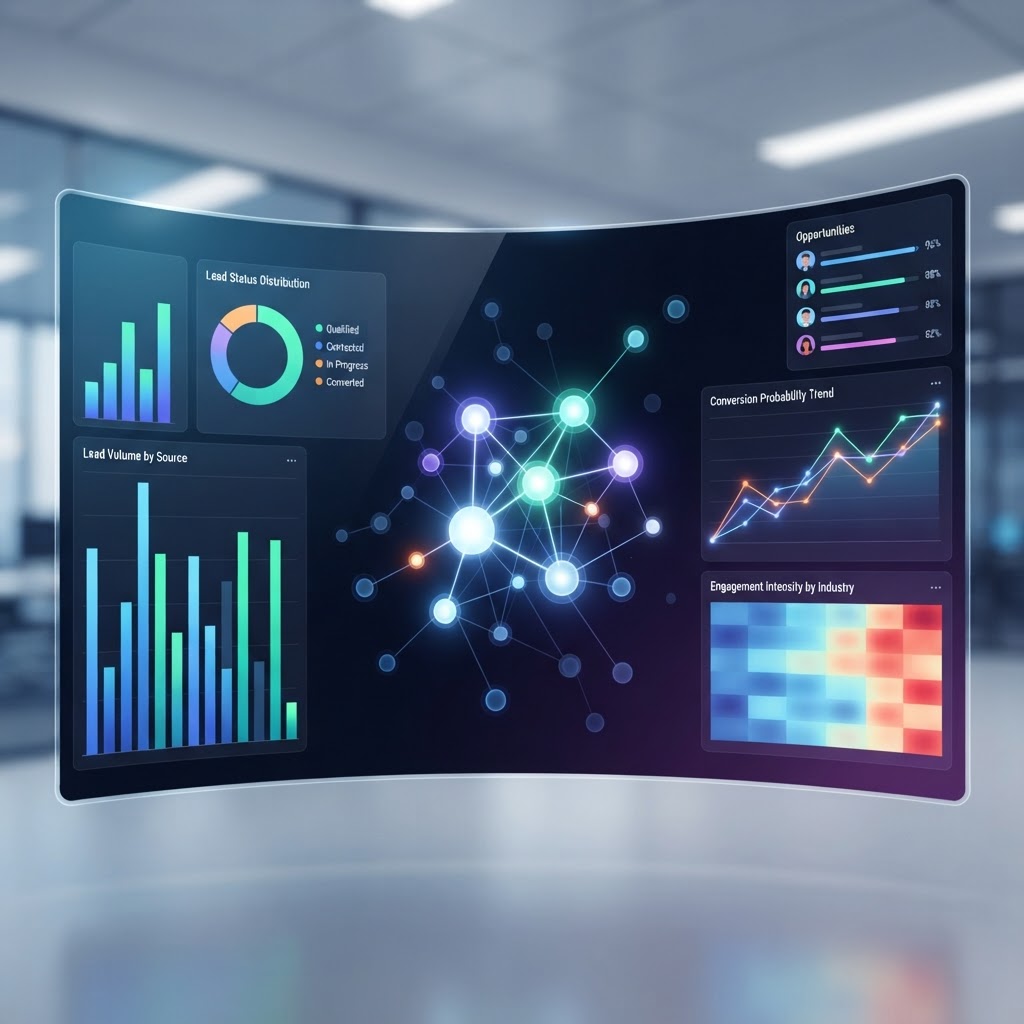
  • Best AI Lead Scoring Software 2026: Top 5 Platforms Compared

    Best AI Lead Scoring Software 2026: Top 5 Platforms Compared

    Key Takeaways

    • AI lead scoring tools move beyond manual spreadsheets by analyzing behavioral data to prioritize prospects with the highest conversion probability.
    • Modern predictive lead scoring software utilizes machine learning to adapt in real-time, unlike static rule-based systems that quickly become obsolete.
    • Effective B2B sales automation relies on integrating AI sales intelligence directly into your CRM to ensure sales teams focus on the right leads at the right time.
    • Key features for top-tier platforms include bi-directional CRM synchronization, multi-touch attribution, and real-time intent data processing.
    • Implementing lead qualification AI reduces lead leakage and shortens the sales cycle by filtering out low-intent noise before it reaches your reps.

    In the hyper-competitive B2B landscape of 2026, the gap between high-performing sales organizations and those struggling to hit quotas often comes down to one singular capability: the ability to discern intent from noise. With digital touchpoints multiplying, manual lead qualification has become an impossible burden for human teams. Enter the new generation of AI lead scoring tools, which leverage advanced neural networks to digest millions of data points, identifying patterns that even the most seasoned sales managers would miss. By adopting the best lead scoring platforms 2026 has to offer, businesses are moving away from gut-feeling prospect prioritization toward a data-driven paradigm that ensures revenue-generating opportunities are never left on the table.

    What Is AI Lead Scoring and Why Does Your Team Need It?

    AI lead scoring is a sophisticated application of machine learning that evaluates the likelihood of a prospect becoming a customer based on historical engagement, demographic attributes, and real-time behavioral data. Unlike legacy systems that relied on arbitrary point values assigned to a single email open or webinar attendance, AI-driven solutions continuously recalibrate. They look for the “hidden signal” within the noise—for instance, noting that a prospect who visits the pricing page at 3:00 AM after consuming two specific blog posts has a significantly higher conversion probability than a prospect who merely signed up for a newsletter.

    The primary necessity for this technology lies in the scaling problem of B2B sales automation. As your marketing team succeeds in driving higher volumes of traffic, your sales team is frequently overwhelmed by a surplus of leads. Without a mechanism to distinguish between a casual researcher and an enterprise buyer ready to initiate procurement, sales representatives often prioritize “low-hanging fruit” that offers little value, or worse, ignore high-intent leads that required a timely touch.

    AI lead scoring tools solve this by providing a dynamic “propensity to buy” score. These scores are not static; they evolve as the prospect interacts further with your ecosystem. When integrated correctly, this intelligence allows teams to engage with context. Instead of a generic outreach sequence, a representative sees a notification that a lead has reached a “High Intent” threshold based on their recent pattern of activity, allowing for a personalized, high-value conversation.

    Furthermore, the implementation of predictive lead scoring software minimizes the friction between marketing and sales departments. Historically, sales teams have often complained that leads provided by marketing were “low quality,” while marketing teams argued their leads weren’t being nurtured properly. AI bridges this divide by objectively defining what a “qualified” lead looks like through the lens of historical conversion data. By moving toward a standardized, data-backed qualification model, organizations can create a unified revenue engine where every marketing dollar spent is directly traceable to the high-intent opportunities prioritized by the AI. Ultimately, the transition to these tools is no longer a luxury for early adopters; it is a fundamental infrastructure requirement for any enterprise operating in a crowded digital marketplace.

    How Machine Learning Transforms Traditional Lead Qualification

    Traditional lead qualification has historically been a manual, often binary process. Sales teams would define “BANT” (Budget, Authority, Need, Timing) criteria and apply them via static checklists or simple CRM logic. If a lead fit the demographic profile (e.g., Job Title = CTO, Company Size = 500+ employees), they were handed to sales. If not, they were sent to a “nurture” bucket. This approach is fundamentally flawed because it ignores the non-linear, often unpredictable journey of the modern B2B buyer.

    Machine learning changes this by introducing the concept of pattern recognition over static rules. These algorithms ingest vast datasets—including CRM history, marketing automation logs, social media engagement, and even intent signals from third-party data providers—to create a mathematical model of your ideal customer profile (ICP). Once the model is trained on your successful closed-won deals, it acts as a permanent observer, constantly monitoring incoming traffic for traits that mirror your historical successes.

    Consider the role of “negative signals.” A rule-based system might award points to any visitor. However, AI sales intelligence can identify that users who visit your “Careers” page or “Documentation” portal exclusively might actually be competitors or recruiters, rather than buyers. By identifying these false positives, the AI suppresses their scores, preventing the sales team from wasting time on leads that will never convert.

    Furthermore, machine learning allows for the weight of specific actions to change based on real-world outcomes. If your team discovers that a new whitepaper campaign is suddenly attracting prospects who close at a higher velocity, the AI system detects this shift in conversion data and automatically adjusts the scoring model to favor prospects who engage with that specific content. This agility is the core advantage of predictive lead scoring software. You are no longer tethered to a manual re-calibration process that happens once a quarter. Instead, your qualification criteria are as dynamic as the market itself, shifting as your product, pricing, or competitive landscape evolves.

    The transformation is not just about efficiency; it is about accuracy. By utilizing neural networks to analyze interaction sequences, the AI identifies subtle shifts in buying intent. A prospect who suddenly stops engaging after months of activity might trigger a “churn risk” alert, while a dormant prospect who returns to your site to view a case study might trigger a “re-engagement” alert. These insights ensure that human interaction occurs precisely when it is most influential.

    Methodology Mechanism Best For
    Rule-Based Scoring Static, manual “if-then” point assignments. Simple businesses with stable, unchanging sales cycles.
    Predictive AI Scoring Automated ML models analyzing historical conversions. High-volume, complex B2B enterprises requiring scale.
    Intent-Based AI External data ingestion (third-party intent). Outbound teams seeking early-stage “in-market” signals.

    Key Features to Look for in AI Lead Scoring Platforms

    When evaluating the best lead scoring platforms 2026 has to offer, it is easy to get lost in marketing jargon. However, to truly enhance your sales operations, there are five non-negotiable features you must scrutinize during the selection process.

    First, look for robust, bi-directional CRM integration. An AI scoring tool is only as good as the data it accesses. If it cannot read your historical closed-won and closed-lost opportunities, it cannot learn your business. The platform should pull data from your CRM to train its models and then push scores back into the CRM in real-time, allowing your sales team to view these scores directly within their familiar interface, such as Salesforce, HubSpot, or Microsoft Dynamics.

    Second, prioritize transparency or “explainability.” Many machine learning models act as a “black box,” giving you a score of 85 without telling you why. The best tools provide “reason codes” or attribute breakdowns. For example, a dashboard should be able to show that a lead scored highly because of their job title (C-suite), company industry (Tech), and recent interaction (Pricing Page visit). This level of granular visibility is crucial for sales reps to trust the AI’s suggestions and tailor their initial outreach accordingly.

    Third, evaluate the system’s ability to handle multi-touch attribution. B2B buying cycles are notoriously long, often involving five to ten stakeholders. A superior platform will not just score a single individual; it will roll those scores up to an “Account Score.” If five different employees from the same enterprise target account are all engaging with your content simultaneously, the platform should flag this as a “High Priority Account,” even if the individual scores are moderate. This is the cornerstone of modern Account-Based Marketing (ABM) strategies.

    Fourth, investigate how the platform handles data hygiene and deduplication. Inaccurate data leads to flawed scores. A platform that automatically cleans, deduplicates, and enriches lead data (e.g., appending missing phone numbers or firmographic details) will provide a much higher ROI.

    Finally, consider the ease of “model tuning.” Even the best AI needs oversight. The platform should offer an intuitive user interface where your sales operations team can define parameters, exclude certain data points, or “up-weight” specific interactions during marketing campaigns. If a product launch requires more aggressive lead qualification for a short period, your team should be able to adjust the sensitivity of the algorithm without needing to hire a data scientist to rewrite the underlying code. Selecting a platform that balances “set it and forget it” automation with tactical human oversight is the hallmark of a successful 2026 deployment.

    Predictive Scoring vs. Rule-Based Systems: What Is the Difference?

    The central tension in lead qualification has always been between control and intelligence. Rule-based systems, which have dominated the market for over a decade, represent total control. You set the rules: “If the prospect downloads a whitepaper, add 10 points. If they visit the contact page, add 20 points.” This is deterministic and highly predictable. The problem is that it is fundamentally static. It assumes that a download in 2026 carries the same weight as a download in 2022, and it assumes that the path to a sale is a linear, predictable sequence of events. In reality, modern buying behavior is erratic and highly contextual.

    Predictive lead scoring software flips this logic. Instead of starting with the rules, it starts with the data. It does not assume that a download is valuable; it asks, “Did those who downloaded this whitepaper actually end up buying the product?” If the answer is no, the algorithm assigns that action a low (or even negative) point value.

    This leads to a key difference in maintenance. A rule-based system is a high-maintenance chore. As your product matures and your marketing tactics shift, your rules become outdated. If you don’t manually audit your points every few months, your “A-leads” become low-intent users, and your sales team stops trusting the scoring altogether—leading to the dreaded “lead leakage” where high-value prospects go uncontacted.

    Predictive systems, conversely, are self-optimizing. Because they are constantly measuring the relationship between engagement and outcome, they effectively “self-heal.” If your sales team starts closing deals with leads who only interact via social media, the AI detects that shift and automatically elevates the score of that behavior.

    However, it is important to note that the distinction isn’t always binary. Many top-tier AI lead scoring tools now offer a “hybrid” approach. They allow for the inclusion of “hard constraints” (rules) alongside the AI-driven propensity scores. For instance, you might use AI to rank the leads, but include a rule that anyone from a “Blacklisted Competitor” domain receives a score of zero, regardless of their activity. This synthesis of human-defined policy and machine-calculated probability is the industry gold standard for 2026.

    By leveraging predictive analytics, organizations stop focusing on what they *think* makes a good lead and start focusing on what the *data* proves makes a good lead. While rule-based systems are sufficient for startups with extremely limited data and simple sales cycles, any company scaling its outreach will find that the predictive approach is the only way to sustain high-velocity growth.

    How to Integrate AI Scoring with Your Existing CRM Workflow

    The technical capability of an AI tool is moot if it lives in a silo. To derive real value from lead qualification AI, the scores must be injected directly into the workflow of your sales development representatives (SDRs) and account executives (AEs). The goal is to reduce the “context-switching tax” that occurs when reps have to open multiple tabs to understand lead priority.

    Integration begins with data mapping. You must ensure that your AI tool’s scoring output is mapped to a specific field in your CRM (e.g., “AI_Propensity_Score”). Once this data field is populated, you can create automated CRM workflows. For example, you might create a view for your SDRs that only shows “Tier 1” leads—those with an AI score above 80. This instantly filters the noise, allowing reps to start their day with a focused, high-probability call list rather than a massive, unprioritized spreadsheet.

    Automation should extend beyond simple views. Consider setting up trigger-based alerts. When a lead reaches a specific score threshold, the AI tool should trigger an automated notification to the lead’s account owner in Slack or Microsoft Teams. This ensures that the rep is alerted in real-time when a high-intent prospect is actively engaging with the website, allowing for “in-the-moment” outreach while the lead’s interest is at its peak.

    Another critical integration point is the feedback loop. Your CRM should be configured to feed “Outcome Data” back into the AI platform. When a rep marks a lead as “Disqualified,” “Nurture,” or “Opportunity Created” in the CRM, that information must be synced back to the AI model. This is how the system learns from its mistakes. If an AI-scored lead turns out to be a “bad fit,” the system needs to know that outcome so it can avoid prioritizing similar prospects in the future.

    Finally, consider the human side of the integration. Adoption often fails because reps don’t understand the “why” behind the score. When you integrate these tools, supplement the CRM dashboard with a simple “Top 3 Buying Signals” tooltip that shows the rep the specific actions that pushed that lead to a high score. Giving the rep this intelligence transforms their outreach approach from “I see you visited our site” to “I noticed you’ve been reviewing our integration documentation and pricing, which are great indicators that you’re close to a decision.” This level of personalization, powered by underlying AI scoring, is what separates elite sales teams from the rest of the pack in 2026.

    Top 5 AI Lead Scoring Tools for B2B Sales Teams Reviewed

    The market for AI sales intelligence has matured significantly by 2026, shifting from simple rule-based systems to complex neural networks that analyze behavioral intent. Below are the top five platforms currently leading the industry in predictive lead scoring capabilities.

    1. Salesforce Einstein Sales Cloud

    As the industry standard for CRM, Salesforce Einstein leverages the vast ecosystem of data within the platform to provide “Lead Scoring” and “Opportunity Scoring.” Its greatest strength lies in its native integration; because the AI learns directly from your historical CRM data, it understands the unique nuances of your specific sales cycle. By 2026, the tool has improved its ability to explain its reasoning, providing sales reps with “score insights” that detail which specific actions (such as high-intent website visits or email responsiveness) contributed to a lead’s high score.

    2. 6sense Revenue AI

    6sense operates as an account-based orchestration platform that uses AI to detect “dark funnel” activity. Unlike traditional tools that focus on individual leads, 6sense identifies anonymous buying groups within target accounts. It uses predictive modeling to determine where a company is in its buying journey, allowing sales teams to prioritize accounts that are showing active interest even before they reach out via a contact form.

    3. HubSpot Predictive Lead Scoring

    HubSpot’s offering is highly regarded for its ease of use and rapid time-to-value. It is particularly effective for mid-market B2B teams that require a balance between robust AI and a simplified user interface. The platform automatically identifies which properties—such as job title, company size, or recent activity—correlate most strongly with closed-won deals. It is excellent for teams that want to automate their lead handoff processes without requiring a dedicated data science department.

    4. Demandbase One

    Demandbase has evolved into a powerhouse for account-based marketing (ABM). Its predictive scoring engine, “Demandbase Intent,” merges first-party CRM data with third-party behavioral data across the open web. This gives sales teams a 360-degree view of an account’s interest level. It is best suited for enterprise-level B2B companies that have long sales cycles and need to align marketing and sales teams around a unified view of account health.

    5. Clearbit (by HubSpot)

    Clearbit excels at real-time data enrichment and intent signaling. By automatically appending firmographic and technographic data to incoming leads, Clearbit ensures that your scoring engine has the context it needs to function correctly. Its AI-driven scoring identifies high-fit prospects the moment they interact with your brand, ensuring that sales teams never waste time on low-value traffic.

    Platform Primary Strength Best For
    Salesforce Einstein Native CRM Integration Existing Salesforce Ecosystems
    6sense Dark Funnel Analytics Complex ABM Strategies
    HubSpot User Experience Mid-Market Growth Teams
    Demandbase Intent Data Depth Enterprise Sales Organizations
    Clearbit Data Enrichment High-Volume Inbound Lead Teams

    Overcoming Common Challenges When Implementing AI Scoring

    Implementing AI-driven lead qualification is rarely a “plug-and-play” experience. Many organizations face significant friction during the transition from manual, rule-based scoring to AI-driven models. Recognizing these hurdles early is essential for long-term success.

    The “Black Box” Problem

    One of the most pervasive challenges is the lack of transparency in AI decision-making. Sales representatives are often skeptical of scores if they do not understand *why* a lead is ranked as a “hot” prospect. To overcome this, organizations must choose platforms that provide “explainable AI” features. Sales managers should host regular “score review” sessions where they audit the logic behind high-scoring leads to ensure the AI’s predictions align with the team’s professional intuition.

    Cultural Resistance

    Sales teams often have deeply ingrained habits regarding lead follow-up. When a software suddenly dictates who they should call first, some reps may feel their autonomy is compromised. Successful implementation requires a change management strategy. Position the tool as a “sales assistant” rather than a “sales replacement.” Provide training that highlights how the tool saves the rep time, allowing them to focus on high-value conversations rather than qualifying unqualified leads.

    Underutilization of Historical Data

    AI models require a significant amount of historical “closed-won” and “closed-lost” data to train effectively. If an organization has been practicing poor data hygiene or hasn’t tracked the “why” behind lost deals, the AI will lack the foundation to build accurate predictions. Teams must prioritize data cleanup—ensuring that stages in the CRM are updated accurately—at least three to six months before deploying an AI-scoring pilot.

    Measuring the ROI of Your AI-Driven Lead Qualification Strategy

    To justify the investment in predictive lead scoring software, organizations must track metrics that go beyond simple “leads generated.” Measuring ROI requires a focus on efficiency, pipeline velocity, and conversion rates.

    Conversion Rate Improvements

    The most direct measure of AI scoring ROI is the lift in conversion rates from Marketing Qualified Lead (MQL) to Sales Qualified Lead (SQL). Compare your conversion rates for a six-month period before the implementation of AI scoring against the same period post-implementation. A successful rollout should show a marked increase in the quality of leads pushed to sales.

    Reduction in Sales Cycle Length

    AI scoring reduces the time spent on “dead-end” leads. Monitor the average time it takes for a lead to move from initial inquiry to a closed-won deal. By eliminating the time reps spend trying to connect with unqualified prospects, the overall sales cycle should theoretically shorten, allowing your team to handle more opportunities simultaneously.

    Cost Per Acquisition (CPA) Efficiency

    Analyze your customer acquisition cost in relation to your lead scoring tool’s spend. If the AI helps your team close more deals with the same amount of headcount and marketing spend, your effective CPA should decrease over time. Track this metric quarterly to assess whether the platform is paying for itself through increased throughput.

    Avoiding Data Quality Pitfalls in Automated Lead Scoring

    AI is only as good as the information it processes. “Garbage in, garbage out” is a fundamental principle of data science that remains true for lead scoring. To ensure your AI is providing actionable insights, focus on these three areas of data integrity.

    Standardizing Input Formats

    Inconsistent data entry is the primary enemy of AI. For example, if some leads are tagged as “Director of Sales” and others as “Sales Director,” the machine may treat these as distinct roles, potentially diluting the scoring model. Implement mandatory dropdown menus and standardized input fields on all lead generation forms to ensure that incoming data is clean, categorized, and ready for ingestion by the AI engine.

    Handling “Cold” or Outdated Data

    AI models can easily be misled by stale data. If your CRM contains thousands of leads from several years ago that are no longer relevant, the AI might identify patterns that are no longer applicable to your current product-market fit. Regularly purge your database of inactive leads and ensure that the AI model is trained on recent, relevant datasets that reflect current market conditions.

    Managing Data Privacy and Compliance

    As you gather more behavioral intent and third-party firmographic data, your compliance burden increases. Ensure that your lead scoring software is GDPR, CCPA, and CPRA compliant. Automated systems must be programmed to respect opt-out requests and privacy preferences. A breach in data privacy, even if unintentional, can cause significant reputational damage and legal issues for any B2B enterprise.

    Frequently Asked Questions

    What is the difference between rules-based and AI-based lead scoring?

    Rules-based scoring relies on manual thresholds set by human admins, such as “+10 points for visiting the pricing page.” AI-based scoring uses machine learning to analyze thousands of data points simultaneously to determine which behaviors actually lead to a sale, adjusting its own logic dynamically over time.

    How much data is required to start using AI lead scoring?

    Most AI platforms recommend having at least several hundred, if not thousands, of historical “closed-won” and “closed-lost” records. This volume allows the machine learning models to identify the key differentiators between successful and unsuccessful deals.

    Can AI lead scoring integrate with my existing CRM?

    Yes, almost all enterprise-grade AI lead scoring tools are designed to integrate directly with major CRMs like Salesforce, HubSpot, or Microsoft Dynamics. This ensures that the scoring data flows directly into the dashboard where sales reps are already working.

    Does AI lead scoring eliminate the need for human sales reps?

    Absolutely not. AI lead scoring is designed to augment, not replace, human sales talent. It identifies which leads to call and why, but the actual negotiation, relationship building, and closing of the deal still require human emotional intelligence and professional expertise.

    How often should I recalibrate my lead scoring model?

    It is recommended to review and recalibrate your scoring model at least every quarter. As your marketing strategies evolve, your product changes, or your target audience shifts, the criteria for a “perfect lead” will also change, requiring the AI to learn new patterns.

    What is “intent data” in the context of lead scoring?

    Intent data refers to behavioral signals—such as reading specific whitepapers, visiting competitor sites, or searching for industry-specific keywords—that indicate a prospect is in the process of researching a purchase. Integrating this data into your scoring model helps you reach prospects earlier in the buying journey.

    Conclusion

    The landscape of B2B sales is becoming increasingly competitive, and reliance on manual intuition alone is no longer a viable strategy for scaling operations. By adopting the right AI lead scoring software, organizations can transform their sales process from a reactive, scattershot approach into a precise, data-driven operation. The platforms reviewed here—Salesforce Einstein, 6sense, HubSpot, Demandbase, and Clearbit—each offer unique advantages, but the path to success with any of them relies on clean data, clear internal communication, and a commitment to continuous learning.

    As you move forward into 2026, take the time to audit your current sales pipeline, identify where your conversion bottlenecks exist, and select a tool that aligns with your specific technical infrastructure. The investment you make in AI today will pay dividends in the form of higher pipeline velocity and more efficient sales teams for years to come.

    Ready to upgrade your sales stack? Start by conducting a data readiness assessment within your CRM and schedule demos with at least two of the platforms mentioned above to see which best fits your workflow.

    By aismarttoolsreview Editorial Team

  • Best AI Logo Design Tools 2026: Create Branding Fast

    Best AI Logo Design Tools 2026: Create Branding Fast

    Key Takeaways

    • AI logo generators reduce the barrier to entry for professional-grade branding by automating complex design workflows.
    • Choosing the right tool requires balancing ease of use with the depth of vector-based customization options.
    • Most AI logo platforms utilize latent diffusion models to translate user prompts into distinct visual identities.
    • Modern AI design software allows for high-fidelity exports suitable for both digital and print applications.
    • Effective branding with AI involves a hybrid approach, using automation for ideation while refining specific elements manually.

    In an era where digital presence determines market viability, the speed at which a company can establish its visual identity is more critical than ever. For startups, solopreneurs, and small-to-medium enterprises, the traditional path of commissioning a bespoke logo from a design agency often involves prohibitive costs and extended timelines. Enter the rise of the AI logo generator: a transformative technological evolution that leverages neural networks to produce professional-grade visuals in minutes. By utilizing advanced machine learning algorithms, these AI branding tools have democratized the creative process, allowing users with zero design experience to generate, iterate, and finalize high-quality logos that resonate with their target audience. This comprehensive guide explores the landscape of AI-driven design as it stands in 2026, helping you navigate the tools and workflows necessary to craft a brand identity that stands out in a crowded digital marketplace.

    1. Why Use AI Logo Generators for Your Business

    The primary value proposition of an AI logo generator lies in the radical reduction of friction between creative conceptualization and execution. For a modern business, time-to-market is a competitive advantage; waiting weeks for a design iteration can stall a launch or miss a market window. AI design software acts as a force multiplier, allowing founders to produce high-fidelity concepts in real-time. This iterative speed is particularly beneficial for A/B testing potential brand identities across different demographics, a luxury that was once reserved for large corporations with substantial design budgets.

    Beyond speed, these platforms provide an expansive creative sandbox. Unlike traditional manual design, where a single designer’s aesthetic bias might limit the scope of options, a logo creator AI can generate dozens of variations based on a single prompt. By manipulating variables such as color theory, geometric complexity, and typographical weight, these tools can explore unconventional design spaces that human designers might not immediately consider. This exploratory process helps business owners identify unique visual metaphors that effectively communicate their brand narrative.

    Cost efficiency remains a significant driver for the adoption of automated logo design. While AI tools do not replace the nuance of a senior art director, they offer a sophisticated baseline that is often “good enough” for many professional applications. Small businesses can reallocate the capital that would have been spent on agency retainers into other critical growth areas, such as paid acquisition or product development. Furthermore, these platforms typically provide comprehensive brand kits, ensuring consistency across social media assets, email signatures, and website headers.

    Finally, the accessibility of these tools empowers non-technical users to take full control of their brand architecture. When an entrepreneur uses an AI branding tool, they are not merely downloading a file; they are engaged in an interactive session of visual storytelling. As users input their brand mission, target market, and stylistic preferences, the AI synthesizes these data points into a cohesive visual language. This process often clarifies the brand’s intent, forcing the owner to articulate their identity in precise, prompt-driven terms. By utilizing this technology, businesses can maintain a professional image that iterates alongside their own growth, ensuring that their branding remains as agile as their business strategy in an increasingly dynamic market.

    2. Factors to Consider When Choosing an AI Logo Tool

    Selecting the right AI design software requires a discerning look at both the technical output and the platform’s long-term utility. Not all tools are built with the same architecture, and your specific needs—whether you require a quick placeholder or a final vector-ready asset—will dictate which platform earns your investment. The first factor to evaluate is the nature of the file formats provided. For professional branding, vector files (such as SVG or EPS) are non-negotiable. Unlike raster images (like JPG or PNG), vector files allow for infinite scalability without pixelation. A logo creator AI that exports only raster formats will limit your ability to print your logo on anything larger than a business card or a small web element.

    Next, consider the degree of editorial control provided after the initial generation. Some AI branding tools function as “one-click” generators, where you receive a static result with limited modification options. Others act more like sophisticated design suites, offering granular control over layer arrangement, path manipulation, and typeface adjustment. If your brand relies on a specific typographic nuance or a particular geometric arrangement, you should prioritize platforms that allow you to move beyond the AI’s first iteration. The ability to manipulate individual paths allows for a hybrid design process where the AI handles the heavy lifting of composition, and the user adds the final, human touch.

    Another crucial factor is the database of design assets the AI is trained on. Some platforms rely on generic, overused stock shapes and fonts that can lead to “design fatigue,” where your logo looks suspiciously similar to dozens of others in your industry. Superior tools utilize proprietary datasets or offer custom-generated imagery that is unique to your session. Evaluate the platform’s ability to interpret niche industry requests; if you are in a highly specialized field, you need an AI that understands specific iconography rather than defaulting to generic symbols like a lightbulb or a mountain.

    Finally, assess the legal and licensing terms associated with the output. In the evolving landscape of 2026, copyright ownership regarding AI-generated content remains a nuanced subject. Ensure that the platform explicitly grants you full commercial rights to the generated logo and that the source materials (such as the fonts used) are commercially licensed for your use. Some platforms offer subscription-based models that include these rights, while others might restrict them behind higher-tier plans. By reviewing these terms early, you prevent potential intellectual property complications as your business scales and your logo becomes more synonymous with your brand identity.

    3. How AI Logo Generators Work: A Technical Overview

    Understanding the underlying mechanics of an AI logo generator demystifies the design process and highlights why certain inputs yield better results than others. At the heart of most modern AI design software are generative models—most notably, variants of Latent Diffusion Models (LDMs) or Large Language Models (LLMs) paired with text-to-image synthesis. When you provide a prompt, the system acts as a translator, converting natural language into a numerical representation known as a “latent space.” This latent space is a high-dimensional mathematical map where concepts, shapes, colors, and textures are organized according to their logical relationships.

    The AI does not “draw” a logo in the traditional sense of paths and anchors. Instead, it begins with a field of static noise and iteratively refines that noise until it matches the visual patterns associated with your prompt. During this diffusion process, the system samples millions of images, learning the statistical properties of what constitutes a “tech-focused” logo versus a “luxury” logo. It evaluates features such as visual balance, symmetry, whitespace utilization, and color harmony. It is essentially performing a massive search operation through a sea of visual possibilities, narrowing down the potential outcomes based on your constraints.

    Many of the most effective automated logo design platforms also incorporate a “constraint-satisfaction” layer. This is where user-defined rules—such as “must contain an icon,” “use a sans-serif typeface,” or “adhere to a blue and gold palette”—are applied. This layer acts as a filter that restricts the AI’s output to ensure that the final result remains within the bounds of standard graphic design principles. Without this constraint layer, an AI might produce imagery that is aesthetically pleasing but fundamentally unusable for branding purposes, such as an icon with too much detail for small-screen rendering or a font that is illegible at lower resolutions.

    A key advancement in 2026 is the integration of vector-path generation. Early iterations of AI design tools were strictly pixel-based. Today, advanced models can bridge the gap between pixel synthesis and vectorization. This happens through a process called vectorization-post-processing, where the AI interprets the edges and geometric curves of the generated image and converts them into mathematical paths (Bézier curves). This ensures that the crisp lines and clean intersections required for a professional logo are maintained. This technical marriage—between the creative freedom of diffusion models and the technical rigidity of vector geometry—is exactly what makes contemporary AI logo generators powerful enough to challenge the status quo of design workflows.

    4. Comparing Popular AI Logo Platforms: Features and Pricing

    Navigating the market of AI branding tools requires understanding that platforms generally fall into two categories: high-automation generators and high-control design suites. High-automation platforms are designed for the “speed-first” user who needs a usable, clean logo immediately. These platforms focus on prompt engineering and extensive template galleries. Conversely, high-control suites are built for users who want to be deeply involved in the design process, allowing for layers, manual node editing, and complex typography adjustments. Below is a comparison of common approaches found in the current AI landscape.

    Platform Type Best For Key Technical Strength Complexity Level
    Generative Prompt Suites Rapid prototyping and initial brand ideation. Advanced latent diffusion model prompts. Low – Ideal for beginners.
    Template-Hybrid Platforms Startups needing consistent, industry-standard logos. Smart-matching algorithms for fonts/icons. Medium – Guided workflows.
    Vector-Editor AI Suites Designers and brands requiring precise, custom paths. Real-time path generation and node control. High – Requires design intuition.

    When analyzing pricing, consider that “free” tools are rarely truly free in a professional context. Most platforms allow for free exploration, but the high-resolution, vector-based files required for trademarking and large-scale printing are almost exclusively gated behind “pay-per-logo” or subscription models. Some businesses prefer the pay-per-asset model, as it keeps overhead low and allows them to generate one, perfect result without recurring costs. Others, specifically agencies or high-growth ventures, benefit from subscription models that provide access to brand-kit generators, social media asset templates, and unlimited iterations.

    When selecting your plan, look closely at the “export quality.” A platform that charges a premium price but only offers 72 DPI (dots per inch) raster files is likely not optimized for modern branding. You should look for platforms that offer SVG (Scalable Vector Graphics) export capabilities as part of their standard tier. Additionally, investigate the platform’s community resources or user guides. A tool that provides educational content on how to properly pair fonts or how to adjust color values based on target demographics is vastly more useful than a platform that simply spits out an image. Remember that in the world of 2026 AI branding tools, the cost is not just for the pixels—it is for the quality of the algorithmic refinement and the flexibility of the post-generation customization suite.

    5. Customization Options: Scaling Beyond Simple Icons

    The hallmark of a professional brand is not just the logo, but the ability to translate that logo across a massive variety of touchpoints, from a physical storefront sign to a tiny browser favicon. The most capable AI branding tools recognize this need, providing deep customization options that allow your initial design to “scale” in utility as well as size. Once the custom logo maker has provided a base concept, the refinement phase begins. This is where you move from a generic generation to a personalized brand asset.

    First, evaluate the typography customization. A font is often the most important element of a brand’s identity, as it conveys the “voice” of the company. Advanced AI platforms offer an extensive, curated library of professional, web-safe fonts. Ideally, you should be able to adjust kerning (the space between characters), tracking, and baseline alignment. These micro-adjustments are what separate a amateur-looking design from a sophisticated one. If the AI provides a beautiful logo icon but forces you to use an illegible or mismatched font, the platform’s overall utility is significantly diminished.

    Color management is another area where advanced tools distinguish themselves. A standard logo generator might offer you a primary color, but a high-end tool will offer a palette generator based on color psychology. This ensures that your brand colors are not only aesthetically pleasing but also functional for digital and print. Look for tools that offer accessibility checks—ensuring that your color choices meet contrast standards for readability. This is particularly important for brands that want to demonstrate inclusivity and follow modern web standards.

    Beyond the basics, many modern platforms offer a “brand consistency engine.” Once your logo is finalized, the AI can apply your selected color palette and typography style to a variety of collateral items. This might include automated templates for business cards, letterheads, social media headers, and even basic landing page designs. By using the same underlying logic to populate these assets, the AI ensures that your branding remains coherent across every medium. This is the definition of scaling a brand identity; it is no longer about just having a logo, but about having a design system that works in harmony.

    Finally, consider the ability to export in multiple formats for different use cases. You will need a full-color version for your website, a monochrome version for invoices and document headers, and perhaps a transparent PNG for layering over different backgrounds. A robust AI design software platform will provide these variants in a single “brand zip” package. This attention to detail is vital for the operational side of your business. As you grow, having these variations ready to hand to a web developer or a marketing partner will save you significant time. Choosing a platform that understands these professional requirements proves that it is not just a toy for ideation, but a legitimate component of your company’s infrastructure.

    Quality and Resolution: Printing and Digital Requirements

    When leveraging an AI logo generator, the final output quality is often the most significant point of friction between digital preview and physical execution. Digital-first businesses might prioritize screen resolution, but a robust brand identity requires assets that translate seamlessly across various mediums, from mobile app icons to large-format signage.

    Most professional AI design software tools offer exports in either raster or vector formats. Raster files—such as PNG or JPEG—are pixel-based. While these are excellent for social media profile pictures, website headers, and email signatures, they suffer from degradation when scaled beyond their original dimensions. If you intend to use your logo on merchandise, billboards, or business cards, a raster file will quickly pixelate, rendering the brand image unprofessional.

    Vector files, including SVG, EPS, or PDF, rely on mathematical equations rather than fixed pixels. This allows them to be scaled infinitely without losing clarity. The most capable automated logo design platforms provide vector exports as a premium offering. If your chosen tool only provides high-resolution PNGs, you must ensure you have a transparent background to maintain versatility. A common best practice is to export a “master file” in a high-density format and create derivative assets for specific use cases like favicons (typically 16×16 or 32×32 pixels) or professional letterheads (300 DPI for high-quality printing).

    Common Mistakes to Avoid When Using AI for Branding

    The speed and convenience of AI branding tools can sometimes lead to superficial decision-making. To ensure your brand remains competitive and authoritative, avoid these frequent pitfalls:

    • Relying on Generic Stock Icons: Many low-end AI generators pull from pre-existing symbol libraries. If your brand relies on a generic “lightbulb” icon generated by AI, you risk appearing identical to hundreds of other companies. Always customize the iconography to reflect your unique value proposition.
    • Ignoring Negative Space: AI often prioritizes “busy” designs that look impressive on a monitor but fail when scaled down to a one-inch space. Evaluate your logo’s legibility at extreme sizes. If the fine details disappear, the AI has likely cluttered the design.
    • Neglecting Consistency in Color Theory: While AI can suggest pleasing color palettes, it may ignore the psychological impact of colors in your specific industry. A neon color palette might be trendy, but it could undermine the trust-based design required in sectors like finance or legal services.
    • Failing to Test on Dark vs. Light Backgrounds: A logo that looks stunning on a white background often disappears on a dark or high-contrast background. Always generate variations—specifically a monochromatic version or a “reversed” version—to ensure visibility across all touchpoints.
    • Over-Complicating Typographic Choices: AI sometimes selects ornate, decorative fonts that are difficult to read on mobile devices. Prioritize clean, scalable typography that remains legible at smaller resolutions.

    Ensuring Your AI-Generated Logo is Unique and Trademarkable

    Legal nuances surrounding AI-generated content remain a complex landscape. In many jurisdictions, copyright law requires human authorship for a work to be protected. If your logo is generated entirely by an AI with no human modification, securing a trademark can be significantly more challenging.

    To maximize your chances of intellectual property protection, you should treat the AI-generated output as a foundational draft rather than the final product. Use the AI design software to iterate on shapes, layouts, and typography, but then incorporate custom modifications. By adjusting line weights, altering font spacing (kerning), or combining elements in a way that the AI did not originally provide, you inject the necessary human creative input to strengthen your claim to the asset.

    Furthermore, perform a comprehensive trademark search before fully committing to an AI-generated design. Because AI tools often train on existing databases of imagery, there is a statistical possibility that an AI could generate a symbol that is visually similar to a pre-existing registered trademark. Never assume that an AI-generated logo is inherently original; always cross-reference it against existing databases to ensure you are not infringing on established brand identities.

    Tool Name Vector Output Capability Primary Customization Level Best For
    LogoArchitect Pro Full SVG/EPS Advanced (Node-level) Corporate Branding
    BrandGenius AI High-Res PNG/SVG Moderate (Layout-focused) Startups & SME
    QuickLogo Stream PNG Only Basic (Template-based) Social Media & Side Projects
    VectorCraft AI Full Vector High (Generative Layers) Professional Design Firms

    Integrating AI Logos with Your Broader Visual Identity

    Your logo is only one component of your brand identity. A logo creator AI can provide a striking mark, but it must be integrated into a cohesive visual system. This involves defining your brand’s “Visual DNA.”

    Start by extracting the color hex codes from your AI-generated logo. Use these as the anchor for your secondary color palette, which should include complementary or analogous colors for backgrounds, call-to-action buttons, and accent text. Most brand identity suites include a primary color, a secondary neutral (like charcoal or slate), and a vibrant accent color.

    Beyond colors, your typography must bridge the gap between the logo and your marketing materials. If your logo uses a bold sans-serif font, ensure that your website, pitch decks, and social media graphics use a compatible font family. AI design tools often offer “Brand Kit” features that bundle your logo with recommended font pairings and icon sets. Leveraging these tools helps maintain visual harmony, preventing a disjointed customer experience where the marketing collateral feels disconnected from the logo itself.

    Future Trends in AI-Driven Brand Asset Creation

    As AI design software evolves, the landscape for brand creation is moving toward “Dynamic Branding.” In the near future, we expect to see AI tools that don’t just create a static logo, but rather a “brand system” that reacts to its environment. For example, a logo might subtly adjust its orientation or color profile based on the device it is being viewed on or the context of the user interaction.

    We are also seeing the emergence of multimodal AI, where an AI can take a descriptive prompt, a sketch, and a collection of inspiration images to generate a comprehensive “Brand Bible” in seconds. This goes beyond simple logo creation, encompassing voice tone, imagery styles, and even UI/UX patterns. Additionally, the integration of generative AI directly into professional design suites like Adobe Illustrator or Figma will continue to blur the line between human designers and automated tools, turning the designer into more of a “creative director” who manages the AI’s generative output rather than performing manual pixel-pushing.

    Frequently Asked Questions

    Can I copyright a logo created by an AI?

    In many regions, copyright protection requires human authorship. While you can claim ownership of the finished visual asset for business use, obtaining a formal copyright registration for purely AI-generated work remains legally contentious. It is highly recommended to significantly modify the AI output to demonstrate human creative input if legal protection is a top priority.

    Are AI-generated logos truly unique, or will I see mine elsewhere?

    Most AI logo generators use probabilistic models, meaning they generate designs based on learned patterns. While the chance of an exact duplication is relatively low if you use custom prompts, the risk of “thematic overlap” exists. The more specific and detailed your prompt, the lower the probability of generating a design that mirrors another user’s result.

    Do I need design experience to use AI branding tools?

    No, these tools are built with user experience as a priority. You do not need technical graphic design skills to produce a functional logo. However, having a basic understanding of design principles—such as balance, contrast, and hierarchy—will help you make better decisions when customizing your AI-generated results.

    What file format should I use for a high-quality logo?

    For printing and professional scaling, always aim for vector formats like SVG, EPS, or AI. For digital applications like websites, blogs, or social media, a high-resolution PNG with a transparent background is typically the industry standard. Avoid JPEG for logos, as the compression can leave artifacts around sharp edges.

    How do I know if an AI logo is professional enough for my industry?

    Evaluate the logo against industry benchmarks. If you are in a highly regulated industry, such as healthcare or finance, prioritize simplicity and clarity over trendy, complex AI effects. The most “professional” logos often perform best in black and white—if it is readable and impactful without color, it is likely well-designed.

    Can I combine different AI tools for a better result?

    Absolutely. Many professional designers use one AI tool to generate raw iconography, another to iterate on typography, and a third to suggest color palettes. Combining these strengths often results in a more sophisticated and bespoke final brand identity than relying on a single, one-size-fits-all generator.

    Conclusion

    The landscape of branding is undergoing a fundamental transformation. As we look toward 2026, the barrier to entry for professional-grade design has virtually vanished. With the right AI logo design tools, businesses of any size can bypass the traditionally expensive design process and build a visual identity that is both agile and impactful. However, the true value of these tools lies not in the automation itself, but in how you refine, iterate, and integrate the output into a cohesive brand story.

    The key to success is viewing AI as a partner in the creative process rather than a final solution. By focusing on scalability, ensuring your design is unique through thoughtful modification, and maintaining visual consistency across all digital and physical channels, you can ensure your brand stands out in an increasingly crowded marketplace. Start experimenting with these tools today—your next great brand identity might only be a few prompts away.

    By aismarttoolsreview Editorial Team

  • Best AI Remote Desktop Software 2026: Top 5 Tools Compared

    Best AI Remote Desktop Software 2026: Top 5 Tools Compared

    Key Takeaways

    • AI-powered remote access transforms connectivity by predicting bandwidth needs and automating routine administrative tasks.
    • Modern secure remote desktop tools now integrate machine learning to detect anomalies in real-time, preventing unauthorized access.
    • Predictive maintenance and AI-driven diagnostic logs are essential for reducing downtime in complex remote workforce management environments.
    • The best AI remote desktop software prioritizes zero-trust architecture while optimizing high-latency connections via intelligent data compression.
    • Selecting the right tool requires balancing robust diagnostic automation against the complexity of the deployment for your specific IT infrastructure.

    The landscape of remote infrastructure has shifted dramatically, moving from simple screen-sharing protocols to sophisticated, intelligent ecosystems. As businesses continue to embrace the global workforce model, the demand for high-performance connectivity has outpaced traditional methodologies. By leveraging the latest innovations in machine learning and predictive analytics, the best AI remote desktop software now offers more than just visual access; it provides a comprehensive management layer that understands user intent and infrastructure health. This guide, compiled by the aismarttoolsreview Editorial Team, explores how next-generation AI-powered remote access is defining the future of technical support, secure connectivity, and enterprise-level system administration as we enter 2026.

    How AI Enhances Remote Desktop Performance

    The traditional paradigm of remote access was fundamentally reactive. A user initiated a connection, and the software attempted to mirror the screen as efficiently as the raw bandwidth allowed. In contrast, modern AI-powered remote access systems utilize predictive models to anticipate performance bottlenecks before they manifest as user-facing lag. One of the most significant advancements is intelligent adaptive streaming. Instead of applying a static compression algorithm to a remote session, AI agents analyze the content being displayed—whether it is a static document, a video playback, or high-fidelity CAD software—and adjust the codec profile in real-time. By prioritizing key visual elements while dynamically lowering the bit rate for non-critical interface components, these tools ensure fluid interaction even on degraded network connections.

    Furthermore, AI-driven bandwidth optimization acts as an invisible assistant for remote workers navigating unstable residential internet connections. Modern tools assess network jitter and packet loss patterns to buffer data streams proactively. This capability is transformative for IT remote access solutions that operate across vast geographical distances where latency would traditionally render real-time tasks impossible. When the AI detects a spike in latency, it can throttle secondary background processes or re-route the traffic through optimized edge servers, maintaining the responsiveness of the active input stream.

    Beyond connectivity, AI enhances the desktop experience by automating the tedious environmental setup that often plagues remote sessions. For instance, AI-integrated software can automatically detect peripheral mismatches—such as multi-monitor configurations, high-DPI scaling issues, or audio routing conflicts—and apply configuration profiles that mimic the user’s local environment. By reducing the “handshake” time required to establish a meaningful connection, these tools streamline the transition into the remote workspace. This intelligent environmental awareness ensures that when an administrator or employee logs in, the remote system feels local, minimizing the mental friction often associated with jumping between machines. These advancements represent a shift from mere passive viewing to a proactive, context-aware management layer that learns the specific performance characteristics of every network node it connects to, ensuring consistency across disparate hardware setups.

    Key Features to Look for in AI Remote Access Tools

    When evaluating the best AI remote desktop software, the feature set must move beyond basic screen sharing. First, look for intelligent diagnostic dashboards. These tools do not just show you the remote screen; they provide a real-time overlay of system health, CPU usage spikes, and memory leaks that might be causing user complaints. This predictive insight allows IT teams to move from reactive “firefighting” to proactive system maintenance. An effective tool should utilize machine learning to establish a baseline of what “normal” performance looks like for a specific machine; when that machine deviates from its typical pattern—perhaps due to a background process or an unauthorized application—the AI triggers an alert long before the user calls the support desk.

    Another critical feature is AI-assisted session recording and metadata logging. In high-stakes enterprise environments, audit trails are mandatory. Advanced AI tools can automatically transcribe support sessions, index technical commands executed, and highlight potential security misconfigurations observed during the remote intervention. This creates a searchable knowledge base of remote support activity, allowing teams to identify recurring issues across the entire fleet. If a specific driver update or security patch is causing a pattern of remote connection failures, the AI can cross-reference session logs to surface the root cause immediately.

    Accessibility and administrative automation are also paramount. Look for tools that support AI-powered script execution or automated “remediation” flows. If a remote session reveals a common issue, such as a full disk or a hung background service, the AI should suggest (or execute) a resolution script with a single click. This significantly reduces the time-to-resolution (TTR) for routine support tickets. Finally, evaluate the platform’s security posture. Even the most performant tools are useless if they lack robust encryption and identity management. Seek tools that offer identity-aware proxying, where the AI constantly monitors for session hijacking behaviors, such as unexpected mouse movement patterns or impossible geographical travel between sessions. By integrating these features, organizations can ensure that their remote workforce management infrastructure is not only fast and responsive but also governed by intelligent, automated security oversight.

    Tool Name Primary AI Focus Best For
    Predictive Connect AI Network jitter prediction and latency mitigation High-latency remote workforce management
    SupportSync Intel Automated incident documentation and resolution Enterprise IT support desks
    SecureGate ML Anomalous activity detection and zero-trust verification High-security government or financial sectors
    FluidDesktop Pro Dynamic codec adjustment for fluid creative work Designers and video editors
    OmniRemote Core Predictive maintenance and system health diagnostics Managed Service Providers (MSPs)

    Benefits of Using AI for IT Support and Troubleshooting

    The integration of AI into remote support workflows changes the economics of IT management by fundamentally reducing the dependency on human-intensive troubleshooting. In traditional support environments, a technician spends a significant portion of their time simply navigating the target system to understand the state of the machine. AI-powered remote support tools bypass this by performing a “pre-flight” check. Upon initiating a connection, the AI dashboard generates a comprehensive health report, displaying critical services, recent system errors, and hardware utilization metrics. This gives the technician a “heads-up display” view, meaning they start their intervention with the answer to the “what happened?” question already solved.

    Beyond diagnostics, AI remote support tools facilitate significant improvements in knowledge transfer. By utilizing Natural Language Processing (NLP), these platforms can analyze the dialogue or the commands entered during a support session to suggest automated solutions based on historical company data. If an IT team encounters a bug that has been previously documented, the AI assistant can prompt the technician with the exact sequence of terminal commands or registry edits required to resolve the issue. This creates a loop of continuous improvement where the entire IT department becomes more efficient the more they use the software.

    Furthermore, the automation of repetitive tasks is a cornerstone of AI utility in IT. Modern tools allow for the creation of “Self-Healing Workflows.” When the AI detects a specific state, such as a printer spooler that has crashed, it can trigger an automated repair routine. In many cases, these repairs can be initiated without the need for a full interactive remote session, saving both time and bandwidth. This allows IT staff to focus on high-value projects rather than mundane system maintenance. The cumulative effect is a drastic reduction in mean time to repair (MTTR) and a corresponding increase in end-user satisfaction. Because the AI is constantly monitoring the health of remote endpoints, it often flags issues—such as failing hard drives or pending security updates—before they lead to a catastrophic failure, essentially transforming IT departments from reactive units into proactive strategic assets that protect the stability of the enterprise infrastructure.

    Security Considerations for Remote Desktop Connections

    Security is the primary barrier to the widespread adoption of AI-enhanced connectivity, yet paradoxically, AI is also the most potent tool available for securing these connections. A central concern with any remote access solution is the “identity gap”—the inability to be certain that the individual on the other side of the screen is who they claim to be. AI-powered remote access tools now incorporate behavioral biometrics to close this gap. By analyzing the unique way a user interacts with their keyboard and mouse—their cadence, their pressure, and their navigation patterns—the software can verify the user’s identity continuously throughout the session. If the session is hijacked, the AI detects a change in behavioral patterns and forces an immediate re-authentication, protecting the session from unauthorized takeover.

    Furthermore, machine learning models are being deployed to monitor for data exfiltration during remote sessions. Traditional firewalls and DLP (Data Loss Prevention) tools struggle with remote desktop protocols because they often treat the traffic as a monolithic stream. AI-powered tools, however, inspect the data at the application layer. They can recognize, for instance, if a user is attempting to copy sensitive corporate data to a local clipboard or mapping a drive to an unauthorized network location during a remote session. When this occurs, the software can selectively block the specific action while keeping the screen-sharing session active, ensuring security without disrupting the workflow.

    Experts generally agree that the shift toward a zero-trust architecture is essential for modern remote environments. In this framework, no device or user is trusted by default, regardless of their position relative to the corporate firewall. AI plays a critical role here by managing granular access policies based on real-time risk scores. A user might have full access to a remote machine while on a secure corporate network, but the moment they connect from a public, unsecured Wi-Fi, the AI-managed gateway can automatically restrict their permissions to read-only mode or require multi-factor authentication (MFA) for every critical command. These AI-driven secure remote desktop tools transform security from a series of static, binary rules into a dynamic, intelligent system that adapts to the environment. As cyber threats become more sophisticated, the ability of these tools to evolve in real-time, learning from emerging patterns of compromise, ensures that remote workforce management remains a viable, secure business strategy rather than a risky operational necessity.

    Top AI-Powered Remote Access Platforms Reviewed

    As we examine the current market for 2026, several platforms have distinguished themselves by integrating AI as a core architectural element rather than an ornamental “add-on.” When choosing the best AI remote desktop software, the first contender that demands attention is Predict-Connect AI. This platform is specifically engineered for enterprises operating in regions with inconsistent network infrastructure. Its proprietary “Latency Anticipation Engine” (LAE) is widely regarded as a best-in-class implementation for real-time jitter compensation. Unlike competitors that rely on standard buffering, Predict-Connect analyzes the frame rates of the remote host and attempts to predict user input, essentially masking up to 200ms of latency with remarkably high accuracy. For teams working in remote areas or connecting to systems across global offices, this tool provides a near-native desktop experience that feels surprisingly fluid even on congested networks.

    For large-scale IT departments, SupportSync Intel is the gold standard for diagnostic automation. Its standout feature is an NLP-driven incident log that automatically converts a support session into a clean, actionable technical report. If a support agent spends twenty minutes troubleshooting a complex software conflict, the AI captures the pertinent commands, the state changes, and the ultimate resolution, pushing a summary directly to the internal ticketing system. This eliminates the need for technicians to manually document their work, which historically has been one of the biggest bottlenecks in IT operations. The accuracy of this documentation is consistently high, thanks to a feedback loop where senior technicians can approve or refine the AI’s suggestions, allowing the model to learn the specific technical vocabulary and requirements of the organization.

    Security-focused organizations often gravitate toward SecureGate ML, which prioritizes the “Zero-Trust” paradigm. What sets this tool apart is its proactive threat hunting capabilities. Rather than just monitoring for known malicious signatures, the platform uses an unsupervised learning model to build a baseline of “normal” administrative activity. Any departure from this baseline—such as an administrator accessing a sensitive database at an unusual hour, or a sudden transfer of a large volume of configuration files—triggers a high-priority alert. This behavior-based detection is essential in an era where traditional password-based security is increasingly vulnerable to sophisticated phishing and credential-stuffing attacks. By focusing on the intent of the user rather than just their credentials, SecureGate ML provides a layer of defense that is both intelligent and highly resilient against modern adversarial tactics. These three platforms, along with the rising contenders in the sector, demonstrate that the future of remote access is unequivocally centered on intelligent, autonomous systems that can perform, support, and secure the modern digital workspace with minimal human intervention.

    Optimizing Bandwidth and Latency with AI Acceleration

    The traditional bottleneck for any remote workforce management strategy has long been the compromise between image quality and responsiveness. When a technician or remote employee connects to a host machine across a standard internet connection, the system must constantly transmit graphical updates. Traditionally, this required heavy data compression that often resulted in “mushy” text or lagging mouse inputs. AI-powered remote access solutions are fundamentally changing this dynamic through predictive frame generation and intelligent stream optimization.

    Modern remote desktop tools now utilize neural networks to analyze the user’s visual environment in real-time. By distinguishing between static elements of a desktop (such as taskbars or background images) and high-motion areas (like video playback or mouse movement), the AI can allocate bandwidth resources dynamically. Instead of pushing every single pixel update, the software predicts the motion of the cursor and the evolution of screen changes, effectively pre-rendering or “guessing” the next sequence of frames. This approach drastically reduces the reliance on raw bandwidth, making high-definition remote sessions viable even on unstable satellite or public Wi-Fi networks.

    Furthermore, AI acceleration functions as a buffer against jitter. In networking terms, latency is often exacerbated by the inconsistent arrival of packets. AI-driven protocols now incorporate deep-learning-based jitter buffers that intelligently smooth out the arrival of data streams. By anticipating fluctuations in network conditions, the software can proactively adjust the compression ratio before the user perceives a drop in performance. This makes AI remote support tools far more reliable for IT administrators who need to troubleshoot servers situated in regions with suboptimal infrastructure.

    Integrating Remote Desktop with Your Workflow Management

    The true power of AI-powered remote access is realized when these tools cease to be isolated utilities and start functioning as an extension of the broader organizational tech stack. Seamless integration with platforms like Jira, ServiceNow, or Zendesk is no longer a luxury but a requirement for modern IT remote access solutions. When an AI-integrated remote desktop tool is synced with your helpdesk software, the workflow becomes automated from the moment a ticket is opened.

    For example, when a user submits a support ticket describing a specific software error, advanced remote access platforms can use Natural Language Processing (NLP) to analyze the ticket text. The AI then automatically categorizes the issue and prepares a “session environment” for the IT technician. This might include automatically mounting the necessary diagnostic logs or opening the relevant configuration files on the remote machine before the human agent even initiates the screen sharing session. This level of context-awareness prevents the “twenty questions” phase of technical support, allowing the technician to arrive at the solution with the required environment already pre-configured.

    Moreover, these tools allow for the creation of audit trails that are automatically populated into the workflow management system. AI tools can transcribe the actions taken during a remote session and summarize them into a coherent post-mortem report. This data is invaluable for training junior staff, as it allows them to review how senior technicians navigated complex remote problems, effectively building a knowledge base that is constantly updated by the actual hands-on support experiences of the entire team.

    Comparing User Experience and Ease of Deployment

    Evaluating the best AI remote desktop software requires a careful look at how the tools handle the “zero-touch” deployment lifecycle. For an IT manager overseeing hundreds of devices, the ability to push agents remotely without manual intervention is critical. Below is a comparison of how leading categories of AI-enhanced remote desktop software differ in their deployment and user experience priorities.

    Platform Category Deployment Ease End-User Experience Best For
    Enterprise AI Suites High (Automated MSI/Pkg) High (Invisible background agents) Global Corporate IT Teams
    Predictive SaaS Tools Medium (Browser-based) High (Real-time lag smoothing) Agile Remote Workforce
    Automated Support Bots High (API/Web-hook integrated) Medium (Scripted interaction) Technical Support Desk
    Cloud-Native Remote Access Very High (Zero Install) High (Consistent performance) Freelancers and Small Teams

    The distinction between an enterprise-grade solution and a consumer-focused tool often lies in the “quietness” of the agent. Large-scale deployments require the software to be transparent—consuming minimal CPU cycles while maintaining a persistent connection. The best AI remote desktop software achieves this by using intelligent sleep states; the agent monitors system events for issues but remains dormant until an AI-defined “anomaly” triggers a potential need for assistance. This ensures that the remote device remains performant for the end-user, minimizing complaints about system slowdowns caused by security or monitoring software.

    Automation Capabilities for Unattended Remote Access

    Unattended remote access is a cornerstone of modern IT management, enabling administrators to perform maintenance, install updates, and run diagnostic scripts without requiring an end-user to be physically present at the machine. With the infusion of AI, this process is becoming increasingly autonomous. Modern systems no longer rely on static, human-written scripts to handle routine maintenance; they utilize self-healing AI agents that can observe a system’s state and take corrective action independently.

    For instance, if an AI agent detects that a machine is consuming excessive RAM due to a memory leak in a specific background service, it can intelligently terminate the problematic process and restart the service without human input. It can then verify that the system’s performance metrics have returned to the expected baseline. This is a leap forward from traditional “unattended access” which merely provided a gateway for human entry. Now, the gateway itself acts as a first-tier technician.

    Additionally, these tools offer advanced security protocols during unattended sessions. When an AI detects an unusual access pattern—such as an administrator attempting to perform an action outside of typical maintenance windows or accessing sensitive data files—the system can automatically initiate an MFA challenge or temporarily lock the account to prevent potential misuse. This ensures that the convenience of unattended access does not come at the cost of security, balancing operational efficiency with rigorous risk management.

    Choosing the Right Remote Access Solution for Your Team

    Selecting the best AI remote desktop software is a strategic decision that depends heavily on the size and structure of your organization. When reviewing candidate software, consider the “AI maturity” of the product. Does the vendor simply use AI as a buzzword for features that could have been achieved with traditional scripts, or are they leveraging machine learning to actively optimize network traffic and predict system failures?

    Start by identifying your primary pain point. If your main challenge is bandwidth, prioritize platforms that emphasize “AI-optimized streaming protocols.” If your challenge is staffing or ticket volume, prioritize tools that integrate tightly with your existing workflow and offer automated diagnostic capabilities. Do not overlook the importance of the vendor’s security certifications and their approach to data privacy, particularly if the AI component involves training models on your company’s internal system telemetry.

    Always conduct a pilot program with a small, cross-functional team before committing to a wide-scale rollout. Observe how the software handles diverse network conditions across your team’s geographic footprint. Pay close attention to the learning curve for the technicians. Even the most powerful AI tool will fail to improve productivity if the interface is convoluted or if the AI-generated suggestions are too disruptive to the natural workflow. The goal is to choose a tool that feels like a silent partner, enhancing the user experience rather than adding another layer of complexity to their day-to-day operations.

    Frequently Asked Questions

    How does AI improve security in remote desktop sessions?

    AI enhances security by implementing behavior-based authentication and real-time threat detection. Instead of relying solely on passwords, AI models can analyze typical user behavior, such as typing speed or common access times, to detect anomalies. If a session deviates from established patterns, the AI can trigger additional authentication prompts or terminate the connection immediately, effectively thwarting credential stuffing and unauthorized access attempts.

    Can AI-powered remote access work on limited bandwidth?

    Yes, AI-powered tools are significantly more efficient than legacy software. By utilizing intelligent frame prediction and differential encoding, these tools transmit only the necessary changes to the screen rather than re-sending whole image files. This makes them highly effective for remote work in areas with poor connectivity or when working on cellular data connections.

    Do I need to install software on every remote device?

    While most robust solutions benefit from an installed agent for deep system management, many modern tools offer “agentless” or browser-based access options. For quick, one-off remote support sessions, many platforms now allow users to simply click a link or join a session directly through a web browser, utilizing WebRTC and AI-enhanced streaming protocols to maintain performance without permanent software footprints.

    Is it possible to automate routine IT tasks using these tools?

    Modern remote access platforms often include automation engines that allow for the deployment of custom scripts or pre-defined AI workflows. These can handle tasks like software patching, disk cleanup, and system registry optimization during unattended sessions, allowing IT teams to maintain large fleets of computers without the need for manual intervention on every individual device.

    What happens to user privacy during AI-monitored sessions?

    Reputable software vendors implement strict data privacy controls where session data is encrypted end-to-end. AI monitoring typically happens locally on the host machine or within a secure, isolated cloud environment. Many tools also allow administrators to configure privacy settings so that end-users can explicitly approve access, and the system can blur or hide sensitive windows if necessary during a remote support session.

    How does the AI handle multi-monitor setups?

    AI-driven remote access tools utilize “viewport awareness” to prioritize bandwidth based on where the user is looking. If a user has a three-monitor setup, the AI detects the active window and prioritizes the frame rate for that specific display. This ensures that the user maintains a fluid experience on their primary work surface while slightly reducing resource consumption on background or inactive monitors.

    Conclusion

    The landscape of remote desktop technology has moved beyond simple screen mirroring. By integrating artificial intelligence, modern remote access tools have become proactive, intelligent agents capable of optimizing network traffic, securing endpoints, and automating the mundane tasks that once consumed hours of IT support time. As we look toward the future, these solutions will continue to act as the invisible backbone of the global digital workforce, bridging the gap between hardware and human productivity.

    To choose the best AI remote desktop software for your organization, prioritize those that offer a seamless blend of performance optimization and deep workflow integration. Start your evaluation today by assessing your team’s specific connectivity and management needs, and don’t hesitate to test the AI capabilities of potential platforms in a real-world, high-latency scenario. Investing in the right tool now will not only reduce technical friction but will also position your team to scale more effectively as the demands of the digital landscape evolve.

    By aismarttoolsreview Editorial Team
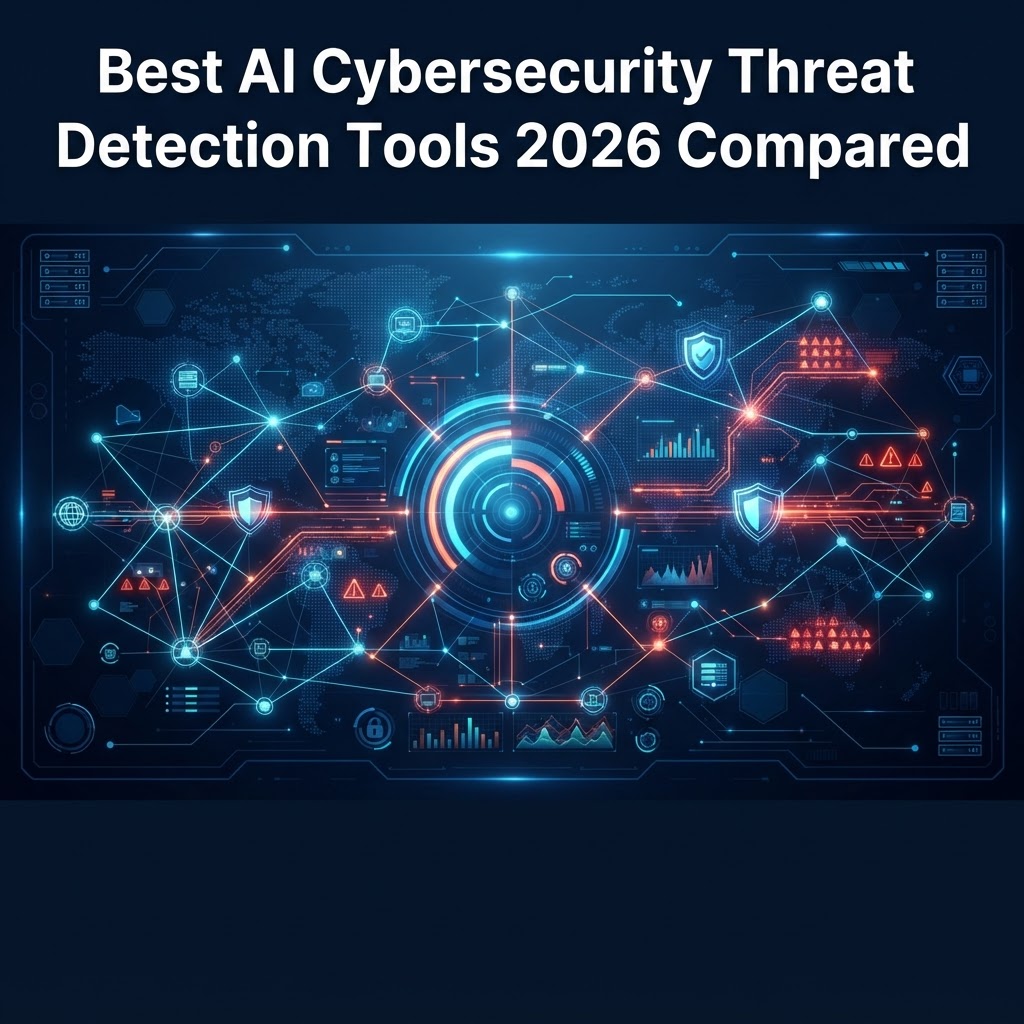
  • Best AI Cybersecurity Threat Detection Tools 2026 Compared

    Best AI Cybersecurity Threat Detection Tools 2026 Compared

    Key Takeaways

    • Modern cyber threats evolve faster than legacy signature-based systems can track, necessitating the adoption of AI-powered security.
    • AI enhances threat hunting by identifying subtle patterns and anomalies that typically go unnoticed by traditional rule-based filters.
    • Effective threat detection software must integrate seamlessly with existing infrastructure to minimize alert fatigue and maximize response speeds.
    • Automation of incident response is shifting from manual playbooks to machine-learning-driven workflows that prioritize high-impact risks.
    • Selecting the right platform requires a balance between automated threat intelligence, SIEM AI tools integration, and enterprise-scale observability.

    As the digital perimeter dissolves under the weight of remote work, cloud migration, and sophisticated ransomware syndicates, the traditional approach to perimeter defense has proven insufficient. By 2026, the complexity of malicious infrastructure has reached a point where human-led monitoring, even when supported by basic automated rules, is frequently overwhelmed by the sheer volume of daily telemetry. AI cybersecurity tools have transitioned from being a competitive advantage to a fundamental necessity for organizational survival. By leveraging sophisticated machine learning models to identify deviations from normal behavior, these platforms allow security teams to shift from a reactive stance to a proactive posture, effectively neutralizing threats before they manifest into catastrophic data breaches. This guide explores the shifting landscape of threat detection, providing a technical breakdown of how AI is redefining the defense-in-depth strategy for modern enterprises.

    Why AI is Essential for Modern Threat Detection

    The transition from signature-based detection to behavioral analytics marks the most significant evolution in network security automation in the last decade. Historically, security operations centers (SOCs) relied on indicators of compromise (IoCs)—specific file hashes, IP addresses, or domain names known to be malicious. While effective against known threats, this approach is fundamentally reactive; it requires a victim to be compromised first so that the signature can be generated and distributed. In an era where zero-day exploits and polymorphic malware are the industry standard for attackers, signature-based detection is essentially a game of catch-up that organizations consistently lose.

    AI-powered security fundamentally flips this dynamic by establishing a baseline of “normal” behavior across an entire environment. This is not merely about tracking log-ins; it involves analyzing high-velocity streams of metadata regarding user behavior, process execution, network traffic flows, and cloud API calls. Machine learning models, particularly unsupervised learning algorithms, can discern complex patterns that are entirely invisible to human analysts or standard conditional logic scripts. For instance, an AI tool might recognize that a specific service account, which typically communicates with a database server via encrypted ports during business hours, has suddenly initiated an outbound request to an unfamiliar geographic region at 3:00 AM using an unusual protocol. While a standard firewall rule might ignore this if the traffic is not explicitly blocked, an AI system flags this deviation immediately because it exists outside the established behavioral profile of that entity.

    Furthermore, the scale of data generated by enterprise environments is staggering. Modern SIEM AI tools ingest terabytes of data daily, creating a signal-to-noise ratio that often leads to “alert fatigue,” a phenomenon where SOC analysts become desensitized to warnings because so many of them turn out to be false positives. AI helps solve this through contextualization. By aggregating disparate events across the stack—from endpoint sensors to cloud infrastructure logs—the AI acts as a correlation engine, weaving a narrative of events into a coherent attack sequence. This reduces the cognitive burden on human responders, allowing them to focus on high-fidelity, high-impact alerts rather than chasing shadows created by noisy, rule-based systems. In 2026, the reliance on AI is not about replacing the human analyst; it is about providing that analyst with a tactical dashboard that separates actionable intelligence from the massive background hum of legitimate network traffic.

    How AI-Powered Threat Hunting Improves Security Posture

    Threat hunting is the proactive practice of searching through networks, endpoints, and datasets to identify malicious actors who have bypassed existing security controls and are operating within the environment undetected. Traditionally, threat hunting was an episodic, resource-intensive activity that required highly specialized expertise and weeks of manual log parsing. AI-powered threat hunting changes this by automating the search for anomalous patterns across the entire attack surface simultaneously.

    At the core of this capability is cyber threat intelligence integration. By ingesting massive feeds of global threat data, AI models are constantly updated on emerging tactics, techniques, and procedures (TTPs) used by various threat actors. These models then continuously scan internal environments to see if any local activity mirrors the TTPs identified in global threat intelligence reports. This constant cross-referencing effectively shrinks the “dwell time”—the duration an attacker spends inside a system before being detected. For many enterprises, the difference between a minor incident and a full-scale encryption event is measured in minutes; AI-powered systems reduce the identification time from weeks to near-real-time.

    One of the primary benefits of using AI for threat hunting is the ability to perform “retrospective hunting.” If a new vulnerability or technique is discovered, the AI can retroactively re-examine historical logs and telemetry data to see if that specific technique had been executed in the past, even if the security team did not know what to look for at the time. This capability is instrumental in uncovering long-term, low-and-slow campaigns that aim to establish persistence and perform lateral movement. By automating the hunt, organizations are no longer tethered to the availability of a senior analyst to perform deep-dive forensics during an active incident. Instead, the AI functions as a 24/7 autonomous hunter that identifies suspicious footprints—such as unusual credential usage patterns or illicit privilege escalation—and alerts the human team only when the evidence warrants intervention. This evolution in security posture allows organizations to move beyond simple perimeter defense and toward an “assume breach” mindset, where the objective is not just to keep the attacker out, but to identify their presence so rapidly that their objectives become impossible to achieve.

    Key Features to Look for in Cybersecurity AI Platforms

    When selecting AI cybersecurity tools, it is easy to become distracted by marketing terminology that equates basic automation with true artificial intelligence. To evaluate platforms effectively, security teams should focus on several critical technical pillars that define the utility of an AI security product in a modern enterprise.

    First and foremost is the capability for multi-vector data ingestion and normalization. An AI tool is only as good as the data it consumes. A platform that only monitors endpoint traffic will lack the context required to identify lateral movement across cloud environments or identity-based attacks. The best tools offer native connectors for cloud-native services (AWS, Azure, GCP), SaaS applications, and traditional on-premises infrastructure. Furthermore, these platforms must be able to normalize this data into a common format, ensuring that “user_id” in one system is correctly correlated with “principal_name” in another, preventing blind spots caused by data silos.

    Secondly, evaluate the transparency of the AI decision-making process, often referred to as “Explainable AI” (XAI). In security, a “black box” solution that triggers an alert without explanation can be a liability. Analysts need to understand the “why” behind an alert to effectively triage it. A superior platform will provide an “evidence trail,” explicitly stating the data points and behaviors that triggered the model to flag a specific activity. This transparency is crucial for reducing false positives and building trust in the system’s automated conclusions.

    Lastly, consider the speed and ease of integration with existing orchestration layers. Modern security stacks are modular; no single tool does everything. Therefore, an AI platform must be able to export its findings to a SOAR (Security Orchestration, Automation, and Response) system via robust APIs. This allows for the immediate execution of pre-defined defensive actions, such as isolating a compromised host or revoking an identity’s access tokens. Without this level of interoperability, the threat detection platform remains a passive monitor rather than an active participant in the organization’s defensive strategy.

    Tool Category Primary Focus Best For
    Managed Detection & Response (MDR) Hybrid AI/Human oversight Teams lacking 24/7 dedicated SOC staff
    Cloud-Native Detection (CNAPP) Cloud infrastructure & API security Organizations with heavy multi-cloud workloads
    Enterprise SIEM with AI Centralized log aggregation & correlation Large-scale enterprises with diverse, legacy hardware
    Autonomous Endpoint (EDR/XDR) Host-level behavior analysis Securing remote workforces and distributed devices

    Top AI Threat Detection Tools for Enterprise Environments

    In 2026, the marketplace for threat detection software has matured significantly. While there is no “one-size-fits-all” solution, enterprise leaders often evaluate platforms based on their ability to scale horizontally and their effectiveness in specific threat landscapes. The top-tier platforms generally categorize their offerings into specialized domains, though many have expanded into unified “Extended Detection and Response” (XDR) suites.

    For organizations prioritizing centralized visibility, modern SIEM AI tools have integrated deep learning to automate the correlation of alerts. Rather than manually crafting complex regex rules to link network traffic logs with server authentication events, these AI-driven SIEM platforms automatically map activity to the MITRE ATT&CK framework. This allows security teams to view an entire attack chain in a single dashboard, understanding the progression from initial access to data exfiltration. Platforms leading in this space often emphasize “data lakes” that allow for massive-scale storage of telemetry, which is vital for forensic analysis and longitudinal trend detection.

    Endpoint-centric AI solutions remain the frontline of defense. These tools deploy lightweight agents across servers, laptops, and virtual machines. These agents utilize on-device machine learning models to detect malicious process execution, unauthorized memory access, and abnormal script execution, even when the device is disconnected from the network. This capability is paramount for remote-first workforces, where traditional network-level controls (like firewalls) cannot protect a device working from an unsecured residential Wi-Fi network. By pushing the “brain” of the detection system to the edge, these tools ensure that security remains consistent regardless of location.

    For the cloud-first enterprise, CNAPP (Cloud-Native Application Protection Platform) solutions have become indispensable. These tools treat cloud identity and configuration as the primary attack surface. AI models within CNAPP environments are specifically trained to spot misconfigurations that lead to data exposure, such as an S3 bucket being made public or an IAM role having overly permissive access. Because cloud environments evolve in real-time, manual auditing is ineffective. AI-powered CNAPP platforms provide the continuous monitoring required to ensure that the infrastructure remains compliant and secure, effectively acting as an automated compliance and security auditor that operates at machine speed.

    Automating Incident Response with Machine Learning

    Detection is only half the battle. The true value of AI in modern cybersecurity is realized when that detection flows seamlessly into automated incident response. Traditionally, when a threat was identified, a human analyst had to verify the alert, look up the remediation playbook, and execute a series of steps to isolate the threat. This process is time-consuming and prone to human error, especially during the high-stress environment of a major security event. Machine learning-driven response (SOAR) changes this equation by enabling the system to take surgical, pre-approved actions instantly.

    Automated remediation begins with decision-making trees informed by AI risk scoring. When an event occurs, the system calculates a risk score based on the entity involved, the criticality of the system, and the confidence level of the detection model. If the risk exceeds a certain threshold—for example, if a high-privilege account is suddenly exhibiting behavior consistent with credential dumping—the system can automatically initiate a containment action, such as disabling the user’s account, resetting their password, and revoking active sessions across all applications. This is done in milliseconds, long before a human analyst could even open an email notification about the alert.

    A sophisticated incident response automation system also includes feedback loops to improve efficacy over time. When an action is taken—or when an analyst overrides an automated suggestion—the system logs the outcome and uses that data to refine its future decision-making parameters. If the system incorrectly flags legitimate administrative activity as a threat, an analyst can provide that feedback, and the model will adjust its baseline to prevent a recurrence of that false positive. This iterative process turns the security infrastructure into a self-improving asset that gets smarter with every interaction.

    However, automation does not imply a “set it and forget it” approach. Successful implementation requires a phased maturity model. Organizations typically start with “human-in-the-loop” automation, where the AI suggests a remediation action and a human must click “approve.” As trust in the platform increases and the models demonstrate consistent accuracy, organizations can move toward “human-on-the-loop” for low-risk, high-confidence events. By automating the routine, repetitive tasks—such as updating blocklists, clearing temporary files, or isolating known-malicious network endpoints—human experts are freed to focus on the high-level forensic investigations and strategic defensive improvements that machines cannot currently manage. In 2026, the hallmark of a resilient security organization is not the sheer number of its tools, but the fluidity with which its AI systems transform raw telemetry into rapid, automated response actions.

    Behavioral Analytics vs Signature-Based Detection

    For decades, signature-based detection served as the primary firewall for enterprise security. This methodology functions similarly to an antivirus database: the system maintains a registry of known malicious file hashes, code snippets, or attack patterns. When a file enters the network, the software compares it against this static list. If a match is found, the system blocks it. While efficient for identifying well-documented malware, signature-based detection is fundamentally reactive. It is functionally blind to zero-day vulnerabilities and polymorphic threats that have not yet been categorized by security researchers.

    In contrast, AI-powered behavioral analytics shifts the focus from “what the file is” to “what the file is doing.” By establishing a baseline of normal network activity—such as typical login times, standard bandwidth usage, and common inter-server communication paths—AI algorithms can identify deviations that indicate a compromise. For instance, if a user account that typically accesses five internal files per day suddenly begins exfiltrating gigabytes of data to an external IP address at 3:00 AM, behavioral analytics tools flag this as anomalous, even if no known malware signature is present.

    The technical superiority of behavioral analytics lies in its ability to detect the “living off the land” (LotL) attacks, where adversaries use legitimate administrative tools like PowerShell or WMI to move laterally through a network. Because these tools are authorized components of the OS, signature-based scanners often permit their execution. AI systems, however, analyze the intent and context of these commands. If the sequence of commands deviates from the established “Gold Standard” of the user’s role, the system triggers an alert. Moving into 2026, experts generally agree that relying on either method in isolation is insufficient. Modern AI cybersecurity tools now utilize a hybrid architecture, where signature-based detection handles the “low-hanging fruit” of common commodity malware, while behavioral analytics focuses on hunting advanced persistent threats (APTs).

    Integrating AI Tools with Existing SIEM and SOAR Solutions

    The effectiveness of an AI-powered security stack depends heavily on its interoperability with current Security Information and Event Management (SIEM) and Security Orchestration, Automation, and Response (SOAR) platforms. Many organizations already have significant investments in legacy SIEM systems that ingest logs from firewalls, endpoints, and cloud infrastructure. The goal of integrating modern AI is not to replace these systems, but to infuse them with higher-order intelligence.

    Integration typically occurs via high-throughput APIs. When a standalone AI tool detects a sophisticated threat, it should push a curated alert—enriched with context—directly into the SIEM dashboard. This enrichment is crucial. A raw log entry often lacks context, requiring human analysts to cross-reference multiple sources. An AI-enhanced integration automatically correlates the alert with user identity data, geolocation, and recent behavioral changes, effectively reducing the “Time to Context.”

    For SOAR platforms, the integration focuses on automated remediation. If the AI tool confirms an active credential theft scenario, it can trigger an automated playbook within the SOAR environment. This might include steps such as: 1) Disabling the compromised user account in Active Directory; 2) Revoking active OAuth tokens; 3) Isolating the infected endpoint from the network segment; and 4) Initiating a forensic image of the machine for later analysis. The key to a successful integration is ensuring the AI’s “confidence score” is communicated to the SOAR; high-confidence alerts can trigger automated blocks, while medium-confidence alerts might instead route to an analyst for manual verification.

    Reducing False Positives in Network Monitoring

    One of the most persistent challenges in cyber threat intelligence is “alert fatigue.” When AI models are tuned too aggressively, they often flag routine administrative tasks—like a system administrator running a diagnostic script—as a malicious intrusion. Excessive false positives not only waste human resources but also create a “crying wolf” scenario where actual threats are ignored because the dashboard is constantly cluttered with noise.

    Reducing these false positives requires a multi-layered approach to AI model tuning. First, many teams are moving toward “Context-Aware Thresholding.” Instead of a binary trigger for an anomaly, the AI evaluates the environmental state. For example, if a software deployment or a patch cycle is scheduled in the IT management system, the AI should automatically adjust its sensitivity for those specific network segments during that timeframe. This prevents automated updates from being flagged as potential lateral movement.

    Furthermore, machine learning feedback loops are essential. When an analyst marks an alert as a “false positive,” the system should not simply close the ticket. It should perform a root-cause analysis on why the anomaly was triggered. By feeding this result back into the model’s training set, the algorithm learns the nuances of the organization’s specific technical ecosystem. Over time, the model becomes increasingly tailored to the business environment, significantly lowering the frequency of irrelevant alerts. Experts also recommend implementing “peer grouping,” where the AI compares the behavior of a suspicious user against peers in the same department rather than against the entire company average, which further refines accuracy.

    Best AI Tools for Small Business Cybersecurity Defense

    Small and medium-sized enterprises (SMEs) often struggle with limited IT headcount, making automated AI tools a necessity rather than a luxury. Unlike enterprise-grade solutions that require dedicated SOC teams, the best SME tools focus on “set it and forget it” deployment models. These platforms typically leverage cloud-native AI to monitor devices, email, and identity without the need for on-premises server maintenance.

    Tool Name Primary Focus Best For
    Darktrace PREVENT Autonomous response Mid-sized businesses with no 24/7 SOC
    CrowdStrike Falcon Endpoint detection & response Companies needing rapid, scalable deployment
    SentinelOne Singularity Automated remediation Teams requiring self-healing device security
    Cisco Secure Endpoint Network-to-endpoint visibility Organizations already in the Cisco ecosystem

    When selecting these tools, SMEs should prioritize platforms that provide a “managed” or “co-managed” security layer. Since most small businesses lack the expertise to interpret complex AI logs, having an AI tool that either resolves the issue autonomously or presents a clear, plain-English summary of the event is invaluable. A tool that provides a “Threat Score” with specific, actionable steps—such as “Click here to rotate this user’s password”—is far more useful to a small IT team than a system that provides deep, cryptic packet traces.

    Future Trends in AI-Driven Cyber Threat Intelligence

    Looking toward the next few years, the landscape of AI-driven cybersecurity will be defined by “Generative Adversarial Networks” (GANs) and “Explainable AI” (XAI). Attackers are already beginning to use AI to generate highly convincing phishing emails, voice deepfakes, and automated exploit chains. In response, security tools are adopting a “Red vs. Blue” AI training framework, where one AI agent constantly attempts to find vulnerabilities in the system while another defends it. This creates a perpetual cycle of hardening the network against evolving methodologies.

    Additionally, Explainable AI (XAI) will become a regulatory necessity. As AI-based security decisions have more direct impact on business operations, stakeholders will demand transparency. Future systems will be required to provide a “Decision Trail”—a human-readable breakdown of the logic the AI used to block a specific connection. This not only builds trust between the security team and the executive board but also simplifies audits and compliance reporting for frameworks like GDPR, HIPAA, and SOC2.

    We also expect to see a surge in “Decentralized Threat Intelligence.” AI models will begin sharing intelligence in real-time across industry silos. If a novel attack pattern is detected in a healthcare network in Asia, that signature—and the associated behavioral indicators—will be automatically pushed to the defense models of retail or financial institutions globally. This creates a collective immune system that is significantly faster than the current manual process of updating threat feeds.

    Frequently Asked Questions

    Does AI cybersecurity software replace the need for a firewall?

    No. AI-powered security tools serve as a sophisticated, intelligent layer built on top of traditional network security. While AI is excellent at detecting complex anomalies and behavioral shifts, a traditional firewall remains essential for basic port blocking, packet filtering, and establishing the foundational perimeter of your network.

    What is the difference between AI-driven security and machine learning security?

    While often used interchangeably, machine learning (ML) is a subset of AI that focuses on training models to recognize patterns in data. “AI-driven” is a broader term that encompasses ML but also includes other technologies like natural language processing, decision-making agents, and autonomous remediation engines that can perform actions independently.

    Can AI tools actually stop a zero-day exploit?

    Yes. Because AI tools focus on behavioral patterns rather than signatures, they can detect the *effects* of a zero-day exploit—such as abnormal memory access, privilege escalation attempts, or unauthorized data encryption—even if the underlying code has never been seen by security researchers before.

    Will AI security tools generate too many alerts for my team to handle?

    This is a common concern known as “alert fatigue.” However, high-quality AI platforms mitigate this by using contextual analysis and confidence scoring. By filtering out routine events and focusing on threats with high probability, modern AI tools help prioritize critical issues, actually reducing the total volume of alerts that require human attention.

    Are AI cybersecurity tools too expensive for a small startup?

    The market has shifted significantly over the last few years. While enterprise platforms remain costly, there are now many SaaS-based AI security solutions tailored specifically for smaller budgets. These often use subscription-based pricing models based on the number of endpoints, making advanced security accessible without the massive capital expenditure of the past.

    How do I know if my organization is ready to implement AI security tools?

    Readiness is less about the tools and more about your data hygiene. Before deploying AI, ensure your network has clean, structured log data flowing from your endpoints and servers. If your current logs are fragmented or inconsistent, the AI model will struggle to establish an accurate baseline of “normal” behavior.

    Conclusion

    The transition toward AI-powered threat detection is no longer an optional upgrade; it is a fundamental shift in the global cybersecurity strategy. As adversaries leverage automated tactics to scale their operations, the manual defense methods of the past have become dangerously obsolete. By adopting tools that utilize behavioral analytics, automated remediation, and advanced context correlation, organizations can move from a state of constant recovery to a posture of proactive resilience.

    The key to success in 2026 and beyond is not merely purchasing the most advanced AI software, but ensuring that your chosen toolset integrates seamlessly into your existing workflows and is supported by a culture of continuous learning. Start by auditing your current security blind spots, identifying the areas where your team is most overwhelmed by manual tasks, and selecting a pilot AI solution that offers clear, actionable intelligence.

    Ready to elevate your security posture? Review our top-rated recommendations and begin integrating smarter, faster, and more robust defenses into your infrastructure today.

    By aismarttoolsreview Editorial Team
  • Best AI Brand Reputation Management Tools 2026: Top 5 Reviewed

    Best AI Brand Reputation Management Tools 2026: Top 5 Reviewed

    Key Takeaways

    • AI reputation management tools have evolved from simple keyword trackers to sophisticated platforms capable of contextual intent analysis.
    • Automated sentiment analysis allows brands to categorize feedback at scale, separating constructive criticism from malicious campaigns.
    • Real-time alert systems are the primary defense against PR crises, minimizing the window between an incident and organizational response.
    • When selecting brand monitoring software, prioritize platforms with multilingual support and seamless API integration into existing marketing stacks.
    • Proactive reputation management is shifting toward predictive AI models that identify potential brand risks before they reach mainstream social media channels.

    In the digital landscape of 2026, a brand’s reputation is no longer a slow-moving monolith built over decades; it is a fluid, high-velocity asset that can shift in minutes. As consumer interaction fragments across thousands of touchpoints—ranging from niche forums and global social networks to localized review aggregators—the manual monitoring of brand perception has become effectively impossible. Enter the next generation of AI reputation management, a technological shift that enables organizations to move from reactive damage control to proactive brand stewardship. By leveraging machine learning, natural language processing (NLP), and predictive analytics, businesses can now navigate the complexities of public perception with surgical precision. This guide, compiled by the aismarttoolsreview Editorial Team, explores the top-tier software solutions reshaping how corporations and small businesses alike maintain their digital integrity in an increasingly volatile online environment.

    Why AI is Essential for Modern Brand Reputation Management

    The transition toward AI-integrated strategies is not merely a trend; it is a necessity driven by the sheer volume of data produced every second. Traditional methods of reputation management relied on manual audits, periodic surveys, and human-led searches for mentions. In the current ecosystem, this approach is fundamentally inadequate. A single viral tweet or an isolated thread on an industry-specific forum can ignite a global crisis before a traditional monitoring team even logs in for the morning. AI reputation management bridges this gap by operating in a continuous, high-speed loop that ignores human fatigue and limitations in attention.

    At the core of this essential shift is the capacity for scale. An AI platform can process millions of data points across diverse media types simultaneously, including text-based posts, video comments, and audio snippets. While a human analyst might spend hours manually tagging feedback as “positive” or “negative,” AI systems utilize advanced linguistic models to categorize intent in real time. These systems understand nuance, including sarcasm, slang, and changing cultural contexts—factors that frequently trip up static keyword-tracking software. By automating the data ingestion and categorization phase, AI frees up PR professionals to focus on high-level strategy rather than mundane data entry.

    Furthermore, AI provides a depth of insight that human researchers struggle to achieve at pace. Modern brand monitoring software utilizes machine learning to uncover non-obvious correlations. For example, an AI might detect a rising trend in sentiment correlation between a company’s recent software update and a decline in mentions of a core product feature. This ability to link disparate events allows businesses to identify emerging concerns—such as recurring technical bugs or customer service bottlenecks—long before they escalate into high-profile complaints. As companies expand into global markets, the ability of AI tools to handle multiple languages and cultural nuances becomes indispensable. These platforms can parse local dialects and regional idioms, ensuring that a brand’s reputation is protected regardless of where the customer is located.

    Finally, the economic argument for AI in reputation management is compelling. The cost of a damaged reputation—measured in lost customer lifetime value, reduced stock price, and the heavy investment required for reactive PR remediation—far outweighs the operational costs of deploying sophisticated AI tools. By transforming reputation management from a reactive “firefighting” activity into an intelligence-led operation, companies can build long-term, resilient brand equity. Businesses that fail to adopt these technologies risk losing control of their own narrative to the speed of social media, leaving their market standing vulnerable to misinformation and uncontrolled customer sentiment.

    How AI Tools Detect and Neutralize Negative Sentiment

    The technical architecture of modern AI sentiment analysis relies heavily on Natural Language Processing (NLP) and Large Language Models (LLMs) tuned for industry-specific terminology. Unlike simple word counters that flag every occurrence of a brand name, modern sentiment analysis tools conduct “context-aware” assessments. They look at the grammatical structure of the sentence, the surrounding context of the conversation, and even the “sentiment history” of the user who posted the content. This is critical for neutralizing negative sentiment, as it allows organizations to distinguish between a genuine service failure and a bot-driven smear campaign or a humorous, non-damaging comment.

    When negative sentiment is detected, the neutralization process is often automated through pre-configured workflows. These systems categorize negativity into “severity tiers.” For example, a minor complaint regarding a shipping delay might trigger an automated response from a customer success bot with a tracking link or an apology, effectively de-escalating the situation before it gains traction. Conversely, a high-severity allegation—such as a data breach claim or a high-profile ethics complaint—is instantly routed to human PR personnel, accompanied by an AI-generated report summarizing the origins of the claim, the influencer reach of the poster, and historical precedents for similar incidents.

    Neutralization also involves proactive reputation cleaning. Many AI PR tools employ predictive modeling to identify content that is likely to become negative. By identifying early warning signs, such as a steady, slow increase in neutral mentions that are slowly trending toward frustration, brands can intervene with proactive communication strategies. This could involve publishing blog posts to clarify a common misunderstanding or reaching out directly to key industry commentators before the sentiment shifts against the brand. The objective is to stabilize the sentiment landscape by injecting accurate, helpful information into the conversation before misinformation becomes the dominant narrative.

    Tool Approach Key AI Technology Best For
    Sentiment-Driven Linguistic Sentiment Analysis Brand health tracking and social media pulse
    Alert-Centric Anomaly Detection Models PR crisis prevention and risk management
    Review-Focused NLP Semantic Clustering Business review monitoring and retail reputation

    Moreover, AI tools assist in neutralizing negative sentiment by optimizing public-facing content. By analyzing which types of responses to negative feedback yield the highest resolution rate, the AI provides a data-backed feedback loop for PR teams. If a company finds that “Direct Outreach” yields better results than “Public Apology” for certain types of complaints, the system will prioritize that strategy. This analytical approach takes the guesswork out of crisis communication, ensuring that every touchpoint is optimized to mitigate damage and restore trust as efficiently as possible.

    Automated Review Monitoring Across Social Media and Platforms

    Business review monitoring has expanded far beyond traditional sites like Yelp or Google Maps. Today, a reputation can be forged or dismantled on Reddit, Discord servers, X (formerly Twitter), LinkedIn, and niche industry marketplaces. Automated review monitoring software serves as a centralized hub that aggregates this dispersed feedback. By utilizing API integrations with major platforms, these tools ingest thousands of reviews daily, ensuring that no piece of customer feedback goes unnoticed. The automation is not just about collection; it is about normalization.

    A primary challenge in managing reviews across disparate platforms is the variance in rating systems and review formats. One platform might use a five-star scale, while another relies on upvotes or qualitative textual feedback. AI reputation management platforms normalize this data, creating a unified dashboard that provides a clear picture of overall brand performance. This allows management to compare sentiment trends across different platforms, identifying, for example, that customers are consistently happier on one marketplace versus another. This level of granularity helps businesses optimize their product availability and service delivery by platform-specific performance.

    The monitoring process often incorporates semantic clustering, a technique where the AI groups reviews based on the underlying subject matter. If a large number of users mention a “billing error” or a “slow interface” within a 24-hour period, the system automatically detects this as an emerging cluster of feedback. This is distinct from simple keyword detection, as it groups semantically related but differently phrased reviews under a single category. By surfacing these clusters to product or operations teams, businesses can address systemic failures rather than treating each review as an isolated incident. The efficiency gain is significant, as it eliminates the manual labor of scrolling through hundreds of individual entries.

    Furthermore, these tools are increasingly capable of detecting review fraud. In an environment where fake reviews can manipulate search rankings and consumer trust, AI serves as an essential watchdog. Using behavioral analysis, AI models scan for patterns consistent with astroturfing or bot-led review bombing. These patterns might include a sudden influx of negative reviews from similar geographic regions, suspiciously uniform language, or activity from newly created accounts. By flagging these anomalies for administrative review, the software protects the integrity of the brand’s public-facing data, ensuring that the reputation metrics provided to stakeholders are both accurate and genuine.

    Real-Time Alert Systems for PR Crisis Prevention

    In the domain of public relations, time is the single most valuable currency. A real-time alert system acts as the digital nervous system for a brand, designed to trigger an immediate notification the moment certain thresholds are crossed. These alerts are far more complex than a simple “mention alert.” They are context-aware, triggered by surges in volume, spikes in negative sentiment, or the involvement of specific high-reach influencers. For instance, if a brand name is mentioned in conjunction with “scandal” or “lawsuit” by an account with a significant follower base, the alert system is programmed to notify the executive and PR teams instantly through encrypted messaging or email channels.

    The efficacy of these alerts depends on the system’s ability to differentiate between a “noise” event and a “crisis” event. An effective alert system uses anomaly detection algorithms to establish a “baseline of normalcy.” It understands that a certain volume of negative sentiment is expected for any large entity. Alerts are only fired when the data deviates significantly from this baseline. This prevents the “alert fatigue” often associated with older, poorly tuned monitoring tools, allowing teams to trust the notifications they receive. When a notification appears, the PR team knows it represents a genuine deviation that warrants an investigation.

    Once an alert is issued, the modern AI PR tool provides immediate situational intelligence. The alert usually includes a dashboard that visualizes the timeline of the event, the primary channels where the sentiment originated, and the velocity at which the narrative is spreading. This rapid assessment capability is essential for formulating a response. During the first hour of a potential crisis, the ability to confirm the scope and nature of the issue can determine whether the situation remains contained or spirals into a wider PR failure. By streamlining this data collection process, the AI tool removes the latency between identifying a problem and initiating an organizational response.

    Furthermore, these alert systems often include predictive capabilities that suggest a “Crisis Response Protocol” based on the brand’s history and industry best practices. If an event is triggered, the software might prompt the user to review pre-approved messaging templates, contact lists for internal stakeholders, or legal guidance documents. This integration turns the monitoring software into a comprehensive crisis management dashboard. By the time the PR team is at the desk, the AI has already mapped the battlefield, identified the influencers fueling the conversation, and prepared the necessary resources for a rapid, evidence-based intervention. This minimizes the risk of panicked, disjointed, or inaccurate communication, which is often the primary reason minor issues escalate into corporate crises.

    Key Features to Look for in Reputation Management Software

    Selecting the appropriate brand monitoring software is a foundational decision that influences how effectively an organization manages its public narrative. Because the market for these tools is dense and highly competitive, it is essential to prioritize functionality that aligns with specific business needs. The first feature to evaluate is the breadth and depth of data coverage. A high-quality tool must monitor not just the mainstream social platforms, but also the “long-tail” of the web, including blogs, forums, news aggregators, and industry-specific portals. If a tool ignores a significant slice of the digital landscape, the reputation intelligence it provides will be incomplete and potentially misleading.

    Integration capability is another critical pillar. Modern online reputation management does not exist in a vacuum; it must communicate with your CRM, your customer support ticketing system, and your internal PR workflows. Look for platforms that offer robust, documented APIs and pre-built integrations with major enterprise software suites. If the monitoring data resides in a silo, it provides little value to the customer support reps who need to resolve individual complaints, or to the marketing teams who need to understand sentiment-driven trends. A seamless flow of information between monitoring tools and operational software is the hallmark of a mature reputation management strategy.

    Customization and sensitivity adjustment are equally important. As noted earlier, avoiding alert fatigue is a challenge that requires fine-grained controls. A robust platform allows users to set nuanced filters based on geography, language, sentiment intensity, and source authority. For example, a global brand might need to set different sensitivity thresholds for its regional offices, or prioritize alerts from high-authority media outlets over those from social media. The ability to tailor the “noise-to-signal” ratio ensures that the monitoring software remains a useful tool rather than an administrative burden for the PR team.

    Finally, consider the reporting and visualization capabilities of the software. An AI tool is only as good as the insights it provides to human decision-makers. Look for platforms that offer dynamic, white-label reporting features, allowing users to build custom dashboards that highlight the metrics most relevant to their internal stakeholders. Whether it is tracking sentiment over time, benchmarking performance against competitors, or identifying the key influencers who are shaping public opinion, the software should transform complex machine learning outputs into clear, actionable business intelligence. An ideal platform will provide both a “big picture” view for executives and a “granular” drill-down capability for the PR and support teams who execute the day-to-day work of brand protection.

    Top AI Platforms for Competitive Brand Benchmarking

    In the digital landscape of 2026, understanding your own brand’s sentiment is only half the battle. To maintain market dominance, businesses must leverage AI-powered brand monitoring software to perform real-time competitive benchmarking. Advanced AI platforms now allow organizations to map their share of voice against direct competitors, identifying gaps in market perception that human analysts might miss.

    Competitive benchmarking using AI involves more than just keyword tracking; it requires semantic analysis of market positioning. For instance, if your brand is associated with “reliability” while your primary competitor is increasingly linked to “innovation,” AI tools can quantify this shift. By deploying natural language processing (NLP) models, these platforms categorize competitor mentions by intent, demographic resonance, and sentiment intensity. This allows CMOs to pivot their messaging strategies before a competitor’s narrative gains permanent traction.

    Leading platforms now offer “competitive collision” features. These tools alert your team whenever a competitor’s name is mentioned alongside yours in a customer review, a forum post, or a news article. This granular data is invaluable for A/B testing your messaging; if you see that a specific competitor’s product launch triggered a wave of negative reviews regarding price, you can adjust your own value-proposition marketing to emphasize cost-effectiveness immediately.

    Platform Core Benchmarking Strength Best for
    BrandPulse AI Share-of-Voice Dynamics Mid-sized E-commerce
    CompetitorScope Messaging Alignment Mapping Global B2B SaaS
    MarketSentinel Price-Perception Modeling Retail & Consumer Goods
    TrendVector Emerging Threat Detection Early-stage Tech Startups

    Integrating AI Insights into Your Customer Support Workflow

    The silos between public relations, brand reputation management, and customer support are rapidly collapsing. In 2026, the most successful brands integrate their AI reputation management dashboards directly into their ticketing systems. This integration ensures that the tone of public feedback informs the priority and personalization of private support interactions.

    By routing AI-flagged sentiment scores directly into CRM platforms, support agents can instantly distinguish between a routine technical inquiry and an “at-risk” customer who has been publicly venting frustrations on social media. For example, if an AI sentiment analysis tool identifies a user as having a high negative sentiment score due to a recent public post about a billing issue, the support system can automatically elevate that ticket to a senior success manager.

    Furthermore, these integrations allow for “pre-emptive reconciliation.” Instead of waiting for a support ticket to be filed, your team can leverage AI sentiment alerts to reach out to customers who have expressed dissatisfaction online. This proactive posture transforms potentially damaging reviews into opportunities for showing superior customer care. Implementing this workflow requires a robust API connection between your monitoring software and your ticketing platform, ensuring that sentiment data is synced in real-time, allowing agents to see the “public context” behind every private conversation.

    How to Effectively Track Influencer and Media Mentions with AI

    The influencer economy has matured into a complex web of micro-communities and niche authorities. Tracking these mentions manually is no longer feasible. AI PR tools have evolved to move beyond simple mention-counting; they now evaluate “influence quality” by analyzing the alignment between an influencer’s audience and your target customer persona.

    To effectively manage this, AI tools utilize graph databases to map the relationship between media outlets, industry bloggers, and content creators. They can determine if a mention in a specific newsletter or on a specific social channel carries actual weight or if it is simply “noise.” By filtering mentions through an AI lens, teams can focus their engagement efforts on influencers who genuinely drive conversion rather than just high-volume impressions.

    Strategic monitoring also involves tracking the “derivative lifespan” of media mentions. When a major media outlet covers your brand, how does that coverage manifest across social channels? AI tools allow you to track the ripple effect of a press release or influencer video. If an influencer’s negative sentiment towards your product begins to permeate into secondary, smaller threads, the AI will alert your communications team, allowing for a swift and targeted response to clarify the record before the narrative spreads too far.

    Data Privacy and Ethical AI Practices in Brand Monitoring

    As AI reputation management tools gain access to broader swathes of public data, the responsibility for data ethics increases. Modern business review monitoring must operate within the constraints of global data privacy regulations, such as the GDPR, CCPA, and evolving AI-specific legislation. Responsible vendors now prioritize “privacy-by-design,” which often means anonymizing user data before processing it through sentiment models.

    A critical component of ethical AI is the prevention of algorithmic bias. AI models can inadvertently replicate the biases of the training data they are fed, potentially leading to inaccurate sentiment scores for specific demographics or cultural groups. Organizations should prioritize vendors that offer transparency into their model’s training methodology and provide regular audits for bias. This is not just a regulatory necessity; it is a reputational imperative. If your brand is caught using an AI tool that exhibits discriminatory sentiment analysis, the public relations fallout could be severe.

    Additionally, businesses must ensure that their monitoring tools do not scrape or utilize data from private, non-public forums without explicit permission. Ethical brand monitoring focuses exclusively on publicly available data—such as open social media feeds, public forums, and news aggregators—while avoiding intrusion into private correspondence or protected data spaces. Clear internal policies regarding how AI-derived data is stored, shared, and utilized will protect both the brand’s reputation and its legal standing.

    Choosing the Right Reputation Management Tool for Your Business Size

    Selecting an AI reputation management suite requires a cold assessment of your organization’s operational capacity. Small businesses often benefit from “all-in-one” platforms that combine basic social media management, review monitoring, and light-touch sentiment analysis. These tools are designed for simplicity, allowing a single marketing lead to monitor multiple channels without needing a data science background.

    Conversely, mid-to-large enterprises require scalability and deep-stack integration. A large organization will need tools that can handle millions of data points per day, featuring custom machine learning models that can be trained on their brand-specific lexicon. These platforms usually offer dedicated account support, API access for proprietary business intelligence dashboards, and granular control over privacy settings and user permissions.

    When evaluating vendors, always request a proof-of-concept (POC) that allows your team to test the software against your actual historical data. Look specifically for how the AI handles sarcasm, regional slang, and industry-specific jargon. If a tool cannot distinguish between a user complaining about a “killer” feature (positive) and a “killer” problem (negative), it is not sophisticated enough for professional-grade reputation management. Ultimately, the right tool is one that minimizes “alert fatigue” by surfacing only the actionable insights that require human intervention.

    Frequently Asked Questions

    Can AI tools completely replace a human PR team?

    No, AI is designed to augment, not replace, human PR professionals. While AI excels at rapid data processing, sentiment tracking, and trend identification, it lacks the nuance, empathy, and strategic judgment required to navigate complex public relations crises. Human intervention remains essential for crafting authentic responses and maintaining long-term relationships with media and influencers.

    Do these AI tools work in languages other than English?

    Many top-tier AI reputation management tools support multiple languages, often covering major global markets. However, the accuracy of sentiment analysis can vary between languages. It is critical to verify the platform’s proficiency in the specific languages relevant to your target demographic and confirm that the model understands linguistic nuances and regional cultural context.

    How does AI handle sarcasm in social media comments?

    Modern AI sentiment analysis models use transformer-based architectures that are significantly better at detecting sarcasm than older keyword-based tools. By analyzing the context of a sentence and the surrounding words, these models can often identify when a customer is using positive words to express a negative sentiment. However, no model is perfect, and occasional manual review is still recommended for high-impact content.

    Are there free AI tools for reputation management?

    There are several free “freemium” versions of reputation management tools, usually limited by the number of tracked mentions or the depth of analytics. These can be useful for small businesses or startups to get started, but they typically lack the sophisticated sentiment analysis, competitive benchmarking, and team-collaboration features required for growing enterprises.

    Will using these tools affect my compliance with privacy laws?

    Using AI reputation management tools should not inherently violate privacy laws, provided you choose vendors that are compliant with regulations like GDPR and CCPA. Ensure your chosen tool only monitors publicly accessible data and does not track private communications. It is your organization’s responsibility to ensure that your internal usage of the collected data adheres to local legal standards.

    How quickly does AI detect a potential brand crisis?

    AI tools can detect a spike in negative sentiment almost instantly, often providing alerts within minutes of a surge in activity. This allows PR teams to respond in real-time, potentially stopping a negative narrative before it gains mainstream traction. The speed of detection is highly dependent on the platform’s infrastructure and the frequency of data polling from social media APIs.

    Conclusion

    The year 2026 marks a pivotal shift in how organizations perceive and manage their digital identity. By moving away from reactive, manual monitoring and adopting sophisticated AI-driven reputation management, businesses can achieve a level of clarity and proactive control that was previously unthinkable. Whether you are a small startup looking to build initial trust or a global enterprise defending a hard-won market share, the right suite of AI tools will provide the intelligence needed to navigate the complexities of modern digital discourse.

    Success lies in your ability to synthesize automated insights with a human-centric communications strategy. Remember that reputation is built on consistency and responsiveness. As you integrate these tools into your daily workflow, focus not just on the data, but on the human stories behind the sentiment scores. Start by auditing your current monitoring practices, identifying the gaps in your competitive intelligence, and selecting a tool that aligns with your specific growth trajectory. The future of brand reputation is automated, precise, and deeply analytical—embrace it to ensure your brand stands out for all the right reasons.

    Ready to transform your brand strategy? Download our comprehensive 2026 AI Tool Comparison Guide to find the perfect fit for your business needs today.

    By aismarttoolsreview Editorial Team