⭐ EXPERT-REVIEWED  |  ✅ UPDATED 2026  |  🔒 NO SPONSORED BIAS  |  📚 EVIDENCE-BASED

Category: AI Business Tools

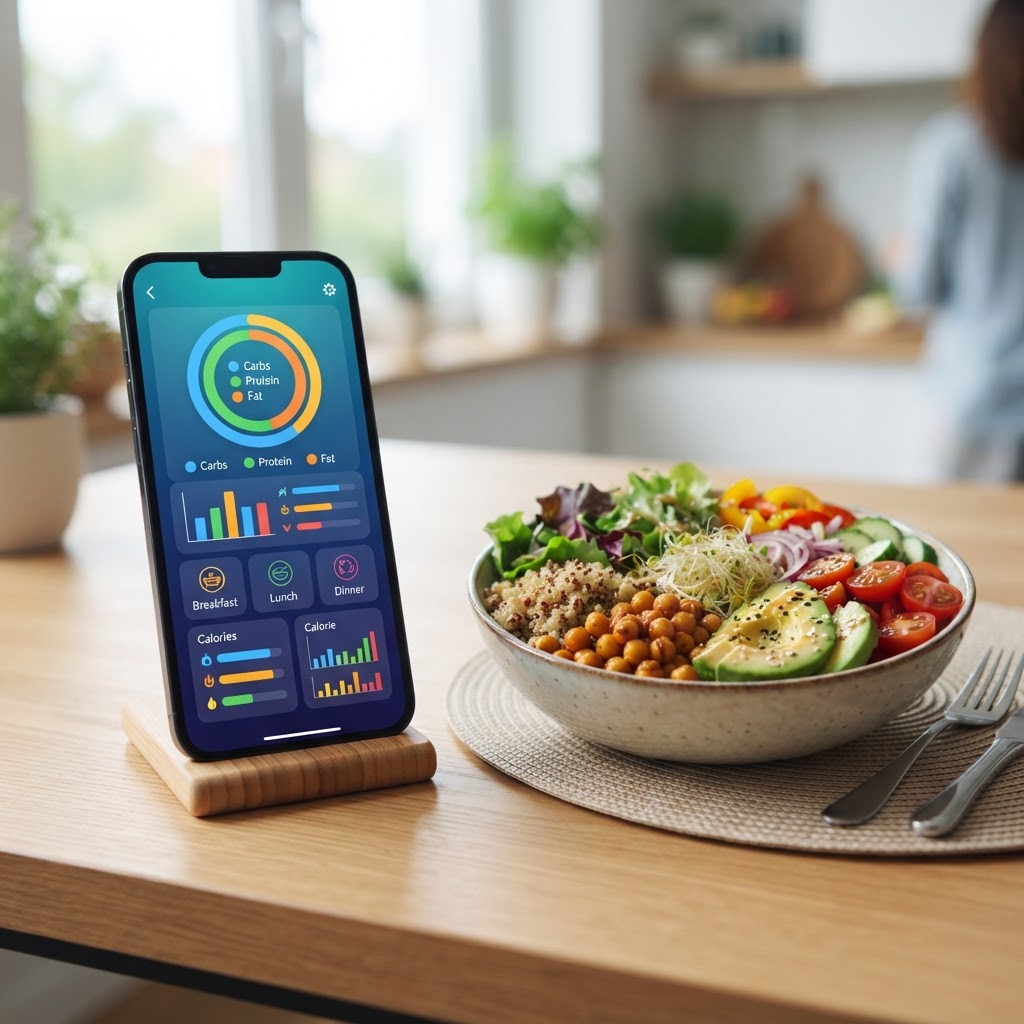
  • Best AI Nutrition Trackers 2026: Macro & Meal Planning Compared

    Best AI Nutrition Trackers 2026: Macro & Meal Planning Compared

    Key Takeaways

    • AI nutrition trackers have shifted from simple calorie counters to comprehensive metabolic health management systems.
    • Computer vision and image recognition are replacing manual logging, significantly reducing user friction and estimation errors.
    • Modern AI meal planners utilize machine learning to adapt macro targets based on daily activity and weight trends.
    • Integration with wearable devices now allows for near-real-time adjustments to nutritional requirements based on metabolic output.
    • Selecting the right tool depends on whether you prioritize automated logging convenience or granular, data-driven nutrient precision.

    The landscape of dietary management has undergone a profound transformation as we move deeper into 2026. Gone are the days of tedious manual data entry and guesswork; the integration of machine learning and computer vision has turned the humble calorie counter into a sophisticated health engine. As users demand more precision in their wellness journey, the emergence of the AI nutrition tracker has set a new standard for how we perceive our relationship with caloric intake and nutrient density. Whether you are an endurance athlete optimizing for performance or a casual dieter seeking sustainable habits, personalized diet AI now bridges the gap between biological data and daily lifestyle choices. In this guide, the aismarttoolsreview Editorial Team analyzes the top-tier technology currently reshaping the industry, helping you navigate the most effective tools to achieve your health goals.

    Why AI is Revolutionizing Personalized Nutrition

    The revolution in nutritional tracking is fundamentally rooted in the shift from static data to dynamic, responsive ecosystems. Traditionally, nutrition tracking relied on static databases—users would input a banana or a slice of bread, and the app would return a fixed nutritional value. While useful, this approach failed to account for individual metabolic variability, activity fluctuations, and the nuance of preparation methods. Modern AI has disrupted this model by introducing predictive modeling and adaptive algorithms that evolve alongside the user.

    One of the primary drivers of this revolution is the ability of an AI meal planner to synthesize massive datasets into actionable advice. These systems ingest data from wearable devices, such as heart rate variability (HRV) monitors and glucose sensors, to assess how an individual’s body is actually processing consumed nutrients. By correlating the intake of specific macronutrients with energy levels and physical performance markers, these tools provide a level of personalized diet AI guidance that was previously restricted to elite athletics or clinical nutritionists. This creates a feedback loop: if a user logs a high-carb meal and their wearable data shows a suboptimal recovery rate the following morning, the AI can suggest adjustments to future macro distributions.

    Furthermore, AI has effectively neutralized the “burden of entry.” Historically, the highest hurdle for nutrition tracking was the effort required to record every morsel consumed. This friction often led to attrition within the first month of use. Today, the rise of the AI food scanner and voice-recognition logging allows users to record complex meals in seconds. Advanced natural language processing (NLP) allows users to say, “I had a bowl of Greek yogurt with a tablespoon of honey and a handful of walnuts,” and the system accurately decomposes these items into their constituent macro and micro-nutrients. This speed and convenience mean that users capture data more consistently, which creates a more robust, long-term dataset for the AI to analyze.

    From a behavioral psychology perspective, AI is also changing how we perceive “success” in dieting. Rather than focusing on a strict, binary approach to calories—where exceeding a limit is considered a “failure”—AI models are increasingly utilizing trend analysis. They provide a “moving average” view of progress, which accounts for natural fluctuations in water weight, hormonal shifts, and digestive patterns. This creates a much healthier psychological environment, helping users stick to their plans long-term. As we look at the current market, it is clear that the best nutrition apps 2026 are no longer just calculators; they are intelligent companions that learn your preferences, anticipate your nutritional gaps, and adjust your targets automatically to ensure that you are always moving toward your goal, whether it is fat loss, muscle gain, or metabolic maintenance.

    How AI-Powered Food Scanning Works for Accuracy

    Accuracy in nutrition tracking has long been the “holy grail” of the industry. The primary challenge is that food is rarely standardized; a restaurant-made portion of lasagna differs significantly in caloric density from a home-cooked version, and even home-cooked recipes vary by fat content and ingredient sourcing. To tackle this, developers are deploying sophisticated computer vision and image recognition models that rely on deep learning architectures.

    When a user points their smartphone camera at a plate, the AI initiates a multi-stage process. First, it performs object segmentation to identify the individual components within the frame. It distinguishes between the protein, the starch, and the vegetables. It then uses volumetric analysis—often assisted by depth-sensing cameras—to estimate the size and weight of each portion. This is where the magic of the AI food scanner truly shines; by referencing a database of hundreds of thousands of standard food images, the model can categorize, for example, “grilled chicken breast” versus “fried chicken,” identifying the difference in breading or oil content.

    The accuracy of these scans is continually improving through a process called “reinforcement learning from human feedback.” As users confirm or adjust the AI’s estimation, the model learns the nuances of the user’s specific household plates, common bowl sizes, and specific cooking styles. Over time, the scanner becomes more refined, recognizing that a “cup” of pasta in your kitchen typically weighs a specific amount based on how you plate your meals. However, it is important to note that even the most advanced AI currently encounters challenges with complex dishes. Mixtures, such as casseroles, soups, or intricate sauces, require the AI to estimate density and ingredient ratios based on visual appearance, which can introduce a small margin of error.

    To mitigate these issues, leading apps often pair visual scanning with smart-reference databases. If the AI detects a high level of uncertainty, it may prompt the user for clarification—”Is that heavy cream in the sauce?”—to refine its output. This hybrid model, combining machine-driven visual estimation with human-in-the-loop validation, represents the current gold standard for convenience-meets-accuracy. As sensor technology in smartphones improves, particularly with the inclusion of hyperspectral imaging in future hardware, we expect the ability of these tools to identify micronutrient content—and potentially even macronutrient breakdown by density—to become significantly more reliable. For the average user, this technology removes the need for a digital food scale, making accurate tracking accessible to those who otherwise would not have the time to measure their food to the gram.

    Key Features to Look for in an AI Nutrition Tracker

    Selecting the right AI nutrition tracker requires an understanding of your specific needs, as different platforms prioritize different pillars of health. When evaluating the current crop of tools, there are several non-negotiable features that define a modern, high-quality application. The first is algorithmic transparency and flexibility. You should look for an app that allows you to view the “why” behind its suggestions. If the AI suggests a calorie deficit adjustment, it should clearly state the metric driving that change—for instance, “average weight loss over the past seven days was below target.”

    Secondly, integration capabilities are paramount. A truly “smart” app cannot exist in a vacuum. It should pull data from your preferred wearable (Apple Health, Google Fit, Garmin, or Oura) to provide a complete metabolic picture. The integration should go beyond simple step counts; it should track active energy expenditure and sleep quality, as both are critical indicators of how your body will handle nutrient load the following day. Third, search for an AI meal planner feature that generates shopping lists based on your macro goals. This is a crucial step in removing the friction between planning and execution. The best tools don’t just tell you what to hit; they tell you exactly how to get there via your local grocery store inventory.

    Finally, community and coaching features are shifting from generic forums to AI-coaching bots. These bots can answer specific, contextual questions such as, “How does my macro breakdown look for this specific meal?” or “Can you suggest a snack that fits my remaining 20 grams of protein for today?” This conversational interface effectively replicates having a human nutritionist on call. Below is a comparison table outlining the key features you should consider when selecting your tool.

    Feature Why It Matters Best For
    Adaptive Macro Targets Adjusts calories based on real-time weight/activity trends. Performance Athletes
    Computer Vision Scanning Reduces manual entry time significantly. Casual Users/Busy Professionals
    Wearable Integration Synchronizes metabolic burn with caloric intake. Tech-Savvy Health Enthusiasts
    Conversational AI Bot Provides instant, context-aware nutrition advice. Education & Habit Building

    MacroFactor vs MyFitnessPal: AI-Driven Macro Analysis

    When discussing the best nutrition apps 2026, the comparison often centers on the difference between established legacy platforms and newer, AI-first alternatives. MyFitnessPal, while a titan of the industry, has historically relied on a crowdsourced database—a double-edged sword. While it offers a massive library of foods, the quality control of those entries varies wildly. Recent updates have integrated AI to help clean up this data and improve logging efficiency, yet the platform remains largely user-driven, requiring the individual to perform the heavy lifting of macro management and adjustment.

    In contrast, MacroFactor is often categorized as a “coach in your pocket” due to its heavy reliance on a proprietary AI nutrition tracker algorithm. Unlike apps that ask you to set a fixed calorie goal and stick to it regardless of results, MacroFactor treats your body as a dynamic experiment. It looks at the relationship between your tracked caloric intake and your scale weight over time to calculate your actual total daily energy expenditure (TDEE). If you aren’t losing weight at the rate you expect, the algorithm doesn’t blame your willpower; it adjusts your macro targets upward or downward based on your metabolic data. This is a profound shift from the static targets found in more traditional apps.

    MyFitnessPal provides excellent utility for those who need to track specific micro-nutrients or rely on a massive, global database of branded food items. Its social features are also unparalleled if community support is a major motivator for your fitness journey. However, for users seeking a “set it and forget it” intelligent system, MacroFactor’s approach is superior. It removes the emotional weight of “failing” to hit a target. If you overeat one day, the system absorbs that data, recognizes it as a data point in your long-term trend, and provides a neutral adjustment. This takes the psychology of guilt out of the equation.

    Choosing between these two depends on your primary goal. If you are an experienced user who wants to maintain a high level of manual control over your food entries and requires the widest possible database of specific grocery brands, the updated macro tracking app features within MyFitnessPal will serve you well. If you are looking for an intelligent system that actively manages your diet, adjusts to your metabolism, and provides objective, data-driven modifications without requiring you to be an expert in nutrition, the AI-centric design of MacroFactor offers a more sophisticated experience. Both represent the current spectrum of the industry, from user-led tracking to algorithm-led guidance.

    Cronometer vs Lifesum: Intelligent Nutrient Insights

    While macro tracking is the baseline for many, true healthy eating AI often focuses on the “micro”—the vitamins, minerals, and amino acid profiles that fuel cellular function and long-term vitality. In this category, Cronometer and Lifesum stand out, though they approach the user experience from entirely different philosophical perspectives. Cronometer has long been the gold standard for accuracy and granular data. Its database is heavily curated, pulling almost exclusively from clinical, government, and lab-tested sources. This means that when you track a specific food item, the data is arguably the most reliable in the industry.

    Cronometer’s AI integration focuses on identifying nutritional “gaps.” It analyzes your daily logs and provides intelligent alerts if you are consistently falling short on specific minerals like magnesium, potassium, or B-vitamins. It effectively translates complex biochemical needs into clear, actionable advice. For the user who is recovering from an injury, managing a specific health condition, or optimizing for long-term longevity, this level of precision is invaluable. It is not just about the numbers; it is about the quality of the fuel being put into the body.

    Lifesum, on the other hand, utilizes AI to create a lifestyle-focused, intuitive experience. Its AI meal planner is designed to reduce the mental load of dieting. Rather than forcing the user to deep-dive into every micro-nutrient, Lifesum uses AI to suggest meal plans that are nutritionally balanced, easy to prepare, and aligned with popular dietary trends (like intermittent fasting, keto, or plant-based eating). It uses AI to simplify the process, focusing on “scoring” your meals to provide quick feedback on whether you are eating in a way that supports your goals.

    The distinction between the two is clear: Cronometer is the choice for the “data scientist” of their own health, while Lifesum is the choice for the “habit builder” who wants to improve their diet without becoming an amateur nutritionist. Cronometer’s AI adds value by highlighting biological nuances, whereas Lifesum’s AI adds value by creating a frictionless path to healthier eating patterns. Both represent how artificial intelligence is being used to democratize high-level nutritional insights. Whether you prefer the deep-dive accuracy of Cronometer’s lab-grade database or the accessible, plan-focused simplicity of Lifesum, the intelligent integration of these tools into your daily routine is likely to yield more sustainable results than legacy tracking methods.

    Using AI for Personalized Meal Planning and Grocery Lists

    The transition from reactive tracking—where you log what you have already eaten—to proactive planning represents the most significant leap in nutrition technology for 2026. AI meal planners no longer rely on static recipe databases; they utilize generative models to curate menus based on your specific biochemical feedback, caloric thresholds, and pantry availability. By syncing with your macro tracking app, these tools analyze the historical data of your nutrient intake to suggest meals that bridge the gaps in your diet.

    For instance, if your AI nutrition tracker detects a recurring deficiency in magnesium or fiber over a 14-day period, the meal planner will automatically prioritize recipes rich in leafy greens, nuts, or legumes for the coming week. This predictive capability turns the app from a simple ledger into a virtual nutritionist. Furthermore, these platforms often integrate with grocery delivery services. Once a meal plan is generated, the AI scans your local inventory data to create a synchronized grocery list, effectively automating the entire “plan-shop-eat” cycle.

    The efficiency gained here is substantial. Instead of spending hours scouring recipe sites, users can input constraints—such as “high protein, dairy-free, 30-minute prep time”—and receive a fully balanced meal plan. Many advanced tools now allow you to take a photo of the contents of your refrigerator, utilizing computer vision to suggest recipes that utilize existing ingredients, which serves the dual purpose of reducing food waste while keeping you within your macro targets.

    AI Meal Planning Tool Core Technology Primary Benefit Best For
    NutriGenie AI Predictive Nutrient Modeling Dynamic macro adjustments Serious athletes
    KitchenSavvy Pro Computer Vision Pantry Scan Reducing food waste Busy households
    MacroChef 360 Generative Recipe Creation Personalized palate matching Meal prep enthusiasts
    DietFlow Sync Inventory-to-Delivery API Automated shopping lists Time-conscious professionals

    Integrating AI Nutrition Trackers with Wearable Tech

    The true power of modern personalized diet AI is unlocked when your nutrition data is contextualized by real-time physiological metrics. By connecting your nutrition tracker to wearable devices such as smartwatches, continuous glucose monitors (CGMs), or metabolic rings, you create a closed-loop system of health monitoring. This integration allows the AI to understand how specific foods directly impact your energy levels, sleep quality, and recovery time.

    When an AI nutrition tracker receives data from a wearable, it can correlate a blood glucose spike after a specific meal with your heart rate variability (HRV) or sleep latency. If your HRV remains low following high-carbohydrate dinners, the AI may suggest shifting your carbohydrate intake to earlier in the day or adjusting your fiber-to-carb ratio. This is a game-changer for individuals managing metabolic health, as it moves beyond simple calorie counting and into the realm of biological optimization.

    Furthermore, wearable integration facilitates dynamic calorie adjustment. Most traditional apps rely on fixed daily targets. However, AI-powered systems can recognize when you have had a sedentary day versus an intensive training session and automatically recalibrate your calorie and macro targets. This ensures that you are refueling appropriately for your activity levels, preventing both undereating on high-output days and overeating during rest periods. This level of granularity is essential for long-term body composition management and sustainable weight loss.

    How to Balance Calorie Counting with Mindful Eating

    While the precision of macro tracking apps is technologically impressive, there is a legitimate concern regarding the psychological toll of relentless quantification. Expert consensus suggests that while AI tools are excellent for education and pattern recognition, they should not replace intuitive hunger cues. The challenge for 2026 users is to use these tools as “training wheels” rather than lifelong crutches.

    Mindful eating—the practice of paying attention to the physical sensations of hunger and satiety—can sometimes be suppressed by the rigid data points provided by an AI food scanner. To balance these, we recommend the “80/20 Rule of Data.” Use your AI tool to track and plan 80% of your intake to ensure baseline nutrient density and caloric awareness, but allow 20% of your meals to be untracked or focused entirely on sensory experience and hunger cues. This prevents the development of disordered patterns while still maintaining a baseline of healthy eating.

    Many developers are now integrating “mindfulness prompts” into their nutrition apps. These features ask users to rate their hunger levels before logging a meal or to log their “energy mood” after eating. By correlating these subjective notes with objective macro data, the AI can help you identify which foods not only fit your aesthetic goals but also make you feel physically vibrant and mentally sharp. The goal of the best nutrition apps in 2026 is to help you eventually internalize this data so that, over time, you rely less on the app and more on your own developed nutritional intuition.

    Data Privacy: Keeping Your Health Information Secure

    Entrusting an application with your biological data, daily habits, and even photos of your meals requires a high level of digital security awareness. As these AI tools become more integrated, the sensitivity of the data they process grows significantly. When choosing an AI nutrition tracker, users must evaluate the platform’s data sovereignty and privacy practices.

    Look for providers that utilize end-to-end encryption for your health logs and ensure that your data is not being sold to third-party advertisers or insurance aggregators without your explicit, granular consent. Reputable AI health companies should be transparent about their “data retention policy,” meaning they should offer a clear way for you to export your data and, more importantly, a way to permanently delete your entire history from their servers if you choose to stop using the service.

    Additionally, be wary of AI tools that request unnecessary permissions on your smartphone, such as access to your contacts, precise GPS location, or full file system access. A high-quality nutrition tracker needs access to your camera for scanning and your health/fitness APIs for integration, but little else. Always enable two-factor authentication (2FA) for any health-related accounts and prefer apps that offer a local-first storage option, where your data is stored primarily on your device rather than in a cloud database, whenever possible.

    Frequently Asked Questions

    Are AI nutrition trackers as accurate as working with a human nutritionist?

    AI trackers excel at pattern recognition and immediate data processing, but they lack the nuanced, empathetic understanding of a human nutritionist. While an AI can provide precise macro breakdowns and meal suggestions based on thousands of data points, it cannot account for life stress, emotional history, or complex medical conditions in the way a certified professional can. Ideally, use AI tools for daily consistency and use human professionals for high-level strategy and accountability.

    Do AI food scanners work for home-cooked meals with multiple ingredients?

    Modern AI food scanners have significantly improved in identifying complex dishes. By utilizing sophisticated image recognition, they can often identify individual components of a meal, such as a salad or a stir-fry, and estimate portion sizes. However, for the highest level of accuracy—especially in weight-sensitive phases—entering ingredients individually or using a scale remains the gold standard, as AI estimates can still fluctuate based on photo angles and lighting.

    Can these apps really help me if I have specific dietary restrictions like Celiac or Veganism?

    Yes, most 2026 AI nutrition trackers feature highly customizable “exclusion profiles.” You can set strict filters for gluten, allergens, or dietary preferences like vegan or keto. The AI then filters its generative meal planning suggestions to ensure that every recipe proposed meets your specific requirements, which is a major advantage over traditional apps that often require manual searching through static databases.

    What happens to my data if I decide to switch apps?

    The ease of data portability varies by provider. The best AI nutrition apps allow you to export your logs, weight history, and macro data in a standard format like CSV or JSON. Before committing to a premium subscription, check the app’s settings menu or help documentation to verify if an “Export Data” feature exists, ensuring your historical data remains yours.

    Are AI meal planners worth the cost of a subscription?

    For individuals who struggle with decision fatigue, time management, or reaching a specific physique goal, the cost is often justified by the time saved on meal prep and the reduction in food waste. Many users find that the savings on impulsive takeout orders and better grocery management effectively offset the monthly subscription fee, making the AI tools a net-positive financial investment.

    Will using an AI tracker lead to obsessive eating habits?

    Like any tool, the impact depends on how you wield it. Using an AI tracker can lead to healthy habit formation if focused on nutritional balance and energy levels. However, if used to pursue extreme restriction or to obsess over every single calorie, it can exacerbate unhealthy tendencies. If you find yourself feeling anxious when away from the app, it is a sign to step back and focus on the mindfulness practices mentioned earlier.

    Conclusion

    The landscape of nutrition tracking has been irrevocably altered by artificial intelligence. By shifting the focus from static calorie counting to dynamic, AI-driven macro management and personalized meal planning, technology has empowered users to understand their bodies at a level previously reserved for professional athletes. Whether you are aiming for weight loss, muscle gain, or simply a more sustainable relationship with your food, the tools available in 2026 offer an unprecedented ability to turn data into tangible health results.

    As you embark on this journey, remember that the most effective AI tool is the one that fits seamlessly into your lifestyle rather than the one that dictates it. Prioritize your privacy, stay consistent with your inputs, and always remain mindful of the signals your body is sending you. The goal is to build a healthier version of yourself, and these tools are the bridge that helps you get there. Start by selecting one of the top-rated apps we have discussed, set your baseline, and begin optimizing your intake today.

    By aismarttoolsreview Editorial Team
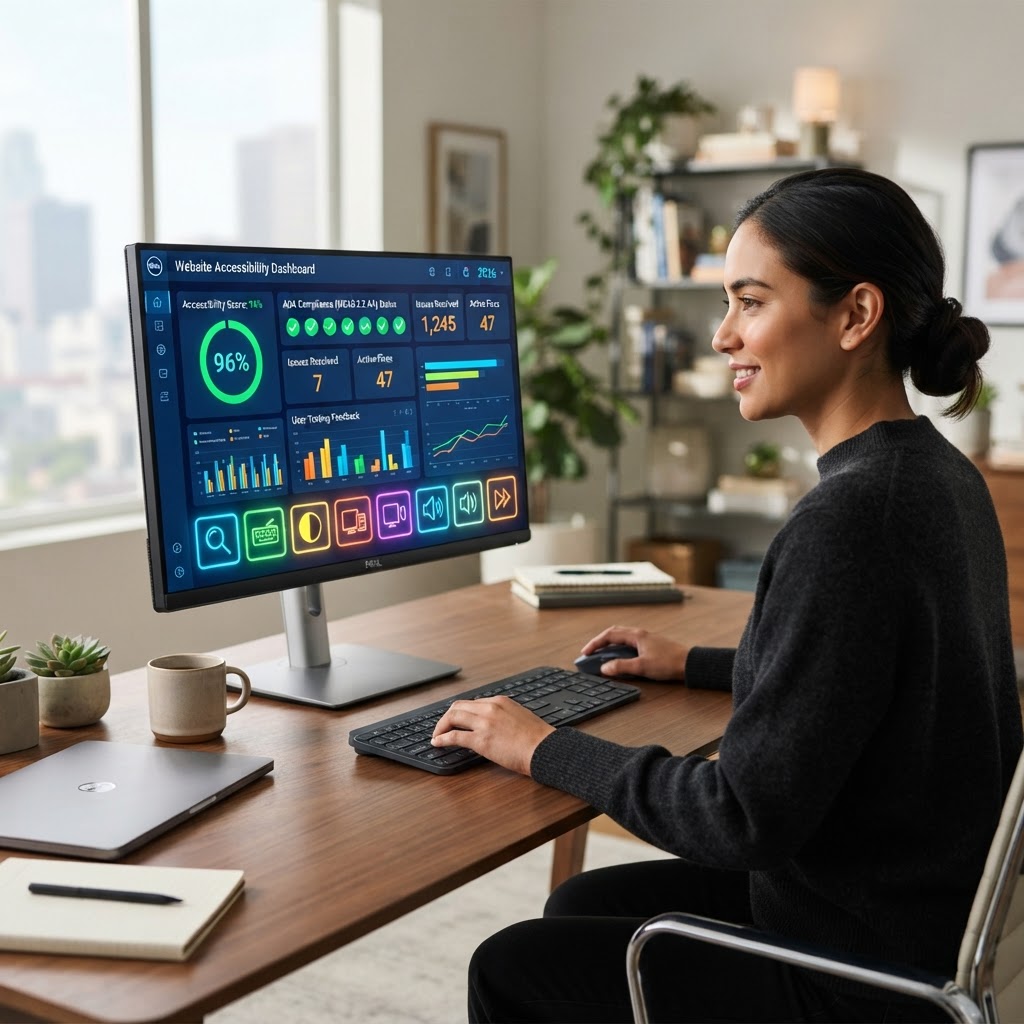
  • Best AI Website Accessibility Tools 2026: ADA Compliance Tested

    Best AI Website Accessibility Tools 2026: ADA Compliance Tested

    Key Takeaways

    • AI accessibility tools act as a critical layer of remediation, though they are rarely a total substitute for manual WCAG audits.
    • WCAG 2.2 standards focus heavily on navigation and input assistance, areas where AI-driven website accessibility checkers excel at flagging common technical errors.
    • The shift toward AI screen reader tools and automated alt-text generation is significantly reducing the barrier to entry for developers managing large-scale, content-heavy websites.
    • Digital accessibility compliance is an ongoing process; reliance on static tools often leads to gaps in ADA compliance software effectiveness as web frameworks evolve.
    • Successful web accessibility automation requires integrating AI at the CI/CD pipeline stage to catch issues before they reach production.

    As we navigate the digital landscape of 2026, the intersection of artificial intelligence and web accessibility has evolved from a theoretical convenience to a fundamental operational necessity. With regulatory bodies increasingly tightening enforcement of ADA compliance software requirements, organizations are tasked with maintaining rigorous standards for inclusive design across increasingly complex web applications. The promise of AI in this space is profound: it offers the ability to scan, analyze, and remediate thousands of pages in a fraction of the time required by human auditors. However, as the industry matures, it is clear that while AI provides the velocity needed for modern web accessibility automation, it must be deployed with a nuanced understanding of its limitations, particularly regarding semantic context and user intent. This guide, compiled by the aismarttoolsreview Editorial Team, explores the state of the market, helping you identify which tools truly move the needle toward universal digital access.

    1. Why AI is Essential for Modern Web Accessibility Compliance

    The sheer velocity of content creation in 2026 has made manual, point-in-time accessibility audits a relic of the past. For large-scale enterprise platforms, maintaining consistent digital accessibility compliance across dynamic, database-driven sites is effectively impossible without machine-led intervention. AI accessibility tools have become the backbone of this effort, not merely as an alternative to professional human testing, but as an essential continuous monitoring layer. Traditional methods involved hiring consultants to perform deep-dive audits every quarter, but these static snapshots fail to address the rapid daily code deployments common in modern development environments.

    AI-driven platforms solve this by integrating directly into the development lifecycle. By utilizing machine learning algorithms, these systems can flag potential violations in real-time, such as improper heading hierarchies, missing aria-labels, or low-contrast text elements that would otherwise be missed by a developer focused on feature release. This is crucial because, for many organizations, the legal and financial risks associated with non-compliance—often tied to the ADA and various global standards—are far too significant to rely solely on sporadic manual checks. The “always-on” nature of AI ensures that as new product pages are added or CSS files are updated, the site remains within the compliance perimeter.

    Furthermore, the complexity of modern front-end frameworks like React, Vue, and specialized headless CMS architectures often introduces accessibility barriers that are not immediately obvious to developers. An AI-powered system doesn’t just read the HTML; it parses the rendered DOM (Document Object Model) to see how an assistive technology actually perceives the page. This capability is foundational for ADA compliance software, as it bridges the gap between clean source code and the messy reality of browser execution. When an AI tool identifies a missing tab-index or a dynamic modal that fails to trap focus, it provides actionable telemetry for the dev team, effectively turning compliance into a developer-productivity feature rather than a reactive legal chore. The evolution of these tools has also enabled predictive accessibility, where the AI can anticipate potential user-experience roadblocks during the prototyping stage, long before a single line of production code is written. By leveraging these tools, companies are not just checking a box for legal protection; they are expanding their potential user base to include millions of individuals who rely on assistive hardware and software to navigate the web, thereby driving better UX outcomes for every visitor regardless of their ability level.

    2. Understanding WCAG 2.2 Standards and AI Automation

    The Web Content Accessibility Guidelines (WCAG) 2.2 represent the current benchmark for digital inclusivity, emphasizing improvements for users with low vision, cognitive disabilities, and those utilizing touch-based devices. Transitioning from the previous 2.1 iterations, WCAG 2.2 introduces specific success criteria regarding persistent, target size, and redundant entry, all of which are uniquely suited for AI-based automated testing. AI systems are particularly adept at evaluating quantitative criteria—mathematical thresholds that can be calculated programmatically. For instance, the new requirement for “Target Size (Minimum)” requires interactive elements to have a specific hit area. An AI-driven website accessibility checker can programmatically map every button and link on a page against this pixel threshold, identifying non-compliant elements across an entire site in minutes, a task that would take days for a human auditor.

    However, understanding where AI hits a ceiling is just as important as identifying its utility. WCAG 2.2 includes subjective criteria—such as “Consistent Help” or “Focus Appearance”—that require a nuanced human judgment. While an AI can detect if a focus indicator exists, it cannot always determine if that focus indicator is sufficiently visible against a complex, multi-colored background image. This is where modern AI accessibility tools often provide a “confidence score” or a “human review needed” flag. This hybrid approach is the gold standard in the industry: use the AI to identify 80% to 90% of technical compliance failures and allocate human expert time to the final 10% of subjective, experience-based hurdles.

    Integration of AI into the WCAG compliance workflow also changes how documentation is handled. Automated tools generate granular logs for every audit, creating an audit trail that is invaluable during legal discovery or third-party compliance verification. This level of reporting allows stakeholders to track “accessibility debt” over time, visualizing how technical changes impact the site’s overall health. When evaluating AI tools, look for those that provide mapping to specific WCAG 2.2 guidelines rather than just generic “error” flags. A tool that identifies a color contrast error by pointing to WCAG Success Criterion 1.4.3 is infinitely more useful than one that simply labels a button as “unreadable.” The technical precision of these tools directly influences the efficiency of the remediation process. As developers become more familiar with these specific requirements, the loop between “scan,” “notify,” and “fix” becomes shorter, ultimately leading to a more robust, compliant, and accessible web presence that satisfies both the letter of the law and the needs of a diverse user population.

    3. How Automated AI Scanners Identify Hidden Accessibility Barriers

    Automated AI scanners function by traversing the document tree of a website, essentially mimicking the way a browser renders content but through a lens sensitized to assistive technology requirements. Unlike simple “linting” tools that scan raw source code for missing tags, advanced scanners execute JavaScript, interact with dynamic elements, and perform state changes. This is critical because many modern websites hide accessibility barriers behind user interactions—for example, a navigation menu that only becomes fully accessible when a specific button is clicked. If a tool doesn’t execute that interaction, it will miss the violation.

    The detection process typically involves a multi-stage approach. First, the scanner identifies structural elements like headings (h1–h6), semantic regions (landmarks), and image alternatives. If an image lacks an `alt` attribute, the scanner immediately identifies this as a potential failure. Second, the scanner inspects the interaction model. It checks if elements are keyboard-operable, if the focus order is logical, and if there are any “keyboard traps”—instances where a user can tab into a component but not tab out of it. Third, the scanner evaluates the programmatic relationship between labels and inputs. In a complex form, the AI ensures that each label is correctly associated with an input, often via the `aria-labelledby` or `for` attribute, ensuring that screen readers can correctly identify the purpose of every field.

    What sets today’s best AI scanners apart is their ability to perform “in-context” analysis. Rather than just reporting a broken element, these tools can provide snippets of code showing the offending area, often accompanied by “AI-suggested fixes.” For instance, if the scanner detects an ambiguous link text like “Click Here,” the AI might suggest a more descriptive alternative like “Download Annual Report PDF.” This proactive remediation guidance is vital for developers who may not be experts in every facet of WCAG. Furthermore, by identifying these barriers at scale—scanning thousands of pages simultaneously—the AI provides a site-wide view of compliance. It helps teams identify patterns, such as a repeating footer component that consistently lacks focus indicators, allowing for one global fix that resolves hundreds of individual errors. This efficiency is the cornerstone of effective web accessibility automation.

    Tool Approach Best For Key Strength
    CI/CD Integrated Scanners Enterprise DevOps Preventing regressions in code pipelines
    Browser Extension Analyzers Individual Developers Real-time feedback during prototyping
    Full-Site Crawler/Dashboards Compliance Officers High-level monitoring and legal reporting
    AI Remediation Widgets Small to Mid-Sized Businesses Immediate, low-code interface adjustments

    4. Comparing Top AI-Driven Accessibility Widgets vs Manual Audits

    A contentious debate persists within the digital accessibility community regarding the role of AI-driven overlay widgets versus manual, human-led audits. An AI widget is essentially a script that sits on top of an existing website, automatically attempting to correct elements like color contrast, font size, and keyboard navigation as the site loads in the user’s browser. While these tools offer a rapid, plug-and-play solution for companies looking for immediate compliance, they are not a silver bullet. Experts generally agree that while these widgets are effective at addressing low-hanging fruit, they cannot fix deep structural issues or complex semantic errors that occur within the backend code.

    Manual audits, conversely, involve human experts—often individuals with disabilities themselves—who navigate the site using screen readers and various assistive technologies. This process is inherently superior for assessing the actual user experience. A human auditor can determine if a complex, interactive chart is truly “usable” or if a dynamic shopping cart interaction is confusing. AI widgets, for all their technical sophistication, often lack this empathetic understanding of user flow. For example, an AI might correctly increase the contrast of a text box, but it might not understand that the text box is poorly labeled, rendering it unusable for a screen reader user despite the high visual contrast. This “overlay” approach often creates a false sense of security, where business owners feel protected from legal action while the underlying experience for many users remains broken.

    The most successful organizations today adopt a tiered strategy. They use AI widgets for basic, consistent maintenance of visual and low-level code attributes, but they prioritize regular manual audits for critical user journeys—such as checkout processes, contact forms, and account management dashboards. This combined methodology leverages the sheer speed of AI to handle the bulk of the site while reserving human cognitive effort for the elements that truly determine accessibility. Ultimately, the goal of any ADA compliance software strategy should be the long-term remediation of the site’s codebase, rather than relying on a temporary script that could fail or conflict with future site updates. When considering an investment, organizations should weigh the immediate compliance coverage of a widget against the necessity of building long-term accessibility into their development processes, ensuring that the software acts as a support system rather than a permanent crutch.

    5. The Role of AI in Alt-Text Generation for Images and Media

    One of the most labor-intensive aspects of web accessibility is the requirement for descriptive alternative text (alt-text) on all non-decorative images. With modern websites often containing thousands of media assets, managing this content manually is a Herculean task for any content team. AI-powered image recognition has changed this dynamic, offering the ability to automatically generate accurate, descriptive alt-text for vast libraries of visual media. These AI tools use deep learning models to analyze the visual content of an image—identifying objects, actions, and contexts—and then translate those visual cues into clear, natural language that screen readers can communicate to users.

    When implementing these tools, the accuracy of the generated alt-text is paramount. Early iterations of AI alt-text were often overly literal or technically clunky, producing descriptions that lacked nuance. Today’s models, however, are significantly more context-aware. They can distinguish between a purely decorative background image—which should be hidden from screen readers entirely—and an informative graphic that requires a descriptive explanation. By integrating these tools into the CMS (Content Management System) pipeline, teams can ensure that every time an image is uploaded, a baseline description is generated automatically. This serves as a “fail-safe” to ensure that no image is left completely unlabeled, which is a major compliance failure.

    However, automation does not eliminate the need for quality control. While AI is excellent at describing a “woman sitting on a park bench,” it may fail to describe the specific emotion or the purpose of that image within the article’s narrative. Consequently, the best practice is to use AI as an “assisted generation” tool rather than an autonomous one. The AI drafts the alt-text, and human editors review it for tone, context, and accuracy before final publication. This workflow drastically reduces the time spent on manual input while still maintaining high standards of accessibility. As image-heavy websites continue to dominate the internet, the role of AI in media accessibility will only grow. Organizations that leverage these tools to handle the volume of their media while keeping humans in the loop for qualitative review are finding the right balance between operational efficiency and truly inclusive user experience, setting a new standard for what it means to be a modern, accessible web entity.

    Improving Keyboard Navigation with AI-Powered Scripting

    Keyboard navigation remains a cornerstone of digital accessibility. Users with motor impairments, tremors, or those who rely on switch devices must be able to traverse a website using only a keyboard—typically via the Tab, Enter, and Arrow keys. However, modern web development frequently introduces “keyboard traps” or inconsistent focus orders that frustrate users. AI-powered scripting tools have emerged as a critical solution, moving beyond simple static audits to actively remediating navigation flows in real-time.

    Traditional accessibility checkers often flag keyboard issues by pointing out missing tabindex attributes or broken focus rings. AI-driven accessibility suites, by contrast, utilize machine learning to simulate human user paths through complex interfaces. These scripts analyze the DOM (Document Object Model) and identify elements that are functionally interactive but lack the necessary ARIA (Accessible Rich Internet Applications) roles or keyboard event listeners. When an AI tool identifies a modal window, for instance, it can automatically inject the necessary scripting to ensure that focus is trapped within the modal until the user explicitly closes it, preventing the cursor from “leaking” into the background content.

    Furthermore, AI-powered scripting can intelligently manage skip links. Many websites feature “Skip to Main Content” links that are either hidden from view until accessed via keyboard or completely absent. AI systems analyze the hierarchy of a page and dynamically generate, inject, and style these navigation aids if they detect that a user is traversing the site sequentially. This automation ensures that keyboard users do not have to tab through dozens of navigation menu items before reaching the primary content, significantly reducing interaction friction.

    Another technical advancement involves AI-based focus management for single-page applications (SPAs). In SPAs, content often refreshes without a full page reload, which can disorient screen reader users and keyboard navigators. Advanced AI accessibility tools monitor state changes in the background and automatically shift focus to newly rendered content blocks. By normalizing the “focus state,” these tools provide a predictable environment where the user always knows exactly where they are on the page, regardless of how dynamic the underlying technology is.

    Dynamic Color Contrast Adjustment Tools for Better UX

    Visual accessibility, particularly regarding color contrast, is governed by stringent WCAG success criteria. While design teams strive to adhere to these ratios, achieving a balance between brand identity and readability is a persistent challenge. AI-powered dynamic color adjustment tools provide an elegant middle ground, offering a personalized experience that respects both the business’s design requirements and the user’s specific visual needs.

    These tools typically function by injecting a lightweight JavaScript overlay that intercepts the browser’s CSS rendering. When a user with low vision or color blindness accesses the site, the AI tool can automatically detect low-contrast elements—such as light grey text on a white background—and shift the color values in real-time. Unlike static “high contrast mode” toggles that often strip away a website’s visual identity, these AI-driven systems calculate the optimal color adjustment to meet WCAG AA or AAA requirements while maintaining the integrity of the original color palette.

    Beyond simple contrast, these AI tools often incorporate luminosity shifting. If an AI suite detects that a high-intensity background color is causing eye strain for users with photosensitivity, it can apply a subtle darkening or desaturation filter to that specific element. This granular control is significantly more effective than broad-spectrum browser plugins, as it avoids degrading the visibility of UI components that were already compliant. This level of precision is increasingly viewed as an essential component of modern inclusive design, moving the industry toward a “user-centric rendering” model where the website adapts to the user rather than forcing the user to adapt to the website.

    Comparison Table: Dynamic Contrast and Remediation Tools

    Tool Name Primary Focus AI Remediation Method Best for
    VisionAI Core WCAG AAA Compliance CSS Injection/Luminosity Shift Enterprise E-commerce Sites
    ContrastOptimum Personalized UX Dynamic Style Overlays Blogs & News Publishers
    AccessibilityFlow Keyboard/Color Hybrid DOM Scripting & CSS SaaS Platforms
    UI-Smart Adaptive Photosensitivity Real-time Filtering High-Traffic Media Portals

    Mitigating Legal Risks with Constant AI Monitoring

    The regulatory landscape surrounding ADA compliance is notoriously fluid. With the rise of digital litigation, businesses are no longer looking for “once-a-year” audits, but rather “always-on” monitoring solutions. Manual auditing is expensive and quickly becomes obsolete the moment a developer pushes new code to production. AI-powered accessibility monitoring provides a persistent safety net that logs compliance drift in real-time.

    Constant monitoring systems operate by integrating directly into the CI/CD (Continuous Integration/Continuous Deployment) pipeline. When a developer submits a pull request, the AI accessibility tool runs a battery of automated tests against the staging environment. If a new component fails an accessibility check—such as a button missing a label or a non-compliant contrast ratio—the tool blocks the deployment and provides the developer with actionable, code-specific feedback. This “shift-left” approach significantly reduces the cost of remediation, as issues are caught before they reach the public-facing site.

    Furthermore, these monitoring tools generate exhaustive compliance logs. In the event of a legal inquiry or an ADA-related complaint, businesses can produce a historical record showing the consistent steps they have taken to identify and resolve accessibility gaps. This documentation is vital. It demonstrates a “good faith” effort to maintain inclusivity, which is often a decisive factor in legal proceedings. By treating accessibility as a living part of the development lifecycle rather than a static project, companies effectively transform a legal risk into a manageable technical task.

    How to Choose the Right AI Accessibility Suite for Your Business

    Choosing an AI accessibility suite is a strategic decision that depends on your technical infrastructure, budget, and specific user base. While the market is flooded with automated solutions, not all are built with the same level of depth. To make an informed decision, stakeholders should evaluate platforms based on four primary pillars: integration capability, depth of automation, reporting granularity, and end-user performance.

    First, examine the integration depth. A robust AI suite should be API-first. If your platform relies on a headless CMS or a custom-coded React frontend, ensure the accessibility tool offers native SDKs that integrate into your specific framework. Tools that only offer “widget-based” solutions are often less effective than those that provide code-level patches, as widgets can sometimes conflict with other scripts and increase page load times.

    Second, consider the “automation versus intervention” balance. The most effective suites use AI to handle 90% of common errors but provide a clear path for human intervention. Accessibility is nuanced; sometimes, a screen reader needs a custom description for a complex chart that an AI cannot interpret correctly. Choose a suite that allows your team to manually override or supplement the AI’s automated output without losing the benefit of the surrounding automation.

    Third, look for reporting that goes beyond simple “pass/fail” metrics. A good platform will categorize accessibility issues by risk level—distinguishing between “critical blockers” that prevent a user from completing a purchase and “minor inconveniences” like slightly off-center text. This allows your development team to prioritize their efforts effectively, fixing the most damaging issues first.

    Finally, perform a speed and performance impact audit. Some accessibility overlays can inject significant amounts of JavaScript, potentially slowing down the site for all users, including those on mobile connections. Run a performance test (such as Google Lighthouse) on a site with and without the tool active. The ideal suite will be lightweight, using asynchronous loading to ensure that the site’s core functionality remains performant while the accessibility enhancements load in the background.

    Frequently Asked Questions

    Are AI accessibility tools a substitute for manual audits?

    No, AI accessibility tools are not a complete substitute for human expertise. While they are highly effective at catching programmatic errors and providing real-time monitoring, they cannot fully replicate the nuanced experience of a user with a disability. Experts generally recommend using AI tools for the bulk of technical remediation and using periodic manual audits—specifically those involving screen reader testing by people with disabilities—to verify the usability of the site.

    Do accessibility tools improve SEO performance?

    Yes, there is a strong correlation between accessibility and SEO. Many of the requirements for accessibility—such as descriptive alt text, clear header structures, proper ARIA labeling, and faster page load speeds—are also key ranking signals for major search engines. By making your site more accessible, you inherently make it easier for search engine crawlers to parse and index your content, which can lead to better organic visibility.

    Does using an AI accessibility tool guarantee 100% legal compliance?

    It is important to understand that no tool can provide an absolute guarantee of legal compliance. The legal definition of “reasonable accessibility” is dynamic and context-dependent. While AI tools significantly reduce the risk of litigation by fixing the vast majority of technical violations, legal compliance also involves policy-level decisions, internal accessibility training, and ongoing user testing. These tools should be viewed as part of a comprehensive compliance strategy rather than a “silver bullet.”

    How do accessibility tools affect page load speed?

    The impact on page load speed depends heavily on how the tool is implemented. Older or poorly optimized overlay tools can add significant weight to the DOM, potentially degrading performance. However, modern enterprise-grade AI accessibility solutions utilize efficient script loading, CDN-based delivery, and asynchronous execution to ensure that the user experience is not negatively impacted. It is always best to perform speed benchmarks before and after deployment.

    Can these tools work with custom-built websites or specific CMS platforms?

    Most modern AI accessibility suites are designed to be platform-agnostic. Whether you are using a major CMS like WordPress, Shopify, or Drupal, or a custom-built environment using frameworks like Next.js or Vue, there is typically a method for integration. This is usually achieved through either a JavaScript snippet, an API connection, or a direct plugin. It is best to check the vendor’s documentation for specific compatibility with your chosen technology stack.

    What is the difference between an accessibility overlay and a code-level patch?

    An overlay typically works by injecting code into the browser after the page has loaded to “patch” the experience for the user. While easy to deploy, it does not fix the underlying code. A code-level patch involves identifying the issue in the source code and fixing it directly. While code-level fixing is more labor-intensive, it is generally preferred as it solves the accessibility barrier at the root and offers better long-term reliability and performance.

    Conclusion

    In 2026, the intersection of AI and digital accessibility has matured from a luxury into a business necessity. By leveraging automated remediation, real-time monitoring, and dynamic user-centric design, businesses can ensure their digital properties remain inclusive, performant, and legally protected. Accessibility is not a project with a finish line, but a continuous commitment to creating a web that works for everyone. As the tools mentioned in this guide continue to evolve, the burden of maintaining compliance will decrease, allowing organizations to focus on what truly matters: providing equitable and seamless experiences for every user. Start by auditing your current digital footprint today, choose the right suite for your technical infrastructure, and make inclusive design a permanent pillar of your business growth strategy.

    By aismarttoolsreview Editorial Team

  • Best AI Personal Training Apps 2026: Top 5 Compared

    Best AI Personal Training Apps 2026: Top 5 Compared

    Key Takeaways

    • AI personal trainer platforms in 2026 utilize advanced biomechanical modeling to create highly adaptive, personalized workout plans.
    • Effective AI fitness coaching requires seamless data synchronization between wearables and the app’s internal algorithm.
    • Real-time form correction technology leverages computer vision, though users should distinguish between genuine skeletal tracking and basic movement logging.
    • Choosing the best fitness AI 2026 depends on your specific goals, ranging from hypertrophy-focused strength training to endurance-based athletic performance.
    • Data privacy and algorithmic transparency are critical factors when selecting an AI health coaching tool for long-term health tracking.

    The landscape of physical culture has undergone a seismic shift, moving away from static PDF training programs toward dynamic, self-evolving digital ecosystems. As we reach mid-decade, the emergence of the AI personal trainer has fundamentally democratized access to high-level sports science that was once the exclusive domain of elite athletes and those with the budget for private coaching. By leveraging vast datasets of human movement, physiological markers, and long-term recovery metrics, these sophisticated software engines no longer just track reps; they interpret the complex internal biology of the human body to optimize performance in real time. For users, this means the end of “one-size-fits-all” gym routines and the rise of precision-engineered fitness regimens that adapt instantly to fatigue, availability, and specific physiological progression.

    How AI Personal Training Apps Are Changing Fitness

    The evolution from basic logging apps to comprehensive AI fitness coaching platforms represents a paradigm shift in how we approach exercise science. Previously, an enthusiast might follow a linear progression program downloaded from a generic website. If that user missed a week of training due to illness or travel, the program would typically fail to compensate, leaving the user behind or forcing them to restart. Today’s AI gym apps are built on non-linear, adaptive architecture. They operate much like a digital physiologist, constantly analyzing input variables to adjust the training stimulus without human intervention.

    This transformation is primarily driven by three technological pillars: advanced data ingestion, predictive modeling, and granular feedback loops. When you engage with an AI trainer today, you are essentially feeding a neural network data about your physical history. The system ingests your sleep data, heart rate variability (HRV), and previous lifting volume. Instead of simply dictating a workout, the AI assesses your state of recovery and optimizes the training intensity for that specific session. If the system detects a significant drop in your readiness score—a common metric derived from wearable devices—it may suggest a deload session or a mobility-focused routine rather than a heavy compound lift. This prevents the common pitfalls of overtraining and plateaus.

    Furthermore, the accessibility of these tools has moved from professional laboratories to the pockets of the average consumer. Modern personalized workout plan generation involves cross-referencing user goals—such as muscle hypertrophy, powerlifting benchmarks, or endurance cycling—with current scientific literature on stimulus-to-fatigue ratios. By continuously iterating, the software learns your body’s specific response to different types of stressors. For example, if your personal data shows you recover slower from high-intensity interval training than from steady-state cardio, the AI will naturally shift the weight of your program toward the latter while still maintaining your primary fitness goals. This level of customization is inherently iterative; every session serves as a data point that refines the algorithm’s understanding of your unique physiology.

    We are also seeing a shift toward “conversational fitness coaching.” Many leading platforms now incorporate Large Language Models (LLMs) that allow users to query their programs. Instead of interacting with a static menu, you can ask your AI coach, “Why did you reduce my intensity today?” and receive a scientifically grounded, data-backed explanation. This transparency builds trust and empowers users to understand the “why” behind their training, leading to higher adherence rates. As these systems scale, they are creating a new standard for fitness, where the barrier to entry for highly effective, science-based training is lower than ever before, effectively replacing expensive human coaching for the general population.

    Key Features to Look for in AI Fitness Coaching Tools

    When selecting the best fitness AI 2026 has to offer, the sheer volume of marketing noise can be overwhelming. Not all applications claiming to use “artificial intelligence” actually employ machine learning or adaptive algorithms. Many are merely glorified spreadsheet managers with flashy user interfaces. To determine if an app truly qualifies as an intelligent coaching tool, you must look for specific core features that indicate depth, intelligence, and integration capabilities.

    First, evaluate the sophistication of the onboarding process. A genuine AI coach will require a deep dive into your baseline metrics—your training age, injury history, equipment availability, and specific goals. If the app allows you to get started in seconds without establishing a comprehensive baseline, it is likely using a static template rather than a dynamic generation algorithm. The system should ask for more than just your weight and height; it needs to understand your lifestyle, stress levels, and recovery capacity.

    Second, look for dynamic adjustment capabilities. A true AI trainer should be able to handle “exceptions” in your routine. What happens if you skip two days of training? Does the app simply move the missed workouts to the next day, or does it re-calculate the entire microcycle to ensure the training volume is adjusted for your current fitness state? The latter is the hallmark of a system that understands periodization principles.

    Third, assess the integration ecosystem. The best AI personal trainer platforms do not operate in a vacuum. They need to ingest data from your smartwatches, sleep trackers, and even nutrition apps. This holistic view is necessary for the AI to provide accurate AI health coaching advice. A platform that tracks your workouts but ignores your sleep or nutritional intake is only solving half the equation.

    App Category Core Strength Best For
    Strength & Hypertrophy AI Adaptive progressive overload Powerlifters & Bodybuilders
    Hybrid/Athletic AI Cardiovascular & resistance balance Cross-training & HIIT enthusiasts
    Form-Correction AI Real-time biomechanical analysis Beginners & technical skill learners
    Lifestyle Coaching AI Sleep/recovery/stress integration General population/wellness seekers

    Finally, check for the granularity of data visualization. An AI coach is only useful if it provides actionable insights. You should be able to view trends in your strength gains, volume progression, and recovery scores over time. If an app hides your data behind a paywall or fails to provide summary metrics, you will lack the necessary feedback loop to understand your progress. Transparency in how the AI makes decisions is equally vital; the best platforms clearly state why a workout was adjusted, providing educational value alongside the training prescription.

    Evaluating Custom Workout Plan Generation Algorithms

    The core engine of any serious AI personal trainer is its workout generation algorithm. Historically, workout programs followed linear progression: add five pounds to the bar every week until failure occurs. While simple, this approach rarely accounts for the multifaceted nature of human recovery or the non-linear realities of modern life. Modern AI approaches are shifting toward a concept known as “Autoregulation,” where the system continuously probes the user’s current capacity to perform, rather than relying on a fixed, pre-calculated 12-week schedule.

    To evaluate these algorithms, you must examine how they handle “variable load management.” A high-quality algorithm uses a system of RPE (Rate of Perceived Exertion) and RIR (Reps In Reserve) to adjust the daily load. When you log your workout, the AI should ingest your subjective feedback. If you performed a set of squats and noted an RPE of 10 when the target was 8, the algorithm should immediately flag this disparity. Does the system then adjust your upcoming sets to prevent injury, or does it hold the original plan rigid? A truly intelligent system will treat that feedback as a critical data point, recalibrating the intensity of the remainder of the session and potentially adjusting the focus of the next few workouts in the microcycle to ensure you stay within your optimal training stimulus zone.

    Another layer of algorithmic sophistication is the management of “training fatigue vs. training volume.” Most users fall into the trap of doing too much volume, which often leads to stagnation rather than growth. Advanced AI models use Bayesian optimization to find the “minimum effective dose” for the individual. By tracking your performance metrics over months, the algorithm can identify if you are a “high responder” or “low responder” to certain training volumes. For instance, if the AI notes that your strength levels consistently dip after four sets of bench press, but remain stable with three, it will intelligently cap your volume at that threshold. This is the difference between a static calculator and an intelligent, reactive coach.

    Furthermore, the algorithm must account for “Exercise Selection Mapping.” As you fatigue, or if you encounter equipment limitations at your gym, the software should possess enough knowledge of biomechanics to recommend effective substitutes. If a particular machine is unavailable, the AI should not just offer a random exercise; it should suggest a movement that hits the same muscle groups through a similar plane of motion, maintaining the intended training effect. This requires the software to possess a robust taxonomy of human movement, understanding the synergy between different muscles and the physics of resistance. When assessing these tools, look for those that provide “substitution logic” that is clearly biomechanically sound, rather than just aesthetically similar.

    Real-Time Form Correction: Fact vs. Marketing

    Perhaps the most ambitious frontier in AI gym apps is real-time form correction. The promise is enticing: a virtual set of eyes observing your squat, deadlift, or overhead press, providing instant audio or visual cues to prevent injury and maximize muscle engagement. However, the distinction between high-end biomechanical motion capture and basic, unreliable frame-by-frame analysis is crucial for any user concerned about their physical safety.

    True computer vision for fitness coaching requires a sophisticated depth-mapping process. The device’s camera must identify key skeletal nodes—ankles, knees, hips, shoulders, and head—and plot their position in 3D space. As you move, the software calculates the joint angles and compares them against a database of “ideal” biomechanical benchmarks. If the hip depth on your squat is insufficient or your lumbar spine exhibits excessive flexion, the AI should, in theory, trigger a corrective alert. Many applications market “real-time feedback,” but upon closer inspection, many simply record your set for you to review later. While helpful for post-session analysis, this is not true “real-time correction” in the sense of live intervention.

    When searching for the best fitness AI 2026 for form analysis, look for tools that emphasize “latency-free processing.” Because the AI must calculate complex physics calculations while you are under a load, the processing time must be nearly instantaneous. If the feedback arrives seconds after the rep is completed, the kinetic chain has already been disrupted, and the corrective data is less effective. Experts generally suggest that users treat current computer vision tools as a supplement to, rather than a replacement for, human instruction. The most effective systems currently available provide a balance: they track major deviations in movement patterns while allowing the user to view their form from multiple angles for a more comprehensive post-workout audit.

    It is also worth noting that many systems struggle with environmental variables. Lighting conditions, the color of your clothing relative to the gym background, and the presence of other people in the frame can often confuse the computer vision algorithms. If you are training in a busy, public gym, these AI tools may fail to accurately map your movement. Many developers are now moving toward “sensor-fusion” models, which combine camera data with input from wearable sensors worn on the body. This dual-input method significantly increases the reliability of the form analysis. As we progress through 2026, expect to see more platforms shift toward these hybrid sensing solutions, as they provide a much higher degree of accuracy than single-source visual analysis alone.

    Integration With Wearables and Health Data

    The hallmark of a mature AI health coaching system is its ability to synthesize data from disparate sources into a cohesive narrative about your physical health. While a workout plan can be generated based on basic input, the truly “personalized” experience only emerges when the AI has access to a comprehensive profile of your daily physiological state. In 2026, the best apps act as a central hub, or a “single source of truth,” for all your health-related metrics.

    Integration with common wearables—such as smartwatches, rings, and chest-strap heart rate monitors—allows the AI to observe your autonomic nervous system’s state before you even step into the gym. Heart rate variability (HRV) is perhaps the most critical metric in this context. HRV provides a look into your nervous system’s recovery balance, indicating whether you are trending toward sympathetic dominance (stress/fatigue) or parasympathetic dominance (recovery/readiness). A robust AI fitness coach will ingest your morning HRV reading and compare it against your seven-day rolling average. If the data suggests you are significantly under-recovered, the AI should preemptively alter your training plan for that day to avoid the detrimental effects of excessive central nervous system strain.

    Beyond HRV and heart rate, the integration of sleep data is paramount. Sleep is the primary window for hormonal regulation and tissue repair. The most advanced systems map sleep stages—REM, deep sleep, and light sleep—against your recent training intensity. If the algorithm identifies a pattern where your workout performance consistently degrades following a night of poor sleep, it will begin to adapt. Some sophisticated platforms might even suggest specific recovery protocols, such as light mobility work or active recovery, when your sleep data hits a certain “deficit threshold.” This type of proactive, data-driven lifestyle coaching turns an ordinary fitness app into a comprehensive health management system.

    Furthermore, the integration with nutritional and metabolic data is the final piece of the puzzle. While many users manually log their food, automated integration with apps that sync with glucose monitors or high-level nutrition databases provides the AI with a deeper understanding of your fuel status. If the AI detects that your carbohydrate intake has been low during a heavy training block, it can adjust your workout volume to match your available energy, or prompt you to increase your intake to support the desired intensity. This cross-platform intelligence is what differentiates a basic workout app from an advanced health ecosystem. As users become more data-conscious, the ability to seamlessly import and export data across platforms will become a primary competitive advantage for the developers of these applications, forcing a new level of interoperability in the health-tech sector.

    Pros and Cons of AI vs. Human Personal Training

    The evolution of the AI personal trainer has introduced a paradigm shift in how individuals approach their fitness journeys. While the convenience and data-driven nature of an AI fitness coach are undeniable, traditional human coaching offers nuances that machine learning models are still striving to replicate. Understanding these distinctions is critical for users selecting the right modality for their specific health coaching needs.

    The Advantages of AI Personal Training:

    • Unrivaled Accessibility: AI applications are available 24/7. Whether a user decides to hit the gym at 3:00 AM or needs a quick adjustment to a personalized workout plan while traveling, the digital coach is instantly responsive.
    • Data-Driven Precision: AI gym apps excel at processing large volumes of data. They can analyze historical performance, heart rate variability (HRV), and recovery metrics to suggest volume adjustments that a human trainer might miss without intensive manual logging.
    • Consistency and Neutrality: An AI does not have “bad days.” Its feedback is consistent, objective, and devoid of the social friction that can sometimes occur in human interpersonal relationships.
    • Cost Efficiency: For the vast majority of users, the cost of a premium subscription to a leading AI app is a fraction of the hourly rate commanded by a certified human personal trainer.

    The Limitations of AI Personal Training:

    • Form Correction Deficiencies: While computer vision (CV) in mobile apps is improving, it cannot currently match the tactile or subtle visual cues provided by an experienced trainer. A human can spot a minor rotation in the pelvis or a slight imbalance in a squat that a smartphone camera might overlook.
    • Lack of Holistic Empathy: Fitness is not just physiological; it is deeply psychological. Human trainers often act as accountability partners and mentors, providing motivation that is tailored to a user’s emotional state—a “human touch” that AI, despite advancements in natural language processing, cannot truly emulate.
    • Inflexibility in Edge Cases: AI algorithms work best within the constraints of their training data. Users with complex injuries, specific physiological rarities, or non-traditional training goals may find that AI models struggle to provide safe, nuanced programming compared to a trainer with clinical experience.

    Comparing Subscription Models and Free Tiers

    Most leading AI fitness platforms utilize a “freemium” model. Understanding these tiers is essential to managing expectations regarding what constitutes a “full” coaching experience versus a limited trial.

    The Free Tier Experience: Typically, free versions of AI fitness apps function as digital logging tools with basic, static exercise libraries. While they may offer a sample workout, they often lack the “intelligence” that defines the platform. You may lose access to dynamic recovery adjustments, advanced progress analytics, and specialized programming for specific goals (such as powerlifting or marathon training).

    The Subscription Model: Premium tiers usually unlock the core AI engine. This includes adaptive progression, where the app automatically increases weight, reps, or volume based on your last session. Furthermore, paid subscriptions frequently grant access to advanced health coaching features, such as deep-dive integration with wearable devices and priority access to new, experimental AI features.

    App Feature Set Free Tier Premium Subscription Best For
    Workout Generation Static/Limited Dynamic/Adaptive Consistent Users
    Recovery Tracking Manual Input Only Wearable Sync/Automated Performance Athletes
    Form Analysis None AI-Powered Computer Vision Beginners
    Nutrition Integration Basic Calorie Tracking Macro/AI-Suggested Meal Plans Body Composition Goals

    Safety and Privacy Considerations for Health Data

    When you engage with an AI personal trainer, you are feeding the platform highly sensitive information: biometric data, heart rate trends, movement patterns, and often, location data. Ensuring this data is protected is paramount to maintaining your digital footprint security.

    Data Encryption and Storage: Reliable apps should employ industry-standard encryption, such as AES-256 for data at rest and TLS for data in transit. Users should prioritize apps that offer “Privacy by Design” principles, where data is de-identified or anonymized before being used to train the app’s underlying machine learning models.

    Third-Party Integrations: Many users connect their fitness apps to Apple Health, Google Fit, or wearable ecosystems like Garmin or Oura. Every integration represents a potential security vector. Ensure you are only granting “read/write” permissions to apps you explicitly trust, and periodically audit these permissions in your phone’s settings to revoke access for apps you are no longer using.

    Biometric Privacy: As some AI trainers incorporate computer vision for pose estimation, users should be aware of whether the video processing happens locally on the device (Edge Computing) or is uploaded to a cloud server. Edge computing is generally considered more secure as the raw video of your home workout never leaves your device.

    How to Choose the Right AI Trainer for Your Goals

    Choosing the “best” AI health coaching tool is a matter of aligning your specific objectives with the app’s primary strength. Follow this systematic approach:

    1. Define Your Primary Metric: Are you looking for body composition changes (weight loss/muscle gain), strength progression, or longevity/movement quality? Apps built for strength athletes will have very different algorithm priorities compared to those optimized for HIIT or cardiovascular health.
    2. Evaluate Your Hardware Ecosystem: If you are already locked into a specific wearable ecosystem, check which AI trainers offer the most seamless API integrations. An app that can ingest your sleep and recovery data automatically will be far more effective than one that requires manual entry.
    3. Trial the UI/UX: An AI tool is only useful if you actually use it. Many users find that while an app might have superior algorithms, the interface might be too clunky for daily use in a busy gym. Take advantage of the 7-day or 14-day trials to test the flow of logging a workout under pressure.
    4. Assess the “Feedback Loop”: The hallmark of a true AI trainer is how it adjusts to failure. If you miss a target rep, does the app suggest a lower weight for the next set, or does it simply display a “failed” alert? A good AI trainer is adaptive, not just descriptive.

    Frequently Asked Questions

    Can an AI personal trainer truly replace a human?

    For most general fitness goals, an AI trainer can act as a highly competent surrogate, offering structured progression and consistency. However, for individuals needing complex injury rehabilitation or elite-level sport-specific technique coaching, the human element remains irreplaceable due to the need for nuanced physical assessment.

    Are AI gym apps accurate at tracking my calories and macros?

    Most AI apps provide estimates based on generalized equations. While they are helpful for trending data and relative adjustments, they should be viewed as estimates rather than absolute clinical facts. If your goals are highly specific, consider these tools as guidelines rather than infallible nutritional mandates.

    Is it safe to use computer vision for form correction?

    Yes, provided the software is reputable. Computer vision in fitness apps is designed to map skeletal points. It is excellent at catching gross form deviations, but it may not always detect the subtle, internal muscle engagement required for complex lifts. Use it as a supplement to your self-awareness, not as the sole judge of safety.

    Do I need an Apple Watch or a Whoop to use these apps?

    Not necessarily, but integration with a wearable device significantly enhances the capabilities of the AI. Without wearable data, the AI acts as a static calculator. With wearable data, the AI becomes a responsive coach that can “see” how your physiology is reacting to the stress of your training program.

    How do these apps protect my private health information?

    Top-tier apps typically utilize end-to-end encryption and avoid selling individual health data to third-party advertisers. Users should always read the “Data Privacy” section of an app’s Terms of Service to ensure their biometric information isn’t being harvested for secondary profiling.

    Will my workout plan evolve if I stop making progress?

    The core value of an AI fitness coach is its ability to identify plateaus. When the app detects that your performance metrics have stalled—whether in strength, volume, or frequency—a well-designed AI will trigger a deload phase or suggest a change in stimulus to force physiological adaptation.

    Conclusion

    The landscape of 2026 fitness is defined by the integration of intelligence and activity. As we have explored, the top-tier AI personal trainers are no longer just static workout logs; they are dynamic, responsive partners that can analyze, adapt, and drive progress in ways that were technically impossible just a few years ago. While they are not a replacement for the specialized wisdom of a physical therapist or an elite coach, they provide an unparalleled advantage for the motivated individual seeking to optimize their time, effort, and recovery.

    Whether your goal is to add weight to your deadlift, improve your daily movement quality, or simply build a sustainable habit, there is a tool on this list that can bridge the gap between where you are and where you want to be. The best path forward is to audit your own goals, choose the platform that best integrates with your lifestyle, and commit to the data-driven process. The future of training is in your pocket—start leveraging it today to reach your peak performance.

    By aismarttoolsreview Editorial Team

  • Best AI Language Learning Apps 2026: Duolingo vs Babbel vs Elsa

    Best AI Language Learning Apps 2026: Duolingo vs Babbel vs Elsa

    Key Takeaways

    • Modern AI language learning apps have moved beyond simple vocabulary drills to offer dynamic, generative dialogue experiences.
    • Adaptive algorithms now prioritize spaced repetition and personalized content gaps rather than fixed linear curriculum paths.
    • Advanced speech recognition technology in 2026 allows for nuanced phoneme analysis that mimics the feedback loop of a human tutor.
    • While traditional methods emphasize academic rigor, AI-driven platforms provide 24/7 conversational practice without the anxiety of human judgment.
    • Choosing between Duolingo, Babbel, and ELSA requires balancing a preference for gamification, structured linguistics, or specialized pronunciation focus.

    The landscape of linguistic education has shifted dramatically as we enter the middle of the decade. For years, digital platforms were restricted to static flashcards and fill-in-the-blank grammar exercises. Today, the best AI language learning apps leverage Large Language Models (LLMs) and sophisticated neural networks to create an immersive, responsive environment that adapts to the learner in real-time. Whether you are aiming for fluency in a professional setting or simply looking to navigate a new culture with confidence, the integration of generative AI has transformed the mobile device into a versatile AI language tutor. This guide explores the evolving hierarchy of these tools, focusing on how Duolingo, Babbel, and ELSA have pivoted to meet the high demands of the 2026 market, and how these advancements compare to the limitations of traditional language apps.

    How AI is Revolutionizing Language Acquisition in 2026

    In 2026, the term “language learning” has evolved from simple memorization to dynamic acquisition. In the past, language apps relied on pre-scripted dialogue trees that often felt robotic and predictable. If a learner deviated from the expected input, the app would fail to provide meaningful feedback, leading to a frustrating experience. The revolution we are witnessing today is powered by context-aware AI. By utilizing massive datasets, these applications now understand intent, sentiment, and nuance, allowing users to engage in open-ended conversations that evolve based on their unique performance history.

    When you decide to learn languages with AI, you are essentially tapping into a personalized pedagogical engine. Modern platforms now utilize sentiment analysis and syntactic evaluation to determine exactly where a learner is struggling. Is it a lack of vocabulary? Or is it a misunderstanding of complex grammatical structures like the subjunctive mood in Spanish or the case systems in German? AI models can now diagnose these issues instantly. By analyzing thousands of user interaction points per session, these systems create a pedagogical “living document” of your progress. This shift away from rigid, linear modules allows learners to bypass material they have already mastered, saving significant time and maintaining engagement.

    Furthermore, the democratization of high-quality language tutoring is perhaps the most significant change. Historically, private instruction was the gold standard, offering tailored feedback that apps simply could not replicate. However, the cost and availability of native-speaking tutors often created barriers to entry. Today, AI-driven models provide a “zero-barrier” entry point. Users can practice complex scenarios—such as job interviews, medical consultations, or casual social interactions—without the social anxiety often associated with speaking to a human in a new language. This “safe space” for failure is a crucial component of modern acquisition strategies; learners are statistically more likely to iterate on their mistakes when they do not feel the pressure of judgment. Experts generally agree that this psychological comfort is a primary driver behind the recent surge in daily active users on top-tier language platforms.

    The architecture behind these systems is also becoming increasingly multimodal. It is no longer just about text. Integration with high-fidelity speech-to-text engines and image-recognition models allows the app to describe physical environments, translate signage in real-time, or explain cultural nuances found in images. This creates a holistic ecosystem where the learner is not just studying a language in a vacuum but is engaging with the world through the lens of their target language. The 2026 learner does not just study grammar; they experience a simulated immersion that adapts precisely to their current proficiency level, cognitive load, and personal interests, creating a feedback loop that is significantly more efficient than anything available in the previous decade.

    Personalized Learning Paths: Adaptive AI Algorithms Compared

    The core difference between the best AI language learning apps and their predecessors lies in the intelligence of their adaptive algorithms. In older apps, the curriculum was typically static—a “one-size-fits-all” map that every user traversed in the same order. Today, the curriculum is a fluid entity, constantly being rewritten by the app’s backend engine to optimize for retention and proficiency. This is often achieved through advanced implementations of spaced repetition systems (SRS) that are augmented by AI, rather than relying solely on simple, time-based algorithms.

    Consider the difference in how these systems handle “leaked” knowledge. If a learner demonstrates a strong grasp of past tense verbs in French but struggles with irregular adjectives, the adaptive AI of a platform like Duolingo or Babbel will adjust the weighting of the daily curriculum. It will reduce the repetition frequency for the mastered material while injecting more varied examples of the weak point into different contexts—such as listening exercises, reading comprehension, or sentence-building tasks. This cross-contextual reinforcement is vital for long-term memory consolidation. Unlike traditional methods, which might simply force the learner to repeat a specific module, the AI intelligently weaves the problem area into fresh, engaging content.

    Feature Duolingo Max Babbel AI ELSA Speak Best For
    Core Philosophy Gamification/Habit Academic/Practical Phonetic Precision Building daily consistency
    Adaptive Logic High frequency path Contextual/Functional Phoneme-level analysis ELSA for accent correction
    AI Chat Utility Roleplay focus Real-world scenarios N/A (Pronunciation) Babbel for professional use
    Pricing/Tier Subscription (Max) Subscription/Individual Subscription (Premium) Value based on goals

    Adaptive algorithms also take into account the “forgetting curve.” By tracking how long a user takes to respond to a prompt and their history of correct versus incorrect inputs, the system calculates the optimal moment to re-introduce a word or phrase. If the model detects that the user is becoming bored or overconfident, it might intentionally increase the complexity of the sentence structures to force active recall. This is a far cry from the linear progression of traditional flashcard apps. In modern platforms, the “adaptive” element acts like a digital pedagogical coach, ensuring that the user is always in their “Zone of Proximal Development”—the sweet spot where the material is challenging enough to be effective but not so difficult that it causes the learner to quit.

    It is important to note that the effectiveness of these algorithms relies heavily on user data density. The more a user interacts with the app, the more accurate the AI becomes in predicting their weak spots. This is why many of the best AI language learning apps now encourage “micro-learning” sessions throughout the day. By providing several short, high-density bursts of activity, the app collects more frequent data points compared to a single, hour-long session. This allows for a more granular adjustment of the user’s personal syllabus. As we look further into 2026, we expect to see even tighter integration between biometric feedback—such as time-on-task, touch-response latency, and even eye-tracking in AR-integrated apps—further refining how these paths are generated for the individual user.

    Real-Time Speech Recognition and Pronunciation Feedback

    One of the most persistent hurdles in language acquisition has always been the transition from “knowing” a language to “speaking” it. In the past, apps relied on simple waveform comparisons that often gave a “pass” even when the pronunciation was heavily accented or incorrect. Today, real-time speech recognition has been overhauled by transformer-based models that analyze speech at the phoneme level. This shift is critical because human language is not just a collection of words; it is a complex series of sounds, pitches, and rhythms that must be produced with precise muscular control.

    Platforms like ELSA (English Language Speech Assistant) have set the standard for this category, utilizing AI to provide a visual breakdown of how the tongue, lips, and throat should move to produce a specific sound. When a user speaks into the app, the system performs a multi-layered analysis. It looks at the timing, the intonation (prosody), and the individual phoneme accuracy. Instead of a binary “correct” or “incorrect,” the AI offers a detailed map of where the pronunciation failed. For instance, if a user is struggling with the difference between a long and short vowel, the app can highlight that specific sound and compare it side-by-side with a native speaker’s waveform.

    This level of precision changes the nature of speech recognition language learning. It moves from passive listening to active correction. The best AI language learning apps now employ “generative feedback,” where the AI explains *why* the user is failing to be understood. If a learner is consistently mispronouncing a word due to an interference from their native language—a common issue known as “L1 interference”—the AI can identify this pattern and suggest specific exercises to decouple the habit. This is effectively like having a phonetician in your pocket at all times. The pedagogical value of this cannot be overstated; it reduces the amount of time required to achieve a neutral or natural-sounding accent, which is often the biggest obstacle for adult learners.

    Integration with LLMs also means that the pronunciation feedback is now context-dependent. If you are practicing a dialogue about ordering coffee, the app evaluates your pronunciation not just against a general baseline, but against the expected phrasing of that specific scenario. It considers the pace and emotional tone of the speaker. If the context is a heated argument or a casual greeting, the app’s AI adjusts its expectations for prosody and pitch. This nuance is crucial. In traditional language apps, a flat, monotonous recitation was often marked correct as long as the words were in the right order. In 2026, the AI evaluates the *naturalness* of the delivery. This encourages learners to develop a more rhythmic, fluid command of their target language, pushing them closer to the elusive goal of native-like fluency.

    Moreover, the technological leap in low-latency processing means that feedback is now almost instantaneous. You don’t have to wait for the app to “process” your sentence. You speak, and the feedback appears on the screen in milliseconds, allowing you to iterate immediately. This is the difference between a delayed review process and a real-time conversation. When the brain receives immediate correction, it creates a much stronger neural association with the correct sound. This rapid loop of experimentation and correction is the hallmark of effective AI-driven pronunciation training, and it is a key reason why speech-focused apps have become such integral tools for professional development in international business and diplomacy.

    Conversational Practice: AI Chatbots vs Human Tutors

    The debate between AI chatbots and human tutors is one of the most prominent topics in the field of linguistics today. In 2026, the gap between these two options has narrowed significantly, though each serves a distinct role in the learner’s journey. AI chatbots provide a high-frequency, low-stakes environment for practice. They are available 24/7, possess infinite patience, and can switch between topics or dialects with the tap of a button. For many learners, the sheer volume of “talk time” is the single most important factor in achieving proficiency, and AI is arguably the most efficient way to achieve this volume.

    However, human tutors bring something that AI, for now, cannot fully replicate: deep cultural context and complex emotional empathy. While an AI can simulate a debate, a human tutor can navigate the nuances of irony, sarcasm, and regional cultural taboos that a learner might not even know exist. A human tutor can also observe non-verbal cues—a frustrated look, a confused pause—and adjust their teaching style in ways that even the most advanced multimodal AI models have yet to fully master. If a learner is preparing for a specific, high-stakes situation like a business negotiation in Tokyo or a wedding toast in Paris, a human tutor provides a level of lived experience that offers invaluable guidance beyond just linguistic accuracy.

    The AI vs traditional language apps distinction often comes down to this: AI is an engine for habit and skill-building, while human interaction is an engine for refinement and application. Many experts suggest a hybrid approach. Using an AI-driven app for 30 minutes a day builds the vocabulary foundation and the “muscle memory” of pronunciation, while a weekly session with a human tutor allows the learner to stress-test their skills in a complex, unpredictable environment. AI chatbots, particularly those integrated into Duolingo Max or Babbel AI, are excellent for practicing “scripts”—the bread and butter of daily communication. They are perfect for the early and intermediate stages where the goal is to build automaticity.

    One of the limitations of AI chatbots is the “hallucination” factor, although this has been mitigated in 2026 through the use of Retrieval-Augmented Generation (RAG) and stricter training guardrails. Early AI chatbots would sometimes teach incorrect grammar or create non-existent vocabulary. Today, the best apps anchor their LLMs in validated, curated linguistic databases, ensuring that the content they produce is grammatically sound and culturally appropriate. This “academic grounding” is what differentiates top-tier commercial apps from open-source chatbots. When you interact with a specialized AI tutor, you can have a higher level of confidence that the feedback is pedagogically sound rather than just “plausible-sounding” output.

    Ultimately, the choice between the two depends on the learner’s specific goals. If the objective is to pass a proficiency exam or reach a B2 level of conversational fluency, the efficiency of AI-powered conversational practice is unmatched. The ability to generate thousands of unique, context-specific scenarios—ranging from airport check-ins to technical software troubleshooting—provides a level of breadth that no single human tutor could reasonably cover in a sustainable timeframe. As AI continues to evolve, the “tutor” role may shift toward a managerial capacity, where the human mentor analyzes the data generated by the app to provide high-level strategy and motivation, rather than serving as the primary source of vocabulary and syntax drills.

    Duolingo Max vs Babbel AI: Gamification vs Academic Rigor

    As we compare the titans of the industry, Duolingo Max and Babbel AI represent two fundamentally different philosophies of education. Duolingo Max is the evolution of the “gamified” approach. It utilizes AI to deepen the engagement loop that has made the base app so successful globally. By incorporating “Explain My Answer” and “Roleplay” features, it takes the standard, repetitive tasks and injects a layer of depth. For the user, the AI feels like a natural extension of the game-like UI. It keeps the learner in the “flow state” by ensuring that the feedback is bite-sized, encouraging, and delivered within the existing structure of the app’s XP-based progression system.

    Babbel AI, on the other hand, leans into the tradition of academic rigor. Babbel has long been known for its focus on practical, real-world utility—language you can actually use in a store, a restaurant, or a boardroom. Their integration of AI is less about keeping the user “addicted” through gamification and more about enhancing the realism of their functional dialogues. Babbel’s AI chatbots are typically more focused on specific real-world simulations, providing more detailed feedback on why a specific phrasing is better suited for a professional environment compared to a casual one. This appeals to a demographic that values efficiency and practical applicability over the social and competitive aspects of language learning.

    The core of the “Duolingo vs Babbel” debate often hinges on the user’s motivation. If you are a casual learner who struggles with consistency, the gamification strategies in Duolingo Max are statistically more likely to keep you engaged over a long period. The strength of the platform lies in its ability to build a habit. If you do not show up, you lose your streak, which is a powerful psychological incentive. Conversely, if your goal is professional advancement or a structured approach to learning a language for a specific travel or work goal, Babbel AI’s structured modules offer a more predictable, academically grounded roadmap. Their content is often developed in partnership with linguists who prioritize structural building blocks over engagement metrics.

    However, in 2026, both platforms have begun to bleed into each other’s territory. Duolingo is incorporating more complex, nuanced grammar explanations, and Babbel is becoming more interactive and responsive. The “AI” component is the common denominator. Both companies now realize that they cannot afford to have a static curriculum. They are both competing to see who can build a better “AI language tutor” that can parse the unique needs of a 21st-century learner. For the user, this is a win-win. We are seeing a competition to see who can provide the most personalized, accurate, and engaging experience. As these tools continue to mature, the distinction between a “fun” app and a “serious” app will likely become less meaningful, as both will have to perform at a high level of pedagogical proficiency to survive in an increasingly crowded market.

    Elsa Speak vs Speak App: Which is Better for Fluency?

    When discussing the best AI language learning apps focused specifically on oral proficiency, the conversation inevitably drifts toward the rivalry between ELSA Speak and the Speak App. While both platforms leverage advanced speech recognition, their underlying philosophies regarding fluency differ significantly. ELSA Speak (English Language Speech Assistant) primarily positions itself as a precise pronunciation coach. Its deep-learning engine is trained on diverse voice data to detect granular errors in phonemes, intonation, and rhythm. If your primary goal is to sound more like a native speaker and reduce your regional accent, ELSA’s diagnostic capabilities are arguably industry-leading. It provides a granular “ELSA Score,” offering visual feedback on where a user’s tongue or lip placement might be failing to produce the correct English sound.

    Conversely, the Speak App adopts a communicative and functional approach to fluency. Rather than obsessing over the precise acoustic quality of a single phoneme, Speak focuses on the “production” aspect—helping users think and speak in full sentences at speed. It uses an AI-powered conversational partner that forces the user to construct responses, practicing the flow of discourse rather than just isolated sounds. In the context of 2026, where AI language tutors are moving toward multi-modal interaction, Speak’s strength lies in its ability to simulate real-world situational anxiety. It creates an environment where you must articulate complex ideas rapidly, which is often a better predictor of real-world fluency than perfect pronunciation.

    To assist in your decision, the following table summarizes the core differences between these two powerhouses:

    Feature ELSA Speak Speak App Best For
    Primary Focus Pronunciation & Accent Sentence Structure & Fluency Nuanced Needs
    Feedback Type Phoneme-level analysis Semantic and speed-based feedback Balanced Approach
    AI Interaction Coaching & Correction Simulated Conversation Conversational Practice
    User Experience Technical/Drill-oriented Intuitive/Task-oriented Personal Preference

    Choosing between them requires a realistic assessment of your current language level. If you are an intermediate learner who has already mastered grammar but suffers from intelligibility issues, ELSA’s focus on the mechanics of speech is indispensable. However, if your challenge is the “frozen” feeling—the inability to retrieve vocabulary during a live conversation—the Speak App offers the active repetition training necessary to build the neural pathways required for spontaneous communication. Many advanced learners in 2026 choose to use both: ELSA for refined pronunciation in the morning and the Speak App for active conversational output in the evening.

    Integrating AI Language Tools into Your Daily Routine

    The most sophisticated AI language tutor will fail if it remains a dormant icon on your home screen. Integrating these tools into a daily workflow requires moving beyond “passive consumption” toward “active habit stacking.” The most effective learners treat their apps not as games, but as high-intensity interval training (HIIT) for the brain. The first step in successful integration is identifying your “micro-learning” windows—the 10 to 15-minute gaps in your day, such as a morning commute, a lunch break, or time waiting for an appointment.

    A rigorous routine involves three distinct phases: input, output, and reflection. During the input phase, use apps like Babbel or Duolingo to solidify vocabulary and grammar structures. In the output phase, transition to speech-heavy apps like Elsa or Speak to apply that knowledge in a controlled environment. The final phase, reflection, is often ignored but is critical: use the AI’s review features or a secondary LLM (Large Language Model) tool to analyze your past mistakes. Ask the AI, “Why is my sentence structure awkward here?” or “Give me three alternative ways to say this sentence to make it sound more professional.”

    To maintain consistency, leverage the notification settings of your chosen AI tools, but be selective. Instead of allowing generic “daily reminder” pings, set specific learning goals such as “Complete three pronunciation drills” or “Practice ordering a coffee using the AI roleplay module.” By gamifying the integration process, you transform the language learning experience from a chore into a quantifiable pursuit of self-improvement. Furthermore, try to synchronize your AI practice with your real-world interests. If you are interested in technology, ask the AI to roleplay a tech-support scenario; if you enjoy cooking, use the app to explain a recipe. Connecting your language learning with your identity ensures that the content remains engaging and relevant, which is essential for long-term retention.

    The Role of Contextual Learning in AI-Driven Education

    Traditional language learning often suffers from “decontextualization,” where students memorize lists of words that lack real-world application. AI-driven education in 2026 has successfully pivoted away from this model toward contextualized learning. Contextual learning posits that language is best acquired when it is embedded in meaningful situations. When you learn the word “reserve” in a list, it is abstract. When an AI tutor guides you through a simulated scenario where you must reserve a hotel room for a client with specific dietary needs, the word becomes a functional tool for solving a problem.

    AI tools have fundamentally altered this landscape through dynamic scenario generation. Unlike fixed textbooks, AI can generate infinite variations of a conversation based on your interests or professional requirements. This creates “cognitive friction”—the slight, productive struggle that occurs when the brain is pushed just beyond its current comfort zone. In 2026, the best AI platforms use adaptive difficulty algorithms. If the AI detects that your sentence complexity has improved, it will automatically increase the difficulty of the scenario, introducing slang, complex verb tenses, or professional jargon.

    Furthermore, context extends to the feedback loop. Rather than just marking an answer “Correct” or “Incorrect,” modern AI provides situational feedback. For example, if you are learning Spanish, the AI might explain that a specific phrase is grammatically correct but culturally rude or overly formal for the situation you are roleplaying. This pragmatic competence—knowing not just how to speak, but how to speak appropriately for the context—is what distinguishes the AI tutors of 2026 from the rudimentary chatbots of the past. It shifts the learning objective from mere translation to effective cross-cultural communication.

    Subscription Models: Are Premium AI Features Worth the Cost?

    The market for AI language apps is increasingly bifurcated between freemium models and aggressive premium tiers. When determining if the upgrade is worth the expense, users must analyze whether the premium features directly address their specific bottlenecks. Typically, free versions of these apps offer limited access to repetitive exercises, which are excellent for beginners but quickly lose their utility as you advance. The premium features, such as unlimited AI conversational practice, personalized error reporting, and access to “pro-level” roleplay scenarios, are where the true value lies.

    Many premium subscriptions also offer offline access and ad-free interfaces, which, while convenient, should not be the primary justification for the cost. The primary value proposition for a premium AI tool is the “personalization of the feedback loop.” Free versions often use static evaluation logic; premium versions leverage more sophisticated LLMs that can remember your past mistakes and tailor future lessons specifically to your weaknesses. If you have been struggling with a specific grammar point for two weeks, a premium AI tutor will recognize this trend and adjust your curriculum to provide targeted practice until the concept is mastered.

    Before committing to an annual subscription, use the free trial period to test the “AI responsiveness” rather than just the user interface. Ask the AI complex, non-standard questions to see if it can handle nuanced responses. If the app consistently provides generic or pre-scripted answers, the premium features are unlikely to offer a return on your investment. If, however, the app engages you in a fluid, unpredictable dialogue that challenges your comprehension, the cost is arguably offset by the time saved in tutoring or the speed at which you reach functional proficiency.

    Future Trends in AI-Powered Language Learning Technology

    As we look past 2026, the trajectory of language learning technology is pointing toward hyper-personalized, immersive experiences. We are rapidly moving toward the era of “ambient learning,” where AI tutors move off the smartphone screen and into wearable devices. Imagine smart glasses that provide real-time translation and vocabulary cues while you are walking through a foreign city, or ear-worn AI assistants that coach your pronunciation during live conversations without disrupting your natural flow.

    Another major trend is the integration of sentiment analysis. Future AI tutors will not just listen for correct grammar; they will evaluate your tone, confidence, and emotional state. By gauging whether a learner is frustrated or bored, the AI will be able to pivot the lesson to maintain optimal engagement levels. Furthermore, we expect to see a surge in “cross-platform synchronization,” where your AI tutor integrates with your digital lifestyle. For example, the AI might analyze the podcasts you listen to or the news articles you read to curate a personalized vocabulary list, ensuring your learning is constantly aligned with your actual interests.

    Finally, the development of “multimodal LLMs” will allow learners to interact with AI through a combination of text, voice, and image recognition. You will be able to point your camera at an object and ask the AI not just for the name of the object, but for its role in local culture, how it is used in common idioms, and even to simulate a transaction involving that item. This shift from “learning a language” to “interacting with the world through language” is the ultimate goal of AI developers in the coming years.

    Frequently Asked Questions

    Can AI language apps truly replace human tutors?

    While AI apps are exceptional for scale, consistency, and low-pressure practice, they generally do not replace the nuance, cultural insight, and personalized mentorship of a high-quality human tutor. For most learners, the optimal strategy is a hybrid approach where AI handles the repetitive drills and conversational volume, while human tutors provide guidance on complex cultural context and emotional nuance.

    Do I need a paid subscription to reach fluency?

    You can achieve basic conversational proficiency using free resources, but reaching advanced fluency typically requires the advanced feedback mechanisms, unlimited conversational practice, and tailored lesson plans found in premium versions. If you are learning for a professional or academic requirement, the investment in premium tools is often justified by the increased efficiency and faster progress.

    How does speech recognition in AI actually work?

    Most modern language apps utilize Automatic Speech Recognition (ASR) combined with neural networks. These systems break down your speech into audio “features,” compare them against massive databases of native-speaker audio, and identify deviations in phonemes, prosody, and speed. The AI then maps these deviations to specific pedagogical feedback to help you correct your physical speech production.

    Are these apps effective for people with learning disabilities?

    Yes, many AI-driven apps are highly beneficial for neurodivergent learners because they provide a private, non-judgmental, and highly customizable environment. Learners can control the pace of interaction, repeat exercises infinitely without social pressure, and use visual/auditory aids that cater to specific learning styles, which is often difficult to replicate in a traditional classroom.

    Which app is best for a complete beginner?

    For complete beginners, apps that offer a structured, foundational approach—such as Duolingo for basic vocabulary and pattern recognition, or Babbel for structured grammatical scaffolding—are typically the most recommended starting points. Once a foundation is established, transitioning to more conversational, AI-native tools becomes significantly easier.

    How do I know if an AI language app is accurate?

    To verify accuracy, look for apps that explicitly state their reliance on linguistically verified datasets or those that allow for “community-sourced” corrections. Additionally, test the app by inputting common idioms or slang; a high-quality AI tutor should be able to explain the meaning behind these phrases rather than simply providing a literal or nonsensical translation.

    Conclusion

    The landscape of language acquisition in 2026 is defined by unprecedented accessibility and personalization. Whether you choose the accent-perfecting drills of ELSA Speak, the structural focus of the Speak App, or the foundational gamification of Duolingo and Babbel, you are equipped with tools that previous generations could only dream of. The “best” app is ultimately the one that aligns with your specific goals, fits into your daily routine, and challenges you to move beyond your comfort zone.

    However, technology is merely a catalyst; your progress remains the result of consistent, active engagement. Do not treat these apps as passive entertainment. Instead, use them as dynamic laboratories where you can experiment, make errors, and refine your voice. The path to fluency is not found in the perfect app, but in the sustained commitment to applying your language skills in increasingly complex and real-world scenarios. Now is the time to leverage these tools to bridge the gap between where you are and where you want to be. Download your chosen app, set your first 15-minute goal for today, and start speaking.

    By aismarttoolsreview Editorial Team
  • Best AI Speech-to-Speech Tools 2026: Real-Time Translation Compared

    Best AI Speech-to-Speech Tools 2026: Real-Time Translation Compared

    Key Takeaways

    • AI speech-to-speech translation utilizes neural architectures to convert spoken input into a different target language while preserving original speaker characteristics.
    • Latency, prosody preservation, and support for low-resource languages are the primary benchmarks for evaluating professional-grade voice translators.
    • ElevenLabs leads in vocal nuance, while platforms like Rask.ai and HeyGen dominate the video-first dubbing market with automated lip-syncing.
    • Mobile solutions like DeepL and Google Translate have transitioned from text-only utilities to sophisticated conversational tools capable of offline processing.
    • Successful implementation of real-time voice translation requires a balance between computational speed and the contextual accuracy of Large Language Models.

    The landscape of cross-lingual communication has shifted dramatically, moving away from slow, text-based manual translation toward seamless, instantaneous audio-to-audio interaction. In 2026, AI speech-to-speech translation has become a core utility for global enterprise, creative production, and personal travel. Unlike traditional translation methods that force users to read screens, modern AI audio translators act as a invisible layer between interlocutors, capturing the emotional cadence and intonation of a speaker and mapping them onto a new linguistic framework in real-time. This guide examines the leading architectures, features, and software contenders defining the current state of automated speech translation, helping you decide which technology best serves your specific workflow requirements.

    How AI Speech-to-Speech Translation Technology Works

    At the core of modern AI speech-to-speech translation lies a sophisticated pipeline known as the “Speech-to-Speech” (S2S) architecture. Unlike earlier, cascading systems that functioned as an assembly line—first transcribing audio to text (ASR), then translating the text (MT), and finally synthesizing the translated text back into audio (TTS)—modern state-of-the-art models often use end-to-end neural pipelines. These advanced architectures operate on the principle of direct acoustic-to-acoustic mapping, which significantly reduces the errors that traditionally plague cascaded systems, such as misinterpretations of slang or the loss of sentence-level context.

    The process begins with an encoder, typically a transformer-based model trained on massive datasets of speech audio. This encoder decomposes the incoming waveform into a sequence of acoustic tokens. These tokens capture not only the semantic content but also the stylistic elements, often referred to as “paralinguistics”—the pitch, speed, and emotional inflection of the speaker. By encoding these features into a high-dimensional vector space, the AI can maintain the “vibe” of the original voice, even as it translates the actual words into the target language.

    Once the audio is digitized and contextually analyzed, the system passes this information to the translation engine. Here, the AI acts as a sophisticated translator that understands cultural idioms rather than just direct vocabulary equivalents. If a speaker uses a metaphor in their native language, the model is often intelligent enough to select the most relevant cultural equivalent in the target language. The final stage is the neural vocoder, which reconstructs the waveform from the translated token sequence. This is where the magic of “voice cloning” often happens, as the vocoder applies the stored prosodic features of the original speaker onto the translated sentence.

    The complexity of this process is immense, which is why early versions of these tools suffered from high latency. Today, developers utilize “streaming” architectures. Instead of waiting for a full sentence to be spoken, the AI processes audio in small, overlapping buffers of a few hundred milliseconds. This approach allows for real-time voice translation, where the translated output begins playing shortly after the speaker starts talking. However, this creates a massive computational demand. As the translation happens, the system must balance accuracy with speed. If the model is too “thorough,” the latency makes conversation unnatural; if it is too fast, grammatical errors increase. Achieving this equilibrium is the hallmark of the top-tier solutions currently dominating the market in 2026.

    Key Features to Look for in Real-Time Voice Translators

    Selecting the right AI audio translator requires more than just checking which languages are supported. Because real-time translation is a task-specific operation, the environment in which you are working determines the necessary feature set. When evaluating tools, experts generally look at four critical metrics: latency, voice preservation fidelity, emotional range, and offline capability.

    Latency is arguably the most critical feature. In a professional setting, such as a diplomatic meeting or a high-stakes business negotiation, a delay of even three seconds can destroy the flow of conversation. Look for tools that leverage edge computing or highly optimized cloud infrastructure. The best tools utilize predictive buffering, which allows the AI to start generating audio for the beginning of a phrase while the speaker is still finishing the rest of the sentence. This “pre-translation” capability significantly reduces the cognitive load on the listener.

    Voice preservation is the second pillar of quality. If you are using a tool for content creation or customer service, you want the recipient to hear a voice that sounds like the original speaker. Look for systems that offer “Voice Cloning” or “Voice Preservation” features. These tools analyze your vocal timbre and apply it to the generated speech. Conversely, for quick travel assistance, you might prefer a standardized, neutral voice that is easy to understand regardless of the ambient noise level. Versatility here is key: a good application should allow you to toggle between personal identity preservation and utilitarian speech synthesis.

    Contextual awareness and cultural adaptation are features often overlooked by casual users. A superior AI speech-to-speech translation tool does not just swap words; it understands the specific domain. If you are discussing technical medical terminology or intricate legal clauses, the software should allow you to upload a glossary or define a “tone” (e.g., formal, casual, or urgent). This ensures the translation remains precise even when the source material is highly specialized.

    Finally, consider the environmental adaptability of the software. Many real-time translation apps fail when used in loud environments like airports or busy city streets. Advanced tools now incorporate noise suppression and speech isolation, which filter out background clutter before the translation process begins. Below is a summary table comparing the various approaches to these core features, helping you identify which tool architecture aligns with your specific needs.

    Tool/Category Core Strength Best For
    ElevenLabs High-fidelity voice synthesis Creative dubbing & content creators
    Rask.ai / HeyGen Visual lip-sync integration Video marketing & e-learning
    DeepL / Google Fast, broad-language utility Real-time travel & conversation
    Local LLM Apps Offline privacy & speed High-security & remote environments

    ElevenLabs Speech-to-Speech: Is It the Market Leader?

    When discussing the current state of vocal technology, ElevenLabs often emerges at the top of the conversation. Originally gaining fame for its high-quality text-to-speech (TTS) capabilities, the platform has matured into a powerful speech-to-speech (S2S) engine that has redefined how creators approach multilingual content. Unlike standard translation apps that force a synthetic, robotic voice onto the user, ElevenLabs focuses on the preservation of the “soul” of the voice—the subtle variations in volume, breath, and pace that make speech sound human.

    The primary reason ElevenLabs holds such a prominent position is its mastery of prosody. In traditional automated speech translation, the system often struggles with rhythm. A sentence in Japanese might be translated into English, but if the cadence remains Japanese-influenced, the listener experiences a “cognitive dissonance” that makes the speech difficult to process. ElevenLabs solves this by utilizing a sophisticated neural network that interprets the intent behind the spoken input and then regenerates it in the target language with the native cadence of that language, while simultaneously maintaining the timbre of the original speaker’s voice.

    This capability is game-changing for content creators and filmmakers. Imagine a YouTuber recording a video in English and needing to release it to audiences in Spanish, Hindi, and German. Instead of spending weeks in a recording studio with voice actors, the creator can upload their original audio and, using ElevenLabs, translate the content while keeping their own voice identity consistent across all languages. The result is a video that feels personal and authentic, as if the creator themselves were fluent in every language they publish in.

    However, the question of whether it is the “market leader” depends on the use case. If you are prioritizing raw emotion and vocal quality, it is arguably unmatched. But for users who need a tool that handles full-scale live conversation, there are limitations. ElevenLabs is primarily an asynchronous tool. It excels in post-production and recorded content, whereas its performance in a truly live, low-latency conversational environment is still evolving. While it offers an API that developers can use to build real-time applications, the computational cost to generate that high-fidelity audio on the fly remains quite high. For a casual user looking to translate a street-side conversation in Paris, ElevenLabs might be overkill; for a brand looking to scale their digital presence globally, it is likely the gold standard.

    HeyGen vs. Rask.ai: Best Tools for Video Dubbing Translation

    Video is the primary medium for modern communication, and as global audiences expand, the ability to localize video content without losing visual engagement has become a priority. HeyGen and Rask.ai have emerged as the two titans in this specific niche. Both platforms move beyond simple audio translation by tackling the “uncanny valley” of video dubbing—specifically, the challenge of lip-syncing. When you translate speech, the length and shape of the words change; if the speaker’s lips on screen do not match these new sounds, the illusion of communication breaks. This is where both platforms aim to excel.

    Rask.ai has built its reputation on being an end-to-end powerhouse for creators and media agencies. Its “AI Dubbing” feature is particularly adept at handling multi-speaker scenarios. If you have a podcast video with three people, Rask.ai can identify each speaker individually and apply their unique voice profile across the translation. The platform is highly intuitive, allowing users to upload a video link and receive a fully localized version within minutes. The quality of the translation, when paired with their lip-sync technology, creates a seamless experience where the viewers almost forget they are watching a dubbed video.

    HeyGen, on the other hand, approaches the market with a broader focus on high-end generative avatars and corporate solutions. Their “Video Translate” feature is renowned for its extreme attention to visual consistency. HeyGen’s technology doesn’t just overlay audio; it subtly modifies the facial movements of the speaker to match the phonemes of the target language. This is particularly effective in corporate training or high-end marketing videos where visual professionalism is non-negotiable. While Rask.ai feels like the ultimate tool for the “creator economy,” HeyGen feels like the enterprise-grade solution for companies that need perfect, polished, and scalable video communications.

    Choosing between these two depends on your production volume and your specific visual requirements. Rask.ai is generally faster and better at handling the “messy” reality of organic, unscripted content like influencer videos or interviews. Its ability to preserve the raw energy of a conversation is excellent. HeyGen excels in highly controlled environments. If you are creating a product demo or a series of educational videos, the meticulous way HeyGen aligns lip movements to the translated script will likely provide a higher return on investment. Both are significantly ahead of the curve compared to manual dubbing, effectively collapsing what used to be a month-long post-production process into an afternoon of cloud-based processing.

    Google Translate vs. DeepL: The Mobile App Showdown

    For the average user, the true test of AI speech-to-speech translation is the mobile phone. When you are traveling through a foreign country, you do not have time for cloud-based video rendering or complex API configurations. You need an app that launches in under a second and translates a conversation while you are standing in a café. This is the battleground for Google Translate and DeepL—two giants that have successfully pivoted from text-only tools to powerful, pocket-sized AI audio translators.

    Google Translate has a massive advantage in its sheer breadth of support. With dozens of languages covered and a deep integration into the Android and iOS ecosystems, it is the most ubiquitous choice. Google’s “Conversation Mode” is designed for simplicity. You tap a button, speak, and the app automatically detects the language and responds in the other. It is incredibly effective for basic logistics: asking for directions, ordering food, or checking into a hotel. Furthermore, Google’s massive investment in offline models means that even without a reliable 5G connection, their app can provide functional, albeit slightly slower, translations by running a compressed neural network directly on your phone’s processor.

    DeepL, however, has taken a different route. While Google focuses on quantity, DeepL focuses on quality. Their translation engine is widely regarded by linguists as being significantly more nuanced, especially regarding context, tone, and sentence structure. When using DeepL for audio translation, the output feels less like a literal word swap and more like a fluent sentence. For users who need to conduct serious business conversations or explain complex ideas while abroad, DeepL often proves more reliable. The app is cleaner, with fewer interface distractions, allowing the user to focus on the speaker rather than the software UI.

    The trade-off is clear: Google Translate is the ultimate tool for breadth and convenience, while DeepL is the choice for accuracy and linguistic sophistication. For casual travelers, Google’s extensive feature set—including camera-based sign translation and offline language packs—remains hard to beat. For professionals who are using their phone as a primary tool for conducting meetings on the fly, DeepL’s superior translation engine makes it a more reliable partner. Both apps have moved toward a “continuous” translation model, meaning they process speech in real-time as you speak, rather than requiring you to pause at the end of every sentence. This transition has rendered older, “push-to-talk” translation apps largely obsolete and set a new standard for what users should expect from their mobile devices.

    Overcoming Latency Issues in Live Conversations

    The primary barrier to seamless AI speech-to-speech translation remains latency—the delay between the speaker finishing a sentence and the target language audio output. In a professional setting, a delay exceeding two seconds often disrupts the natural flow of dialogue, leading to crosstalk and user frustration. Modern AI architecture tackles this via streaming inference, which processes incoming audio buffers in small segments rather than waiting for an entire sentence to conclude.

    Developers are currently mitigating latency by utilizing edge computing. By processing the audio locally on the device’s Neural Processing Unit (NPU) rather than sending data to a cloud server, the round-trip time is significantly reduced. This approach requires highly optimized lightweight models, such as distilled versions of large transformer architectures, which maintain high accuracy while consuming fewer computational cycles. Furthermore, predictive modeling is gaining traction; these systems attempt to anticipate the syntactic structure of the speaker’s sentence as it unfolds, allowing the AI to initiate the translation process before the speaker has reached a full stop.

    Another technique involves the use of asynchronous processing pipelines. In these setups, the system utilizes a “look-ahead” mechanism that analyzes phonetic patterns to begin generating the translated text stream immediately. By combining these methods, the best AI speech-to-speech translation platforms can now offer near-synchronous experiences, effectively minimizing the cognitive load on the participants and allowing the conversation to feel more like a human-to-human interaction.

    Maintaining Emotional Nuance and Tone in Translation

    Historically, automated speech translation suffered from “robotic” delivery, where the AI rendered text in a flat, monotonic pitch. However, current breakthroughs in Prosody Transfer and Expressive Voice Synthesis allow systems to analyze the speaker’s emotional state—identifying cues like sarcasm, excitement, or urgency—and map them onto the synthesized output in the target language.

    To preserve emotional integrity, high-end AI audio translators utilize multi-modal embedding. The system doesn’t just process the semantic meaning of the words; it tracks pitch variance, temporal rhythm, and vocal intensity. When these acoustic features are fed into a decoder alongside the translated linguistic tokens, the resulting audio output carries a tone that mimics the speaker’s original intent. For example, if a speaker is apologizing sincerely, the AI preserves the downward pitch shifts and breathiness associated with empathy, rather than delivering the apology with a neutral, synthetic cadence.

    This preservation of tone is critical for building rapport in cross-lingual communication. Experts generally agree that semantic accuracy alone is insufficient for negotiation or therapy sessions; the “vibe” of the conversation is often the deciding factor in mutual understanding. As these systems evolve, we are seeing the integration of “style tokens,” which allow users to define whether the output should sound professional, friendly, or authoritative, providing an extra layer of control over the interpreted delivery.

    Use Cases for Business: Global Meetings and Support

    The integration of AI speech-to-speech translation into the corporate ecosystem is revolutionizing how multinational organizations operate. In global boardrooms, automated speech translation tools are increasingly replacing human interpreters for internal stand-ups. These tools allow participants to speak in their native languages while everyone else listens to a real-time synthetic overlay in their preferred language. This lowers the barrier to entry for team members whose primary language is not English, fostering more inclusive and diverse meeting environments.

    In customer support, these tools are creating “language-agnostic” call centers. Instead of routing a customer to a specifically trained native-speaking representative, companies can use AI to facilitate a conversation between an agent and a caller who speak completely different languages. This allows for massive scalability and reduces wait times. Below is a comparison of tools tailored for these high-stakes business environments:

    Tool Name Primary Business Strength Latency Profile Best For
    DeepL Pro Voice Linguistic precision and context awareness Low-Medium Formal board meetings and legal discussions
    Microsoft Azure AI Speech Scalable API integration for call centers Ultra-Low Customer support and enterprise-wide deployment
    Google Cloud Translation Vast language support and fast inference Low Global team collaboration and internal messaging
    ElevenLabs Speech-to-Speech High-fidelity emotional/tone retention Medium Creative presentations and media production

    Best AI Tools for Offline Speech Translation

    Not every environment provides a stable 5G or high-speed Wi-Fi connection. For travelers, field researchers, and professionals working in remote locations, offline speech translation capabilities are a prerequisite. These tools function by downloading compressed linguistic model packages directly to the smartphone or handheld device’s storage.

    The trade-off for offline functionality is typically a slightly lower vocabulary range compared to cloud-based systems. However, for core communication—asking for directions, coordinating logistics, or conducting basic technical interviews—the quality is remarkably high. Apps like iTranslate and Microsoft Translator have pioneered the “offline pack” model, where users download language pairs (e.g., English to Japanese) ahead of time. These localized models utilize quantized neural networks, which are optimized to deliver decent accuracy without requiring a massive hardware footprint. The key for the best user experience is choosing a device with sufficient RAM to keep these models resident in active memory, preventing the stuttering that can occur when a phone struggles to juggle processing load.

    Privacy and Security Considerations for Voice Data

    Voice is a biometric identifier, and transmitting it to a cloud server for translation introduces significant security risks. Corporations and privacy-conscious users must evaluate the data retention policies of any AI audio translator they employ. Many providers now offer “Zero Data Retention” agreements, meaning the audio samples and translated transcripts are processed in volatile memory and deleted immediately after the session ends.

    End-to-end encryption is the gold standard for these tools. This ensures that the raw audio stream, which contains the speaker’s unique vocal characteristics, cannot be intercepted or reconstructed by the service provider. Furthermore, users should look for platforms that allow for “On-Premise” or “Private Cloud” deployments. By hosting the translation model within the company’s internal network, organizations ensure that proprietary conversation data never crosses their firewall, maintaining compliance with global data protection regulations like GDPR or CCPA. Always audit the API documentation to see if your data is being used to train the provider’s future models; if it is, the tool may not be suitable for high-security, classified business discussions.

    Frequently Asked Questions

    Can AI speech-to-speech tools translate dialects or regional accents accurately?

    Modern AI models are increasingly proficient at recognizing regional dialects. By training on vast, diverse datasets, developers have improved the AI’s ability to normalize various accents. However, extreme regional variations can still occasionally cause confusion, particularly in languages with significant tonal differences.

    Do I need an internet connection for real-time translation to work?

    While cloud-based tools offer the highest accuracy and broadest language support, many platforms now offer offline modes. These offline packages are specifically designed to work without an internet connection, though they may have a smaller vocabulary and less nuanced emotional detection than their online counterparts.

    How does AI speech-to-speech translation handle technical jargon?

    Many professional-grade translation platforms allow users to upload custom glossaries. By pre-loading specific industry terminology, technical abbreviations, and brand-specific jargon, the AI is much less likely to misinterpret specialized language, ensuring higher precision in fields like medicine, engineering, and law.

    Is there a risk that my translated voice will be used for deepfakes?

    Any system capable of cloning or synthesizing a voice carries inherent security risks. It is essential to select reputable providers that implement robust “watermarking” in their audio outputs. Additionally, ensure that your provider has strict policies against using user-submitted voice data for unauthorized voice modeling.

    What is the difference between text-to-speech and speech-to-speech translation?

    Text-to-speech translation involves typing or receiving text and having it read aloud by an AI. Speech-to-speech translation is more advanced, as it involves capturing the original audio, understanding the intent, and outputting new audio in the target language while maintaining the pacing and tone of the original speaker.

    Can these tools translate multiple people talking at once?

    Most standard AI translation apps struggle with overlapping speech. However, enterprise-grade meeting software often utilizes “speaker diarization,” a technology that segments audio based on who is speaking. This allows the AI to keep track of individual voices and translate them sequentially, even in a crowded meeting setting.

    Conclusion

    The landscape of AI speech-to-speech translation is moving at a breakneck pace, shifting from experimental novelties to essential pillars of global communication. By prioritizing tools that balance low-latency performance with robust privacy measures, users can effectively dismantle the language barriers that have historically hindered collaboration and human connection. Whether you are conducting a high-stakes business negotiation or navigating a foreign city, the technology available in 2026 offers unprecedented clarity and emotional resonance.

    As these tools continue to mature, the focus will likely shift toward even deeper integration into our daily hardware—from smart glasses to earbuds that translate in real-time without needing a screen. Now is the perfect time to experiment with the tools we have discussed to see which fits your specific linguistic workflow. We encourage you to start with a trial version of a top-tier platform today to experience the future of borderless conversation for yourself.

    By aismarttoolsreview Editorial Team

  • Best AI Website Monitoring Tools 2026: Uptime & Error Detection

    Best AI Website Monitoring Tools 2026: Uptime & Error Detection

    Key Takeaways

    • Traditional ping-based monitors often generate excessive noise, whereas AI website monitoring utilizes pattern recognition to distinguish between minor glitches and critical failures.
    • Machine learning models analyze historical traffic data to identify anomalies, allowing for predictive AI error detection before a full server outage occurs.
    • Modern AI uptime monitor solutions integrate directly into CI/CD pipelines, automating the response loop for faster incident resolution.
    • Automated website surveillance provides granular visibility into latency, identifying performance bottlenecks at the database, network, and application layers simultaneously.
    • Selecting the right tool requires balancing ease of deployment with the depth of diagnostic telemetry provided by the platform’s analytical engine.

    In an era where digital infrastructure is the lifeblood of global commerce, the margin for downtime has effectively vanished. As websites evolve from static pages into complex, API-driven architectures, legacy monitoring tools—which rely on rudimentary “up/down” pings—are increasingly insufficient. Today’s sophisticated enterprise environments demand a more proactive approach, which is why the shift toward AI website monitoring has become a non-negotiable standard for DevOps teams. By leveraging machine learning to interpret complex logs, user behavior telemetry, and server responses, organizations can move beyond reactive alerts and into a state of continuous, autonomous optimization. This guide explores how AI is reshaping the landscape of site performance monitoring, ensuring your digital assets remain resilient, fast, and fully accessible in 2026.

    Why AI-Powered Monitoring Beats Traditional Website Pingers

    For decades, the standard for website uptime tracking was simple: a remote server would ping your domain every few minutes. If it received a response, the site was considered “up.” If it didn’t, an alert was fired. This “binary” view of website health is increasingly obsolete. Traditional pingers lack context, failing to differentiate between a momentary, inconsequential network jitter and a catastrophic failure of a critical database cluster. This results in alert fatigue, where engineers become desensitized to notifications, often missing genuine issues buried under a pile of false positives.

    AI website monitoring transforms this paradigm by shifting the focus from simple reachability to comprehensive functional health. Instead of merely checking if a server responds, AI-driven solutions analyze the quality of that response. For example, if a checkout page returns a 200 OK status but takes 10 seconds to load because a backend API is lagging, a traditional pinger sees no error. An AI monitor, however, establishes a baseline of “normal” behavior—understanding that a specific user journey should take under 500 milliseconds—and identifies the latency as an anomaly. By incorporating semantic analysis and behavioral profiling, these tools learn the idiosyncratic patterns of your site traffic.

    Furthermore, AI-powered systems excel at noise reduction. They can correlate events across different layers of the infrastructure. If a regional ISP is experiencing a minor outage, an AI system is often capable of recognizing that the issue is isolated to a specific geographic subset of users rather than a server-side problem. This prevents DevOps teams from wasting precious time troubleshooting a healthy server when the root cause lies outside their perimeter. By understanding the “why” and “where” behind an alert, AI monitoring tools convert raw data into actionable intelligence, allowing for faster triage. In a highly distributed microservices environment, this distinction between an actual outage and a transient, harmless dip in service level is the difference between an efficient resolution and hours of unnecessary downtime. Furthermore, these systems continuously update their internal models, meaning the “baseline” of your site’s health evolves as your site scales, ensuring that your monitoring is never out of sync with your production environment.

    How AI Predicts Server Outages Before They Happen

    Predictive AI error detection represents the holy grail of reliability engineering. By applying time-series forecasting to server telemetry—such as CPU utilization, memory consumption, disk I/O, and concurrent thread counts—AI models can identify subtle, creeping trends that precede a system crash. A human operator might not notice that a memory leak is causing a 0.5% daily increase in heap usage, but an AI agent trained on historical infrastructure telemetry will flag this as a potential catalyst for an out-of-memory (OOM) error weeks before it occurs.

    The process begins with data ingestion across every layer of the stack. AI algorithms utilize unsupervised learning, such as clustering and neural networks, to map out the “normal” operational state of your servers. During this training phase, the system observes how the site reacts to high-traffic events, deployment windows, and routine background processes. Once the baseline is established, the system constantly compares real-time telemetry against this expected model. When it spots a deviation—even one that falls within ostensibly “safe” thresholds—it calculates a probability score for potential failure.

    Consider a scenario where a database master experiences a minor increase in query execution time. In isolation, this might be viewed as a trivial optimization issue. However, an AI monitor can correlate this with a slight increase in connection pool exhaustion and a spike in API timeouts on a front-end service. By synthesizing these diverse signals, the system can predict a cascade failure, providing engineers with a “pre-mortem” alert. This allows teams to shift from firefighting to proactive maintenance. Instead of responding to an alert at 3:00 AM, engineers can perform a rolling restart or scale up resources during business hours, effectively neutralizing the threat before a customer even clicks a button. This proactive posture is fundamentally impossible with traditional tools that only trigger once a service is unreachable. By leveraging predictive modeling, companies reduce their mean time to resolution (MTTR) by enabling interventions during the early stages of degradation, effectively buying back time for the SRE (Site Reliability Engineering) team to investigate the root cause without the pressure of an ongoing outage.

    Approach Mechanism Best For
    Traditional Ping Binary Status Code Checks Simple static landing pages
    AI-Enhanced Monitoring Anomaly detection & Pattern recognition SaaS applications & API services
    Predictive Analytics Trend analysis & Threshold forecasting High-scale microservices architectures
    Synthetic Monitoring Automated user journey simulation E-commerce checkout & User flows

    Top AI Monitoring Tools for Real-Time Error Detection

    The market for AI-driven site performance monitoring has expanded rapidly, providing a diverse array of options tailored to different architectural needs. At the enterprise level, tools like Dynatrace or Datadog have integrated powerful AI engines—often marketed as “AIOps”—which automatically map dependencies between disparate services. These platforms are designed for organizations running massive containerized environments where the complexity of tracking every microservice manually is essentially impossible. They use machine learning to ingest billions of data points, allowing for automatic root-cause analysis that tells engineers exactly which service, database, or network node is failing.

    For mid-sized organizations or startups that require a balance between simplicity and power, newer specialized players offer more focused AI uptime monitor capabilities. These platforms often emphasize synthetic monitoring, where the AI doesn’t just look at logs but actually interacts with the site like a human user would. This is critical for catching “silent” errors where the server is perfectly healthy, but the JavaScript bundle fails to load, or a CSS bug renders the “Buy” button unclickable. AI-driven synthetics will detect these UI-level malfunctions immediately, reporting them with a screenshot and a trace of the console errors.

    Another category of tools focuses specifically on log intelligence. By using Natural Language Processing (NLP) to parse unstructured log data, these tools can identify new, unexpected error patterns that developers may not have even thought to create alerts for. For example, if your application suddenly starts throwing an unusual database connection string exception, an AI-powered log monitor will catch this anomaly, categorize it, and provide an alert, even if the error was not explicitly defined in your monitoring configuration. This “zero-configuration” aspect of modern AI tools is a significant advantage for lean DevOps teams, as it reduces the burden of manually defining thresholds and monitoring rules. When selecting a tool, consider the level of observability you require: do you need a holistic view across the entire stack, or do you need deep, code-level insight into specific application errors? Many tools offer a free tier or pilot program that allows you to test their pattern-recognition accuracy against your live site, which is the most reliable way to assess their efficacy in your specific environment.

    Automated Performance Benchmarking and Latency Tracking

    Performance in 2026 is measured in milliseconds, and the difference between a high-converting site and an abandoned cart is often tied to barely perceptible latency spikes. Automated website surveillance has evolved to move beyond server-side metrics, incorporating Real User Monitoring (RUM) fueled by AI to understand the end-to-end experience. By injecting lightweight scripts into the browser, AI tools can track exactly how long it takes for a page to become interactive from the perspective of a user in a specific region, on a specific device, using a specific network type.

    The power of AI in this context lies in the ability to slice and dice performance data to find hidden bottlenecks. For example, the tool might identify that your site performs perfectly well in most regions but is consistently slow for mobile users on 4G networks in specific areas. Often, this is due to inefficient asset loading or heavy third-party scripts that the AI can automatically identify and suggest for optimization. The AI continuously benchmarks your site’s performance against a rolling average, allowing you to see if a recent deployment—even one that passed all unit tests—has introduced a subtle performance degradation. This is crucial for maintaining a competitive edge, as search engines and users alike penalize sites with high interaction delay.

    Furthermore, these tools provide automated alerts when performance drifts outside the statistical norm. Instead of setting a rigid, global threshold of “2 seconds” (which might be unrealistic for certain complex pages), the AI sets dynamic thresholds based on page complexity and user intent. It understands that a data-heavy dashboard should naturally take longer to load than a simple landing page and adjusts its sensitivity accordingly. By automating the benchmarking process, teams can track the impact of infrastructure changes over time. You can view longitudinal reports that show the effect of upgrading your database or moving to a different CDN, providing hard data that justifies further investment in infrastructure improvements. The goal of this level of surveillance is to provide a complete view of the application’s health, ensuring that developers are empowered to make data-driven decisions regarding resource allocation and code optimization, ultimately leading to a more streamlined and responsive user experience.

    Integrating AI Monitoring with Your DevOps Workflow

    The true power of AI website monitoring is realized only when it is fully integrated into the existing DevOps lifecycle. A monitoring tool that operates in a silo is ultimately a manual hurdle, but one that plugs into CI/CD pipelines and communication platforms like Slack or Microsoft Teams becomes a central hub for incident response. Modern tools offer robust APIs and webhook support that allow for “auto-remediation” workflows. For instance, if the AI detects that a specific microservice is spiking in error rates, it can trigger a webhook to your orchestrator (like Kubernetes) to automatically restart the affected pods or roll back to the previous stable image before the human team is even paged.

    Furthermore, AI monitoring provides a significant boost to the code review and deployment process. By connecting your monitoring tool to your deployment pipeline, you can perform “automated Canary releases.” When you push new code, the AI monitors the new version’s health in real-time, comparing it against the previous baseline. If it detects even a minor increase in latency or a slight rise in 5xx errors, it can automatically halt the deployment and roll back the changes before they affect your entire user base. This significantly lowers the risk associated with continuous deployment and allows teams to ship features with much higher confidence.

    For communication, effective AI monitoring tools utilize “smart alerting” to ensure that the right information reaches the right person. Instead of sending a generic alert to a broad mailing list, the system uses AI to analyze the incident and determine the most relevant team based on the affected component. If the issue is determined to be a database latency issue, the ticket is routed directly to the database administrator (DBA) with all the relevant log context, stack traces, and performance graphs already attached. This eliminates the need for initial triage by a primary on-call engineer, saving valuable minutes and reducing the risk of “handoff friction.” By treating monitoring alerts as actionable development tasks rather than just simple notifications, organizations can build a culture of accountability and continuous improvement. The integration process is typically supported by comprehensive documentation from major vendors, and investing time in tailoring these integrations—ensuring that the alerts are meaningful, context-rich, and routed effectively—will pay dividends in system stability and team morale. As we look toward the future, these integrations will likely become even more autonomous, with AI agents taking an active role in diagnosing, communicating, and even fixing common infrastructure issues without human intervention.

    Advanced Synthetic Monitoring vs Real User Monitoring

    To establish a comprehensive AI website monitoring strategy, it is essential to distinguish between the two primary pillars of observability: Synthetic Monitoring and Real User Monitoring (RUM). While both are necessary for a stable site, they serve different functional roles within an AI-driven ecosystem.

    Synthetic monitoring involves the use of scripts or “bots” that simulate user behavior on your website from various global geographic locations. These tools operate 24/7, providing a baseline of performance that is independent of actual traffic patterns. Modern AI-enhanced synthetic tools go beyond simple ping tests; they can simulate complex user journeys, such as logging into a member portal, adding items to a shopping cart, and proceeding to checkout. By running these tests under controlled conditions, AI algorithms can identify subtle performance regressions caused by new deployments before real users ever encounter them.

    Conversely, Real User Monitoring, often referred to as passive monitoring, captures actual data from visitors interacting with your site in real-time. This includes browser type, device specifications, network latency, and geographical location. RUM is invaluable because it provides a granular view of the “in-the-wild” experience. When you integrate AI into RUM, the tool begins to correlate complex patterns. For example, the AI might identify that users on a specific legacy mobile browser are experiencing 400-series errors specifically when the site is under load. This diagnostic capability allows for a proactive rather than reactive stance on site health.

    The synergy between these two methods is where AI truly shines. Synthetic monitoring acts as your proactive guardrail, catching uptime issues before they affect your bottom line. RUM provides the context needed to understand if a minor latency increase reported by your synthetic monitor is actually impacting user conversion rates. Together, they create a full-stack picture of your website’s performance health.

    Analyzing Core Web Vitals with Machine Learning Insights

    Google’s Core Web Vitals (CWV)—comprising Largest Contentful Paint (LCP), Interaction to Next Paint (INP), and Cumulative Layout Shift (CLS)—have become the industry standard for measuring user experience. However, traditional reporting tools often provide static snapshots that fail to account for the dynamic nature of web content. Machine Learning (ML) transforms this by moving from “what happened” to “why it happened.”

    When an AI-driven monitor tracks CWV, it doesn’t just log the LCP score; it analyzes the underlying delivery chain. ML models are capable of identifying anomalies in the DOM (Document Object Model) loading sequence. For instance, if your LCP score dips, an AI monitor can cross-reference the timing of third-party script execution, identifying that a specific ad-serving library or marketing tracker is the culprit behind the delay. This removes the guesswork from performance optimization.

    Furthermore, AI tools can predict “performance drift.” By monitoring historical trends, the software detects when the cumulative weight of new assets—even if they pass individual threshold checks—is slowly degrading the CLS score over a period of weeks. This predictive modeling allows engineering teams to perform “preventative maintenance” on their site architecture, refactoring code or optimizing image assets before the site crosses the threshold into poor user experience rankings.

    Tool Type Primary Strength Best For
    AI Synthetic Monitor Controlled environment, baseline testing Proactive uptime and regression detection
    AI RUM Platform Real-world data, behavioral analysis UX optimization and conversion tracking
    Hybrid AI Observability Full-stack correlation Enterprise-level site health checks

    How to Choose the Right Monitoring Tool for Your Site

    Selecting an AI-powered monitoring tool requires a careful assessment of your technical infrastructure and business objectives. Not every site requires the depth of an enterprise-grade observability suite; conversely, a small business site might quickly outgrow basic uptime checkers.

    First, evaluate your integration requirements. If you operate on a popular CMS like WordPress, look for AI monitoring tools that offer native plugins or API hooks that require minimal manual configuration. For headless architectures or complex JavaScript frameworks, prioritize tools that offer deep integration with your CI/CD pipelines. The ability for a monitoring tool to “talk” to your deployment pipeline allows the AI to automatically pause alerts during a scheduled maintenance window, preventing “alert fatigue.”

    Second, consider the specific nature of your “AI error detection.” Some platforms specialize in identifying broken links and 404 errors, while others utilize anomaly detection to spot subtle changes in server response headers that might indicate a security breach or a misconfigured CDN. Determine if you need “black box” testing—where the tool simply looks at the frontend—or “white box” testing, where the tool integrates with your server logs to diagnose backend bottlenecks.

    Finally, assess the quality of the reporting dashboard. AI tools generate a massive amount of data. The best tools are those that synthesize this data into actionable insights rather than burying you in raw logs. Look for features like “Root Cause Analysis (RCA) summaries,” where the AI summarizes the potential cause of a spike in error rates, allowing your team to jump straight to remediation.

    Setting Up Automated Incident Response and Alerting

    The efficacy of an AI monitoring tool is often judged not by how it finds an error, but by how efficiently it communicates that error to the right people. Automated incident response is the bridge between detecting a problem and resolving it.

    Begin by defining your alert thresholds based on actual business logic rather than arbitrary numbers. Instead of alerting when the site is “slow,” configure your AI monitor to alert when the “checkout page latency exceeds 2 seconds for more than 5% of traffic over a 5-minute window.” This level of specificity ensures that your developers are only woken up for issues that truly impact revenue.

    Next, implement a tiered alerting system. Minor anomalies—such as a slight, non-critical increase in CLS—should be routed to a secondary Slack or Microsoft Teams channel for review during business hours. Critical failures—such as total downtime or checkout failures—should trigger high-priority alerts via PagerDuty or an automated phone call service. Modern AI tools can often “learn” which incidents are false positives, automatically filtering out noise and reducing the stress on your SRE (Site Reliability Engineering) teams.

    Lastly, automate the remediation process where possible. Many AI monitoring tools allow for “webhook” triggers. If the tool detects that your site’s memory usage is spiking due to a specific cache, it can trigger an automated script to clear that cache or restart a microservice. By integrating your monitoring tool directly into your server management environment, you move toward a self-healing infrastructure that requires minimal human intervention.

    Frequently Asked Questions

    What is the difference between an AI uptime monitor and a traditional ping tool?

    A traditional ping tool only checks if your server is responding to a network request, which is often insufficient for modern web apps. An AI uptime monitor checks the full functional state of your site, simulating user journeys and utilizing machine learning to distinguish between minor network blips and genuine functional downtime.

    Can AI monitoring tools actually predict when my site will go down?

    Many advanced tools utilize predictive analytics to monitor historical performance and resource trends. While they cannot “predict the future” with certainty, they can identify patterns—such as memory leaks or increasing latency under specific traffic loads—that often precede a site crash, allowing you to intervene beforehand.

    Do these tools impact my website’s loading speed?

    Synthetic monitors operate externally, so they have zero impact on your site’s speed. RUM tools do involve a small piece of tracking code. However, reputable providers utilize asynchronous loading, ensuring the monitoring script is prioritized lowest so that it never delays the rendering of your primary content or harms your SEO rankings.

    How does AI help with false positive alerts?

    False positives often occur due to temporary network issues or minor third-party resource lags. AI tools use pattern recognition to “ignore” one-off anomalies that don’t match the characteristics of a true site outage, ensuring that you only receive notifications for incidents that require human attention.

    Are these monitoring tools suitable for small e-commerce stores?

    Yes, smaller e-commerce stores are often more vulnerable to downtime because they lack a 24/7 dedicated DevOps team. Using an automated AI tool acts as an affordable, always-on “digital watchman,” ensuring that lost revenue due to site errors is minimized without needing a large technical staff.

    What should I prioritize: synthetic monitoring or real user monitoring?

    For most businesses, the ideal is a balanced approach. If you are starting from scratch, begin with synthetic monitoring to establish a baseline of uptime. Once your site has consistent traffic, add RUM to gain deeper insights into how your actual customers are experiencing the site across different devices and locations.

    Conclusion

    In the digital landscape of 2026, website performance is the primary determinant of user trust and search engine visibility. Static monitoring is no longer sufficient to keep pace with the complexities of modern, interactive web applications. By adopting AI-driven monitoring tools, site owners and developers can shift from a reactive state of “firefighting” to a proactive state of continuous optimization.

    Whether you are managing a high-traffic e-commerce platform or a complex SaaS dashboard, the combination of synthetic testing, real-world user data analysis, and automated incident response provides a robust defense against downtime and performance degradation. As these tools continue to integrate deeper machine learning capabilities, the barrier to maintaining enterprise-grade site health continues to lower, making high availability accessible to everyone.

    If you are ready to stabilize your digital infrastructure and improve your SEO standing, evaluate the tools discussed in this guide. Start by identifying your most critical user paths, deploy a synthetic monitor to guard them, and gradually integrate RUM to refine the experience for every visitor. Don’t wait for your users to report an error; let your AI tools catch it first.

    By aismarttoolsreview Editorial Team
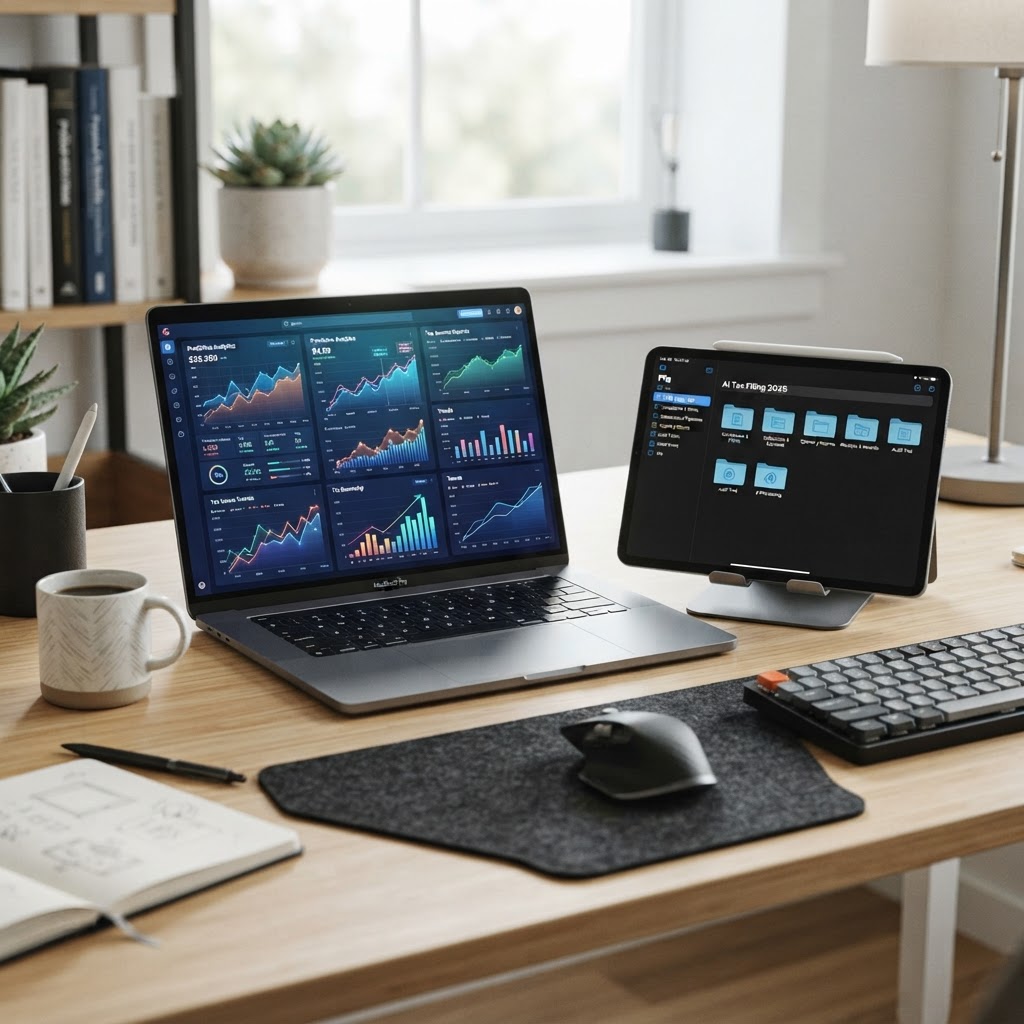
  • Best AI Tax Tools 2026: Simplify Business Compliance & Deductions

    Best AI Tax Tools 2026: Simplify Business Compliance & Deductions

    Key Takeaways

    • AI-driven platforms leverage machine learning to reduce manual data entry errors in small business financial reporting.
    • Real-time expense categorization is now a standard capability, enabling more accurate year-round tax deduction tracking.
    • Automated tax compliance features help mitigate risks by providing proactive alerts for changing local and federal filing requirements.
    • Selecting the right software requires a balance between automated efficiency and the strategic oversight of a human tax professional.
    • Modern AI accounting for taxes significantly lowers the administrative burden, allowing business owners to focus on growth rather than bookkeeping.

    For the modern entrepreneur, tax season has historically been a period of frantic receipt gathering, spreadsheet fatigue, and the looming anxiety of potential audits. However, the landscape of financial management is undergoing a tectonic shift. As we enter 2026, the integration of advanced machine learning and large language models into fintech platforms has transformed how companies handle their fiscal obligations. Whether you are a solo freelancer or managing a growing enterprise, small business tax automation is no longer a luxury reserved for large corporations; it is a fundamental requirement for staying competitive and compliant. By moving away from manual ledger keeping and toward intelligent, predictive systems, businesses can now navigate the complexities of tax law with unprecedented precision. In this guide, the aismarttoolsreview Editorial Team explores how AI-driven solutions are reshaping the industry, helping you reclaim your time and ensure your business remains audit-ready throughout the year.

    1. Why Small Businesses Are Switching to AI-Driven Tax Solutions

    The transition toward AI tax software is driven primarily by the need for speed and accuracy in an increasingly complex regulatory environment. Traditional accounting methods, while reliable, are inherently reactive. A business owner typically spends hours at the end of the month or quarter manually reconciling bank statements, attempting to categorize expenses that happened weeks prior. This “rear-view mirror” approach to accounting often leads to missed deductions, misclassified income, and, in some cases, catastrophic reporting errors that trigger scrutiny from regulatory authorities.

    AI-driven tools fundamentally flip this paradigm by shifting financial management into the present moment. Through the use of natural language processing (NLP) and pattern recognition, these tools can instantly ingest raw data from invoices, bank feeds, and credit card transactions. When a purchase is made, the software immediately identifies the vendor and assigns it to a likely tax category based on historical data and deep learning models. This real-time visibility is the cornerstone of effective tax planning. Rather than scrambling during the Q1 tax rush, business owners can maintain a “clean” set of books that is perpetually ready for review.

    Furthermore, small business tax automation significantly reduces the “human element” of error. Research into operational efficiency suggests that manual data entry is responsible for a substantial percentage of bookkeeping mistakes. By automating the ingestion of data, AI removes the risk of typos, duplicated entries, or the accidental omission of invoices. Beyond error reduction, these systems offer predictive insights. Advanced algorithms can analyze your spending patterns to suggest cash-flow improvements or warn you when your tax liability appears to be trending above projected margins. This level of proactive financial management allows for better strategic decision-making. If your tax liability is calculated accurately throughout the year, you can set aside the correct amount of capital in a high-yield savings account, rather than having that cash tied up in operating expenses that might be needed for a sudden tax bill. The switch to AI is not merely about finding a new piece of software; it is about upgrading the financial operating system of the business to ensure resilience and long-term sustainability.

    2. How AI Simplifies Tax Deductions and Expense Categorization

    One of the most persistent hurdles for small business owners is the identification and tracking of legitimate tax-deductible expenses. Many entrepreneurs inadvertently leave money on the table simply because they fail to track micro-expenses—small, frequent purchases that aggregate to significant sums over the course of a fiscal year. Tax deduction tracking has historically been a tedious administrative burden, but AI has revolutionized this by turning passive data collection into an active financial benefit.

    AI accounting for taxes uses optical character recognition (OCR) and document understanding models to process images of receipts. When an employee or business owner snaps a photo of a meal receipt, a physical invoice, or a shipping slip, the AI does more than just save the document. It parses the data to extract the merchant name, date, total, tax amount, and payment method. The software then compares this data against your existing chart of accounts and business rules. If it recognizes the vendor as a standard supplier, it automatically categorizes the expense, flags it as “business-related,” and attaches the digital image to the transaction. This audit-ready documentation trail is invaluable.

    Beyond simple categorization, sophisticated AI tools are now capable of identifying “deduction opportunities” that a human might overlook. For example, by analyzing your utility and office supply spending, an AI-powered system might prompt you to verify if you qualify for a home office deduction based on square footage data you provided during onboarding. It can also flag recurring subscription charges that may have been forgotten, helping you prune unnecessary expenses while simultaneously cleaning up your balance sheet. The key benefit here is contextual awareness. The AI doesn’t just treat a transaction as a number; it understands the nature of the expense and its relevance to your specific tax filings. By integrating these systems with your business bank accounts, the AI can perform continuous reconciliation, ensuring that every debit is properly accounted for against your projected income. This level of granular detail allows for more accurate estimations of your self-employment or corporate tax burden, effectively turning expense tracking from a chore into a profit-protection strategy.

    Approach/Tool Type Key Functionality Best For
    Automated Ledger Systems Real-time sync with banking and automated receipt parsing. High-volume daily transaction businesses.
    AI Expense Trackers OCR-based receipt digitization and mobile categorization. Mobile-first freelancers and remote teams.
    Integrated Tax Platforms End-to-end management from bookkeeping to filing. Businesses seeking total compliance automation.
    Consultative AI Assistants LLM-based natural language guidance on tax law. Owners needing strategy and clarification.

    3. Automating Compliance: Never Miss a Tax Filing Deadline Again

    Tax compliance is a multifaceted challenge that changes depending on your entity structure, location, and the nature of your business operations. A primary point of failure for many growing small businesses is the complexity of multi-jurisdictional tax obligations. If you operate in multiple states or engage in e-commerce, you may be subject to various sales tax nexus requirements, local business licenses, and diverse filing schedules. Trying to keep track of these deadlines on a physical calendar is a recipe for missed payments, late fees, and potential legal headaches.

    Tax compliance AI acts as a sophisticated project manager that is perpetually vigilant. These systems integrate with regulatory databases to receive updates on changes in tax codes or filing deadlines in real time. When a new regulation is passed, or a filing deadline is adjusted due to state-specific legislation, the software updates your dashboard immediately. Instead of waiting for an annual check-in with an accountant, the software provides a dynamic filing calendar that highlights upcoming tax payments, estimated quarterly tax deadlines, and payroll tax obligations unique to your company’s structure.

    The automation goes deeper than simple reminders. High-end compliance tools can generate draft tax returns or generate the necessary forms based on the data already reconciled in your accounting system. For example, if you use an AI-integrated payroll service, the system can automatically calculate, withhold, and flag the payment of payroll taxes for both federal and state authorities. Many platforms also offer “compliance health scores,” which allow business owners to see, at a glance, if they are missing any mandatory filings or if their current documentation is insufficient to pass a potential audit. This level of oversight removes the anxiety associated with regulatory compliance. By turning the daunting prospect of tax filings into a series of automated, managed tasks, these tools ensure that you are always in good standing. This reduces the administrative burden on the business owner significantly, as the system essentially holds your hand through the most critical regulatory requirements of the year. When combined with automated audit-trail logging—where the system records the reasoning behind every tax decision for future reference—you build a robust, defensible financial history that makes tax time significantly less stressful.

    4. Top AI Tax Features to Look for in Your Accounting Software

    When you are evaluating potential AI-powered tax solutions, it is essential to look beyond marketing buzzwords like “AI-enhanced” or “machine learning” and investigate the actual functionality provided. Not all AI tools are created equal, and the wrong choice can lead to a fragmented system that complicates rather than simplifies your workflow. To ensure you are getting the most out of your small business tax automation, there are specific features that define a modern, high-functioning platform.

    First and foremost, look for seamless banking and platform integration. An AI tool that exists in a silo is useless. The software must be able to pull data from your business bank accounts, payment processors (like Stripe or Square), and e-commerce platforms (like Shopify or Amazon) in real time. If you have to manually upload CSV files every week, the system is not truly automated. The best software maintains a continuous, encrypted connection to your financial sources, allowing the AI to categorize transactions as they hit your account. This real-time ingestion is the gold standard for maintaining accurate, up-to-date financial records.

    Secondly, verify the intelligence of the categorization engine. Ask yourself: does the system “learn” my habits? Effective AI accounting for taxes should remember your manual overrides. If you categorize a specific recurring invoice as a “Software Subscription” rather than “General Office Expense,” the software should automatically apply this rule to future transactions from that merchant. This feedback loop is what makes the software smarter over time. Another vital feature is multi-layered security and audit-readiness. The software should store metadata for every entry—who created it, when it was modified, and the source of the original receipt. This creates an unalterable history that is crucial should you ever be audited. Finally, prioritize platforms that offer intelligent dashboards. You don’t just need to see your income; you need an AI-driven forecast of your net tax liability. Being able to see how a proposed capital expenditure or a drop in revenue will impact your year-end tax bill is a powerful strategic advantage. Look for software that offers “what-if” scenario modeling, where you can simulate the tax implications of hiring a new employee or purchasing major equipment. This moves your accounting software from a record-keeping tool into a proactive business-growth asset.

    5. AI Tax Tools vs. Traditional Accountants: Finding the Right Balance

    A common misconception in the business community is that the rise of AI signifies the end of the traditional accountant or CPA. On the contrary, the experts generally agree that the most successful business owners are those who leverage the efficiency of AI to augment the strategic insight of a human professional. While AI is exceptionally efficient at managing data, categorization, and compliance documentation, it currently lacks the nuanced judgment required for complex tax planning, succession strategy, and specialized industry-specific tax optimization.

    AI is perfect for the “mechanical” aspects of accounting. It is superior to any human at tracking thousands of individual transactions, ensuring every receipt is logged, and keeping the books perfectly reconciled throughout the year. Because AI doesn’t get tired or make clerical errors, it is the ideal tool for handling the high-volume data processing that used to consume the billable hours of entry-level accountants. By offloading these tasks to an automated system, you effectively lower your cost of accounting and ensure that your data is pristine when you eventually present it to a human tax advisor.

    The role of the human accountant is shifting from “bookkeeper” to “strategic consultant.” A CPA can look at the data generated by your AI system and identify opportunities that an algorithm might miss—such as unique state-specific tax incentives for your specific niche, complex international tax treaties, or strategies for minimizing self-employment tax through S-Corp elections. Furthermore, when it comes to the “gray areas” of tax law where interpretation is required, a human professional offers a level of accountability and professional liability that an AI cannot provide. The ideal balance, therefore, is a hybrid model. Use AI tax software to maintain a continuous, accurate record of your business finances, and then collaborate with a human accountant on a quarterly or annual basis to review your strategy, interpret the implications of your AI-generated reports, and prepare your formal filings. By using AI to do the “heavy lifting” of data organization, you maximize the value of your meetings with your accountant. Instead of paying them to sort through your shoebox of receipts, you are paying them for high-level advice that can save you significantly more than the cost of their services. This collaborative approach creates a sustainable, secure, and tax-efficient foundation for your business growth in 2026 and beyond.

    Reducing Audit Risk with AI-Powered Financial Documentation

    For small business owners, the threat of an audit is a persistent source of anxiety. Traditional tax record-keeping often relies on manual entry or semi-automated spreadsheets, both of which are highly susceptible to human error. AI-powered financial documentation represents a paradigm shift in audit readiness. By leveraging machine learning to categorize expenses in real-time, these systems create a robust, verifiable audit trail that is far superior to disparate paper receipts or disorganized digital folders.

    Audit risk is frequently tied to “deduction gaps”—instances where an expense is claimed but lacks the necessary substantiation, such as a vendor invoice, a timestamp, or a clear business purpose justification. Modern AI tax software mitigates this by enforcing data capture at the point of sale. When an expense is recorded, the AI not only extracts the numerical data but also cross-references the transaction against tax code categories, flagging potential documentation deficiencies immediately.

    Furthermore, AI-driven platforms often utilize OCR (Optical Character Recognition) combined with semantic analysis to verify that receipts match transaction logs from linked bank accounts. This reconciliation happens continuously rather than once a year. By maintaining a clean, digitized ledger throughout the fiscal year, businesses can produce a comprehensive “Audit Folder” at the click of a button. This proactive documentation strategy signals to tax authorities that the business maintains high standards of financial hygiene, which may significantly reduce the likelihood of further investigation.

    Beyond simple record-keeping, these tools also monitor for anomalies in spending patterns. If an expense deviates significantly from a historical baseline or falls outside the standard category for a specific vendor, the system alerts the user. This feature allows business owners to correct potential errors—or identify fraudulent activity—long before the tax filing deadline, ensuring that the final submission is accurate and defensible.

    Multi-State and International Tax Compliance Made Easy

    As small businesses increasingly operate across geographical borders, the burden of nexus—the connection that triggers a tax obligation in a specific jurisdiction—has become exponentially more complex. Managing tax compliance for multiple states, or multiple countries, requires an intricate knowledge of disparate tax codes, threshold laws, and reporting requirements. AI tax software serves as a centralized intelligence layer that normalizes these complexities.

    In the United States, economic nexus laws dictate that businesses must collect and remit sales tax once they reach specific revenue or transaction volume thresholds within a state. Manually tracking these thresholds is nearly impossible for a growing company. AI tools solve this by continuously monitoring revenue per state and providing real-time alerts when a business is approaching a threshold. This automation eliminates the risk of unintentional non-compliance.

    For international operations, AI platforms go a step further by integrating with global tax databases. These tools can automatically calculate VAT (Value Added Tax), GST (Goods and Services Tax), and applicable import duties based on the nature of the product and the destination of the consumer. By automating the application of international tax rules, businesses can expand their customer base without the need for an in-house team of global tax accountants.

    Feature US Multi-State Focus International Focus Best For
    Nexus Tracking Automated Threshold Alerts N/A Domestic Scalers
    VAT/GST Logic Minimal High-Precision Mapping Global E-commerce
    Regulatory Updates State-level legislative monitoring Global treaty tracking Expanding Businesses
    Compliance Reports Multi-state filing readiness Cross-border audit trails Diversified Operations

    The Role of Predictive Analytics in Tax Planning and Forecasting

    While traditional tax software focuses on the “what” of your past performance, predictive analytics in AI tax tools focus on the “what if” of your financial future. This evolution in tax technology allows small business owners to transition from reactive compliance to proactive tax strategy. By analyzing historical cash flow data, seasonal spending trends, and current market conditions, AI models can forecast tax liabilities with remarkable accuracy.

    Predictive tax planning enables business owners to make informed decisions regarding capital expenditures. For example, an AI tool can analyze whether purchasing new equipment at the end of the year—and utilizing Section 179 depreciation—will actually result in a net tax benefit or if the cash flow hit outweighs the tax savings. This type of simulation was once the exclusive domain of expensive tax consultants; now, it is accessible via automated dashboard interfaces.

    Forecasting also assists in managing quarterly estimated tax payments. Many small business owners overpay, depriving their business of valuable working capital, or underpay, resulting in costly penalties. AI-powered forecasting uses real-time income streams to calculate the exact estimated tax payment required to satisfy legal obligations while maximizing cash on hand. As the fiscal year progresses, the model iteratively adjusts these projections, ensuring that the business remains optimized for liquidity and compliance.

    Security First: How AI Platforms Protect Your Financial Data

    The transition to AI-integrated financial systems brings the critical concern of data privacy to the forefront. Entrusting an AI platform with bank credentials, payroll data, and proprietary tax information requires a high level of security. Leading developers of AI tax software have responded by implementing multi-layered cybersecurity protocols that exceed industry standards for financial institutions.

    Data encryption is the foundation of these security measures. Information is typically encrypted both at rest and in transit, utilizing advanced algorithms that make data unintelligible to unauthorized parties. Furthermore, most reputable AI tax tools employ “read-only” access to banking accounts. This means the software can pull information to track transactions and categorize expenses, but it lacks the permission to initiate transfers or alter funds, effectively eliminating the risk of unauthorized movement of capital.

    Additionally, modern platforms utilize identity and access management (IAM) features, including multi-factor authentication (MFA) and granular user permissions. This ensures that only authorized employees can access specific modules of the tax dashboard. Many providers also undergo regular third-party security audits and maintain SOC 2 compliance, providing business owners with the assurance that their sensitive data is handled with the highest level of rigor. When selecting a tool, businesses should prioritize platforms that are transparent about their security architecture, data retention policies, and compliance certifications.

    Frequently Asked Questions

    Can AI tax software completely replace a certified accountant?

    While AI tax software is highly effective for automating data entry, tracking deductions, and managing routine compliance, it is not a direct substitute for a human tax advisor in complex situations. AI is excellent at following rules, but human accountants provide high-level tax planning, litigation defense, and strategic advice tailored to complex business structures or unique life events. Most experts recommend using AI as a tool to improve the efficiency of your internal processes while consulting a professional for high-level strategy.

    Is it safe to link my bank account to an AI tax tool?

    Most reputable AI tax tools use secure, encrypted third-party service providers like Plaid or Finicity to connect to your bank accounts. These services provide “read-only” access, meaning the software can analyze your data but cannot move your money or change your account settings. Always ensure the provider you choose is reputable, has verified security credentials, and uses multi-factor authentication for account access.

    How does AI ensure that tax deductions are legitimate?

    AI tools ensure legitimacy by cross-referencing expenses against established tax codes and your specific business type. By requiring receipts, timestamps, and categorization metadata at the time of entry, the AI prevents “ghost” deductions. Furthermore, many systems flag expenses that fall outside of your historical business spending norms, prompting you to verify the purpose before it is finalized for tax filing purposes.

    Are these AI tax tools suitable for both LLCs and Corporations?

    Yes, the majority of AI tax platforms are designed to be scalable and versatile. They typically offer modules that adjust based on your business entity type, whether you are a sole proprietorship, an LLC, or an S-Corp. However, you should check that the specific software supports the tax forms and regulatory requirements unique to your business structure before committing to a platform.

    How do I know if an AI tax tool is actually saving me money?

    The most tangible evidence is the reduction in missed deductions. AI tools systematically scan for write-offs you may have overlooked, such as home office portions, software subscriptions, or minor vendor expenses. Additionally, they prevent costly underpayment penalties by keeping your quarterly tax estimates accurate, and they save on billable hours that would otherwise be spent manually organizing records for an accountant.

    What happens if the AI tool makes a calculation error on my taxes?

    Most enterprise-grade AI tax platforms include a “guarantee” or service-level agreement that covers specific penalties incurred due to calculation errors within their software. While they cannot accept legal liability for user-input errors, they typically stand behind their algorithm’s outputs. It is important to read the terms of service for any tool to understand the extent of their protection and to perform a final review of all auto-generated filings before submission.

    Conclusion

    The integration of AI into the small business tax landscape is not merely a trend; it is a fundamental shift in how businesses maintain financial health and regulatory compliance. By automating the labor-intensive tasks of documentation, nexus tracking, and predictive forecasting, business owners can reclaim precious time and focus on what they do best: driving growth and innovation. While the human element—professional advice and strategic planning—remains essential, AI provides the infrastructure necessary to make those professional interactions more efficient and effective.

    As you navigate the tax season of 2026 and beyond, prioritizing tools that emphasize security, integration, and proactive intelligence will put your business on a trajectory toward long-term sustainability. Do not wait for the end of the year to start your tax automation journey; begin auditing your current workflows today and choose a platform that scales with your ambition. The investment in these technologies is an investment in the operational excellence of your firm.

    Are you ready to optimize your tax strategy? Evaluate your current bookkeeping workflows, check for gaps in your documentation, and sign up for a trial with one of our recommended AI tax platforms to see the difference firsthand.

    By aismarttoolsreview Editorial Team

  • Best AI Data Visualization Tools 2026: Tableau vs Looker vs Polymer

    Best AI Data Visualization Tools 2026: Tableau vs Looker vs Polymer

    Key Takeaways

    • AI data visualization tools are shifting from reactive reporting to predictive, automated insight discovery.
    • Tableau excels in high-complexity, enterprise-scale environments requiring deep customization.
    • Looker leverages a unified semantic layer, making it the gold standard for data governance and scalable team workflows.
    • Polymer offers a low-friction entry point, allowing users to convert static spreadsheets into interactive dashboards in seconds.
    • Choosing the right business intelligence AI depends on balancing your internal data literacy against your organization’s architectural complexity.

    The landscape of business intelligence has undergone a seismic shift as we enter 2026. The manual construction of static charts and the tedious cleaning of data sets are rapidly becoming relics of the past. Today, the most effective business intelligence AI solutions act as intelligent partners, helping stakeholders navigate oceans of raw data to identify high-impact trends before they become obvious to competitors. As businesses grapple with increasingly distributed data sources, the demand for sophisticated AI data visualization tools has reached a fever pitch. In this comprehensive review, the aismarttoolsreview Editorial Team examines the three heavyweights of the industry: Tableau, Looker, and Polymer. By dissecting their unique approaches to automated data reporting and predictive analytics, we aim to help your organization select the platform best aligned with your operational maturity and long-term strategic goals.

    Why AI Is Revolutionizing Modern Data Visualization

    Historically, data visualization was a reactive process: a data analyst would extract a query, clean the data in an external environment, build a visualization, and finally present it to leadership. By the time the report reached the boardroom, the underlying data was often days or even weeks old. AI data visualization tools have fundamentally disrupted this lifecycle by collapsing the time between data ingestion and actionable intelligence. The core revolution lies in the transition from descriptive analytics—explaining what happened—to diagnostic and predictive capabilities that explain why it happened and what is likely to occur next.

    Modern AI-powered dashboard software utilizes natural language processing (NLP) to lower the barrier to entry for non-technical stakeholders. In 2026, a marketing manager no longer needs to understand complex SQL joins to interrogate a database. They can simply ask an interface, “Show me the correlation between our Q3 ad spend and customer retention rate,” and the AI engine generates a relevant, statistically significant visualization in real time. This democratization of data is not merely a convenience; it is a strategic imperative. When frontline employees are empowered to self-serve their insights, the bottleneck of the centralized data team is effectively removed, allowing technical staff to focus on high-level data architecture and governance rather than fulfilling ad-hoc reporting requests.

    Furthermore, AI-driven automation has introduced the concept of “augmented analytics.” In traditional workflows, human bias often dictates which variables are compared, potentially leading analysts to overlook hidden correlations or anomalous data points. AI systems, conversely, scan entire datasets for patterns that may not be apparent to the human eye. These tools continuously monitor data streams, flagging anomalies—such as a sudden, unexplained drop in conversion rates or a subtle trend in inventory turnover—via automated notifications. This proactive approach ensures that stakeholders remain informed of critical business shifts as they happen, rather than after the damage has been mitigated. By integrating these AI components into the dashboard, organizations effectively transform their reporting suites from static archives into living, breathing operational maps.

    How AI-Powered Analytics Automate Insight Discovery

    The true power of modern AI data analytics lies in its ability to automate the heavy lifting of data preparation and pattern matching. Traditionally, data scientists spent upwards of 80 percent of their time on data cleaning and normalization. AI-powered tools now utilize machine learning models to identify schema mismatches, handle missing values, and suggest appropriate joins automatically. This automation acts as a force multiplier, allowing teams to integrate disparate silos like CRM data, supply chain management systems, and web analytics into a cohesive, centralized repository without requiring manual oversight at every step.

    Beyond preparation, AI is redefining how insights are surfaced. Automated data reporting is no longer about generating a PDF of charts on a Monday morning; it is about context-aware storytelling. Advanced AI engines now offer “automated insights” panels that accompany visualizations. When a user hovers over a spike in a line graph, the AI provides a natural language summary explaining the factors contributing to that movement, such as seasonal trends or specific campaign impacts. This capability removes the ambiguity often associated with data interpretation, ensuring that different stakeholders arrive at consistent, evidence-based conclusions.

    Predictive modeling—once the domain of highly specialized teams—has been woven into the fabric of the dashboard. Many of the best data viz tools 2026 platforms allow users to toggle “forecast” or “what-if” scenarios directly within the dashboard. By utilizing historical data, the AI generates predictive curves based on various variables, such as “What happens to revenue if we increase product pricing by 5 percent?” These simulations are essential for risk management and strategic planning. By reducing the complexity of data science to an intuitive, interactive interface, these platforms enable organizations to move beyond intuition and anchor their decisions in high-fidelity, AI-modeled projections. As this technology matures, we anticipate that the distinction between “business intelligence” and “data science” will continue to blur, placing sophisticated analytical power directly into the hands of the individuals tasked with executing organizational strategy.

    Tableau: Enterprise-Grade Visualizations with AI Integration

    Tableau remains an industry titan, and its evolution into an AI-centric platform with the “Einstein” integration has solidified its position for large-scale enterprises. What distinguishes Tableau in the current landscape is its visual-first philosophy paired with deep computational capability. It is designed for environments where the complexity of the data is matched only by the necessity for highly granular, custom-tailored visualizations. When organizations require a bespoke “single pane of glass” that must satisfy the needs of both data engineers and C-suite executives, Tableau is frequently the primary contender.

    The integration of AI into the Tableau ecosystem focuses heavily on making the platform “smarter” about the data it hosts. Features like “Explain Data” allow users to perform root-cause analysis with a single click. When an unexpected result appears in a dashboard, the AI behind the scenes statistically evaluates all variables in the dataset to identify which dimensions are the primary drivers of that variance. This is invaluable for enterprise teams that might have thousands of potential variables affecting a single KPI. Instead of manually filtering and sorting, the analyst relies on the AI to surface the most likely causes of outliers.

    Furthermore, Tableau provides an extensive ecosystem for technical extensibility. For developers and data architects, the ability to leverage custom Python scripts and R integration within the Tableau environment provides a bridge to advanced machine learning libraries. This makes it an ideal platform for organizations that have an established data science team capable of building custom models and deploying them directly into the visualization layer. While the learning curve for Tableau is steeper compared to more plug-and-play solutions, the ceiling for what can be built is significantly higher. The platform’s robust governance features—such as fine-grained permissions, row-level security, and centralized content management—ensure that as an organization scales, it can maintain data integrity while providing customized access across different global teams. It is a workhorse for companies that treat their data as a core strategic asset, providing the reliability and visual fidelity that heavy-duty enterprise reporting requires.

    Looker: Streamlining Data Workflows for Scalable Teams

    If Tableau is the master of visual representation, Looker is the master of data modeling and governance. Looker distinguishes itself through the use of LookML, a proprietary, code-based modeling language that sits between the raw database and the end user. This “semantic layer” approach is critical for teams operating at scale. By defining business logic—such as how to calculate “Customer Lifetime Value” or “Churn Rate”—once within LookML, an organization ensures that every dashboard across the company uses the exact same definition. This eliminates the “siloed metric” problem where different departments arrive at different totals because they calculated variables differently.

    In 2026, Looker has integrated advanced AI features that capitalize on its unique architecture. By understanding the underlying data model so thoroughly, Looker’s AI can offer more accurate and context-aware suggestions for data exploration. For instance, the platform’s “Explore” functionality acts as a query builder that guides users through the available data dimensions and measures, preventing invalid queries before they occur. This keeps users within the guardrails of valid, company-approved data, which is a major advantage for teams that want to encourage self-service without risking the spread of inaccurate or misleading dashboards.

    Looker is also inherently cloud-native, which aligns perfectly with modern data stacks like Snowflake, BigQuery, or Redshift. Because it does not rely on caching data locally—instead sending queries directly to the underlying database—it provides real-time insights that reflect the current state of the database accurately. For teams that need high-velocity data, this live-connection architecture is a distinct benefit. While LookML requires a degree of technical investment—typically requiring data analysts or engineers to set up—the resulting long-term stability and ease of consumption for the rest of the team are profound. Looker effectively bridges the gap between the rigid, highly governed requirements of the IT department and the flexible, exploratory needs of the marketing and operations teams. It is the preferred choice for organizations that prioritize data consistency and want to build a platform that grows alongside their data infrastructure rather than struggling to keep pace with it.

    Polymer: Converting Spreadsheets into Interactive Dashboards

    While Tableau and Looker are powerful, they are often overkill for mid-market companies or departments that still rely primarily on spreadsheets. Polymer fills a critical niche: the rapid conversion of static, messy spreadsheet data into interactive, intelligent web-based dashboards. For many businesses, the transition to a full-stack data warehouse is a multi-year, expensive endeavor. Polymer offers an immediate return on investment by acting as an “intelligence layer” for the tools employees already use, such as CSV files, Excel, or Google Sheets.

    The core advantage of Polymer is its simplicity, powered by underlying AI that handles the heavy lifting of data schema detection. Upon uploading a file, the AI automatically analyzes the data types, identifies relationships, and builds a series of intuitive, filterable visualizations. It removes the need for manual chart configuration or complex setup. For a manager who needs to analyze sales trends or project milestones by end-of-day, the time savings of using Polymer are unmatched. The platform’s AI is particularly adept at handling unstructured data or spreadsheets with unconventional formatting, which is a common pain point for analysts dealing with legacy data sets.

    Furthermore, Polymer enables a high degree of interactivity that static spreadsheets cannot replicate. Users can create “search-driven” dashboards where they can use a natural language search bar to query their data. For instance, typing “Show me top revenue by region in March” instantly updates the view. This makes Polymer exceptionally well-suited for teams that are non-technical but need to make data-driven decisions on a daily basis. While it lacks the deep, enterprise-level governance and complex cross-database joining capabilities of Tableau or Looker, it provides a much lower cost of entry and a significantly faster time-to-value. For startups, agencies, or departmental units within larger firms, Polymer serves as an ideal “gateway” into professional data visualization. It proves that you do not always need a massive data infrastructure to get massive data insights; sometimes, you just need a tool that understands your data as well as you do.

    Tool Best For Primary Strength Ease of Setup
    Tableau Large Enterprises Customizable High-Fidelity Viz Moderate to High
    Looker Scaling Data-Driven Teams Semantic Layer & Governance High
    Polymer Quick Insights/Spreadsheets Rapid Deployment & Search Very Low

    As we navigate the second half of this decade, the choice between these tools often comes down to the trade-off between “freedom to customize” and “speed to insight.” Tableau offers the former, Looker offers the structure required to keep a growing company aligned, and Polymer offers the latter for teams that need to move fast without extensive technical overhead. In the sections to follow, we will examine how these tools perform under stress, their pricing models for modern organizations, and how to successfully migrate from legacy reporting to these advanced AI-centric environments.

    Top Features to Look for in AI Dashboard Software

    When selecting AI dashboard software in 2026, it is no longer enough for a platform to simply generate a pie chart from a spreadsheet. The modern business intelligence landscape demands tools that act as analytical partners. As you evaluate potential solutions, prioritize platforms that offer advanced natural language querying (NLQ), which allows non-technical users to pose questions like “Why did our customer churn rate spike in Q3?” and receive an immediate, contextualized visualization.

    Another critical feature is automated anomaly detection. Traditional dashboards rely on human eyes to spot irregularities, but AI-driven systems monitor data streams in real-time, sending proactive alerts when metrics deviate from established baselines. This shifts your team from a reactive posture—where you explain what happened last month—to a predictive one, where you anticipate issues before they impact the bottom line.

    Integration versatility is equally important. The best tools offer native, low-latency connectors to your existing data stack, whether that involves cloud data warehouses like Snowflake, BigQuery, or Redshift, or decentralized sources like marketing APIs and CRM platforms. Look for “semantic modeling” features, where the AI understands the relationships between different data tables—such as recognizing that “gross profit” in your accounting software is mathematically distinct from “revenue” in your sales platform—ensuring consistency across all reports.

    Finally, consider the sophistication of the tool’s narrative generation. Advanced AI dashboard software now includes “Automated Insights” modules that provide a text-based summary alongside charts. This feature is invaluable for executive stakeholders who need the “so what?” behind the numbers without spending time digging through filters and slicers. High-quality tools should also offer robust governance and permission management, allowing you to define exactly which AI models can access which datasets, ensuring sensitive information remains compliant with internal security protocols.

    Choosing the Right Tool Based on Your Technical Skill Level

    The gap between “no-code” and “code-heavy” tools has narrowed, yet the choice of platform still dictates the friction your team will experience during deployment. For teams with limited data engineering support, tools that emphasize user interface (UI) automation are essential. Polymer, for instance, excels here by allowing users to upload CSVs or connect simple data sources and immediately producing interactive, searchable dashboards without requiring a single line of SQL or complex data modeling.

    On the other end of the spectrum, Looker (part of the Google Cloud ecosystem) is designed for organizations that treat data as a primary product. Looker utilizes “LookML,” a proprietary modeling language that requires a dedicated data analyst or engineer to set up. This high barrier to entry results in a “single source of truth” across the entire organization, preventing the discrepancies that occur when multiple teams create their own versions of metrics. If your organization has the technical personnel to manage this complexity, the payoff in long-term scalability and data integrity is immense.

    Tableau occupies a middle ground. It is powerful enough for advanced analysts to perform complex, custom manipulations, yet it has introduced significant AI features like “Tableau Pulse” to make the tool more accessible to the average business user. It is often the best fit for companies transitioning from a centralized data team model to a more democratized “self-service” environment, provided there is a clear training program in place for staff to learn the platform’s interface.

    Platform Technical Requirement Learning Curve Best For
    Polymer Low/No-code Minimal Small teams, non-technical analysts, fast prototyping
    Tableau Medium/High Moderate Enterprises needing deep customization and visual flexibility
    Looker High Steep Data-heavy organizations requiring strict semantic consistency

    Comparing Pricing Models for Small Teams vs Large Enterprises

    Pricing for AI data visualization tools has shifted significantly as cloud-native delivery becomes the standard. Small teams and startups should generally avoid platforms that lock them into multi-year enterprise contracts, as their data needs tend to evolve rapidly. Polymer typically utilizes a consumption-based or tiered user-seat model, which is favorable for teams that want to prove value on a small dataset before scaling to company-wide adoption. This approach allows smaller operations to maintain predictable cash flow while still accessing sophisticated AI-driven insights.

    Conversely, large enterprises often face high costs due to data ingestion volumes rather than just the number of users. Looker and Tableau often bundle their costs into enterprise agreements that factor in the number of concurrent connections to data warehouses. When negotiating with these vendors, it is crucial to audit your actual usage. Do you have 500 licensed users, but only 50 are power users who actually build reports? Many vendors offer “viewer-only” licenses that are significantly cheaper than “creator” or “editor” licenses. This distinction can save an organization substantial overhead if managed correctly.

    Enterprises should also evaluate the “Hidden Cost of Data Engineering.” An expensive AI tool might seem like a bargain, but if your engineering team spends 30 hours a week maintaining the pipeline to keep that tool fed with clean data, your total cost of ownership (TCO) is much higher than a more expensive, fully managed platform. Always ask about professional services and training included in the contract, as these are often negotiable line items that can bridge the gap for teams lacking internal expertise.

    How to Integrate AI Visuals Into Your Existing Data Pipeline

    Integrating AI-powered visualization into a legacy data environment requires a structured approach to prevent “data swamp” conditions. The first step is to establish an ELT (Extract, Load, Transform) process where raw data is landed in a modern cloud data warehouse (CDW). By performing the heavy lifting of data cleaning and transformation in the CDW using tools like dbt (data build tool), you ensure that when the AI dashboard queries the data, it is interacting with high-quality, normalized information rather than “dirty” raw data.

    Once your data warehouse is established, create a semantic layer. This acts as the bridge between your raw data and your visualization tool. The semantic layer defines metrics like “Customer Acquisition Cost” or “Monthly Recurring Revenue” once, ensuring that every AI-generated chart uses the same calculation logic. This is where AI tools shine; many modern platforms will scan your existing schema and suggest these relationships automatically, significantly accelerating the integration process.

    After the semantic layer is configured, focus on API connectivity. Rather than downloading static files to upload into your visualization software, prioritize live, automated connections via native APIs or ODBC/JDBC drivers. This ensures that as your data pipeline updates, your visualizations update in near real-time. Finally, implement an “AI Governance” layer. Before deploying automated dashboards to your entire company, create a sandbox environment where your data team can validate the AI’s conclusions against manual queries to ensure the insights produced by the machine are both accurate and aligned with business strategy.

    Best Practices for Designing Effective AI-Generated Reports

    Even with the most advanced AI tools, the design of a dashboard determines its utility. A common pitfall is the “everything, everywhere” approach, where creators crowd a dashboard with as many metrics as possible. Instead, follow the principle of the “Pyramid of Insight”: place the most critical KPIs—the North Star metrics—at the very top of the dashboard. Use AI-generated summaries to provide immediate context, and place granular, filterable data in the lower sections for users who need to drill down into specific details.

    Choose the right visualization for the data type. AI tools often default to a bar chart, but a time-series line chart is almost always superior for showing trends over time. If you are comparing parts to a whole, stick to stacked bar charts rather than pie charts, as they are significantly easier for the human brain to process accurately. When using AI to generate these visuals, review the output carefully to ensure the tool hasn’t inadvertently exaggerated trends by manipulating the Y-axis scale, a common error in automated software.

    Color usage should be purposeful. Avoid “rainbow” dashboards that look visually appealing but provide no cognitive utility. Use color to encode information—for example, use red and green to denote performance against a target, or a single consistent hue for all metrics related to a specific product line. Finally, build interactivity into your dashboards. Enable cross-filtering so that clicking on a specific region in a map automatically updates the bar charts for sales in that territory. This allows users to conduct their own analysis, reducing the need for constant “ad hoc” report requests to your data team.

    Frequently Asked Questions

    Can AI data visualization tools replace a human data analyst?

    AI tools significantly reduce the need for manual data manipulation and basic report generation, but they do not replace human analysts. Analysts are essential for interpreting the context behind data, identifying organizational biases, and making strategic decisions based on the “so what” behind the AI-generated insights. The role of the analyst is shifting from “report generator” to “data consultant.”

    Is my company data secure when using AI-driven cloud dashboarding platforms?

    Most enterprise-grade AI dashboard providers offer robust security features including SOC2 compliance, data encryption at rest and in transit, and granular role-based access control (RBAC). However, it is vital to review the data privacy policy of any tool you use to ensure they do not train their machine learning models on your proprietary or PII-sensitive data without your explicit consent.

    How does AI improve dashboard load times for large datasets?

    AI dashboards often use a combination of pre-aggregation and “smart caching.” Instead of scanning the entire raw dataset every time a user filters a chart, the AI learns which dimensions are queried most frequently and pre-calculates those results in the background, drastically reducing the time it takes for dashboards to load and respond to user interaction.

    Do I need to be proficient in SQL to use modern AI BI tools?

    Proficiency in SQL is no longer a strict requirement for basic dashboarding, as natural language processing allows users to query data using standard English. However, having basic SQL knowledge remains a significant advantage for troubleshooting, verifying the accuracy of AI-generated queries, and performing complex data joins that fall outside the standard capabilities of a drag-and-drop interface.

    What is the biggest challenge when implementing AI dashboards in an organization?

    The primary challenge is rarely the technology itself; it is “data culture.” Successful implementation requires clean, reliable data sources and a team that is willing to adopt data-driven decision-making. Often, resistance comes from stakeholders who are uncomfortable with automated insights or those who have built their own manual processes that they are hesitant to abandon.

    How often should I audit my AI-generated reports?

    You should audit your AI dashboards at least quarterly. Data schemas change, business definitions evolve, and the AI models themselves receive updates from the vendor. A periodic audit ensures that the automated calculations are still mapped to the correct underlying data and that the insights generated are still relevant to the company’s current strategic objectives.

    Conclusion

    The landscape of data visualization in 2026 is defined by a move away from static, manual report creation toward dynamic, AI-assisted intelligence. Tools like Tableau, Looker, and Polymer each offer distinct pathways to this future, catering to varying levels of technical expertise and organizational needs. By focusing on high-quality data integration, rigorous governance, and a design philosophy that puts the end-user first, businesses can transform their data from a passive archive into an active driver of growth and efficiency.

    The transition to AI-driven reporting is not a “set it and forget it” project; it is an ongoing process of refinement and cultural alignment. Now is the time to audit your existing reporting stack, identify the bottlenecks in your current pipeline, and select the tool that aligns with your long-term scalability goals. Start small by automating a single, high-impact report, gather feedback from your stakeholders, and expand from there. The data you have is a powerful asset—start putting it to work for you today.

    By aismarttoolsreview Editorial Team

  • Best AI Music Generators 2026: Suno vs Udio vs Stable Audio

    Best AI Music Generators 2026: Suno vs Udio vs Stable Audio

    Key Takeaways

    • The AI music generator landscape has shifted from experimental novelty to professional-grade creative assistance as of 2026.
    • Suno excels in structural songwriting and lyrical cohesion, while Udio focuses on high-fidelity, studio-quality soundscapes.
    • Stable Audio provides unique utility for sound designers and producers needing precise control over structural prompts and sound-to-audio transitions.
    • Selecting the best AI music tool 2026 requires balancing desired vocal realism against the need for complex, layered production capabilities.
    • Hybrid workflows—integrating AI-generated stems into traditional DAWs—are currently the industry standard for modern music production software users.

    The dawn of 2026 finds the music industry at a transformative precipice, where the barrier between a fleeting auditory idea and a fully realized production has been effectively dissolved by advancements in generative models. As we evaluate the current state of AI songwriting, it becomes clear that we have moved past the era of glitchy, unrecognizable loops into a sophisticated epoch of nuance, dynamic range, and emotional depth. Whether you are an independent creator seeking to iterate on melodic concepts or a producer looking to integrate machine learning into your composition workflow, understanding the specialized strengths of the leading platforms is essential. In this deep dive, the aismarttoolsreview Editorial Team analyzes the current frontrunners—Suno, Udio, and Stable Audio—to help you navigate the complex ecosystem of AI music production software.

    The Evolution of AI-Assisted Music Production

    The trajectory of music creation has always been defined by its relationship with technology, from the invention of the magnetic tape recorder to the advent of the digital audio workstation (DAW). However, the rise of AI music production software represents a fundamental shift: a move from “tool as an instrument” to “tool as a collaborator.” Early attempts at generative music were largely algorithmic, relying on MIDI patterns and rigid rulesets that often lacked the organic breath of human performance. By contrast, the current generation of models utilizes deep learning on vast datasets of human-composed and performed audio, allowing them to grasp the ephemeral qualities of genre, pacing, and timbre that define high-quality music.

    We are currently witnessing a transition from simple prompt-based synthesis to structural command-based workflows. In years past, a user might prompt a generic “lo-fi beat,” often resulting in a repetitive, uninspired loop. Today, the focus has shifted toward granular control. Modern creators can define specific song structures—verse, chorus, bridge, outro—and request specific harmonic progressions or rhythmic inflections. This evolution has democratized music creation, enabling individuals without formal music theory training to manifest complex compositions. Yet, it has also sparked a debate within the professional community regarding the nature of authenticity and intellectual property.

    As these tools have matured, the industry has begun to see a standardization of terminology and expectation. The “AI music generator” is no longer just a toy; it is an integrated component of the production stack. Many professionals now view AI as an iteration engine, using it to overcome writer’s block, generate chord progressions for testing, or create background atmospheric textures that would be time-prohibitive to synthesize from scratch. The focus for 2026 has transitioned toward latency, control, and, most importantly, the ability to iterate on specific stems rather than merely outputting a finished, uneditable audio file. This shift signifies that we are entering a phase where the AI acts as a sophisticated digital session musician, capable of mimicking specific aesthetic choices while leaving the final arrangement decisions to the human operator.

    Suno AI: Capabilities and Creative Limitations

    Suno has carved out a significant portion of the market by prioritizing what many users call “the song experience.” Unlike models that treat music as a static soundscape, Suno is architected around the concept of songcraft. It excels at lyrical interpretation and structural coherence, making it perhaps the most accessible AI songwriting platform for those primarily concerned with writing pop, folk, or rock compositions where the vocal delivery and storytelling arc are paramount.

    The platform’s strength lies in its ability to synthesize vocal performances that feel genuinely “sung” rather than synthesized. When a user provides a lyrical prompt, Suno typically applies a contextually relevant cadence and emotional inflection, aligning the rhythmic timing of the lyrics with the instrumentation. This is a critical distinction in the market; while other tools might focus on high-fidelity textures, Suno focuses on the “human” element of the song. Its model appears to have been trained on a diverse array of songwriting traditions, allowing it to move seamlessly between verse-chorus-verse structures while maintaining a consistent stylistic identity across the duration of the track.

    However, these strengths bring inherent limitations. Because Suno aims to produce a cohesive “finished” product, it often prioritizes the output of a stereo mix rather than individual instrument stems. This makes it difficult for professional producers to re-mix or master the output within a standard DAW environment. If you are unsatisfied with the way the percussion sits in the mix, there is limited recourse to isolate it without external post-processing tools. Furthermore, while Suno is excellent at creative ideation, it can occasionally struggle with complex non-standard time signatures or micro-tonal variations that characterize avant-garde compositions. For the majority of users, this is not a hindrance, but for those seeking granular control over every frequency band or instrumental layer, Suno’s “black box” approach to mixing can feel restrictive. It is best viewed as a powerhouse for songwriting and demo generation, acting as the ultimate digital sketchpad for composers who need to hear their vision articulated clearly and immediately.

    Tool Core Philosophy Best For
    Suno Songcraft & Narrative Songwriters & Vocal-centric Pop
    Udio High-Fidelity Realism Studio-Grade Electronic & Jazz
    Stable Audio Sound Design & Texture Cinematic SFX & Soundscapes

    Udio AI: High-Fidelity Audio Generation Deep Dive

    If Suno is the digital songwriter, Udio acts as the high-end recording studio. The differentiator for Udio in the current AI music landscape is its unrelenting focus on fidelity and sonic depth. Many users have noted that Udio outputs often carry a “production-ready” sheen that minimizes the need for heavy post-processing. This is largely attributed to its underlying model architecture, which seems to prioritize the frequency response and dynamic range of the individual instruments, creating a wider and more immersive soundstage than many of its competitors.

    Udio excels in genres that rely on intricate production techniques—think modern electronic, complex jazz, or multi-layered neo-soul. Where other models might conflate multiple instruments into a muddy mid-range, Udio typically does a better job of separating transients and maintaining clarity in the high-frequency spectrum. This makes it a preferred choice for producers who want to integrate AI-generated loops directly into a professional track without needing to spend hours EQing or compressing the source material to make it “sit” well in the mix. The platform’s ability to handle texture is also remarkable; it can generate synthetic pads, granular textures, and complex rhythmic pulses that feel like they were pulled from an expensive hardware synth.

    One of the more sophisticated aspects of Udio is its prompting interface, which encourages the user to define not just the style, but the sonic environment. You can prompt for specific microphone placements or room characteristics, and the model often responds with surprising sensitivity to these inputs. This level of granular request is highly valued by experienced audio engineers who are used to specifying their own signal chains. By treating the AI as an extension of the studio environment, Udio allows for a more “hands-on” experience in the generation phase. That said, the learning curve is steeper. Beginners might find themselves overwhelmed by the sheer range of parameters they can influence. Unlike Suno, which simplifies the process of creating a song, Udio demands a more technical vocabulary from its users. You are not just asking for a “sad song”; you are asking for a “melancholic composition with reverb-heavy piano, soft atmospheric strings, and low-passed percussion.” This is precisely why it remains the tool of choice for users seeking professional-grade audio fidelity.

    Stable Audio: Transforming Prompts into Sonic Landscapes

    Stable Audio approaches the challenge of music creation from the perspective of sound engineering rather than pure songwriting. Developed by Stability AI, the platform is unique in its focus on how sounds are generated, manipulated, and layered. While it can certainly generate full-length songs, its true power lies in its ability to create complex sonic landscapes, unique foley, and evolving audio textures. It is arguably the best AI music tool 2026 for those working in media, film, or game design, where the requirement is often a specific “feel” or an evocative atmosphere rather than a traditional verse-chorus structure.

    What sets Stable Audio apart is its transparency in temporal control. Users can often specify the exact duration and structure of their output with a high degree of precision. This is essential for producers who need to match an audio clip to a specific visual beat or a game-world trigger. The architecture is designed to handle a wide gamut of inputs, including non-musical sounds, meaning that a user can prompt for “the sound of a bustling street in the rain, transitioning into a jazz saxophone solo,” and the model is generally capable of executing that transition with surprising fluidity. This makes it an incredibly powerful tool for sound design.

    In practice, the workflow with Stable Audio is often exploratory. It is less about “writing a hit” and more about “finding the right texture.” By using specific prompts that describe technical characteristics—like sample rate, room size, filter resonance, or rhythmic density—the user can navigate the latent space of the AI to find sounds that would be impossible to create with standard sample libraries. For instance, a producer might use Stable Audio to generate a series of unique, evolving risers or textural transitions for an EDM track, effectively creating custom samples that avoid the repetitive nature of stock library sounds. The limitation here, as with other models, is that the output is essentially a captured moment in time. If you want to change the melody mid-stream, you often have to re-prompt and hope for the best, as the model does not yet allow for direct, non-destructive editing of its own generated parameters in the same way that a modular synth might. However, for sheer sonic versatility and the ability to craft soundscapes from thin air, Stable Audio remains unmatched in the current market.

    Feature Comparison: Audio Quality and Vocal Realism

    When measuring audio quality and vocal realism across these platforms, we have to distinguish between “perceived quality” and “technical accuracy.” Perceived quality is what we hear when we listen through a pair of high-end studio monitors; it involves the balance of the mix, the clarity of the vocals, and the absence of digital artifacts. Technical accuracy, in the context of an AI music generator, refers to the model’s ability to interpret complex lyrical phrasing and maintain musicality over time. Experts generally agree that the field is currently split between those that focus on the “sheen” of the production and those that focus on the “soul” of the composition.

    Vocal realism has seen the most dramatic improvement in the last 12 months. In 2026, we are finally seeing models that move beyond the “uncanny valley” of robotic, flat-toned singing. Suno currently holds the lead in vocal phrasing. It manages to capture the idiosyncratic breathing patterns, micro-adjustments in pitch, and stylistic flourishes that make a vocal line feel truly human. If your track hinges on a powerful, emotional lead vocal, Suno’s underlying architecture is likely to produce the most convincing result. It treats the voice as an instrument that expresses the lyrics, rather than just another audio track.

    Udio, conversely, takes a more balanced approach. It is exceptionally good at integrating the vocal into the mix. Where Suno’s vocals might sometimes sit slightly on top of the instrumentation, Udio tends to “bake” the vocals into the track, using EQ and compression techniques that mirror traditional studio practices. The result is a sound that feels cohesive and polished, even if the individual vocal performance might occasionally lack the raw, emotive highs of a specialized songwriting model. For a dance track or a jazz fusion piece, where the vocal is one of many layers, this integration is far superior.

    Stable Audio presents a different case entirely. Its vocal generation is often used as a textural element rather than a lead performance. Because its primary strength is in the creation of soundscapes, its vocals often come across as more ethereal, breathy, or processed. This is not a failure of the model, but rather a focus on different use cases. If you are looking to generate a backing vocal layer or a dreamy, ambient pop vocal, Stable Audio’s ability to manipulate the sonic environment makes it a strong contender. However, for a direct “pop hit” simulation, it generally requires more manual labor than Suno or Udio. As we look at the comparison of these three, it becomes clear that “quality” is entirely subjective to the intended final format of the music. For the producer, the choice comes down to whether they need an all-in-one song generation solution or a specialized engine for specific musical textures.

    Copyright and Ethical Considerations for AI Music

    The legal landscape surrounding AI music generation in 2026 remains complex and highly debated. As AI models like Suno, Udio, and Stable Audio continue to evolve, the primary concern for professional musicians and hobbyists alike is the ownership of the output. Currently, the United States Copyright Office and similar global bodies have generally maintained that content created solely by artificial intelligence lacks the necessary human authorship required for traditional copyright protection. However, the nuances of “human-assisted” creation—where a user provides extensive prompts, curates variations, and arranges AI-generated clips within a Digital Audio Workstation (DAW)—are currently navigating the courts.

    Ethical considerations extend beyond legal ownership into the realm of data ingestion. Many creators express concern regarding the datasets used to train these large models, specifically whether the underlying musical training data was licensed appropriately. As the industry moves toward 2026, there is an increasing demand for “ethical AI” labels, where developers provide transparency about whether their models were trained exclusively on public domain audio or licensed catalogs. When using these tools commercially, it is vital to review the terms of service for each platform; most paid tiers offer expanded commercial rights, whereas free tiers often stipulate that the platform retains rights or that the content remains non-commercial.

    Creators must also be wary of “musical fingerprints.” While AI generators are designed to synthesize new compositions, there remains a non-zero risk of models inadvertently regurgitating patterns that mirror specific copyrighted works. Using AI-generated audio as a foundational element rather than a final product—and subjecting it to significant human transformation—is currently the most effective way to protect your intellectual property and ensure your work remains unique and ethically sound.

    Integrating AI Tracks into Professional DAWs

    The true power of AI music generation is unlocked when these tools serve as a springboard for professional production. Simply generating a 3-minute track in Suno or Udio is often only the beginning. To reach professional-grade fidelity, the audio must be imported into a DAW like Ableton Live, Logic Pro, or FL Studio.

    The first step in integration is file management. Most top-tier AI tools allow you to export high-quality WAV files. Upon importing these into your DAW, the priority should be frequency management. AI-generated tracks often occupy the full frequency spectrum, which can lead to “muddy” mixes. You should apply high-pass filters to remove sub-bass rumble from non-bass elements and utilize mid-side equalization to clear space for vocals or lead synths.

    Stem separation is another critical integration technique. If you are using a tool that provides integrated tracks, you may want to run those files through a secondary AI stem separation tool to isolate drums, bass, and melodic lines. This allows you to retain the “AI vibe” while replacing the drums with your own high-fidelity samples or adding human-performed instrumentation over the synthetic base. By layering MIDI-driven virtual instruments over AI-generated textures, you achieve a hybrid sound that retains the efficiency of automation while ensuring the production quality meets professional standards.

    How to Craft Effective Prompts for Musical Genres

    Prompt engineering for music is distinct from text-to-image prompting. While visual prompts focus on lighting and composition, music prompts must focus on temporal structure, instrumentation, and rhythmic feel. To get the best results from Suno, Udio, or Stable Audio, structure your prompts with a clear hierarchy: [Mood/Vibe] + [Genre/Sub-genre] + [Instrumentation] + [Tempo/BPM] + [Technical Descriptors].

    For instance, instead of merely typing “sad song,” try: “Melancholic modern folk, fingerstyle acoustic guitar, close-mic vocal texture, slow tempo, 75 BPM, intimate room reverb, indie-folk aesthetic.” The inclusion of specific technical descriptors, such as “side-chain compression,” “analog tape saturation,” or “glitch-hop percussion,” helps the model constrain its output to specific sonic textures that sound more produced and less generic.

    Advanced users should also experiment with structural markers. If the tool supports it, use bracketed tags like [Verse], [Chorus], [Bridge], and [Outro] to help the model understand the song’s arc. When seeking specific cultural sounds, mention the geography or specific musical scales, such as “Phrygian dominant scale” or “West African polyrhythms.” This technical specificity forces the model to move beyond the average “top 40” training data and explore more nuanced musical territories.

    Pricing Models: Free Tiers vs Subscription Benefits

    The ecosystem of AI music tools typically operates on a “freemium” model. Understanding these structures is essential for scaling your production workflow. Generally, free tiers offer a limited number of credits that replenish daily or monthly. These tiers are perfect for experimentation but often come with restrictions on commercial usage and lower audio bitrates.

    Subscription tiers, conversely, often unlock higher resolution audio (e.g., 48kHz WAV files), faster generation speeds, and, most importantly, clear commercial usage rights. As you move toward professional production, these benefits become non-negotiable. Subscription plans often grant “private mode” access, meaning the prompts you use and the tracks you generate remain hidden from the community feed—a crucial feature for producers working on proprietary or unreleased projects.

    Tool Best For Key Advantage
    Suno AI Full Song Composition Excellent vocal synthesis and lyrical adherence.
    Udio Complex Musical Textures Superior depth in instrumentation and high-fidelity output.
    Stable Audio Sound Design/FX Unmatched control over short-form audio and ambient soundscapes.

    Choosing the Right AI Tool for Your Production Workflow

    Selecting the “best” tool depends entirely on your role in the creative process. If you are a songwriter who lacks musical training, Suno is likely your strongest ally due to its emphasis on vocal melody and lyrical structure. If you are a sound designer or an electronic music producer looking for “glitchy” textures, sound effects, or unique background loops, Stable Audio offers the precision and granular control necessary to integrate those clips seamlessly into a soundscape.

    Udio serves as the bridge between these two. It provides a more balanced approach, offering high-fidelity musicality that can handle both instrumental complexity and vocal expression. When choosing your primary tool, consider the “export-to-DAW” workflow. If you primarily work in Ableton, ensure your chosen AI tool supports clear, isolated exports. If you prefer to compose on the go, choose the tool with the most robust mobile integration. Ultimately, the best workflow often involves a multi-tool approach: generating melodic ideas in one, atmospheric textures in another, and finalizing the composition in your DAW of choice.

    Frequently Asked Questions

    Is AI-generated music royalty-free?

    Not necessarily. While many platforms offer “commercial use” for subscribers, this generally means you are licensed to use the music in your own media projects (like YouTube videos or social media). It does not mean the music is automatically “royalty-free” in the traditional sense, as copyright ownership of AI content remains legally murky and varies by platform policy.

    Can I copyright a song I made with AI?

    Currently, the U.S. Copyright Office generally refuses to register claims for works created entirely by AI. However, if you provide substantial human creative input—such as arranging, editing, mixing, and layering—the human-authored portions of the track may be eligible for copyright, though the AI-generated components often remain in a legal gray area.

    Which AI tool is best for lyrics?

    Suno is widely regarded as the leader in lyrical synthesis. It excels at matching rhythmic phrasing to complex lyrics, allowing for natural-sounding verses, choruses, and bridges that feel human-authored. Its ability to handle different languages and varying lyrical styles is currently ahead of most competitors.

    Do I need to know music theory to use these tools?

    While you do not need to know music theory to generate a track, possessing a basic understanding of tempo, structure, and arrangement will make you significantly more effective. Knowing terms like “BPM,” “key signature,” and “time signature” allows you to guide the AI more accurately, resulting in a more polished, professional sound.

    Can I replace a real singer with AI?

    You can certainly use AI to generate vocals, and the technology has become remarkably convincing. However, professional producers often use AI vocals as a “placeholder” or a “demo guide” before replacing them with human performances. For high-stakes commercial production, the emotional nuance and interpretative capability of a human vocalist usually remain superior.

    How much does it cost to use these tools commercially?

    Costs vary by platform, but most professional subscription plans for top-tier AI music tools range from $10 to $50 per month. These plans typically increase your credit allowance and provide the commercial license necessary to use the generated audio in your professional projects or to monetize them on streaming platforms.

    Conclusion

    The evolution of AI music generators in 2026 marks a paradigm shift in how we approach composition and sound design. While tools like Suno, Udio, and Stable Audio have lowered the barrier to entry, they have simultaneously raised the ceiling for what is possible within a professional production environment. Whether you are using these tools to overcome writer’s block, generate unique sound textures, or build the foundation for your next hit, the key to success remains human intent. AI is not a replacement for the artist; it is an incredibly powerful instrument that, when played with skill and specific direction, can elevate your work to new heights.

    We encourage you to experiment with these tools, push the boundaries of their prompt capabilities, and always look for ways to integrate their output into your own unique creative signature. The future of music is a collaboration between human creativity and machine intelligence—start building your hybrid workflow today.

    By aismarttoolsreview Editorial Team

  • Best AI Browser Extensions 2026: Top 10 for Boosting Productivity

    Best AI Browser Extensions 2026: Top 10 for Boosting Productivity

    Key Takeaways

    • AI browser extensions transform standard web browsers into personalized productivity engines by automating repetitive digital workflows.
    • The most effective tools prioritize low-latency local processing to maintain browser performance while handling complex AI tasks.
    • AI summarization tools are now essential for managing high-volume information intake in professional research environments.
    • Choosing between grammar-focused and research-focused extensions depends on whether your primary objective is content creation or data extraction.
    • Modern AI web assistants are evolving from simple text generators into autonomous agents capable of navigating websites on the user’s behalf.

    The digital workspace has shifted fundamentally; where we once relied on individual tabs and scattered desktop applications, the browser has become the central hub for our professional lives. In 2026, the integration of generative models directly into the browser interface is no longer a luxury but a critical requirement for maintaining workflow velocity. By leveraging the best AI Chrome extensions, power users can effectively offload repetitive cognitive tasks—such as synthesizing long-form reports, drafting professional correspondence, or extracting structured data from unstructured web pages—to intelligent systems. As we move deeper into an era of hyper-connected information, these productivity AI tools serve as the bridge between raw data and actionable output, allowing users to reclaim hours previously lost to manual browser navigation and information distillation. This guide explores the sophisticated landscape of browser-integrated intelligence, helping you select the right instruments to optimize your digital ecosystem.

    1. Why Use AI Browser Extensions for Daily Productivity

    The primary value proposition of integrating artificial intelligence into your browser environment lies in the reduction of context switching. Traditionally, performing research required the user to copy content from a browser tab, navigate to a separate generative AI interface, paste the data, formulate a prompt, and then migrate the resulting output back into their primary working document. This fragmented process disrupts the flow state and introduces significant cognitive overhead. AI browser extensions consolidate these steps by embedding the AI directly into the DOM (Document Object Model) of the page you are currently viewing. This proximity allows for seamless interaction with web content, whether that involves real-time translation, semantic analysis of dense documentation, or the automated completion of repetitive form entries.

    Browser-based AI tools are particularly effective because they operate within the context of your existing digital environment. By accessing the page content directly, these tools gain a nuanced understanding of your current task, which is far more efficient than static, isolated AI prompts. For instance, an AI web assistant can understand the structure of a CRM portal, a project management dashboard, or a complex scientific paper without requiring the user to explain the document structure. This contextual awareness significantly boosts browser AI efficiency, allowing for automated tasks that would otherwise require manual intervention. Furthermore, modern extensions are becoming increasingly lightweight, often utilizing server-side API calls to manage heavy computational loads, ensuring that your local browser performance remains stable even while performing intensive data processing tasks.

    From an organizational perspective, these extensions democratize access to advanced analytical capabilities. Employees across departments—from marketing and sales to software engineering—can utilize the same infrastructure to parse market trends, summarize meeting transcripts, or debug front-end code without needing to switch specialized applications. By centralizing these functionalities within the browser, firms can ensure a standardized approach to AI-assisted productivity. Furthermore, because these tools typically operate as overlay interfaces, they offer a non-intrusive way to enhance human performance, acting as an intelligent layer that provides suggestions, summaries, and structural shortcuts exactly when they are required, thereby turning the passive consumption of web content into an active, analytical process.

    2. Essential Features to Look for in AI Browser Tools

    As the market for productivity AI tools matures, differentiating between superficial wrappers and robust, professional-grade extensions becomes essential. To identify the top performers, users should first evaluate the tool’s integration capabilities. A high-quality AI extension should not merely exist as a sidebar; it should ideally possess the ability to interact with the active page elements, such as text selection, form fields, and even dynamic elements like charts or tables. The ability to perform “in-page” operations—such as highlighting text to generate a quick summary or right-clicking to trigger a contextual command—is a hallmark of a well-integrated AI web assistant.

    Security and data privacy represent the second critical pillar of evaluation. When an extension has the capability to read content from your web pages, it is effectively parsing sensitive information, which may include login credentials, personal communications, or proprietary data. Users must prioritize extensions that offer transparent data handling policies, robust encryption for transmitted data, and the option to opt-out of training models on their local data. Ideally, the developer should provide clear documentation regarding which web domains the extension is permitted to access. Avoid tools that request “read all data” permissions for every site you visit without providing granular control options; a reputable tool will allow you to toggle access on a per-site basis.

    Performance impact is another frequently overlooked factor. While feature-rich extensions can solve complex problems, they should not compromise the stability or responsiveness of your browser. Excellent AI tools are optimized to run asynchronously, ensuring that background API requests do not block the UI thread or cause page lag. Users should also look for cross-platform availability and synchronization. If you utilize multiple browsers or computers, the ability to store your custom prompts, history, and configuration in a synced account is vital for maintaining consistent productivity workflows. Finally, the quality of the underlying model matters. The best AI Chrome extensions are those that allow users to select or switch between different language models depending on the task—perhaps choosing a highly capable model for complex logical reasoning or a more cost-effective, faster model for simple summarization tasks.

    Extension Category Core Functionality Best For
    AI Research Assistant Real-time data extraction and source verification Academic/Professional Research
    Content Summarizer Condensed insight generation from long-form text Daily Information Intake
    Grammar & Style Engine Real-time editorial and tone adjustment Writing and Correspondence
    Workflow Automator Cross-tab data migration and form autofill Administrative Efficiency

    3. AI Summarization Tools for Faster Web Reading

    The modern internet is characterized by an abundance of information, much of which is presented in long-form, verbose formats that can be time-consuming to consume. An AI summarizer browser tool acts as a high-speed filter for your information intake, allowing you to digest the core arguments, data points, and conclusions of a document in a fraction of the time it would take to read it manually. These tools operate by utilizing natural language processing (NLP) to parse the semantic structure of a page, identifying key sentences and condensing them into a coherent bulleted list or a brief executive summary. This capability is particularly transformative for professionals who must monitor industry news, long technical documentation, or lengthy internal reports daily.

    When selecting a summarization extension, it is important to observe how the tool handles different document types. A high-quality AI summarizer should be able to differentiate between editorial prose, technical specifications, and news report structures. Some advanced tools offer “customizable summarization,” allowing users to dictate the level of detail, the tone of the output, or even a specific lens through which the information should be viewed—such as “summarize this technical paper for a non-expert audience” or “extract only the financial metrics from this quarterly report.” This level of control shifts the tool from a passive summarizer to an active research partner.

    Furthermore, effective summarization tools often integrate with existing note-taking platforms or project management systems. Rather than viewing the summary inside the extension sidebar, these tools allow users to export summarized insights directly into tools like Notion, Obsidian, or Trello. This integration closes the loop on research workflows, ensuring that key information is captured in your knowledge base immediately rather than being left to disappear once the tab is closed. The most robust summarizers also provide a “cite the source” feature, linking specific summary bullet points back to the original text on the webpage. This feature is vital for verifying the AI’s output, preventing hallucinations, and ensuring that users maintain accountability for the insights they incorporate into their own projects.

    4. Advanced Writing and Grammar Extensions for the Web

    Writing within a web browser often requires users to navigate disparate environments—from email clients and social media platforms to browser-based CMS (Content Management Systems) and document editors. Each platform has different requirements for tone, style, and structure. Advanced writing extensions function as a persistent editorial layer, providing real-time suggestions that go beyond standard spellcheck. These tools leverage large language models to offer nuanced assistance with sentence structure, clarity, and the calibration of professional tone, ensuring that the user’s written communication remains effective and precise regardless of the destination platform.

    A major advantage of using these AI-powered writing tools is their ability to adapt to specific user personas. Many of these extensions allow you to define a “writing style profile” that the AI adheres to across all web-based writing tasks. Whether you need to maintain a formal tone in a LinkedIn message, a concise and instructional tone for Jira tickets, or a creative tone for a personal blog post, the extension can modify its suggestions to align with your needs. This eliminates the manual effort of re-editing text multiple times to ensure it meets the appropriate stylistic requirements. By understanding the broader context of your communication, these tools help prevent the common pitfall of professional emails that sound either too robotic or too informal.

    Beyond style, these tools are increasingly incorporating sophisticated structural and grammatical analysis. While traditional checkers focus on local syntax, AI-enhanced writing tools look at the paragraph level, suggesting logical flow improvements or identifying repetitive phrases that detract from the impact of the writing. Some tools even provide “rephrasing” buttons, which allow users to instantly transform a rough draft into a polished, professional output with a single click. This functionality is particularly beneficial for non-native language speakers or professionals writing in high-stakes environments where clarity is paramount. The integration of these tools into the browser—as opposed to standalone desktop apps—ensures that every single text input field on the web becomes a powerful, AI-assisted authoring environment, effectively democratizing professional editorial standards.

    5. AI Research and Data Extraction Plugins Compared

    In the realm of technical research and lead generation, the ability to extract data from the web is as important as the ability to generate it. AI research and data extraction plugins are designed to solve the problem of “web-scraping inefficiency.” Traditionally, gathering information from websites—such as extracting contact details from a directory, collecting product pricing across multiple vendor sites, or aggregating industry news—was a manual, tedious, and error-prone process. Modern AI-powered extraction tools utilize computer vision and deep learning to identify patterns on a webpage, allowing them to extract structured data into formats like CSV or JSON, which can then be directly imported into analytical tools or databases.

    When comparing these extraction plugins, users should look for those that offer a “no-code” interaction paradigm. A high-quality extraction tool should allow you to “train” it simply by pointing and clicking at the elements on the page you wish to extract. The AI then generalizes this behavior, applying it across other pages within the same domain. For instance, if you are conducting market research and need to compare specifications across ten different product pages, the best tools will recognize the underlying structure of the vendor’s site after you interact with the first page. This makes the data extraction process incredibly efficient, allowing for the rapid assembly of datasets that would otherwise take hours to build manually.

    Furthermore, these tools are increasingly incorporating verification workflows. Because AI models can occasionally misinterpret the structure of complex or poorly coded websites, a truly useful plugin will present the user with a preview window, allowing them to validate the extracted data before exporting it. This “human-in-the-loop” approach ensures that the exported information is clean, accurate, and ready for use in business intelligence reports. When looking for the ideal research tool, consider whether it offers direct API integrations with your broader tech stack. The ability to push extracted data directly into a spreadsheet, a Salesforce lead list, or a Slack channel for team analysis significantly boosts overall browser AI efficiency. In the high-velocity environment of 2026, those who can extract, structure, and analyze web data with the greatest speed and accuracy will hold a distinct professional advantage.

    Automation Extensions to Streamline Web Browsing

    The true power of AI browser extensions lies in their capacity to evolve from passive assistants into active agents that handle repetitive tasks on your behalf. In 2026, automation-focused AI tools have moved beyond simple macro recording, utilizing advanced Large Action Models (LAMs) to interact with browser elements as a human would. These tools identify UI patterns, navigate complex dashboards, and execute multi-step workflows with minimal oversight.

    One of the most significant shifts in browser-based automation is the emergence of “headless” AI agents. These extensions can be instructed to perform tasks—such as scraping specific data points from a dynamic web application, filling out standardized forms, or managing data synchronization between disparate SaaS platforms—while you remain focused on high-level cognitive work. Unlike older scripting tools, these AI-driven agents adapt to UI changes, meaning your automation setup is far less likely to break when a website updates its interface.

    Below is a comparative look at how these automation tools serve different operational needs:

    Extension Name Automation Capability Key Integration Best For
    TaskFlow AI Multi-step UI interaction CRM & Project Management Sales Operations
    FormAutomator Pro Context-aware data entry Government & Legal Forms Administrative Efficiency
    WebScraper Intel Intelligent data extraction CSV/Cloud Databases Data Analysts
    BrowserSync AI Real-time cross-tab orchestration Browser-wide APIs Power Users

    For those managing heavy research or data-driven workloads, integrating these tools reduces the “context switching” tax. By delegating the extraction, categorization, and entry of information to an AI extension, users can effectively reclaim hours of manual labor per week. The secret to effective browser automation is starting with small, modular tasks. Instead of trying to automate an entire workday, focus on the “bottleneck” tasks—the 20% of your browsing activity that consumes 80% of your time.

    Privacy and Security Considerations for AI Extensions

    As AI browser extensions gain deeper access to your browsing history, document contents, and input fields, the surface area for potential security risks expands. In 2026, practitioners must be more vigilant than ever regarding data permissions. Most AI extensions operate by sending fragments of your browsing data to cloud-based servers for processing; therefore, understanding the data lifecycle is paramount.

    Privacy-conscious users should prioritize extensions that offer “Local-First” or “Zero-Knowledge” processing. These tools perform the AI inference directly on your machine’s hardware, ensuring that sensitive data never leaves your browser environment. While local processing may require a more powerful machine to run efficiently, it provides a crucial layer of security, especially for users handling confidential corporate documents or private research.

    Furthermore, it is essential to audit the permissions you grant to these extensions. Many AI tools will request “Read and change all your data on the websites you visit.” While this is often necessary for the tool to function, you should scrutinize the developer’s reputation and privacy policy. Look for documentation regarding:

    • Data Encryption: Does the provider use end-to-end encryption for data in transit and at rest?
    • Data Retention: Is your browsing data used to train the developer’s future AI models? (If so, look for an opt-out toggle).
    • Third-Party Sharing: Does the extension share user telemetry with advertising networks or data brokers?

    Experts generally agree that for sensitive workflows, utilizing “Incognito” mode with restricted extension access is a best practice. You should only enable extensions that have been verified in official browser stores and frequently updated to patch potential vulnerabilities.

    How to Choose the Right AI Browser Extension for Your Needs

    The landscape of AI tools is vast, and choosing the wrong one can lead to “tool fatigue” rather than productivity gains. To select the right extension, you must first define your primary pain point. Are you struggling with information overload, or are you wasting time on repetitive form filling? If your goal is summarization, focus on tools that excel at reading comprehension and citation extraction. If you are a developer or marketer, prioritize tools with deep API connectivity.

    Consider the learning curve. Highly powerful automation agents often require a period of configuration where you “teach” the AI your preferences. If you lack the time for setup, look for “plug-and-play” extensions that provide immediate value through standardized templates. Additionally, check for ecosystem compatibility. An AI extension that syncs perfectly with your existing project management or cloud storage tools will provide significantly more value than a standalone utility.

    Ask these three questions before installing:

    1. Does this tool integrate directly with my primary productivity stack (e.g., Notion, Salesforce, Google Workspace)?
    2. Is the performance overhead manageable, or does this extension noticeably slow down my page loading speeds?
    3. Does the tool offer a free tier that allows me to test its efficacy before committing to a paid subscription?

    Customizing Your Browser with AI: A Step-by-Step Setup

    Transforming your browser into an AI-powered workstation is a process of curation. Follow these steps to optimize your setup:

    Step 1: Baseline Cleanup. Start by removing all unused extensions. Browser performance is directly impacted by the number of active background processes. Keep only those that serve a specific daily purpose.

    Step 2: Assign Specific Roles. Assign one AI extension to each of your primary tasks. For example, have a designated “Summarization” extension for reading long-form articles, and a separate “Task Automation” extension for handling administrative web forms. This prevents feature overlap and reduces memory usage.

    Step 3: Establish Keyboard Shortcuts. Most high-quality AI extensions allow for custom hotkeys. Map these to simple commands—such as Alt+Shift+S to trigger a summary or Alt+Shift+A to initiate an automation workflow. Muscle memory will drastically speed up your interactions.

    Step 4: Configure Data Privacy Settings. Once installed, immediately navigate to the extension’s internal settings menu. Toggle off features like “anonymous data collection” or “usage analytics” if you prefer to keep your browsing habits private. Ensure that any “always-on” AI features are restricted to specific, non-sensitive domains if the extension allows for domain-specific whitelisting.

    The Future of Browser-Based AI Integration

    The next iteration of browser-based AI is moving toward “Proactive Intelligence.” In the coming years, we expect extensions to evolve from tools we summon to partners that anticipate our needs. We are approaching a point where the browser will understand the intent behind our search queries—not just the keywords—and proactively prepare the environment by opening relevant tabs, summarizing the latest updates on a topic, and drafting preliminary responses before we even ask.

    Multi-modal integration will also become the standard. Imagine an AI extension that doesn’t just read text but “sees” the video content on your screen, listens to the audio, and provides real-time synthesis of a complex webinar. As browser engines and AI models converge, the latency between an AI’s thought and its action will shrink, making the browser a truly intelligent workspace rather than just a portal to the web.

    Frequently Asked Questions

    Do AI browser extensions slow down my computer?

    Generally, high-quality AI extensions are designed to be efficient; however, since they run in the background, they can consume CPU and RAM. If you find your browser lagging, prioritize “lightweight” extensions that offload processing to the cloud rather than running resource-heavy local models.

    Can these extensions see my passwords?

    Most reputable browser extensions are built with security protocols that explicitly prevent them from accessing password fields or sensitive credit card information. Always review the “Permissions” section in your browser’s extension settings to see exactly what a tool is authorized to access.

    Are AI extensions free to use?

    Most AI extensions follow a “freemium” model. You can typically access basic functionality, like limited summarizations, for free, while advanced features—such as unlimited automation workflows or high-priority server access—require a monthly subscription.

    Do these tools work on every website?

    Most work on the vast majority of web pages. However, some websites with strict security headers, CAPTCHA protections, or complex dynamic content (like some banking portals) may block AI scripts from interacting with the page.

    Is my data used to train public AI models?

    It depends on the extension’s privacy policy. Some developers use anonymized user data to improve their models, while others strictly forbid it. Always check the privacy settings or the “Terms of Service” to opt out of data sharing if that is a concern for your workflow.

    Can I use multiple AI extensions at the same time?

    Yes, you can use multiple extensions simultaneously, but it is not recommended to use multiple tools that perform the same function, as they may conflict with one another and drain system resources. Stick to a “one tool per task” strategy for the best performance.

    Conclusion

    The landscape of productivity in 2026 is defined by the symbiotic relationship between human intent and machine efficiency. AI browser extensions are no longer just optional add-ons; they are essential instruments that allow us to process, filter, and act upon the vast amounts of information we encounter daily. By carefully selecting tools that align with your specific workflow, prioritizing your data privacy, and optimizing your browser environment, you can significantly reduce the friction inherent in digital work.

    Don’t let the pace of technological change overwhelm your productivity. Start by experimenting with one or two of the tools outlined in this guide—perhaps a summarizer for your morning news or an automation tool for your repetitive data entry—and observe the immediate impact on your focus and efficiency. The tools are ready; it is time to integrate them into your workflow and reclaim your most valuable asset: your time.

    By aismarttoolsreview Editorial Team